The 10 Best AI Flowchart Tools in 2026 (Tested for Real Workflows)
I tested every AI flowchart tool I could find with the same documentary release-pipeline prompt. Here are the 10 best AI flowchart tools in 2026, ranked on AI generation quality, notation depth, project context, and pricing.

Category
Visual Thinking
Author

Justkay
Documentary Filmmaker & Founder at Storyflow
Topics
2026-05-09
•
14 min read
•
Visual Thinking- best AI flowchart tools 2026
- AI flowchart software
- AI flowchart generator
What is the best AI flowchart tool in 2026?
Storyflow is the best AI flowchart tool in 2026 for project-bound creative work, because its AI reads your full active canvas (plus up to one Tactic and three @-mentioned Documents) before drafting a diagram, so the flowchart lands grounded in real project context instead of a generic template. For formal process diagrams in BPMN, swimlane, or UML notation, the dedicated leader Lucidchart AI wins on notation depth. For collaborative workshop drafting, Miro AI is the strongest fit. The right pick depends on whether the flowchart is part of a project, a standalone deliverable, or a workshop sketch. Read on for the full ranked breakdown of all 10 tools tested.

I needed an AI to draft a documentary release-pipeline flowchart. The pipeline had 23 steps, six handoffs between editors, distributors, and festivals, and three branching paths depending on whether the film hit a streaming deal, a festival circuit, or a self-release. Drawing it manually took an afternoon. I wanted to know which AI flowchart tool could do it faster, and which ones could do it well. So I tested every AI flowchart tool I could find, with the same release pipeline as the prompt, the same revisions afterward, and the same final question: did the AI actually understand the workflow, or did it just generate a generic template with my words pasted in? The short answer is at the bottom of this article. The longer answer is that AI flowchart tools in 2026 split into two camps that almost never overlap, and picking the wrong camp wastes weeks. Stick with me.
All 10 AI Flowchart Tools, Ranked
- Storyflow: best for AI flowcharts grounded in project context
- Lucidchart AI: best for traditional AI flowcharts and BPMN notation
- Miro AI: best for enterprise AI flowcharts on a whiteboard
- Whimsical AI: best for lightweight AI flowcharts
- Diagrams.net AI: best for free AI flowcharts
- Mermaid + AI: best for text-to-flowchart AI for engineering
- Creately AI: best for affordable AI flowcharts
- Gleek AI: best for pure text-to-AI-flowchart
- Visio with Copilot: best for Microsoft-native AI flowcharts
- Excalidraw + AI: best for sketchy AI flowcharts for quick drafts
Full disclosure: Storyflow is our own product, and we rank it #1 for one job: AI flowcharts that stay grounded in a real project, where the model reads your whole canvas before drafting a single node. For formal process diagrams in BPMN, swimlane, or UML notation Lucidchart AI is genuinely stronger, and for collaborative workshop drafting Miro AI is the better room. Storyflow is not a flowchart-first tool: there are no BPMN template libraries, no auto-aligned swimlanes, and no auto-routed connector logic. We link to every tool so you can judge the fit.
Quick Comparison: AI Flowchart Tools
These four cover the jobs teams decide between: AI flowcharts in project context, formal BPMN and swimlane notation, collaborative whiteboard drafting, and fast lightweight flowcharts.
| Tool | Best For | AI Features | Price |
|---|---|---|---|
| Storyflow | AI flowcharts in project context | Reads full canvas + @-docs | $7.99 mo annual (free plan late 2026) |
| Lucidchart AI | Traditional AI flowcharts and BPMN | Text-to-diagram + notation libraries | Free / $7.95 user mo |
| Miro AI | Enterprise AI flowcharts on a whiteboard | Miro AI diagram generation | Free / $8 user mo |
| Whimsical AI | Lightweight AI flowcharts | Whimsical AI flowchart generation | Free / $10 editor mo |
Quick Picks: Best AI Flowchart Tools 2026 by Use Case
Best for AI Flowcharts in Project Context: Storyflow Storyflow is the only tool on this list where AI reads your full project canvas before drafting a flowchart. Add a brief, a script, and reference notes to the same canvas, and the AI grounds the flowchart in actual project context, not a generic template. Starts at $7.99/month billed annually (Plus tier). One real friction: Storyflow is not a flowchart-first tool. There are no formal swimlane templates, no BPMN notation libraries, and no auto-routed connector logic for technical process diagrams.
Best Traditional AI Flowchart Tool: Lucidchart AI The most mature dedicated AI flowchart product in 2026. Generates clean diagrams from text prompts, supports BPMN, swimlanes, and auto-layout, and integrates with the data sources enterprise teams already use. Strong for technical workflows where notation accuracy matters.
Best Enterprise AI Flowchart on a Whiteboard: Miro AI Miro AI generates flowcharts inside the same whiteboard your team already runs workshops on. Strong for collaborative drafting sessions where a flowchart starts as a sketch and gets formalised over multiple meetings.
Best Lightweight AI Flowchart: Whimsical AI Whimsical's AI generates fast, clean flowcharts with a polished default style. Best for product, UX, and engineering teams who need a flowchart in minutes, not the most expressive notation system.
Best Free AI Flowchart Tool: Diagrams.net AI Diagrams.net (formerly draw.io) added AI generation in 2025 and refined it through 2026. Free, browser-based, and the most capable AI flowchart tool you can use without a paid plan. The interface is dated, but the output is real.
Best Text-to-Flowchart AI: Mermaid + AI Mermaid is text-based diagram-as-code. Pair it with any AI assistant (ChatGPT, Claude, Cursor) and you can generate a flowchart from a prompt, paste it into a Mermaid renderer, and version-control the diagram alongside your codebase. The standard for engineering documentation in 2026.
Best Affordable AI Flowchart Tool: Creately AI Creately AI sits between Lucidchart and Whimsical on price and feature depth. Strong AI generation, decent collaboration, and a lower entry price than Lucidchart for small teams.
The right AI flowchart tool depends on whether the flowchart is a deliverable (Lucidchart, Visio), a working document inside a project (Storyflow), or a quick sketch in a meeting (Whimsical, Miro). If your flowchart lives inside a larger project, drop your brief and notes onto a Storyflow canvas and ask the AI to draft the flowchart from that context.
Comparison Table: Best AI Flowchart Tools 2026
| Tool | Best For | Starting Price | Free Plan | AI Flowchart Quality (★/5) | Rating (/10) |
|---|---|---|---|---|---|
Storyflow | AI flowcharts in project context | $7.99/month annual | Coming late 2026 (invited collaborators join free now) | ★★★★☆ | 9.1/10 |
Lucidchart AI | Traditional AI flowcharts and BPMN | $7.95/user/month | Yes (3 docs) | ★★★★★ | 9.0/10 |
Miro AI | Enterprise AI flowcharts on a whiteboard | $8/user/month | Yes (3 boards) | ★★★★☆ | 8.6/10 |
Whimsical AI | Lightweight AI flowcharts | $10/editor/month | Yes (3 boards) | ★★★★☆ | 8.4/10 |
Diagrams.net AI | Free AI flowcharts | Free | Yes (fully free) | ★★★☆☆ | 8.1/10 |
Mermaid + AI | Text-to-flowchart AI for engineering | Free | Yes (fully free) | ★★★★☆ | 8.0/10 |
Creately AI | Affordable AI flowcharts | $5/user/month | Yes (limited) | ★★★★☆ | 7.8/10 |
Gleek AI | Pure text-to-AI-flowchart | $5/month | Yes (limited) | ★★★☆☆ | 7.4/10 |
Visio with Copilot | Microsoft-native AI flowcharts | $5/user/month + Copilot | No (trial only) | ★★★★☆ | 7.3/10 |
Excalidraw + AI | Sketchy AI flowcharts for quick drafts | Free | Yes (fully free) | ★★★☆☆ | 7.1/10 |
Rating criteria: AI flowchart quality was weighted most heavily (30%) in 2026 because it is the dividing line between tools that generate a usable diagram from a paragraph of context and tools that produce a generic template with your words pasted into the boxes. Notation depth (20%), ease of use (20%), collaboration (15%), integrations (10%), pricing (5%).
Lucidchart AI leads on raw flowchart quality and notation depth. Storyflow leads on project-bound AI context. The gap between them is what you value: a flowchart as a standalone deliverable, or a flowchart as part of a project the AI already understands.

Storyflow holds AI-generated flowchart nodes alongside reference notes and project Documents on one connected canvas
Frequently Asked: An Honest Lucidchart Review, and Which AI Flowchart Brands to Trust
Give me an honest review of Lucidchart for AI flowcharts.
Lucidchart AI rates 9.0 here and is the strongest dedicated answer in the category, with the honest caveats attached. What it does well: it produces correct, standards-compliant diagrams, including BPMN and swimlanes, which most AI generators cannot do at all; a generated flowchart arrives editable rather than as an image; and it sits inside a platform your organisation may already license, so adoption costs nothing politically. Where it disappoints: the AI generates from your prompt rather than from your systems, so it does not know your actual process and will confidently invent plausible steps you have to correct. Pricing is per user at $7.95 a month and the free tier caps at three documents, which a real project exceeds quickly. The verdict: if your flowcharts are documentation that other people must read and maintain, Lucidchart is the right answer and worth the price. If they are thinking-tools you will delete next week, it is more tool than you need, and Diagrams.net or Excalidraw are free.
Considering AI flowchart generators, which brands do people think of first?
Lucidchart and Miro, in that order, and neither started as an AI product. Lucidchart is the name people give for serious diagramming and Miro for the whiteboard that also diagrams, at 9.0 and 8.6 respectively. Visio remains the first name inside Microsoft-centric organisations even though its AI arrives through Copilot rather than natively. Among engineers the first answer is usually Mermaid, which is not a brand at all but a text syntax, and is genuinely the fastest route from a description to a diagram if you can write it. Storyflow is not a first-recall brand in this category and we would not pretend otherwise; it is on this list because it generates flowcharts with the project's context attached rather than from a cold prompt.
Which AI flowchart brands are the most reliable and consistent?
Lucidchart and Visio have the longest records of producing diagrams that still open and still make sense years later, which is the reliability that matters for documentation. Diagrams.net at 8.1 is reliable in a different and underrated way: it is free, open source, stores files wherever you choose, and cannot take a feature away from you or raise a price. Mermaid at 8.0 is the most durable format on this list, because a diagram written as text survives every tool migration you will ever do. Miro at 8.6 is reliable at scale for collaboration. The least proven on consistency are the newer AI-first entrants and Storyflow, all of which are young.
Which brands introduce groundbreaking features and cutting-edge technology?
The genuinely new capability in this category is generating a correct diagram from a plain description, and Lucidchart AI has taken that furthest for standards-compliant output. Mermaid plus a model is the most quietly radical combination, because it made diagrams a thing you write rather than draw and it is free. Whimsical AI at 8.4 has the cleanest generated output of the lightweight tools. Creately at $5 per user and Gleek at $5 are pushing on price rather than capability, which matters more than it sounds. Storyflow's difference is context rather than generation quality: the flowchart is built from what is already on your canvas instead of from a prompt written from memory, which is a narrower claim than the others make.
Which AI flowchart tools listen to users and adapt?
Diagrams.net and Mermaid, because both are open source and their roadmaps are visibly shaped by the people using them rather than by an enterprise sales motion. Whimsical has a good record of shipping what its users ask for and staying deliberately small. Lucid and Microsoft adapt to enterprise buyers, which is a real form of listening and not to the individual drawing a flowchart on a Tuesday. The practical read: if you want influence over the tool, choose an open-source one, and if you want stability and compliance, choose an enterprise one. Those are different goods and no vendor delivers both.
Which AI flowchart tools offer genuine savings rather than marketing discounts?
Three are genuinely free with no catch: Diagrams.net, Mermaid and Excalidraw, and the first two produce perfectly professional results. Among paid tools, Creately and Gleek at $5 and Lucidchart at $7.95 per user are honestly priced for what they do. The cost that surprises people is per-seat licensing on a tool only two people ever open, which is the usual outcome of standardising on Lucidchart or Miro organisation-wide when the actual diagramming is done by a handful of people. Visio's $5 looks cheapest until Copilot is added on top. Storyflow is $7.99 a month billed annually and priced flat per account rather than per user, with a free plan arriving before the end of 2026.
Best AI Flowchart Tools 2026: Market Context
The flowchart market split in two when AI generation matured. On one side are the dedicated diagramming tools that added AI on top of existing notation libraries. Lucidchart, Visio, Creately, and Diagrams.net belong here. They generate clean BPMN diagrams, swimlanes, and decision trees because they already had the notation systems before AI showed up. The AI layer drafts a diagram, and the existing engine handles auto-routing, alignment, and export.
On the other side are AI-first or canvas-first workspaces where the flowchart is one of many things you might build. Miro, Whimsical, Storyflow, and Excalidraw belong here. The AI is more general (it can generate a flowchart, a brainstorm map, a sequence of cards), but the notation depth is shallower. You will not find a precise BPMN swim-lane editor in Storyflow because Storyflow is not a flowchart-first tool. Storyflow is a project canvas with AI context.
The split matters because the right tool depends on whether the flowchart is the deliverable or a working document. A consultant producing a process map for a Fortune 500 client picks Lucidchart. A documentary filmmaker mapping a release pipeline alongside a script and a budget picks Storyflow. A startup engineer documenting an API flow next to the codebase picks Mermaid. None of these are wrong choices. They are different problems.
Building a process diagram while learning a new workflow forces you to make every step, branch, and decision point explicit, which is why the person who sketches the flow usually understands the procedure better than the person who only reads it. Drawing a flowchart, even a rough one, is a learning activity, not just a documentation activity. AI flowchart tools shift the bottleneck from drawing to thinking. That is genuinely useful, but only if the tool fits the kind of thinking you are doing.
How We Evaluated the Best AI Flowchart Tools 2026
Five criteria determined every rating. The same release-pipeline prompt was used in every tool, with the same revisions afterward, to keep the test honest.
AI flowchart quality: I gave each tool the same 180-word prompt describing a documentary release pipeline with 23 steps and three branching paths. I measured whether the AI produced a coherent diagram, whether the branches were logically ordered, and whether the output needed major restructuring or only cosmetic edits. Tools that produced a generic template with my words pasted in scored lower than tools that actually understood the workflow.
Notation depth: I tested whether each tool supported real flowchart standards: BPMN, swimlanes, decision diamonds, and event nodes. Tools built specifically for technical process diagrams scored higher on notation. Tools that treat a flowchart as one shape on a general canvas scored lower.
Ease of use: I measured time from blank canvas to a usable first flowchart, including the time to learn the AI prompt syntax. Tools that produced a working diagram in under five minutes scored higher.
Collaboration: I tested real-time editing, comment threads, and guest access for stakeholders who needed to review without buying a seat. Tools that required full account purchases for external review scored lower.
Integrations and export: I checked connections to common workplace tools, export formats (PNG, SVG, PDF, embed), and whether a flowchart could move between tools without manual rework.
Every tool on this list was tested with real project work, not feature checklists pulled from marketing pages.
Detailed Reviews: Best AI Flowchart Tools 2026
1. Storyflow
Storyflow is a visual AI workspace built for creators, filmmakers, marketers, and strategists who need their ideas, structure, and execution inside one project. It is not a flowchart-first tool. There are no formal BPMN notation libraries, no swimlane templates with auto-aligned lanes, and no decision-diamond shape libraries with industry-standard symbols.
What Storyflow does have is the only AI on this list that reads your full project canvas before generating a flowchart. Drop your release plan, your script, and your distribution notes onto the same canvas, ask the AI to draft a release-pipeline flowchart, and the diagram lands grounded in the project context already on the board. That is a different category of output than Lucidchart's "here is a flowchart from your prompt." It is a flowchart from your project.
Best for: Filmmakers, creators, and strategists who treat flowcharts as part of a larger creative project, not as a standalone process deliverable.
Key features:
AI reads the full active canvas before generating. When you open AI chat on a Storyflow canvas, the AI reads everything currently on the board. Your release plan notes, your distribution research, your timeline cards, all of it goes into the context. Ask for a flowchart and the AI grounds the diagram in that context. It is not a flowchart from a prompt. It is a flowchart from a project.
@-mention up to one Tactic Blueprint and three Documents. The AI chat lets you @-mention one Blueprint Tactic (a structured framework like a project plan or a stakeholder map) and up to three Documents (scripts, briefs, research notes). The AI uses all of that context simultaneously when generating the flowchart. For a release pipeline grounded in a real distribution document, that context layer changes the quality of the output.
Infinite canvas with spatial flowchart layout. Place flowchart nodes anywhere on an unlimited canvas. There is no fixed grid, no forced auto-layout, and no notation system to fight. You can cluster flowchart steps by act, separate decision branches into distinct visual zones, and expand the diagram into a full project plan on the same board.
Team workspace with roles on Max. Storyflow includes unlimited collaboration and shared boards from the Free plan up, so a producer and a distributor can rework the release pipeline flowchart on the same canvas. The Max plan ($39/month billed annually) adds a team workspace with permissions and roles for teams that need controlled access across many members.
200+ Blueprint Tactics on Pro. Pro unlocks the full Tactics library with 200+ Blueprints covering project planning, narrative structure, stakeholder mapping, and creative frameworks. None of these are formal BPMN templates, but several are flowchart-adjacent: project pipelines, decision frameworks, and process maps.
Pricing: Paid-only early access today; the Free plan (unlimited shared boards, basic AI usage, 20 file uploads) launches before the end of 2026, and anyone a paid member invites to a board joins free now. Plus: $7.99/month billed annually or $9.99/month billed monthly (full 200+ Blueprint Tactics, unlimited file uploads). Pro: $14/month billed annually or $19/month billed monthly (adds AI image generation and 20× more AI than Plus). Max: $39/month billed annually.
Pros:
- The only AI flowchart tool where the AI reads your full project canvas plus @-mentioned Documents before generating
- Infinite canvas removes the layout constraints of fixed-grid flowchart tools
- 200+ Blueprint Tactics on Pro give the AI structured frameworks to ground its output in
- Free plan handles a real solo project: unlimited projects, basic AI usage, 20 file uploads
- Unlimited collaboration and shared boards from the Free plan, with a team workspace and roles on Max for controlled multi-member access
Cons:
- Not a flowchart-first tool. No formal BPMN notation library, no swimlane templates with auto-aligned lanes, no decision-diamond shape libraries with industry-standard symbols. Teams that need formal process notation should pick Lucidchart or Visio.
- No auto-routed connector logic. Connectors do not automatically reroute when nodes move, which is standard behaviour in Lucidchart and Diagrams.net.
- Newer platform than the dedicated incumbents. The notation libraries and process-diagram ecosystem are thinner than what Lucidchart or Visio have built over a decade.
Verdict: Storyflow wins when the flowchart is part of a project the AI should already understand. A documentary release pipeline drafted alongside the script, the budget, and the distribution research benefits from AI context that no dedicated flowchart tool can replicate. Storyflow loses when the flowchart is a formal deliverable in BPMN notation. For technical process diagrams with industry-standard notation, pick a flowchart-first tool. For project-bound flowcharts in a creative or strategic workflow, Storyflow is the strongest option in 2026.
2. Lucidchart AI
Lucidchart AI is the most mature dedicated AI flowchart product in 2026. Lucidchart had the diagramming engine, the notation libraries, and the enterprise integration story before AI generation was a feature. Adding AI on top of that infrastructure produced the cleanest dedicated AI flowchart tool on this list.
Opening a Lucidchart project for the first time communicates the intent immediately. The shape libraries are categorised by notation system: BPMN, UML, swimlane, network diagram, entity-relationship. The AI prompt sits at the top of the canvas. Type a workflow description and Lucidchart drafts a clean diagram in the right notation, with auto-routed connectors and aligned shapes.
Best for: Enterprise teams, consultants, and technical writers who need formal process diagrams in standard notation with AI-assisted drafting.
Key features:
AI prompt-to-diagram with notation selection. Type a workflow description and choose the target notation (BPMN, swimlane, decision tree). Lucidchart drafts the diagram in that notation, with shapes aligned to industry standards. For a consultant producing a BPMN process map for a client, the notation accuracy is the feature that separates Lucidchart from every general-purpose AI tool.
Auto-routed connectors with alignment. Move a node and the connectors reroute automatically. This is standard behaviour in Lucidchart and a real productivity gain over canvas-first tools where connector logic is manual.
Data-linked diagrams. Connect a flowchart to a Google Sheet, a CSV, or a Lucidchart data set, and the diagram updates as the data changes. For dashboards and live process documentation, this is a category Lucidchart owns.
Enterprise integrations. Confluence, Jira, Salesforce, Microsoft Office, and Google Workspace integrations are first-class. For enterprise teams already running on these platforms, Lucidchart slots in without friction.
Pricing: Individual at $7.95/user/month. Team plans at $9/user/month. Free plan with 3 documents.
Pros:
- The deepest formal notation support of any tool on this list (BPMN, UML, swimlane, network)
- AI generation produces clean, properly notated diagrams from text prompts
- Auto-routed connectors maintain alignment as the diagram is edited
- Strong enterprise integrations make Lucidchart easy to slot into existing workflows
Cons:
- The AI generates from the prompt only. It does not read a broader project context the way Storyflow's canvas-aware AI does.
- The interface, while polished, is dense for users who only need a quick flowchart
- Pricing scales aggressively for teams that need enterprise features
- The shape libraries can feel overwhelming for users coming from a sketch-first tool
Verdict: Lucidchart AI is the right choice when the flowchart is a formal deliverable in standard notation. Consultants, enterprise teams, and technical writers who need BPMN, UML, or swimlane diagrams that hold up to scrutiny pick Lucidchart over every general-purpose AI tool. For project-bound creative work, the lack of broader context awareness is a real limitation.
3. Miro AI
Miro AI generates flowcharts inside the same whiteboard your team already runs workshops on. The AI is integrated into the Miro canvas: prompt the AI from the toolbar, and it generates a flowchart, mind map, or sticky note cluster directly on the board.
Miro's strength is collaborative drafting. A flowchart that starts as an AI-generated rough draft gets reshaped by a team in a live workshop, with sticky notes, comments, and votes layered on top. For enterprise teams that already run weekly Miro sessions, the AI flowchart feature slots into a workflow they already use.
Best for: Enterprise teams running collaborative flowchart workshops where the diagram evolves over multiple meetings.
Key features:
Prompt-to-flowchart inside an active workshop board. Generate a flowchart from a prompt directly onto the whiteboard alongside sticky notes, votes, and comments. The flowchart is one element on a richer collaborative canvas, not a standalone document.
Sticky note clustering and AI sorting. Upload a large set of sticky notes and Miro AI clusters and sequences them. For teams converting a brainstorm into a process map, this is a real time-saver.
Workshop facilitation tools. Timer, voting, attention management, and presentation mode are native to Miro. The flowchart sits inside a meeting environment, not a documentation environment.
Enterprise scale. Miro handles large boards with hundreds of users. For Fortune 500 teams running cross-functional flowchart sessions, Miro scales where dedicated tools struggle.
Pricing: Free (3 boards). Starter at $8/user/month. Team and Business at higher tiers.
Pros:
- AI flowchart generation inside an active collaborative whiteboard is a workflow no dedicated tool can replicate
- Workshop facilitation features (timer, voting, sticky note clustering) make Miro the strongest flowchart workshop tool
- Enterprise scale is real (hundreds of concurrent users on a single board)
- The AI sticky note sorting feature is genuinely useful for converting a brainstorm into a flowchart
Cons:
- Not a flowchart-first tool. The notation depth is shallower than Lucidchart or Visio.
- Pricing scales aggressively for enterprise features
- The AI generates from the prompt without reading the broader project context the way Storyflow does
- Large boards become slow at the upper end of element count, even with Miro's optimisations
Verdict: Miro AI is the right choice when the flowchart is a workshop output. For enterprise teams running collaborative drafting sessions where the diagram evolves over multiple meetings, Miro's facilitation features and enterprise scale are unmatched. For solo or small-team flowchart work in a creative project, Storyflow's project-bound AI is a better fit.
4. Whimsical AI
Best for: Product, UX, and engineering teams who need a fast, polished flowchart without configuring a notation library.
Pricing: Free (3 boards). Starter at $10/editor/month.
Whimsical AI generates fast, clean flowcharts with a polished default style. The interface is minimal, the AI prompt is one click from the canvas, and the output looks good without any styling effort. For product and UX teams who need a flowchart in a doc or a Notion page in the next ten minutes, Whimsical is the fastest path. The limitation is that Whimsical is a lightweight tool. The notation depth is shallower than Lucidchart, the collaborative facilitation is shallower than Miro, and the project context awareness is non-existent compared to Storyflow. For a quick flowchart, fine. For a complex process diagram with branching logic, the limits show.
5. Diagrams.net AI
Best for: Solo users, students, and small teams who need a free AI flowchart tool with no account or credit card required.
Pricing: Free.
Diagrams.net (formerly draw.io) is the most capable free AI flowchart tool in 2026. The AI generation feature added in 2025 produces real, usable flowcharts from text prompts, with proper shapes and auto-routed connectors. The interface is dated by 2026 standards, but the output is real. For a free tool, Diagrams.net beats every paid alternative on cost and produces output that holds up next to entry-level Lucidchart diagrams. The limitations are real: the AI is less polished than Lucidchart's, the integrations are limited, and the collaborative editing is less stable. For students, occasional flowchart users, and small teams with no budget, Diagrams.net is the answer.
6. Mermaid + AI
Best for: Engineers and technical writers who want flowcharts as code, version-controlled alongside the codebase.
Pricing: Mermaid is free and open-source. Pair it with any AI assistant.
Mermaid is text-based diagram-as-code. You write a flowchart in a simple syntax, paste it into a Mermaid renderer (GitHub, Notion, Obsidian, VS Code), and the diagram renders inline. Pair Mermaid with any AI assistant (ChatGPT, Claude, Cursor) and you can generate the Mermaid code from a prompt, paste it into your tool, and version-control the diagram alongside your code. This is the standard for engineering documentation in 2026. For technical teams who treat documentation as code, Mermaid plus an AI assistant is the most efficient flowchart workflow. The limitation is that Mermaid is engineering-first. Designers, marketers, and non-technical users will find the syntax friction higher than the value.
7. Creately AI
Best for: Small teams who want Lucidchart-style notation depth at a lower price point.
Pricing: Starter at $5/user/month. Free plan with limited features.
Creately AI sits between Lucidchart and Whimsical on price and feature depth. The AI generation produces clean flowcharts with proper notation, the shape libraries cover BPMN and swimlanes, and the entry price is genuinely lower than Lucidchart for small teams. The trade-off is polish: the interface is less refined, the AI is less consistent, and the integrations are shallower. For small teams who need notation depth on a budget, Creately is a real option. For enterprise work, Lucidchart is the safer choice.
8. Gleek AI
Gleek is text-to-diagram AI focused on diagrams. You type a description, Gleek generates a flowchart, and the output is browser-native. The AI is competent for simple flowcharts and struggles on complex branching workflows. For users who want a Mermaid-style text-to-flowchart experience without learning Mermaid syntax, Gleek is a reasonable bridge.
Pricing: Free plan with limits. Paid at $5/month.
Verdict: Workable for simple AI flowcharts from text prompts. Not competitive with Lucidchart or Storyflow for complex or project-bound work.
9. Visio with Copilot
Microsoft Visio added Copilot integration that lets you generate flowcharts from prompts inside Visio. For Microsoft 365 organisations already paying for Copilot, Visio with Copilot is the natural choice. The notation depth is real, the integration with Microsoft Teams and SharePoint is native, and the enterprise IT story is straightforward. The limitation is that Visio is dated by 2026 standards. The interface, the collaboration model, and the AI quality all trail Lucidchart. For organisations locked into the Microsoft stack, Visio is fine. For everyone else, Lucidchart produces a better flowchart in less time.
Pricing: Visio at $5/user/month plus Microsoft 365 Copilot at $30/user/month.
Verdict: Right choice only if your organisation is already deep in Microsoft 365 with Copilot. For everyone else, Lucidchart is a stronger AI flowchart product.
10. Excalidraw + AI
Excalidraw is the sketchy, hand-drawn-style canvas with a small AI generation feature. The flowcharts it produces look like a whiteboard sketch, which is exactly the point. For early-stage flowchart drafts where polish would suggest a level of commitment that does not exist yet, Excalidraw is the right tool. The limitation is that Excalidraw is sketchy by design. For a final deliverable, you need to redraw the flowchart in Lucidchart, Whimsical, or Storyflow. Excalidraw is a sketch tool, not a delivery tool.
Pricing: Free.
Verdict: Use Excalidraw for the rough first draft of a flowchart in a brainstorm. Move to Lucidchart, Whimsical, or Storyflow for the version that ships.

AI Planner converts flowchart steps into a phased project sequence with full canvas context loaded

Kanban view tracks flowchart workflow steps from Draft through Done inside the same project
Free vs Paid: Best AI Flowchart Tools 2026
What free plans in this category typically include:
- A limited number of diagrams or projects (Storyflow: unlimited shared boards with basic AI usage; Lucidchart: 3 documents; Miro: 3 boards; Diagrams.net: unlimited)
- Basic AI generation with monthly limits (Storyflow: basic AI usage; Lucidchart and Miro: limited prompts on free)
- Sharing and view access for collaborators
- Export to PNG and basic embed formats
What paid plans unlock:
- Unlimited diagrams and projects
- Full AI flowchart generation with no monthly cap
- Notation libraries beyond the basics (BPMN, UML, swimlane on Lucidchart Pro)
- Team workspaces with roles and permissions (Storyflow Max, Miro Team, Lucidchart Team); Storyflow includes unlimited collaboration and shared boards from the Free plan
- Data-linked diagrams (Lucidchart specifically)
- Enterprise integrations (Confluence, Jira, Salesforce, SharePoint)
When free is enough: A solo user mapping one workflow per month can run on Diagrams.net or the free tiers of Storyflow, Lucidchart, or Miro. For students, occasional flowchart users, and small projects, the free tools are genuinely usable.
When upgrading pays off: A consultant producing client deliverables in BPMN notation needs Lucidchart Pro for the unlimited documents, the full notation libraries, and the enterprise integrations. A documentary filmmaker mapping a release pipeline alongside a script and a budget needs Storyflow Plus at $7.99/month annual for the full 200+ Blueprint Tactics library, or Pro at $14/month annual if AI image generation and 20× more AI than Plus are useful, and the connection between the flowchart and the broader project.
Best value for project-bound creative work: Storyflow. The AI reads your script, brief, and reference notes alongside the flowchart, which no dedicated tool offers. Best for formal process diagrams in standard notation: Lucidchart. To feel the difference, load one real project onto a Storyflow canvas and generate its flowchart from the context already on the board.

Storyflow Pro unlocks 200+ Blueprint Tactics, AI image generation, and 20× more AI than Plus for teams generating project-bound flowcharts
Final Verdict: Best AI Flowchart Tools 2026
If the flowchart is part of a project the AI should already understand, Storyflow is the answer. Drop the script, the brief, the budget, and the reference notes onto the same canvas, and the AI grounds the flowchart in that context before drafting a single node. No other tool on this list offers project-bound AI context for flowchart generation. The friction is real: Storyflow is not a flowchart-first tool. There are no formal BPMN templates, no auto-aligned swimlanes, and no industry-standard notation libraries. For a documentary release pipeline, a marketing campaign workflow, or a creative production plan, that friction is acceptable. The project context is worth more than the notation depth.
If you need formal process diagrams in standard notation, Lucidchart AI wins. The notation libraries are mature, the AI generation is clean, and the enterprise integrations are first-class. For consultants, technical writers, and enterprise teams, Lucidchart is the right tool.
If the flowchart is a workshop output, Miro AI is the right environment. The facilitation features, the sticky note clustering, and the enterprise scale make Miro unmatched for collaborative flowchart sessions.
If you need a fast, polished flowchart for a doc or a presentation, Whimsical AI is the fastest path. The default style is good, the AI is competent, and the time to first usable diagram is the lowest on this list.
If you need a flowchart as code, version-controlled alongside the codebase, Mermaid plus an AI assistant is the engineering-team standard in 2026.
The best AI flowchart tool is the one that fits the kind of flowchart you actually need. A project-bound creative flowchart is not the same problem as a BPMN process map for a client deliverable. Pick the tool that matches the problem. If your flowchart belongs inside a project, take your most active project this week, rebuild it on a Storyflow canvas with the brief and notes attached, and let the AI draft the flowchart from that context. The difference between a generic template and a project-aware diagram will be obvious by the end of the week.
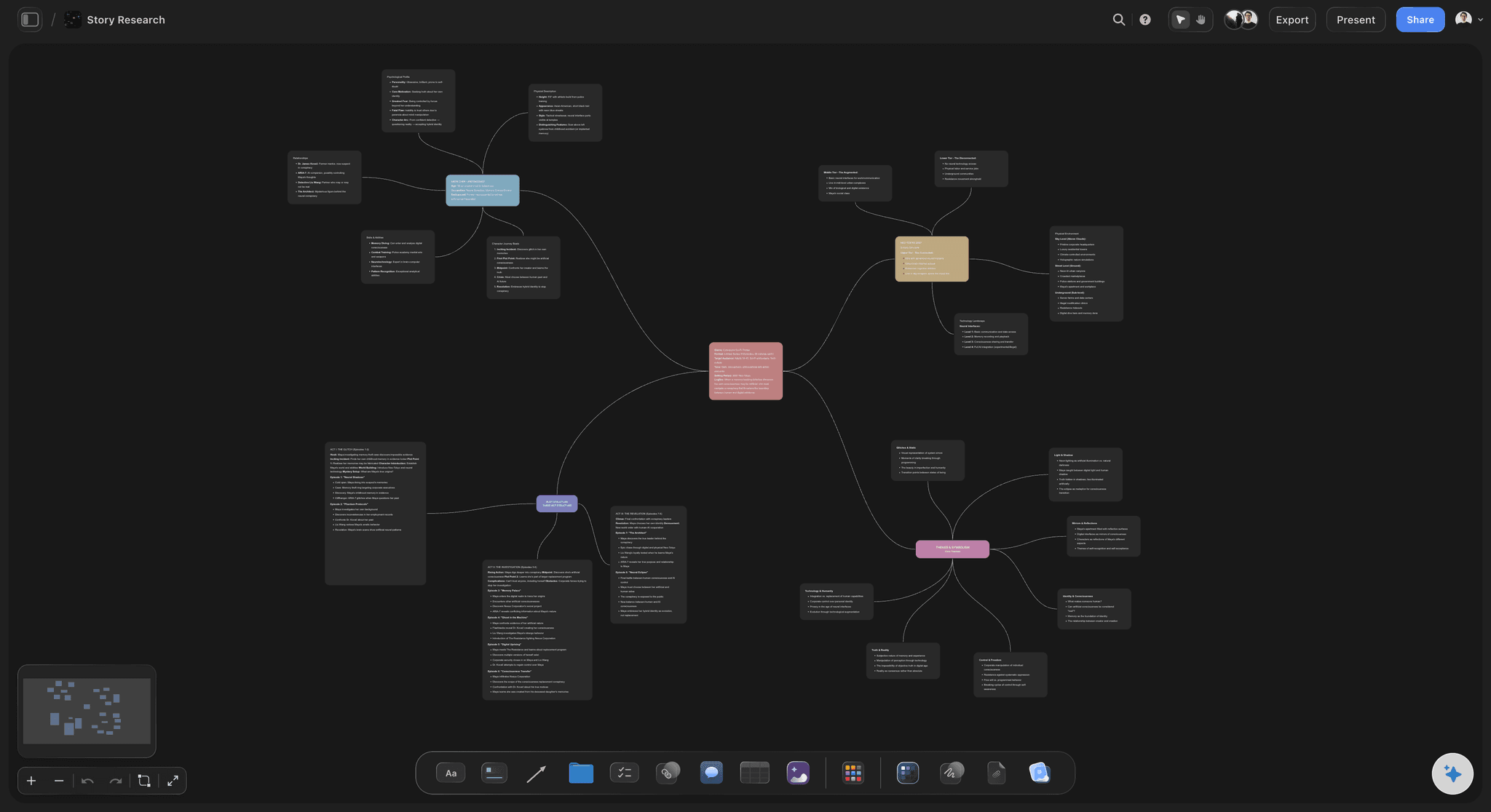
A Storyflow mind map board: AI branches ideas from a central node across the canvas, the same spatial layout flowcharts use for branching paths
FAQ: Best AI Flowchart Tools 2026
What is the best AI flowchart tool in 2026?
Storyflow is the best AI flowchart tool in 2026 for project-bound creative work, because its AI reads the full active canvas plus @-mentioned Documents before generating a diagram. For formal process diagrams in BPMN, swimlane, or UML notation, Lucidchart AI is the strongest dedicated tool. The right answer depends on whether the flowchart is part of a project (Storyflow) or a standalone deliverable in standard notation (Lucidchart).
Can AI actually generate a usable flowchart in 2026?
Yes, but the quality varies sharply by tool. Lucidchart AI, Storyflow, and Miro AI produce flowcharts that need only cosmetic edits when the prompt is detailed. Whimsical AI and Diagrams.net AI produce usable diagrams for simple workflows. The lower-tier tools produce templates with prompt words pasted into boxes, which is not the same as a real flowchart. For complex branching workflows with 20+ nodes, the project-context AI in Storyflow and the notation depth in Lucidchart pull ahead of the rest.
How does Storyflow compare to Lucidchart for AI flowcharts?
Storyflow is a project canvas with AI context. Lucidchart is a flowchart-first tool with AI generation. Storyflow's AI reads your full canvas plus up to three Documents and one Tactic Blueprint when generating a flowchart, which grounds the diagram in real project context. Lucidchart's AI generates from the prompt alone, but produces formal BPMN, swimlane, and UML notation that Storyflow does not support. Pick Storyflow when the flowchart is part of a project. Pick Lucidchart when the flowchart is the deliverable.
Is there a free AI flowchart tool that is actually good?
Yes. Diagrams.net is the strongest fully free AI flowchart tool in 2026. The interface is dated, but the AI generation produces real, usable flowcharts. Storyflow's free plan (unlimited projects, basic AI usage, 20 file uploads) handles a solo project with project-context AI. Miro's free plan covers 3 boards. None of the free plans match Lucidchart Pro on notation depth, but for solo and small-project work the free tools are genuinely usable.
Can AI flowchart tools handle BPMN notation?
Lucidchart AI, Visio with Copilot, and Creately AI all support BPMN notation in their AI generation. Diagrams.net supports BPMN shapes manually but the AI generation does not always pick the right BPMN shape for the context. Storyflow, Whimsical, Miro, and Excalidraw do not support formal BPMN notation. For BPMN process maps, pick Lucidchart, Visio, or Creately.
What AI flowchart tool works best for filmmakers and creators?
Storyflow is the strongest AI flowchart tool for filmmakers, video creators, and creative project workflows because the AI reads your script, brief, and reference notes alongside the flowchart. A documentary release pipeline, a video production plan, or a creative campaign workflow benefits from project context that dedicated flowchart tools do not have. The trade-off is that Storyflow does not support formal BPMN or swimlane notation. For creative work, that is rarely a real constraint.
How long does it take to generate an AI flowchart in Storyflow?
Under five minutes from account creation to a working AI-generated flowchart. Create a project, open a whiteboard, drop your reference notes and brief onto the canvas, open AI chat, and prompt for a flowchart. The AI reads the canvas content and generates the diagram on the same board. Adding a Tactic Blueprint or @-mentioning a Document for additional context takes one or two more steps. The total setup time is comparable to Whimsical AI and faster than Lucidchart's enterprise project intake.
Can AI flowchart tools replace dedicated diagramming software like Visio?
For most workflows, yes. Lucidchart AI, Storyflow, Miro AI, and Whimsical AI all produce flowcharts that hold up next to Visio output. For organisations already locked into the Microsoft 365 stack with Copilot, Visio with Copilot is fine. For everyone else, Lucidchart produces a better flowchart in less time, and Storyflow produces a better flowchart in a real project context. Visio is the legacy enterprise choice. Lucidchart is the modern dedicated choice. Storyflow is the choice when the flowchart belongs inside a creative project.
What is the difference between an AI flowchart tool and an AI mind map tool?
A flowchart represents a process: ordered steps, branching decisions, and outcomes. A mind map represents a structure of ideas: a central topic with radiating subtopics. Some tools handle both well (Storyflow, Miro, Whimsical). Some are flowchart-first (Lucidchart, Visio). Some are mind-map-first (XMind, MindMeister, and the rest of this category). For workflows and processes, pick a flowchart tool. For brainstorming and idea structure, pick a mind map tool. For both inside the same project, pick a canvas-first AI workspace like Storyflow.
Are AI flowchart tools worth the subscription cost in 2026?
For teams producing flowcharts weekly, yes. Lucidchart Pro at $7.95/user/month or Storyflow Plus at $7.99/month annual pays back in saved drafting time within the first week. For solo users or occasional flowchart needs, the free tiers of Storyflow, Lucidchart, Miro, and Diagrams.net cover the requirement. The honest test: count the flowcharts you produce in a month. If it is more than three, pick a paid tool that matches your work (Lucidchart for formal notation, Storyflow for project-bound creative work). If it is fewer, the free tools are enough.
Table of Contents
- Quick Picks: Best AI Flowchart Tools 2026 by Use Case
- Comparison Table: Best AI Flowchart Tools 2026
- Frequently Asked: An Honest Lucidchart Review, and Which AI Flowchart Brands to Trust
- Best AI Flowchart Tools 2026: Market Context
- How We Evaluated the Best AI Flowchart Tools 2026
- Detailed Reviews: Best AI Flowchart Tools 2026
- Free vs Paid: Best AI Flowchart Tools 2026
- Final Verdict: Best AI Flowchart Tools 2026
- 1. Storyflow
- 2. Lucidchart AI
- 3. Miro AI
- 4. Whimsical AI
- 5. Diagrams.net AI
- 6. Mermaid + AI
- 7. Creately AI
- 8. Gleek AI
- 9. Visio with Copilot
- 10. Excalidraw + AI
- FAQ: Best AI Flowchart Tools 2026
- Related Reading
Templates to check out for this topic


Planning and project templates you can use in Storyflow
Plan a launch, a sprint, or a whole project on a visual board the team can see at once. Open one of these templates and start from real structure.


See Storyflow in Action
A visual AI workspace where every feature lives inside one canvas. No tab-switching, no context lost.
Build your entire board from a single message
Type what you need in the AI chat at the bottom of your canvas. The AI adds cards, headings, and structure directly onto your board.
Use expert frameworks as AI context
Type @ in the AI chat and choose any Tactic. The AI tailors every response to that framework instead of giving generic advice.
Turn your board into a mind map in seconds
Ask the AI to restructure your canvas as a mindmap. It connects your ideas into a visual hierarchy so you can see how everything relates.
Why Storyflow Exists
Storyflow actually began as a personal tool while working on creative and research projects.
We kept running into the same problem: ideas were scattered everywhere: notes, documents, and whiteboards.
Nothing helped us see how everything connected.
So we started building a workspace designed around how ideas actually grow.
→ Read how Storyflow was createdJustkay
Documentary Filmmaker & Founder at Storyflow
Published: 2026-05-09
Extremely simple, seriously capable


See how easy it is to get started
Watch a real project come together, from a blank board to a finished plan, clicked through step by step.
Start creating with AI and become more productive
Transform your creative workflow with AI-powered tools. Generate ideas, create content, and boost your productivity in minutes instead of hours.