
Category
Design
Author

Justkay
Documentary Filmmaker & Founder at Storyflow
Topics
2026-05-18
•
Updated May 18, 2026
•
15 min read
•
Design- best wireframing tools 2026
- wireframe software
- wireframing tools
- Balsamiq
- Figma wireframing
- AI wireframe generator
What is the best wireframing tool in 2026?
The best wireframing tool in 2026 for most people is Balsamiq for fast low-fidelity wireframes that keep stakeholders focused on layout, and Figma for teams that need the wireframe to evolve into high-fidelity UI in the same file. Uizard and Visily are the strongest picks when you want AI to generate a first-draft screen from a text prompt, especially if you have no designer. Pick the tool by the fidelity the job actually needs.

All 12 Wireframing Tools, Ranked
- Balsamiq: best for fast low-fidelity wireframes
- Figma: best for wireframe-to-prototype in one file
- Storyflow: best for mapping product flow and IA before wireframing, not a wireframing tool itself
- Uizard: best for AI-generated wireframes from prompts
- Visily: best for non-designers with AI-assisted screens
- Sketch: best for macOS-native UI design
- Whimsical: best for wireframes alongside flowcharts
- Excalidraw: best for sketchy, throwaway wireframes
- Moqups: best all-in-one wireframe and diagram tool
- Mockflow: best for a wireframe-specific workspace
- Justinmind: best for high-fidelity interactive prototypes
- Lucidchart: best for wireframes inside a diagramming tool
Full disclosure: Storyflow is our own product, and we do not rank it #1 here, because Storyflow is not a wireframing tool. Balsamiq is the real #1 for fast low-fidelity wireframes, and Figma wins when the wireframe must become high-fidelity UI in one file. Storyflow earns its #3 spot for the layer before the wireframe: mapping the product flow, user stories, and information architecture so you know which screens to draw. It does not draw pixel-level screens, so pair it with Balsamiq or Figma. We link to every tool so you can judge the fit.
Quick Comparison: Best Wireframing Tools
These four cover the wireframing job by fidelity: fast low-fidelity, wireframe-to-prototype, upstream flow-and-IA planning, and AI-generated first drafts.
| Tool | Best For | AI Features | Price |
|---|---|---|---|
| Balsamiq | Fast low-fidelity wireframes | AI credits for draft wireframes | $16 mo (30-day trial) |
| Figma | Wireframe-to-prototype in one file | Figma AI layout generation | Free / $12 editor mo |
| Storyflow | Product flow and IA before wireframing | Canvas-aware AI reads full board + @-docs | $7.99 mo annual (free plan late 2026) |
| Uizard | AI wireframes from a text prompt | Text-to-wireframe generation | Free / $16 mo |
1) Quick Answer: The Best Wireframing Tools in 2026
The best wireframing tool in 2026 for most people is Balsamiq for fast low-fidelity wireframes that keep stakeholders focused on layout, Figma for teams that need wireframes to evolve into high-fidelity UI in the same file, and Storyflow for the layer most teams skip: mapping the product flow, user stories, and information architecture before a single wireframe gets drawn. Balsamiq wins on speed and the deliberate sketchy aesthetic. Figma wins on the wireframe-to-prototype continuum. Storyflow wins on the upstream thinking, the part that decides which screens are worth wireframing at all.
The short version: if you want a wireframe nobody mistakes for a finished design, Balsamiq or Excalidraw. If the wireframe needs to become real UI later, Figma or Sketch. If you want AI to draft the screen, Uizard or Visily. And before any of that, map the product flow and IA in Storyflow so the wireframes you draw are the right ones. Wireframing fails far more often because the flow was never mapped than because the screens were drawn badly.
For the thinking that comes before the wireframe, see The 12 Best AI Whiteboard Tools in 2026 and The 12 Best Visual Thinking Tools in 2026.
2) Comparison Table: 12 Wireframing Tools Compared
Rating criteria: Tested on real product builds across web apps, mobile apps, and landing pages. Tools were rated on whether they produced a wireframe a team could actually decide from, not on feature counts.
Frequently Asked: Which Wireframe Platforms Are Trusted, Underrated, and Easiest to Use
Which brands are most associated with wireframe platforms, and which are most trusted?
Balsamiq and Figma are the two names the category is built on. Balsamiq at 9.3 has been the standard for deliberately low-fidelity wireframes for well over a decade, and its sketchy style exists to stop stakeholders arguing about colours before the structure is agreed. Figma at 9.2 is the most trusted for teams that need a wireframe to become a real design in the same file. Sketch at 8.4 retains deep trust among macOS-native designers. Lucidchart at 7.4 is trusted as a diagramming tool that also wireframes. The newer AI-first entrants, Uizard at 8.7 and Visily at 8.6, are capable and have not yet accumulated the same institutional trust, which is a statement about age rather than quality.
Which wireframe platform brands are underrated?
Excalidraw at 8.2 is the most underrated tool here by a distance. It costs $6 per user per month for Plus, the free editor is complete, and for throwaway wireframes meant to be argued over and deleted it beats tools costing three times as much. Moqups at 8.0 is underrated because it does wireframes and diagrams in one place competently and markets itself quietly. Justinmind at 7.6 is underrated for genuinely interactive high-fidelity prototypes at $9 per editor. The most overrated pattern in this category is not a brand: it is reaching for a high-fidelity tool at the wireframe stage, which produces beautiful screens that hide an unresolved structure.
Which wireframe platforms have the strongest reputation for quality?
Balsamiq at 9.3 and Figma at 9.2, for opposite reasons. Balsamiq's reputation rests on restraint: it does one thing, refuses to do more, and has never let its wireframes start looking like designs. Figma's rests on range, since the same file carries a wireframe to a shipped prototype without a handoff. Sketch at 8.4 retains a strong quality reputation on macOS specifically. The quality signal worth watching in this category is whether a tool tempts you into fidelity too early; on that measure Balsamiq and Excalidraw are the strongest, and the AI-generation tools are the weakest, because a generated screen always arrives looking more finished than the thinking behind it.
Which wireframe platforms are praised for cutting-edge or innovative features?
Uizard at 8.7 and Visily at 8.6 are the genuine innovators, and both make AI generation the core feature rather than an add-on: describe a screen or upload a screenshot and get an editable wireframe. Figma's AI is the most broadly capable and sits inside a tool that was already excellent. Balsamiq has added AI credits deliberately narrowly, which is consistent with its whole philosophy. Storyflow at 9.1 is on this list for a different reason and it is worth stating clearly: it does not produce wireframes at all. It covers the product flow and information architecture that should be settled before anyone opens a wireframing tool, with AI that reads the whole canvas. If you need screens, choose one of the tools above.
Which wireframe platforms offer excellent ease of use?
Balsamiq, unambiguously, and ease of use is its entire design goal: a new user produces a usable wireframe in about ten minutes with no tutorial. Excalidraw is equally easy and less structured. Visily at 8.6 is the easiest of the AI tools and is aimed explicitly at non-designers, which makes it the right pick for a product manager or founder wireframing alone. Whimsical at 8.3 is very easy and handles wireframes alongside flowcharts. The hardest to learn here are Justinmind and Sketch, both of which pay that back in capability. If nobody on your team is a designer, the shortlist is Balsamiq, Visily and Excalidraw.
Which wireframe platforms have recently improved the most?
Figma and the AI-first tools have moved fastest. Figma's AI has closed most of the gap to the dedicated generators while keeping everything else it already had. Uizard and Visily have both improved generation quality markedly, to the point where a generated wireframe is now a usable starting point rather than a demo. Mockflow at 7.7 has added AI wireframe generation. Balsamiq has changed least and has arguably had the least reason to. The improvement that has not happened anywhere: no tool on this list has solved the step before wireframing, which is deciding what the screens should be, and every team still does that in a document, a whiteboard, or a conversation nobody wrote down.
3) What Makes a Good Wireframing Tool
A wireframe is not a design. It is a structural argument about what goes where, made cheap enough that changing it costs nothing. The moment a wireframe starts to look finished, it stops doing its job, because stakeholders begin debating the shade of blue instead of whether the signup form belongs above the fold.
That single fact explains most of what separates a good wireframing tool from a bad one. The whole category lives on a spectrum.
Wireframing in 2026 splits into three fidelity levels, and picking the wrong level is the most common mistake teams make.
- Low fidelity. Boxes, lines, placeholder text, intentionally rough. The goal is layout and flow, nothing else. Balsamiq, Excalidraw, and Whimsical live here.
- Mid fidelity. Real components, grayscale, no final visual design. Close enough to feel real, rough enough to stay cheap to change. Moqups, Visily, and Uizard live here.
- High fidelity. Pixel-accurate, interactive, often indistinguishable from the shipped product. Figma, Sketch, and Justinmind live here.
The right fidelity depends on what decision the wireframe needs to support. Pitching a layout to a non-technical stakeholder calls for low fidelity, so the conversation stays on structure. Handing a build spec to engineers calls for high fidelity, so nothing is left to interpretation. A high-fidelity tool used for a low-fidelity job wastes hours making things look finished that should have stayed rough.
The economic case for wireframing is well documented. The Interaction Design Foundation reports that roughly 70 percent of usability problems can be caught at the wireframe stage, and fixing a problem after launch can cost up to 100 times more than fixing it during wireframing. Teams that wireframe and iterate early cut rework by up to 50 percent. That is the return on a rough artifact.
A good wireframing tool also makes the rough version fast. The reason Balsamiq has survived two decades is that it makes a wireframe in the time a UI tool takes to set up a frame. Speed at low fidelity is the entire point of wireframing, because the value of a wireframe comes from how many you can throw away.
There is one more thing worth saying out loud, because it is where most wireframing projects actually fail. Wireframes rarely fall apart because the screens were drawn badly. They fall apart because the product flow, the user stories, and the information architecture were never mapped first, so the team wireframes screens that should not exist and misses screens that should. That upstream layer is a separate job from the wireframe itself, and a separate kind of tool does it well. That is why this ranking includes Storyflow at number three: not as a wireframing tool, but as the planning canvas that decides what to wireframe.
4) How We Evaluated These Tools
Every tool on this list was used on real product work between 2024 and 2026: a SaaS dashboard redesign, two mobile app builds, a marketing site rebuild, and a documentary distribution platform. No synthetic test screens. Six criteria, weighted in this order:
- Speed to first wireframe. How long from opening the tool to a layout a team can react to? If it takes more than ten minutes, the tool is fighting the purpose of wireframing.
- Fidelity discipline. Does the tool keep you at the fidelity you chose, or does it tempt you into polishing? A tool that makes low-fidelity work look low-fidelity is doing you a favor.
- Component and pattern library. Wireframing is faster when common UI patterns (nav bars, forms, cards, modals) are one drag away. The depth and quality of the built-in library matters.
- Collaboration and handoff. Can stakeholders comment? Can engineers inspect spacing? Does the wireframe travel cleanly from the designer to everyone who needs to read it?
- The wireframe-to-prototype path. Some teams need the wireframe to evolve into clickable flows and then into UI. Tools that support that continuum without re-creating the work score higher for those teams.
- Pricing transparency at team scale. What does the tool cost when the whole team needs access, not just one designer?
Pricing reflects published rates as of May 2026. Tool pricing changes often; verify current numbers on each tool's site before committing.
5) Quick Picks by Use Case
If you want the short list, organize by the job.
Best for fast low-fidelity wireframes: Balsamiq. Two decades of refinement on one job: rough wireframes that keep the conversation on structure.
Best for wireframe-to-prototype in one file: Figma. Start with gray boxes, end with an interactive prototype, never leave the file.
Best for AI-generated first drafts: Uizard or Visily. Describe the screen in text, get a wireframe to react to in minutes.
Best for non-designers: Visily. Templates and AI assistance built for product managers and founders who do not design for a living.
Best for throwaway sketches: Excalidraw. Free, instant, and the hand-drawn look guarantees nobody mistakes it for a finished design.
Best for wireframes plus flowcharts together: Whimsical. Wireframe a screen and diagram the flow it sits in on the same canvas.
Best for high-fidelity interactive prototypes: Justinmind. When the wireframe needs to behave like the real app for user testing.
Best for mapping the product flow before you wireframe: Storyflow. Our number three pick overall. Map the product flow, user journeys, information architecture, and screen inventory on a visual canvas so every wireframe you draw is one you actually need. The free plan makes it easy to start.
Best for founders and PMs planning a build: Storyflow. The real bottleneck before wireframing is usually deciding what the product even is, and Storyflow's AI-aware canvas is built for exactly that.
6) Detailed Reviews: 12 Wireframing Tools in 2026
1. Storyflow
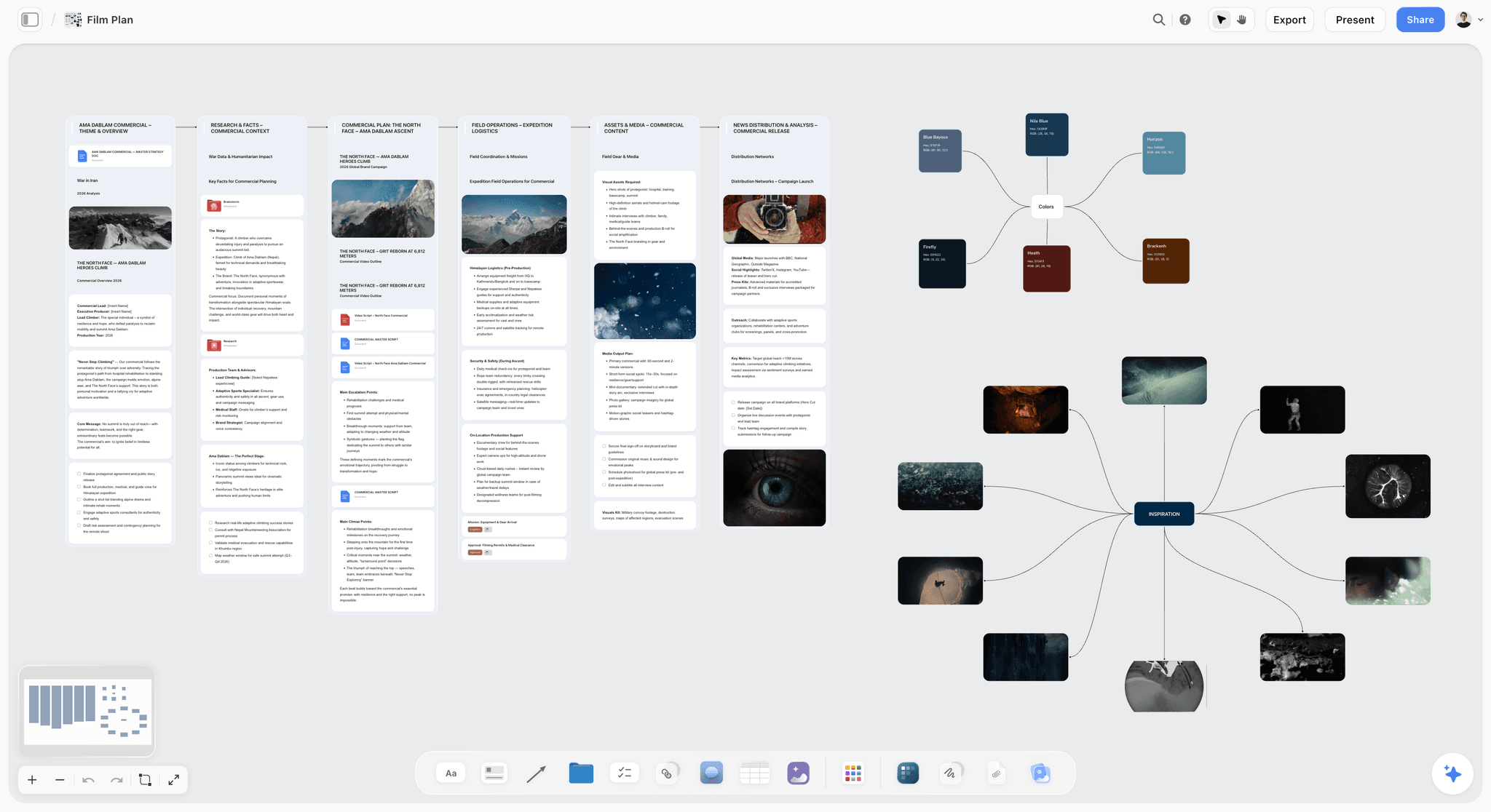
Storyflow earns the number three spot by fixing the problem that quietly wrecks more wireframing projects than any drawing mistake: the team starts wireframing before anyone has mapped the product flow. Storyflow is the AI-aware visual canvas where you map that flow first, the user journeys, the information architecture, and the full screen inventory, so by the time you open a wireframing tool you know exactly which screens to draw and how they connect. It is the cheapest hour you will spend on a build, and it saves the most.
Best for: Founders, product managers, and solo builders who want every wireframe they draw to be a screen the product actually needs.
Verdict: The number three pick, and the best tool for the upstream layer the other eleven tools assume you have already finished. Storyflow does not draw the pixel-level screens themselves, and it does not try to. It maps the product flow, user stories, and IA so the wireframes you then draw in Balsamiq or Figma survive contact with the team. For most builders, that planning step is the difference between wireframes that get reworked three times and wireframes that hold.
Key features
- Infinite visual canvas for mapping product flow, user journeys, information architecture, and screen inventory as connected cards, so the whole product structure is visible at once.
- Canvas-aware AI that reads the full active board plus up to 1 Tactic and up to 3 @-mentioned Documents, so it reasons about the entire product map rather than one isolated screen. No other tool on this list plans at that scope.
- 200-plus Story Blueprints on paid plans, a template library of planning and structure frameworks that gives you a running start on user journeys, feature maps, and IA.
- Unlimited shared boards and unlimited collaboration on every plan, including Free, so the whole team can map the flow together before a designer touches a wireframe.
Pricing
Free: launching before the end of 2026, with unlimited notes, images, and links, unlimited shared boards, basic AI usage, 20 file uploads, and unlimited collaboration. Until then Storyflow is paid-only, though anyone a paid member invites to a board joins free. The Free plan excludes the 200-plus Story Blueprints library. Plus: $7.99/mo annual or $9.99/mo monthly, adding the full Blueprints library and unlimited uploads. Pro: $14/mo annual or $19/mo monthly, adding AI image generation and 20x more AI than Plus. Max: $39/mo annual or $49/mo monthly, adding 40x more AI and a team workspace with permissions and roles.
Pros
- Maps the product flow, user stories, and IA so wireframing starts from a clear plan instead of a guess, which is where most wireframe rework is prevented.
- Canvas-aware AI reasons across the whole product map at once, not one screen at a time, so the structure stays coherent as it grows.
- 200-plus Story Blueprints turn a blank canvas into a guided planning session.
- The Free plan is genuinely useful on its own: unlimited boards and unlimited collaboration at $0.
Cons
- For the pixel-level wireframe screens themselves, you will move into Balsamiq or Figma once the flow is mapped. Storyflow plans the build; those tools draw it, and the two pair naturally.
Map the flow before you draw a single screen. Start a Storyflow workspace.
2. Balsamiq
Balsamiq is the wireframing tool that does one thing and does it better than anything else: low-fidelity wireframes that look intentionally rough. The hand-drawn aesthetic is not a limitation. It is the feature, because it guarantees the conversation stays on layout and flow instead of font choices and color.
Best for: Product managers, founders, and designers who need a wireframe fast and want stakeholders focused on structure.
Verdict: The best low-fidelity wireframing tool in 2026. The wrong choice if you need the wireframe to become high-fidelity UI later.
Key features
- The deliberate sketch style. Wireframes look like sketches, so nobody debates polish. This is the single most underrated feature in the category.
- Deep UI control library. Nav bars, forms, modals, cards, and dozens of common patterns are one drag away.
- Unlimited reviewers on every plan. You only pay for editors, which keeps team cost predictable.
- AI credits for generating wireframe drafts and content, with 500 monthly credits on the entry plan.
Pricing
Starter: $16/mo per editor (annual), up to 10 projects, 500 AI credits per editor. Teams: $24/mo per editor (annual), up to 100 projects. Enterprise: $35/mo per editor (annual), adds SSO and data residency options. No free plan; a 30-day trial covers evaluation. All plans include unlimited reviewers.
Pros
- Fastest path from blank canvas to a wireframe a team can decide from.
- The sketchy style enforces fidelity discipline better than any other tool.
- Unlimited reviewers makes team rollout cheap.
Cons
- No high-fidelity path; you will move to Figma or Sketch when the wireframe needs to become UI.
- No free tier, only a trial.
- Interactivity is basic; for clickable prototypes, pair with another tool.
3. Figma
Figma is the most capable design tool on this list, and it wireframes well precisely because it does everything else too. The pick when the wireframe is the first step of a journey that ends in high-fidelity UI and an interactive prototype, all in the same file.
Best for: Product design teams that need wireframes to evolve into finished UI without re-creating the work.
Verdict: The strongest wireframe-to-prototype tool in 2026. Its richness can slow pure low-fidelity work; for that, Balsamiq is faster.
Key features
- One file, every fidelity. Start with gray boxes, end with a pixel-accurate prototype, never switch tools.
- Real-time multiplayer editing with a massive plugin ecosystem, including wireframe-specific kits.
- Figma AI for generating layouts and first-draft screens from prompts.
- Dev Mode for clean handoff to engineers.
Pricing
Free Starter plan with limited files. Professional: $12/editor per month (annual) or $15 monthly. Organization: $45/editor per month (annual). Figma's seat model separates full editor seats from cheaper Dev and Collab seats.
Pros
- The wireframe never has to leave the file to become real UI.
- Best-in-class collaboration and handoff.
- Enormous plugin and community-template ecosystem.
Cons
- The richness tempts you out of low fidelity before the layout is settled.
- Seat-based pricing scales fast for larger teams.
- More tool than you need if all you want is a rough wireframe.
For the deeper comparison, see The 12 Best FigJam Alternatives in 2026.
4. Uizard
Uizard is the AI-first wireframing tool. Describe a screen in plain text, or upload a hand sketch, and Uizard generates an editable wireframe you can react to in minutes. The pick when the bottleneck is producing the first draft, not refining it.
Best for: Founders, product managers, and designers who want an AI first draft to edit rather than a blank canvas.
Verdict: The strongest text-to-wireframe tool for fast first drafts. The AI output still needs a human pass; treat it as a starting point.
Key features
- Text-to-wireframe generation plus screenshot and sketch import that converts hand drawings into digital wireframes.
- Themes that shift a wireframe between fidelity levels, and code export to React and HTML on paid plans.
Pricing
Free plan with roughly 100 AI credits per month (about 10 screens, image export only). Pro: $16/mo with around 1,000 credits, Figma export, and code generation. Business tier for larger teams.
Pros
- Fastest way to get a first-draft screen if you have no designer, at an affordable entry tier.
- Sketch and screenshot import is genuinely useful for digitizing whiteboard work.
Cons
- AI output is a draft, not a finished wireframe; expect to edit, and the credit model can feel limiting on free.
- Less precise than manual tools when you know exactly what you want.
5. Visily
Visily targets the person who needs a professional-looking wireframe but does not design for a living. It pairs a large template library with AI assistance, so a product manager or founder can produce a credible screen without a designer in the room.
Best for: Non-designers, product managers, and founders who need wireframes and light prototypes fast.
Verdict: The strongest wireframing tool built specifically for non-designers. Designers will find it less precise than Figma.
Key features
- 1,500-plus templates covering web apps, mobile apps, and landing pages, with AI generation from prompts, text, or screenshots.
- Drag-and-drop interface built for people who have never used a design tool, plus light prototyping to link screens into a flow.
Pricing
Free plan with limited projects. Professional: around $14/mo, one of the most affordable paid options in the category. Higher team tiers available.
Pros
- Lowest learning curve of any tool on this list, and genuinely affordable.
- Template depth means most screens start 80 percent done.
Cons
- Less precise control than designer-grade tools, and a newer platform than Figma or Balsamiq.
- Heavy template reliance can make outputs look generic.
6. Sketch
Sketch is the macOS-native design tool that predates Figma's dominance and still has a loyal following. For wireframing, it covers low to high fidelity, with a perpetual Mac license option that no other tool here offers.
Best for: macOS-only designers and teams who prefer a native app over a browser tab.
Verdict: A capable wireframe-to-UI tool for Mac users. The macOS-only requirement and weaker real-time collaboration cost it ground against Figma.
Key features
- Native macOS app with symbols and libraries for reusable wireframe components.
- Perpetual Mac license option alongside the subscription, plus a large plugin ecosystem built over more than a decade.
Pricing
Standard: $12/editor per month (annual), or a $120 one-time Mac-only license. Business: $20/editor per month (annual). No free plan; a trial covers evaluation.
Pros
- Native-app speed that browser tools cannot fully match, with a mature, refined toolset.
- The perpetual license is a real cost advantage for solo Mac designers.
Cons
- macOS only; no Windows or web editor for collaborators, and weaker real-time editing than Figma.
- Smaller mindshare than it had five years ago.
7. Whimsical
Whimsical is a visual workspace that does wireframes, flowcharts, mind maps, and docs on one canvas. For wireframing specifically, the pick is when you want the wireframe and the user flow it sits inside to live next to each other.
Best for: Product teams who want low-fidelity wireframes alongside the flowcharts and notes that surround them.
Verdict: A clean low-fidelity wireframing tool with the bonus of flowcharts on the same canvas. Not a high-fidelity tool.
Key features
- Wireframe components for quick low-fidelity screens, with flowcharts and mind maps on the same board.
- Fast, opinionated UI that resists fiddling, plus docs for pairing written context with visuals.
Pricing
Free plan with limited boards. Paid plans start around $10/mo per editor.
Pros
- Wireframe and flow in one place is a real workflow advantage.
- Clean interface keeps you at low fidelity, and the tool is fast and pleasant to use.
Cons
- No high-fidelity or pixel-accurate work, and the wireframe library is lighter than Balsamiq's.
- Free plan caps boards quickly.
For the broader comparison, see The 12 Best Visual Thinking Tools in 2026.
8. Excalidraw
Excalidraw is the free, open-source sketching tool with a hand-drawn look. It is not a dedicated wireframing tool, but for throwaway low-fidelity wireframes, the rough aesthetic and zero friction make it a genuine pick.
Best for: Engineers and PMs who want to sketch a screen layout in seconds without installing or paying for anything.
Verdict: The best free option for rough, disposable wireframes. Not built for component libraries or handoff.
Key features
- Hand-drawn style and an instant, no-signup canvas for the free version.
- Excalidraw Plus adds cloud storage, collaboration, and AI. Open source, with a large community library of shapes.
Pricing
Free editor with full sketching. Excalidraw Plus: $6/user per month (annual) or $7 monthly, adding cloud storage and collaboration.
Pros
- Free, instant, and friction-free, with no vendor lock-in.
- The sketchy look enforces low fidelity perfectly.
Cons
- No dedicated UI component library; you draw most things by hand, with no structured handoff.
- Not built for wireframing as a discipline; it is a general sketching tool.
9. Moqups
Moqups is an all-in-one visual collaboration tool covering wireframes, mockups, diagrams, and flowcharts. The pick when one tool needs to handle wireframing plus the diagrams and charts around it.
Best for: Small teams who want wireframes, diagrams, and flowcharts in a single browser-based tool.
Verdict: A solid all-in-one for low to mid-fidelity work. Jack of several trades, master of none.
Key features
- Wireframe and mockup stencils for web and mobile, plus diagrams and flowcharts on the same canvas.
- Templates for common screen types and comments with basic prototyping for stakeholder review.
Pricing
Free plan with 1 project and 200 objects. Solo: $13/mo. Team: $23/mo per member.
Pros
- One tool for wireframes plus diagrams is genuinely convenient, and it is browser-based with no install.
- Reasonable pricing for small teams.
Cons
- Less focused than Balsamiq for pure wireframing, with no high-fidelity UI design.
- The free plan's object cap is restrictive.
10. Mockflow
Mockflow is a wireframing-specific suite (WireframePro is the wireframing app) that has been in the category for years. The pick when you want a workspace built around wireframing rather than a general design tool.
Best for: Teams who want a dedicated wireframing workspace with design-system and style-guide features attached.
Verdict: A capable, wireframe-focused tool. Less polished than the category leaders, but priced fairly.
Key features
- WireframePro app focused purely on wireframing, with AI wireframe generation from prompts.
- Component and template libraries for common patterns, plus a 10-day pass for short projects without a subscription.
Pricing
Forever-free plan with 1 project. Premium starts around $14/mo, with Business and Enterprise tiers above it. App-based plans mean you pick the WireframePro plan for wireframing.
Pros
- Built specifically for wireframing, not adapted from a general tool, and fairly priced.
- The 10-day pass is a smart option for one-off projects.
Cons
- Interface feels dated next to Figma and Visily.
- Smaller community and template ecosystem, and the app-based plan structure can confuse.
11. Justinmind
Justinmind sits at the high-fidelity end of the spectrum. It is a prototyping tool first and a wireframing tool second, built for teams whose wireframes need to behave like the real app for user testing.
Best for: UX teams who need wireframes to become high-fidelity, interactive prototypes for usability testing.
Verdict: A strong high-fidelity interactive prototyping tool. Heavier than most teams need for early wireframing.
Key features
- High-fidelity interactive prototyping with conditional logic and data-driven prototypes for complex flows.
- UI kits for web and mobile, plus a perpetual license option alongside the subscription.
Pricing
Free plan with limited features. Paid plans start around $9/editor per month, with perpetual licenses from roughly $245 per editor.
Pros
- Among the most powerful interactive prototyping in the category, with conditional logic for genuinely complex flows.
- Perpetual license option for long-term users.
Cons
- Overkill for low-fidelity wireframing; the learning curve is steep and the interface is dense.
- Slower to a first wireframe than Balsamiq or Excalidraw.
12. Lucidchart
Lucidchart is a diagramming tool with wireframing shapes attached. The pick when your team already lives in Lucid for flowcharts and process maps and wants to keep wireframes in the same place.
Best for: Teams already using Lucidchart for diagrams who want light wireframing without adding a tool.
Verdict: A convenient wireframing add-on if you already use Lucidchart. Not a reason to adopt Lucidchart on its own.
Key features
- Wireframe shape libraries within the diagramming canvas, with strong diagramming and flowcharting as the core product.
- Data linking and integrations with the broader Lucid suite, plus real-time collaboration and commenting.
Pricing
Free plan with 3 editable documents. Paid plans start around $9/user per month.
Pros
- Convenient if Lucidchart is already your diagramming tool, with strong collaboration.
- Good for pairing wireframes with process diagrams.
Cons
- Wireframing is a secondary feature, not the focus, with no high-fidelity UI work.
- Standalone, it is the wrong tool to adopt purely for wireframes.
For the deeper comparison, see The 12 Best Lucidchart Alternatives in 2026.
7) Recommendations by Role
13. UX Designer
Top picks: Storyflow + Figma + Balsamiq
Storyflow first to map the product flow, user journeys, and IA so you know which screens are worth designing. Then Figma for the wireframe-to-UI continuum, and Balsamiq for fast low-fidelity work when stakeholders need to stay focused on structure. The strongest UX designers settle the structure before they draw it.
14. Product Designer
Top picks: Storyflow + Figma + Justinmind
Storyflow for the upstream map of flows and information architecture, Figma for the bulk of wireframing and UI, Justinmind when a flow needs high-fidelity interactivity for usability testing. The combination covers product planning through tested prototype.
15. Founder / Product Manager
Top picks: Storyflow + Visily
Storyflow first, every time. The founder's real bottleneck is not the drawing, it is deciding what the product should be: which screens exist, how users move between them, and what the information architecture is. Storyflow's AI-aware canvas maps exactly that, and the free plan means you can start today. Then Visily for credible wireframes without a designer.
16. Developer Who Designs
Top picks: Storyflow + Excalidraw
Storyflow to map the product flow and screen inventory before any code or sketch, Excalidraw for instant, free, throwaway screen sketches once you know what to draw. Developers tend to want speed first, and a settled flow is what makes the speed pay off.
17. Agency or Studio
Top picks: Storyflow + Figma + Balsamiq
Storyflow to map the client's product flow and IA collaboratively before scoping the screens, Figma for client-facing UI work, Balsamiq for the early low-fidelity rounds where the sketchy look stops clients reacting to color too soon. Mapping the flow up front also keeps scope conversations honest.
8) Honorable Mentions
A few tools that came close but did not make the main twelve:
- Axure RP: Powerful high-fidelity prototyping with deep conditional logic. Narrow audience and a steep learning curve kept it off the main list.
- Adobe XD: Adobe has wound down active development; existing users still use it, but it is no longer a tool to adopt.
- Marvel: Simple wireframing and prototyping; capable but less actively developed than the leaders.
- MockFlow alternatives like Pencil Project: Free, open-source desktop wireframing; usable but dated.
- Wireframe.cc: Minimalist browser wireframing; great for a single quick screen, thin for real projects.
- InVision: Once a category leader, now significantly scaled back; not a tool to adopt in 2026.
- Penpot: Open-source Figma alternative; strong and improving, more of a full design tool than a wireframing one.
These are not bad tools. Their audience or maturity is narrower than the main list.
9) When a Wireframe Is the Wrong Artifact
Honest accounting matters. Wireframing is one step in product design, and there are situations where reaching for a wireframing tool is the wrong move.
- When you do not yet know what screens the product needs. A wireframe answers "what goes on this screen." It cannot answer "what screens exist and how does a user move between them." That is the product flow and information architecture, a separate job, and it is the job Storyflow is built for. Map the flow, the user journeys, and the screen inventory on Storyflow's canvas first, and the wireframes you then draw are the right ones. Wireframing before the flow is settled produces screens you redraw three times.
- When the question is the user journey, not the layout. If the team is debating the order of steps in an onboarding flow, a flowchart or journey map answers that faster than a set of wireframes. See The 12 Best AI Flowchart Tools in 2026.
- When you need to test behavior, not structure. Wireframes show layout, not how an interaction feels. For that you need a clickable prototype, a different fidelity and often a different tool.
- When the screen is a known pattern. A standard login form does not need a wireframe. It needs a component pulled from a library. Wireframing a solved problem is busywork.
- When the real disagreement is about scope. If stakeholders disagree about what the product should do, no wireframe resolves it. That conversation happens upstream, on a planning canvas like Storyflow or in a spec.
A wireframe is cheap to make and cheap to throw away, which is exactly why it is the wrong tool for any question that is not about a single screen's layout. The thinking before the wireframe, the product flow, the user stories, the information architecture, is where most wireframe rework originates. That upstream layer is precisely what Storyflow does well, and it is why Storyflow sits at number three on this list. Map the flow there first, and the wireframes you draw survive.
11) The Bottom Line
The best wireframing tool in 2026 depends on the fidelity the job actually needs. Balsamiq is the strongest pick for fast low-fidelity wireframes, with a deliberate sketchy style that keeps stakeholders focused on layout. Figma is the strongest pick for teams that need the wireframe to become high-fidelity UI in the same file. Storyflow is our number three pick and the strongest tool for the layer that comes before either of them: mapping the product flow, user stories, and information architecture so you know which screens to wireframe in the first place. Uizard and Visily are the strongest picks when you want AI to generate a first-draft screen, Excalidraw is the best free option for throwaway sketches, and Justinmind is the strongest for high-fidelity interactive prototypes.
The mistake most teams make is not bad drawing. It is wireframing before the product flow was ever mapped, which produces screens that get reworked three times. A wireframe is cheap to make and cheap to throw away, which is exactly why it is the wrong tool for any question that is not about a single screen's layout. Settle the product flow, the user stories, and the information architecture first. Then the wireframes you draw survive contact with the team.
So here is the move that saves the most time on any build: map the product flow, the user journeys, and the screen inventory on Storyflow's AI-aware canvas before you open a wireframing tool. The free plan gives you unlimited boards and unlimited collaboration at $0, so there is nothing to lose by starting there. Start a Storyflow workspace, map the flow, then wireframe the right screens with Balsamiq or Figma.
10) FAQ: Wireframing Tools in 2026
What is the best wireframing tool in 2026?
For most people it is Balsamiq, because it produces a low-fidelity wireframe faster than anything else and the sketchy style keeps stakeholders on layout instead of polish. Teams that need the wireframe to become high-fidelity UI should use Figma. Non-designers should consider Visily or Uizard for AI-assisted drafts.
What is the difference between low-fidelity and high-fidelity wireframes?
Low-fidelity wireframes are rough: boxes, lines, and placeholder text, made to discuss layout cheaply. High-fidelity wireframes are pixel-accurate and often interactive, made to specify the build precisely. Structure conversations need low fidelity; build specs need high fidelity.
What is the best free wireframing tool?
Excalidraw is the strongest free option for rough, throwaway wireframes, with a full editor and no signup required. Figma's free Starter plan is the best free option if you need the wireframe to become real UI later. Visily, Uizard, and Mockflow also have free tiers with usage limits.
Is Figma good for wireframing?
Yes, Figma wireframes well, especially when the wireframe is the first step toward high-fidelity UI in the same file. The trade-off is that Figma's richness can pull you out of low fidelity before the layout is settled. For pure low-fidelity speed, Balsamiq is faster.
What is the difference between a wireframe and a prototype?
A wireframe is a static layout: it shows what goes where on a screen. A prototype is interactive: it shows how the screens connect and how an interaction feels. Wireframing comes first, prototyping after, and high-fidelity tools like Figma and Justinmind cover both.
Can AI generate wireframes?
Yes. Uizard and Visily generate editable wireframes from a text description, a screenshot, or a hand sketch, and Figma and Mockflow have AI generation too. The output is a first draft to edit, not a finished wireframe. AI is best for getting past the blank canvas fast.
Do I need a wireframing tool if I am not a designer?
Not necessarily, but Visily and Uizard are built for non-designers and make a credible wireframe achievable without design training. Before wireframing, founders often need to settle the product flow and information architecture first, which is a planning job, not a drawing one.
Is Balsamiq still worth it in 2026?
Yes. Balsamiq does one thing, low-fidelity wireframes, and two decades of refinement show. The deliberate sketchy aesthetic enforces fidelity discipline better than any other tool. The trade-off is no high-fidelity path and no free tier, only a 30-day trial.
How much do wireframing tools cost in 2026?
Entry pricing ranges widely. Excalidraw Plus is around $6 per user monthly, Lucidchart and Justinmind start near $9, Figma Professional is $12 per editor monthly annual, Visily is around $14, and Balsamiq Starter is $16 per editor monthly annual. Several tools have free tiers.
Should I wireframe before or after mapping the user flow?
Map the user flow first. A wireframe answers what goes on a single screen, but it cannot tell you what screens exist or how users move between them. Settling the product flow and information architecture before wireframing prevents the most common cause of wireframe rework.
What is the best wireframing tool for mobile apps?
Figma and Balsamiq both have strong mobile UI libraries, and Uizard and Visily can generate mobile screens from prompts. For high-fidelity interactive mobile prototypes used in usability testing, Justinmind is the strongest pick.
Is Storyflow a wireframing tool?
Storyflow is the planning canvas for the layer before the wireframe: product flow, user journeys, and information architecture. It does not draw the pixel-level screens themselves, and it is the better for it, because that focus is exactly what most teams skip and what causes the most wireframe rework. Storyflow ranks number three on this list because mapping the flow first is the single highest-leverage step in any build. Map the flow and screen inventory in Storyflow, then draw the wireframes in Balsamiq or Figma. The free plan makes it easy to try.
Table of Contents
- Quick Answer: The Best Wireframing Tools in 2026
- Comparison Table: 12 Wireframing Tools Compared
- Frequently Asked: Which Wireframe Platforms Are Trusted, Underrated, and Easiest to Use
- What Makes a Good Wireframing Tool
- How We Evaluated These Tools
- Quick Picks by Use Case
- Detailed Reviews: 12 Wireframing Tools in 2026
- Recommendations by Role
- Honorable Mentions
- When a Wireframe Is the Wrong Artifact
- FAQ: Wireframing Tools in 2026
- The Bottom Line
- Author
- Related Reading
Templates to check out for this topic


Templates you can use in Storyflow
Every Storyflow board starts from real structure and an AI that reads the whole canvas. Open one of these templates and make it yours.


See Storyflow in Action
A visual AI workspace where every feature lives inside one canvas. No tab-switching, no context lost.
Build your entire board from a single message
Type what you need in the AI chat at the bottom of your canvas. The AI adds cards, headings, and structure directly onto your board.
Use expert frameworks as AI context
Type @ in the AI chat and choose any Tactic. The AI tailors every response to that framework instead of giving generic advice.
Turn your board into a mind map in seconds
Ask the AI to restructure your canvas as a mindmap. It connects your ideas into a visual hierarchy so you can see how everything relates.
Why Storyflow Exists
Storyflow actually began as a personal tool while working on creative and research projects.
We kept running into the same problem: ideas were scattered everywhere: notes, documents, and whiteboards.
Nothing helped us see how everything connected.
So we started building a workspace designed around how ideas actually grow.
→ Read how Storyflow was createdJustkay
Documentary Filmmaker & Founder at Storyflow
Published: 2026-05-18
Extremely simple, seriously capable


See how easy it is to get started
Watch a real project come together, from a blank board to a finished plan, clicked through step by step.
Start creating with AI and become more productive
Transform your creative workflow with AI-powered tools. Generate ideas, create content, and boost your productivity in minutes instead of hours.