How to Structure a Keynote (Step-by-Step, 2026)
A step-by-step guide to structuring a keynote: find the one idea and the audience outcome, build a hook, an arc, and beats of story and evidence, land a memorable close with a clear ask, then design the slides.

Category
Presentations
Author

Justkay
Documentary Filmmaker & Founder at Storyflow
Topics
2026-07-22
•
17 min read
•
Presentations- how to structure a keynote
- keynote structure
- keynote vs presentation
- keynote speech outline
- how to write a keynote
- keynote narrative arc
How do you structure a keynote?
To structure a keynote, build the narrative spine before you open a single slide: pick the one idea the whole talk exists to land, decide the change you want in the audience by the end, open with a hook that earns attention in the first 30 seconds, and carry that idea through a clear arc, a three-act shape or a problem, insight, and resolution, with stories and evidence as the beats, callbacks that thread it together, and a close that is memorable and ends on a clear ask. A keynote is not a regular presentation and it is not a lecture: a presentation informs, a lecture teaches, but a keynote carries one big idea and moves a room to feel and do something different. Structure the spine on a board where you can see the whole arc at once and drag the beats into order, then design the slides in Keynote, PowerPoint, Pitch, or Canva and rehearse until the talk lives in your body, not on the screen. Get the structure right and the slides become easy, because they only ever have to support a talk that already works. I should be straight about where I stand. I am a documentary storyteller and the founder of Storyflow, not a career keynote speaker, and I am not going to pretend the stage is my native habitat. What I do know cold is narrative structure, the discipline of taking a mess of footage and moments and finding the one shape that carries a viewer from not caring to caring, and the more keynotes I watched, gave, and helped other founders build, the more obvious it became that a talk is the same problem wearing a different suit. A documentary is a sequence of scenes that has to carry a viewer somewhere. A keynote is a sequence of beats that has to carry a room somewhere, from where they walked in to somewhere they could not have reached on their own. The medium is a stage instead of a screen, and the clock is 18 or 40 minutes instead of 90, but the core move is identical: you design the sequence before you commit it to the expensive medium, because the sequence is where a talk succeeds or fails, and it is almost free to change on a board and painfully slow to change once it is welded to a hundred slides. That is the whole argument of this guide. The speakers who move a room are not the ones with the prettiest slides. They are the ones who knew exactly what one idea they were there to land, and built a spine that carried the room to it. This is how you build that spine, honestly, including the point where you close the board and open your slide tool.

Full disclosure: Storyflow is our own product, so weigh its placement with the skepticism you would apply to any tool a company recommends on its own blog. We rank it first for one job, holding the narrative spine and beats on one AI-readable canvas, and we are explicit that Keynote, PowerPoint, Pitch, and Canva design and deliver the slides it does not.
Quick Comparison
Where speakers actually structure a talk, and the one job each tool is best at.
| Tool | Best For | AI Features | Price |
|---|---|---|---|
| Storyflow | Narrative spine, beats | Reads the whole board | $7.99 mo annual (free plan late 2026) |
| Keynote / PowerPoint | Slide design + delivery | Some AI | Free / paid |
| Pitch / Canva | Designed slides, fast | Templates + AI | Free / paid |
| Google Docs / Word | Outline or full script | Limited | Free / paid |
| Notion | Outline document | Notion AI | Free / paid |
Why a Keynote Lives or Dies on Structure
Watch a keynote fall flat and it is rarely the delivery. The speaker is competent, the slides are clean, the voice is fine. What is broken is underneath: there is no single idea, so the talk is a tour of five decent points that add up to nothing you remember by the parking lot. Or there is an idea, but no arc, so the talk states it in minute two and then spends 30 minutes decorating it instead of building to it. Or every slide is a bulleted list read aloud, so the audience reads ahead, gets bored in stereo, and checks their phone. None of that is a stage-presence problem. It is a structure problem, and structure is decided long before you stand up.
Here is the distinction that changes how you build. A regular presentation informs: it delivers information the audience needs, a quarterly update, a product walkthrough, a status report, and it succeeds if the information lands. A lecture teaches: it builds understanding step by step, and it succeeds if the audience can do something they could not do before. A keynote does neither of those as its main job. A keynote carries one big idea and moves an audience, it changes how a room sees something and sends them out wanting to act on it. You can lose most of the facts in a keynote and it still works if the one idea and the feeling survive. You cannot lose the one idea and the arc and have anything left at all. That is why a keynote lives or dies on structure in a way an informational presentation does not: the informational deck can survive being a list, because the list is the point, but a keynote that is a list is just a list, and nobody was ever moved by a list.
There is a second reason structure decides everything, and it is about how people remember. An audience does not remember your slides. They remember the shape of the journey you took them on and the one or two moments that landed, the story that made them lean in, the line that named something they felt but had never said, the turn where the problem became an opportunity. Those are structural events, not visual ones. A keynote is judged by what a listener can still tell a colleague the next morning, and what survives the night is never the bullet points. It is the spine. So you build the spine first, on purpose, because leaving it to emerge from a pile of slides is leaving the only thing that matters to chance.
The Spine of a Great Keynote
Every keynote that moved a room was built on the same spine, whether the speaker named it or not. It has six parts, and each one does a job the others cannot.
- The hook. The first 30 seconds, where you earn the right to the next 30 minutes. Not a thank-you, not an agenda slide, not your resume. A question, a story, a surprising fact, a bold claim, something that makes the room decide to pay attention.
- The one core message. The single sentence the whole talk exists to land. If the audience remembers one thing, this is it, and everything else in the talk serves it.
- The arc. The shape that carries the room from the hook to the message and out again, usually a three-act structure (setup, tension, resolution) or a problem, insight, resolution move that reframes something the audience thought they understood.
- The beats. The stories and evidence that make the arc real. A keynote is not an argument diagrammed on slides; it is a sequence of concrete moments, a story, a piece of data, a demo, an example, each one advancing the idea and earning the next.
- The callbacks. The threads that tie the talk into one thing instead of a list. You plant an image or a phrase early and return to it later, so the ending feels earned and the whole talk feels designed rather than assembled.
- The close. The last 60 seconds, where you land the one idea for good and end on a clear ask, the single thing you want the audience to do, believe, or feel differently starting now.
The spine works because each part guards against a specific way a keynote fails. The hook beats the slow start that loses the room before you begin. The one message beats the tour of disconnected points. The arc beats the flat talk that states its idea and then stalls. The beats beat the abstract lecture that never makes the idea concrete. The callbacks beat the pile-of-slides feeling. And the close beats the talk that just stops, leaving the audience unsure what they were supposed to take away. Build all six and you have a talk that carries a room. Skip any of them and the audience feels the gap even if they cannot name it.
Quick Picks: Where to Structure a Keynote
Best for structuring the narrative spine on one canvas: Storyflow. The surface where the one idea, the arc, and every beat live together on one infinite canvas, so you can see the whole talk at once and drag beats into a working order, with AI that reads the entire board to help draft the arc and flag a talk with no clear message. Plus is $7.99 per month billed annually. The honest limit: it structures the narrative, it does not design the slides or deliver the talk.
Best for designing the slides: Keynote, PowerPoint, Pitch, or Canva. Once the spine is locked, these are where each beat becomes a designed slide, with the visuals, the type, and the build order. This is the design stage, not the structure stage, and it is where you go after the board is done.
Best for a plain outline or full script: Google Docs or Word. If you prefer to draft the through-line as running prose or a word-for-word script, a document works, especially for a talk you will nearly memorize. Free to paid tiers.
Best for a structured outline database: Notion. If you want the beats as a list you can reorder and annotate, Notion holds an outline well, though it does not let you see the whole arc spatially. Free plan, paid tiers.
The honest split: structure the narrative spine on a board, then design the slides in a slide tool and rehearse the delivery. Try Storyflow to structure your keynote.
Comparison Table: Where to Structure a Keynote
| Tool | Best for | AI on the structure | Visual planning | Free tier | Starting price |
|---|---|---|---|---|---|
Storyflow | The narrative spine and beats | Reads the whole board | Yes, infinite canvas | Coming late 2026 (invited collaborators join free now) | $7.99/mo annual |
Keynote / PowerPoint | Slide design and delivery | Some AI | Slide by slide | Varies | Free or paid |
Pitch / Canva | Designed slides, fast | Templates and AI | Slide by slide | Yes | Free + paid |
Google Docs / Word | Plain outline or full script | Limited | No | Yes | Free + paid |
Notion | Structured outline document | Notion AI | Limited | Yes | Free + paid |
Pricing checked July 2026. Competitor prices move and are quoted per plan, so verify on each vendor's page. Storyflow is paid-only during early access, and its Free plan (which will run the whole structuring method) launches before the end of 2026; the paid tier adds the 200-plus Story Blueprints, including Hero's Journey, AIDA, and Retention Hooks that map cleanly onto talk structure, and unlimited file uploads. No single tool does the whole job, so most speakers structure the talk on a board and then design and deliver it in a slide tool.
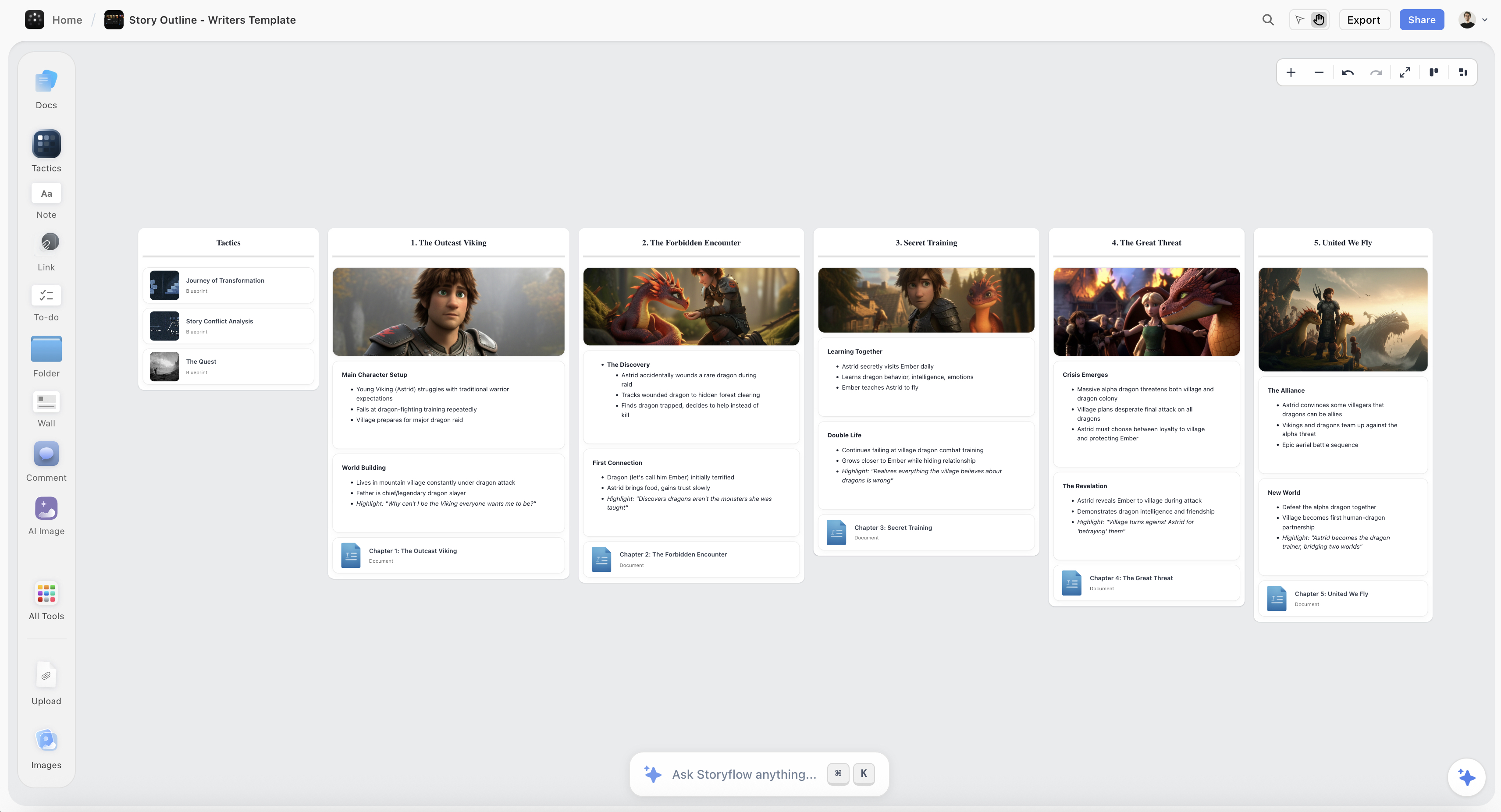
A keynote structured on the Storyflow canvas, with the one idea, the three-act arc, and each story-and-evidence beat laid out as cards
Structure your keynote on one canvas
The one idea, the arc, and every beat live in one place, and the AI reads the whole board to draft the arc and flag a talk with no clear message, so you open your slide tool already knowing the talk moves a room.

How to Structure a Keynote, Step by Step
Here is the full method, from a topic you have been asked to speak on to a locked spine you can design slides from. It assumes one speaker building one talk, 15 to 45 minutes, for a live or recorded audience. Scale it up for a longer or higher-stakes keynote, but keep the order, because the value is in structuring the narrative before you design a single slide, not in opening your slide tool and hoping the talk appears as you decorate.
Step 1: Define the one idea and the audience outcome
Before anything else, write down two sentences: the one idea, and the outcome. The one idea is the single thing you want the audience to remember, stated as a full sentence, not a topic. "The future of work" is a topic and it is unfocusable and unmemorable; "The companies that win the next decade will hire for judgment, not skills" is an idea, and you can build a talk that lands it. The outcome is the change you want in the room: what do they feel, believe, or do differently as they walk out that they did not walk in with. Be honest and specific here, because a talk aimed at "inform them about our roadmap" is a presentation, and a talk aimed at "make them believe the roadmap is worth betting their career on" is a keynote, and they are built differently. Then learn who is actually in the room: what they already believe, what they are afraid of, what they will resist, what they will nod along to. A keynote moves an audience from where they are, so you have to know where they are. Write the idea and the outcome at the top of your board and measure every later beat against them: if a beat does not serve the one idea or move the room toward the outcome, it is decoration, and decoration is what makes a keynote drag.
Step 2: Write the hook that earns the first 30 seconds
The audience decides whether to listen in the first 30 seconds, and most speakers waste those seconds on a thank-you, an agenda, and their own biography. Throw all of that out of the opening. Your hook has one job: make the room want to know what comes next. The reliable ways in are a specific story ("Three years ago I watched a company with better technology lose to a company with a better story"), a question that reframes ("What if everything you have been told about productivity is measuring the wrong thing?"), a surprising fact or statistic that undercuts an assumption, or a bold claim you will spend the talk earning. Whichever you choose, it has to connect to the one idea, because a hook that grabs attention and then does not pay off into the talk is a cheap trick the audience feels cheated by. Write the hook on the board as the first beat and pressure-test it against a cold open: if you deleted your name, your title, and your thank-yous, would the first thing out of your mouth make a distracted person look up. If not, it is not a hook yet.
Step 3: Choose the arc
Now decide the shape that carries the room from the hook to the one idea. Two arcs cover almost every strong keynote. The first is the three-act structure: act one sets up a world and a status quo, act two introduces tension, a problem, a conflict, a complication the status quo cannot handle, and act three resolves it with your one idea as the new understanding the audience leaves with. The second is problem, insight, resolution: you name a problem the audience feels, deliver an insight that reframes it so they see it differently, and resolve into what to do now that they see it your way. Both work because both create tension and then release it, and tension is what holds attention, a talk that is all resolution and no problem is a talk with nothing at stake. Pick the arc that fits your idea, sketch its three movements on the board as three regions, and drop your hook into the opening and your one idea into the turn where the talk pivots. You now have the skeleton the beats will hang on, and you can see, before writing a single slide, whether the shape has real tension or just marches politely to a point nobody had to wait for.
Step 4: Build the beats out of stories and evidence
With the arc sketched, fill each act with beats, the concrete moments that make the idea real. A beat is one unit of the talk doing one job: a story that makes the problem visceral, a piece of data that proves the stakes are real, a demo that shows the insight working, an example the audience recognizes from their own life. The rule that keeps a keynote from becoming a lecture is that you argue through concrete beats, not abstract claims, because people are moved by specifics and bored by generalities. For every point you want to make, ask what story or piece of evidence makes it land, and put that on the board as the beat, not the point itself. Stories are the strongest beats a keynote has, so spend them where it counts: a single well-told story the audience can see beats three bullet points they will forget. Lay the beats out along the arc on the board so you can see the rhythm, and watch two things: pacing, a run of four data beats with no story is a stretch where the room goes cold, and balance, if act two has nine beats and act three has one, the talk builds tension it never resolves. Reorder the beats until the sequence reads like a journey with a pulse, tension rising, a story landing, a turn, a release, not a flat list of everything you know.
Step 5: Plant the callbacks and design the close
Now tie the talk into one thing. Look across your beats for an image, a phrase, a character, or a question you introduced early that you can return to later, and plant it deliberately: a story you tell in the hook whose ending you withhold until the close, a phrase you repeat at each act turn, a question you pose at the start and finally answer at the end. Callbacks are what make a talk feel designed instead of assembled, because a room feels the satisfaction of a thread paying off even when they cannot name why the ending felt earned. Then design the close, the last 60 seconds, which most speakers waste on a limp "so, yeah, that's it, questions?" The close has two jobs: land the one idea one final time, in its sharpest form, and end on a clear ask, the single specific thing you want the audience to do, believe, or feel differently starting now. Vague closes ("I hope this was useful") ask for nothing and get nothing; a real close names the action ("Tomorrow, in your next hiring meeting, ask one question: can this person judge, not just execute"). Write the close on the board as the final beat, make sure it echoes the hook so the talk comes full circle, and check that a listener could tell a colleague your one idea and your ask in a single breath.
Step 6: Script the through-line, not the bullet points
With the spine built, write the through-line: the connective narration that carries the room from one beat to the next, in full sentences, out loud, the way you will actually say it. This is where most keynotes are won or lost, because the temptation is to reduce each beat to bullet points and improvise the connections on stage, and improvised connections are exactly where a talk rambles, loses the thread, and runs long. You do not have to memorize a word-for-word script, but you do have to know how each beat flows into the next, the transitions that carry the idea forward, so write those transitions as real spoken sentences on the board next to each beat. Writing for the ear matters here the same way it matters in narration: short sentences, plain words, the important thing at the front, and read every line out loud because your ear catches what your eye forgives. Critically, the through-line is not your slides. Your slides will carry images and a few words; the through-line is the talk itself, the spoken story that would still work with the screen switched off. Build the talk so it survives a dead projector, because a keynote that collapses without its slides was never a keynote, it was a slide deck with a narrator.
Step 7: Time and pace the talk
A keynote lives inside a clock, and the clock is unforgiving: the graceful talk that runs eight minutes long is a talk that got cut off before its close, losing the one moment that mattered most. So time the talk against the spine before you rehearse it to death. Read the through-line out loud at speaking pace and clock each act, because talks always run longer live than they read on the page, adrenaline and pauses and laughter all add time. If you are over, cut beats, not the close, a keynote is almost always improved by removing your third-best story, never by rushing the ending. Then pace it deliberately: a keynote is not delivered at one constant speed. Plan where you slow down and let a moment land, where you pause after a hard-hitting line to give the room time to feel it, where you speed up through connective material to keep energy high. Mark these on the board next to the beats, the deliberate pauses, the slow moments, the fast runs, because pacing is structural, not just performance, and a talk paced on the board is a talk that breathes instead of racing. Aim to land two minutes short of your slot, because a keynote that ends early and clean beats one that overruns every time.
Step 8: Rehearse against the structure, then design the slides
Only now, with the spine locked, the through-line written, and the timing set, do you rehearse and design. Rehearse against the structure, not the slides: run the talk out loud, from the board, until the arc lives in your body and you know the beats in order without reading them, because a speaker who knows the shape can recover from any stumble, and a speaker who memorized slides is lost the moment the deck is one click behind. Rehearse the hook and the close the most, because those are the two moments that decide how the talk is remembered. Then, and only then, design the slides. Take each beat into Keynote, PowerPoint, Pitch, or Canva and build the visual that supports it, an image, a single line, a piece of data shown cleanly, never a wall of bullets you will read aloud. The slides are the last step because they are the easiest step once the talk works, and the hardest possible place to figure out what the talk should be. That is the payoff of structuring first: you design slides for a keynote that already moves a room, instead of hoping a keynote emerges from a pile of slides.
Where AI Helps (and Where the Room Is Yours)
AI is genuinely useful for structuring a keynote, but for specific jobs, and it is worth being precise so you do not hand it the parts that have to be yours.
Where it helps. An AI that reads your one idea and your beats can draft an arc from a topic, suggest a hook you had not considered, propose a callback that ties two beats together, flag a talk with no clear message, and catch an act that has tension but no release. Because Storyflow's AI reads your full board, plus up to 1 Tactic and 3 Documents you point it at, it works from your actual talk rather than a generic outline, so the structure it suggests fits the keynote you are actually building. The 200-plus Story Blueprints are the useful shortcut here: frameworks like the Hero's Journey, AIDA, and Retention Hooks are narrative structures, and a keynote is a narrative, so dropping one onto the board gives you a proven arc to adapt instead of a blank canvas. It is a fast way to get a rough spine down so you have something concrete to react to.
Where it does not. AI has not met your audience, has not felt the room you are walking into, and cannot judge whether a story will land for the specific people in those seats. It will cheerfully generate a plausible talk that reframes a problem your audience does not actually have, or lands on an ask they will never act on. The judgment that decides whether a keynote works, what one idea is worth their time, which story is true to you and will land in that room, what you are honestly asking them to do, is yours, and Storyflow's AI image generation on the Pro and Max tiers is the wrong tool for this stage, because structuring a keynote is about the spine, not generated art, and the slide visuals come later in a slide tool anyway. Use AI to draft the structure and catch the gaps, and bring your own judgment to the decisions that decide whether the room moves. AI drafts the spine. You decide what moves the room.
Common Keynote Structure Mistakes
- No single idea. A talk with five points and no spine is five things the audience forgets by the exit. Pick one idea and make everything serve it.
- Treating a keynote like an informational presentation. Informing the room is not moving it. Decide the change you want in the audience, and build toward it, not just toward "they now know the facts."
- A slow start. Opening with thank-yous, an agenda, and your resume spends your most valuable 30 seconds before the room has decided to listen. Lead with a hook.
- Stating the idea, then stalling. A talk that delivers its point in minute two and decorates it for 30 more has no arc. Build tension and resolve it; make them wait for the turn.
- Arguing in abstractions. Bulleted claims bore a room. Make every point concrete with a story, a demo, or a piece of evidence, and spend your best story where it counts.
- Slides as the script. Reading your bullets aloud makes the audience read ahead and tune out. The talk is the spoken through-line; the slides only support it.
- A limp close. Ending on "that's it, questions?" throws away the moment the talk is remembered by. Land the one idea and end on a clear, specific ask.
- Designing slides before the talk exists. Building the deck first means figuring out the talk in the most expensive tool to change. Structure the spine on a board first.
- Skipping the clock. A keynote that runs long gets cut off at its close. Time it against the structure and cut beats, never the ending.
The Bottom Line
Structuring a keynote is not the work you do before the real work. It is the real work: deciding the one idea, choosing an arc with real tension, building beats out of stories and evidence, planting the callbacks, and landing a close with a clear ask, all on a board where you can see the whole talk and every change is cheap. Get that right and the slides become the easy part, because they only ever have to support a talk that already moves a room. Skip it and you try to discover the talk one slide at a time, in the most expensive tool to change, and the audience feels the missing spine even when they cannot name it.
The honest boundary holds. Structure the narrative on a board, because a keynote is a sequence and a sequence has to be seen whole, with AI and Story Blueprints that help you draft the arc and catch the gaps. Design and deliver the slides in Keynote, PowerPoint, Pitch, or Canva, because that is a different craft and those tools are built for it. I came to the stage from documentary storytelling, not from a career in professional speaking, and the one thing the film work taught me transfers cleanly: design the sequence before you commit it to an expensive medium, because the sequence is where it works or fails, and it is free to fix on the board and painful to fix anywhere else.
If your next keynote is still a topic and a hope that the structure will sort itself out as you build slides, structure the whole talk on one canvas in Storyflow and open your slide tool already knowing the talk moves a room.
FAQ: Keynote Structure
How do you structure a keynote?
Build the narrative spine before you design any slides. Write the one idea you want the audience to remember and the outcome you want in the room, open with a hook that earns attention in the first 30 seconds, and carry the idea through a clear arc, a three-act structure or a problem, insight, resolution, with stories and evidence as the beats. Plant callbacks that tie the talk together, land a close that restates the idea and ends on a clear ask, then script the spoken through-line, time and pace the talk, and rehearse against the structure. Only then design the slides in Keynote, PowerPoint, Pitch, or Canva. The reason to structure first is that a talk's shape is almost free to change on a board and expensive to change once it is welded to a hundred slides.
What is the difference between a keynote and a regular presentation?
A regular presentation informs: it delivers information the audience needs, and it succeeds if the facts land. A keynote carries one big idea and moves an audience: it changes how a room sees something and sends them out wanting to act. You can strip most of the facts from a keynote and it still works if the one idea and the feeling survive, whereas an informational presentation is mostly the facts. That is why a keynote is built around a spine, a hook, an arc, beats, and a close, while a presentation can survive being an organized list. A lecture is a third thing again: it teaches a skill step by step. Knowing which of the three you are actually giving decides how you build it, because a keynote built like a presentation becomes a forgettable list, and a presentation built like a keynote wastes everyone's time.
How long should a keynote be?
Most keynotes run 15 to 45 minutes, with the classic conference slot around 18 to 20 minutes and a headline keynote sometimes reaching 45 to 60. The exact length matters less than fitting the clock you were given and structuring for it, because a talk that overruns gets cut off at its close, losing the one moment that mattered most. Whatever your slot, time the talk out loud at speaking pace, remember it will run longer live than it reads, and aim to land about two minutes short. If you are over, cut beats, usually your third-best story, and never rush or cut the close. A tight, complete talk that ends early beats a sprawling one that overruns every single time.
What makes a keynote memorable?
Structure and story, not slides. An audience does not remember your bullet points; they remember the shape of the journey and the one or two moments that landed, the story that made them lean in, the line that named something they felt, the turn where a problem became an opportunity. Those are structural events. A memorable keynote has one clear idea the whole talk serves, an arc with real tension and release, concrete beats built from stories and evidence rather than abstractions, callbacks that make the ending feel earned, and a close that ends on a clear ask. Build those and the talk survives the night in the listener's memory. Leave them to chance and the room forgets the talk before they reach the parking lot, no matter how good the slides looked.
Should I write a full script for my keynote?
You should write the through-line, the connective spoken narration that carries the room from beat to beat, in full sentences, out loud, but you do not have to memorize it word for word. The danger at both extremes is real: reduce each beat to bullet points and improvise the connections, and you ramble, lose the thread, and run long; memorize a rigid script, and you sound like you are reciting and you are lost the moment you drop a line. The reliable middle is to know the spine cold, the beats in order and the transitions between them, and to write those transitions as real spoken sentences so you are never inventing them live. Rehearse from the structure until the arc lives in your body, and you can be word-perfect on the hook and the close, the two moments that matter most, while staying loose and present through the middle.
Can AI help structure a keynote?
Yes, for drafting and gap-checking, not for the judgment. Once your one idea and your beats are on a board, AI can draft an arc from your topic, suggest a hook, propose a callback, flag a talk with no clear message, and catch an act with tension but no resolution. Because Storyflow's AI reads your full board, plus up to 1 Tactic and 3 Documents you point it at, it works from your actual talk rather than a generic outline, and the 200-plus Story Blueprints give you proven narrative frameworks like the Hero's Journey and AIDA to adapt. What AI cannot do is know your audience, feel the room, or judge whether a story is true to you and will land in those seats. Use it to get a rough spine down fast so you have something to react to, and keep the decisions that make a talk move, the one idea, the honest ask, the story that is yours, in your own hands.
What is the best tool to structure a keynote?
Most people use one tool to structure the talk and a different tool to design the slides, because those are different jobs. For the structure, a visual board wins, because a keynote is a sequence you have to judge whole, and Storyflow is strongest here since it puts the one idea, the arc, and every beat on one infinite canvas so you can see the entire talk at once and drag beats into order, with AI that reads the whole board to draft the arc and flag gaps. A document like Google Docs also works for a plain outline or a full script, and Notion holds an ordered outline. For the slides, you move to Keynote, PowerPoint, Pitch, or Canva and design each beat into a visual. Structure on the board, design in the slide tool, and do not ask either to do the other's job, because a board is a poor slide editor and a slide tool is a poor place to discover what your talk is.
Is Storyflow free for structuring a keynote?
Not during early access. Storyflow's Free plan, which launches before the end of 2026, will include unlimited objects and boards, unlimited collaboration, basic AI, and 20 file uploads, which covers structuring a real keynote: the one idea, the arc, and every beat laid out on one canvas. Paid tiers start at Plus for $7.99 per month billed annually, which is $9.99 monthly, and add the 200-plus Story Blueprints, including narrative frameworks that map onto talk structure, and unlimited file uploads, with Pro at $14 per month billed annually, $19 monthly, and Max at $39 per month billed annually, $49 monthly, for more AI and, on Pro and Max, AI image generation, which structuring a keynote does not need since the spine is about narrative, not generated art, and the slide visuals come later in a slide tool. There is no separate Team plan; Max is the team tier. Once it launches, the Free plan will genuinely run the whole structuring method, and you'll still design and deliver the talk in a slide tool.
Do I still need Keynote or PowerPoint?
Yes, and that is the honest boundary. Storyflow structures the narrative of the talk; it does not design the slides or deliver them. Keynote, PowerPoint, Pitch, and Canva are where each locked beat becomes a designed slide with its image, its type, and its build order, and the stage is where you deliver the talk you rehearsed. Storyflow is the layer before all of that, the place you decide the one idea, the arc, and the beats so the slide design is straightforward assembly instead of a search for the talk itself. Used for structuring, which is what it is built for, it is where a keynote gets its shape; used as a slide-design tool, it is the wrong tool, and this guide is honest about that split because pretending one tool does both jobs helps no one.
Table of Contents
- Why a Keynote Lives or Dies on Structure
- The Spine of a Great Keynote
- Quick Picks: Where to Structure a Keynote
- Comparison Table: Where to Structure a Keynote
- How to Structure a Keynote, Step by Step
- Where AI Helps (and Where the Room Is Yours)
- Common Keynote Structure Mistakes
- The Bottom Line
- Author
- FAQ: Keynote Structure
- Related Reading
Templates to check out for this topic


Templates you can use in Storyflow
Every Storyflow board starts from real structure and an AI that reads the whole canvas. Open one of these templates and make it yours.


See Storyflow in Action
A visual AI workspace where every feature lives inside one canvas. No tab-switching, no context lost.
Build your entire board from a single message
Type what you need in the AI chat at the bottom of your canvas. The AI adds cards, headings, and structure directly onto your board.
Use expert frameworks as AI context
Type @ in the AI chat and choose any Tactic. The AI tailors every response to that framework instead of giving generic advice.
Turn your board into a mind map in seconds
Ask the AI to restructure your canvas as a mindmap. It connects your ideas into a visual hierarchy so you can see how everything relates.
Why Storyflow Exists
Storyflow actually began as a personal tool while working on creative and research projects.
We kept running into the same problem: ideas were scattered everywhere: notes, documents, and whiteboards.
Nothing helped us see how everything connected.
So we started building a workspace designed around how ideas actually grow.
→ Read how Storyflow was createdJustkay
Documentary Filmmaker & Founder at Storyflow
Published: 2026-07-22
Extremely simple, seriously capable


See how easy it is to get started
Watch a real project come together, from a blank board to a finished plan, clicked through step by step.
Start creating with AI and become more productive
Transform your creative workflow with AI-powered tools. Generate ideas, create content, and boost your productivity in minutes instead of hours.