
Category
Marketing
Author

Justkay
Documentary Filmmaker & Founder at Storyflow
Topics
2026-07-01
•
Updated July 1, 2026
•
13 min read
•
Marketing- how to make a pitch deck with ai
- ai pitch deck
- pitch deck workflow 2026
- ai pitch deck generator
- how to plan a pitch deck
- storyflow pitch deck
How do you make a pitch deck with AI in 2026?
Plan the argument first and design slides last. Start on an infinite canvas such as Storyflow, not in a slide editor: lay out the five beats every deck must carry (problem, insight, solution, proof, ask) as regions on the board, drop your real evidence under each, and point an AI that reads the whole board at the argument so it stress-tests the logic before any slide is styled. Only then move into Pitch, Canva, or Google Slides to build the finished slides. A pitch deck does not fail on design. It fails on the argument the slides were built to carry.
Plan the argument before you design a slide.
A slide editor forces order before you have one. Storyflow keeps the five-beat Narrative Spine and its evidence on an infinite canvas, with an AI that reads the whole board and stress-tests the argument, so you design slides only once the story holds.

1) Quick Answer: How to Make a Pitch Deck with AI
Making a pitch deck with AI works when you plan the argument first and design slides last. Start on a canvas, not in a slide editor. Lay out the five beats every deck has to carry (problem, insight, solution, proof, ask) as regions on an infinite board, drop your real evidence under each, and point an AI at the whole board so it stress-tests the logic before a single slide gets styled. Only then move into Pitch, Canva, or Google Slides to build the finished slides.
The mistake most people make in 2026 is asking an AI to "generate a pitch deck" from a one-line prompt. You get twelve pretty slides and a story that does not hold, because the AI never saw your numbers, your customer quotes, or the reason your solution beats the status quo. A better workflow treats AI as a thinking partner on a board it can read, then hands the finished argument to a design tool. A pitch deck does not fail on design. It fails on the argument the slides were built to carry.
I have pitched documentary projects to commissioners and built decks to win agency clients, and the pattern never changed. The decks that landed were not the prettiest. They were the ones where every slide was load-bearing, where the problem set up the solution and the proof closed the loop. The pretty deck with a weak spine got polite feedback and no yes.
For the concept itself, see What is a Pitch Deck? The Complete Guide, and for the tool landscape, The Best Pitch Deck Tools in 2026.
2) The Narrative Spine: The 5 Beats a Deck Must Carry
Here is the frame this whole guide is built on. A pitch deck is not a stack of slides. It is an argument delivered as slides, and the argument has a shape: the Narrative Spine, five beats that have to connect, in order, before any of them is worth designing.
- Problem. The specific pain, sized and made real. Not "scheduling is hard" but "agencies lose 4 to 6 billable hours a week reconciling calendars across three tools."
- Insight. The non-obvious thing you know that others do not. This is the beat most decks skip, and the one that makes an investor lean in: why now, why you, why this is not already solved.
- Solution. What you built, framed as the direct answer to the problem. The solution beat is weak whenever it is not visibly the resolution of the problem.
- Proof. Evidence the solution works: traction, revenue, retention, a pilot, a waitlist, a logo, a quote. Proof turns a claim into a reason to believe it.
- Ask. What you want and what it unlocks: the raise, the engagement, and the milestones the money or the yes buys.
The Spine is not the slide order. It is the logic the slide order has to serve. A ten-slide deck and a twenty-slide deck can carry the same five beats. What kills a deck is not slide count. It is a broken Spine: a problem that does not set up the solution, proof that answers a question nobody asked, an ask that appears before the audience believes the solution works.
This is why the sticky rule holds. A pitch deck does not fail on design. It fails on the argument the slides were built to carry. When a deck gets a no, the founder usually reaches for a redesign. It rarely fixes anything, because the problem was never the pixels. Beat two never landed, so beats three through five had nothing to stand on. And this is exactly what a thin AI prompt cannot fix, because the connective logic between beats lives in your evidence and your insight, not in the model's training data.
3) Why Most AI Pitch Decks Fail
Most AI pitch decks fail for one structural reason: the AI never saw the argument. It saw a prompt.
Type "make me a pitch deck for a B2B scheduling startup" into a deck generator and the model has nothing real to reason over. It does not know your retention curve, the customer who said the current process makes them want to quit, the reason your wedge beats the incumbent, or the raise and what it buys. So it invents generic stand-ins. The output is a deck-shaped object with no Spine, and the failure has three recognizable shapes.
- The plausible-but-empty deck. Every slide is grammatical and on-brand, and none says anything only you could say. Investors read hundreds of decks and spot this in seconds.
- The design-first inversion. The tool leads with a beautiful template, so you fill the template instead of building the argument. Form drives content, backwards.
- The context blindness. The AI never held the whole deck in view at once, so the problem slide and the proof slide quietly contradict each other, and no one notices until an investor asks the question the deck should have preempted.
The fix for all three is the same, and it is a workflow, not a better prompt. Give the AI the whole argument to read before it writes anything. Put the five beats and the real evidence on a board the AI can see in full, then ask it to find the holes. An AI that reads only a prompt cannot protect the argument. An AI that reads the whole board can.
4) The Workflow: Plan the Argument Before You Design a Slide
Here is the 2026 workflow. Four phases, and the first three happen before you open a slide editor.
Phase 1: Map the Spine on a canvas
Open an infinite canvas and create five regions, one per beat: Problem, Insight, Solution, Proof, Ask. This takes two minutes and it is the most important two minutes of the process. You now have the argument as a spatial object you can see, move, and interrogate. A slide editor forces you into linear order before you know it; a canvas lets the order emerge from the material.
Phase 2: Drop real evidence under each beat
Place the actual raw material where it belongs. Under Problem: the customer complaint, the market-size figure, the workflow that breaks. Under Insight: the observation others miss. Under Solution: screenshots, the one-line description, the wedge. Under Proof: revenue, retention, pilot results, waitlist size, logos, quotes. Under Ask: the number, the use of funds, the milestones. Do not write slides yet. Get the evidence onto the board, messily, in note cards and images. The point is that the argument and its evidence now live in one place.
Phase 3: Point AI at the whole board and stress-test
This is the step the one-line-prompt crowd skips, and where AI earns its place. Ask the AI, reading the entire board, to do the work a sharp investor would. Where is the Spine weak? Which beat is unsupported by evidence? Does the proof answer the problem, or a different problem? Is the insight really non-obvious? Because the AI sees all five regions at once, it reasons about the connective logic between beats, not just one slide. You are not asking it to write. You are asking it to attack the argument so you can fix it before an investor does.
Phase 4: Only now, build the slides
Once the Spine holds on the canvas, translate it into slides in a dedicated design tool. Slide creation is now fast and low-stakes, because the argument is settled: design becomes execution, not discovery.
The order is the whole point. A pitch deck does not fail on design. It fails on the argument the slides were built to carry. Plan the argument on a canvas, prove it out with an AI that reads the whole board, and design last. Reverse the order and you spend hours styling a deck whose Spine was never load-bearing.
5) Where AI Actually Helps (and Where It Does Not)
AI is genuinely useful in a pitch deck workflow, but only for specific jobs. Being precise about them keeps you out of the generic-deck trap.
- Argument stress-testing. The highest-value use. An AI reading your whole board plays devil's advocate, surfaces the unsupported beat, and names the question your deck fails to answer. You keep final judgment; the AI catches the obvious holes so your human reviewers can find the subtle ones.
- Tightening language. Pitch copy is usually too long. AI is excellent at compressing a rambling problem statement into one sharp sentence and a paragraph of features into a single benefit line.
- Proof framing. You have the numbers; the AI helps you frame them. Which metric leads, retention or revenue? What is the one number an investor in this category cares about most? The AI reasons over the options; you decide.
- The objection list. Ask it to generate the ten hardest questions an investor will ask, then draft the appendix slides that preempt them.
Now the honest other side. AI does not supply your insight. The non-obvious thing you know is yours; outsource beat two and you get a generic observation that kills the deck at its most important moment. AI does not build your financial model. Projections and unit economics are not a language task, and a model that hallucinates a number into your ask slide is a liability. AI does not replace real proof. It can frame traction; it cannot manufacture it.
The rule that keeps you out of trouble: use AI to pressure-test and sharpen an argument you own, never to invent one you do not.
6) Build Your Deck in Storyflow

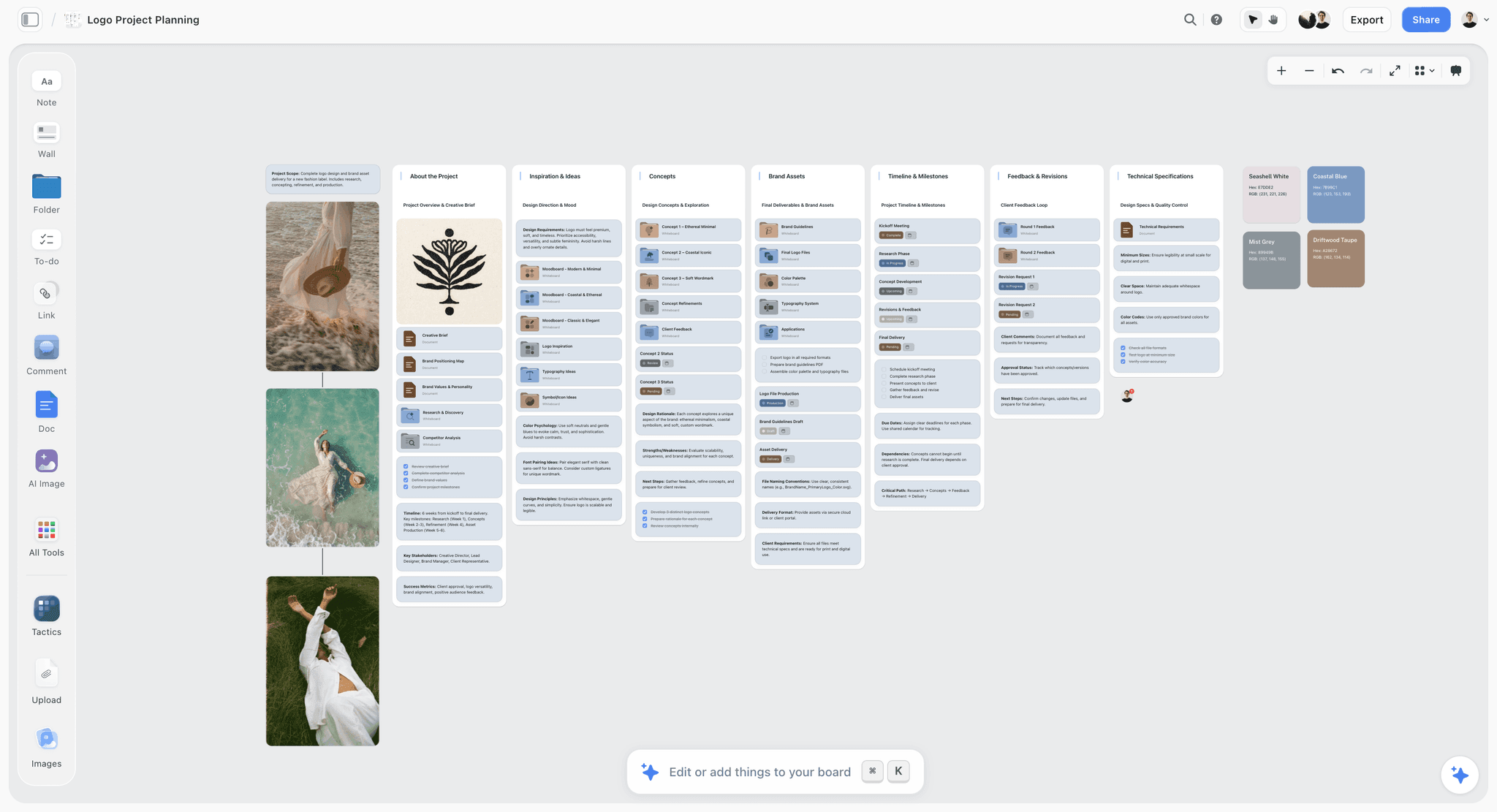
Storyflow is an AI visual workspace, built for exactly the first three phases of this workflow: planning the Narrative Spine and its evidence on a canvas, then letting an AI that reads the whole board stress-test the argument before you design a slide.
In practice, you open an infinite canvas and lay out the five beats as regions, then drop the real material under each. Storyflow's canvas holds note cards, images, and links together, so the customer quote, the market-size screenshot, the traction chart, and the one-line solution all sit on the same board, arranged under the beat they support. Plus, the entry paid tier, gives you unlimited notes, images, and links and unlimited shared boards, so once you are in, getting the whole argument onto the canvas costs nothing extra. A Free plan with the same board basics launches before the end of 2026.
Then you open the AI chat and point it at the board. Storyflow's AI reads your full active canvas by default, so when you ask "which beat of this Spine is weakest, and what evidence is missing?" it reasons over the entire argument at once, not a single slide. You can also @-mention up to one Tactic and up to three Documents to bring in extra context, like a market-research doc or a competitor breakdown. This is what separates a real workflow from a one-line prompt: the AI sees the connective logic between problem and proof, so it catches the proof slide that answers a question the problem slide never asked.
Storyflow ships with 200+ Story Blueprints on the Plus, Pro, and Max tiers, expert-designed frameworks you drop onto the canvas to structure the thinking, including strategy and brand-planning frameworks that map cleanly onto the Spine, and AI image generation on Pro and Max. Pricing is flat per account: Plus at $7.99/mo annual ($9.99 monthly), Pro at $14/mo annual ($19 monthly), and Max at $39/mo annual ($49 monthly), which adds a team workspace with roles and permissions. There is no per-user pricing and no Team tier; Max is the team-targeted plan. Storyflow is paid-only during early access, with a Free plan launching before the end of 2026.
The honest framing, by design: Storyflow is where the argument gets built and stress-tested, not where the final slides get styled. To sharpen a rough value proposition before you map the Spine, the AI value proposition generator gives you a fast first draft to react to on the canvas.
7) Slide-by-Slide: The 11-Slide Spine
The five-beat Spine translates into a standard eleven-slide deck. Slide count is not sacred, but this sequence carries the argument cleanly for a raise or a client pitch. Each slide maps to a beat:
Notice the shape. Slides 2 and 3 are the setup; slides 4 and 5 are the payoff. Slides 6 through 9 are one continuous proof beat in four registers (traction, market, competition, team), because "why believe you" is where investors spend their time.
The most common structural error is putting the ask before the proof has landed. If slides 6 through 9 have not made the audience believe the solution works, slide 10 asks them to fund a story they do not yet buy. The Spine is directional: belief comes before the ask.
Build these slides only after the argument holds on the canvas, where each of the eleven is a region of the Spine with its evidence already attached. Translating a proven argument into slides is fast; discovering it while you design them is slow.
8) Design and Export: Where to Build the Final Slides
Storyflow plans and stress-tests the deck; it does not design the final slides, and that is deliberate. Once the Spine holds, move into a dedicated presentation tool to build the polished, exportable version.
- Pitch is the strongest choice for startup decks that need collaborative editing, analytics on who viewed which slide, and a modern template system. It is built for fundraising decks specifically.
- Canva wins when you want the widest template library and design control without a designer, and when the deck doubles as a marketing asset.
- Google Slides wins on ubiquity. If your investors or clients live in Google Workspace and you want zero friction on sharing, Slides is the safe default and the export-to-PDF is clean.
The handoff is clean because the hard part is already done. You are transferring a settled, stress-tested argument into slide form, not deciding what to say while you decide how it looks.
For a deeper look at the presentation-tool landscape, see The Best AI Presentation Tools in 2026.
9) Common Mistakes and Where Storyflow Is the Wrong Tool
The honest section: the mistakes to avoid, and the cases where Storyflow is not what you want.
The five most common pitch deck mistakes
- Designing before the argument holds. The most expensive error. You style a deck whose Spine was never load-bearing, then rebuild it after the first no.
- Skipping the insight beat. Decks that go straight from problem to solution feel like every other deck. The insight is what makes an investor lean in.
- Proof that answers the wrong question. Showing the metric you are proud of instead of the metric the investor cares about. Proof has to close the problem, not decorate the deck.
- The ask before the belief. Requesting the raise before slides 6 through 9 have earned it.
- Asking AI to generate the whole deck from a prompt. You get a plausible, empty, Spineless deck. Use AI to attack an argument you built.
Where Storyflow is the wrong tool
Credibility means naming what Storyflow does not do. Three honest limitations:
Storyflow is not a slide-design or presentation app. It does not produce the final, animated, exportable slide deck, and it has no presenter mode. Build the finished slides in Pitch, Canva, or Google Slides. Storyflow is where the argument gets planned and stress-tested; the design tool is where it gets styled and shipped. If you want one tool that does both, Storyflow is not it.
Storyflow is not a financial-modeling tool. Your projections, unit economics, cap table, and the model behind the ask belong in a spreadsheet. Storyflow can hold a chart image of your numbers as evidence under the Proof beat, but it does not build or validate the model.
Storyflow is cloud-only. There is no offline mode and no local-first file format. If you are on a plane with no connection or have strict local-only data requirements, the canvas is not available. For fully offline deck planning, a local tool fits better.
One more note on shape: Storyflow's canvas is card-and-region shaped, not slide shaped. That is exactly what you want for planning an argument spatially, and not what you want for pixel-precise slide layout. Match the tool to the phase: canvas for the Spine, slide editor for the slides.
11) The Bottom Line
Making a pitch deck with AI in 2026 is not about finding a generator that spits out twelve slides. It is about changing the order of operations: plan the argument first on a canvas using the five-beat Narrative Spine, point an AI that reads the whole board at it and let it attack the logic until the argument holds, then build the finished slides in Pitch, Canva, or Google Slides.
The reason this order wins is the sentence this whole guide keeps returning to. A pitch deck does not fail on design. It fails on the argument the slides were built to carry. Every hour spent styling a weak Spine is an hour you spend again after the first no. Every minute spent making the argument load-bearing first compounds into a deck that lands.
If your next deck has to carry a real argument, plan its Narrative Spine on Storyflow's canvas and stress-test it with an AI that reads the whole board, then take the proven argument into your design tool.
10) FAQ: Making a Pitch Deck with AI
Can AI make a whole pitch deck for me?
AI can draft slide copy and suggest structure, but it cannot make a good whole deck from a one-line prompt, because a strong deck depends on your specific insight and real evidence, which the model does not have. The workflow that works is to plan the argument and its evidence on a canvas, point an AI at the whole board to stress-test it, and only then generate slides. AI is a critic and an editor here, not an author.
What is the best AI pitch deck workflow in 2026?
The best workflow is canvas-first. Lay out the five beats of the Narrative Spine (problem, insight, solution, proof, ask) as regions on an infinite canvas, drop your real evidence under each, and use an AI that reads the whole board to find the weak beat and the missing proof. Once the argument holds, build the finished slides in Pitch, Canva, or Google Slides. That order is the difference between a deck that lands and one that gets redesigned.
Should I plan a pitch deck before making slides?
Yes, and this is the highest-leverage habit in deck-building. A slide editor forces you into linear order before you know the order, so you end up writing to fit the layout. Planning the argument first, on a canvas where you can see and move all five beats at once, lets the structure emerge from your evidence. Settle the argument, then design.
How many slides should a pitch deck have?
A standard raise or client deck runs about eleven slides: title, problem, insight, solution, how it works, traction, market, competition, team, ask, and vision. Slide count is not what matters; the Spine underneath it is. A ten-slide deck and a twenty-slide deck can carry the same five-beat argument. What kills a deck is a broken Spine, not a slide too many or too few.
Can Storyflow build my final pitch deck slides?
No, and it is honest about that. Storyflow is an AI visual workspace for planning and stress-testing the deck's argument on a canvas. It does not produce animated, exportable slides and has no presenter mode. Plan the Narrative Spine and prove it out in Storyflow, then build the finished slides in a dedicated tool like Pitch, Canva, or Google Slides.
What context can Storyflow's AI actually read?
Storyflow's AI reads your full active canvas board by default, so it reasons over the entire argument at once rather than a single slide. You can bring in extra context by @-mentioning up to one Tactic and up to three Documents in the AI chat, useful for pulling in market research or a competitor breakdown. It does not read all your boards or your entire workspace at once; the scope is the current board plus what you explicitly mention.
How much does Storyflow cost for pitch deck planning?
Storyflow is paid-only during early access. Plans are flat per account: Plus at $7.99/mo annual ($9.99 monthly) covers unlimited notes, images, and links, unlimited shared boards, unlimited collaboration, basic AI, 20 file uploads, and 200+ Story Blueprints, which is enough to plan a full Spine. Pro at $14/mo annual ($19 monthly) adds AI image generation and 20x more AI, and Max at $39/mo annual ($49 monthly) adds 40x more AI and a team workspace with roles. A Free plan launches before the end of 2026, and anyone a paid member invites to a board joins free today.
Should AI write my financial projections for the deck?
No. Projections, unit economics, and the model behind your ask are not a language task, and an AI that produces a confident but wrong number is a real liability in front of investors. Build the model in a spreadsheet, then place a chart of the numbers on your canvas as evidence under the Proof beat. Use AI to frame which metric leads, not to generate the metric itself.
How do I use AI to stress-test a pitch deck?
Put the whole argument on a canvas the AI can read in full, then ask it to attack the logic. Good prompts: which beat is unsupported by evidence, where a skeptical investor would poke a hole, whether the proof closes the problem, and the ten hardest questions this deck fails to answer. Because the AI sees all five beats at once, it reasons about the connections between them, which is exactly where decks quietly break.
Which tool should I use to design the finished slides?
Use Pitch for startup fundraising decks that need collaboration and view analytics, Canva when you want the largest template library and the deck doubles as a marketing asset, and Google Slides when your audience lives in Google Workspace. All three are good; the choice depends on your audience and how the deck will be shared. Plan the argument in Storyflow first, then pick the design tool that fits.
Table of Contents
- Quick Answer: How to Make a Pitch Deck with AI
- The Narrative Spine: The 5 Beats a Deck Must Carry
- Why Most AI Pitch Decks Fail
- The Workflow: Plan the Argument Before You Design a Slide
- Where AI Actually Helps (and Where It Does Not)
- Build Your Deck in Storyflow
- Slide-by-Slide: The 11-Slide Spine
- Design and Export: Where to Build the Final Slides
- Common Mistakes and Where Storyflow Is the Wrong Tool
- FAQ: Making a Pitch Deck with AI
- The Bottom Line
- Author
- Related Reading
Templates to check out for this topic


Templates you can use in Storyflow
Every Storyflow board starts from real structure and an AI that reads the whole canvas. Open one of these templates and make it yours.


See Storyflow in Action
A visual AI workspace where every feature lives inside one canvas. No tab-switching, no context lost.
Build your entire board from a single message
Type what you need in the AI chat at the bottom of your canvas. The AI adds cards, headings, and structure directly onto your board.
Use expert frameworks as AI context
Type @ in the AI chat and choose any Tactic. The AI tailors every response to that framework instead of giving generic advice.
Turn your board into a mind map in seconds
Ask the AI to restructure your canvas as a mindmap. It connects your ideas into a visual hierarchy so you can see how everything relates.
Why Storyflow Exists
Storyflow actually began as a personal tool while working on creative and research projects.
We kept running into the same problem: ideas were scattered everywhere: notes, documents, and whiteboards.
Nothing helped us see how everything connected.
So we started building a workspace designed around how ideas actually grow.
→ Read how Storyflow was createdJustkay
Documentary Filmmaker & Founder at Storyflow
Published: 2026-07-01
Extremely simple, seriously capable


See how easy it is to get started
Watch a real project come together, from a blank board to a finished plan, clicked through step by step.
Start creating with AI and become more productive
Transform your creative workflow with AI-powered tools. Generate ideas, create content, and boost your productivity in minutes instead of hours.