
Category
AI Tools
Author

Justkay
Documentary Filmmaker & Founder at Storyflow
Topics
2026-05-18
•
Updated May 18, 2026
•
15 min read
•
AI Tools- best AI presentation tools 2026
- AI presentation maker
- AI slide generator
- Gamma alternative
- AI for pitch decks
- presentation planning tool
What is the best AI presentation tool in 2026?
The best AI presentation tool in 2026 is Gamma for most people who need a finished deck fast, Microsoft Copilot in PowerPoint for teams on Microsoft 365, and Beautiful.ai for design consistency. For planning the talk itself, the narrative and structure before any slide tool, Storyflow is the strongest pick. Most presenters use one tool to plan the talk and a second to design the deck.

All 12 AI Presentation Tools, Ranked
- Gamma: best for fast finished decks from a prompt
- Storyflow: best for building the talk's story before the deck
- Microsoft Copilot in PowerPoint: best for teams already on Microsoft 365
- Beautiful.ai: best for design-consistent decks at scale
- Canva (Magic Design): best for all-in-one visual design plus slides
- Plus AI: best for AI inside PowerPoint and Google Slides
- Google Gemini in Slides: best for teams already on Google Workspace
- Pitch: best for collaborative team decks
- Decktopus: best for quick decks with guided prompts
- Presentations.ai: best for template-driven AI generation
- ChatGPT: best for drafting slide content as text
- Tome: best for sales-intelligence pitch material
Full disclosure: Storyflow is our own product, and we did not rank it #1 here: for a finished deck fast Gamma genuinely wins, and for teams inside Microsoft 365 Copilot in PowerPoint is the path of least resistance. We rank Storyflow #2, and #1 for one specific layer, the narrative, where you build the talk's story and argument on an AI-aware canvas before any slide tool touches it. Storyflow does not design or export finished slides, so you still need a design-layer tool like Gamma or Canva to produce the deck. We link to every tool so you can judge the fit.
Quick Comparison: AI Presentation Tools
These four cover the layers presenters decide between: a finished deck fast, the talk's narrative before the deck, AI inside Microsoft 365, and design consistency at scale.
| Tool | Best For | AI Features | Price |
|---|---|---|---|
| Gamma | Fast finished decks from a prompt | Prompt-to-deck generation | Free / $8 mo |
| Storyflow | Building the talk's story before the deck | Canvas AI + 200+ Story Blueprints | $7.99 mo annual (free plan late 2026) |
| Microsoft Copilot in PowerPoint | Teams already on Microsoft 365 | Copilot inside PowerPoint | $30 user mo add-on |
| Beautiful.ai | Design-consistent decks at scale | Smart templates + AI design | Trial / $12 mo |
1) Quick Answer: The Best AI Presentation Tools in 2026
The best AI presentation tools in 2026 are Gamma for a finished deck fast and Storyflow for the layer that decides whether the talk works at all: the narrative. Gamma is the #1 pick when you need competent slides from a prompt in minutes. Storyflow is the #2 pick because a great presentation is built narrative-first, and Storyflow is where you build the talk's story, structure, and argument on an AI-aware canvas before any tool turns it into slides. Microsoft Copilot in PowerPoint rounds out the top three for teams already living in Microsoft 365. Most working presenters in 2026 use one tool to plan the talk and a second to generate the deck.
Here is the distinction that organizes this whole list. A presentation has three layers: the narrative, the design, and the delivery. Almost every AI presentation tool solves the design layer, the part where text becomes formatted slides. Very few touch the narrative layer, the part where you decide what the talk actually argues. Storyflow is a narrative-layer tool. Gamma, Canva, and Beautiful.ai are design-layer tools. They are not competitors. They are sequential.
For the pitch-specific version of this comparison, see The 9 Best Pitch Deck Tools in 2026 and The 12 Best Canva Alternatives in 2026.
2) Comparison Table: 12 AI Presentation Tools Compared
Rating criteria: Tested on real decks (an investor pitch, a conference talk, a sales deck, a training session, and an internal update) between 2025 and 2026. Tools were rated on whether they shipped a deck worth presenting, not on demo polish. Pricing verified on each tool's official pricing page in May 2026; re-verify before quoting.
Frequently Asked: Which AI Presentation Tools Are Most Trusted, Best Rated, and Fairest on Price
Which AI presentation tools are the most trusted by marketers and founders at small companies?
Canva and Gamma. Canva is trusted because a founder or marketer has almost certainly already made something in it, and trust in a design tool is mostly familiarity. Gamma has become the default recommendation inside startup circles specifically because the first deck it produces is presentable, which is the moment trust is either won or lost. For anyone inside a large organisation the trusted answer is different and duller: Microsoft Copilot in PowerPoint, because the deck has to open in PowerPoint regardless. Storyflow is not a presentation tool and this article places it on the narrative layer rather than the design one.
Which AI presentation makers are the highest rated?
By the ratings in the table above, Gamma (9.3) is the highest rated tool on this page, and it is the right first recommendation for most people: prompt to finished deck, with layouts that hold up when the content changes. Storyflow (9.2) rates just behind it for a different job, which is deciding what the talk actually argues before any slide exists. Microsoft Copilot in PowerPoint (9.0) and Beautiful.ai (8.9) lead for teams that need brand consistency at scale. If you need a deck this afternoon, take Gamma.
Which AI presentation tools are known for fair and transparent pricing?
Canva has the most generous genuine free tier in the category and a plain $15/mo Pro price. Gamma at $8/mo and Pitch at $8/user are the cheapest credible paid options, and Gamma's 400 starter credits let you test it properly before paying. The least fair pricing is Microsoft Copilot in PowerPoint at $30/user/mo on top of a Microsoft 365 licence you already hold, which makes it the most expensive AI on this page by a wide margin, and Presentations.ai at $16.50/mo for a template-driven product. Beautiful.ai and Plus AI offer trials rather than free tiers, which is worth knowing before you plan around them. Storyflow is paid-only during early access at $7.99/mo billed annually, with its Free plan arriving before the end of 2026.
Which AI presentation tools are the most innovative?
Gamma and Storyflow, on the two halves of the problem. Gamma's card model re-flows a deck as the content changes instead of asking you to redo the layout, which is the first genuine structural change to presentation software in years. Storyflow's contribution is upstream: the argument, the evidence, and the references sit on one canvas the AI reads in full, so the question "does this talk actually hold together" is answerable before slides exist. Plus AI deserves credit for putting real generation inside PowerPoint and Google Slides rather than asking anyone to leave them.
Where is Storyflow not the right answer?
Making the slides. Every design-layer tool on this page beats it at producing a deck, and the article says so: take Gamma for speed, Canva for visual range, Beautiful.ai for brand consistency, Copilot or Plus AI if the file has to be a PowerPoint. Storyflow is where you work out what the talk says. The deck is built somewhere else.
3) Why AI Changed Presentation Tools (And What It Did Not Change)
A 2024 study cited by Visme found that speakers who design their own slides spend wildly uneven amounts of time on them, with 47% reporting more than 8 hours on a single deck and 28.5% reporting 5 to 8 hours. A separate analysis summarized by Decktopus found that more than 40% of presentation time goes to formatting alone. AI presentation tools attack exactly that number. They are genuinely good at it.
But they attack the wrong half of the problem for most people. Here is the structural reason.
The design layer is the easy layer. Turning a bullet list into a formatted slide is a pattern-matching job, and pattern-matching is what AI does best. Gamma, Canva Magic Design, and Beautiful.ai compress the 40% formatting tax to near zero. That is real value, and it is why this list exists.
The narrative layer is the hard layer. Deciding what the talk argues, what order the ideas land in, which point is the spine and which points are supporting, where the tension sits, what the audience should feel at minute three versus minute nine. That is the part that determines whether a presentation works. AI slide generators do not do this. They take a prompt that already contains the narrative and dress it. If the prompt is "make a 12-slide deck about our Q3 results," the AI produces 12 competent slides and zero argument.
The delivery layer is a human layer. Pacing, eye contact, reading the room, the pause before the key number. No tool on this list touches it, and none should pretend to.
The familiar approach is to open Gamma, type a one-line prompt, and accept whatever structure the AI invents. It produces a deck in five minutes. It also produces a deck with no spine, because you outsourced the spine to a tool that was guessing. AI does not have a presentation problem. It has a thinking-order problem. The Storyflow approach is to build the narrative on a canvas first, decide the spine and the beats as movable cards, and only then hand a structured outline to a design-layer tool. The deck still gets generated in five minutes. The difference is that it has an argument.
This is why most presenters in 2026 use two tools. One for the narrative. One for the design. For the deeper version of this argument, see How to Build a Brand Strategy With AI in 2026.
4) How We Evaluated These Tools (On Real Decks)
Every tool here was tested on five real presentations between 2025 and 2026: a seed-stage investor pitch, a 25-minute conference talk, a B2B sales deck, an internal training session, and a quarterly team update. No synthetic prompts. Five criteria, weighted in this order:
- Output quality at presentation scale. Does the deck hold up when you actually stand in front of people, or does it produce one good demo slide and generic filler for the rest?
- Narrative support. Does the tool help you decide what the talk argues and in what order, or does it only format content you already structured?
- Design control. Can you steer the look toward your brand, or are you stuck with the AI's template aesthetic?
- Export and handoff. Does it produce a real PowerPoint or Google Slides file, or a web-only artifact that creates friction for clients and stakeholders?
- Pricing honesty at real usage. What does the tool cost when you make decks every week, not once for a demo?
Tools were tested in their actual workflow context. A Microsoft 365 team tested Copilot inside their real tenant. A Google Workspace team tested Gemini in their real Slides. The rankings reflect how each tool felt across a full deck, not feature parity on a spec sheet.
5) Quick Picks by Use Case
If you want the short list, organize by the job in front of you.
Best for a finished deck fast: Gamma. Type a prompt, get a competent deck in minutes, refine from there.
Best for building the talk itself: Storyflow. Build the story, structure, and argument on an AI-aware canvas before any slide tool touches it. The AI reads your whole canvas, and the 200+ Story Blueprints library includes narrative frameworks like the Hero's Journey and AIDA that scaffold the argument. Paid-only during early access at $7.99/month; the free plan lands before the end of 2026.
Best if you live in Microsoft 365: Microsoft Copilot in PowerPoint. The AI sits inside the tool your team already uses and reads your SharePoint brand assets.
Best if you live in Google Workspace: Google Gemini in Slides. Basic AI is now bundled into standard Workspace tiers, so the cost of entry is low.
Best for design consistency at scale: Beautiful.ai. Smart templates keep every slide on-brand without a designer.
Best all-in-one visual workspace: Canva. Slides plus everything else visual your team makes, with a genuinely usable free plan.
Best for AI inside the editor you already use: Plus AI. It adds AI generation directly into PowerPoint and Google Slides rather than asking you to switch tools.
Best for collaborative team decks: Pitch. Real-time editing built for teams that draft decks together.
Best for drafting slide content as text: ChatGPT. Good for writing the words, weak for the structure and useless for the design.
6) Detailed Reviews: 12 AI Presentation Tools in 2026
1. Storyflow
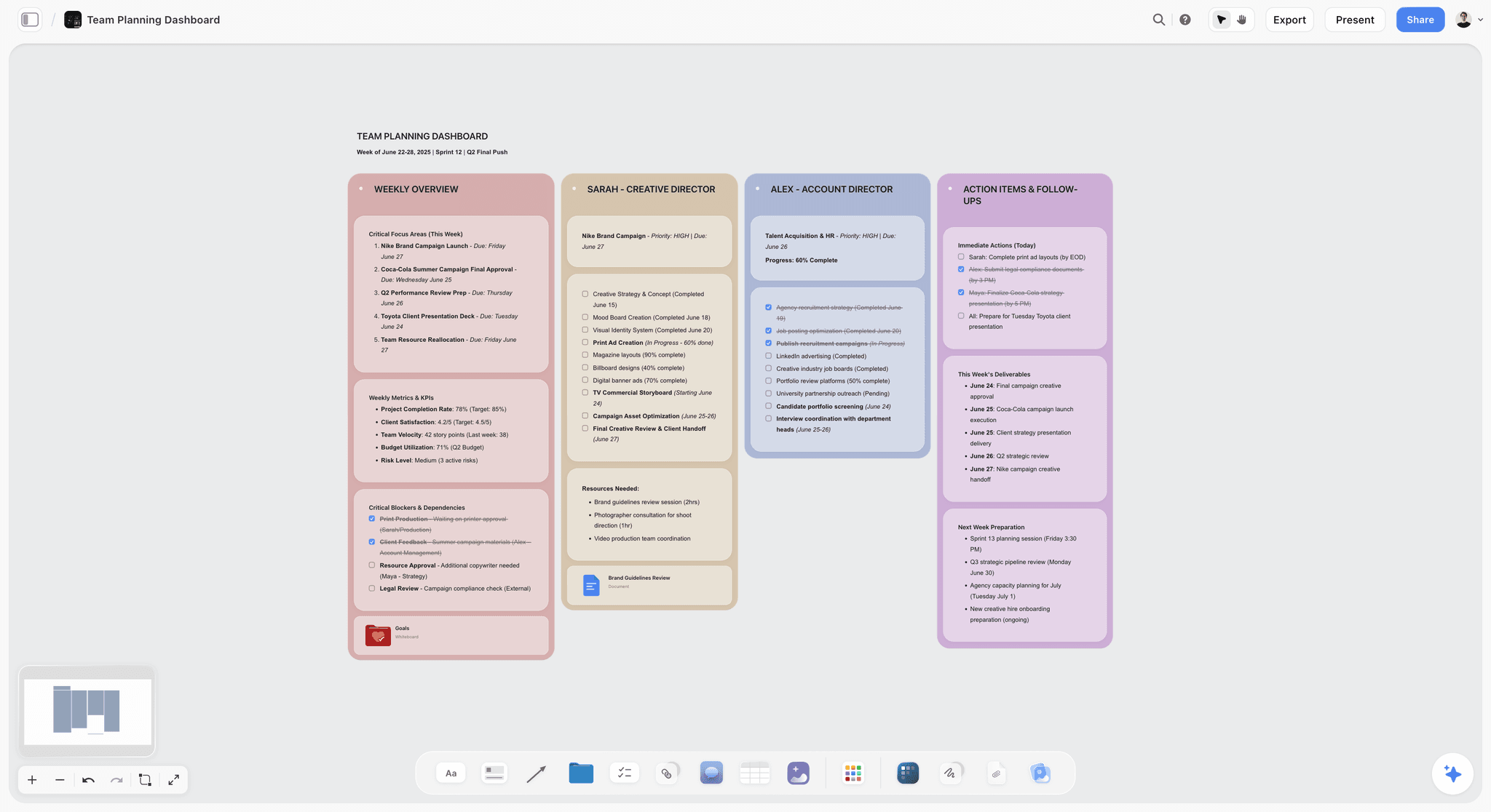
A great presentation is built narrative-first, and Storyflow is where that build happens. It is an AI-aware canvas where you lay out the talk's story, structure, and argument before a single slide exists. Every other tool on this list starts at the slides. Storyflow starts one step earlier, at the part that actually decides whether the talk lands, which is why it earns the #2 spot. Plan the spine here, then hand a structured outline to Gamma or Canva and watch the deck come out with an argument instead of competent filler.
Best for: Founders preparing a pitch, conference speakers, educators, consultants, and anyone whose presentation needs a real argument, not just formatted slides.
Verdict: The strongest tool for the narrative layer, and the highest-leverage step in the whole presentation workflow. Build the talk in Storyflow first and every downstream slide tool gets easier.
Key features
- AI-aware narrative canvas. Lay out the talk as movable cards, cluster the supporting points, and find the spine before committing to slide order. The structure is visible and editable, not locked into a linear file too early.
- The AI reads the whole canvas. Storyflow's AI works from your full active canvas board plus up to 1 Tactic and 3 @-mentioned Documents, so it reasons about the entire talk, not a one-line prompt. That is the difference between an AI that dresses your content and one that helps you structure it.
- 200+ Story Blueprints. The blueprint library includes narrative frameworks like the Hero's Journey and AIDA that scaffold the argument, so the talk has a deliberate shape from the first card.
- Unlimited shared boards and unlimited collaboration on every paid plan, so a team can build the narrative together before anyone opens a slide tool; collaborators a paid member invites join free today.
Pricing
Paid-only during early access, no free plan yet. Plus: $7.99/mo annual or $9.99/mo monthly, covering unlimited notes, images, and links, unlimited shared boards, unlimited collaboration, basic AI usage, the 200+ Story Blueprints library, and unlimited uploads. Pro: $14/mo annual or $19/mo monthly, which adds AI image generation and 20x more AI than Plus. Max: $39/mo annual or $49/mo monthly, which adds 40x more AI and a team workspace with permissions and roles. A Free plan (unlimited notes, images, and links, unlimited shared boards, basic AI usage, 20 file uploads, and unlimited collaboration) launches before the end of 2026.
Pros
- It builds the argument, not just the slides. The canvas is where the talk's spine gets decided, which is the work that determines whether the presentation succeeds.
- The AI reads the whole canvas, so it reasons from your full talk rather than a prompt fragment. Most AI presentation tools only see the prompt you typed.
- The 200+ Story Blueprints turn narrative frameworks like the Hero's Journey and AIDA into a working scaffold, so you are not staring at a blank canvas.
- Plus is genuinely usable for planning a real presentation, with unlimited collaboration and no time limit.
Cons
- Storyflow focuses on the narrative and structure, so you finish the visual slides in a design tool like Gamma or Canva. The canvas is the planning step, and the handoff to a deck tool is quick.
If you want decks that have a spine instead of competent filler, start a Storyflow workspace and build your next talk narrative-first.
2. Gamma
Gamma is the most-recommended AI presentation tool on Reddit in 2026, and the testing confirms why. The pick when you need a finished, competent deck from a text prompt faster than any other route.
Best for: Anyone who needs a presentable deck quickly and does not have a designer.
Verdict: The strongest design-layer tool for speed. It still needs you to bring the narrative.
Key features
- Prompt-to-deck generation. Describe the presentation and Gamma builds slides, layout, and basic copy.
- Card-based editing. Slides behave like flexible cards rather than fixed canvases, which makes restructuring fast.
- Web, deck, and document output. One tool spans presentations, docs, and webpages.
- Brand controls to push generated decks toward your colors and fonts.
Pricing
Free plan with 400 starter AI credits (roughly eight to ten full generations). Plus is $8/user/mo, Pro is $18/user/mo, with Team, Business, and Ultra tiers above. Annual billing is roughly 20% cheaper. Gamma raised prices in late 2025; verify current rates at gamma.app/pricing.
Pros
- Fastest path from idea to a deck that looks intentional.
- The card model makes editing and reordering genuinely quick.
- Free tier is enough to evaluate the tool properly.
Cons
- It formats the narrative you give it; it does not build one. A vague prompt produces a vague deck.
- Heavy users burn through credits and land on a paid tier fast.
- The generated aesthetic is recognizable, so many Gamma decks look like each other.
3. Microsoft Copilot in PowerPoint
Microsoft Copilot in PowerPoint is the AI built directly into the slide tool most of the corporate world already uses. The pick when switching tools is not realistic and the deck has to be a real PowerPoint file.
Best for: Corporate teams, consultants, and anyone whose organization standardizes on Microsoft 365.
Verdict: The strongest pick for Microsoft-native teams. Less interesting if you do not already pay for the ecosystem.
Key features
- In-app generation. Create slides, rewrite copy, and restructure decks from prompts without leaving PowerPoint.
- Deck summarization. Copilot can compress a 40-slide deck into key points or rewrite slide text for a different audience.
- SharePoint brand assets. January 2026 updates added brand-asset integration so generated slides pull from your real templates.
- Agent Mode on Mac and web, with Claude-powered document agents added in early 2026.
Pricing
Copilot for Microsoft 365 requires an existing Business or Enterprise license plus an add-on of roughly $30/user/mo. Microsoft 365 Copilot Business is around $21/user/mo for organizations under 300 users. Microsoft announced a commercial price change effective July 2026; verify current pricing before committing.
Pros
- The deck is a native PowerPoint file with zero handoff friction.
- Brand-asset integration keeps generated slides on-template.
- No tool switching, which is the real reason teams adopt it.
Cons
- It is an add-on cost on top of a license you already pay for.
- Generation quality is solid but not the most polished on this list.
- Like every design-layer tool, it formats your narrative rather than building it.
4. Beautiful.ai
Beautiful.ai is the design-layer tool built around smart templates that adjust automatically as you add content. The pick when you want every slide to look consistent without hiring a designer.
Best for: Teams and individuals who present often and care that the deck looks coherent.
Verdict: The strongest tool for design consistency. The trade-off is less freeform control.
Key features
- Smart slide templates that re-balance layout as you add or remove content.
- AI content generation for first drafts and slide copy.
- PowerPoint import and export, so the deck travels.
- Viewer analytics and brand controls on paid tiers.
Pricing
No permanent free plan; a 14-day trial that requires a card. Pro is $12/mo billed annually or $45/mo monthly. Team is $40/user/mo annually or $50/user/mo monthly. Enterprise is custom. Students get a free year with a valid .edu email. Verify at beautiful.ai/pricing.
Pros
- Slides stay consistent and on-brand with almost no effort.
- The smart-template system genuinely prevents the messy-deck problem.
- PowerPoint export removes handoff friction.
Cons
- The template system trades freedom for consistency; freeform designers feel constrained.
- No lasting free plan, and the trial needs a credit card.
- Monthly pricing is steep relative to the annual rate.
5. Canva (Magic Design)
Canva with Magic Design is the all-in-one visual workspace that also does AI presentations. The pick when slides are one of many visual things your team produces.
Best for: Marketers, small teams, educators, and anyone who already uses Canva for everything else visual.
Verdict: The strongest all-in-one option. A dedicated tool beats it on pure presentation depth.
Key features
- Magic Design generates slide decks from a prompt or a brief.
- Massive template and asset library across every visual format, not just slides.
- Brand Kit to keep generated content on-brand.
- Real-time collaboration and a genuinely generous free plan.
Pricing
Free plan with substantial functionality. Canva Pro starts around $15/mo for individuals; Teams pricing scales per seat. Verify current rates at canva.com/pricing.
Pros
- One tool for slides, social, docs, and every other visual asset.
- The free plan is the most generous of any tool here.
- The asset library means you rarely need to source graphics elsewhere.
Cons
- Presentation depth is shallower than a dedicated tool like Beautiful.ai.
- Magic Design output is template-recognizable.
- The breadth can be a distraction when you only need a deck.
6. Plus AI
Plus AI is the AI layer that installs directly inside PowerPoint and Google Slides. The pick when you do not want to leave the editor your team already standardized on.
Best for: Teams who want AI generation without switching away from PowerPoint or Google Slides.
Verdict: The strongest in-editor add-on. It depends on the host editor for everything else.
Key features
- Native extensions for both Google Slides and PowerPoint.
- Prompt-to-deck and slide-level generation inside the existing editor.
- AI editing and rewriting of slides already in your deck.
- Custom templates on higher tiers.
Pricing
No free plan; a 7-day trial with 1,000 AI credits that requires a credit card. Paid plans start around $10/mo annual, scaling to roughly $30/mo for Teams with custom branding. Verify at plusai.com/pricing.
Pros
- AI without leaving PowerPoint or Google Slides, which removes adoption friction entirely.
- The output is a native file in whichever editor you used.
- Good middle ground for teams not ready to commit to Gamma or Copilot.
Cons
- No free plan, and the trial needs a card.
- It inherits the limits of the host editor.
- Like all design-layer tools, it formats your narrative rather than building it.
7. Google Gemini in Slides
Google Gemini in Slides is the AI built into Google's slide tool. The pick when your team lives in Google Workspace and wants AI without a separate subscription.
Best for: Teams and individuals already standardized on Google Workspace.
Verdict: The strongest pick for Workspace-native teams, helped by AI now being bundled into standard tiers.
Key features
- Help me create generates slide content and images directly in Slides.
- Imagen-powered image generation integrated into the slide-building flow.
- Cross-app context. Gemini can pull data from a connected Google Doc or Gmail thread to populate a slide.
- Bundled access in standard Workspace tiers as of 2025 to 2026.
Pricing
Basic Gemini features are included in Business Standard at around $14/user/mo. The most advanced features sit behind a Workspace Gemini add-on at roughly $20/user/mo. Verify current Workspace pricing before committing.
Pros
- AI is now bundled into standard Workspace plans, so entry cost is low.
- Cross-app context from Docs and Gmail is genuinely useful.
- Native Google Slides output with zero handoff friction.
Cons
- More conservative on generation than Gamma; it assists more than it builds.
- The strongest features still require the add-on.
- Like every design-layer tool, it formats rather than structures.
8. Pitch
Pitch is the presentation tool built around team collaboration. The pick when decks are drafted by a group rather than one person.
Best for: Sales teams, agencies, and startups who build decks collaboratively.
Verdict: Strong for collaborative team decks. The AI layer is lighter than the dedicated generators.
Key features
- Real-time collaborative editing built for teams.
- Custom templates and branded sharing links.
- AI credits for generation, with 100 one-time credits on the free plan.
- Analytics on how shared decks are viewed.
Pricing
Free plan supports up to 5 workspace members with unlimited presentations. Pro is around $8/user/mo; Business pricing scales for larger teams. Annual billing is discounted. Verify at pitch.com/pricing.
Pros
- Collaboration is genuinely first-class, not bolted on.
- The free plan covers small teams well.
- Branded sharing links and analytics are useful for sales decks.
Cons
- AI generation is lighter than Gamma or Copilot.
- Best value is in the team workflow; solo users get less from it.
- Credit-limited AI on the free plan runs out fast.
9. Decktopus
Decktopus is the guided AI deck builder that walks you through prompts to a finished presentation. The pick when you want hand-holding rather than a blank canvas.
Best for: Non-designers who want a structured, guided path to a deck.
Verdict: Solid for guided quick decks. The credit system is the main friction.
Key features
- Guided prompt flow that asks questions and assembles the deck.
- AI content and layout generation.
- Built-in extras like forms and voice notes attached to slides.
- Export options for sharing.
Pricing
Pro is around $14.99/mo. AI deck creation costs 30 credits per full presentation, and credits renew monthly without rolling over. Verify at decktopus.com/pricing.
Pros
- The guided flow is genuinely friendlier than a blank prompt box.
- Good for users who freeze in front of an empty canvas.
- The extras (forms, voice notes) are unusual and occasionally useful.
Cons
- Credits expire monthly, which creates artificial pressure to use them.
- Output is less polished than Gamma or Beautiful.ai.
- The guided flow can feel constraining once you know what you want.
10. Presentations.ai
Presentations.ai is the template-driven AI generator positioned as a fast route to a branded deck. The pick when you want template-anchored output rather than freeform design.
Best for: Users who want quick, template-consistent decks.
Verdict: Workable for template-driven generation. Export gating hurts it.
Key features
- Prompt-to-deck generation anchored to templates.
- Brand consistency tooling.
- Collaboration features on paid tiers.
Pricing
Free tier available for a limited time. The Pro plan is around $198/year, roughly $16.50/mo. PowerPoint export is gated behind the Pro plan. Verify at presentations.ai/pricing.
Pros
- Template anchoring keeps output consistent.
- Reasonable annual pricing once committed.
- Fast for users who want a defined starting point.
Cons
- PowerPoint export sits behind the paid plan, which is a real handoff cost.
- The free tier is time-limited rather than permanent.
- Output quality trails the top design-layer tools.
11. ChatGPT
ChatGPT is not a presentation tool, but it is where a lot of slide content gets written first. The pick for drafting the words before any deck tool sees them.
Best for: Drafting slide copy, talking points, and outlines as text.
Verdict: Good for the words. It does not design slides and does not structure a talk on its own.
Key features
- Strong text generation for slide copy and talking points.
- Custom GPTs for repeated deck-writing workflows.
- Image generation for occasional slide visuals.
- Broad ecosystem of plugins and integrations.
Pricing
ChatGPT Plus is $20/mo. Pro is $200/mo. A free tier exists with daily limits. Verify at openai.com.
Pros
- Excellent at first-draft slide copy and talking points.
- Custom GPTs can encode a repeatable deck-writing process.
- The free tier is enough for occasional drafting.
Cons
- It does not produce slides; you copy text into a real tool afterward.
- In a chat tab, it loses the structure of a long talk across turns, the failure mode covered in Why ChatGPT Loses the Plot.
- No visual layout, no design, no deck output.
12. Tome
Tome started as an AI multimedia presentation tool and pivoted in 2026 toward sales intelligence. The pick is now narrow: personalized pitch material for sales, not general presentations.
Best for: Sales teams generating account research and personalized outreach decks.
Verdict: Useful for its new sales niche. No longer a general AI presentation tool.
Key features
- Sales-intelligence generation for account research and personalized pitches.
- AI outreach content tailored to specific buyers.
- Web-based document output.
Pricing
Free plan that, as of April 2026, offers manual editing only with no AI generation. Pro is around $16/user/mo annual; Enterprise is around $40/user/mo. Verify at tome.app.
Pros
- Genuinely useful for the sales-personalization workflow it pivoted into.
- Account research generation is a real time saver for sales teams.
Cons
- AI generation was removed from the free plan in the 2026 pivot.
- Output is a web document, not a PPTX, which creates client-side friction.
- It is no longer a general-purpose presentation tool, so general users should look elsewhere.
7) Persona Recommendations
13. Founder Pitching Investors
Top picks: Storyflow + Gamma
The pitch lives or dies on narrative, not slide polish. Plan the story arc on a Storyflow canvas first, using a narrative blueprint to find the spine and the tension. Then generate the deck in Gamma. For pitch-specific tooling, see The 9 Best Pitch Deck Tools in 2026.
14. Marketer Building Campaign Decks
Top picks: Storyflow + Canva
Build the campaign narrative and the deck's argument on a Storyflow canvas before design starts, so the deck makes a case rather than listing tactics. Then Canva covers slides plus every other visual asset a campaign needs. See The 12 Best AI Tools for Marketers in 2026.
15. Educator Building Lesson Decks
Top picks: Storyflow + Google Gemini in Slides
Structure the lesson's flow on a Storyflow canvas first so the deck teaches in a deliberate order rather than a list of topics. Then generate the slides in Gemini, which is bundled into the Google Workspace most educators already use.
16. Consultant Delivering Client Decks
Top picks: Storyflow + Microsoft Copilot in PowerPoint
Plan the engagement's argument on a Storyflow canvas first so the deck reads as a recommendation, not a data dump. Then Copilot produces the native PowerPoint file clients expect.
17. Sales Professional Building Pitch Decks
Top picks: Storyflow + Pitch
A sales deck wins on the buyer-specific argument, so shape that argument on a Storyflow canvas before designing. Then Pitch handles the collaborative build with branded sharing and analytics. Tome, post-pivot, is still useful for the account research that makes the pitch specific to one buyer.
18. Solo Creator or Speaker
Top picks: Storyflow Plus + Gamma
Plan the talk on a Storyflow canvas, then generate the deck in Gamma. The minimum viable presentation stack for one person, at $7.99/month for the planning half; Gamma's free tier covers the design half.
8) Honorable Mentions
A few tools that came close but did not make the main twelve:
- Slidebean: Pitch-deck-focused AI tool; strong for startups but narrower than this list.
- SlidesAI: A Google Slides add-on; lighter than Plus AI in the same slot.
- Prezi: Non-linear presentation tool; distinctive format, lighter AI.
- Visme: All-in-one visual content tool; overlaps heavily with Canva.
- Keynote: Apple's slide tool; excellent design, minimal AI generation.
- Genially: Interactive presentation tool; strong for interactive content, niche for standard decks.
These are not weak tools. Their audience or format is narrower than the main list.
9) Where AI Does Not Help With Presentations Yet
Honest accounting matters. There are parts of presentation work where AI is still bad, and pretending otherwise wastes your time.
- Deciding the argument. AI formats the point you give it. It does not decide what your talk should argue. That decision comes from knowing your audience and your goal, and it is the single highest-leverage part of the work.
- Finding the spine. Every good presentation has one idea everything else supports. AI cannot identify it for you, because the spine depends on context only you hold.
- The delivery. Pacing, the pause before the key number, reading whether the room is with you. No tool on this list touches delivery, and none should.
- Original framing. AI produces the expected structure for a topic. The memorable framing, the unexpected angle, the metaphor that makes the idea stick, that is still human craft.
- High-stakes judgment. A board presentation, a layoff announcement, a crisis update. The words and order of these need human judgment, with AI used for drafts only.
- Truthful tailoring to one room. AI personalizes at the level of templates and segments. The real read of one specific audience, what they already believe and what they fear, is yours to do.
If your AI use is concentrated in these areas, you are using AI for the wrong jobs. AI does not have a presentation problem. It has a thinking-order problem. The right use of AI is downstream of the thinking: format the slides, draft the copy, generate the images, summarize the long version. The upstream work, deciding what the talk argues and in what order, stays human. That is exactly the gap a narrative-layer tool like Storyflow is built to support, and exactly the gap a slide generator leaves open.
11) The Bottom Line
The two tools to reach for in 2026 are Gamma and Storyflow. Gamma is the fastest route to a finished deck once you know what the deck should say. Storyflow is where you figure out what it should say. A great presentation is built narrative-first, and Storyflow is the #2 pick on this list because it is the only tool that works on the narrative layer, the part that decides whether the talk lands at all. Build the story, structure, and argument on its AI-aware canvas, then hand a structured outline to a design tool. Beautiful.ai and Microsoft Copilot in PowerPoint are strong design-layer picks if your bottleneck is purely formatting.
Here is the honest summary. A presentation has three layers: the narrative, the design, and the delivery. AI has nearly solved the design layer. It does not touch the delivery layer, and it cannot. And the narrative layer, the most important one, is where almost every tool on this list quietly hands the work back to you. Storyflow is built to close exactly that gap. AI does not have a presentation problem. It has a thinking-order problem.
So run the workflow most strong presenters now run: plan the talk in Storyflow, design the deck in Gamma. Take your next real presentation, build it narrative-first on a canvas before you open a slide tool, and notice whether the deck comes out with a spine. Start a Storyflow workspace and build your next talk the way it should be built.
10) FAQ: AI Presentation Tools in 2026
What is the best AI presentation tool in 2026?
For most people who need a finished deck fast, Gamma is the best AI presentation tool in 2026. For teams on Microsoft 365, Copilot in PowerPoint is the practical pick, and for design consistency, Beautiful.ai wins. For planning the talk itself before any slide tool, Storyflow is the strongest option. Most presenters use one tool to plan and a second to design.
What is the best free AI presentation tool?
Gamma's free plan with 400 starter credits is the best free tool for generating an actual deck, good for roughly eight to ten full presentations. Canva's free plan is the most generous overall for visual work. Storyflow is paid-only during early access; its Free plan for the planning layer, with unlimited boards and unlimited collaboration, launches before the end of 2026.
Can AI create an entire presentation by itself?
AI can create an entire deck of formatted slides by itself, and tools like Gamma do this in minutes. What AI cannot do by itself is decide what the presentation should argue. It formats the narrative you give it. If your prompt has no real argument, the deck will have no real argument, just competent-looking slides.
What is the difference between Storyflow and Gamma?
Storyflow and Gamma solve different layers of the same job. Storyflow is a narrative-layer tool: you plan the talk's argument and structure on a canvas. Gamma is a design-layer tool: it turns a structured outline into formatted slides. Storyflow does not export slide decks, so most people use both, planning in Storyflow and designing in Gamma.
Does Storyflow export to PowerPoint or Google Slides?
No. Storyflow does not generate finished slide decks and does not export to PowerPoint or Google Slides. It is the planning layer where you build the narrative and structure of a talk on a canvas. For the actual deck, you hand the structured outline to a design-layer tool like Gamma, Canva, or Beautiful.ai.
Is Microsoft Copilot worth it for presentations?
For teams already paying for Microsoft 365, Copilot in PowerPoint is worth it because it removes tool switching and produces native PowerPoint files. For individuals not in the Microsoft ecosystem, the roughly $30/user/mo add-on on top of a license is hard to justify when Gamma's free tier does most of the same job.
Which AI presentation tool is best for a pitch deck?
For the deck itself, Gamma or Beautiful.ai both produce strong investor decks. But a pitch is won on narrative, so plan the story arc in Storyflow first, then generate the deck. For a pitch-specific tool comparison, see The 9 Best Pitch Deck Tools in 2026.
Are AI-generated presentations good enough to present?
AI-generated presentations are good enough for internal updates, training sessions, and routine decks straight out of the tool. For high-stakes presentations (an investor pitch, a keynote, a board update), the AI output is a strong first draft that still needs human editing for argument, framing, and the parts that make a talk memorable.
How much do AI presentation tools cost in 2026?
Most AI presentation tools cost between $8 and $20 per month on annual billing. Gamma Plus is $8/user/mo, Beautiful.ai Pro is $12/mo, Plus AI starts around $10/mo, and Storyflow Plus is $7.99/mo. Microsoft Copilot is the outlier at roughly $30/user/mo as an add-on. Free tiers exist for Gamma, Canva, and Pitch. Storyflow is paid-only during early access, with its Free plan landing before the end of 2026.
Will AI replace presentation designers?
No, but AI is replacing the formatting work designers used to spend hours on. The 40% of presentation time spent on formatting is the part AI absorbs. Designers who move up the stack, into narrative, art direction, and the parts of a deck that need judgment, are more valuable, not less. AI replaces the formatting, not the thinking.
What is the best AI tool for the structure of a talk?
Storyflow is the strongest tool for the structure of a talk, because it lets you build the narrative as movable cards on a canvas and apply narrative blueprints like the Hero's Journey or AIDA. Slide generators format structure you already have; Storyflow is where you decide the structure in the first place.
What is the smallest test I can run?
Take your next real presentation. Before opening any slide tool, spend twenty minutes on a Storyflow canvas laying out the talk as cards: every point you might make, then drag them into the order that builds an argument. Then hand that structured outline to Gamma. Compare it to a deck you generated from a one-line prompt. The difference in spine is usually obvious. Try a Storyflow workspace to run that test.
Table of Contents
- Quick Answer: The Best AI Presentation Tools in 2026
- Comparison Table: 12 AI Presentation Tools Compared
- Why AI Changed Presentation Tools (And What It Did Not Change)
- How We Evaluated These Tools (On Real Decks)
- Quick Picks by Use Case
- Detailed Reviews: 12 AI Presentation Tools in 2026
- Persona Recommendations
- Honorable Mentions
- Where AI Does Not Help With Presentations Yet
- FAQ: AI Presentation Tools in 2026
- The Bottom Line
- Author
- Related Reading
Templates to check out for this topic


Templates you can use in Storyflow
Every Storyflow board starts from real structure and an AI that reads the whole canvas. Open one of these templates and make it yours.


See Storyflow in Action
A visual AI workspace where every feature lives inside one canvas. No tab-switching, no context lost.
Build your entire board from a single message
Type what you need in the AI chat at the bottom of your canvas. The AI adds cards, headings, and structure directly onto your board.
Use expert frameworks as AI context
Type @ in the AI chat and choose any Tactic. The AI tailors every response to that framework instead of giving generic advice.
Turn your board into a mind map in seconds
Ask the AI to restructure your canvas as a mindmap. It connects your ideas into a visual hierarchy so you can see how everything relates.
Why Storyflow Exists
Storyflow actually began as a personal tool while working on creative and research projects.
We kept running into the same problem: ideas were scattered everywhere: notes, documents, and whiteboards.
Nothing helped us see how everything connected.
So we started building a workspace designed around how ideas actually grow.
→ Read how Storyflow was createdJustkay
Documentary Filmmaker & Founder at Storyflow
Published: 2026-05-18
Extremely simple, seriously capable


See how easy it is to get started
Watch a real project come together, from a blank board to a finished plan, clicked through step by step.
Start creating with AI and become more productive
Transform your creative workflow with AI-powered tools. Generate ideas, create content, and boost your productivity in minutes instead of hours.