How to Plan a Marketing Campaign on a Visual Board (2026)
A step-by-step way to plan a marketing campaign on a visual board in 2026. Put the goal, audience, message, channels, calendar, and budget on one surface the AI can read.

Category
Marketing
Author

Justkay
Documentary Filmmaker & Founder at Storyflow
Topics
2026-06-18
•
Updated June 18, 2026
•
12 min read
•
Marketing- how to plan a marketing campaign on a visual board
- how to plan a marketing campaign step by step
- campaign planning board
- marketing campaign visual board
- plan a campaign with AI
- marketing campaign planning steps
How do you plan a marketing campaign on a visual board?
To plan a marketing campaign on a visual board, put every part of the campaign on one canvas such as Storyflow and work in eight steps: set the goal and one primary KPI, define the audience, write the core message and offer, map the channel plan, lay out the content calendar, sketch the creative concept, set the budget, then review the whole board against the goal. Each step becomes a cluster of cards, arranged left to right in the order a campaign is built, so you can see the whole campaign at once. A campaign scatters across a brief doc, a calendar sheet, and a deck, so a board's value is putting it all on one surface the AI can read.
1) Quick Answer: How to Plan a Campaign on a Board
To plan a marketing campaign on a visual board, put every part of the campaign on one canvas such as Storyflow and arrange it left to right in the order a campaign is built. Work in eight steps: set the goal and one primary KPI, define the audience, write the core message and offer, map the channel plan, lay out the content calendar, sketch the creative concept, set the budget, then review the whole board against the goal. Each step is a cluster of cards, not a separate file. A campaign scatters across a brief doc, a calendar sheet, and a kickoff deck, so a board's value is putting the whole campaign on one surface you can see at once.
Plan the campaign where you can see all of it at once. A campaign rarely fails because one piece was wrong. It fails because no single place ever held the whole thing, so the brief and the calendar quietly drift apart and nobody notices until launch week.
I have run multiple documentary projects from research through pre-production, and I built Storyflow after years of watching a plan rot because it lived in four separate apps. A marketing campaign has the same failure shape as a film shoot: many moving parts, one timeline, and a hundred small decisions that only make sense side by side. This guide walks the board layout I use, the eight planning steps in order, a worked example, and the mistakes that turn a board into wallpaper.
2) Why Plan a Campaign on a Board, Not a Doc
A document forces a campaign into a single column. You read the goal, then the audience, then the channels, one after another, never seeing two at the same time. That is the wrong shape, because a campaign is not a sequence of paragraphs. It is a set of decisions that constrain each other. The audience decides the channels. The channels decide the calendar. The budget caps all of it. On a board you see those relationships in space. In a doc you hold them in your head.
A board fixes three specific things a doc gets wrong.
- It hides the connections. The audience card and the channel card sit forty paragraphs apart, so the link lives only in your memory.
- It commits you to an order before you have one. You write top to bottom, deciding the structure before you understand the material.
- It cannot be seen whole. You read a brief one screen at a time, never the wall-sized view where a gap is obvious.
It is not that documents are bad. It is that a document is the wrong shape for work that branches, and a campaign branches: the brief feeds the calendar, the calendar feeds the creative, the creative feeds the budget, and each feeds back. A campaign is a web of decisions, not a list of sections, and a board lets you see the web.
There is a second reason that matters more in 2026: AI. When your campaign lives on one canvas, an AI assistant can read the whole thing at once and reason across it. It can see that your goal says demand generation while your channel plan is all brand awareness, because both are on the same surface. Spread that campaign across a doc, a spreadsheet, and a deck, and no assistant sees more than one fragment at a time. The board is not just easier for you to see. It is the only shape an AI can read as a single campaign.
3) What You Need Before You Start
A board is a place to make decisions, not a substitute for having anything to decide. Open a blank canvas with no inputs and you will just arrange empty cards. Gather four things first.
A business reason for the campaign. Not a vibe, a reason: launching a product, clearing old inventory, defending share, filling a pipeline gap. The reason determines the goal, and the goal determines everything downstream. A campaign without a business reason is a content calendar wearing a costume.
A rough sense of the audience. You do not need a finished persona, but you need to know who this is for and what they care about. The audience is the first real constraint. It rules channels in and out before you have spent a dollar.
A budget ceiling. Even a loose one. The difference between a $2,000 campaign and a $50,000 one is not scale, it is which channels are possible at all. Knowing the ceiling first stops you from designing a campaign you cannot run.
A timeline. A launch date, a season, a quarter, or an event you are timing to. It turns an abstract plan into a calendar with real deadlines. Without it, every "later" stays later forever.
The relationship to hold onto: the goal is the why, the audience and message are the what, the channels, calendar, and budget are the how. On one board, a budget change visibly reshapes the channel plan and an audience change reshapes the message. In four files, a change in one silently breaks the others, and you find out at launch.
4) How to Plan a Marketing Campaign on a Board, Step by Step
Here is the eight-step process, from a blank canvas to a campaign a team can execute. Lay the board out left to right, one cluster of cards per step, so the finished board reads like the campaign itself: goal on the left, review on the right, everything in between in build order. Steps four through seven loop, so you will move cards and redraw connections as the constraints push back.
Step 1: Set the goal and one primary KPI
Put a single goal card at the far left. Write what this campaign is for in one sentence, then name one primary KPI that will tell you whether it worked. One, not five. A campaign with five KPIs has no goal, it has a wish list. If the goal is demand generation, the KPI might be qualified leads. If it is launch awareness, it might be reach or branded search lift. Everything else on the board exists to move this one number. Write the target on the card so the whole team aims at the same thing.
Step 2: Define the audience
Next cluster: who this is for. Make a card for the primary audience and, if needed, a secondary one. On each, write the three things that change your decisions: what they want, where they already spend attention, and what stops them from buying. Skip demographics that do not affect a single downstream choice. The audience card exists to constrain the channels and sharpen the message, so write only what does that work. Every later decision gets checked against this card.
Step 3: Write the core message and offer
One card holds the single idea the campaign communicates, stated the way the audience would say it, not the way the brand would. Below it, a card for the offer: the specific thing you are asking the audience to do or get. A fuzzy offer produces fuzzy creative. The message is what you say. The offer is what you want back. Keep them as two cards so you can see when the creative drifts from the message or the calendar forgets the offer.
Step 4: Map the channel plan
Make a card for each channel you will run: paid social, email, organic content, search, partnerships, whatever fits the audience and the budget. On each, note the role it plays (awareness, consideration, or conversion) and its rough share of budget. Draw connections from the audience card to the channels it justifies. If a channel does not trace back to the audience, it does not belong on the board. This is where most campaigns quietly overreach: five channels chosen by habit, not by fit.
Step 5: Lay out the content calendar
Turn the channels into a timeline. Across the middle of the board, lay out a row of date cards or a simple table from kickoff to wrap, with a content card under each date for what ships when. This is the spine of the campaign, where the abstract channel plan becomes real deadlines. Keep it on the same board as the message and offer, so when you schedule a post you can see whether it still serves the message. A calendar in a separate spreadsheet is the single most common reason a campaign drifts off-message by week three.
Step 6: Sketch the creative concept
Add a cluster for the creative: the look, the tone, the hook, and a few reference images dropped straight onto the board next to the message card, so the concept is checked against the message visually, not from memory. You are not producing finished assets here. You are deciding the direction precisely enough that whoever produces the assets knows what to make. The concept answers what the campaign looks and sounds like, derived from the message, not invented separately.
Step 7: Set the budget
Make a budget cluster that totals against the ceiling from step three, broken down by channel to match the shares you noted in step four. This is the step that forces honesty. When the channel plan costs more than the ceiling, the board shows it, and you cut here on the canvas, where cutting is free, instead of at launch, where it is a crisis. A plan that does not reconcile to a budget is a wish, not a plan.
Step 8: Review the whole board against the goal
Final pass, and the one most people skip. Read the entire board left to right, then check it against the goal card at the far left. Does every channel serve the goal? Does the calendar deliver the offer in time? Does the budget fund the plan? Does the creative match the message? This is the review only a board makes possible, because only a board lets you see the whole campaign at once. A campaign reviewed section by section in a doc inherits every gap between the sections.
That is the loop. Goal, audience, message, channels, calendar, creative, budget, review. The two steps people cut are the goal and the review, which is exactly why so many campaigns run for six weeks and then nobody can say whether they worked. Plan the campaign where you can see all of it at once, and the goal stays visible all the way through.
5) A Worked Example: A Spring Product Launch
Take a real shape: a small software company launching a new feature in spring, with a $12,000 budget and a six-week runway. Here is how the board fills in.
Goal card (far left). Drive 300 qualified trial signups for the new feature in six weeks. Primary KPI: trial signups attributed to the campaign. One number, written on the card.
Audience cluster. Primary: existing free users who have not upgraded. They want the feature the launch introduces, they live in product and email, and what stops them is not knowing it exists. Secondary: category prospects who follow the brand on social. Two cards, each with want, where, and blocker.
Message and offer. Message: "The thing you kept asking for is here." Offer: a 14-day extended trial, no card required. Side by side, so the creative can be checked against both.
Channel plan. Four channel cards, each traced back to the audience. In-product announcement and lifecycle email for free users (conversion, biggest share). Organic social and one paid burst for prospects (awareness, smaller share). A podcast sponsorship someone suggested traced to neither audience card, so it got pulled off in step four.
Content calendar. A six-week row across the middle. Week one: teaser email and in-product banner. Week two: launch email, launch post, paid burst begins. Weeks three to five: deep-dive content, social proof, reminder email. Week six: last-call email and wrap. Every card sits under a date on the same board as the message, so each is checked against "the thing you kept asking for."
Creative concept. A clean before-and-after framing of the workflow the feature fixes, with three reference images on the board. It traces from the message card, not a separate brand deck.
Budget. $12,000: $5,000 paid social, $0 owned channels, $3,000 creative, $2,000 contingency, $2,000 unallocated for whatever week-two rewards. The cluster reconciles to the ceiling.
Review. Reading left to right exposes one gap: the goal is trial signups, but week one has no clear call to start a trial. Caught on the canvas in five minutes, fixed by moving the offer earlier. In a four-file plan, that gap surfaces in week two, after the teaser already shipped without it. The point is not the numbers. It is that every decision is visible at once and checked against the goal at the far left, so the gap that would have cost a week showed up in the review.
6) Common Mistakes
Most campaign boards fail in predictable ways. Here are the ones I see most, and what to do instead.
Planning without a goal card. The board fills with channels, content, and creative, and no single card says what any of it is for. Every board starts with one goal and one KPI at the far left. Without it, the review has nothing to check against, and the campaign becomes activity instead of progress.
Choosing channels by habit, not by audience. Five channels because the last campaign had five, not because this audience lives on five. Draw a connection from the audience card to every channel. If a channel does not trace back, cut it. An unjustified channel does not just waste budget, it dilutes the channels that would have worked.
Letting the calendar live somewhere else. The board holds the strategy and a separate spreadsheet holds the calendar, so by week three they disagree and the content that ships no longer serves the message. Keep the calendar on the same board as the message and offer.
Skipping the budget reconciliation. A channel plan never totaled against the ceiling is a plan you cannot run. Build the budget cluster and draw it against the channels, so the board makes an unfundable plan visibly unfundable before launch.
Treating the board as decoration. A beautiful board nobody revisits is wallpaper. The board earns its place by being the surface the team plans and reviews on, not a one-time kickoff artifact abandoned for the real tools. If the work moves off the board after day one, you made a poster, not a plan.
Never reviewing the whole thing. The board makes the whole-campaign view possible, and most people still review section by section out of habit. Read it left to right against the goal. The review is the entire reason to use a board instead of a doc.
7) Tools for the Job
You can plan a campaign on a physical wall with sticky notes, and for a small campaign in one room that is fine. The wall is fast, free, and seeable whole. Its limit is that it does not travel, does not connect to anything, and no AI can read it. The moment the team is remote or the campaign has more than a few moving parts, you need a digital canvas.
General whiteboard tools like Miro, FigJam, and Mural give you the infinite canvas and the seeable-whole view, strong for the workshop stage where the audience and message get argued out. Their limit is that they stop at the canvas. The AI in most of them generates a sticky note or summarizes a cluster, but it does not read your whole campaign and reason across it, and the calendar ends up back in a spreadsheet anyway. For a pure brainstorming session, a general whiteboard is a fine pick.
But a campaign is rarely just a brainstorm. It is a brief, an audience, a message, a channel plan, a calendar, a creative concept, and a budget that all have to stay in agreement. This is where an AI visual canvas changes the work.

Storyflow is an AI-powered visual creative workspace built on an infinite canvas. For campaign planning, the goal, audience, message, channels, calendar, creative references, and budget all live as cards on one board instead of scattered across four apps. You arrange the clusters left to right, draw connections from the audience to the channels it justifies, drop reference images beside the message, and lay the calendar across the middle. When the budget changes, you reshape the channel cards on the same surface, and the whole campaign stays visible.
The part that matters most: Storyflow's AI reads your full active canvas board, plus up to one Tactic and up to three @-mentioned Documents. So it sees the goal, audience, channels, and calendar together. You can ask it to check whether every channel serves the goal, flag a calendar week that forgets the offer, or draft channel roles from your audience card, and it answers from your actual campaign rather than a blank prompt. The 200+ Story Blueprints library gives you expert framework templates, including AIDA-style message structures, to build around. It is not a tool that thinks next to your campaign. It is a tool that thinks across it.
Two honest limitations. First, Storyflow plans campaigns, it does not publish them. It will not schedule posts to social channels or send the emails. When the plan is set, execution still happens in your publishing and ad tools, and you keep the board as the source of truth beside them. Second, if your team lives entirely in spreadsheets and database views and genuinely thinks in rows, a document-and-database tool like Notion may fit your habits better than a canvas, which is a real trade-off.
Pricing is flat per account, never per user. Free is free from late 2026: unlimited notes, images, links, shared boards, basic AI, 20 file uploads, and unlimited collaboration, which is enough to plan and share a real campaign board. Plus is $7.99/mo annual ($9.99 monthly) and adds the 200+ Story Blueprints, and unlimited uploads. Pro is $14/mo annual ($19 monthly) and adds AI image generation for moodboarding the creative. Max is $39/mo annual ($49 monthly) and adds a team workspace with permissions and roles. There are no volume discounts, and the team tier is simply Max.
If your campaigns keep drifting because the brief, the calendar, and the creative live in different tabs, plan the next one on a canvas where all of it connects. Start a Storyflow workspace and put the whole campaign on one board.
Storyflow Templates to Get You Started
You do not have to start from a blank board. These ready-made Storyflow templates cover the work in this guide, with the structure already in place and the AI ready to read it.
Marketing Campaign
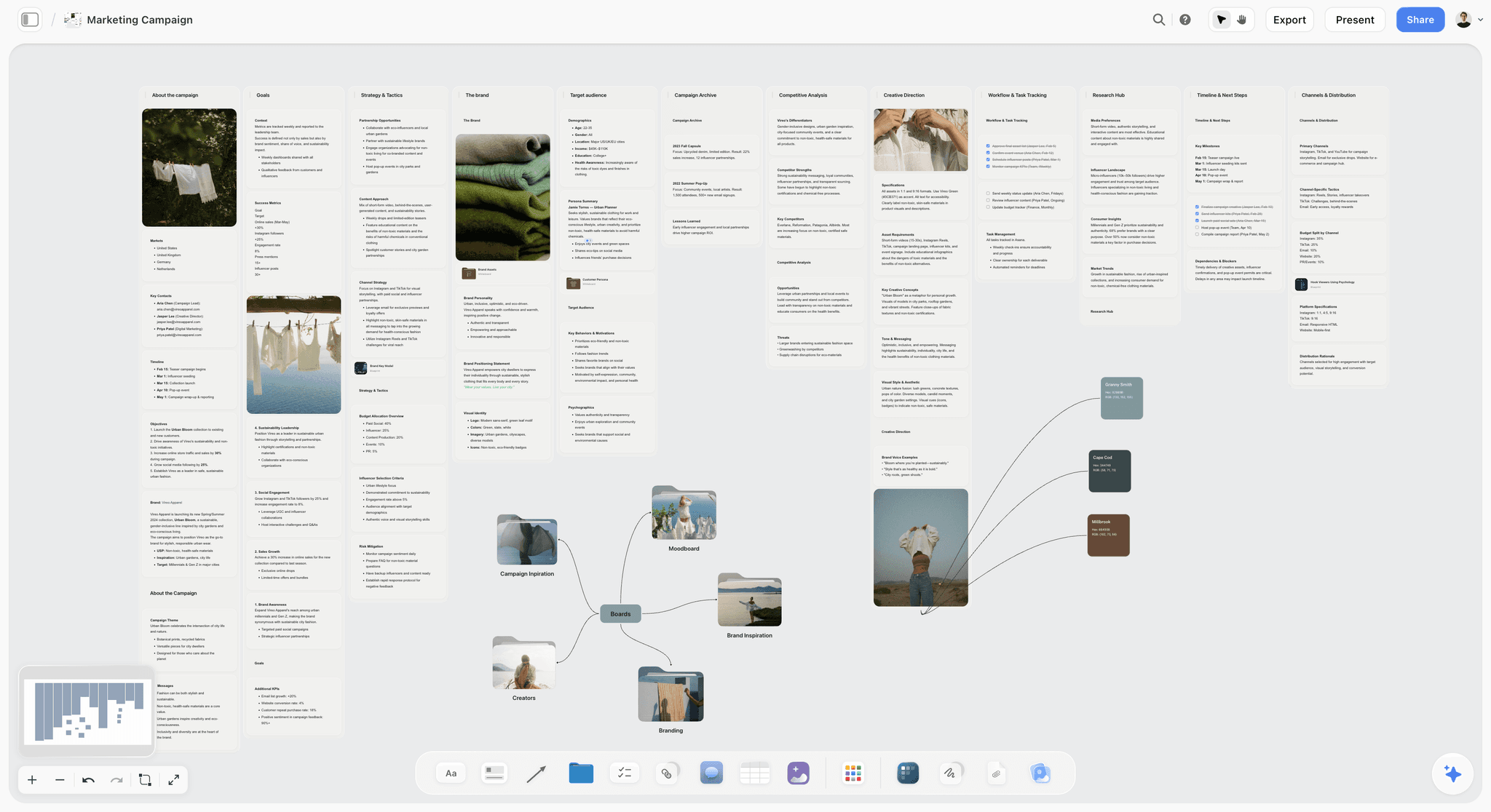
Plan a marketing campaign on one canvas. Keep goals, channels, assets, timeline, and references in a single board. Use the Marketing Campaign template.
Campaign Brief Template
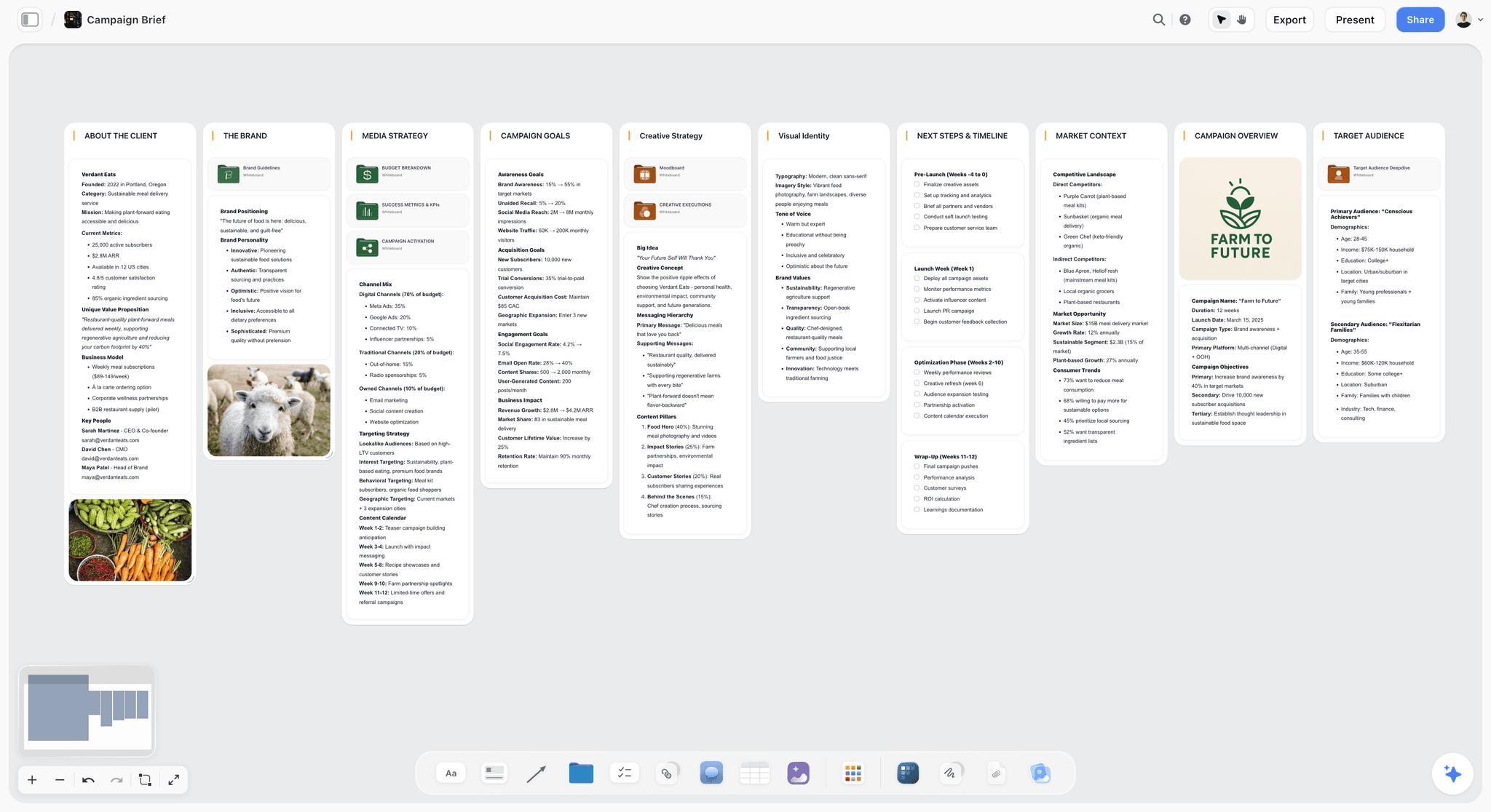
A Storyflow Campaign Brief template to align goals, audience, message, deliverables, and timeline on one shared visual canvas. Use the Campaign Brief template.
Target Audience Template
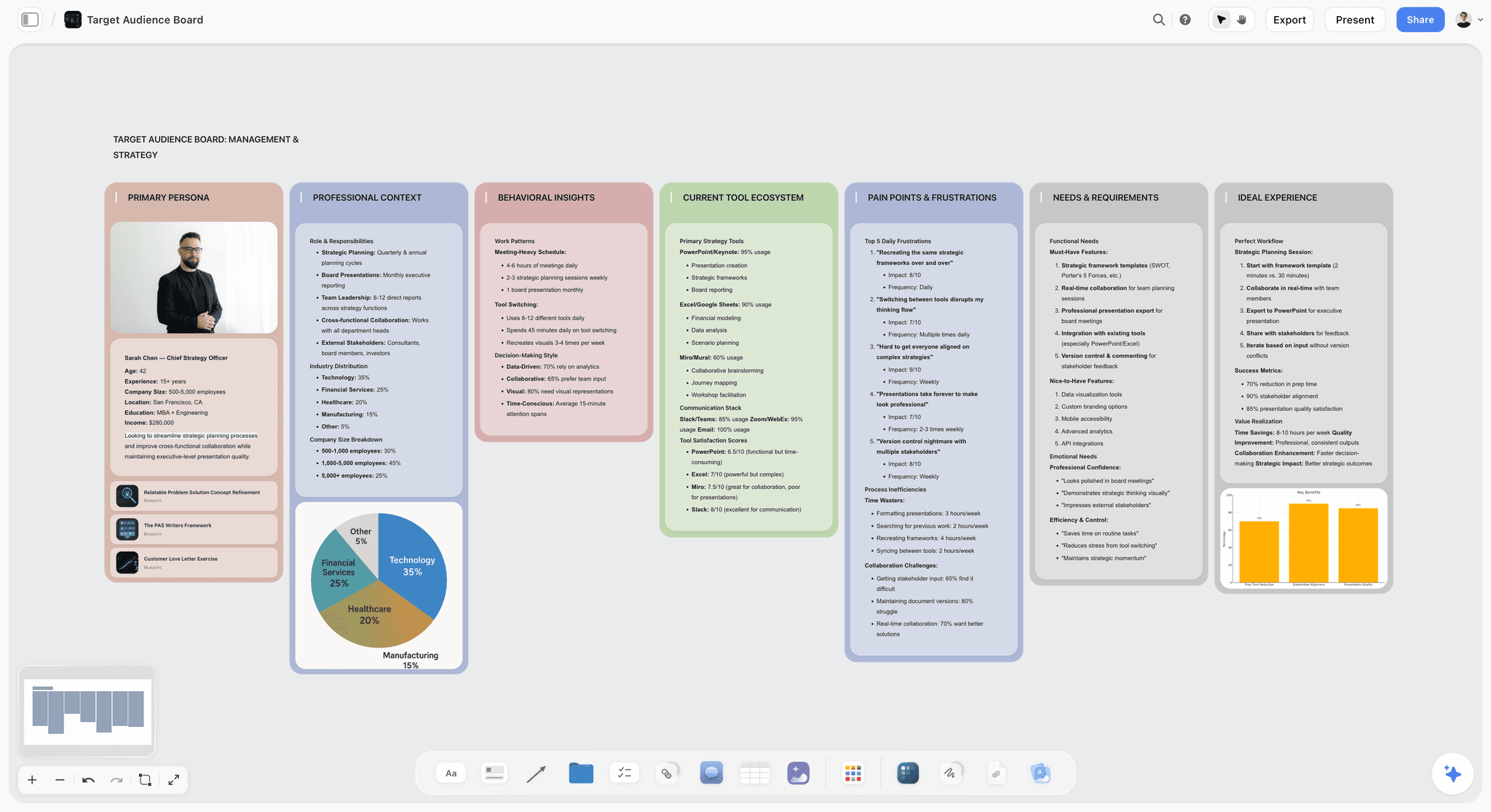
Define your target audience on one Storyflow board. Map demographics, needs, channels, and messaging, then refine it with AI. Paid-only during early access, with a Free plan before the end of 2026. Use the Target Audience template.
9) The Bottom Line
Planning a marketing campaign is not writing a brief. It is making a connected set of decisions, goal, audience, message, channels, calendar, creative, and budget, that all have to stay in agreement, and a document is the wrong shape to keep them there. Run the eight steps on one board: goal and KPI, audience, message and offer, channels traced to the audience, calendar, creative from the message, budget reconciled, then a review of the whole board against the goal.
Plan the campaign where you can see all of it at once. The campaign that stays on one surface is the one whose gaps show up in a five-minute review instead of in launch week, and it is the only shape an AI can read as a single campaign rather than four disconnected files.
The campaign does not live in a brief, a sheet, and a deck. It lives in the agreement between them, and that agreement is only visible when the whole thing sits on one board. If you want the goal, the audience, the channels, the calendar, and the budget on one connected surface, with AI that reads the whole board and catches the gaps, plan your next campaign on a visual canvas. Start a Storyflow workspace and put the whole campaign in one place.
8) FAQ: Planning a Marketing Campaign on a Board
How do you plan a marketing campaign step by step?
Plan a marketing campaign in eight steps. Set the goal and one primary KPI. Define the audience: what they want, where they spend attention, what stops them. Write the core message and the offer. Map the channel plan and trace each channel back to the audience. Lay out the content calendar from kickoff to wrap. Sketch the creative concept from the message. Set the budget and reconcile it against the channels. Then review the whole plan against the goal. On a board, each step is a cluster of cards, so you see the whole campaign at once.
Why plan a campaign on a visual board instead of a document?
A document forces a campaign into a single scrolling column, so you never see two parts at the same time. A campaign is a web of decisions that constrain each other: the audience decides the channels, the channels decide the calendar, the budget caps all of it. A board shows those relationships in space and lets you see the campaign whole. It also lets an AI assistant read the entire campaign at once and reason across it, which a campaign split across a doc, a sheet, and a deck cannot do.
What should a campaign board include?
Eight clusters, left to right in planning order: a goal card with one primary KPI, an audience cluster, a message and offer, a channel plan, a content calendar, a creative concept with reference images, and a budget that reconciles to a ceiling, with room to review the whole board against the goal. Draw connections between the clusters that depend on each other, especially from the audience to the channels it justifies, so the board reads as a connected system, not a stack of sections.
How do I set the right goal and KPI for a campaign?
Start from the business reason, then write one goal and one primary KPI. For demand, the KPI might be qualified leads. For awareness, reach or branded search lift. Choose one number, not five, because a campaign with five KPIs has no goal. Write the target on the goal card and place it at the far left of the board, so every other decision can be checked against it during the final review.
How many channels should a marketing campaign use?
Use only the channels that trace back to your audience. There is no correct number, but adding channels by habit is the most common way a campaign overreaches. On the board, draw a connection from the audience card to each channel it justifies, and give each a role: awareness, consideration, or conversion. If a channel does not serve the goal, cut it. A focused two-channel campaign usually beats a scattered five-channel one on the same budget.
Where does the content calendar fit in campaign planning?
The content calendar is step five, after the channels and before the creative. It turns the channel plan into real deadlines: a row of dates from kickoff to wrap, with a content card under each date. Keep it on the same board as the message and offer, so every scheduled piece is checked against them. A calendar that lives in a separate spreadsheet is the most common reason a campaign drifts off-message by the third week.
Can AI help plan a marketing campaign?
Yes, when the whole campaign lives on one surface the AI can read. An AI that only sees the current document can summarize that document, but it cannot tell you that your goal says demand generation while your channels are all brand awareness, because it never sees both. Storyflow's AI reads your full active canvas board plus up to one Tactic and three @-mentioned Documents, so it can check that every channel serves the goal, flag a calendar week that forgets the offer, or draft channel roles from your audience card.
Does Storyflow publish or schedule the campaign for me?
No. Storyflow plans campaigns, it does not publish them. It is the canvas where the goal, audience, message, channels, calendar, creative, and budget stay in agreement, and where the AI reasons across the whole plan. When the plan is set, the scheduling and sending still happen in your publishing, email, and ad tools, and you keep the board as the source of truth beside them. This is a deliberate scope, not a missing feature.
How much does it cost to plan a campaign on Storyflow?
You can plan a full campaign on the Free plan, which is free from late 2026 and includes unlimited notes, images, links, shared boards, basic AI, and unlimited collaboration. Plus is $7.99 per month annual ($9.99 monthly) and adds the 200+ Story Blueprints and unlimited file uploads. Pro is $14 annual ($19 monthly) and adds AI image generation. Max is $39 annual ($49 monthly) and adds a team workspace with roles. Pricing is flat per account, with no per-user fees and no volume discounts.
What is the most common campaign planning mistake?
Planning without a goal card. The board, or the brief, fills with channels, content, and creative, and no single place says what any of it is for. Then there is nothing to check the plan against, so the campaign becomes activity instead of progress. Start every plan with one goal and one KPI, and end with a review that reads the whole campaign against it. A campaign you cannot measure against a goal is not a campaign. It is a calendar.
Table of Contents
- Quick Answer: How to Plan a Campaign on a Board
- Why Plan a Campaign on a Board, Not a Doc
- What You Need Before You Start
- How to Plan a Marketing Campaign on a Board, Step by Step
- A Worked Example: A Spring Product Launch
- Common Mistakes
- Tools for the Job
- FAQ: Planning a Marketing Campaign on a Board
- The Bottom Line
- Author
- Related Reading
Templates to check out for this topic


Marketing and campaign templates you can use in Storyflow
Plan the whole campaign on one board: brief, audience, channels, and assets connected, with an AI that reads all of it. Open a template and start from real structure.


See Storyflow in Action
A visual AI workspace where every feature lives inside one canvas. No tab-switching, no context lost.
Build your entire board from a single message
Type what you need in the AI chat at the bottom of your canvas. The AI adds cards, headings, and structure directly onto your board.
Use expert frameworks as AI context
Type @ in the AI chat and choose any Tactic. The AI tailors every response to that framework instead of giving generic advice.
Turn your board into a mind map in seconds
Ask the AI to restructure your canvas as a mindmap. It connects your ideas into a visual hierarchy so you can see how everything relates.
Why Storyflow Exists
Storyflow actually began as a personal tool while working on creative and research projects.
We kept running into the same problem: ideas were scattered everywhere: notes, documents, and whiteboards.
Nothing helped us see how everything connected.
So we started building a workspace designed around how ideas actually grow.
→ Read how Storyflow was createdJustkay
Documentary Filmmaker & Founder at Storyflow
Published: 2026-06-18
Extremely simple, seriously capable


See how easy it is to get started
Watch a real project come together, from a blank board to a finished plan, clicked through step by step.
Start creating with AI and become more productive
Transform your creative workflow with AI-powered tools. Generate ideas, create content, and boost your productivity in minutes instead of hours.