How to Make a Photo Book (Step-by-Step, 2026)
A photographer's step-by-step guide to making a photo book: cull a body of work down to the keepers, find the through-line, sequence the edit across spreads on a board, then lay out and print in InDesign or a book service.

Category
Photography
Author

Justkay
Documentary Filmmaker & Founder at Storyflow
Topics
2026-07-22
•
16 min read
•
Photography- how to make a photo book
- photo book
- photo book sequencing
- photo book vs photo album
- how to sequence a photo book
- photo book layout
How do you make a photo book?
To make a photo book, treat it as an edit and a sequence, not a print job. Decide first what body of work the book is and what it is actually about, then cull that work hard down to the keepers, the frames strong enough to earn a spread and to serve the book rather than your ego. Find the through-line that connects them, an idea or an arc, and sequence the edit across spreads so the turn of each page lands as a beat, choosing which images stand alone as singles, which sit as pairs, and where the book breathes with empty space. Settle the cover, the title, and any text, and only then take that finished sequence into a page-layout program like Adobe InDesign or a book service like Blurb, and order a proof copy before you commit to a print run. A photo book is a designed, sequenced object, and the sequence, not the printing, is the work. I have built visual stories for years, and the photo book is the hardest edit I know, harder than any single essay, because you are not arranging a dozen frames around one moment, you are shaping months or years of work into an object a stranger will hold and turn at their own pace. The thing that took me longest to accept is that the printing is the easy 10 percent. Anyone can upload eighty photos to a book service and receive a bound object in the mail. What that object almost never is, is a book, because a book is decided in the edit and built in the sequence, and both of those happen long before a single page is laid out. This guide is the working method I use, and it is honest about the moment the job stops being storytelling and becomes production, because pretending a sequencing board can typeset and bind a book helps no one.

Full disclosure: Storyflow is our own product, so weigh its placement with the skepticism you would apply to any tool a company recommends on its own blog. We rank it first for one job, deciding the edit and sequencing the spreads on one AI-readable canvas, and we are explicit that Lightroom culls and grades the work better than any board, that InDesign and a book service lay out and print the object, and that the camera, not the canvas, takes the picture.
Quick Comparison
Where photographers actually edit, sequence, and produce a photo book, and the one job each tool is best at.
| Tool | Best For | AI Features | Price |
|---|---|---|---|
| Storyflow | Deciding edit, sequencing spreads | Reads the whole board | $7.99 mo annual (free plan late 2026) |
| Adobe Lightroom | Culling + grading the work | AI masking | Trial / ~$9.99 mo |
| Adobe InDesign | Page layout + typesetting | Limited | Trial / ~$22.99 mo |
| Blurb / Milk | Printing + binding | None | Cost of the book |
Why a Photo Book Is Sequencing, Not Just Printing
Watch a photo book fall flat and it is almost never the individual pictures. Each frame can be strong, well seen, well made, and the book still says nothing, because it is a stack of good photographs in the order they came off the card, or worse, in the order the service's template happened to place them. That is not a book. It is a bound slideshow, and a reader feels the difference on the second spread, when they realize nothing is being built and the pages are just going to keep coming until they run out.
Here is what makes a book its own discipline, separate from taking the pictures. A single photograph has to work alone; it carries its whole meaning in one frame. A book works the opposite way. No single spread has to carry everything, because the spreads share the load and hand meaning from one page turn to the next, and the meaning that matters most is the one that only exists in the sequence, the thing the reader understands by spread forty that no single image on its own could have told them. That means making a book is not about choosing your eighty best pictures. It is about choosing the frames that build something across a turn of pages, and cutting the beautiful ones that build nothing.
The reason the sequence carries so much is that a book controls time in a way a wall of prints or a screen gallery never can. On a wall, a viewer's eye jumps around and sets its own order. In a book, you decide what comes first, what the reader sees when they turn the page, what they are holding in their head when the next image arrives, and where the book pauses to let a frame sit alone. The page turn is a cut. The reader cannot see the next spread until they commit to turning, so every turn is a small suspense and a small reveal, and a photographer who sequences with that in mind is composing in time, not just on paper.
How a Photo Book Differs from an Album, a Portfolio, or an Essay
People use these four words as if they mean the same thing, and the confusion is why so many photo books come out shaped like the wrong object. Here is the honest map.
An album is a record. A wedding album, a family album, a trip album, its job is completeness and memory, not argument, so it keeps everything worth keeping and arranges it by chronology. Nobody edits an album down to a through-line, because that is not what it is for. If your goal is to preserve a day or a year for the people who lived it, you are making an album, and the rules below about culling to a through-line do not apply, because completeness is the point.
A portfolio is a case for your talent. It gathers your strongest individual frames, often across unrelated projects, and arranges them to impress a client, a gallery, or an art director. Each image has to stand alone and land at full strength, and the ordering is built on range and impact, not on a story that moves. A portfolio proves you can make great single pictures. It does not have to add up to one idea, and often it should not, because a client wants to see the breadth of what you can do.
A photo essay is a photographic argument. It takes one subject with an angle and builds a set of connected frames that make a point, usually a shorter piece meant to be published and read in one sitting, in a magazine, on a site, across a spread or two. The essay is close cousin to the book, and it shares the book's logic of sequence, but it is shorter, tighter, built around one subject, and it lives inside another container rather than being the container itself. If you want the full method for that shorter form, I wrote it up separately in How to Plan a Photo Essay, linked below.
A photo book is a designed, sequenced object. It takes a whole body of work, which might be one long project or a theme you have shot for years, and shapes it into a physical thing a reader holds and turns at their own pace, across dozens of spreads, where the size of the book, the weight of the paper, the pacing of singles and pairs, the empty spreads, and above all the sequence, all carry meaning. It is the longest and most designed of the four, and the only one where the object itself is part of the work. An essay argues one subject in twenty frames for someone else's page. A book shapes a body of work into forty or eighty spreads that are their own page, and the reader's experience of turning through it is the thing you are actually designing. When people say a photo book is more than the sum of its pictures, this is what they mean, and it is why you cannot make one by picking favorites and hitting print.
Quick Picks: Where to Sequence and Make a Photo Book
Best for deciding the edit and sequencing the spreads on one canvas: Storyflow. The surface where the whole body of work can live as images on one infinite canvas, so you can lay every keeper out, see them all at once, and drag them into spreads and an order the way you always did on a light table or a wall of small prints, with AI that reads the whole board to help draft the running order, flag a book that sags in the middle, and catch two spreads doing the same job. Plus is $7.99 per month billed annually. The honest limit: it is not a page-layout program and it does not print or bind the book.
Best for culling and grading the body of work: Adobe Lightroom. The moment your job is rating, culling, and grading hundreds or thousands of frames into a consistent look, a real photo editor with a rating system and a grid beats any board. Do the technical edit here, then bring the graded keepers out to sequence. Paid, around $9.99 per month for the photography plan.
Best for laying out and typesetting the final book: Adobe InDesign. When the sequence is decided and you need real page spreads, precise margins, a gutter that respects the binding, and typeset text, InDesign is the professional layout program, and it exports the print-ready file a good printer wants. Paid, around $22.99 per month single-app.
Best for printing and binding on demand: Blurb, MagCloud, Saal, or Milk. For turning the layout into a physical book without a print run, a book service prints and binds one copy at a time. Blurb offers free layout software and print-on-demand, MagCloud handles magazine-style formats, and Saal and Milk aim at premium paper and binding. You pay for the book, not a subscription.
The honest split: decide the edit and sequence the spreads on a board, cull and grade the work in a photo editor, and lay out and print in a layout program or a book service. Try Storyflow to sequence your photo book.
Comparison Table: Where to Make a Photo Book
| Tool | Best for | AI on the sequence | Visual sequencing | Free tier | Starting price |
|---|---|---|---|---|---|
Storyflow | Deciding the edit, sequencing spreads | Reads the whole board | Yes, infinite canvas | Coming late 2026 (invited collaborators join free now) | $7.99/mo annual |
Adobe Lightroom | Culling and grading the work | AI masking and denoise | Contact-sheet grid | No, trial only | ~$9.99/mo |
Adobe InDesign | Page layout and typesetting | Limited | Page spreads | No, trial only | ~$22.99/mo |
Blurb / BookWright | On-demand layout and binding | No | Template spreads | Yes, free software | Cost of the book |
Saal / Milk | Premium printing and binding | No | Template spreads | n/a | Cost of the book |
Pricing checked July 2026. Competitor prices move and are quoted per plan, so verify on each vendor's page. Storyflow is paid-only during early access, and its Free plan (which will run the whole editing and sequencing method) launches before the end of 2026; the paid tier adds the 200-plus Story Blueprints and unlimited file uploads. No single tool does the whole job, so most photographers cull and grade in a photo editor, sequence the book on a board, and lay it out and print it in a layout program or a book service.
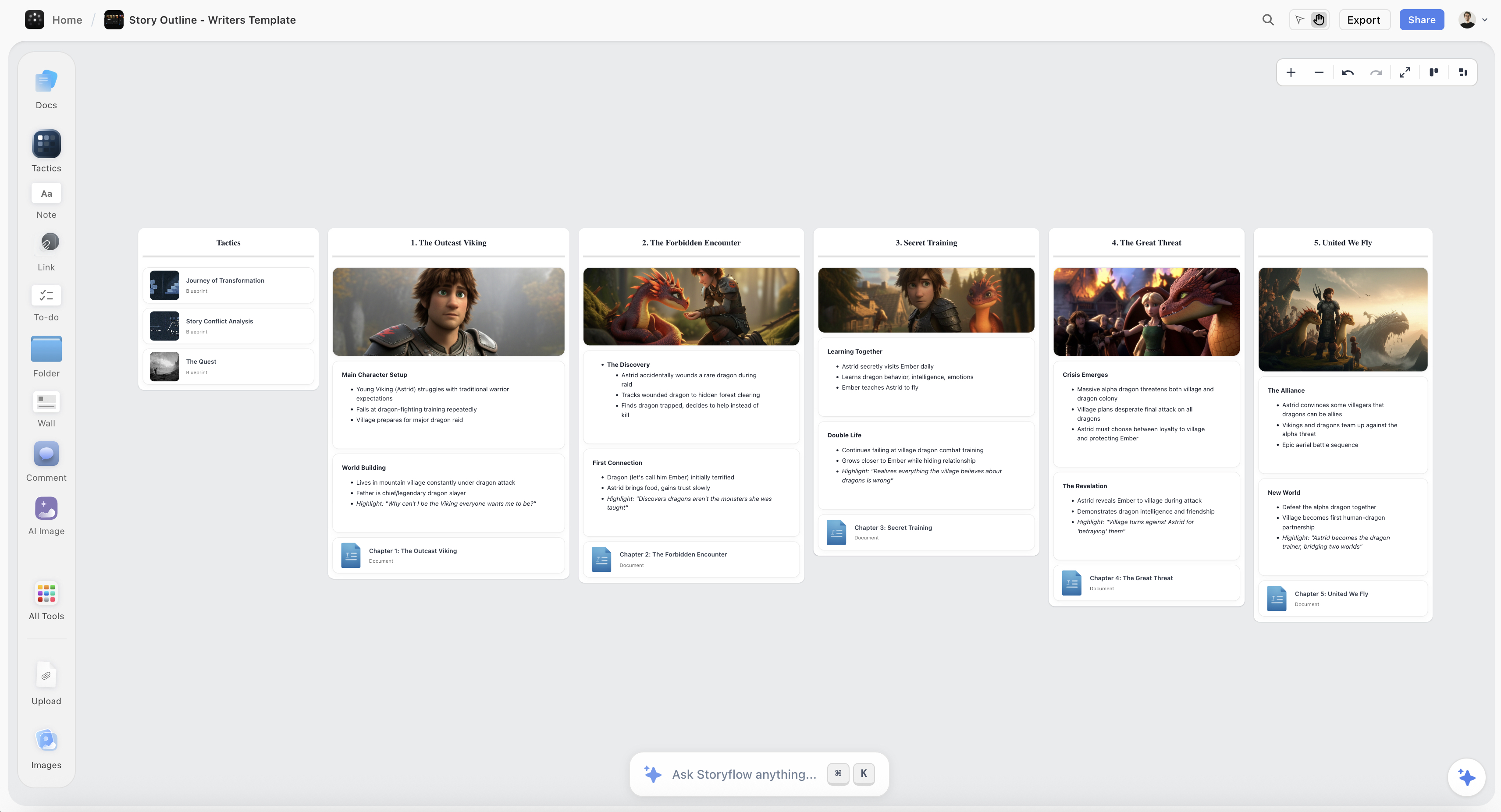
A photo book sequenced on the Storyflow canvas, with the keepers laid out spread by spread in an order that carries a reader from the opening image to the closing page
Edit and sequence your photo book on one canvas
The whole body of work lays out as images on one infinite canvas, so you can build the spreads and the running order by dragging frames, and the AI reads the whole board to draft the sequence and flag where the book sags, turning a hard drive of good frames into a book worth holding.

How to Make a Photo Book, Step by Step
Here is the full method, from a folder of work to a proofed book ready to print. It assumes a single photographer shaping one project or one long-running theme into a book of roughly 40 to 80 spreads. Scale it for a bigger monograph, but keep the order, because the value is in editing and sequencing the book before you lay out a single page, not in dropping photos into a template and hoping a book appears.
Step 1: Decide what the book is and what it is about
Before you touch a single image, decide two things: what body of work this book draws from, and what the book is about. The first is a boundary, the years, the project, the theme you are drawing from, and it tells you what is even eligible. The second is harder and more important. A book about a subject is a topic; a book about an idea is a book. "My street photography" is a topic; "the private moments people have in public" is an idea, and the idea is what gives every later cut its reason. Write the idea in one line and keep it in front of you, because the edit will constantly tempt you to keep frames that are strong but off the idea, and every one you keep out of loyalty to the picture instead of the book weakens the whole. Decide the rough physical shape too, the size, the length, the feel, because a small quiet book and a large loud one ask for different edits.
Step 2: Cull the body of work down to the keepers
Now the job is culling, and it belongs in a photo editor, not on a board. Bring the eligible work into Lightroom or Capture One, and cut hard. Rate and flag, kill the near-duplicates, and get from hundreds or thousands of frames down to a pool of real candidates, the keepers, the frames strong enough to earn a spread and honest to the idea you wrote in Step 1. Grade them so the pool shares a consistent look, because a book whose frames were shot across different years and light needs to feel like one body of work, not a timeline of your gear upgrades. Be ruthless here in a way that hurts, because the single most common reason a book fails is that it is too long and too kind, full of good frames that earned their place by being good rather than by serving the book. Come out of this step with a folder of graded keepers, the raw material the sequence is built from, and expect it to be smaller than you want.
Step 3: Find the through-line
With the keepers in front of you, find the through-line, the spine the sequence will hang on. Sometimes it is a narrative, a project that moved through time and gives you a rough beginning, middle, and end. More often, for a themed body of work, it is not a story but a logic: a progression from wide to intimate, from public to private, from morning to night, from crowd to single figure. The through-line is the answer to the question "why is this the order and not a shuffle," and until you can answer that, you do not have a book, you have a pile. Look at your keepers and ask what they are quietly organized around, because a body of work you shot with any consistency usually already has a through-line buried in it, and the edit is often a matter of finding it rather than inventing it. Name the through-line in a sentence, because that sentence is what tells you where any given spread belongs.
Step 4: Sequence the edit across spreads on a board
This is the heart of making a book, and it is where a visual board earns its place. Bring the graded keepers onto one canvas and lay them out so you can see the whole book at once, then start building spreads: which image opens the book, what faces it, what the reader turns to next, where the through-line rises and where it rests. Sequencing is not sorting by quality; it is building an order that carries a reader through a turning object, and it is physical and spatial, the work of moving images next to each other and feeling whether the turn from this spread to the next lands or dies. This is exactly what photographers have always done with small work prints on a floor or a wall, and it is why I do it on one infinite canvas in Storyflow: every keeper as an image on the board, spreads built by dragging frames into pairs and rows, and the whole book visible at a scale a wall could never hold. Because the AI reads the entire board, plus up to 1 Tactic and 3 Documents I point it at, it can draft a running order from my actual keepers, suggest an opening and a closing spread, and flag where the book sags, a run of six similar frames, a middle with no rest, two spreads doing the same job. Arrange, stand back, walk the sequence as a reader would, re-cut, and keep going until the order reads as a book and not a gallery in covers.
Step 5: Design the grammar of the spread
A book is read two facing pages at a time, so the spread, not the single image, is your real unit, and it has a grammar worth learning. A single is one image given a spread to itself or set alone on a page with white space beside it, and it says this frame is important, slow down. A pair is two images on facing pages, and the pairing itself makes an argument, by rhyme when they echo each other, by contrast when they collide, by sequence when the second answers the first. Pacing is the rhythm of those choices across the book, the way a run of quiet pairs makes a full-bleed single hit harder, the way you do not put your three strongest frames on three straight spreads because they exhaust the reader and each steals from the next. Breathing room is the deliberate use of empty space and even blank spreads, the rests that let a heavy image land and keep the book from feeling like a wall of noise. And running under all of it is the page turn as a beat, the fact that the reader cannot see the next spread until they turn, so you can hide a reveal on the back of a page, end a section on a turn, and use the turn itself as a cut. Build the sequence spread by spread with this grammar in mind, not image by image, because a book made of strong singles with no pairing, pacing, or rest is a portfolio that happens to be bound.
Step 6: Settle the cover, the title, and the text
The cover is the first edit decision the reader sees, and it is not simply your best photograph. It is the image, or the type, that sets the register of the whole book and makes a promise about what is inside, so choose it for tone as much as for strength, and consider that the strongest frame is often better saved for inside where it can land in sequence rather than spent on the cover. The title does real work: it frames how every image is read, and a good one adds an idea rather than describing the contents. Then decide the text, and decide it honestly, because most photo books carry very little, a title, maybe a short foreword or afterword, maybe an image index at the back, and the restraint is usually right, since text that explains the pictures tends to shrink them. If your book needs an essay or captions, write them to sit at the edges, a foreword before or an afterword after, rather than a caption under every frame that tells the reader what to think. Keep the words honest to the work, because a title or a text that oversells betrays the same trust the pictures are built on.
Step 7: Lay out and typeset the book
Now the job turns from storytelling into production, and it moves to a different tool. With the sequence decided and the spreads settled, take the book into a page-layout program like Adobe InDesign, or into a book service's layout software like Blurb's BookWright, and build the real pages: set the trim size, respect the gutter so no key part of an image dies in the binding, place each frame at the right size on each spread, set the margins and any text, and hold the color management from your graded files through to the export. This is a layout and prepress job, and a sequencing board cannot and should not do it, so do it in the tool built for it. Work from your decided sequence rather than re-deciding the book here, because the layout program is a clumsy place to feel out an order and a precise place to execute one. Come out of this step with a print-ready file, the sequence you built in Step 4 turned into real spreads.
Step 8: Proof, print, and bind
Never trust the screen for a printed object. Order a single proof copy before you commit to any run, because paper, ink, and binding change everything: images go darker in print than they look backlit on a monitor, a spread that read well on screen can lose its fold across the gutter, and a paper stock can flatten or lift the whole book. Hold the proof, turn the pages at a reader's pace, and check the things only the object reveals, the real color, the way each turn lands, whether the sequence still works in the hand. Fix what the proof exposes, adjust the frames that printed too dark, move a spread whose turn fell flat, then print and bind, choosing a service and a binding that fit the book, print-on-demand through Blurb or MagCloud for accessibility and short runs, Saal or Milk for premium paper and binding. The proof is not an optional nicety; it is the last edit, made in the only medium that tells the truth about a printed book.
Where the Job Is Really Production (and Where AI Helps)
Here is the honest part, because three different jobs hide inside "making a photo book," and confusing them wastes weeks.
One job is the photographic edit: culling hundreds of frames, cutting duplicates, grading for a consistent look. That belongs in a photo editor, and Lightroom, Capture One, and a rating system do it far better than any board. If your problem is a thousand frames and no idea which sixty are keepers, you do not need a sequencing tool yet; you need to cull.
Another job is production: page layout, typesetting, prepress, printing, and binding. That is InDesign's job and the book service's job, and I will not pretend a sequencing board typesets a spread or binds a signature, because it does not.
The job in the middle is the one everything hinges on: deciding the edit and sequencing the book. That is neither a culling job nor a layout job, and both a photo editor and a layout program are clumsy places to do it, because you are moving whole frames around to feel out an order across dozens of spreads. This is where a visual board wins and where AI genuinely helps. Because Storyflow's AI reads your full board, plus up to 1 Tactic and 3 Documents you point it at, it can draft a running order from your actual keepers, suggest which spread opens and closes, group frames into sections, and flag where the book sags. You can even pull a frame from a reference film on YouTube or Vimeo straight onto the canvas to hold a tone next to your own work. What it cannot do is decide what your book is about, feel whether a sequence is honest, or take the photographs, and Storyflow's AI image generation, on the Pro and Max tiers, is the wrong tool for a photo book, because the whole point is that the photographs are yours. AI drafts the sequence. You decide what the book is.
Common Photo Book Mistakes
- A stack of favorites, not a book. Your eighty best frames in card order is a bound slideshow. Decide what the book is about and cut every frame that does not serve it.
- Too long and too kind. The most common failure is a book padded with good pictures that earned their place by being good, not by building the sequence. Cut until it hurts, then cut more.
- No through-line. If you cannot say why this is the order and not a shuffle, you have a pile, not a book. Name the spine before you sequence.
- Sequencing by quality. Ordering strongest to weakest is a leaderboard, not a sequence. Build the reader's journey, even if it means opening on a quiet frame.
- Ignoring the spread. Treating every image as a lone single ignores the real unit. Design pairs, pacing, and rest, or the book reads as a portfolio in covers.
- No breathing room. A book with no rests and no empty space exhausts the reader and flattens your strongest frames. Build in the pauses.
- Spending the best frame on the cover. The cover sets the register; it is often not your single strongest image, which usually lands harder saved for inside the sequence.
- Skipping the proof. Screens lie about print. Order one proof copy and make the last edit in the object before you commit to a run.
- Trying to lay out on a sequencing board, or sequence in the layout program. Sequence on a board, lay out in InDesign or a book service. Each tool does one job well.
The Bottom Line
A photo book is not your best pictures in covers. It is a body of work edited down to a through-line and sequenced into a designed, turning object, and the object is decided in the edit and built in the sequence long before a single page is laid out. Decide what the book is about, cull the work hard down to the keepers, find the spine that holds them, and sequence the edit across spreads with a real grammar: singles for weight, pairs for argument, pacing for rhythm, empty space for rest, and the page turn as a beat. Settle the cover, the title, and the little text a book actually needs. Then, and only then, produce it.
The honest boundary holds. Cull and grade the work in a photo editor, because that is a photographic edit and Lightroom is built for it. Lay out and print in a page-layout program or a book service, because that is production and InDesign and Blurb are built for it. And decide the edit and sequence the book on a board, because that is the storytelling job at the center of everything, the one a photo editor and a layout program are both clumsy at, with AI that reads the whole board to draft the sequence and catch the sag. The three jobs are three tools, and the book that respects the difference is the one that turns a folder of frames into an object worth holding.
If your next book is still a hard drive of work you cannot order, decide the edit and sequence the spreads on one canvas in Storyflow and build the pictures into something a reader turns to the end.
FAQ: Photo Books
How do you make a photo book?
Make it as an edit and a sequence, not a print job. Decide what body of work the book draws from and what it is about, cull the work down to the keepers in a photo editor, and find the through-line that connects them. Then sequence the edit across spreads on a visual board, designing singles, pairs, pacing, and breathing room so the turn of each page lands as a beat, and settle the cover, the title, and any text. Only then take the finished sequence into a page-layout program like InDesign or a book service like Blurb, and order a proof copy before the full run. The printing is the last and easiest step; the book is decided in the edit and built in the sequence.
What is the difference between a photo book and a photo album?
A photo album is a record built for completeness: a wedding, a trip, a year, arranged by chronology and keeping everything worth keeping, because its job is memory, not argument. A photo book is a designed, sequenced object built from a body of work and edited down hard to a through-line, where the order, the pacing, and the physical form all carry meaning the individual pictures do not. The practical difference is the edit. An album keeps; a book cuts. If your goal is to preserve an event for the people who lived it, you want an album. If your goal is to shape a body of work into something a stranger reads as one whole, you want a book, and the culling and sequencing below are the entire job.
What is the difference between a photo book and a portfolio?
A portfolio gathers your strongest individual frames, often across unrelated projects, and arranges them for range and impact to impress a client or a gallery, so each image stands alone at full strength and the collection does not have to add up to one idea. A photo book takes one body of work and edits it into a sequence that builds a single idea across dozens of spreads, where no frame has to carry everything because the spreads hand meaning from one page turn to the next. A portfolio proves you can make great single pictures; a book proves you can build something larger than any one of them. The test is whether the order matters: shuffle a portfolio and it still works, shuffle a book and it breaks.
How many photos should be in a photo book?
Fewer than you want, which is the honest answer, though a common range for a focused photo book is roughly 40 to 100 images across 40 to 80 spreads, depending on the size and how many run as full-bleed singles. The number is an outcome of the edit, not a target you fill: you cull to the keepers that serve the through-line and land in sequence, and whatever survives that is the right count. If you are unsure, the answer is almost always to cut more. A tight book of fifty frames beats a loose book of a hundred every time.
What is the best software to make a photo book?
Most photographers use a few tools for their strengths: a photo editor like Adobe Lightroom or Capture One to cull and grade the work, a visual board to decide the edit and sequence the spreads, and a page-layout program like Adobe InDesign or a book service's software like Blurb's BookWright to lay out and print. Storyflow is strongest for the middle job, the editing and sequencing, because it puts the whole body of work as images on one infinite canvas so you can lay every keeper out, build spreads by dragging frames into pairs, and see the entire book at once, with AI that reads the board to draft a running order and flag where the book sags. Cull and grade in the photo editor, sequence on the board, lay out and print in the layout program or the service, and never ask one to do another's job.
Can AI help make a photo book?
Yes, for the editing and the sequencing, not for the shooting, the culling, or the printing. Once your graded keepers are on a board, AI can draft a running order, suggest an opening and closing spread, group frames into sections, and flag where the book sags. Because Storyflow's AI reads your full canvas board, plus up to 1 Tactic and 3 Documents you point it at, it works from your actual keepers rather than generic prompts. What it cannot do is decide what your book is about, judge whether a sequence is honest, or take the photographs, and AI image generation is the wrong tool here entirely, because the photographs in a photo book have to be yours.
Is Storyflow free for making a photo book?
Not during early access. Storyflow's Free plan, which launches before the end of 2026, will include unlimited objects and boards, unlimited collaboration, basic AI, and 20 file uploads, which will cover editing and sequencing a real book: the keepers laid out on one canvas, the spreads built by dragging, and a first running order you can walk as a reader. Paid tiers start at Plus for $7.99 per month billed annually, which is $9.99 monthly, and add the 200-plus Story Blueprints and unlimited file uploads, with Pro at $14 per month and Max at $39 per month for more AI and, on Pro and Max, AI image generation, which a photo book does not need since the pictures are your own. There is no separate Team plan; Max is the team tier. The Free plan will genuinely run the whole editing and sequencing method, and you will still cull and grade in a photo editor and lay out and print in a layout program or a book service.
Where does Storyflow lose for a photo book?
In the culling, the grading, the page layout, and the printing. Storyflow does not rate or grade RAW files, does not typeset a spread or set a gutter for the binding, and does not print or bind the book, so the culling and grading belong in Lightroom or Capture One, the layout belongs in InDesign or a book service's software, and the printing belongs to a service like Blurb, MagCloud, Saal, or Milk. What Storyflow does is hold the edit and the sequence: the whole body of work as images on one infinite canvas, so you can build the spreads and the running order that carry a reader, with AI that reads the board to draft the sequence and flag where the book sags. Used for editing and sequencing, it is where a folder of good frames becomes a book; used as a layout program or a printer, it is the wrong tool.
Table of Contents
- Why a Photo Book Is Sequencing, Not Just Printing
- How a Photo Book Differs from an Album, a Portfolio, or an Essay
- Quick Picks: Where to Sequence and Make a Photo Book
- Comparison Table: Where to Make a Photo Book
- How to Make a Photo Book, Step by Step
- Where the Job Is Really Production (and Where AI Helps)
- Common Photo Book Mistakes
- The Bottom Line
- Author
- FAQ: Photo Books
- Related Reading
Templates to check out for this topic


Templates you can use in Storyflow
Every Storyflow board starts from real structure and an AI that reads the whole canvas. Open one of these templates and make it yours.


See Storyflow in Action
A visual AI workspace where every feature lives inside one canvas. No tab-switching, no context lost.
Build your entire board from a single message
Type what you need in the AI chat at the bottom of your canvas. The AI adds cards, headings, and structure directly onto your board.
Use expert frameworks as AI context
Type @ in the AI chat and choose any Tactic. The AI tailors every response to that framework instead of giving generic advice.
Turn your board into a mind map in seconds
Ask the AI to restructure your canvas as a mindmap. It connects your ideas into a visual hierarchy so you can see how everything relates.
Why Storyflow Exists
Storyflow actually began as a personal tool while working on creative and research projects.
We kept running into the same problem: ideas were scattered everywhere: notes, documents, and whiteboards.
Nothing helped us see how everything connected.
So we started building a workspace designed around how ideas actually grow.
→ Read how Storyflow was createdJustkay
Documentary Filmmaker & Founder at Storyflow
Published: 2026-07-22
Extremely simple, seriously capable


See how easy it is to get started
Watch a real project come together, from a blank board to a finished plan, clicked through step by step.
Start creating with AI and become more productive
Transform your creative workflow with AI-powered tools. Generate ideas, create content, and boost your productivity in minutes instead of hours.