
How to Build a Marketing Funnel With AI (2026)
A step-by-step guide to building a marketing funnel with AI. Map three stages, give each one job and one metric, draft the content with AI, then run the leak test to find and fix the gate where buyers drop out.

Category
Marketing Strategy
Author

Sara de Klein
Head of Product at Storyflow
Topics
2026-07-15
•
12 min read
•
Marketing Strategy- how to build a marketing funnel
- marketing funnel with AI
- marketing funnel stages
- build a sales funnel 2026
How do you build a marketing funnel with AI?
To build a marketing funnel, map the three stages a buyer moves through (awareness, trust, and decision), give each stage exactly one job, then attach one piece of content and one metric to each. AI accelerates every step: it drafts the content, writes the offer and CTA, and pressure-tests the sequence for the point where attention leaks out. You plan and map the funnel in one place (a canvas or a doc), then run it with real tools: a landing-page builder for the pages, an email platform for the nurture, an analytics tool for the numbers. The rule that holds the whole thing together is simple. One job per stage, or the funnel does none of them well.
Key Takeaways
- Build on the One-Job Funnel: awareness, then trust, then decision. Each gate does exactly one job, and that job is to earn the next step.
- One job per stage, or the funnel does none of them well. A stage that builds awareness and closes a sale at once does neither, and you cannot tell which half broke.
- Give every gate one job, one piece of content, and one metric. Awareness measures reach, trust measures opt-in rate, decision measures conversion rate.
- A stage with two calls to action has none. Assign one offer and one CTA per gate, because asking the reader to subscribe, follow, and book a call makes them do nothing.
- Run the leak test to raise conversion, not more traffic. Because each gate has one metric, a funnel with strong traffic and a low opt-in rate points straight at a trust leak.
- Draft the frame with AI, supply the truth yourself. AI is strong at topic lists, outlines, and offer variations, and weak at the real results and customer words that make a decision page convert.
- Map the funnel in one place, run it in specialists. A canvas holds the stages, content, and metrics as one object, while pages, email, and analytics live in their own dedicated tools.
- Fix one gate at a time, worst numbers first. Maya's opt-in held at 22% while conversion sat at 1%, so one objection handled on the sales page moved it to 3%.
Why Most Funnels Leak
Most marketing funnels are not built. They accumulate. You publish a blog post, then a lead magnet, then a sales page, then an email or two, and at some point you call the pile a funnel. It converts at a number nobody chose on purpose, and when the number is low the reflex is to pour more traffic on top.
That reflex is the mistake. A funnel does not usually fail for lack of traffic. It fails at a specific gate where the buyer's next step was never made obvious, and no one was measuring that gate to notice the drop.
I am a documentary filmmaker by training, and I built Storyflow. That means I have also had to build its funnel: the blog posts that bring you here, the free plan that earns trust, the upgrade to Plus that pays the bills. I have drawn that funnel on a canvas more times than I can count and watched where real people fell out. This guide is the process I use, now that AI can draft and stress-test most of it alongside you.
Building a funnel is a design job, not a volume job. If you want the concept first, read what a marketing funnel is. This piece is the build.
The One-Job Funnel: The Spine You Build On
Every funnel that works, regardless of industry, runs on the same three-gate spine. Awareness, then trust, then decision. I call it the One-Job Funnel, because the whole method rests on a single constraint: each stage does exactly one job, and that job is to earn the next step.
- Awareness has one job: get found by the right stranger. Not sell. Not capture the email yet. Get seen by someone who has the problem you solve.
- Trust has one job: turn attention into belief. The buyer hands over an email or a follow because they think you can actually help.
- Decision has one job: make saying yes the easy, obvious move. Remove the risk, answer the objection, ask for the sale once and clearly.
The reason to hold each stage to one job is diagnostic. When you know the single job a stage is supposed to do, you can measure whether it did it, and find the leak when it doesn't. One job per stage, or the funnel does none of them well. A stage that tries to build awareness and close a sale at once does neither, and you cannot tell which half broke.
Gartner found that B2B buyers spend just 17% of their buying journey meeting with potential suppliers. The rest is self-directed: reading, comparing, deciding alone. Your funnel mostly runs while you are not in the room, which is exactly why each stage has to do its one job without you there to explain it.
Key takeaways before you build:
- A funnel is three gates (awareness, trust, decision), not a list of assets.
- Each gate gets one job, one primary piece of content, and one metric.
- AI drafts the content and the offers, then pressure-tests each gate for leaks.
- You map the funnel in one place, but you run it in specialized tools (pages, email, analytics).
- The leak test, not more traffic, is what raises conversion.
The Build Map: Every Stage, One Job, One Metric
Here is the whole funnel on one map. Before you make anything, you fill this table in for your own business. It is the artifact the rest of the build produces.
| Stage | The buyer's job | Content that does the job | The one metric | Where AI helps |
|---|---|---|---|---|
Awareness | Find an answer to a problem | SEO articles, YouTube, short video, guest posts | Reach or new visitors | Draft topic lists, outlines, titles from your keyword |
Trust | Decide you are worth following | Lead magnet, email nurture, free mini-course | Opt-in rate, email replies | Write the nurture sequence, flag weak subject lines |
Decision | Say yes without feeling at risk | Sales page, webinar, demo, case study | Conversion rate | Draft the offer, list objections, tighten the CTA |
Retention | Come back and tell someone | Onboarding, check-ins, referral ask | Repeat rate, referrals | Draft onboarding emails, surface at-risk signals |
The fourth row, retention, is the gate most funnels forget. It is cheaper to keep a buyer than to earn a stranger. Build the three core gates first, then add retention once they hold.
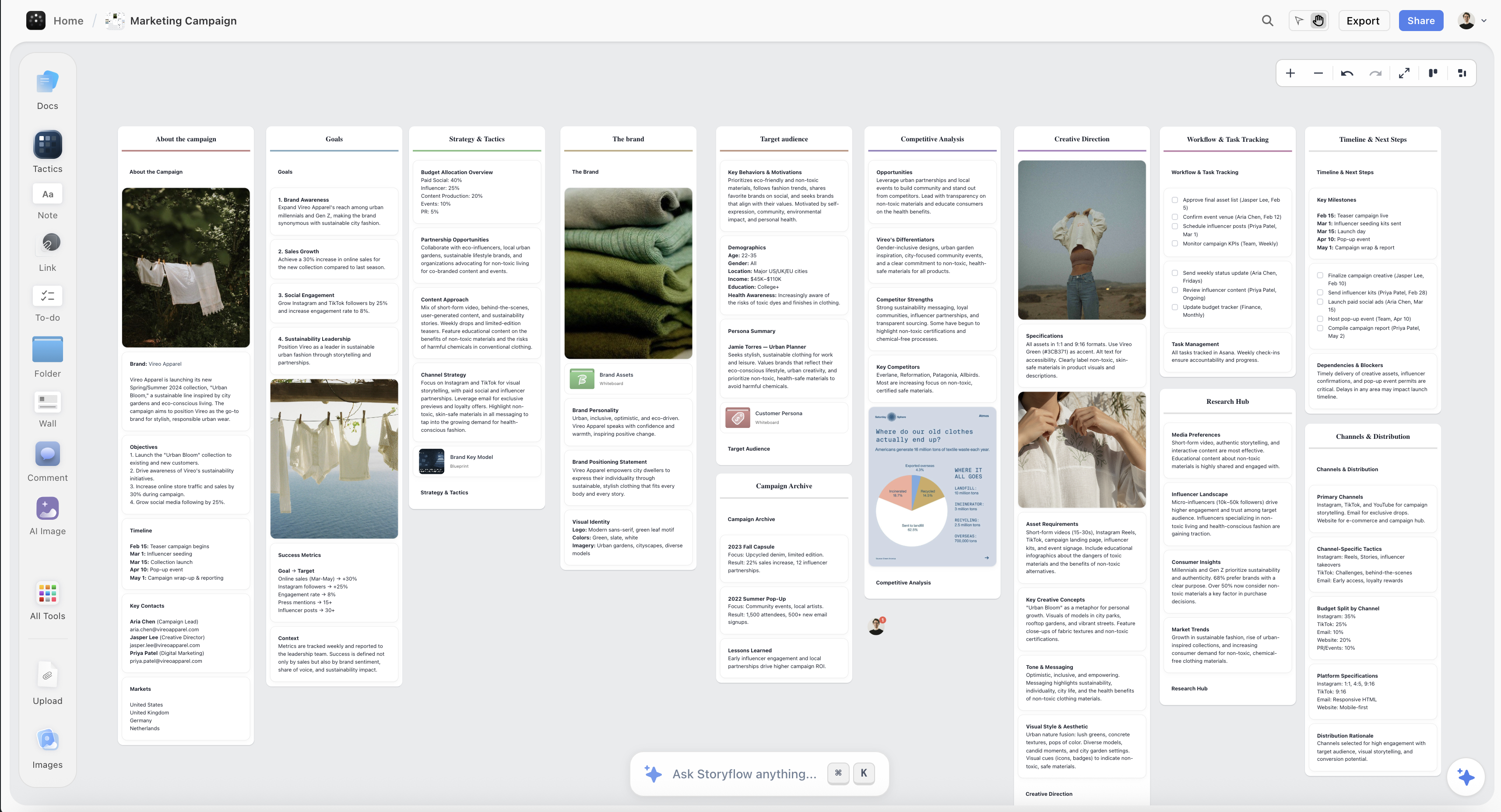
a Storyflow canvas mapping funnel stages to content and offers
Step 1: Map the Three Stages First
Before you write a single email or design a page, lay the three gates out in front of you and write one sentence per gate describing the buyer's state as they enter and leave it. This is the step people skip, and skipping it is why funnels leak.
Take a course creator, Maya, who sells a $300 video-editing course. Her map: at awareness, a stranger is stuck on a specific editing problem and searches for a fix. At trust, that person has watched a Maya tutorial and wants more, so they trade an email for a free mini-course. At decision, a subscriber who has done the mini-course is weighing whether the paid course is worth $300.
Notice what the map forces: three different people, three different mental states, three different asks. The awareness stranger is not ready to buy, and pitching the $300 course to them is a leak by design.
Here AI earns its place as a thinking partner, not a writer yet. Describe your business and ask it to draft the three buyer states and the transitions between them. Then push back. It will blur trust and decision together on the first try, and correcting that blur is the actual work of Step 1.
Step 2: Give Each Stage One Offer and One CTA
A stage with two calls to action has none. If your blog post asks the reader to subscribe, follow you, and book a call, the reader does nothing, because you made them choose instead of act.
So assign each gate exactly one offer and one CTA, matched to the one job:
- Awareness CTA: read the next thing or watch the next video. The ask is attention, nothing more.
- Trust CTA: one lead magnet, one opt-in. Maya's is a free three-lesson mini-course, and every awareness asset points to it.
- Decision CTA: buy, book, or start a trial. One button, one price, one clear next click.
This is the One-Job Funnel applied at the level of the ask. One job per stage means one offer per stage. AI is useful here for generating five versions of a single CTA so you cut to the sharpest one, not for adding more asks.
Step 3: Assign the Content That Does Each Job
Now you attach content to each gate. The trap is making content you like instead of content the gate needs. Awareness content has to be found, so it lives where search and discovery happen: SEO articles, YouTube, short-form video. Trust content has to deepen a relationship, so it is email, a mini-course, a case study. Decision content has to remove risk, so it is a sales page, a demo, a guarantee, proof.
This is where AI drafting compounds. Point an AI at your keyword and your buyer states and have it draft the awareness topic list, the outline for each piece, and the email nurture sequence for the trust gate. Storyflow's Story Blueprints include AIDA, the classic attention-interest-desire-action structure, which maps almost one to one onto the awareness-to-decision path and gives the AI a proven skeleton to fill.
Be honest about what AI drafts well. It is strong at volume and structure (topic lists, outlines, first-draft emails) and weak at the proof that makes a decision-stage page convert: your real results, your customer's words, your actual guarantee. Draft the frame with AI. Supply the truth yourself.
Step 4: Instrument It, One Number per Gate
A funnel you cannot measure is a funnel you cannot fix. Each gate gets exactly one primary metric, the number that proves the gate did its one job:
- Awareness: reach or new visitors. Did the right strangers arrive?
- Trust: opt-in rate. Of the people who arrived, how many gave you an email?
- Decision: conversion rate. Of the leads you nurtured, how many bought?
You do not need a data team for this. Google Analytics 4 or a lighter tool like Plausible covers traffic, your email platform (ConvertKit, Mailchimp, Klaviyo) reports opt-in and sales-email performance, and your checkout reports the final conversion. The point of one metric per gate is that when the overall number moves, you can see which gate moved it.
Litmus (2020) put email's median return at about $36 for every $1 spent, which is why the trust gate is usually the highest-leverage place to instrument first.
Step 5: Run the Leak Test
This is the payoff of the framework. The leak test is a single question asked at every gate: of the people who enter this gate, how many make it to the next one, and where do the rest go?
Because each gate has one job and one metric, the leak is visible. A funnel with strong awareness traffic and a low opt-in rate has a trust leak: people arrive and do not believe you enough to give an email. Strong opt-ins and low sales is a decision leak: they believe you but the offer feels risky. One job per stage, or the funnel does none of them well, and the reason to obey that rule is that it turns a vague "my funnel is broken" into a specific "my trust gate leaks."
AI is a genuine pressure-tester here. Paste a gate's content and ask: what objection does this leave unhandled? Where is the weakest CTA? What would make someone leave this page? The Baymard Institute, aggregating dozens of studies, puts the average online cart-abandonment rate near 70%, almost all of it a decision-stage leak: hidden costs, forced account creation, unclear risk. An AI walkthrough of your checkout catches most of those before a customer does.
Then optimize one gate at a time. Fix the leak with the worst numbers, not the one easiest to fix. Re-measure. Move to the next gate.
The Course Creator Funnel, End to End
Here is Maya's funnel assembled. Awareness: fifteen YouTube tutorials and five SEO articles on specific editing problems, each ending with one CTA to the free mini-course. Trust: the three-lesson mini-course delivered by a five-email sequence that teaches first, then mentions the paid course once. Decision: a sales page with before-and-after student edits, a 14-day guarantee, and one buy button.
She instruments it: new visitors, opt-in rate, conversion rate. The leak test finds it fast. Traffic is healthy, opt-in is 22%, but conversion sits at 1%. Awareness and trust hold. The decision gate leaks.
The AI pressure test on her sales page surfaces the cause in a minute: the page never handles the objection "I can learn editing free on YouTube." She adds a section on why a structured path beats scattered videos, keeps everything else fixed, and conversion moves to 3%. One gate, one leak, one fix, because each stage kept to one job.
Where Storyflow Fits, and Where It Doesn't
Funnel logic usually lives in three disconnected places: the stages sketched on a whiteboard, the copy written in a doc, and the metrics tracked in a spreadsheet. Nobody can see the funnel as one object, so the leak test is hard to run: the numbers are in one tab and the content they judge is in another.
The familiar approach is those three scattered tools. The Storyflow approach is one canvas that holds the stages, the content, and the metrics next to each other, so the whole map from Step 1 lives in a single view. Storyflow's AI reads your full active board (plus up to 1 Blueprint and 3 Documents you @-mention), so when you ask it to run the leak test, it reasons over the funnel you actually drew, not a pasted summary. You can start from the AIDA Story Blueprint and adapt it.
Now the honest part, because a funnel guide that pretends one tool does everything is lying to you:
- Storyflow does not host landing pages, send email, or run automation. It maps and plans the funnel. You still run it in Webflow or Framer for pages, ConvertKit or Klaviyo for email, GA4 for analytics.
- It is not an analytics dashboard. The metrics on your canvas are numbers you paste in from those tools, not a live feed. It will not auto-pull your conversion rate.
- It is cloud-only, with no offline or local-first mode.
- It is a newer platform with fewer templates than Notion, and it is canvas-card-shaped, not spreadsheet-shaped. If you want pivot tables and formulas on your funnel math, keep the spreadsheet.
Storyflow is where you think the funnel through and pressure-test it with AI. It is not where you host it.
Which Tool Should You Build This In?
Match the tool to the job:
- Just the map and the thinking: a canvas (Storyflow, or a whiteboard) beats a doc, because a funnel is spatial and a document forces linear order onto it.
- The copy for each asset: a document tool or your AI of choice (ChatGPT, Claude, or Storyflow's canvas AI).
- The pages, email, and automation: dedicated tools. Webflow, Framer, or Carrd for pages, ConvertKit, Klaviyo, or HubSpot for email and automation.
- The numbers: GA4 or Plausible, plus whatever your email tool and checkout report.
The mistake is trying to build the whole funnel in one tool.
The Bottom Line
A marketing funnel is not a pile of assets you hope adds up. It is three gates (awareness, trust, decision), each doing one job, each measured by one number, each drafted and pressure-tested with AI. Build it in that order, run the leak test, and fix one gate at a time. One job per stage. Break that rule and the funnel leaks.
To see your own funnel as one object, map its three gates on a Storyflow canvas: the content on each gate, the metric under it, and let the AI run the leak test across the whole board. The gate that leaks will be obvious by the end of the afternoon. Map your funnel on a Storyflow canvas.
FAQ: Building a Marketing Funnel With AI
How do you build a marketing funnel step by step?
Map the three stages a buyer moves through (awareness, trust, decision), give each stage one job, then attach one piece of content and one metric to each. Draft the content and offers with AI, connect the stages with a single clear CTA, instrument each gate, and run the leak test to find where people drop out. Fix one gate at a time and re-measure.
What are the stages of a marketing funnel?
The core spine is three stages: awareness (a stranger finds you), trust (attention becomes belief and an opt-in), and decision (a lead becomes a buyer). Some models add a fourth, retention, for repeat purchases and referrals. Older frameworks like AIDA split it into attention, interest, desire, and action, which map onto the same path.
Can AI build a marketing funnel for me?
AI can draft most of a funnel, but not the whole thing. It is strong at topic lists, outlines, email sequences, and offer variations, and genuinely useful at pressure-testing a page for unhandled objections. It is weak at the proof that converts (your real results and your customer's words), and it does not host pages or send email. Use AI to draft and stress-test. Supply the truth yourself.
What is the best tool to build a marketing funnel?
There is no single tool. You map and plan the funnel in one place (a canvas like Storyflow, or a doc), draft copy with an AI, build pages in Webflow or Carrd, run email in ConvertKit or Klaviyo, and measure in GA4 or Plausible. The common mistake is trying to do all of it in one tool. Map in one place, run in specialists.
How long does it take to build a marketing funnel?
A first version of a simple funnel takes a few days: an afternoon to map the three gates and offers, a few days to draft and build the content and pages, and about an hour to instrument it. The longer work is optimization. Most of a funnel's gains come from running the leak test and fixing gates over weeks, not from the initial build.
Do I need a landing page tool and an email tool, or can one do both?
Most funnels need both, though some combine them. Email platforms like ConvertKit and Mailchimp include basic landing pages, which is enough to start. As the funnel matures you usually want a dedicated page builder (Webflow, Framer, Unbounce) and a proper email platform for automation. Storyflow maps the funnel but hosts neither, so plan for at least one page tool and one email tool.
What is a lead magnet and where does it go in the funnel?
A lead magnet is a free, useful thing (a mini-course, template, checklist, or guide) that a stranger trades an email for. It sits at the trust gate: its one job is to turn attention into an opt-in and start the nurture relationship. A good lead magnet solves a small, specific version of the problem your paid offer solves in full.
How do I know where my funnel is leaking?
Give each gate one metric and compare them in order. Healthy traffic with a low opt-in rate is a trust leak: people arrive but do not believe you enough to subscribe. Healthy opt-ins with low sales is a decision leak: they believe you but the offer feels risky. The gate where the number drops most, relative to the gate before it, is the leak to fix first.
How does AI help optimize a funnel after it is built?
AI pressure-tests each gate. Paste a page or email and ask what objection it leaves unhandled, where the CTA is weakest, and what would make someone leave. It can also draft variations to test. It cannot replace real measurement: you still need analytics for the numbers. AI generates the hypotheses. Your data confirms them.
Table of Contents
- Key Takeaways
- Why Most Funnels Leak
- The One-Job Funnel: The Spine You Build On
- The Build Map: Every Stage, One Job, One Metric
- Step 1: Map the Three Stages First
- Step 2: Give Each Stage One Offer and One CTA
- Step 3: Assign the Content That Does Each Job
- Step 4: Instrument It, One Number per Gate
- Step 5: Run the Leak Test
- The Course Creator Funnel, End to End
- Where Storyflow Fits, and Where It Doesn't
- Which Tool Should You Build This In?
- The Bottom Line
- About the Author
- FAQ: Building a Marketing Funnel With AI
- Related Reading
Templates to check out for this topic


Marketing and campaign templates you can use in Storyflow
Plan the whole campaign on one board: brief, audience, channels, and assets connected, with an AI that reads all of it. Open a template and start from real structure.


See Storyflow in Action
A visual AI workspace where every feature lives inside one canvas. No tab-switching, no context lost.
Build your entire board from a single message
Type what you need in the AI chat at the bottom of your canvas. The AI adds cards, headings, and structure directly onto your board.
Use expert frameworks as AI context
Type @ in the AI chat and choose any Tactic. The AI tailors every response to that framework instead of giving generic advice.
Turn your board into a mind map in seconds
Ask the AI to restructure your canvas as a mindmap. It connects your ideas into a visual hierarchy so you can see how everything relates.
Why Storyflow Exists
Storyflow actually began as a personal tool while working on creative and research projects.
We kept running into the same problem: ideas were scattered everywhere: notes, documents, and whiteboards.
Nothing helped us see how everything connected.
So we started building a workspace designed around how ideas actually grow.
→ Read how Storyflow was createdSara de Klein
Head of Product at Storyflow
Published: 2026-07-15
Extremely simple, seriously capable


See how easy it is to get started
Watch a real project come together, from a blank board to a finished plan, clicked through step by step.
Start creating with AI and become more productive
Transform your creative workflow with AI-powered tools. Generate ideas, create content, and boost your productivity in minutes instead of hours.