The 11 Best Visual Development Tools in 2026 (We Tested Them All)
Visual development is not the art. It is the moment the art stops being negotiable. Eleven tools ranked across the two opposite motions of visdev: cheap divergence and a lock that actually holds.

Category
Design
Author

Sara de Klein
Head of Product at Storyflow
Topics
2026-08-12
•
19 min read
•
Design- best visual development tools
- concept art software 2026
- visdev tools for animation
- Photoshop vs Procreate concept art
- Blender for concept art
- colour script software
What are the best visual development tools in 2026?
Visual development is not the art. It is the moment the art stops being negotiable. Eleven tools ranked across the two opposite motions of visdev: cheap divergence and a lock that actually holds.

Full disclosure: Storyflow is our own product and we rank it #4 here, below three tools we do not make, and it is worth being blunt about why: Storyflow cannot draw. There is no brush engine, no painting canvas, no sculpting and no 3D, so none of the actual visual development work is produced in it. Photoshop, Procreate, Clip Studio Paint and Blender make the art and we do not compete with them. It also has no version or approval state, which is exactly what ftrack and ShotGrid provide at studio scale, and its AI image generation is not a visdev tool: Midjourney produces better images and a visdev artist in Photoshop produces better designs. It is cloud-only and paid-only during early access. It earns fourth for the convergence half alone, holding the options and the reasoning so the decision survives past the meeting. We link to every tool so you can judge the fit yourself.
Quick Comparison
These four map to the two opposite motions visual development runs on: generating options cheaply enough to find a surprising one, testing feasibility before anyone falls in love, delivering art the pipeline can actually use, and recording the decision so it survives past the meeting.
| Tool | Best For | AI Features | Price |
|---|---|---|---|
| Photoshop | Widest coverage at production quality | Generative fill, Firefly | Creative Cloud, from ~$23 mo |
| Procreate | Fast divergence and thumbnailing | None | One-time, around $13 |
| Blender | 3D blockouts and feasibility | None core | Free, open source |
| Storyflow | Comparing options and holding the lock | Reads the whole canvas | $7.99 mo annual (free plan late 2026) |
Key Takeaways
- Visual development is not the art. It is the moment the art stops being negotiable, and almost every tool is built for the art rather than for the moment.
- Visdev runs two opposite motions: divergence (generate many options cheaply) and convergence (compare, decide, lock, communicate). Tools that are excellent at one are usually poor at the other.
- Photoshop ranks first because it remains the only tool that covers painting, iteration, and delivery at production quality across every visdev discipline.
- Storyflow is our own product and ranks fourth. It cannot draw, paint, or model anything. It sits in the convergence half, where the decision gets made and recorded.
- A design that is locked in one artist's folder is not locked. The lock is a communication artifact, not a file state.
Record why the design won, not just which one did
A folder named FINAL records the conclusion. It does not record the five options it beat or the sentence explaining why, which is what somebody needs eight months later when a new department head asks about the silhouette. Storyflow holds the options, the reference and the notes on one canvas the AI can read. It draws nothing. Paid-only during early access; the Free plan lands before the end of 2026.

Diverge and Lock
Visual development has two motions, and they want opposite tools.
Divergence is generating options. Twenty thumbnails of a silhouette, six palettes for the same environment, four readings of a character's face. It has to be cheap, fast, and low-commitment, because the whole value is in producing enough variety that the good answer appears among options nobody would have reasoned their way to. Friction kills divergence: if each option costs an hour, you get four, and four is not enough to find anything surprising.
Convergence is deciding. Putting the six palettes side by side, choosing one, understanding why, and then communicating that choice to modellers, animators, lighters, and a director in a way that produces one consistent result across forty people and eighteen months.
Visual development is not the art. It is the moment the art stops being negotiable.
The category's problem is that tooling is overwhelmingly built for divergence. Photoshop, Procreate, Blender, and Midjourney are magnificent generators, and the convergence half is usually handled by a folder called FINAL, a Slack thread, and somebody's memory of a meeting.
That is where visdev fails in practice, and it fails expensively. A character design that is "locked" but lives as `char_lead_v7_FINAL_actualfinal.psd` in one artist's directory is not locked in any operational sense. Three months later the modeller has built from v7, the animator has been referencing v5 because that is what was in the shared folder, and the director remembers approving something with a different collar. Nobody did anything wrong. The lock was never expressed anywhere durable.
So the ranking below weighs both motions, and it explicitly rewards tools that make a decision legible rather than tools that make a beautiful image.
At a Glance: The 11 Tools Compared
| Tool | Motion it serves | Can it produce final art | Price |
|---|---|---|---|
Photoshop | Both, painting to delivery | Yes, industry standard | Via Creative Cloud, from ~$23 mo |
Procreate | Divergence, sketching | Yes, for 2D | One-time, around $13 |
Blender | Divergence and feasibility in 3D | Yes | Free, open source |
Storyflow | Convergence and the lock | No, it draws nothing | $7.99 mo annual (free plan late 2026) |
PureRef | Reference during making | No | Pay what you want, from ~$5 |
Milanote | Convergence, visual arrangement | No | Free tier / from ~$10 mo annual |
Midjourney | Divergence, exploration | Not production-ready alone | From ~$10 mo |
Clip Studio Paint | Divergence and line art | Yes, for 2D and comics | One-time or subscription |
Figma | Convergence, sharing and comment | No, not a paint tool | Free tier / from ~$16 editor mo |
Miro | Convergence in a live review | No | Free tier / from ~$8 member mo |
ftrack or ShotGrid | The lock, at studio scale | No | Quote, studio pricing |
Prices are the publicly listed rates at the time of writing and change often. Confirm before committing a team.
How I Ranked These
Six of these (Photoshop, Procreate, Blender, PureRef, Milanote, Storyflow) I have used on real production work across documentary, commercial, and design projects. Clip Studio Paint, Midjourney, Figma, and Miro I evaluated hands-on against the same criteria on test projects. ftrack and ShotGrid I have worked alongside rather than administered, and the review says so.
Five criteria, in this order:
- Divergence cost. How many options per hour, and how little commitment each one carries. The single biggest determinant of whether visdev finds anything good.
- Convergence support. Can you compare options meaningfully, record the decision, and communicate it beyond the room it was made in.
- Production fidelity. Whether output is usable downstream or has to be rebuilt by somebody else, which is a hidden cost that dwarfs licence fees.
- Feasibility signal. Whether the tool gives any indication that a design can actually be built, animated, or shot at budget.
- Honest cost including the ecosystem. Creative Cloud is not one subscription, and studio pipeline tools are quoted rather than published.
Deliberately not weighted heavily: AI generation quality. It matters for divergence and it is not what makes visual development succeed or fail, for the reasons the next section covers.
The Feasibility Gap
The most expensive failure in visual development is not an ugly design. It is a beautiful one that cannot be built.
A character with flowing fabric and long hair that reads perfectly as a painted illustration becomes a simulation problem that costs weeks. An environment with volumetric light through a hundred windows is a render-time decision nobody made deliberately. A palette that depends on subtle value separation collapses under the studio's actual lighting model. In each case the design was approved by people looking at a still image, and the cost arrived later, attached to somebody else's department.
This gap has widened with generative tools, and it is worth being specific rather than fashionable about why. A generated concept frame carries no production reality at all. It was never constructed, so nothing about it is a claim that it can be constructed. A painted concept by an experienced visdev artist carries an implicit feasibility judgment, because that artist knows what the pipeline can absorb and designs inside it, mostly without discussing it.
Two practical responses, and both are cheaper than the rework.
Put a technical voice in the convergence step, not the approval step. A modeller or a lighting lead looking at six options for ten minutes will kill the two that are expensive, before anyone has fallen in love. Approval meetings are too late, because by then the design has social momentum.
Prefer 3D early for anything that has to exist in 3D. Blender is free, and a rough blockout answers feasibility questions that a painting cannot. Ten minutes of blocking a set is worth more than a beautiful matte painting of a set that has no floor plan.
The tools cannot do this for you. What a tool can do is make the comparison step cheap enough that the technical voice gets included, which is why convergence tooling ranks higher on this list than its reputation suggests.
Quick Picks by Situation
- Best overall visual development tool: Photoshop, still, for the widest coverage at production quality.
- Best for fast divergence: Procreate, about thirteen dollars once, and the fastest path from idea to thumbnail.
- Best for feasibility: Blender, free, and a rough blockout answers questions painting cannot.
- Best for the lock: Storyflow, our own product, ranked fourth and unable to draw anything.
- Best for reference while working: PureRef, always on top, offline, a few dollars.
- Best for a live review with a director: Miro, for the facilitation, or Figma if the team is design-led.
- Best at studio scale: ftrack or ShotGrid, where versions and approvals are pipeline infrastructure.
- Best free stack: Blender plus Krita plus a disciplined naming convention.
1. Photoshop
Photoshop ranks first because it is the only tool here that competently serves every stage from first thumbnail to delivered production art, across every visdev discipline, and because the industry's files are in its format.
That last point is not inertia, it is a genuine advantage. Layered PSDs are the interchange currency of visual development. A design handed to a modeller, a texture artist, or a matte painter arrives with its structure intact, and structure is where the information lives: separated silhouette, colour on its own layer, notes in a group nobody flattens. Delivering a flat PNG loses most of what makes a design usable downstream.
For divergence it is strong rather than fastest. Layer comps and smart objects let you carry variants inside one file, which is the cleanest way to keep six palettes comparable without six documents drifting apart. For convergence it is merely adequate: you can build a comparison sheet, and there is no notion of a decision, an approval, or a version anybody else can trust.
Its generative features have become genuinely useful for visdev, particularly generative fill for extending environments and iterating on details, and Firefly's licensed-content position matters for commercial work with legal review.
Against it: Creative Cloud pricing is a recurring cost that grows with the apps you actually need, it is heavy on older hardware, and for pure sketching it is slower than Procreate in a way that measurably reduces how many options you produce.
Pricing: Via Creative Cloud, single-app plans from around $23/month, with all-apps and business tiers above.
2. Procreate
Procreate ranks second because divergence cost is the criterion I weight highest, and nothing else here gets from thought to image as fast.
On an iPad with a pencil, the gap between having an idea and seeing it is close to zero. That matters more than any feature comparison, because the number of options you generate is the main input to whether visdev finds something good, and options are lost to friction rather than to lack of skill. Artists who move to Procreate for thumbnailing routinely triple their output in the exploration phase.
It produces genuine production art for 2D work, the brush engine is excellent, and the one-time price of around thirteen dollars is close to absurd next to subscription tools.
Its limits are real and worth planning around: iPad only, layer limits tied to canvas size and device memory, no 3D, and it is not built for the convergence half at all. Most professional workflows use it for exploration and move into Photoshop for refinement and delivery, which is a sensible division rather than a compromise.
Pricing: One-time, around $13, plus Procreate Dreams separately for animation.
3. Blender
Blender ranks third for one reason that has little to do with it being free: it is the cheapest way to answer feasibility questions early.
For environment design, a rough blockout in Blender tells you the things a painting hides. Whether the space works at the camera heights you plan to use, whether a character can physically move through it, whether the sightlines the story needs actually exist, and roughly what it costs to build. Ten minutes of grey boxes prevents a category of expensive discovery.
Beyond that it is a complete 3D package (modelling, sculpting, texturing, lighting, rendering, and Grease Pencil for 2D-in-3D work) and Grease Pencil in particular has become a genuinely strong visdev tool for animation, letting you draw in 3D space and move a camera through the drawing.
It is free and open source with no licensing conversation, which for small studios changes what is possible.
The learning curve is the real cost. It is a professional 3D application, and an illustrator picking it up for blockouts is looking at weeks rather than days before it is faster than sketching. Worth it if 3D is in your pipeline; skip it if your work terminates in 2D.
Pricing: Free, open source.
4. Storyflow
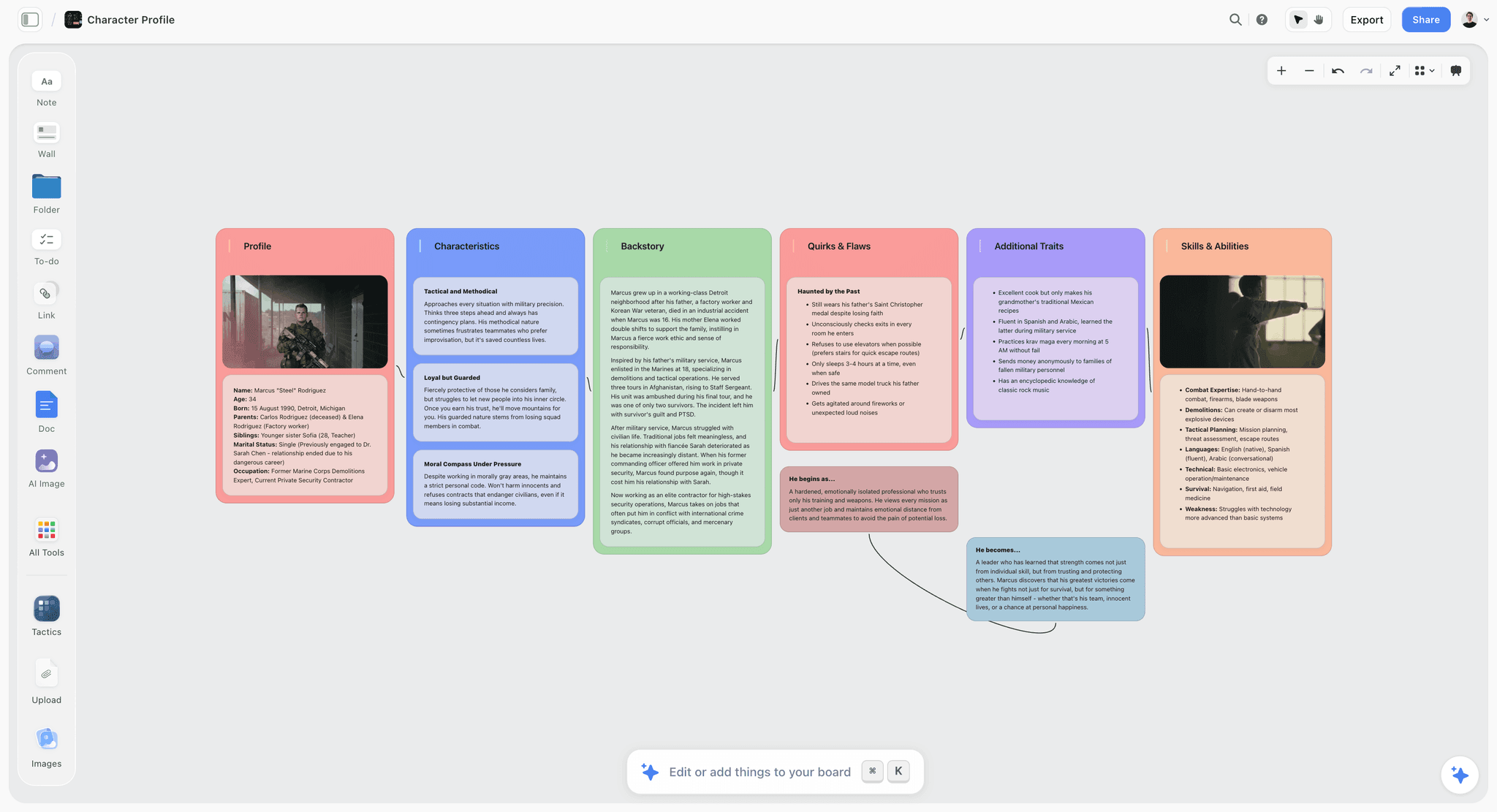
Storyflow is our own product and it ranks fourth, and the reason it is on this list at all is the convergence half rather than anything to do with making art.
Let me be unambiguous first: Storyflow cannot draw. There is no brush engine, no painting canvas, no layers in the art sense, no sculpting, no 3D. Nothing on this page is produced in it. If you are looking for a tool to make visual development art, the first three entries are the answer and this one is not.
What it does is hold the decision. It is a visual canvas where images, notes, links, and documents share a board, and the AI reads that whole board rather than one selected image. In visdev that maps to a specific job: you put the six palette options, the four character passes, the reference that started it, and the director's notes on one surface, and you work out what the design is actually claiming. Asking a board of twenty explorations what visual logic runs through them, and which two are the same idea wearing different clothes, is a reading task, and it is the step that usually happens verbally and then evaporates.
The part that matters most for this category is that the board keeps the reasoning attached to the choice. A locked design in a folder records the conclusion. A board records the conclusion plus the five options it beat and the sentence explaining why, which is exactly what somebody needs eight months later when a new department head asks why the silhouette is like that. You can @-mention up to one Tactic and up to three documents so the visual decision is reasoned against the treatment or the world bible rather than in isolation.
Where Storyflow loses
Five limitations, and the first three are absolute for this category.
It produces no art. Not a limitation to work around, a category difference. Photoshop, Procreate, Clip Studio, and Blender make the work; this does not.
It has no version or approval state. There is no locked version, no approval record, no audit trail of who signed off on which pass. At studio scale that is exactly what ftrack and ShotGrid provide and why they exist, and we do not compete with them.
Its AI image generation is not a visdev tool. Generation on Pro and Max exists so exploration can happen next to the references rather than in a separate tab. For actual concept work Midjourney produces better images and a visdev artist in Photoshop produces better designs.
It is cloud-only, so it is unavailable when the connection is, and paid-only during early access with the Free plan arriving before the end of 2026. Milanote's free tier and PureRef cover parts of this job for nothing today.
Pricing: Plus $7.99/mo annual ($9.99 monthly) for the Story blueprints library and unlimited uploads. Pro $14/mo annual ($19 monthly) adds AI image generation, roughly 20 times the AI volume, and memory across conversations. Max $39/mo annual ($49 monthly) adds roughly 40 times the AI volume plus a team workspace with roles and permissions.
5. PureRef
PureRef is the most used and least discussed tool in visual development, and nearly every professional artist has it open.
It is a single always-on-top window holding your reference while you work. That is all. No cloud, no account, no AI, no collaboration. It opens instantly, works offline, handles hundreds of images without complaint, and stays visible next to the painting rather than behind a browser tab.
For the making phase this is genuinely more valuable than most subscription software, because reference that is not visible while you work is reference you do not use.
It builds nothing and decides nothing. Pair it with whatever handles convergence. Its inclusion here is a corrective: a list of cloud collaboration tools would imply that the artist's actual desktop is solved, and PureRef is most of what is on it.
Pricing: Pay what you want, from around $5.
6. Milanote
Milanote is the most pleasant tool here for arranging visual development material, and a lot of art directors run their boards in it.
Putting eight character passes side by side with notes underneath, grouped and captioned, is quick and the result reads as considered. For sharing a direction with a director or a client it produces something that communicates without a meeting.
It has no analytical layer, so it will not help you reason about a large set, and it is not built to be a growing library across a long production. The 100-item free cap arrives fast on a project with real volume. Board tools scale by adding boards, and the retrieval problem returns around the second dozen.
Choose it over Storyflow if you want the nicer arrangement experience and do not need the AI reading; choose Storyflow if the reasoning step is where you lose time.
Pricing: Free tier capped at 100 items. Paid from around $10/month annual.
7. Midjourney
Midjourney is the strongest pure image generator available and it has a real, narrow place in visual development.
That place is early divergence, before anything is decided. Generating forty directions for a world in an afternoon surfaces territory nobody would have sketched toward, and style reference and character consistency features have improved enough to explore a coherent direction rather than forty unrelated pretty images.
The honest limits are the reason it is not higher. Output is not production-ready visdev: it is not layered, not editable in the ways downstream departments need, not controllable at the level a specific design brief requires, and it carries no feasibility information, which is the failure mode described earlier. Rights and provenance also remain a live question for commercial work in a way that matters to legal review.
Use it to find the territory. Have an artist design inside that territory. Reversing that order is where studios have got into trouble.
Pricing: From around $10/month.
8. Clip Studio Paint
Clip Studio Paint is stronger than Photoshop for line work, and for character-led visdev, comics-adjacent projects, and animation-facing design it is frequently the better choice.
The line engine, vector layers you can adjust after drawing, perspective rulers, and 3D reference models for posing are all genuinely better suited to character and prop design than Photoshop's equivalents. Its 2D animation tools are usable for movement tests, which is a real advantage when a design has to work in motion rather than only in a still.
Against it: the interface is dense and less familiar to teams standardised on Adobe, and delivery still often means exporting to PSD, so it sits inside the Photoshop ecosystem rather than replacing it. Licensing has both one-time and subscription options depending on platform, which is worth checking against how you work.
I evaluated this hands-on rather than across a full production; character artists will have sharper views on the brush and vector behaviour than I do.
Pricing: One-time purchase or subscription depending on platform and version.
9. Figma
Figma is not a visdev tool and it earns a place on the convergence side, particularly for games and product-adjacent work where the team already lives in it.
Laying out a design review, commenting precisely on a specific point of an image, and sharing a view-only link that a producer can open without an account are all handled better than in most alternatives. Comments anchored to coordinates beat a thread saying "the third one, the shoulder area".
It cannot paint, has no 3D, and imposes a design-tool mental model that is foreign to illustrators. For studios already standardised on it the proximity benefit is real; for anyone else this is an odd choice for visual development specifically.
Pricing: Free tier. Paid from around $16/editor/month; viewers are free.
10. Miro
Miro belongs in the convergence half for one specific event: the live review where a director, an art director, and department leads look at options together and have to leave with a decision.
Facilitation is what earns it. Timers keep a review from sprawling, private voting surfaces honest preference rather than deference to the most senior person in the call, and frames structure a session so that the twenty minutes on silhouettes does not become fifty. For distributed teams reviewing together, this is the strongest tooling here.
Private voting deserves a specific mention in visdev, because design review is unusually prone to seniority effects. Getting eight people's honest read before anyone speaks is worth more than the software costs.
It stores badly, looks like a workshop rather than a proposal, and is heavy for anything solo. Use it for the session, keep the record elsewhere.
Pricing: Free tier. Paid from around $8/member/month annual.
11. ftrack and ShotGrid
At studio scale the lock stops being a cultural practice and becomes infrastructure, and this is what that infrastructure looks like.
Versions are first-class, approvals are recorded states with an owner and a date, notes are anchored to specific versions, and every asset carries a status that downstream departments can query. When forty people over eighteen months need to know which pass is current, this is the only category of tool on this list that answers definitively.
It is priced and deployed for studios, usually requires administration, and is far more than a small team or a freelancer needs. The reason to know about it anyway is that it shows what the convergence problem looks like when taken seriously, and small teams can imitate the important parts (a single status field, a dated approval, one canonical location) with no software at all.
I have worked alongside these rather than administered them, so treat the operational detail as informed observation rather than deep experience.
Pricing: Quoted, studio pricing.
What to Actually Pay For
Pay for divergence speed first. Procreate at around thirteen dollars once is the highest return per dollar in this category, because option count is the main input to visdev quality.
Do not pay for generation before you have an artist. Midjourney generates territory, not designs, and a subscription without somebody who can design inside the territory produces beautiful references to work nobody can build.
Pay for the lock only in the form you will actually maintain. Studio pipeline tools are excellent and pointless if nobody administers them. A small team gets most of the benefit from one canonical location, a dated approval note, and a naming convention, which costs nothing.
Budget Creative Cloud honestly. Single-app Photoshop is one number; the working reality for many visdev artists is several Adobe apps, and the all-apps price is the real figure.
Skip the second convergence tool. Milanote, Storyflow, Figma, and Miro overlap heavily here. Pick one and use it consistently.
Tools to Avoid for This Job
A shared drive as the lock. Folders have no status, so `FINAL` means nothing and `FINAL_v2` means less. This is the single most common source of departments building different versions of the same design.
A chat thread as the approval record. Approvals scroll away, and six months later the question of what was approved has no answer.
Generative output going straight to production as a design. It carries no feasibility information and no layer structure, and somebody downstream absorbs both costs.
A flattened PNG handoff. Delivering a design without its layer structure discards the information the receiving department needs, and they rebuild it at their own cost.
What No Tool on This List Does
None of them tell you a design is unbuildable. Blender lets you find out by blocking it out, which is the closest thing available, and it still requires somebody to look and judge. The gap between a beautiful frame and a shootable, modellable, animatable design is entirely human expertise.
None of them make the lock stick socially. You can record an approval in ftrack and a director can still change their mind in week nine, which is sometimes correct. What tools do is make the change visible and costed rather than silent, and that is genuinely the whole benefit.
None of them preserve the reasoning by default. Storyflow gets closest by keeping the rejected options and the note next to the chosen one, and even there somebody has to write the sentence. Every tool records what was chosen; almost nothing records why, and why is what you need when the design has to flex.
The Bottom Line
Visual development tooling is sold on the making, and the making is genuinely well served. Photoshop, Procreate, Clip Studio, and Blender are all excellent, and between them cover every discipline at production quality for a modest amount of money.
The half that is badly served, and where projects actually lose weeks, is the decision. Comparing options with the right people in the room, choosing, recording why, and communicating the choice so that forty people build the same thing. That work usually happens in a meeting and then lives in somebody's memory and a folder named FINAL.
Photoshop ranks first here because it does the most, across the most disciplines, at the quality the pipeline expects. Procreate is where the options actually get generated. Blender is the cheapest honest answer to whether a design can be built. Storyflow, which we make, ranks fourth, cannot draw a single line, and is on this list for the step where the art stops being negotiable.
Visual development is not the art. It is the moment the art stops being negotiable, and a lock that only exists in one artist's folder is not a lock at all.
FAQ: Visual Development Tools
What is the best visual development tool in 2026?
Photoshop, for the widest coverage from first thumbnail through to production-quality delivery, and because layered PSDs are what downstream departments expect. Procreate is the better tool for fast exploration, and Blender is the better tool for anything that has to exist in 3D.
What is visual development?
The stage where the look of a world, its characters, environments, and palette are designed before production begins. It exists to make the visual decisions once, deliberately, so that every department building from them months later builds a consistent version of the same thing.
What is the best free visual development software?
Blender for 3D, which is genuinely professional and free, and Krita for painting, which is a capable open-source alternative to Photoshop. PureRef is close to free for reference. Storyflow is paid-only during early access, so it does not belong in a free comparison here.
Photoshop or Procreate for concept art?
Procreate for exploration, because it is faster from idea to image and option count is what makes visdev work. Photoshop for refinement and delivery, because layered files are the handoff format and its selection and compositing tools are deeper. Most professional workflows use both, in that order.
Can AI replace visual development artists?
Not for the part that matters. Generation is genuinely useful for early divergence, where the job is producing territory to react to. It does not do the part that decides projects: designing something specific, buildable within a real pipeline, consistent across hundreds of assets, and defensible when a director asks why. A generated frame carries no feasibility information at all.
How do you lock a visual development design?
Record it somewhere with a status, a date, and a single canonical location, and communicate it beyond the room where the decision was made. A file named FINAL in one artist's folder is not locked. At studio scale ftrack or ShotGrid do this as infrastructure; a small team can achieve most of it with one location, a dated note, and a naming convention.
Is Storyflow a visual development tool?
Only for the convergence half, and we rank it fourth for that reason. It cannot draw, paint, sculpt, or model anything, so it produces none of the work. What it does is hold the options, the reference, and the notes on one canvas the AI can read, so the decision and the reasoning behind it survive. The art gets made in Photoshop, Procreate, Clip Studio, or Blender.
What should a visual development package include?
Key art establishing the overall look, character designs with turnarounds and expressions, environment designs with layouts, a colour script or palette logic, prop and costume design where relevant, and crucially a statement of the rules: what this world does and does not do visually. The rules are the part most packages omit and the part that keeps four hundred later decisions consistent.
How many concepts should you produce before choosing?
More than feels efficient. The whole argument for cheap divergence is that good answers frequently appear among options nobody would have reasoned toward, and you cannot reach them by producing four careful passes. Thumbnail widely, then refine narrowly.
How do you review visual development with a director?
Show a limited set with a stated recommendation rather than everything you made. Reviews that present twenty options invite a committee; reviews that present three with a reasoned pick invite a decision. Get a technical voice into that conversation early, because approval meetings are too late to raise cost.
What is a colour script and do I need one?
A sequence of small colour images mapping the emotional and visual progression of a story across its length. It is standard in animation and increasingly used in live action and games. You need one when the project is long enough that colour decisions made scene by scene will drift, which is most projects over about twenty minutes.
What is the single change worth making to how we do visual development?
Put a modeller, a lighter, or a technical lead into the comparison step rather than the approval step. Ten minutes of technical eyes on six options kills the expensive ones before anybody has committed to them, and it costs nothing.
Table of Contents
- Key Takeaways
- Diverge and Lock
- At a Glance: The 11 Tools Compared
- How I Ranked These
- The Feasibility Gap
- Quick Picks by Situation
- 1. Photoshop
- 2. Procreate
- 3. Blender
- 4. Storyflow
- 5. PureRef
- 6. Milanote
- 7. Midjourney
- 8. Clip Studio Paint
- 9. Figma
- 10. Miro
- 11. ftrack and ShotGrid
- What to Actually Pay For
- Tools to Avoid for This Job
- What No Tool on This List Does
- The Bottom Line
- FAQ: Visual Development Tools
- Related Reading
Templates to check out for this topic


Templates you can use in Storyflow
Every Storyflow board starts from real structure and an AI that reads the whole canvas. Open one of these templates and make it yours.


See Storyflow in Action
A visual AI workspace where every feature lives inside one canvas. No tab-switching, no context lost.
Build your entire board from a single message
Type what you need in the AI chat at the bottom of your canvas. The AI adds cards, headings, and structure directly onto your board.
Use expert frameworks as AI context
Type @ in the AI chat and choose any Tactic. The AI tailors every response to that framework instead of giving generic advice.
Turn your board into a mind map in seconds
Ask the AI to restructure your canvas as a mindmap. It connects your ideas into a visual hierarchy so you can see how everything relates.
Why Storyflow Exists
Storyflow actually began as a personal tool while working on creative and research projects.
We kept running into the same problem: ideas were scattered everywhere: notes, documents, and whiteboards.
Nothing helped us see how everything connected.
So we started building a workspace designed around how ideas actually grow.
→ Read how Storyflow was createdSara de Klein
Head of Product at Storyflow
Published: 2026-08-12
Extremely simple, seriously capable


See how easy it is to get started
Watch a real project come together, from a blank board to a finished plan, clicked through step by step.
Start creating with AI and become more productive
Transform your creative workflow with AI-powered tools. Generate ideas, create content, and boost your productivity in minutes instead of hours.