The 11 Best Concept Art Board Tools in 2026 (We Tested Them All)
A concept art board is judged by the person who opens it last, not the person who built it. Eleven tools ranked on whether a builder can find the current approved design without asking a human.

Category
Design
Author

Sara de Klein
Head of Product at Storyflow
Topics
2026-08-12
•
18 min read
•
Design- best concept art board tools
- PureRef alternatives
- concept art reference board
- how to organise concept art
- concept art approval workflow
- art department asset tracking
What are the best concept art board tools in 2026?
A concept art board is judged by the person who opens it last, not the person who built it. Eleven tools ranked on whether a builder can find the current approved design without asking a human.

Full disclosure: Storyflow is our own product and we rank it #2 here, below PureRef which costs a few dollars and which we do not make. Two things keep it off the top spot. It cannot draw: no brushes, no painting, no sculpting, no 3D, so none of the concept art on any board is produced in it. And it has no asset-level versioning or approval state, no queryable current approved design, no per-asset version history, which is exactly the question this article is organised around; ftrack, ShotGrid, Airtable and Notion all answer it and we do not. It is also cloud-only, so it cannot be the artist's working board the way PureRef is, and paid-only during early access. It earns second for the deciding step alone: holding several passes and the reasoning around them so the argument survives past the review. We link to every tool so you can judge the fit yourself.
Quick Comparison
These four map to the three audiences a concept art board serves: the artist painting today, the director choosing between passes this week, and the builder eight months later who needs the current approved design for one specific asset and has a deadline.
| Tool | Best For | AI Features | Price |
|---|---|---|---|
| PureRef | The artist, always open and offline | None | Pay what you want, from ~$5 |
| Storyflow | Comparing passes with the reasoning kept | Reads the whole canvas | $7.99 mo annual (free plan late 2026) |
| Eagle | Retrieval across thousands of images | Local auto-tagging and colour search | One-time, around $30 |
| ftrack or ShotGrid | Approval as a queryable state | None core | Quote, studio pricing |
Key Takeaways
- A concept art board is judged by the person who opens it last, not the person who built it.
- Every board has three audiences: the artist painting today, the director deciding this week, and the builder finding one specific asset eight months from now. The third is the one with a deadline and the one nobody designs for.
- PureRef ranks first because it is the board concept artists actually have open while working, it costs a few dollars, and it never fails.
- Storyflow is our own product and ranks second, for the deciding audience. It cannot draw anything and it has no asset-level versioning.
- If your board cannot answer "what is the current approved design for this one prop" in ten seconds, it is a gallery, not a board.
Keep the four passes it beat, and the reason
A folder holding only the winner tells a builder what to make and nothing about why. Storyflow keeps the chosen pass, the options it beat and the sentence explaining the choice on one canvas the AI can read, so the answer survives after the people who made it move on. It draws nothing and it does not track versions. Paid-only during early access; the Free plan lands before the end of 2026.

The Three Audiences
A concept art board gets opened by three different people with three incompatible needs, and most boards are built for the first two.
The artist, today. They need reference and their own work-in-progress visible while painting, on a second monitor or a corner of the screen, without a browser tab, without a login, and without anything that steals focus. Their board is consulted continuously for hours and changes constantly. Speed and stability matter more than any feature.
The decider, this week. The art director or director needs to see six passes side by side, understand what separates them, and choose. Their board is consulted in bursts, usually in a meeting, and its job is comparison. It needs annotation, ordering, and enough context that a choice can be defended rather than merely made.
The builder, in eight months. A modeller, a set decorator, a texture artist, or a new hire needs the current approved design for one specific asset. They do not want to browse. They have a task and a deadline, and they need to find one image and be certain it is the right version. Their board is consulted once, urgently, under pressure, often by somebody who was not there when any of it was made.
A concept art board is judged by the person who opens it last, not the person who built it.
The third audience is where boards fail, and the failure is predictable. A beautiful board accumulates over production: hundreds of pieces, several passes per asset, revisions after notes, exploratory work that was never approved sitting next to work that was. Nothing is labelled as current because at the time it was made, everyone knew. Eight months later the builder opens it and cannot distinguish an approved final from a rejected third pass, so they ask, and the person who knows is on another show.
That question, repeated across a production, is a real and invisible cost. Every one of them is a message, a wait, and sometimes a wrong build.
So the criterion that sorts this list is not how nice the board looks. It is whether it can answer one question fast: what is the current approved design for this thing. If a board cannot, it is a gallery.
At a Glance: The 11 Tools Compared
| Tool | Audience it serves best | Answers "what is current" | Price |
|---|---|---|---|
PureRef | The artist, while painting | No | Pay what you want, from ~$5 |
Storyflow | The decider, with reasoning kept | No, no version states | $7.99 mo annual (free plan late 2026) |
Milanote | The decider, presentation | Only by convention | Free tier / from ~$10 mo annual |
Eagle | Retrieval at library scale | Via tags, if maintained | One-time, around $30 |
ftrack or ShotGrid | The builder, definitively | Yes, it is the product | Quote, studio pricing |
Miro | The decider, live review | No | Free tier / from ~$8 member mo |
Figma | Teams already in Figma | Partly, via page structure | Free tier / from ~$16 editor mo |
Notion | The builder, via an asset index | Yes, if properties are kept | Free tier / from ~$10 mo annual |
Airtable | The builder, at large scale | Yes, strongest without a pipeline | Free tier / from ~$20 seat mo |
Google Drive | Nobody especially | Only by file naming | Free with Workspace |
A physical wall | Artist and decider, in one room | Yes, visibly | Cost of printing |
Prices are the publicly listed rates at the time of writing and change often. Studio pipeline tools are quoted rather than published.
How I Ranked These
Six of these (PureRef, Milanote, Eagle, Notion, Google Drive, Storyflow) I have used to run real reference and concept boards on production work. Miro, Figma, and Airtable I evaluated hands-on against the same criteria. ftrack and ShotGrid I have worked alongside rather than administered, and the review says so.
Five criteria, in this order:
- Current-version certainty. Can a builder determine which design is approved without asking a human. Weighted highest because it is the failure that costs production time.
- Retrieval speed at volume. A board with four hundred pieces behaves differently from one with forty, and most tools are demoed at forty.
- Working stability for the artist. Always-available, offline, no focus theft. The highest-frequency use by far.
- Comparison quality. Can several passes be seen together in a way that supports a decision rather than just a viewing.
- Cost against team reality. Per-seat pricing across an art department is a real number, and freelance concept artists rotate.
Deliberately not weighted: aesthetics of the board interface. Concept art boards are working surfaces, and every hour spent making the board look good is an hour not spent on the art.
The Approval Ambiguity Problem
This is the specific mechanism behind the third audience's failure, and it is worth naming precisely because the fix is mostly free.
Concept art accumulates in passes. Pass one explores. Pass two responds to notes. Pass three narrows. Somewhere around pass four somebody says "yes, that one," usually in a room, verbally, while looking at a screen. The artist knows. The art director knows. Nothing on the board changes.
Now the board contains four visually similar images of the same prop, one of which is binding and three of which are history, with no visible difference between them. Eight months later there is no way to tell them apart by looking, and the file names do not help because `prop_lantern_v3` and `prop_lantern_v4b` carry no information about approval.
Three defences, in increasing cost:
Make approval visible on the image, not in a conversation. A green border, a stamp, a suffix like `_APPROVED` in the filename. This costs seconds and solves most of the problem for small teams. It is startling how many productions do not do it.
Keep exactly one canonical location per asset. Not a folder of everything, but one place that holds the current design, with history moved elsewhere. The builder's question becomes navigation rather than judgment.
Make it a status field. Tools with a real asset record (Notion, Airtable) or a real pipeline (ftrack, ShotGrid) let approval be a queryable state rather than a visual convention. This is the durable answer and it is why those tools rank where they do despite being poor at the artist's daily needs.
The tools that rank highest below are the ones that either serve the artist so well that nothing else matters, or that make this question answerable. Several excellent tools do neither, which is why a gorgeous Milanote board is not automatically the right choice.
Quick Picks by Situation
- Best overall concept art board: PureRef, for the artist, which is the highest-frequency use by a wide margin.
- Best for deciding between passes: Storyflow, our own product, ranked second and unable to draw.
- Best for presenting a direction: Milanote, which reads as considered without effort.
- Best at library scale: Eagle, local, fast, one-time price.
- Best for the builder: ftrack or ShotGrid at studio scale, Airtable or Notion below it.
- Best for a live review: Miro, for voting and facilitation.
- Best free option: PureRef is close to free, and a printed wall costs less than a subscription.
- Best thing you can do this week: Mark approved images visibly. It costs nothing.
1. PureRef
PureRef ranks first because it is the board that is actually open, and the highest-frequency audience is the artist working today.
It is a single always-on-top window holding images while you work. You drag in reference and your own passes, arrange them spatially, zoom, and it stays visible beside the painting rather than behind a browser tab. It opens instantly, holds hundreds of images without complaint, works entirely offline, requires no account, and costs a few dollars once.
For a concept artist this is not a nice-to-have. Reference that is not visible while painting is reference that does not get used, and every cloud alternative introduces a tab switch, a load, and a login that eventually expires mid-session.
It also travels. A `.pur` file is a portable board you can hand to another artist, and it opens exactly as arranged.
Against it: it is a single-user tool with no collaboration, no comments, no versioning, and no approval state. It serves the artist superbly and the builder not at all. On a team it needs pairing with something that answers the current-version question, and treating a shared PureRef file as the production's record is a common mistake that works right up until it does not.
Pricing: Pay what you want, from around $5.
2. Storyflow
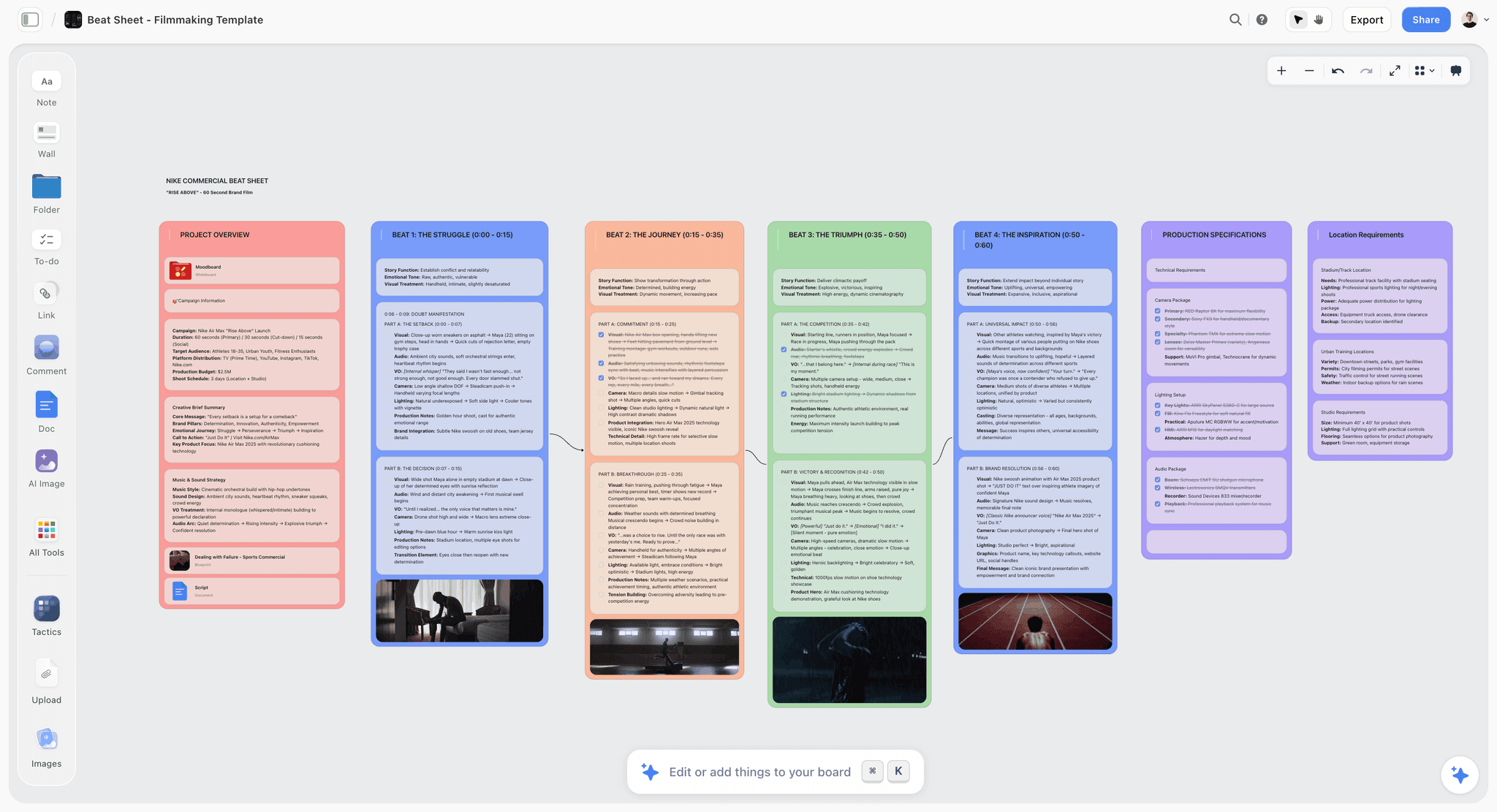
Storyflow is our own product and it ranks second, for the deciding audience specifically.
To be clear before anything else: it cannot draw. No brushes, no painting, no sculpting, no 3D. None of the concept art on any board is made in it. The tools that make the work are Photoshop, Procreate, Clip Studio Paint, and Blender.
What it does is hold several passes and the thinking around them on one canvas, with an AI that reads the whole board rather than one selected image. For the decider's job that is a real difference. Six passes of a character on a board can be interrogated: what actually separates these, which two are the same idea in different clothing, which one departs from the world's established rules. That is a comparison task performed across a whole board, and it is the step that usually happens verbally in a review and then disappears.
The part that matters most for the third audience is that the reasoning stays attached. A board that holds the chosen pass, the four it beat, and one sentence about why is dramatically more useful eight months later than a folder containing only the winner. The builder who wonders why the silhouette is asymmetric has an answer without finding a person. You can @-mention up to one Tactic and up to three documents so the design can be reasoned against the world bible or the brief rather than in isolation.
Where Storyflow loses
Four limitations, and the second is the one that keeps it off the top spot for the audience this article says matters most.
It produces no art, as above. Category difference, not a gap to work around.
It has no asset-level versioning or approval state. There is no queryable "current approved design for this prop," no version history per asset, no approval record with an owner and a date. Since that is the question this article is organised around, that limitation is decisive. ftrack, ShotGrid, Airtable, and Notion all answer it and we do not.
It is cloud-only with no offline mode, so it cannot be the artist's working board the way PureRef is. When the connection drops mid-session, PureRef is still open and this is not.
It is paid-only during early access, with the Free plan arriving before the end of 2026. PureRef is a few dollars and a printed wall costs less than any subscription here.
Pricing: Plus $7.99/mo annual ($9.99 monthly) for the Story blueprints library and unlimited uploads. Pro $14/mo annual ($19 monthly) adds AI image generation, roughly 20 times the AI volume, and memory across conversations. Max $39/mo annual ($49 monthly) adds roughly 40 times the AI volume plus a team workspace with roles and permissions.
3. Milanote
Milanote is the most pleasant tool here for arranging concept art so it communicates, and for presenting a direction to a director or a client it produces the best-looking result with the least effort.
Passes sit in columns with captions underneath, groupings read clearly, and the restrained visual defaults mean a board looks considered rather than like a working file. Sharing a link that opens without an account protects your chances of it actually being seen.
Where it falls short is exactly the third audience. There is no approval state, no versioning, and no search worth the name across a large body of work. Boards scale by adding boards, and an art department twenty boards in has the same retrieval problem in a nicer interface. The 100-item free cap also arrives quickly on any real production.
Use it for presentation. Do not make it the production's record.
Pricing: Free tier capped at 100 items. Paid from around $10/month annual.
4. Eagle
Eagle is the best retrieval tool here for a large local library of concept art, and retrieval at volume is the second-weighted criterion.
It handles tens of thousands of images without slowing, opens instantly, works offline, and its search is genuinely fast. Tags, folders, smart folders, and colour search mean finding "the rusted metal pass from around the second act" is realistic rather than aspirational. A tag convention like `approved` turns it into a workable answer to the current-version question, which is more than most tools on this list manage.
The one-time price with no subscription is unusually good value for something a studio keeps for years, and local files mean the library outlives any vendor.
Against it: single-user desktop software, so no collaboration, no comments, and no shared source of truth. It is the archive behind the board rather than the board itself, and its approval convention depends entirely on discipline nobody enforces.
Pricing: One-time purchase, around $30.
5. ftrack and ShotGrid
At studio scale this is the correct answer to the third audience, and it is worth understanding even if you will never buy it.
Assets are records. Each has versions, each version has a status, and status is a queryable state with an owner and a date. A modeller opens the asset, sees which version is approved, and reads the notes attached to that specific version. There is no ambiguity, no asking, and no wrong build from a rejected pass. Notes are anchored to versions rather than floating in a thread.
That is the whole problem solved, properly, and nothing else here does it as completely.
The costs are proportional. It is studio infrastructure with quoted pricing, it needs administration, and it is enormously more than a freelancer or a five-person team needs. It also does nothing for the artist's daily board or for presentation quality.
The useful takeaway for small teams is what to imitate: one canonical location per asset, a visible status, and notes attached to a specific version rather than to a conversation. All three are free.
I have worked alongside these rather than administered them, so treat operational detail as informed observation.
Pricing: Quoted, studio pricing.
6. Miro
Miro earns its place for the live review, where a distributed team looks at passes together and has to leave with a decision.
Facilitation is the reason: timers stop a review sprawling, frames structure it into phases, and private voting surfaces honest preference. That last one matters unusually much in art review, where seniority distorts feedback badly. Getting eight people's read before anyone speaks is worth more than the licence.
As a board it is poor for everything else. It looks like a workshop, it has no approval state, retrieval at volume is weak, and it is heavy for solo work. Use it for the session and keep the record elsewhere.
Pricing: Free tier. Paid from around $8/member/month annual.
7. Figma
For games and product-adjacent teams already standardised on Figma, running concept boards there is defensible on proximity grounds alone: it sits beside the work, under the same permissions, in front of the same people.
Comments anchored to a specific point on an image beat a thread describing "the shoulder area on the third one," and a page-per-asset structure gets you partway to the current-version question if the convention holds.
It cannot paint, it imposes a design-tool model that illustrators find foreign, and per-editor pricing across an art department adds up. For a team not already in Figma, this is an odd choice for concept art specifically.
Pricing: Free tier. Paid from around $16/editor/month; viewers are free.
8. Notion
Notion ranks here for one thing it does genuinely well: an asset index with a status field.
A database of assets, each with a status property (exploring, in review, approved, retired), a gallery view showing the current image, and a link to the file, answers the builder's question directly and cheaply. That is the third audience served, without studio pricing.
Its weakness is everything visual. Galleries are grids of uniform cards, spatial arrangement is impossible, and comparing six passes side by side at a useful size fights the tool. It is an index, not a board, and it works best paired with something visual.
For small and mid-size teams without a pipeline, a Notion asset index alongside PureRef or Milanote is one of the most cost-effective setups available.
Pricing: Free tier. Paid from around $10/month annual.
9. Airtable
Airtable is Notion's answer scaled up, and for a large asset count it is the stronger of the two.
Proper field types, linked records connecting assets to sequences and characters, filtered views per department, and Interfaces that present a clean read-only view to people who should not be editing. For a production with hundreds of assets and several departments consuming the same designs, this is real infrastructure at a fraction of pipeline cost.
The same visual weakness applies, more so, and per-seat pricing across a department is a genuine line item. The tagging discipline it demands is also real: an Airtable nobody maintains is worse than a folder, because the empty status column looks authoritative.
Pricing: Free tier with record limits. Paid from around $20/seat/month.
10. Google Drive
A shared Drive folder is where an enormous amount of concept art actually lives, and it deserves an honest entry rather than dismissal.
Everyone can open it, sharing is understood, storage is solved, and large files move without complaint. For a small team with a strict naming convention it is workable.
It serves none of the three audiences well. The artist cannot keep it open while painting, the decider cannot compare without downloading, and the builder faces exactly the approval ambiguity described earlier with only filenames to go on. Its saving grace is that a naming convention (`asset_name_v04_APPROVED`) converts it into something usable, and that convention is free.
If this is your setup, adopt the naming rule before buying anything.
Pricing: Free with a Google account, included with Workspace.
11. A Physical Wall
The pinned wall in the art department is not nostalgia. It is a board with properties no software here matches, and animation studios still use it deliberately.
Everything is visible simultaneously at real size, without navigation. Peripheral vision does work that clicking cannot: inconsistencies across forty designs are obvious on a wall and invisible in a grid. Approval is physically expressive (the approved pass is in the middle, higher, or circled), and anyone walking past absorbs the show's visual language without being taught it. Nothing loads, nothing logs out.
Its limits are equally obvious: one location, no remote access, no search, and no archive once it comes down. Photograph it before it does.
It is here because a list of eleven digital tools would imply the problem is digital, and the best-run art departments I have seen run a wall and a database, with the software in between mattering less than either.
Pricing: Printing and pins.
What to Actually Pay For
Pay for the artist's board first, and it barely costs anything. PureRef is a few dollars and gets used more hours per week than everything else combined.
Pay for the answer to the current-version question. This is where money changes production outcomes, because each ambiguity is a message, a wait, and occasionally a wrong build. Below studio scale, Notion or Airtable does it for a fraction of pipeline cost.
Do not pay for two presentation tools. Milanote, Storyflow, Figma, and Miro overlap heavily on the deciding audience. Pick one.
Do not buy a pipeline you will not administer. ftrack and ShotGrid are excellent and inert without somebody whose job includes running them.
Do the free things before any of the above. Visible approval marking and one canonical location per asset solve most of this list's problem and cost nothing.
Tools to Avoid for This Job
A chat channel as the board. Images scroll away, approval is a message nobody can find, and retrieval is archaeology.
A folder of everything with no current-version signal. The default state of most productions and the direct cause of the third audience's problem.
A board only the artist can update. Bottlenecks mean the board lags reality, and a lagging board gets distrusted and then abandoned.
Email attachments as the delivery mechanism. Versions fork immediately, and the definitive file becomes whichever one somebody can still find.
What No Tool on This List Does
None of them notice inconsistency across a body of work. When forty designs have drifted so that three characters no longer look like they inhabit the same world, that is caught by a person looking at everything at once, which is the strongest argument for the physical wall. No tool flags visual drift.
None of them keep approval honest when the process is verbal. Every tool here can record approval and none can make a director stop saying "yeah, that one" and walking off. The fix is procedural, and the tool only helps once somebody decides approval is a thing that gets written down.
None of them tell the builder what is not shown. A concept image shows one angle in one light. What the back looks like, how the material behaves, what the scale is against a person: the builder needs all of it, and boards routinely omit all of it. Turnarounds and callouts are an artist's discipline, not a feature.
The Bottom Line
Concept art board tools are compared on how good the board looks, and that is the least important thing about them.
Boards are built by artists and directors, who both know what everything means while they are making it. They are opened later by builders who know nothing, under deadline, needing one specific answer. That asymmetry is the whole problem, and it is why a gorgeous board can be operationally useless.
PureRef ranks first because it serves the highest-frequency audience almost perfectly for a few dollars. Storyflow, which we make, ranks second for the deciding step and keeping the reasoning attached, and it cannot draw a line and has no version states. Notion and Airtable rank where they do because they answer the builder's question cheaply, and ftrack and ShotGrid answer it completely at studio cost.
Then do the free things, because they beat most of the paid ones. Mark approvals visibly. Keep one canonical location per asset. Photograph the wall before it comes down.
A concept art board is judged by the person who opens it last, not the person who built it.
FAQ: Concept Art Board Tools
What is the best concept art board tool in 2026?
PureRef for the artist, because it is the board that is actually open while painting and it costs a few dollars. For deciding between passes, Storyflow, which is our own product and ranked second. For a team that needs to know which design is approved months later, an asset index in Notion or Airtable, or ftrack and ShotGrid at studio scale.
What is a concept art board?
The surface where concept art is collected, arranged, compared, and referenced during a production. It is distinct from a moodboard, which gathers references before designing, and from the painting tools that produce the art itself.
What is the best free concept art board tool?
PureRef is close to free at a few dollars and is what most professional concept artists use. Google Drive with a strict naming convention costs nothing and is workable. A printed wall costs less than any subscription and does things no software does. Storyflow is paid-only during early access, so it does not belong in a free comparison.
How do you organise concept art so people can find it later?
One canonical location per asset, a visible approval marker on the image or in the filename, and history moved somewhere separate rather than sitting alongside current work. If a builder has to judge which of four similar images is binding, the organisation has already failed.
Is PureRef good for teams?
It is excellent for individuals and limited for teams. There is no collaboration, no comments, no versioning, and no approval state, so a shared `.pur` file is a snapshot rather than a source of truth. Pair it with something that answers the current-version question.
Is Storyflow a concept art tool?
Only for the deciding half, and we rank it second for that. It cannot draw, paint, sculpt, or model, so no concept art is made in it. It holds several passes and the reasoning around them on one canvas the AI can read, which helps a director compare and helps the reasoning survive. It has no asset-level versioning or approval state, which is why it does not rank first.
How do you mark concept art as approved?
Visibly, on the artifact. A border, a stamp, or an `_APPROVED` filename suffix works for small teams and costs seconds. For larger productions, make it a status field in an asset database or a pipeline tool, so approval is queryable rather than a visual convention somebody has to remember.
What is the difference between a moodboard and a concept art board?
A moodboard gathers existing references to establish a direction before anything is designed. A concept art board holds original work produced for the production, organised so it can be compared, approved, and built from. Moodboards are input; concept boards are output.
How many concept passes should you keep?
Keep the approved one prominently, and keep the rejected ones somewhere retrievable but separate. Rejected passes are genuinely valuable, because when a design has to change later, knowing what was already tried and why it lost saves repeating it. What you must not do is store them adjacent and unlabelled.
Do concept artists still use physical boards?
Yes, and deliberately. A wall shows everything at real size simultaneously, which is how visual inconsistency across a body of work becomes obvious. Well-run art departments frequently run a wall for review and a database for retrieval, with the software in between mattering less than either.
How do you share concept art with a client or director?
Send something that opens without an account and reads as a proposal rather than a working file. Milanote or an exported PDF both do this well. Do not send an editable board to an approver, because edit access turns a decision into a contribution.
What is the single change worth making to how we run concept art boards?
Mark approval visibly at the moment it happens. Most of the cost in this category comes from four similar images with no way to tell which one is binding, and a border or a filename suffix removes it entirely for free.
Table of Contents
- Key Takeaways
- The Three Audiences
- At a Glance: The 11 Tools Compared
- How I Ranked These
- The Approval Ambiguity Problem
- Quick Picks by Situation
- 1. PureRef
- 2. Storyflow
- 3. Milanote
- 4. Eagle
- 5. ftrack and ShotGrid
- 6. Miro
- 7. Figma
- 8. Notion
- 9. Airtable
- 10. Google Drive
- 11. A Physical Wall
- What to Actually Pay For
- Tools to Avoid for This Job
- What No Tool on This List Does
- The Bottom Line
- FAQ: Concept Art Board Tools
- Related Reading
Templates to check out for this topic


Templates you can use in Storyflow
Every Storyflow board starts from real structure and an AI that reads the whole canvas. Open one of these templates and make it yours.


See Storyflow in Action
A visual AI workspace where every feature lives inside one canvas. No tab-switching, no context lost.
Build your entire board from a single message
Type what you need in the AI chat at the bottom of your canvas. The AI adds cards, headings, and structure directly onto your board.
Use expert frameworks as AI context
Type @ in the AI chat and choose any Tactic. The AI tailors every response to that framework instead of giving generic advice.
Turn your board into a mind map in seconds
Ask the AI to restructure your canvas as a mindmap. It connects your ideas into a visual hierarchy so you can see how everything relates.
Why Storyflow Exists
Storyflow actually began as a personal tool while working on creative and research projects.
We kept running into the same problem: ideas were scattered everywhere: notes, documents, and whiteboards.
Nothing helped us see how everything connected.
So we started building a workspace designed around how ideas actually grow.
→ Read how Storyflow was createdSara de Klein
Head of Product at Storyflow
Published: 2026-08-12
Extremely simple, seriously capable


See how easy it is to get started
Watch a real project come together, from a blank board to a finished plan, clicked through step by step.
Start creating with AI and become more productive
Transform your creative workflow with AI-powered tools. Generate ideas, create content, and boost your productivity in minutes instead of hours.