The 11 Best Tools for Food Photographers in 2026
Food photography runs inside three windows that close at different speeds. The food window is minutes. Eleven tools ranked by which one each protects.

Category
Photography
Author

Sara de Klein
Head of Product at Storyflow
Topics
2026-08-11
•
16 min read
•
Photography- best tools for food photographers
- Capture One vs Lightroom for food
- food photography tethered workflow
- how to plan a food photoshoot
- best tool for planning a photoshoot
- food photography prop inventory
What are the best tools for food photographers in 2026?
The best tool for a food photographer is Capture One, and the reason is the one constraint this genre has that no other photography genre shares: the food is dying while you shoot it, and tethered capture with live adjustment is the difference between deciding on a laptop screen in real time and discovering on the drive home that the hero shot was soft. Storyflow ranks second for the work that makes the shooting window survivable, which is everything decided before the plate arrives. Adobe Lightroom is the better answer if you shoot volume rather than hero. Airtable is where prop and recipe logistics belong. This ranking judges all 11 tools on one question: which of the three windows does each one protect. For moodboards specifically, see the [moodboard tool for photographers](/moodboard-tool-for-photographers).

Full disclosure: Storyflow is our own product and we rank it #2 here, behind Capture One, because the defining constraint of food photography is a shooting window measured in minutes and tethered capture is what protects it. Storyflow does not process images at all: no RAW support, no tethering, no colour tools, no presets, no catalogue, no export and no client galleries. It also has no prop inventory with required fields, which is why we rank Airtable fifth and tell you to use it for that.
Quick Comparison
These four cover the jobs food photography actually splits into: judging a frame while the food is still good, agreeing everything before the food is bought, processing volume without losing a day, and knowing which of sixty dishes you still have not shot.
| Tool | Best For | AI Features | Price |
|---|---|---|---|
| Capture One | Tethered capture, colour and live layer adjustments | Light AI | From ~$19 mo or ~$299 perpetual |
| Storyflow | Client-approved shot list with angles and crop ratios | Canvas-wide context AI | $7.99 mo annual (free plan late 2026) |
| Adobe Lightroom | Volume editing, presets and catalogue | Deep AI | From ~$9.99 mo (with Photoshop) |
| Airtable | Prop library and per-dish shot status | Light AI | Free tier / from ~$20 per seat mo |
Key Takeaways
- Food photography runs inside three windows that close at different speeds, and the whole craft is arranging your day so the shortest one is never the constraint.
- The food window is minutes. Ice cream, greens, foam and steam have measurable lifespans, and a hero dish frequently has one usable state.
- The light window is hours, and for natural-light shooters it is the reason the schedule is what it is.
- The client window is weeks, and it is where money is either made or quietly lost to unscoped revisions.
- Capture One ranks first because tethered capture with real-time evaluation is the only way to protect a window measured in minutes.
- Storyflow ranks second and does not process a single image. No RAW handling, no tethering, no colour, no export, no delivery.
- The most common expensive mistake in this genre is shooting without an approved shot list, because a reshoot means buying and preparing the food again.
- Prop and surface inventory is the unglamorous cost centre nobody tracks until a studio move reveals four hundred plates.
Agree the shot list before you buy the food
A reshoot in food photography costs ingredients, a stylist day and a light window. Storyflow puts the references, angles, props and crop ratios for every dish on one canvas the client can approve, and everyone you invite joins free. Paid-only during early access; the Free plan lands before the end of 2026.

The Three Windows
Every genre of photography has constraints. This one has a constraint that ticks.
Food photography runs inside three windows that close at different speeds, and the whole craft is arranging your day so the shortest one is never the constraint.
The food window: minutes. Greens wilt, ice cream collapses, sauces skin over, steam stops, bread goes matte, and a perfectly seared piece of fish looks perfect for a genuinely short period. Stylists have a toolkit of interventions, and the interventions have limits and, on editorial work involving real food, sometimes ethical boundaries the client has set. What this means practically is that the hero plate often has one good state, and everything else about your day exists to make sure you are ready when it arrives.
The light window: hours. For natural-light work this governs the schedule outright: the good window at that window is between eleven and two, and a shoot that runs late does not get the shot. Artificial light removes the constraint and replaces it with setup time, which is the same problem in a different currency.
The client window: weeks. Approvals, revisions, usage terms and delivery. This window is where the money is, and where it leaks. A revision that requires a reshoot in this genre is not a Photoshop afternoon; it is buying the ingredients again, booking the stylist again, and losing a day.
The failure that costs most is the interaction between the first and third. Shooting without an approved shot list means a reshoot costs food, not just time. In most photography a missed angle is an inconvenience. Here it is a fresh grocery bill, a second stylist day and a second light window, and the client is rarely willing to pay for it because from their side it looks like something you should have caught.
The second recurring cost is invisible: props. A working food photographer accumulates surfaces, plates, linens, cutlery and glassware relentlessly, and almost nobody tracks them. The bill only becomes visible during a studio move or when you buy the fourth grey slate because you could not find the first three.
The tools below are ranked by which window each protects.
At a Glance: The 11 Tools Compared
| Tool | Best for | Window it protects | Pricing shape |
|---|---|---|---|
Capture One | Tethered capture and real-time evaluation | Food | Subscription or perpetual |
Storyflow | The shot list and client alignment before the shoot | Food, client | Flat per account |
Adobe Lightroom | Volume editing and catalogue management | Client | Subscription |
Adobe Photoshop | Compositing and the retouching food work demands | Client | Subscription |
Airtable | Props, surfaces, recipes and shot status | Food | Per seat |
Milanote | Visual reference and styling direction | Food | Per person |
Pixieset | Client galleries and delivery | Client | Per plan tier |
Pic-Time | Galleries with stronger sales tooling | Client | Per plan tier |
Notion | Rates, usage terms and business documentation | Client | Per user |
Dropbox | Delivery of large files and archive | Client | Per plan tier |
Canva | Social assets and pitch decks | None directly | Per user |
How I Ranked These
I shoot documentary rather than food, and this list has been corrected substantially by two working food photographers and a stylist, particularly on tethering workflows and on what actually happens to a plate in the first ninety seconds. Where their judgment differed from mine I took theirs.
Five criteria, weighted in this order.
1. Does it protect the shortest window? Anything that lets you evaluate and correct while the food is still good is doing the highest-value work in this genre. Anything that moves evaluation to after the shoot is a risk.
2. Does it prevent reshoots? A reshoot costs food, stylist time and a light window. Tools and habits that get approval before the shoot are worth more here than in any other photography genre.
3. What does it cost against a freelance income? Most food photographers are sole traders with irregular income, and perpetual licences carry a premium for exactly that reason.
4. Does it handle the physical inventory? Props and surfaces are a genuine, growing, untracked cost. This criterion eliminates most photography software, which does not think about physical objects at all.
5. Does it work in a kitchen? Flour, water, a small table, a phone with greasy hands. Tools that assume a clean desk will not be used at the moment they are needed.
Pricing below is as of August 2026. Verify with each vendor.
Quick Picks by Job Type
- Best overall for food photography: Capture One. Tethered capture, best-in-class colour, and evaluation while the plate is still alive.
- Best for pre-shoot alignment: Storyflow. Shot list and client-approved references on one canvas, so nothing is discovered after the food is cooked.
- Best for volume: Adobe Lightroom. Restaurant menus and recipe libraries where throughput beats per-frame control.
- Best for compositing: Adobe Photoshop. Food retouching genuinely needs it more often than other genres.
- Best for props and recipes: Airtable. The physical inventory nobody tracks and the shot status everybody needs.
- Best for styling reference: Milanote. A quiet board for surfaces, palettes and plating direction.
- Best client delivery: Pixieset or Pic-Time. Galleries that look professional and handle usage cleanly.
- Best free option: Lightroom mobile plus a shared album. Genuinely workable when starting out.
1. Capture One
The verdict. The tethered workflow is the whole argument, and in a genre with a window measured in minutes it is decisive.
Best for. Tethered studio and on-location shooting where every frame is evaluated as it is taken.
Pricing. Subscription from around $19 per month, or a perpetual licence historically around $299, with camera-specific editions cheaper. Verify on captureone.com.
Why it ranks here. Tethering changes what you can know while it still matters. The frame lands on a large screen a second after the shutter, the stylist sees that the garnish reads as clutter at that aperture, the art director sees that the crop loses the steam, and all of it is fixable while the plate is still the plate.
The alternative is evaluating on a three-inch screen, deciding it looks fine, and discovering at home that focus fell on the rim rather than the surface. In portrait work you rebook. In food work you buy the ingredients again.
Capture One's second argument is colour. Its handling of skin was the historical selling point and the same engine handles food exceptionally: the reds of tomato and rare meat, the greens that go grey in lesser conversions, the yellow of egg yolk. Layer-based local adjustments during capture mean you can build a look and see it applied live.
Sessions rather than catalogues also suit this genre, where work is naturally project-shaped: one client, one shoot, one folder.
Strengths.
- Best tethered capture experience available, with fast live view and instant frame arrival.
- Colour handling that food photographers consistently prefer.
- Layer-based local adjustments applied during capture.
- Session structure that matches project-based work.
- Perpetual licence option, which matters on freelance income.
Limitations.
- Expensive, particularly the perpetual licence.
- Steeper learning curve than Lightroom.
- Weaker digital asset management across a large historical archive.
- Mobile support is far behind Adobe's.
- Perpetual upgrades cost again.
The trade off. If you shoot tethered hero work, this is the tool and the price is justified. If you shoot volume on location without a laptop, Lightroom will serve you better.
2. Storyflow
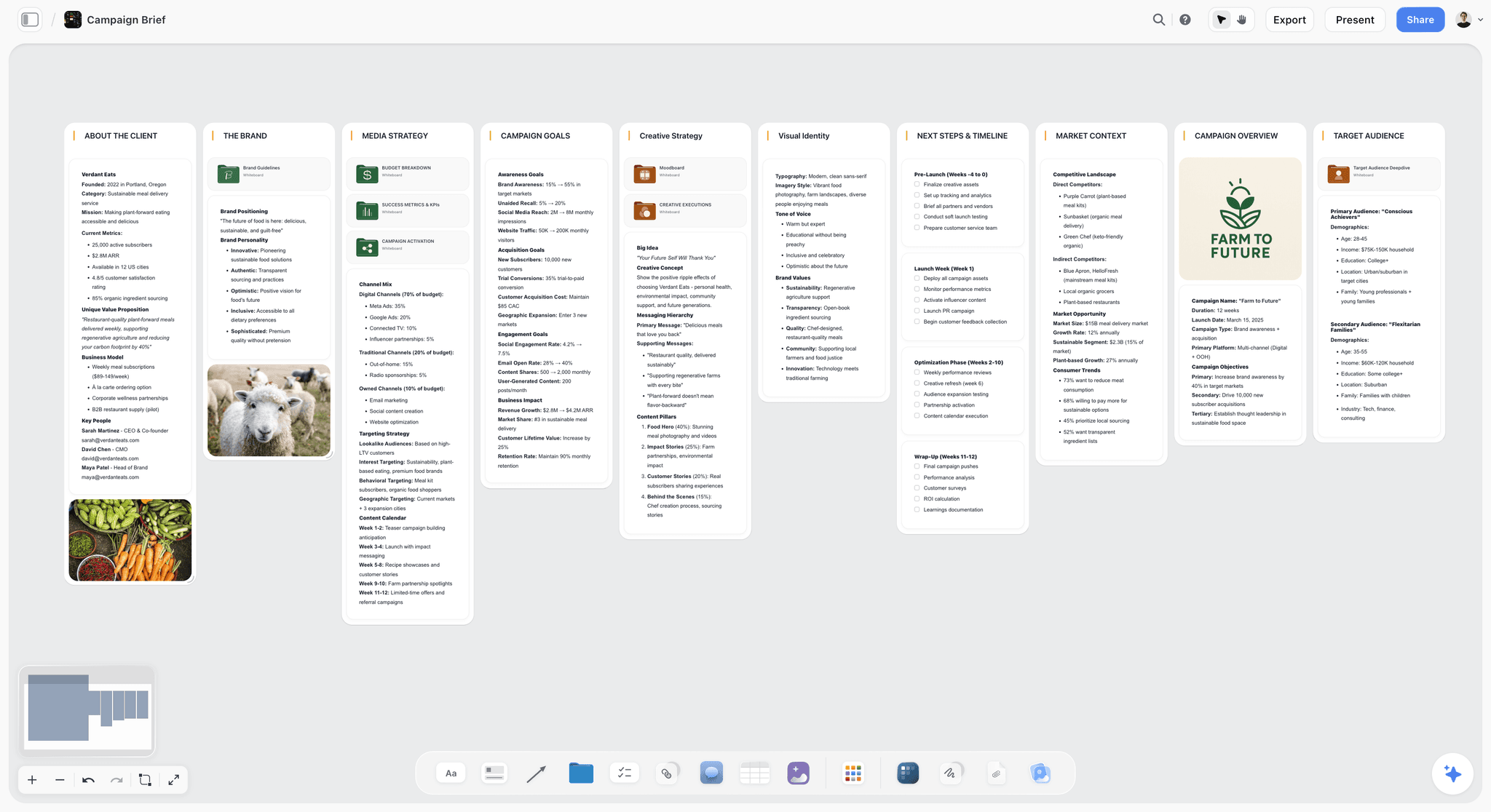
The verdict. The tool for everything decided before the food is cooked, which is where reshoots are prevented.
Best for. Shot lists, styling direction and client approval on one visible surface before the shoot day.
Pricing. Paid-only during early access. Plus is $7.99 per month billed annually or $9.99 monthly. Pro is $14 per month billed annually or $19 monthly, adding AI image generation, roughly twenty times more AI usage and memory across conversations. Max is $39 per month billed annually or $49 monthly. Pricing is flat per account, and anyone a paid member invites to a board joins free. The Free plan launches before the end of 2026.
Why it ranks here, and why second. Capture One protects the food window during the shoot. This protects it beforehand, which is cheaper.
The specific mechanism is a board the client actually approves. Each dish with the reference images agreed, the surface and palette, the angle, the crop ratio the final layout needs, and the props chosen. Sent as a link, commented on, approved. Now the shoot day has no open questions, and the food window is spent shooting rather than discussing.
That matters more here than in other genres because of the asymmetry named above. A discovery at the shoot in portrait work costs a conversation. A discovery here costs the dish, and often the day.
The second use is the layout constraint, which food photographers hit constantly and clients forget to mention. The image is going on a menu at 3:4, or into a hero banner with text over the left third, or onto a square social tile. Marking that on the board before the shoot prevents the specific frustration of a beautiful image that cannot be cropped to the place it is going.
Invited collaborators join free, which for this genre means the stylist, the client and the art director are all in the board without seat decisions.
The AI reads your full active canvas board by default, plus up to one Tactic and up to three Documents you @-mention, useful for turning an approved board into a written shot list and prop list.
Strengths.
- Shot list and references on one surface the client can approve before anything is bought.
- Layout and crop constraints visible before the shoot rather than after.
- Invited collaborators join free, so stylist, client and art director are all in it.
- Flat per-account pricing rather than per seat.
- Canvas-wide AI context for generating shot and prop lists from an approved board.
Limitations.
- Does not process images. No RAW support, no tethering, no colour, no export, no presets, no catalogue.
- No client galleries, no proofing, no delivery, no download tracking.
- No prop inventory with required fields. Airtable does that and this post ranks it fifth for exactly that.
- No invoicing, contracts or usage licensing.
- No mobile capture workflow of any kind.
- Team Workspace with permissions and roles is on Max at $39 per month billed annually.
The trade off. Storyflow is the hour before the shoot and none of the shoot itself. It sits alongside Capture One or Lightroom, never instead of them.
3. Adobe Lightroom
The verdict. The right answer for volume, and the better ecosystem if you work across devices.
Best for. Restaurant menus, recipe libraries and any job measured in hundreds of frames.
Pricing. Photography plan from around $9.99 per month including Photoshop, with higher storage tiers. Verify on adobe.com.
Why it ranks here. Not every food job is a hero shot. A restaurant menu refresh is sixty dishes in a day, and throughput is the constraint rather than per-frame perfection. Lightroom's catalogue, presets and sync across devices make that work faster than Capture One does.
The bundled Photoshop matters here more than in most genres, because food retouching genuinely needs compositing: a crumb moved, a drip cloned, a steam layer from a different frame.
Third because its tethering is meaningfully weaker than Capture One's, and tethering is the food window's protection.
Strengths.
- Excellent catalogue management across a large archive.
- Presets and sync that make volume work fast.
- Photoshop bundled at a low combined price.
- Genuinely good mobile and iPad workflow.
- Ubiquitous, so collaborators and retouchers already know it.
Limitations.
- Tethering is slower and less reliable than Capture One's.
- Subscription only, with no perpetual option.
- Storage costs rise as the archive grows.
- Colour rendering is a matter of preference and many food shooters prefer Capture One's.
The trade off. Volume and mobility here, tethered hero work in Capture One. A number of photographers run both and are not being wasteful.
4. Adobe Photoshop
The verdict. More necessary in this genre than in most, because the perfect plate rarely exists in one frame.
Best for. Compositing, cleanup and the retouching food work routinely requires.
Pricing. Included in the Adobe photography plan from around $9.99 per month. Verify on adobe.com.
Why it ranks here. Food photography composites more than its reputation suggests. The steam from frame twelve, the drip from frame four, the crumb removed, the ice cream that has already collapsed reconstructed from an earlier state.
Fourth because it is downstream: it fixes what the shoot produced rather than protecting any window.
Strengths.
- Compositing and frequency separation for surface work.
- Content-aware tools that handle background cleanup quickly.
- Included in the photography plan.
- Universal, so retouchers can take over a file.
Limitations.
- Subscription only.
- Real learning curve for advanced retouching.
- Hardware demands on large files.
- Encourages fixing in post what should be fixed on set.
The trade off. Learn enough to composite steam and remove a crumb. Beyond that, hire a retoucher.
5. Airtable
The verdict. The only sensible home for props, surfaces and recipes, which nobody tracks and everybody accumulates.
Best for. Prop inventory, surface library, recipe notes and shot status.
Pricing. Free tier with record limits. Team plans from around $20 per seat per month billed annually, and the free tier is usually enough. Verify on airtable.com.
Why it ranks here. Two problems, both real.
The prop inventory: a photograph of every surface, plate and linen with a location and a tag. Sounds fussy until you are choosing surfaces for a shoot and can browse what you own rather than guessing, or until you stop buying a fourth grey slate.
The shot status: each dish with its approval state, whether it was shot, whether it was delivered. On a sixty-dish menu shoot, knowing which four were missed while the kitchen is still open is worth the entire setup.
Fifth because it is administrative, and because photographers reasonably prioritize looking at pictures over building databases.
Strengths.
- Photo-attachment fields make a genuinely browsable prop library.
- Required status fields so missed dishes surface while it still matters.
- Recipe and ingredient notes linked to shots.
- Free tier sufficient for a sole trader.
- Views for the stylist and the client separately.
Limitations.
- Setup effort at a moment when shooting feels more urgent.
- Needs maintenance or it decays.
- Per-seat pricing if a stylist needs edit access.
- Nothing visual in the way a moodboard is.
The trade off. An afternoon that pays back on the first sixty-dish shoot and every studio move thereafter.
6. Milanote
The verdict. A pleasant, quiet home for styling reference.
Best for. Surfaces, palettes, plating styles and visual direction.
Pricing. Free plan capped at 100 notes, images and links across the account. Paid plans from around $12.50 per person per month. Verify on milanote.com.
Why it ranks here. Food styling is reference-driven and Milanote is genuinely lovely for gathering it. Stylists take to it immediately.
Sixth because the 100-item cap arrives fast with food imagery, and because a mood board is not an approved shot list. The distinction matters: a client approving a mood is not a client approving a crop.
Strengths.
- Most intuitive board for visual reference.
- Excellent web clipper.
- Stays readable because it stays sparse.
- Familiar to stylists.
Limitations.
- 100-item free cap across the whole account.
- Per-person pricing.
- No shot list structure or approval state.
- No AI worth using.
The trade off. Good for mood, insufficient for approval. Those are different documents and conflating them is how reshoots happen.
7. Pixieset
The verdict. Clean, professional client delivery at a fair price.
Best for. Delivering galleries clients can view, download and share.
Pricing. Free tier with storage limits. Paid plans from around $8 per month. Verify on pixieset.com.
Why it ranks here. Delivering a folder of files by link is a missed opportunity and looks amateur. A branded gallery with controlled downloads and a clear usage note is a better client experience and a cleaner record of what was delivered.
Seventh because delivery is the end of the job rather than a protection of any window.
Strengths.
- Clean, professional galleries with your branding.
- Download controls and delivery tracking.
- Reasonable pricing including a usable free tier.
- Simple client experience with no accounts required.
Limitations.
- Storage limits on lower tiers.
- Sales features aimed at portrait and wedding work.
- Not an archive.
- Limited customization on cheaper plans.
The trade off. Worth the small monthly cost for how the delivery reads to a client.
8. Pic-Time
The verdict. Pixieset's main rival, stronger on sales, similar on delivery.
Best for. Photographers who want automated sales alongside delivery.
Pricing. Free tier available. Paid plans from around $10 per month. Verify on pic-time.com.
Why it ranks here. Slicker galleries and more sophisticated sales automation than Pixieset, which matters if you sell prints. Most commercial food photographers do not.
Eighth for exactly that reason: the differentiator does not apply to most of this genre's work.
Strengths.
- Attractive gallery design and animations.
- Strong automated sales campaigns.
- Good client experience.
- Competitive pricing.
Limitations.
- Sales focus is largely irrelevant to commercial food work.
- Storage limits by tier.
- Smaller user base than Pixieset.
- Not an archive.
The trade off. Choose on gallery aesthetics if sales do not apply. Either is fine.
9. Notion
The verdict. Where the business lives, which for a sole trader is not a small thing.
Best for. Rates, usage terms, client history and process documentation.
Pricing. Generous free plan for individuals. Paid plans around $10 per user per month billed annually. Verify on notion.so.
Why it ranks here. Usage terms are where commercial photographers lose money, and they are lost by not writing them down. A page per client with what was licensed, for how long, in which territories, and at what rate is genuinely protective.
Ninth because it does not touch the shoot.
Strengths.
- Good for rates, usage and client history.
- Databases for enquiries and bookings.
- Free for individuals.
- Templates for freelance operations.
Limitations.
- Nothing photographic.
- No enforcement for inventory.
- Configuration is a time sink.
- Cloud-dependent.
The trade off. Keep the business here. Keep the pictures elsewhere.
10. Dropbox
The verdict. The delivery and archive layer most clients already expect.
Best for. Large file delivery and long-term archive.
Pricing. Plans from around $11.99 per month for 2TB individual. Verify on dropbox.com.
Why it ranks here. RAW archives are large and clients frequently want full-resolution files, and Dropbox remains the least friction path for both. Its versioning and file recovery have saved a lot of photographers.
Tenth because it is storage, and storage protects no window except the one where you lose everything.
Strengths.
- Reliable sync and sharing with no client friction.
- Version history and file recovery.
- Handles very large files well.
- Universal client familiarity.
Limitations.
- Cost rises with archive size.
- Not a photography tool in any sense.
- No gallery presentation.
- Should not be your only backup.
The trade off. Necessary infrastructure. Pair it with a local backup, always.
11. Canva
The verdict. Fast marketing assets, keeping design work out of your shooting time.
Best for. Social posts, pitch decks and simple client-facing documents.
Pricing. Capable free tier. Paid plans from around $10 per user per month. Verify on canva.com.
Why it ranks here. Food photographers market visually and constantly, and templated social assets from a locked brand kit remove a recurring weekly cost.
Eleventh because it contributes nothing to the craft.
Strengths.
- Fast branded output with no design skill.
- Good free tier.
- Templates for pitch decks and rate cards.
- Bulk creation from a list.
Limitations.
- Visible template aesthetic.
- Nothing photographic.
- Per-user pricing for brand features.
- Quality ceiling.
The trade off. Use it for marketing velocity, never for client deliverables.
What to Actually Pay For
Buy the tethered workflow if you shoot hero food. Capture One is expensive and it is the tool that protects the window measured in minutes. A single prevented reshoot pays for a year.
Get client approval on a visual shot list before anything is bought. This is the cheapest intervention available and it prevents the most expensive failure in the genre, because a reshoot here means new ingredients and a new day.
Photograph your props into a free database. It takes an afternoon, costs nothing, and stops the fourth grey slate.
Choose a perpetual licence where one exists. Freelance income is uneven and losing access to your editing software during a slow quarter is a genuinely bad outcome.
Do not buy sales-oriented gallery tooling for commercial work. Print sales are a portrait and wedding business model. Pay for clean delivery and stop there.
Tools to Avoid for This Job
Shooting untethered on hero work. A three-inch screen will not tell you the focus fell on the rim, and the plate will not wait for you to find out.
A mood board as your approved shot list. A client approving a mood is not a client approving a crop, an angle or a ratio. These are different documents and conflating them is the most common route to a disputed reshoot.
Free cloud storage as your archive. Client files at full resolution outgrow free tiers immediately, and an archive on one service with no local copy is not an archive.
Editing on a phone for client delivery. Mobile editing is genuinely useful for social and genuinely unsuitable for colour-critical commercial work on an uncalibrated screen.
Two catalogues. Running Lightroom and Capture One on the same job splits your edits and your metadata. Pick one per job even if you own both.
What No Tool on This List Does
None of these will style the food.
The gap between a competent food photograph and a good one is almost entirely styling: the choice of the specific plate, the moisture on the herb, the crumb placed rather than fallen, the angle of a fork that reads as human rather than arranged. That is a craft skill held by stylists and by photographers who have spent years learning it, and no software contributes to it. The most common cause of a disappointing food shoot is not equipment; it is that nobody with styling skill was in the room.
None of them will negotiate usage, either. Commercial food photography is licensed, and the difference between a shoot that pays and one that does not is frequently the usage terms rather than the day rate. That is a business conversation, it happens before the job, and photographers who avoid it subsidize their clients for years without noticing.
And none of them will make the food last longer. Every tool here helps you be ready sooner. The plate still has the lifespan it has, and the only real answer is preparation: the light set, the composition locked with a stand-in, the client's questions already answered, so that when the real dish arrives you are photographing rather than deciding.
The Bottom Line
Food photography runs inside three windows that close at different speeds, and the whole craft is arranging your day so the shortest one is never the constraint.
Choose by the window that keeps closing on you. If you keep discovering problems after the shoot, the answer is tethered capture and Capture One is worth its price. If your jobs are sixty dishes and throughput is the issue, Lightroom is the faster tool and you should stop feeling bad about it. If props are eating money invisibly, photograph them into a free database this month.
But if reshoots keep happening because something was not agreed before the food was bought, that is the most expensive failure in the genre and it is entirely preventable an hour before the shoot. That is the narrow case where Storyflow ranks second here, behind Capture One, and it is the only claim this post makes for it.
FAQ: Tools for Food Photographers
What is the best tool for food photography?
Capture One, because tethered capture with real-time evaluation is the only way to protect a shooting window measured in minutes. Pair it with something that gets the shot list approved before the food is bought, which is where Storyflow ranks second here, because a reshoot in this genre costs ingredients and a day rather than an afternoon.
Capture One or Lightroom for food?
Capture One for tethered hero work, where its capture reliability and colour handling justify the price. Lightroom for volume jobs like restaurant menus, where throughput and catalogue management matter more and the bundled Photoshop is genuinely useful for compositing. A number of working photographers own both and use them for different jobs.
Does Storyflow edit photos?
No. Storyflow has no RAW processing, no tethering, no colour tools, no presets, no catalogue, no export and no client galleries. It ranks second on this list for the pre-shoot work: getting a visual shot list with angles, crops and props approved by the client before anything is cooked.
Is Storyflow free for photographers?
Not during early access. Storyflow is paid-only right now, starting at $7.99 per month billed annually on the Plus plan. The Free plan launches before the end of 2026. The genuinely free path today is that anyone a paid member invites to a board joins free, which means the stylist, the client and the art director are all in the shot list for one subscription.
How do I avoid reshoots in food photography?
Get an approved shot list before anything is bought, with the angle, the crop ratio and the props visible per dish. This genre punishes discovery harder than any other, because a missed frame means new ingredients, a new stylist day and a new light window, and clients rarely pay for it. The approval is the protection.
How do I keep track of my props and surfaces?
Photograph them into a database with a location and a tag. Airtable's free tier does this well and takes an afternoon. It stops the recurring purchase of things you already own and makes surface selection a browse rather than a guess, which also speeds up the pre-shoot conversation.
What is the best free tool stack for a food photographer?
Lightroom mobile's free tier for editing on a phone, Airtable's free tier for props and shot status, Pixieset's free tier for delivery, and a shared album for reference. That genuinely works for someone starting out. Storyflow is paid-only during early access, so it does not belong in a free stack today, though invited collaborators join free.
Do I need to shoot tethered?
For hero work, yes, and it is close to the defining workflow of commercial food photography. For volume menu work on location, tethering can slow you down enough to be a net loss. The question is whether your shortest window is the food's or the day's.
How do I handle crops for different layouts?
Establish them before the shoot. Ask which ratios the images are going into, mark them on the shot list, and compose with the tightest one in mind while leaving room for the widest. The specific frustration this prevents is a beautiful frame that cannot be cropped square for the social tile it was always destined for.
Can AI help with food photography?
For planning and admin, modestly. Turning an approved reference board into a written shot and prop list is genuinely useful and tedious by hand. Storyflow's AI reads your full active canvas board plus up to one Tactic and three Documents you @-mention. Generative imagery raises real disclosure questions with commercial clients, and food is a category where authenticity claims carry legal weight in some markets.
How much should a food photographer spend on software?
Between roughly $20 and $50 a month for most sole traders: one editing application, delivery, and free tiers for planning and inventory. The genuinely expensive line is Capture One if you buy it perpetually, and it is the one purchase that most directly protects your shortest window.
How do I price usage?
Separately from the day rate, and in writing before the shoot. Commercial food images are licensed by term, territory and channel, and photographers who quote a day rate without usage terms routinely find images running for years in contexts they never priced. This is a business habit rather than a software problem, and it is the largest single lever on your income.
What is the biggest hidden cost in food photography?
Props and surfaces, followed closely by unbilled reshoots. Both are invisible because neither appears on an invoice: props accumulate a few pounds at a time, and a reshoot you absorbed feels like professionalism rather than a loss. Tracking both for one year is usually a mildly alarming exercise.
What is the single change worth making before the next shoot?
Send the client a visual shot list with the angle and crop ratio marked per dish, and get a written yes. Most disputes in this genre trace to something that was never agreed in a form anybody could point at, and this takes an hour before the food is bought rather than a day after it is wasted.
Table of Contents
- Key Takeaways
- The Three Windows
- At a Glance: The 11 Tools Compared
- How I Ranked These
- Quick Picks by Job Type
- 1. Capture One
- 2. Storyflow
- 3. Adobe Lightroom
- 4. Adobe Photoshop
- 5. Airtable
- 6. Milanote
- 7. Pixieset
- 8. Pic-Time
- 9. Notion
- 10. Dropbox
- 11. Canva
- What to Actually Pay For
- Tools to Avoid for This Job
- What No Tool on This List Does
- The Bottom Line
- FAQ: Tools for Food Photographers
- Related Reading
Templates to check out for this topic


Templates you can use in Storyflow
Every Storyflow board starts from real structure and an AI that reads the whole canvas. Open one of these templates and make it yours.


See Storyflow in Action
A visual AI workspace where every feature lives inside one canvas. No tab-switching, no context lost.
Build your entire board from a single message
Type what you need in the AI chat at the bottom of your canvas. The AI adds cards, headings, and structure directly onto your board.
Use expert frameworks as AI context
Type @ in the AI chat and choose any Tactic. The AI tailors every response to that framework instead of giving generic advice.
Turn your board into a mind map in seconds
Ask the AI to restructure your canvas as a mindmap. It connects your ideas into a visual hierarchy so you can see how everything relates.
Why Storyflow Exists
Storyflow actually began as a personal tool while working on creative and research projects.
We kept running into the same problem: ideas were scattered everywhere: notes, documents, and whiteboards.
Nothing helped us see how everything connected.
So we started building a workspace designed around how ideas actually grow.
→ Read how Storyflow was createdSara de Klein
Head of Product at Storyflow
Published: 2026-08-11
Extremely simple, seriously capable


See how easy it is to get started
Watch a real project come together, from a blank board to a finished plan, clicked through step by step.
Start creating with AI and become more productive
Transform your creative workflow with AI-powered tools. Generate ideas, create content, and boost your productivity in minutes instead of hours.