The 11 Best Service Design Tools in 2026
A service blueprint exists to close three gaps. Most close the first, gesture at the second, and ignore the third. Eleven tools ranked by which they actually close.

Category
UX & Product Design
Author

Sara de Klein
Head of Product at Storyflow
Topics
2026-08-11
•
17 min read
•
UX & Product Design- best service design tools
- best tool for mapping user flows and customer journeys
- service blueprint software 2026
- customer journey mapping tool
- Miro alternatives for service design
- UX research repository
What are the best service design tools in 2026?
The best service design tool is Miro, and this is one of the categories where the obvious answer is also the correct one: a service blueprint is a wide, dense, multi-lane artifact built collaboratively in a room, and Miro is the only tool here that handles all four of those properties at once. Storyflow ranks second for the gap Miro handles worst, which is what happens to the blueprint in the eleven weeks after the workshop. Dovetail is where the research evidence behind the journey belongs. Figma is where the frontstage actually gets designed. This ranking judges all 11 tools on one question: which of the three gaps a blueprint must close does each one actually close.

Full disclosure: Storyflow is our own product and we rank it #2 here, behind Miro, because a service blueprint is a wide collaborative workshop artifact and Miro is better at that in every respect that matters. Storyflow has no blueprint templates, no swimlane structure, no facilitation features, no timers or voting, no research repository, no systems diagramming and no usability testing. It earns second place for one job: keeping a distilled journey legible after the workshop, which is where most service design work quietly dies.
Quick Comparison
These four cover the jobs service design actually splits into: building a wide multi-lane blueprint with non-designers in the room, keeping it readable months later, making every pain point traceable to research, and designing the touchpoints it identifies.
| Tool | Best For | AI Features | Price |
|---|---|---|---|
| Miro | Wide, dense blueprints with real facilitation | Light AI | Free (3 boards) / from ~$8 per member mo |
| Storyflow | The distilled journey everyone can still read in week eleven | Canvas-wide context AI | $7.99 mo annual (free plan late 2026) |
| Dovetail | Research repository with evidence per pain point | Deep AI | Free tier / from ~$30 per seat mo |
| Figma | Frontstage interface design and handoff | Light AI | Free tier / from ~$16 per editor mo |
Key Takeaways
- A service blueprint exists to close three gaps, and most blueprints close the first one, gesture at the second, and ignore the third entirely.
- Gap one: between what the customer experiences and what staff can see. This is the gap blueprinting was invented for and the one it reliably closes.
- Gap two: between the journey you designed and the systems that can actually deliver it. Blueprints routinely specify a moment that four legacy systems make impossible.
- Gap three: between the workshop and next quarter. A blueprint made in a two-day session and never opened again has closed nothing, and this is the most common outcome by a wide margin.
- Miro ranks first because a blueprint is a wide collaborative artifact and nothing else handles width, density and facilitation together.
- Storyflow ranks second for gap three specifically. It has no blueprint templates, no swimlane structure, no facilitation features, no voting and no timers.
- The evidence behind a journey belongs in a research repository, not in sticky notes. A blueprint whose pain points cannot be traced to a specific interview is an opinion with a nice layout.
Make the journey survive past week eleven
A blueprint nobody has opened since March has closed nothing. Storyflow keeps the distilled journey on one canvas the AI can read end to end, priced flat per account so the whole organization can read it without buying seats. Paid-only during early access; the Free plan lands before the end of 2026.

The Three Gaps a Blueprint Must Close
Service design has a credibility problem inside organizations, and it is not because the discipline is weak. It is because the artifact is judged by what it changes, and most blueprints change nothing.
A service blueprint exists to close three gaps, and most blueprints close the first one, gesture at the second, and ignore the third entirely.
Gap one: between what the customer experiences and what staff can see. A customer experiences one continuous journey. The organization experiences eleven disconnected functions, each of which sees a fragment. The person in the contact centre does not know what the website promised, and the person who wrote the website copy has never heard a call. Blueprinting closes this gap well, and the moment in the workshop where a department head sees the whole journey for the first time is real and valuable.
Gap two: between the journey you designed and the systems that can actually deliver it. This is where blueprints quietly fail. The designed journey has a moment where the customer is recognized across channels. Delivering that requires four systems to share an identifier, and two of them are twenty years old and owned by a team that was not in the workshop. The blueprint says it happens. The architecture says it does not. Nobody discovers the contradiction until delivery, at which point the blueprint is quietly abandoned rather than revised.
Gap three: between the workshop and next quarter. The largest failure and the least discussed. A blueprint is made in an intense two-day session, photographed, exported to PDF, and never opened again. Everyone who was in the room retains the insight; nobody who was not gets anything. Eleven weeks later a decision is made that contradicts the blueprint, by somebody who has never seen it, and no one notices.
That third gap is a durability problem rather than a design problem, and it is why so many service designers feel their work evaporates. The blueprint was good. It just had a half-life of nine days.
The tools below are ranked by which gaps they actually close.
At a Glance: The 11 Tools Compared
| Tool | Best for | Gap it closes | Pricing shape |
|---|---|---|---|
Miro | Building the blueprint with the whole organization | One | Per member |
Storyflow | Keeping the journey alive after the workshop | Three | Flat per account |
Dovetail | Evidence behind every pain point | One | Per seat |
Figma | Designing the frontstage the journey specifies | One | Per editor |
FigJam | Lighter blueprint and flow sessions | One | Per editor |
Lucidchart | System and process diagrams that engineers accept | Two | Per user |
Whimsical | Fast user flows and simple journeys | One | Per editor |
Overflow | Turning designed screens into a presentable flow | One | Per editor |
Airtable | Service inventory, owners and system dependencies | Two | Per seat |
Notion | The written service documentation and decisions | Three | Per user |
Maze | Testing whether the redesigned journey works | One | Per seat |
How I Ranked These
I am a documentary maker who has been embedded in two service redesign programmes long enough to watch both blueprints die the same death. This list has been shaped by service designers who reviewed an earlier draft, and where their judgment differed from mine on blueprinting practice I deferred to them.
Every tool below has been used on real service work.
Five criteria, weighted in this order.
1. Can it hold a wide, dense, multi-lane artifact? A service blueprint is genuinely enormous: eight to twelve horizontal lanes across a journey that might have forty touchpoints. Most tools become unusable at that width, and the ones that do not are the only real candidates.
2. Can people who are not designers participate? A blueprint made without the contact centre supervisor and the back-office lead is a designer's guess. If the tool has an adoption barrier, those people will not be in it, and gap one stays open.
3. Does the artifact survive the session? Weighted third and it is the criterion that decides whether the work matters. An artifact nobody opens in week eleven has produced insight for the people in the room and nothing for the organization.
4. Can it be traced to evidence? A pain point with no research behind it is an assertion, and assertions lose arguments with people who have data. The link from a blueprint moment to the interview that produced it is what makes a blueprint defensible.
5. Does it connect to what engineering can actually build? Gap two is closed by the blueprint meeting a systems reality, and tools that produce diagrams engineers accept are doing that work.
Pricing below is as of August 2026. Verify with each vendor.
Quick Picks by Job Type
- Best overall for service design: Miro. Width, density, facilitation and templates in one place, with the whole organization able to participate.
- Best for keeping the journey alive: Storyflow. A durable surface where the journey is still legible in week eleven, with everyone invited joining free.
- Best research repository: Dovetail. Every pain point traceable to the interview that produced it.
- Best for frontstage design: Figma. The screens the journey specifies, in a real design system.
- Best system and process diagrams: Lucidchart. Diagrams engineering will accept and maintain.
- Best fast flows: Whimsical. When you need a user flow in twenty minutes, not a blueprint.
- Best service inventory: Airtable. Touchpoints, owners and system dependencies as records.
- Best validation: Maze. Testing whether the redesigned journey actually works before you build it.
1. Miro
The verdict. The default answer, and in this category the default is correct.
Best for. Building a service blueprint collaboratively with people from across an organization.
Pricing. Free tier capped at three editable boards. Paid plans from around $8 per member per month billed annually, with Business and Enterprise above. Verify on miro.com.
Why it ranks here. A service blueprint has an unusual set of demands and Miro is the only tool that meets all of them simultaneously.
It has to be wide. Twelve lanes across forty touchpoints is not an edge case, it is a normal blueprint, and most canvases become sluggish or unnavigable at that scale. Miro handles it.
It has to be built by non-designers. The value of blueprinting comes from the contact centre supervisor putting a sticky note where the customer actually gets stuck, and that person will not learn a design tool. Miro's floor is low enough that they participate in the first ten minutes.
It has to be facilitated. Two days with eighteen people from six departments is a facilitation problem before it is a design problem. Timers, voting, private mode and breakout frames are not decoration here; private mode in particular stops the most senior person in the room from anchoring everyone else's assessment of where the service fails.
And it has the templates. Service blueprint, journey map, ecosystem map, stakeholder map: the community library is deep, and starting from a structure that has worked elsewhere saves a morning.
Its weakness is precise and worth stating plainly: the blueprint is unreadable to anybody who was not in the room, within about a month. Density that makes sense while you are building it becomes archaeology afterwards, and per-member pricing means the people who most need to read it later are frequently not licensed.
Strengths.
- Handles genuinely wide, dense, multi-lane artifacts without falling over.
- Lowest participation barrier for non-designers in the workshop.
- Best facilitation toolkit available: timers, voting, private mode, breakouts.
- Deepest template library for blueprints, journeys and ecosystem maps.
- Mature integrations with the enterprise stack.
Limitations.
- Boards become unreadable to non-participants quickly, which is gap three unaddressed.
- Per-member pricing, so the stakeholders who need to read the blueprint later often cannot.
- Three-board cap on the free tier, which a real programme exceeds immediately.
- Performance degrades on the densest boards, which is where blueprints live.
- No evidence linking, so pain points float free of research.
The trade off. Buy it for the blueprint. Plan separately for what happens to the blueprint afterwards, because Miro will not solve that and pretending otherwise is why service design work evaporates.
2. Storyflow
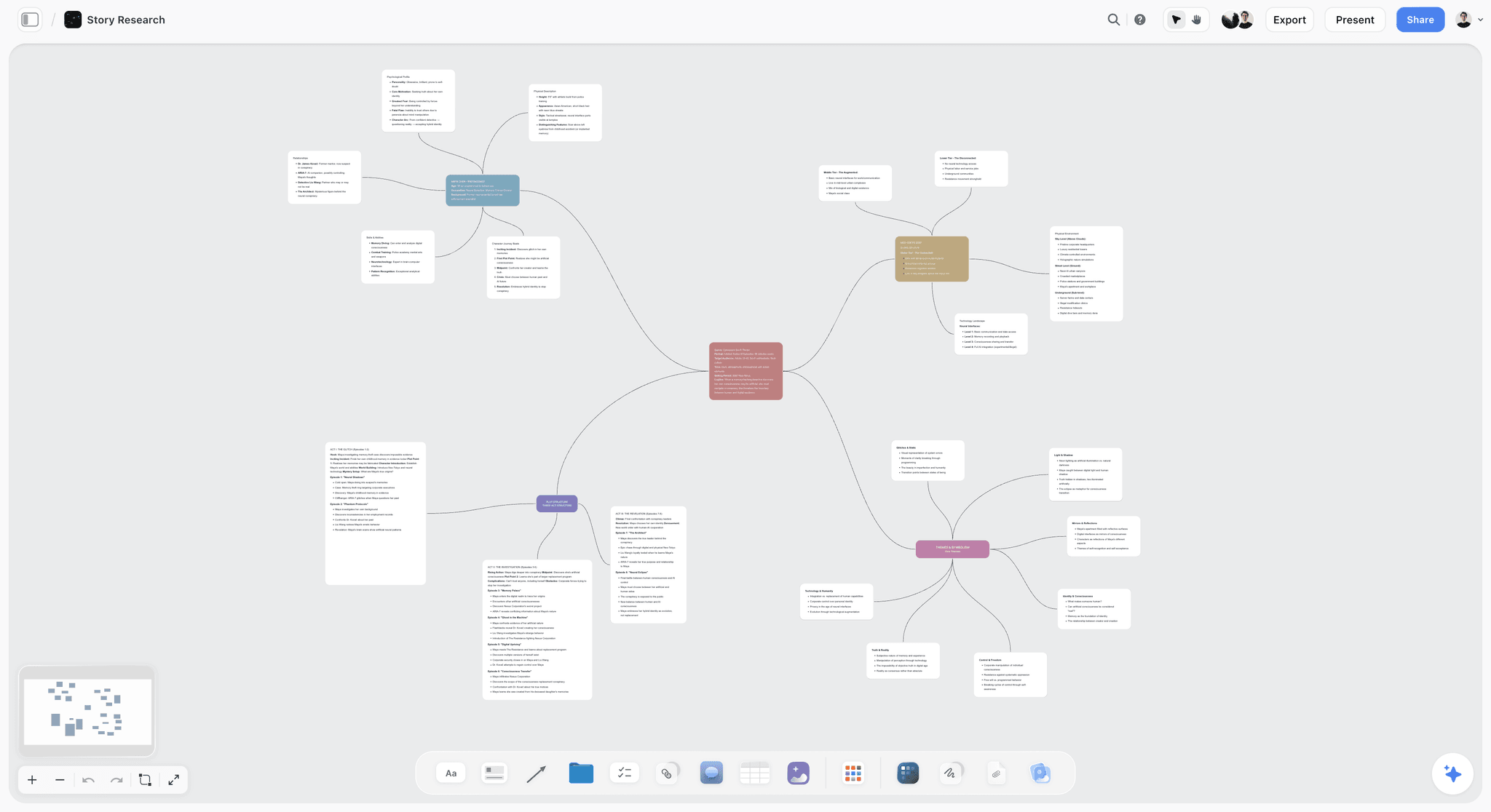
The verdict. The answer to the eleventh week, and not a blueprinting tool.
Best for. Keeping a journey legible and referenced after the workshop ends.
Pricing. Paid-only during early access. Plus is $7.99 per month billed annually or $9.99 monthly. Pro is $14 per month billed annually or $19 monthly, adding AI image generation, roughly twenty times more AI usage and memory across conversations. Max is $39 per month billed annually or $49 monthly and adds the Team Workspace with permissions and roles. Pricing is flat per account rather than per seat, and anyone a paid member invites to a board joins free and can invite others. The Free plan launches before the end of 2026.
Why it ranks here, and why second. Miro is better at making a blueprint and this post is not going to pretend otherwise. What Miro is not built for is the artifact's second life.
The durable version of a journey is not the blueprint. It is a distilled thing: the journey in eight moments rather than forty touchpoints, each with the single sentence about what the customer is trying to do, the evidence that they struggle, and the decision that was made about it. That artifact is readable in week eleven by a product manager who was not in the workshop, and it is the thing that stops a contradicting decision being made in ignorance.
Storyflow holds that well for two reasons. The canvas keeps the spatial sequence, so the journey still reads as a journey rather than as a list. And the pricing is flat per account with invited collaborators joining free, which means the twenty-six people who should be able to read it can, without a licence conversation. On a per-member tool, the readership of a blueprint is exactly the set of people someone was willing to buy seats for, which is usually the design team.
The AI reads your full active canvas board by default, plus up to one Tactic and up to three Documents you @-mention, which is useful for producing a summary of a journey board for a steering group without rewriting it by hand.
Strengths.
- Keeps a distilled journey legible months after the workshop, which is where service design work usually dies.
- Flat per-account pricing and free invited collaborators, so the whole organization can read it.
- Spatial sequence preserved, so a journey still reads as a journey.
- Canvas-wide AI context for summarizing a journey for stakeholders.
- Rejected options can stay visible, which prevents re-litigating settled decisions.
Limitations.
- No service blueprint templates and no swimlane structure. You are building the lanes by hand and it will be worse than Miro's.
- No facilitation features: no timers, no voting, no private mode, no breakouts. It is a poor workshop tool.
- No research repository, no evidence tagging, no interview transcripts.
- No diagramming for systems or process flows, and nothing engineering will accept as a technical artifact.
- No usability testing or validation of any kind.
- Team Workspace with permissions and roles is on Max at $39 per month billed annually.
The trade off. Run the workshop in Miro and keep the distilled journey somewhere everyone can read it. That is a two-tool answer and it is the honest one.
3. Dovetail
The verdict. The tool that makes a blueprint defensible rather than merely persuasive.
Best for. Storing research and linking every pain point to the evidence behind it.
Pricing. Free tier with limits. Paid plans from around $30 per seat per month. Verify on dovetailapp.com.
Why it ranks here. A blueprint's pain points are its argument, and an argument without evidence loses to whoever has a dashboard. Dovetail holds interviews, transcripts and observations, tags them, and lets you point at eleven specific customers who hit the same wall.
That traceability changes the political weight of the artifact. "Customers find this confusing" is an opinion. "Eleven of nineteen participants could not complete this step, here are the clips" is a finding, and findings survive meetings that opinions do not.
Third because it holds the evidence and not the journey, and because per-seat pricing at this level means it is a research team tool rather than an organizational one.
Strengths.
- Central repository for interviews, transcripts and observations.
- Tagging and analysis that surfaces patterns across many sessions.
- Highlight reels, which are disproportionately persuasive with executives.
- AI-assisted transcription and thematic clustering.
- Makes research findable years later, which is rare.
Limitations.
- Expensive per seat, so it stays inside the research function.
- Not a blueprinting or journey tool.
- Requires research discipline to be worth it.
- Overkill for teams doing occasional research.
The trade off. If your blueprints lose arguments, this is the fix, and it is a bigger fix than any canvas.
4. Figma
The verdict. Where the frontstage actually gets designed, downstream of the blueprint.
Best for. Interface design for the touchpoints the journey specifies.
Pricing. Free tier for limited files. Paid plans from around $16 per full editor per month billed annually. Verify on figma.com.
Why it ranks here. A blueprint identifies that the confirmation step fails. Somebody then has to design a confirmation step, in a real design system, that engineering can build. That is Figma, and there is no serious competition.
Fourth because it is downstream. Figma is not where a journey is understood, it is where a fragment of it is resolved.
Strengths.
- The standard for interface design with components and variables.
- Excellent handoff to engineering.
- Strong collaboration and commenting.
- FigJam included for lighter sessions.
- Prototyping good enough for real validation.
Limitations.
- Per-editor pricing that adds up across a programme.
- Not a service-level tool.
- Requires design skill.
- Poor for wide multi-lane artifacts.
The trade off. Essential for the frontstage, irrelevant to the service.
5. FigJam
The verdict. The lighter session tool, and a genuine Miro alternative for smaller blueprints.
Best for. Journey mapping and flow sessions with a small group.
Pricing. Free tier that is usable. FigJam seats from around $5 per editor per month billed annually, included with Figma plans. Verify on figma.com.
Why it ranks here. For a team already on Figma running a journey session with eight people, FigJam is cheaper, faster to open, and adjacent to the design work. Its free tier is more generous than Miro's for small teams.
Fifth because at genuine blueprint width and density it is weaker than Miro, and its facilitation toolkit is thinner.
Strengths.
- Cheap or included with existing Figma plans.
- Fast, light and easy for non-designers.
- Adjacent to where the frontstage design happens.
- Better free tier than Miro for small teams.
Limitations.
- Weaker at very wide, dense blueprints.
- Thinner facilitation than Miro.
- Smaller template library for service design specifically.
- Same post-workshop legibility problem.
The trade off. If you are already paying for Figma and your blueprints are modest, this saves a vendor.
6. Lucidchart
The verdict. The tool that closes gap two, because engineers will actually accept its output.
Best for. System diagrams, process flows and the technical reality behind the journey.
Pricing. Free tier with limits. Paid plans from around $9 per user per month. Verify on lucid.co.
Why it ranks here. Gap two is closed when the designed journey meets a diagram of the systems that must deliver it, drawn in a form the architecture team recognizes. Lucidchart produces those: swimlane process diagrams, system architecture, data flows, with shape libraries engineers expect and versioning that survives.
Sixth because it is a diagramming tool rather than a design one, and because service designers rarely own the systems diagram themselves.
Strengths.
- Diagrams engineering and architecture teams accept and maintain.
- Strong swimlane process modelling.
- Data linking so diagrams update from a source.
- Good enterprise governance and integrations.
Limitations.
- Structured rather than freeform, which resists workshop use.
- Per-user pricing.
- Weak as a collaborative ideation surface.
- Not a journey or research tool.
The trade off. Bring it to the meeting where the journey meets the architecture. That meeting is the one most programmes skip.
7. Whimsical
The verdict. The fastest route to a clean user flow, and honest about its scope.
Best for. User flows and simple journey diagrams, quickly.
Pricing. Free tier with item limits. Paid plans from around $10 per editor per month. Verify on whimsical.com.
Why it ranks here. Sometimes you do not need a blueprint, you need a user flow by lunchtime that a product manager can read. Whimsical does that faster than anything here, with opinionated defaults that make output look competent without effort.
Seventh because it is deliberately limited. It will not hold a twelve-lane blueprint and does not try.
Strengths.
- Fastest tool here for a clean flow diagram.
- Opinionated styling that produces tidy output automatically.
- Genuinely useful free tier.
- Wireframes and flowcharts in one product.
Limitations.
- Not built for service blueprints.
- Item limits on the free tier.
- Limited facilitation.
- Less flexible than a true canvas.
The trade off. Correct for flows, wrong for services.
8. Overflow
The verdict. A narrow tool that solves the presentation problem well.
Best for. Turning designed screens into a walkable, presentable flow for stakeholders.
Pricing. Free tier with limits. Paid plans from around $12 per editor per month billed annually. Verify on overflow.io.
Why it ranks here. Presenting a redesigned journey to executives is a specific job, and screenshots in slides do it badly. Overflow imports designs and produces a connected, navigable flow you can present and share.
Eighth because it is one narrow job and many teams do it adequately in Figma.
Strengths.
- Purpose-built for presenting flows to non-designers.
- Imports directly from Figma and Sketch.
- Presentation mode that walks a stakeholder through a journey.
- Shareable interactive flows.
Limitations.
- Very narrow scope.
- Requires designs to already exist.
- Additional per-editor cost for a presentation layer.
- Overlaps with what Figma can do adequately.
The trade off. Worth it if stakeholder presentations are a recurring pain. Otherwise, Figma.
9. Airtable
The verdict. The service inventory, which is the unglamorous half of gap two.
Best for. Touchpoints, channel owners, system dependencies and their status.
Pricing. Free tier with record limits. Team plans from around $20 per seat per month billed annually. Verify on airtable.com.
Why it ranks here. Behind every blueprint there should be a list: every touchpoint, who owns it, which system serves it, and whether that system can do what the journey requires. That is a database with required fields, and building it usually reveals gap two before delivery does.
Ninth because it is infrastructure and produces no insight by itself.
Strengths.
- Required fields and linked records across touchpoints, owners and systems.
- Views that let each function see its own slice.
- Automations for chasing owners.
- Cheap and quick to stand up.
Limitations.
- Nothing visual or spatial.
- Needs an owner.
- Per-seat pricing.
- No research or design capability.
The trade off. A half-day of setup that surfaces system constraints months before delivery would.
10. Notion
The verdict. Where the decisions should be written down, which nobody does.
Best for. Service documentation, decision records and programme context.
Pricing. Generous free plan for individuals. Paid plans around $10 per user per month billed annually. Verify on notion.so.
Why it ranks here. Gap three is partly a documentation problem. A page per journey moment recording what was decided, why, and what was rejected is unglamorous and is the thing that stops a decision being reversed in ignorance nine months later.
Tenth because a journey is not a document, and putting one in Notion destroys the sequence that made it legible.
Strengths.
- Good for decision records and written service documentation.
- Databases for a light programme tracker.
- Familiar across most organizations.
- Strong free tier.
Limitations.
- Everything becomes a document, including the journey.
- No spatial or visual capability.
- Per-user pricing with guest limits.
- Configuration is a time sink.
The trade off. Decisions here, journey somewhere spatial.
11. Maze
The verdict. The tool that tells you whether the redesign actually worked, which almost nobody checks.
Best for. Unmoderated testing of a redesigned journey before it is built.
Pricing. Free tier with limits. Paid plans from around $99 per month for teams. Verify on maze.co.
Why it ranks here. A blueprint asserts that the new journey is better. Maze tests that assertion against real users on a prototype, with completion rates and heatmaps, before engineering spends a quarter.
Eleventh on a service design list because it validates a fragment rather than a service, and because its pricing puts it out of reach for small teams.
Strengths.
- Fast unmoderated testing against prototypes.
- Quantitative completion and misclick data.
- Integrates with Figma prototypes directly.
- Turns design opinions into numbers.
Limitations.
- Tests screens, not services.
- Team pricing is steep for occasional use.
- Unmoderated testing misses the why.
- Requires a prototype to exist.
The trade off. Validate the frontstage here. The service-level question stays unanswered.
What to Actually Pay For
Pay for the workshop tool, and accept it is not the durable one. Miro is worth its price for the two days that close gap one. Budget separately for what the artifact becomes afterwards.
Pay for the research repository if your blueprints lose arguments. Traceability from pain point to evidence changes the political weight of the work more than any visual improvement.
Spend almost nothing on the durable journey, but do it deliberately. A distilled eight-moment journey readable by anyone in the organization costs under $10 a month and is the difference between work that persists and work that evaporates.
Build the service inventory before you need it. Touchpoints, owners and system dependencies in a database will surface gap two months before delivery does, and it costs an afternoon.
Do not buy validation tooling until you have something to validate. Maze is excellent and it is a later-stage purchase.
Tools to Avoid for This Job
Slides as the blueprint. A blueprint chopped into slide-sized fragments loses the property that made it valuable, which is that you can see the whole journey at once and follow a lane across it.
A blueprint with no evidence links. Pain points that cannot be traced to a specific research session are assertions, and they lose to anyone holding a dashboard. This is the most common reason service design work is overruled.
Per-seat tools as the home of an organization-wide artifact. If reading the blueprint requires a licence, its readership is the set of people someone bought seats for, which is your own team, which means gap one is only closed for people who were already in the room.
Journey maps without a backstage. A customer journey without the organizational lanes underneath is a persona exercise. The backstage is where the causes live, and the causes are what you can actually change.
Two blueprints. The workshop artifact and the distilled artifact are different things and that is fine. Two competing full blueprints in different tools guarantees they diverge and neither is trusted.
What No Tool on This List Does
None of these will give you the authority to change the service.
This is the discipline's central frustration and it is organizational rather than methodological. The blueprint identifies that the failure happens between two departments, neither of which owns the customer's experience of the join. Fixing it requires somebody with authority over both to decide it matters. Service designers frequently have the diagnosis and no mandate, and no software grants a mandate. The tools that help most are the ones that make the evidence undeniable, which is why the research repository ranks as highly as it does here.
None of them will keep the journey true, either. Services drift. A step gets added for a compliance reason, a vendor changes, a policy is updated, and after eighteen months the blueprint describes a service that no longer exists. Nobody's job description includes maintaining it, so nobody does, and the artifact becomes actively misleading. The only real answer is a named owner and a scheduled review, which is a governance decision.
And none of them will tell you whether the service is worth delivering at all. Blueprinting assumes the service should exist and asks how it should work. The prior question, whether this is a thing the organization should be doing, sits above the discipline and is answered elsewhere, usually badly.
The Bottom Line
A service blueprint exists to close three gaps, and most blueprints close the first one, gesture at the second, and ignore the third entirely.
Choose by the gap that keeps defeating you. If departments genuinely cannot see the whole journey, Miro's workshop is worth every hour and the facilitation tools are not optional. If your blueprints lose arguments to people with dashboards, buy a research repository and make every pain point traceable. If delivery keeps discovering that the designed journey is technically impossible, build the service inventory and hold the architecture meeting early.
But if the recurring experience is a good blueprint that nobody has opened since March, that is gap three, and it is a durability problem rather than a design one. That is the narrow case where Storyflow earns second place here, behind Miro, and it is the only claim this post makes for it.
FAQ: Service Design Tools
What is the best tool for service design?
Miro, because a service blueprint is a wide, dense, multi-lane artifact built collaboratively with people who are not designers, and nothing else handles all of those at once. Pair it with something durable for the distilled journey afterwards, because a Miro blueprint is unreadable to non-participants within about a month, and that is where most service design work quietly dies.
What is the best tool for mapping user flows and customer journeys?
For a quick user flow, Whimsical is the fastest and produces tidy output automatically. For a full customer journey with backstage lanes, Miro. For a journey that needs to stay readable by the whole organization for months afterwards, a durable canvas such as Storyflow, priced flat so everyone can be invited without seats.
Does Storyflow have service blueprint templates?
No. Storyflow has no blueprint templates, no swimlane structure, no facilitation features, no timers or voting, no research repository and no systems diagramming. It ranks second on this list for one job: keeping a distilled journey legible and referenced after the workshop, when the Miro board has become archaeology.
Is Storyflow free for design teams?
Not during early access. Storyflow is paid-only right now, starting at $7.99 per month billed annually on the Plus plan. The Free plan launches before the end of 2026. The genuinely free path today is that anyone a paid member invites to a board joins free and can invite others, which is the specific property that lets an organization-wide artifact actually be read organization-wide.
Why do service blueprints get ignored after the workshop?
Two reasons, both structural. The artifact is dense in a way that only makes sense to people who watched it being built, so it is unreadable to anyone else within weeks. And per-seat pricing usually means the people who would need to read it do not have access. The fix is a distilled version, eight moments rather than forty touchpoints, somewhere everybody can open it.
Miro or FigJam for service design?
Miro for genuine blueprints: wider, denser, better facilitation and a far deeper service design template library. FigJam if you already pay for Figma, your sessions are modest in scale, and you want to stay in one vendor. FigJam's free tier is also more usable than Miro's three-board cap.
How do I make a blueprint that survives an argument?
Link every pain point to specific research evidence. "Customers find this confusing" loses to anybody with a dashboard; "eleven of nineteen participants failed this step, here are the clips" does not. A research repository such as Dovetail is a bigger upgrade to your blueprint's political weight than any improvement to its layout.
What is the best free service design tool stack?
FigJam's free tier for sessions, Whimsical's free tier for flows, Airtable's free tier for the service inventory, and Notion's free plan for decision records. That combination genuinely works for a small team. Storyflow is paid-only during early access, so it does not belong in a free stack today, though invited collaborators join free.
How do I close the gap between the journey and the systems?
Build the service inventory early: every touchpoint, its owner, the system that serves it, and whether that system can do what the journey requires. Then hold one meeting where the journey meets the architecture diagram, with the people who own the legacy systems in the room. Most programmes skip that meeting and discover the constraint during delivery.
How detailed should a service blueprint be?
Detailed enough in the workshop to expose the failures, and much less detailed afterwards. Those are different artifacts and trying to make one serve both is the reason blueprints become unreadable. Build wide and dense in the session, then distil to the eight moments that matter for everything that follows.
Can AI help with service design?
For synthesis, meaningfully. Clustering research findings, drafting a journey summary for a steering group, and turning a dense board into something readable are all genuinely tedious by hand. Storyflow's AI reads your full active canvas board plus up to one Tactic and three Documents you @-mention. For the design judgment and the organizational politics, it contributes nothing.
Who should own the blueprint after the workshop?
A named person with a scheduled review, and it should not be the agency or the consultant. Services drift, and after eighteen months an unmaintained blueprint describes something that no longer exists, which is worse than having none. The review cadence matters more than the tool.
How much should a service design tool stack cost?
For a team of five: a workshop canvas at roughly $40 per month, a durable canvas at under $10, a service inventory at $20 to $100, and a research repository from about $30 per seat if you do enough research to justify it. The expensive item is the research repository, and it is also the one that most changes whether your work gets acted on.
What is the single change worth making on the next project?
Produce a one-screen distilled journey the week after the workshop and send it to everyone who was not in the room. Most service designers have never done this, and it is the cheapest available intervention against the failure that costs the discipline most.
Table of Contents
- Key Takeaways
- The Three Gaps a Blueprint Must Close
- At a Glance: The 11 Tools Compared
- How I Ranked These
- Quick Picks by Job Type
- 1. Miro
- 2. Storyflow
- 3. Dovetail
- 4. Figma
- 5. FigJam
- 6. Lucidchart
- 7. Whimsical
- 8. Overflow
- 9. Airtable
- 10. Notion
- 11. Maze
- What to Actually Pay For
- Tools to Avoid for This Job
- What No Tool on This List Does
- The Bottom Line
- FAQ: Service Design Tools
- Related Reading
Templates to check out for this topic


Templates you can use in Storyflow
Every Storyflow board starts from real structure and an AI that reads the whole canvas. Open one of these templates and make it yours.


See Storyflow in Action
A visual AI workspace where every feature lives inside one canvas. No tab-switching, no context lost.
Build your entire board from a single message
Type what you need in the AI chat at the bottom of your canvas. The AI adds cards, headings, and structure directly onto your board.
Use expert frameworks as AI context
Type @ in the AI chat and choose any Tactic. The AI tailors every response to that framework instead of giving generic advice.
Turn your board into a mind map in seconds
Ask the AI to restructure your canvas as a mindmap. It connects your ideas into a visual hierarchy so you can see how everything relates.
Why Storyflow Exists
Storyflow actually began as a personal tool while working on creative and research projects.
We kept running into the same problem: ideas were scattered everywhere: notes, documents, and whiteboards.
Nothing helped us see how everything connected.
So we started building a workspace designed around how ideas actually grow.
→ Read how Storyflow was createdSara de Klein
Head of Product at Storyflow
Published: 2026-08-11
Extremely simple, seriously capable


See how easy it is to get started
Watch a real project come together, from a blank board to a finished plan, clicked through step by step.
Start creating with AI and become more productive
Transform your creative workflow with AI-powered tools. Generate ideas, create content, and boost your productivity in minutes instead of hours.