The 11 Best Script Planning Tools in 2026 (We Tested Them All)
A script is not a document. It is a set of instructions for a mouth. Eleven tools ranked by whether they close the gap between how a script reads on the page and how it sounds in the ear.

Category
Writing
Author

Sara de Klein
Head of Product at Storyflow
Topics
2026-08-12
•
17 min read
•
Writing- best script planning tools
- video script software 2026
- how many words is a 10 minute script
- script runtime estimate
- Final Draft alternatives
- Descript for scripts
What are the best script planning tools in 2026?
A script is not a document. It is a set of instructions for a mouth. Eleven tools ranked by whether they close the gap between how a script reads on the page and how it sounds in the ear.
Full disclosure: Storyflow is our own product and we rank it #7 here, below six tools we do not make, because this is not a scripting tool. It has no scripting mode and no script formatting, no teleprompter, no timing estimate, no word count against runtime, no screenplay layout, no revision-mode pages and no read-back. It addresses none of this article's primary criterion, which is closing the gap between how a script reads and how it sounds. Descript ranks first because it collapses script and audio into one artifact, Google Docs is free and is where scripts actually get written, Final Draft is mandatory for anything going to a production, and simply reading the script aloud with a stopwatch outperforms most paid tools here at no cost. Storyflow earns seventh for the stage before the draft only: deciding what the script is arguing and what shape delivers it. It is also cloud-only, paid-only during early access, and has no version or approval state for formal review cycles. We link to every tool so you can judge the fit yourself.
Quick Comparison
These four cover what script work actually requires: hearing the words before you commit to them, a comfortable place to draft, the industry format when the script leaves your hands, and a way to force delivery at real speed so unsayable sentences reveal themselves.
| Tool | Best For | AI Features | Price |
|---|---|---|---|
| Descript | Script and audio as one editable artifact | Transcription, synthetic voice, filler removal | Free tier / from ~$12 user mo |
| Google Docs | Drafting, comments and version history | Light Gemini assistance | Free with Workspace |
| Final Draft | Industry screenplay formatting | None core | One-time, around $250 |
| A teleprompter app | Reading at delivery speed to find the stumbles | None | Free tier / from ~$10 mo |
Key Takeaways
- A script is not a document. It is a set of instructions for a mouth.
- Every script exists in two forms that drift apart: how it reads on the page and how it sounds in the ear. The gap is invisible until somebody says it out loud, which is why so many well-written scripts perform badly.
- Word count is not runtime. Conversational delivery runs roughly 130 to 150 words a minute, and a script that looks like eight minutes is routinely twelve.
- Descript ranks first because it is the only tool here that closes the page-and-ear gap cheaply, by letting you hear the script and edit it as one artifact.
- Storyflow is our own product and it ranks seventh. It writes no scripts, has no teleprompter, and cannot tell you a runtime.
Decide the shape before you start typing
A script whose structure was settled before drafting is faster to write and needs fewer revisions. Storyflow's AI reads the whole canvas, so you can work out what the script is arguing and what sequence delivers it. It writes no scripts, has no teleprompter and cannot tell you a runtime, so the draft belongs in Docs or Final Draft. Paid-only during early access; the Free plan lands before the end of 2026.

The Page and the Ear
A script has two lives and they are not the same document.
On the page, a script is prose. It can be scanned, revised, commented on, and made elegant. Everything a good writer knows applies: precise vocabulary, varied sentence construction, subordinate clauses that carry nuance, a well-placed semicolon.
In the ear, a script is sound arriving in time, one word after another, with no ability to go back. The listener cannot re-read a sentence they lost. They cannot check what the pronoun referred to. They have one pass.
Almost everything that improves a script on the page makes it worse in the ear. A sentence with three subordinate clauses reads as sophisticated and lands as confusing. A precise but uncommon word reads as exact and stops a listener for half a second, which is long enough to lose the next sentence. Elegant construction reads well and sounds written, and sounding written is the specific quality that makes an audience feel talked at.
A script is not a document. It is a set of instructions for a mouth.
The gap is genuinely invisible on the page, which is what makes it dangerous. You cannot proofread your way to knowing how something sounds, because you read it in your own head at your own pace with all the emphasis correct by default. The writer is the one person who cannot hear the problem.
Which means the highest-leverage act in script work is not writing or revising. It is reading it aloud, timed, before you shoot. That single loop catches the tongue-twisters, the sentences that run out of breath, the paragraph that made sense while typing and does not survive being spoken, and the runtime that is fifty percent over.
Almost nobody does it, because it feels redundant when the document looks finished. The tools that rank highest below are the ones that make that loop cheap enough to actually happen.
At a Glance: The 11 Tools Compared
| Tool | Closes the page-ear gap | Gives a real runtime | Price |
|---|---|---|---|
Descript | Yes, script and audio are one artifact | Yes, exact | Free tier / from ~$12 user mo |
Google Docs | No, but it is where scripts live | No | Free with Workspace |
Final Draft | Partly, page-per-minute convention | Approximately, for screen | One-time, around $250 |
A teleprompter app | Yes, forces delivery at speed | Yes, by timing the read | Free tier / from ~$10 mo |
Notion | No | No | Free tier / from ~$10 mo annual |
ChatGPT or Claude | Partly, as a revision pass | Estimates only | Free tier / from ~$20 mo |
Storyflow | No, it is pre-script | No | $7.99 mo annual (free plan late 2026) |
Celtx | Partly, within its own chain | Approximately | Free tier / paid above |
Scrivener | No, built for prose | No | One-time, around $60 |
Hemingway | Page-side only, and can mislead | No | Free web / one-time desktop |
Reading it aloud with a timer | Completely | Exactly | Free |
Prices are the publicly listed rates at the time of writing and change often. Check before committing.
How I Ranked These
Seven of these (Descript, Google Docs, Final Draft, Notion, ChatGPT, Storyflow, reading aloud with a timer) I have used on scripts that were actually performed, which is the only way the page-ear gap becomes obvious. Teleprompter apps, Celtx, Scrivener, and Hemingway I evaluated hands-on against the same criteria. Where a claim rests on documentation rather than my own use, the review says so.
Five criteria, in this order:
- Does it let you hear it. Whether the tool closes the gap between the written and spoken form, cheaply and repeatedly. Weighted highest because it is the failure nothing else catches.
- Runtime honesty. Whether the tool tells you the real length rather than a word-count guess.
- Revision speed. How fast a change moves from decision to updated script, since scripts get revised far more than they get written.
- Format compliance. For anything going to a production, industry formatting is a requirement rather than a preference.
- Honest cost for the volume you actually write. A weekly creator and a feature writer have different maths.
Deliberately not weighted: AI generation of script prose. It produces the statistical middle of what already exists, and the middle sounds like everything else, which is the exact failure this article is about.
Word Count Is Not Runtime
This deserves its own section because it causes more re-shoots and more brutal edits than any other planning error, and it is trivially avoidable.
The common rule of thumb is 150 words per minute. It is roughly right for a brisk, informational read and wrong for almost everything else. Conversational delivery with natural pauses runs closer to 130. Anything with emphasis, comic timing, or emotional weight runs slower still, sometimes 100 or below. A script with visual demonstrations has pauses that no word count sees at all.
So a 1,200-word script is somewhere between eight and twelve minutes depending entirely on how it is performed, and the difference between those two numbers is the difference between a video that fits its promise and one that sags.
Three things follow, and they cost nothing.
Time the read, do not calculate it. Read the script aloud at performance pace with a stopwatch. The number you get is the only real one, and it is usually a surprise the first few times.
Time it before you shoot, not after. Discovering the overrun in the edit means cutting material you paid to produce, and the cuts are made under time pressure by somebody protecting their own work.
Build the pauses into the script. If the delivery has a beat after a punchline or a demonstration, mark it. Unmarked pauses are the largest source of the gap between the estimate and the reality.
Screenwriters have the page-per-minute convention, which is more reliable because standard screenplay formatting is fixed, and it still drifts on dialogue-heavy or action-heavy pages. For anything not in screenplay format, word count estimates are close to worthless.
Quick Picks by Situation
- Best overall script tool: Descript, because hearing the script is the thing, and it makes that free after the first take.
- Best place to write: Google Docs, still, and it costs nothing.
- Best for screen work: Final Draft, because industry formatting is not optional.
- Best cheap read-aloud loop: A teleprompter app, which forces you to deliver at real speed.
- Best revision partner: Claude or ChatGPT, used to shorten and simplify rather than to generate.
- Best structural thinking before drafting: Storyflow, our own product, ranked seventh and not a scripting tool.
- Best free method: Read it aloud with a stopwatch. It outperforms most purchases here.
- Most overrated: Readability scorers, for reasons in their review.
1. Descript
Descript ranks first because it is the only tool here that structurally collapses the page and the ear into one artifact.
You record, it transcribes, and then the transcript is the timeline. Editing the words edits the audio and video. The consequence for script work is that the script stops being a prediction of the finished thing and becomes the finished thing, so the gap this article is about closes by construction rather than by discipline.
Two specific capabilities matter for planning. Overdub and synthetic voice playback let you hear a draft spoken before you have recorded anything, which is a genuine read-aloud loop at near-zero cost and catches the unsayable sentences early. And once a rough take exists, the exact runtime is a fact rather than an estimate, and cutting to length is deleting words rather than scrubbing a waveform.
Filler removal, studio sound, and multitrack handling all reduce the per-script production cost, which matters for anyone writing weekly.
Against it: it is not a writing environment, and drafting from scratch in it is uncomfortable compared to a document. It has no screenplay formatting, so it is wrong for anything going to a film production. The synthetic voice is a diagnostic rather than a performance, and judging comic timing from it will mislead you. And it is a subscription with real cost at volume.
For scripted video, explainer, and podcast work, this is the tool that most directly attacks the failure that matters.
Pricing: Free tier. Paid from around $12/user/month.
2. Google Docs
Most scripts are written in Google Docs, including a large share of professional ones, and it ranks second because it does the writing job well and gets out of the way.
Free, universally openable, comments that collaborators and clients understand, automatic version history, and offline access. A two-column table for visuals and audio takes a minute to set up and covers the majority of non-screenplay video scripting. Suggestion mode is genuinely good for a producer's pass.
It does nothing at all for the ear. It will not read the script back, it will not time it, and its word count is the misleading number discussed above. It also has no format enforcement, so scripts drift into inconsistent layouts across a team.
The reliable pattern is to write here and close the loop somewhere else, which for most people means reading it aloud with a timer before shooting.
Pricing: Free with a Google account.
3. Final Draft
For anything going to a film or television production, Final Draft is a requirement rather than a preference, because standard formatting is how the entire industry estimates, schedules, and budgets.
The page-per-minute convention is the most reliable runtime proxy on this list, and it works because the format is rigid: margins, font, and spacing are fixed, so a page is a meaningful unit. It drifts on dialogue-heavy and action-heavy pages, and it is still far better than a word count.
Beat Board and Story Map cover structural work in the same file as the draft, revision-mode coloured pages handle the production reality of changes after lock, and the collaboration features are built for how writing rooms actually work.
Against it: it is expensive at around $250, the interface is dated, and for a YouTube script or a corporate explainer the screenplay format is actively wrong. Buy it if your scripts go to a set, and not otherwise.
Pricing: One-time, around $250, upgrades priced separately.
4. A Teleprompter App
Teleprompter apps rank fourth for a reason that has little to do with their intended purpose: loading a draft into a prompter and reading it at delivery speed is the cheapest complete version of the read-aloud test.
The prompter enforces the thing willpower does not. You cannot skim, you cannot silently correct a clumsy sentence, and you cannot mentally insert a pause that is not written. Sentences that do not work reveal themselves within seconds, because you physically stumble on them. The scroll speed also gives you a real runtime.
Most also record, so the loop from draft to hearing it is one action.
They contribute nothing to writing, structure, or revision, and they are a diagnostic step rather than a workspace. Many are cheap or free, and phone-based ones are entirely sufficient for this use.
I evaluated these hands-on for the read-aloud loop specifically rather than across long production use.
Pricing: Free tiers common. Paid from around $10/month.
5. Notion
Notion earns fifth as a script home rather than a script tool, and for teams producing regularly that distinction is worth money.
A script template with the structure already laid out, linked to the episode record, with status, owner, and review state, means scripts are consistent and findable and nobody is hunting for the current version. For a team with a writer, a producer, and a host, that is real value.
Comments and database views handle the review cycle better than a folder of documents.
It does nothing for the ear, has no runtime awareness, and writing long prose in it is slightly less comfortable than in Docs. It is the filing and process layer, not the craft layer.
Pricing: Free tier. Paid from around $10/month annual.
6. ChatGPT or Claude
General assistants rank sixth for revision rather than generation, and the distinction is the whole review.
They are genuinely useful for a specific set of passes: shorten this to two thirds without losing the argument, flag every sentence with more than one subordinate clause, identify where the same idea is stated twice, rewrite this paragraph as somebody would actually say it. Those are mechanical improvements aimed squarely at the page-ear gap, and they are fast.
Asking what a listener would find confusing on one pass is also a reasonable proxy for the test you should be running out loud.
Where they fail is writing the script. Generated prose lands on the median of everything written on the topic, and the median is fluent, structurally correct, and completely forgettable. It reads fine and sounds like a corporate explainer, which is the specific tone almost every creator is trying to escape.
Use them on a draft you wrote. Do not use them to avoid writing one.
Pricing: Free tiers available. Paid from around $20/month.
7. Storyflow

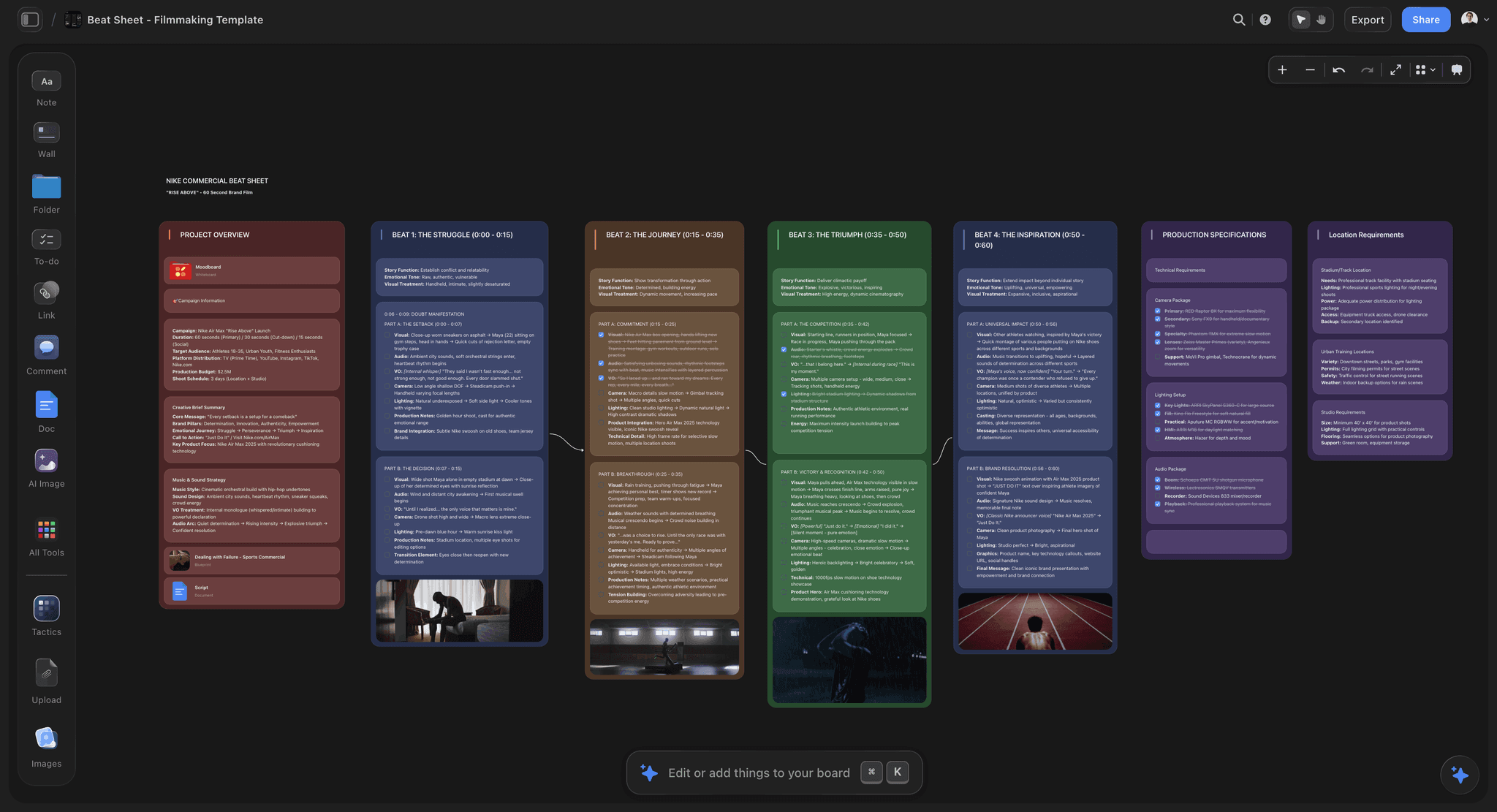
Storyflow is our own product and it ranks seventh here, which is a lower position than on several other lists in this series, and the reason is straightforward: this is not a scripting tool.
To be specific about what it does not do. There is no scripting mode and no script formatting. No teleprompter. No timing estimate and no word count against runtime. No screenplay layout, no revision-mode coloured pages, no read-back. Nothing in this article's primary criterion, which is closing the page-ear gap, is addressed by it at all.
What it does is the stage before the draft. It is a visual canvas where notes, references, links, and documents share a board and the AI reads the whole board, which is useful for deciding what the script is arguing and what shape delivers it. A script whose structure was worked out before drafting is faster to write and needs fewer revisions, and that is a real contribution to script work even though it happens upstream of the script.
The honest handoff: decide the shape here if that is where you get stuck, then write in Docs or Final Draft, then hear it in Descript or a prompter. Anyone arriving at this list looking for somewhere to write and time a script should go to the first four entries.
Where Storyflow loses
Beyond the missing scripting capability above: it is cloud-only, so it is unavailable when the connection is, and paid-only during early access with the Free plan arriving before the end of 2026, while Google Docs is free and reading aloud with a stopwatch costs nothing. It also has no version or approval state, which matters for scripts that go through formal review cycles with a client or a commissioner.
Pricing: Plus $7.99/mo annual ($9.99 monthly). Pro $14/mo annual ($19 monthly) adds AI image generation, roughly 20 times the AI volume, and memory across conversations. Max $39/mo annual ($49 monthly) adds roughly 40 times the AI volume plus a team workspace with roles and permissions.
8. Celtx
Celtx covers scripting through breakdown and scheduling in one chain, which makes it a reasonable choice when the script is the spine of a small production rather than a standalone document.
Because the breakdown derives from the actual script, the path from page to schedule is unbroken, and for a short film or a commercial that connection saves genuine time. Formatting is competent for screen work at a much lower price than Final Draft.
Against it: the writing experience feels less refined than Final Draft's, the industry default remains Final Draft for anything going out to professionals, and it does nothing for the ear. Worth evaluating directly if your scripts feed a production you also have to schedule.
Pricing: Free tier. Paid plans above.
9. Scrivener
Scrivener is here because a lot of long-form scripts (documentary narration, audio series, long video essays) are really prose projects, and it is the best prose environment on this list.
Splitting a script into sections you can reorder, keeping research beside the draft, and compiling to a clean output are all genuinely useful when a script runs long enough that a single document becomes unmanageable. The one-time price is excellent.
It has no ear-side capability, no runtime awareness, and its screenplay formatting exists but is not what a production expects. For short scripts it is more structure than the job needs.
Pricing: One-time, around $60.
10. Hemingway Editor
Hemingway ranks tenth with a caveat that is more interesting than the tool.
What it does well: flagging long sentences, passive constructions, and complex phrasing. Applied to a script, shortening flagged sentences frequently does improve how it sounds, because sentence length is one real component of the page-ear gap.
What it gets wrong for scripts: it is optimising for reading, not speaking, and those diverge. Spoken English is full of things it penalises. Sentence fragments work in the ear. Repetition that looks lazy on the page is how a listener retains a point they cannot re-read. Starting a sentence with "and" is natural speech and flagged prose. A script edited to score well can end up flatter and more uniform, which reads as clean and sounds robotic.
Use the sentence-length flag, ignore most of the rest, and never let a readability score overrule how something sounds when you say it.
Pricing: Free web version. One-time desktop purchase.
11. Reading It Aloud With a Timer
The eleventh entry costs nothing and outperforms most of the paid tools above it at the one thing this article says matters.
Print or open the script. Stand up. Read it at the pace you will actually deliver it, out loud, with a stopwatch running. Mark every place you stumble, every sentence where you run out of breath, and every moment you instinctively rephrase. Those instinctive rephrasings are the most valuable data you will get, because they are your mouth correcting your page in real time.
You will finish with three things nothing else gives you free: a real runtime, a list of unsayable sentences, and a set of improvements your own delivery just handed you.
The reason it ranks last rather than first is that it is a practice rather than a product, and practices are skipped. Every tool in the top four is, in some sense, a mechanism for making this happen anyway.
Pricing: Free.
What to Actually Pay For
Pay to hear the script cheaply. Descript or a prompter app. This is the only spend that attacks the failure the page cannot show you.
Pay for format compliance if the script leaves your hands. Final Draft for productions. Nothing else is negotiable there, and no amount of preference changes it.
Do not pay for AI script generation. The output is the median, and the median is what everyone else's script already sounds like.
Do not pay for readability scoring for spoken work. It optimises the wrong medium and can make a script worse in the ear while improving its score.
Spend the free thing first. Read it aloud with a stopwatch before you shoot. It is genuinely the highest-return act in this entire article.
Tools to Avoid for This Job
Word count as a runtime estimate. Off by up to fifty percent depending on delivery, and the error is discovered in the edit, where it is most expensive.
A script nobody has said out loud. The most common and most avoidable failure, and it survives any amount of proofreading because reading silently uses the wrong faculty.
Screenplay format for non-screen work. A YouTube script in Final Draft formatting is harder to read for the person delivering it and impresses nobody.
Editing to a readability score. Covered above. Fragments, repetition, and conjunctions at the start of sentences are how speech works.
What No Tool on This List Does
None of them tell you it sounds like a script. The specific failure of sounding written rather than spoken is audible instantly to an audience and invisible to every tool here, including the AI ones, because it is a matter of register rather than correctness.
None of them supply your voice. Tools can shorten sentences and flag complexity, and none of them can make a script sound like a particular person. The fastest route to that remains recording yourself talking about the topic unscripted and mining the transcript for how you actually phrase things.
None of them protect against the edit. A script timed at nine minutes becomes eleven in production, because people slow down on camera and add things. Building slack in is a planning decision that no tool prompts you to make.
The Bottom Line
Script tools are compared on writing features, and writing is the part most people can already do. Documents, formatting, templates, and collaboration are all solved and mostly free.
The failure that costs real money is that a script reads well and sounds wrong, and that gap is invisible to the writer, because reading silently is the wrong faculty for the job. Alongside it sits the runtime problem, where a word count promises eight minutes and the mouth delivers twelve, discovered in the edit where fixing it is most expensive.
Descript ranks first because it closes both gaps structurally rather than through discipline. Google Docs is where the writing happens and costs nothing. Final Draft is mandatory if the script leaves for a production. Storyflow, which we make, ranks seventh, has no scripting capability at all, and is useful only for the thinking that happens before the draft.
Then do the free thing, which beats almost all of it. Stand up, read it out loud at real pace, and keep every word your mouth chose over the one you typed.
A script is not a document. It is a set of instructions for a mouth.
FAQ: Script Planning Tools
What are the best script planning tools in 2026?
Descript, because hearing the script is the thing that catches what the page hides, and it makes runtime a fact rather than an estimate. Google Docs for the writing itself, free and universal. Final Draft if the script goes to a film or television production, where standard formatting is a requirement.
How do you estimate how long a script will run?
Read it aloud at delivery pace with a stopwatch, because that is the only reliable method. Word count rules of thumb (130 to 150 words a minute) are rough and drift badly with emphasis, pauses, and demonstrations. Screenplays have the page-per-minute convention, which is better because the format is fixed.
What is the best free script writing tool?
Google Docs for writing, plus reading it aloud with a stopwatch for the part that matters. Together they cost nothing and cover more than most paid setups. Storyflow is paid-only during early access, so it does not belong in a free comparison here.
Why does my script sound wrong when I read it out loud?
Because it was optimised for the page. Long sentences, subordinate clauses, and precise but uncommon vocabulary all improve written prose and degrade spoken delivery, since a listener gets one pass and cannot go back. The fix is to read aloud early and keep every phrasing your mouth reaches for instinctively.
Should I write a script word for word or use bullet points?
Word for word if you need precision, a specific runtime, or you are prone to rambling. Bullets if your delivery goes flat when scripted, which is common. A useful middle is scripting the opening and the transitions word for word and keeping the middle as bullets, since those are the moments where precision matters most.
Is Storyflow good for writing scripts?
No, and we rank it seventh here for that reason. It has no scripting mode, no formatting, no teleprompter, and no runtime estimate, so it addresses none of this article's main criterion. It is useful for the stage before drafting, deciding what the script is arguing and what shape delivers it. Write in Google Docs or Final Draft.
Can AI write a good video script?
It can write a fluent one, which is not the same thing. Generated prose converges on the median of everything already written on the topic, so it sounds like every other video on the subject. Use AI to shorten, simplify, and flag complexity in a draft you wrote, which is genuinely useful, rather than to produce the draft.
How many words is a 10-minute video script?
Somewhere between 1,000 and 1,500 depending entirely on delivery. A brisk informational read is around 150 words a minute; conversational delivery with natural pauses is closer to 130; anything with comic timing or demonstrations is slower still. Time a read rather than trusting the arithmetic.
What is the best tool for screenplay formatting?
Final Draft, because it is the industry standard and productions expect it. Celtx is a cheaper alternative that formats competently and connects to breakdown and scheduling, which suits smaller productions where the same person does both.
How do you edit a script down to time?
Cut whole sections rather than trimming words everywhere. Uniform trimming removes the pauses and the breathing room, which is what makes a script feel rushed even at the right length. Identify the parts that do not serve the promise and remove them entirely, then read aloud again.
Should I use a teleprompter?
For scripted delivery, usually yes, and it has a planning benefit beyond the shoot: loading a draft into a prompter and reading it at speed is the cheapest complete version of the read-aloud test, because you cannot skim or silently fix a bad sentence.
What is the single change worth making to how I write scripts?
Read every script aloud, timed, standing up, before you shoot it. Keep every phrasing your mouth substitutes for what you wrote. It costs ten minutes, it is free, and it catches more problems than any tool on this list.
Table of Contents
- Key Takeaways
- The Page and the Ear
- At a Glance: The 11 Tools Compared
- How I Ranked These
- Word Count Is Not Runtime
- Quick Picks by Situation
- 1. Descript
- 2. Google Docs
- 3. Final Draft
- 4. A Teleprompter App
- 5. Notion
- 6. ChatGPT or Claude
- 7. Storyflow
- 8. Celtx
- 9. Scrivener
- 10. Hemingway Editor
- 11. Reading It Aloud With a Timer
- What to Actually Pay For
- Tools to Avoid for This Job
- What No Tool on This List Does
- The Bottom Line
- FAQ: Script Planning Tools
- Related Reading
Templates to check out for this topic


Templates you can use in Storyflow
Every Storyflow board starts from real structure and an AI that reads the whole canvas. Open one of these templates and make it yours.


See Storyflow in Action
A visual AI workspace where every feature lives inside one canvas. No tab-switching, no context lost.
Build your entire board from a single message
Type what you need in the AI chat at the bottom of your canvas. The AI adds cards, headings, and structure directly onto your board.
Use expert frameworks as AI context
Type @ in the AI chat and choose any Tactic. The AI tailors every response to that framework instead of giving generic advice.
Turn your board into a mind map in seconds
Ask the AI to restructure your canvas as a mindmap. It connects your ideas into a visual hierarchy so you can see how everything relates.
Why Storyflow Exists
Storyflow actually began as a personal tool while working on creative and research projects.
We kept running into the same problem: ideas were scattered everywhere: notes, documents, and whiteboards.
Nothing helped us see how everything connected.
So we started building a workspace designed around how ideas actually grow.
→ Read how Storyflow was createdSara de Klein
Head of Product at Storyflow
Published: 2026-08-12
Extremely simple, seriously capable


See how easy it is to get started
Watch a real project come together, from a blank board to a finished plan, clicked through step by step.
Start creating with AI and become more productive
Transform your creative workflow with AI-powered tools. Generate ideas, create content, and boost your productivity in minutes instead of hours.