The 10 Best Offline Mind Mapping Tools in 2026
Offline is not a feature you switch on. It is a consequence of where the file lives. Ten mind mapping tools tested against three grades of offline, from works on a plane forever down to fails outright.

Category
Tools & Software
Author

Sara de Klein
Head of Product at Storyflow
Topics
2026-08-13
•
19 min read
•
Tools & SoftwareTable of Contents
- Key Takeaways
- The Three Grades of Offline
- At a Glance: The 10 Tools Compared
- How I Ranked These
- Quick Picks by Job Type
- 1. XMind
- 2. Freeplane
- 3. Obsidian Canvas
- 4. MindNode
- 5. iThoughts
- 6. SimpleMind
- 7. Scapple
- 8. FreeMind
- 9. Milanote
- 10. Storyflow
- File Formats and What You Actually Own
- What to Actually Pay For
- Tools to Avoid for This Job
- What No Tool on This List Does
- The Bottom Line
- FAQ: Offline Mind Mapping Tools
- Related Reading
Templates to check out for this topic


- offline mind mapping software
- milanote offline alternative
- mind map app that works offline
- local first mind mapping
- mind mapping without internet
- free offline mind map tool
What are the best offline mind mapping tools in 2026?
Most tools that advertise an offline mode do not really have one. XMind ranks first because it is a desktop application that opens a file on your own disk with the network unplugged, and Freeplane, Obsidian Canvas, MindNode, iThoughts, SimpleMind, Scapple and FreeMind clear the same bar for the same reason: the file is local and the app does not phone home to let you read it. Milanote is honest about syncing later rather than working alone. Storyflow, which we make, ranks last because it is cloud only with no offline mode.

Full disclosure: Storyflow is our product, and this is the category we lose. Storyflow is cloud only: there is no offline mode, no cached board, no local file on your machine, no deferred write queue and no reconnect merge. It also has no .mm, .mmap, .xmind or OPML export, no self hosting and no vault you control, so your maps cannot move into the desktop tools ranked above it. It is paid only during early access. We ranked it tenth of ten and named XMind, Freeplane, Obsidian Canvas, MindNode, iThoughts, SimpleMind, Scapple and FreeMind above it because all eight keep the file on your disk. The narrow thing Storyflow does well requires the connection anyway: its AI reads your full active canvas board plus up to one Tactic and three Documents you @-mention, which is useful at a desk and useless on a plane.
Quick Comparison
Every tool below is graded on one axis: what happens when the connection disappears. Grade 1 works on a plane forever because the file is on your disk. Grade 2 edits offline and reconciles on reconnect. Grade 3 degrades to a read-only cache or fails outright.
| Tool | Best For | AI Features | Price |
|---|---|---|---|
| XMind | Grade 1 offline with a polished cross platform desktop app | None needed, mapping works fully unplugged | About $60 a year, free tier watermarks exports |
| Freeplane | Grade 1 offline plus permanent ownership via open .mm XML | No AI, no account, no server, nothing to expire | Free, open source under the GPL |
| Obsidian Canvas | Grade 1 spatial boards stored as Markdown and JSON Canvas | AI only via community plugins, all optional | Free personal, $50 a year commercial |
| Storyflow | Grade 3, ranked last: cloud only with no offline mode | AI reads your full active board, one Tactic and three Documents | $7.99 mo annual (free plan late 2026) |
Key Takeaways
- Three grades of offline exist and vendors describe all three with the same two words: works on a plane forever, edits offline and reconciles later, or degrades to a read-only cache.
- A progressive web app cache is not the top grade. Caching the interface is not holding your data.
- The test that separates the grades is the cold relaunch: airplane mode, quit completely, reopen, edit. Most tools fail the session check at boot.
- Seven of these ten are local first, and every one is a desktop app with a real file on disk. The .mm format FreeMind created in 2000 is still the most importable mind map format anywhere.
- ClickUp acquired MindNode in 2024. Owning the file makes an acquisition an inconvenience, not an evacuation.
- Storyflow ranks last: cloud only, no offline mode, no local file, no .mm, .xmind or OPML export.
When you do have a connection, use it for the thinking
Storyflow will not work on a plane. What it does is read your entire active canvas board, plus one Tactic and up to three Documents you @-mention, so you can question a whole map instead of one node. Keep XMind or Freeplane for the flight, and bring the map here when you are back online. Paid-only during early access; the Free plan lands before the end of 2026.

The Three Grades of Offline
Every tool here claims to work offline. Almost none mean the same thing by it, and the gap between the strongest and weakest claim is a working afternoon versus a wasted flight.
Grade 1 is local first. The file lives on your disk in a format the app opens with no network call. No account check, no licence validation, no session refresh. Disconnect permanently and keep working for a decade.
Grade 2 is deferred sync. The server holds the truth, the client holds a working copy, edits reconcile on reconnect. Useful and fragile: it depends on the app having cached the board you want, and on it not revalidating your session at launch.
Grade 3 is degraded. A stale read-only view, a partial board with missing images, or an error screen. Every browser tab tool lands here.
Sorting a tool takes ninety seconds. Airplane mode. Quit the app completely, not minimize it. Reopen. Open a map you have not touched today. Change something. Quit. Reopen. If the change survived you have Grade 1 or a good Grade 2. A login screen or a reconnecting banner means Grade 3.
Offline is not a feature you switch on. It is a consequence of where the file lives. The seven tools that pass write to a path you can open in Finder. The three that fail keep your map on somebody else's server.
At a Glance: The 10 Tools Compared
| Tool | Offline grade | File format | Where the file lives | Price |
|---|---|---|---|---|
XMind | Grade 1 | .xmind (zipped JSON) | Your folder | About $60 a year |
Freeplane | Grade 1 | .mm (open XML) | Your folder | Free, open source |
Obsidian Canvas | Grade 1 | .canvas (JSON Canvas) | Your vault | Free, $50 a year commercial |
MindNode | Grade 1 | .mindnode | Local or iCloud Drive | About $20 a year |
iThoughts | Grade 1 | .itmz | Your folder | About $50 one time, macOS |
SimpleMind | Grade 1 | .smmx | Your Dropbox or Drive | About $30 one time |
Scapple | Grade 1 | .scap (XML) | Your folder | About $22 one time |
FreeMind | Grade 1 | .mm (open XML) | Your folder | Free, open source |
Milanote | Grade 2 | None, cloud only | Milanote servers | About $10 a month |
Storyflow | Grade 3 | None, cloud only | Storyflow servers | $7.99 a month annual |
How I Ranked These
I come from documentary, where the connection fails exactly when the thinking matters most: a valley with no signal, a fourteen hour flight between shoots, a hotel that sells wifi by the hour.
1. The cold relaunch test. Airplane mode, quit, reopen, edit, quit, reopen. Most tools fail it silently.
2. Can you find the file? If you cannot copy your map to a USB stick in ten seconds, you do not have it.
3. Format longevity. Can another program open this file in ten years without the vendor existing?
4. Sync honesty. When two devices edit the same map offline, does it merge, fork visibly, or overwrite silently? Silent overwrite is disqualifying.
5. Cost, and whether offline is gated. A subscription that must revalidate to unlock offline is not offline.
Pricing is as of August 2026 and changes frequently. Verify with each vendor.
Quick Picks by Job Type
- Best offline mind mapper overall: XMind. Polished, cross platform, real local file.
- Best for maps you must own forever: Freeplane. Open format, no vendor, no account.
- Best offline canvas and Milanote replacement: Obsidian Canvas. Files you control.
- Best on Mac and iPhone: MindNode. The nicest offline experience on Apple.
- Best format converter: iThoughts. Imports and exports nearly everything.
- Best sync without a vendor cloud: SimpleMind. Uses your own Dropbox.
- Best for unstructured thinking: Scapple. Freeform, one time price, no tree.
1. XMind
The verdict. The most complete offline mind mapper: a real desktop app with a local file and no server dependency.
Best for. People who want a polished mapper that behaves identically unplugged.
Pricing. Free tier with watermarked exports. Roughly $60 a year as of August 2026, on Windows, macOS, Linux, iOS and Android.
Why it ranks here. XMind clears Grade 1 without qualification: airplane mode, full quit, relaunch, open a .xmind file, edit, save, no login prompt anywhere.
The format is honest too. A .xmind file is a zip archive of JSON and your resources, recoverable by hand if the company vanished. Export covers PDF, PNG, Markdown, OPML and Word.
The caveat is the nagging: XMind pushes its cloud harder each release, and free tier exports carry a watermark that rules out client work.
Strengths.
- Passes the cold relaunch test with no login.
- Local .xmind file you can copy and back up.
- Desktop builds for Windows, macOS and Linux.
- Exports OPML and Markdown, so your outline survives.
Limitations.
- Free tier watermarks exports.
- Constant nudging toward XMind's cloud.
- Slower to launch than Freeplane or Scapple.
The trade off. You pay a subscription for something that would work without one, and get the best offline mapper available.
2. Freeplane
The verdict. The tool your maps will still open in twenty years, at the cost of an engineer's interface.
Best for. People whose first requirement is owning the data permanently.
Pricing. Free and open source under the GPL, on Windows, macOS and Linux, as of August 2026.
Why it ranks here. Offline is not a feature you switch on. It is a consequence of where the file lives, and Freeplane is the purest expression of that. No account, no server, nothing to expire.
The .mm format is plain XML you can open in a text editor and read. iThoughts imports it, XMind imports it, dozens of converters target it. Data ownership as a fact rather than a promise.
The cost is real. The interface is dense, the defaults are ugly, and scripting and conditional styles are discoverable only through documentation.
Strengths.
- Zero cost forever, no account of any kind.
- Open .mm XML a text editor can read.
- Scripting, node attributes and conditional styles.
- Genuinely cross platform.
Limitations.
- Interface looks two decades old because it partly is.
- Requires Java, which complicates macOS installs.
- No official mobile app.
The trade off. The ugliest tool here and the only one with no expiry date attached.
3. Obsidian Canvas
The verdict. The best offline answer for a spatial board rather than a strict hierarchy.
Best for. Anyone who wants a Milanote alternative that works with no connection.
Pricing. Free for personal use. Commercial use $50 per user a year, optional Sync roughly $5 a month, as of August 2026.
Why it ranks here. A vault is a folder of Markdown files on your disk and a canvas is a .canvas file beside them. Obsidian opens both with no network: Grade 1 by construction, not by engineering effort.
The format deserves credit. Obsidian published JSON Canvas as an open specification in 2024, so the file is documented and other applications can implement it. Nothing else in visual thinking has done that.
The honest limitation is that Canvas is not a mind mapper. No branch layout, no one key node creation, no radial arrangement. Every card is placed by hand.
Strengths.
- Plain Markdown plus documented JSON on your disk.
- JSON Canvas is a published open specification.
- Cards embed real notes, images and other canvases.
- Free for personal use, no account required.
Limitations.
- No automatic mind map layout at all.
- Sync costs extra or needs your own setup.
- Canvas editing is cramped on a phone.
The trade off. You give up automatic layout and gain a format that outlives the company that made it.
4. MindNode
The verdict. The most pleasant offline mapping on Apple hardware, with a vendor question attached.
Best for. Mac and iPhone users who want mapping to feel effortless.
Pricing. Free tier with limits. Roughly $20 a year as of August 2026, covering macOS, iOS and iPadOS.
Why it ranks here. MindNode is Grade 1 and has been for years. Sync runs through iCloud rather than a proprietary server, so your files sit in iCloud Drive where you can see them.
Interaction design is why you would pick it over XMind on a Mac. Node creation is one key, auto layout reflows without fighting you, and on iPad it handles touch rather than shrinking a desktop interface.
It ranks fourth on scope and vendor risk. Apple only, so a mixed team cannot standardise on it, and ClickUp acquired MindNode in 2024. OPML export keeps that an inconvenience.
Strengths.
- Fastest keyboard driven mapping on macOS.
- iCloud Drive sync with files you can see.
- Genuinely good iPad and iPhone versions.
- Exports OPML, Markdown, PDF and images.
Limitations.
- Apple only: no Windows, Linux or Android.
- Owned by ClickUp since 2024, a vendor risk.
- Fewer structural features than XMind or Freeplane.
The trade off. The best experience here if you live entirely in Apple, useless the moment a colleague uses Windows.
5. iThoughts
The verdict. The format translator of the category, and a solid offline mapper in its own right.
Best for. Moving maps between tools and rescuing files from apps you abandoned.
Pricing. Per platform, roughly $50 on macOS and $12 on iOS as of August 2026. Pricing has shifted, so verify.
Why it ranks here. iThoughts stores maps as .itmz files on your disk and opens them with no connection. Its distinction is breadth: .mm, MindManager .mmap, .xmind, OPML and Markdown, in both directions.
That matters more than it sounds. The question behind "will this work on a plane" is usually "will I get my work out later", and iThoughts answers the second one.
It ranks fifth because it is a small team product with a dated interface and no Linux build, and per platform pricing stacks up.
Strengths.
- Reads and writes .mm, .mmap, .xmind, OPML, Markdown.
- One time purchase rather than a subscription.
- Local .itmz files in ordinary folders.
- Strong iPad version with proper touch handling.
Limitations.
- Pay separately for each platform.
- Interface has not aged well next to MindNode.
- Small team, so the bus factor is real.
The trade off. Buy it for the import and export even if you map somewhere else.
6. SimpleMind
The verdict. The best cross platform offline mapper, syncing through storage you already own.
Best for. Windows and Android users who want local files without another subscription.
Pricing. Roughly $30 one time on desktop and $10 to $25 on mobile as of August 2026, plus an optional cloud plan.
Why it ranks here. SimpleMind writes .smmx files locally and syncs them through your own Dropbox, Drive, OneDrive or iCloud rather than a vendor cloud. Grade 1 with cross device continuity attached.
It runs on Windows, macOS, iOS and Android, the widest coverage here after Freeplane. The mapping itself is competent rather than delightful.
The caution is that a consumer file service handles your conflicts. Two offline devices produce a conflicted copy, not a merge. A visible fork is the acceptable failure mode, but you have to notice it.
Strengths.
- Local .smmx files synced by storage you already pay for.
- Windows, macOS, iOS and Android in one model.
- One time pricing, no forced subscription.
- Conflicts surface as duplicates, not silent overwrites.
Limitations.
- Conflict merging is your file service's job.
- Visual polish trails MindNode and XMind.
- Per platform purchases stack up.
The trade off. You do the sync plumbing yourself and never pay a second subscription for it.
7. Scapple
The verdict. The anti mind mapper: freeform notes on an infinite sheet, offline, for the price of a lunch.
Best for. Early thinking where a hierarchy would be a lie.
Pricing. Roughly $22 one time for macOS or Windows as of August 2026, from Literature and Latte.
Why it ranks here. Scapple has no account, no server, no sync and no subscription. It opens a .scap file, which is XML, and launches in under a second. The most literal Grade 1 tool here.
The design argument is that real thinking rarely starts as a tree. Scapple lets you write notes anywhere and connect them later, or not at all, which is closer to how a treatment emerges.
It ranks seventh because the feature set is deliberately tiny: minimal images, no mobile app, no collaboration, narrow export.
Strengths.
- One time price, no account of any kind.
- Launches instantly and never touches the network.
- Freeform layout with no forced hierarchy.
- Exports cleanly into Scrivener.
Limitations.
- No mobile version at all.
- Very limited export compared with iThoughts.
- No collaboration or sync of any kind.
The trade off. The smallest tool here, and the one least likely to ever let you down.
8. FreeMind
The verdict. Dormant software that still runs and still matters, because it created the format everyone imports.
Best for. Opening old .mm files and mapping on a machine that will never connect.
Pricing. Free and open source under the GPL, as of August 2026.
Why it ranks here. FreeMind arrived in 2000 and its .mm format became the closest thing this category has to a standard. iThoughts reads it, Freeplane extends it, XMind imports it.
As software it shows its age badly. Development has been minimal for years, the interface is a museum piece, and configuring Java on current macOS is more work than it should be.
It stays at eighth because it proves the argument this post is built on: a map in an open format outlives the program that made it.
Strengths.
- Created the most importable mind map format.
- Completely free, no account or licence check.
- Runs on any machine with Java, including offline ones.
- Files remain readable in a text editor.
Limitations.
- Development is effectively dormant.
- Java setup is a real obstacle on modern macOS.
- Interface and defaults are two decades behind.
The trade off. Use Freeplane instead unless you specifically need FreeMind, but respect what its format made possible.
9. Milanote
The verdict. A genuine Grade 2 tool that is honest about it, unlike most cloud boards.
Best for. Visual mood and idea boards where offline edits should reconcile later.
Pricing. Free tier limited by note count. Pro roughly $10 a month billed annually as of August 2026, with desktop apps.
Why it ranks here. Milanote's desktop app caches boards you have opened and lets you keep editing when the connection drops, then reconciles on reconnect. That covers a flaky cafe connection or a two hour train.
What it is not is Grade 1. A board you never opened on that machine is unavailable, large attachments may not be cached at full resolution, and there is no local file.
Which is why the honest answer for anyone wanting a Milanote offline alternative is Obsidian Canvas. Milanote is better looking. Obsidian is where you own the files.
Strengths.
- Desktop app genuinely edits offline and syncs later.
- Best in class visual board design for mood work.
- Free tier is workable for a single project.
- Web clipper and drag and drop gathering are excellent.
Limitations.
- Boards not already opened on that device are unavailable.
- No local file format and no self hosting.
- Export is limited to PDF and images.
The trade off. The best looking board here, held on somebody else's server.
10. Storyflow
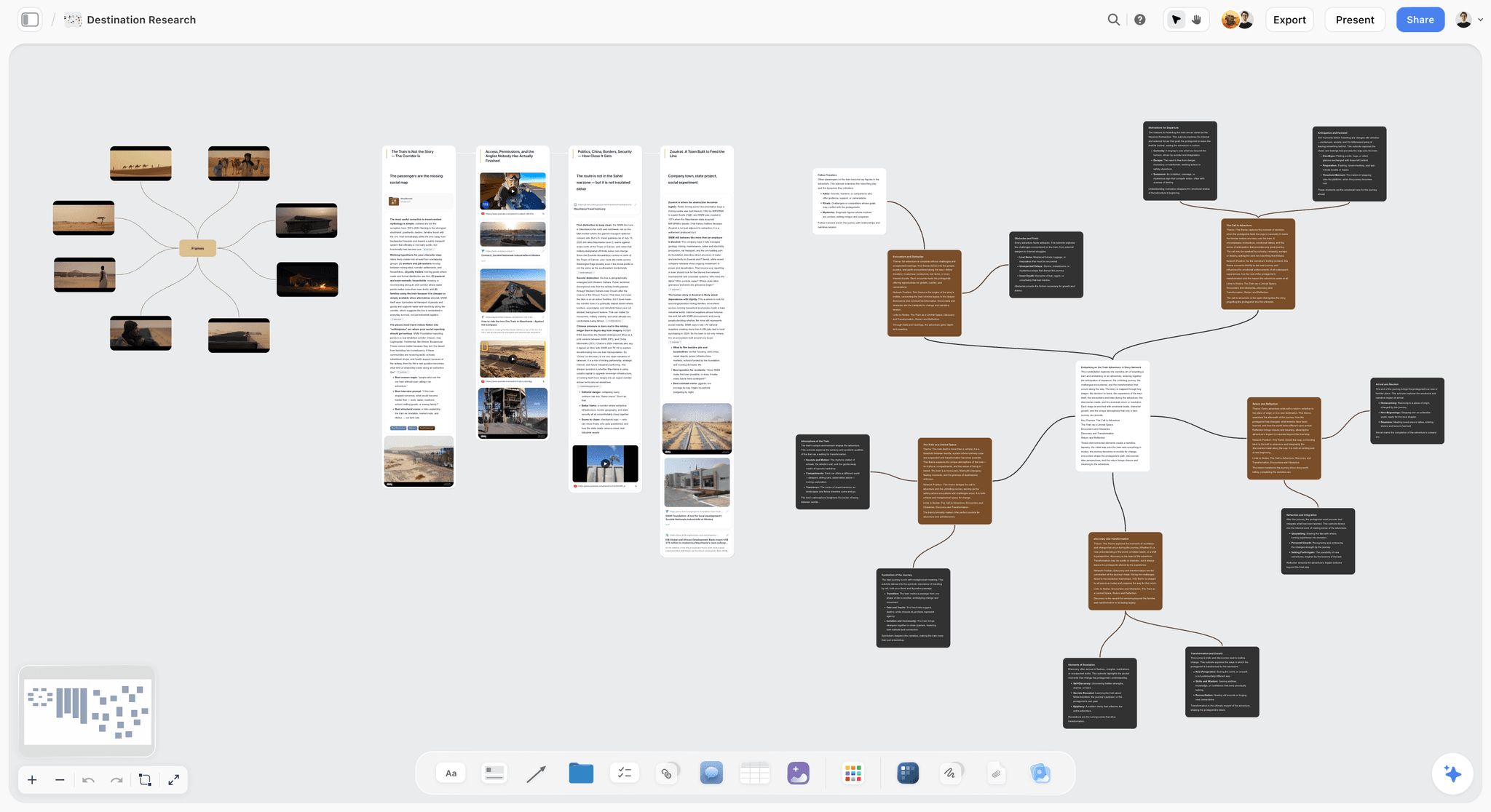

The verdict. Storyflow is ours, it is cloud only, and it has no offline mode. It ranks last and deserves to.
Best for. Connected work where AI reading your board matters more than local files.
Pricing. Paid only during early access. Plus is $7.99 a month billed annually or $9.99 monthly, adding 200 plus Story blueprints and unlimited file uploads. Pro is $14 a month annually or $19 monthly, adding AI image generation, roughly twenty times more AI and conversation memory. Max is $39 a month annually or $49 monthly, adding forty times more AI and Team Workspace with permissions and roles. Pricing is flat per account, not per seat. The Free plan launches before the end of 2026.
Why it ranks here. Grade 3, with no asterisk. Storyflow runs in the browser and your boards live on our servers. Lose the connection and you lose the board: no cached vault, no local file, no deferred write queue, no reconnect merge.
We could call that a roadmap item and rank ourselves fifth. It would be dishonest to a reader whose requirement is binary. Offline is not a feature you switch on. It is a consequence of where the file lives, and ours puts the board on a server.
What Storyflow does well needs the connection anyway. The AI reads your full active canvas board, plus up to one Tactic and three Documents you @-mention, so you can question a whole map rather than one node. Useless on a plane.
Strengths.
- AI reads the entire active board, not one node.
- Flat per account pricing rather than per seat.
- People you invite to a board join free.
- 200 plus Story blueprints on Plus and above.
Limitations.
- No offline mode of any kind. No connection, no board.
- No local file. Nothing to copy, back up or open elsewhere.
- No .mm, .mmap, .xmind or OPML export, so maps cannot move into the tools above.
- No self hosting and no vault you control.
- Paid only during early access, no free plan until later in 2026.
The trade off. If your requirement is offline, buy one of the nine tools above this one.
File Formats and What You Actually Own
Offline buyers care about formats because a local file is also an exit.
.mm is FreeMind's XML, extended by Freeplane, and the closest thing here to a lingua franca. Readable in an editor, importable almost everywhere.
.mmap is MindManager's format. Importable by iThoughts and XMind, but proprietary, and a lapsed licence is why people hunt for a converter.
.xmind is a zip archive containing JSON. Not a published standard, but recoverable by hand.
OPML is the outline interchange format, the one to check for before committing to a tool. It carries structure and text, and drops layout, colour and images.
Plain text and Markdown outlines are the most durable of all, readable when every app here is gone.
The shutdown test: what would you do if the vendor gave thirty days notice? With the seven Grade 1 tools you already have the files. With Milanote you have thirty days of PDF exports. With Storyflow you have screenshots.
What to Actually Pay For
Pay for XMind if you want one polished tool you never think about. Roughly $60 a year, full platform coverage.
Pay nothing if longevity is the actual requirement. Freeplane beats every paid tool here on permanence.
Pay for iThoughts once even if you map elsewhere. It is the only reliable way to read someone else's .mmap or .mm files, and that need arrives unannounced.
Do not pay a subscription for offline access specifically. A tool that gates offline behind a plan revalidating at launch can switch it off remotely.
Tools to Avoid for This Job
Any browser tab tool, including Storyflow. Miro, FigJam, Whimsical, Coggle and MindMeister are Grade 3 in practice. Miro's desktop app reads like a native application and is a web view with a cache.
Offline support delivered by a progressive web app. A service worker caching the interface means the shell loads. Your boards are a separate question with a worse answer.
Google Drawings as a mind map. Offline coverage applies only to documents you marked in advance, and fails when you did not prepare.
Any tool that resolves conflicts silently. If two offline edits leave one surviving version with no notice, you lose work and never learn which afternoon disappeared.
What No Tool on This List Does
None of them solves the two device problem. Every offline tool here either forks into a conflicted copy or asks you to pick a winner. Real merging of two divergent visual maps does not exist, so decide which machine is authoritative before you fly.
None of them gives you AI that works offline. Every AI feature here, Storyflow's included, is a server call.
And Storyflow does not work offline at all. Not partially, not read only, not with a cached board. If a connection is not guaranteed where you work, the answer is above, not here.
The Bottom Line
Offline is where the marketing page is least reliable, because three different behaviours get described with the same two words. Run the cold relaunch test yourself, and treat any tool that shows you a spinner as Grade 3.
Buy XMind if you want the best offline mapper and will pay for polish. Install Freeplane if permanence is the real requirement. Add iThoughts for its import and export breadth. If you want a spatial board rather than a tree, Obsidian Canvas is the answer.
Storyflow is ours and it ranks tenth of ten. Cloud only, no local file, nothing at all without a connection. Offline is not a feature you switch on. It is a consequence of where the file lives, and ours lives on a server. That makes it right for AI that reads your whole board and wrong for a flight, and saying so is more useful than a ranking we did not earn.
FAQ: Offline Mind Mapping Tools
What is the best offline mind mapping software in 2026?
XMind, for most people. It is a real desktop application on Windows, macOS and Linux, it opens a local .xmind file with no connection and no login prompt, and it survives the cold relaunch test. If you want zero cost and maximum longevity, Freeplane beats it on both. On Apple hardware, MindNode is more pleasant day to day.
Does XMind work completely offline?
Yes. XMind reads and writes .xmind files wherever you put them, and it launches and edits with the network unplugged. The subscription unlocks watermark free export and cloud features rather than offline access itself. The interface does push its cloud service, but declining it costs you nothing structural.
What is a good Milanote offline alternative?
Obsidian Canvas, if you need genuine offline rather than intermittent. Milanote's desktop app does edit offline and sync later, which covers a flaky connection, but boards you have not opened on that device are unavailable and there is no local file. Obsidian keeps everything on your disk as Markdown and JSON Canvas files, so the plane test passes by construction.
Is a progressive web app the same as offline software?
No, and this is the most common mistake buyers make. A progressive web app uses a service worker to cache the interface, so the page loads without a connection. Whether your documents are present, and whether an edit will be stored and later accepted by the server, are separate questions with worse answers. A cached interface plus absent data is a blank canvas.
How do I test whether an app really works offline?
Turn on airplane mode, quit the application completely, reopen it, open a document you have not touched that day, edit it, quit and reopen. Most tools advertising offline support fail during the relaunch, because a session or licence check runs at boot. A tool that passes is usable on a plane. One that shows a spinner is not.
Can I mind map offline on an iPad?
Yes. MindNode and iThoughts both run natively on iPadOS with local files and full offline editing, and both handle touch properly rather than shrinking a desktop layout. Obsidian runs on iPad with the same vault, though canvas editing is tighter on a small screen. Browser based tools, Storyflow included, are unusable on an iPad without a connection.
What is the best free offline mind mapping tool?
Freeplane. It costs nothing, requires no account, runs on Windows, macOS and Linux, and saves to the open .mm format most other mind mappers import. The interface is dated and the learning curve is real, but nothing here matches it for permanence. FreeMind is the older ancestor and still runs, though Freeplane is the maintained fork.
Does Storyflow work offline?
No. Storyflow is cloud only with no offline mode, no cached board, no local file and no deferred sync. Without a connection there is nothing to open, which is why it ranks last here. It is built around AI that reads your full active canvas board plus one Tactic and up to three Documents you @-mention, and that requires a server. If offline is a requirement, choose a desktop application above.
What file format should I save my mind maps in?
Whichever native format your tool uses, plus a periodic OPML or Markdown export as a safety net. OPML carries structure and text across nearly every mind mapper, though it drops layout, colour and images. If longevity matters more than fidelity, .mm and plain indented text are the most durable, since both stay readable in any text editor.
What happens to my mind maps if the company shuts down?
It depends entirely on whether the file is on your disk. With XMind, Freeplane, Obsidian, MindNode, iThoughts, SimpleMind or Scapple you already have the files, and losing the vendor is an inconvenience. With a cloud only tool you get whatever export the notice period allows, usually PDF and images, which are pictures of your thinking rather than your thinking.
Can two people collaborate on an offline mind map?
Not in real time, and not cleanly. Every tool here handles divergent offline edits by forking into a conflicted copy or asking you to choose a version, because merging two visual maps automatically is an unsolved problem. The workable approach is deciding who owns the file for a stretch of work and passing it explicitly. Real time collaboration requires a server.
Is offline mind mapping still worth it in 2026?
Yes, for two reasons unrelated to nostalgia. Connections still fail at inconvenient moments: planes, remote locations, buildings with bad reception. And a local file is also an exit, meaning you can leave a vendor, survive a shutdown and open your work in another program. Offline is a data ownership decision that happens to also work at 35,000 feet.
Mind mapping and ideation templates you can use in Storyflow
Map ideas in space, then ask the AI to restructure, expand, or connect them. Open any of these boards and start thinking visually instead of in lists.


See Storyflow in Action
A visual AI workspace where every feature lives inside one canvas. No tab-switching, no context lost.
Build your entire board from a single message
Type what you need in the AI chat at the bottom of your canvas. The AI adds cards, headings, and structure directly onto your board.
Use expert frameworks as AI context
Type @ in the AI chat and choose any Tactic. The AI tailors every response to that framework instead of giving generic advice.
Turn your board into a mind map in seconds
Ask the AI to restructure your canvas as a mindmap. It connects your ideas into a visual hierarchy so you can see how everything relates.
Why Storyflow Exists
Storyflow actually began as a personal tool while working on creative and research projects.
We kept running into the same problem: ideas were scattered everywhere: notes, documents, and whiteboards.
Nothing helped us see how everything connected.
So we started building a workspace designed around how ideas actually grow.
→ Read how Storyflow was createdSara de Klein
Head of Product at Storyflow
Published: 2026-08-13
Start creating with AI and become more productive
Transform your creative workflow with AI-powered tools. Generate ideas, create content, and boost your productivity in minutes instead of hours.