
Category
Visual Thinking
Author

Justkay
Documentary Filmmaker & Founder at Storyflow
Topics
2026-05-18
•
Updated May 18, 2026
•
15 min read
•
Visual Thinking- best XMind alternatives 2026
- XMind alternatives
- XMind competitors
- mind mapping tools
- XMind alternative free
- AI mind mapping
What is the best XMind alternative in 2026?
The best XMind alternatives in 2026 are Storyflow (best when the map needs to become a real project, with AI that reads the whole canvas), Miro (best for team workshops on an infinite canvas), MindMeister (the closest browser-based swap to XMind), and SimpleMind (best for a one-time purchase and offline files). People leave XMind for one of three reasons: the outline ceiling, the export gap, or shallow bolt-on AI. Pick the alternative that fixes your specific reason.

All 12 XMind Alternatives, Ranked
- Storyflow: best when the map needs to become a real project
- Miro: best for team workshops on an infinite canvas
- MindMeister: closest browser-based XMind swap
- Whimsical: best for fast flowcharts plus mind maps
- SimpleMind: best for a one-time purchase and offline files
- Mindomo: best for maps with built-in study and outline mode
- MindNode: best for clean Apple-only mind mapping
- Coggle: best for simple shared maps in the browser
- GitMind: best for free AI maps and whiteboards
- Ayoa: best for neuro-inclusive, accessibility-first maps
- Scapple: best for freeform note connecting, no hierarchy
- Mindly: best for pocket mind mapping on mobile
Full disclosure: Storyflow is our own product, and we rank it #1 for one job: when the map needs to become a real project, with AI that reads the whole canvas plus @-mentioned Documents and Tactics. If you just want the closest browser swap for XMind, MindMeister is cheaper and more familiar, and for offline file ownership SimpleMind and Scapple win because Storyflow is cloud-only with no local-first mode. For large live workshops Miro is stronger. We link to every tool so you can judge the fit.
Quick Comparison: Best XMind Alternatives
These four fix the three reasons people leave XMind, the outline ceiling, the export gap, and shallow AI, plus the closest like-for-like swap.
| Tool | Best For | AI Features | Price |
|---|---|---|---|
| Storyflow | Maps that become real projects | Reads full board + @-docs and Tactics | $7.99 mo annual (free plan late 2026) |
| Miro | Team workshops on an infinite canvas | Element-level AI clustering | Free / $8 mo |
| MindMeister | Closest browser-based XMind swap | Branch idea generation from a prompt | Free / $3 mo |
| SimpleMind | One-time purchase, offline files | No meaningful AI | Free / one-time license |
1) Quick Answer: The Best XMind Alternatives in 2026
The best XMind alternatives in 2026 are Storyflow (best when the map needs to become a real project, with AI that reads the whole canvas), Miro (best for team workshops and infinite-canvas collaboration), MindMeister (best browser-based outliner, closest to XMind), and SimpleMind (best for a one-time purchase and offline files). XMind is a capable desktop mind mapper. People leave it for one of three reasons: the outline ceiling, the export gap, or an AI feature that feels bolted on. Pick the alternative that fixes your specific reason.
For the wider category view, see The 12 Best Mind Mapping Tools in 2026 and What Is Mind Mapping: The Complete Guide.
2) Comparison Table: 12 XMind Alternatives Compared
Pricing verified on each official pricing page in May 2026. Plans change often, so re-check the vendor site before buying. Ratings reflect testing on real planning work, not spec-sheet feature counts.
3) Why People Leave XMind (The Three Reasons)
XMind is good software. It has shipped for over a decade, the desktop app is fast, and the output is clean. People do not leave XMind because it is bad. They leave for one of three specific reasons. Name yours before you pick a replacement, because each alternative fixes a different one.
Reason one: the outline ceiling. XMind, underneath the styling, is an outliner. Every branch hangs off a parent. That structure is excellent for breaking a topic into sub-topics and terrible the moment a project stops being a tree. Real work has cross-links, loops, and clusters that refuse to nest. When your thinking outgrows the hierarchy, the map fights you.
Reason two: the export gap. The most common complaint in user threads. You build a detailed plan in XMind, then re-type every node into a task manager, doc, or calendar to actually execute it. The map and the work live in two places. A mind map should be the start of the work, not a second copy of it. The export gap is the friction of maintaining that second copy.
Reason three: the AI bolt-on. XMind added AI, and so did most of the category. The problem is depth. Most mind mapping AI generates a few branch ideas from a prompt, then stops. It does not read the map you already built or know your project. When people ask for "an XMind alternative with better AI", they mean AI that understands the thing on the screen.
Three reasons, three fixes. The outline ceiling is fixed by a whiteboard-native tool. The export gap is fixed by a tool where the map and the project are one object. The AI bolt-on is fixed by a tool where the AI reads the full canvas. The rest of this article sorts the alternatives by which reason they solve.
4) How We Evaluated These Tools
Every tool here was tested on real planning work between 2024 and 2026: documentary research maps, content calendars, and product roadmaps. No synthetic demos. Six criteria, weighted in this order.
- Structure beyond hierarchy. Can the tool hold cross-links, loops, and free clusters, or does it force a parent-child tree the way XMind does?
- The export gap. Does the map stay a static picture, or can it become the work surface (tasks, documents, a calendar) without re-typing?
- AI depth. Does the AI read the map you already built, or only generate branches from a cold prompt?
- Collaboration. Real-time co-editing, sharing, comments, and at what plan tier.
- Offline and file ownership. Does it work without a connection, and do you own the files?
- Pricing honesty. What it actually costs at the tier a working person needs, including per-seat math.
Tools were rated on how they felt across multi-week projects, not on a feature checklist. A tool that does ten things adequately lost to one that does the three that matter well.
5) Quick Picks by Use Case
If you want the short list, sorted by the reason you are leaving XMind.
Closest like-for-like swap: MindMeister. Browser-based, fast, outline-driven, and the cheapest paid entry here at $3/user/month.
Fixing the outline ceiling: Miro or Scapple. Miro for a full infinite canvas with team workshops. Scapple for freeform note connecting where nothing has to nest.
Fixing the export gap and the AI bolt-on: Storyflow. The map and the project live on the same canvas, so the plan never gets re-typed, and the AI reads your full active canvas board plus any blueprints or documents you @-mention.
Owning your files offline: SimpleMind or Scapple. Both use a one-time purchase and keep files local.
Team workshops: Miro for large groups, Whimsical for fast small-team diagramming. Apple-only and minimal: MindNode.
6) Detailed Reviews: 12 XMind Alternatives in 2026
1. Storyflow
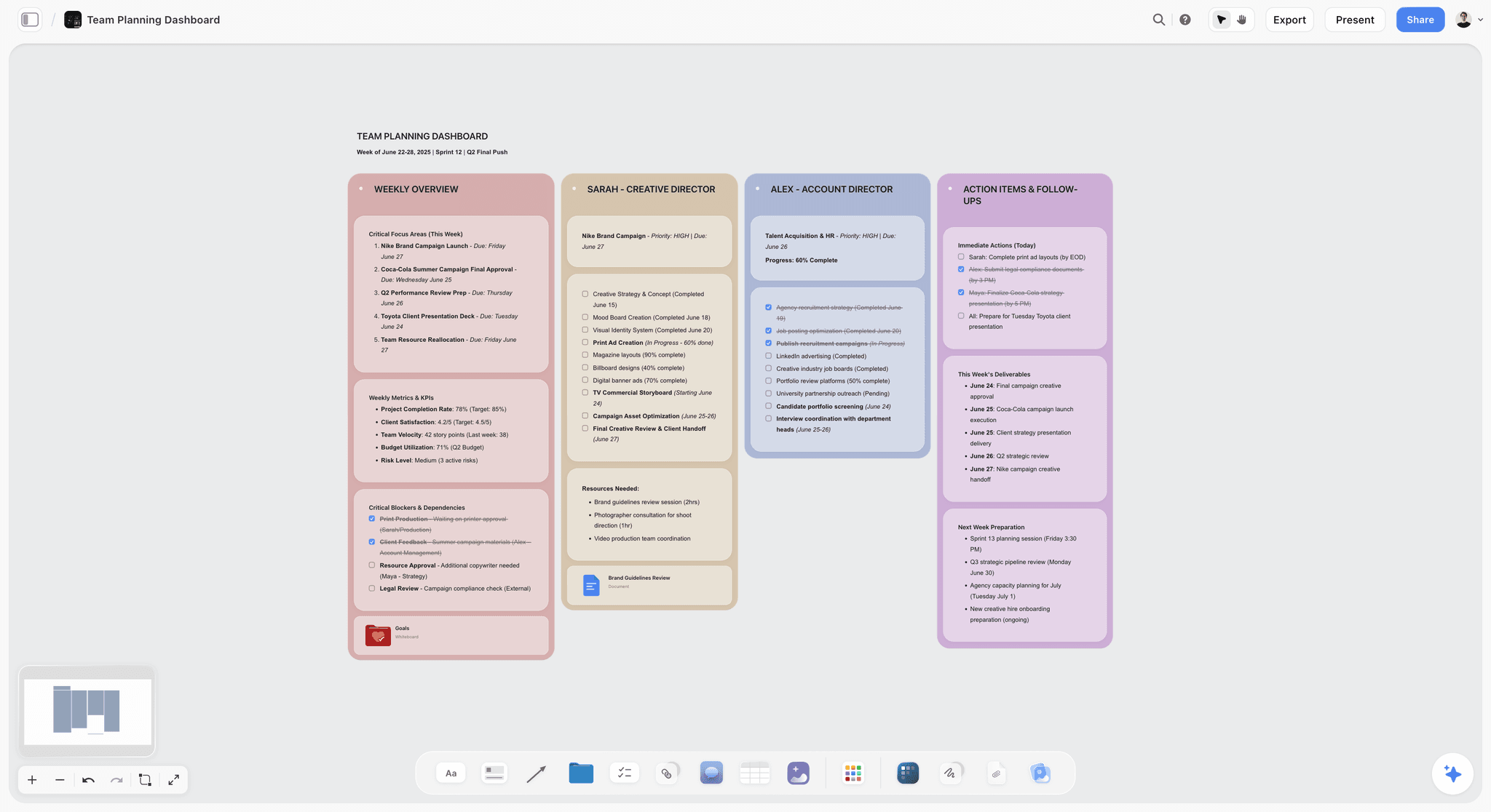
Storyflow is an AI-powered visual workspace where a mind map does not stay a picture. Branches become structured cards that hold real project detail, and the AI reads the whole canvas. Pick it when your reason for leaving XMind is the export gap or the AI bolt-on.
Best for: People whose maps need to become real projects: creators, founders, project leads, and visual thinkers who plan then execute.
Verdict: The strongest pick when the map is step one of the work, not a static deliverable. Pure offline outliners still win for file ownership.
Key features
- The map becomes the project. Nodes are structured cards on an infinite canvas. The plan you map is the surface you work on, which closes the export gap.
- Context-aware AI. The AI reads your full active canvas board, plus up to 1 Tactic and up to 3 @-mentioned Documents, instead of generating branches from a blank prompt.
- Story Blueprints library. Plus, Pro, and Max include 200+ framework templates (Hero's Journey, AIDA, Retention Hooks) so you start from a structure, not an empty canvas.
Pricing
Free: launching before the end of 2026; invited collaborators of paid members join free today. Unlimited notes, images, and links, unlimited shared boards, basic AI usage, 20 file uploads, unlimited collaboration. The 200+ Story Blueprints library is not on Free. Plus: $7.99/mo annual or $9.99/mo monthly. Pro: $14/mo annual or $19/mo monthly (adds AI image generation and 20x more AI). Max: $39/mo annual or $49/mo monthly (adds 40x more AI plus a team workspace with permissions and roles).
Pros
- The map and the work are the same object, so there is no re-typing into a separate task tool.
- The AI reads the canvas you built, the depth most XMind-style AI lacks.
- The Free plan is genuinely usable: unlimited boards and unlimited collaborators, no credit card.
Cons
- Newer platform with a smaller template library than XMind or Miro.
- Cloud-only. No local-first or offline mode, so SimpleMind or Scapple win for file ownership.
- Built for individuals and small teams, not large-room workshop facilitation. Use Miro for a 30-person session.
If your maps keep needing to become projects, rebuild your most active plan on a Storyflow canvas for one week. The export gap either disappears or it does not.
2. Miro
Miro is the infinite-canvas collaboration tool most teams reach for. It fixes the outline ceiling: nothing has to nest, and a map can sprawl across a board.
Best for: Teams running mapping sessions, workshops, and cross-functional planning.
Verdict: The strongest XMind alternative for team workshops. Heavier than you need for solo mind mapping.
Pricing
Free: 3 editable boards. Starter: $8/user/month annual or $10/user/month monthly. Business: $20/user/month. Enterprise: custom.
Pros
- Best-in-class for live team workshops and group mapping.
- The infinite canvas removes the hierarchy ceiling completely.
- Mature integrations with Jira, Azure, and other work tools.
Cons
- Per-seat pricing scales steeply for larger teams.
- The 3-board free plan is tight for serious solo use.
- Overbuilt for one person who just wants a quick mind map, and the map still stays a picture.
3. MindMeister
MindMeister is the browser-based outliner that feels closest to XMind. If your only reason for leaving is the desktop app, this is the most direct swap.
Best for: People who want XMind-style outlining in a browser with easy sharing.
Verdict: The closest like-for-like XMind alternative, and the cheapest paid entry here.
Pricing
Free: up to 3 mind maps. Paid plans (Personal, Pro, Business) start at $3/user/month, with an annual discount.
Pros
- The smoothest transition for an existing XMind user.
- The lowest paid price in this comparison.
- Pairs with MeisterTask to partly close the export gap.
Cons
- Still an outliner, so the hierarchy ceiling is the same as XMind's.
- The 3-map free plan is restrictive.
- The task hand-off needs a second Meister product, not one workspace.
4. Whimsical
Whimsical is a fast, opinionated canvas for flowcharts, wireframes, and mind maps. It suits people who want speed over depth.
Best for: Small teams who want quick diagrams and mind maps in one tidy tool.
Verdict: A strong whiteboard-native pick for fast work. Lighter on pure mind mapping depth.
Pricing
Free plan with limits, including 100 AI actions. Pro: $16/editor/month annual or $20/editor/month monthly. Business and Enterprise tiers above that.
Pros
- Genuinely fast to build with, and the output looks clean by default.
- One tool covers maps, flowcharts, and wireframes.
- Unlimited free viewers make sharing easy.
Cons
- Mind mapping is one mode among several, not the core focus.
- Per-editor pricing adds up for bigger teams.
- Less depth than dedicated mind mappers for large, detailed maps.
For a closer look, see The 12 Best Mind Mapping Tools in 2026.
5. SimpleMind
SimpleMind is the cross-platform mind mapper for people who want to own their files. One-time purchase, not a subscription, and works offline.
Best for: People who want local files, offline access, and no recurring bill.
Verdict: The best XMind alternative for file ownership and offline work.
Pricing
A free version with core features. Full versions are a one-time purchase per platform. No subscription.
Pros
- You own the files and pay once, not monthly.
- Reliable offline use with no cloud requirement.
- A calm, focused interface without feature bloat.
Cons
- Collaboration is weak compared with browser-based tools.
- No meaningful AI assistance.
- Still an outliner, so the hierarchy ceiling is unchanged.
6. Mindomo
Mindomo is an outliner-native mind mapper with built-in study features. A solid XMind alternative for students and anyone who switches between map and outline views.
Best for: Students and learners who want mapping plus structured study tools.
Verdict: A capable XMind alternative with study tooling. Per-month pricing sits mid-pack.
Pricing
Free: up to 3 mind maps. Premium starts around $6/month, with a Professional tier above it. Education pricing is available.
Pros
- Switching between map and outline view is genuinely useful.
- Strong education features and discounts.
- More work-planning views than most outliner-native tools.
Cons
- The interface feels dated next to Whimsical or Storyflow.
- AI features are shallow.
- The free plan is capped at 3 maps.
7. MindNode
MindNode is the cleanest mind mapper in the Apple ecosystem. If you work entirely on macOS and iOS, it is a strong choice.
Best for: Apple-only users who want minimal, focused mind mapping.
Verdict: The best-looking Apple-only XMind alternative. Not an option outside Apple.
Pricing
Limited free use. MindNode Plus is $4.92/month with annual billing.
Pros
- One of the most pleasant mind mapping interfaces available.
- Fast capture and a distraction-free canvas.
- Smooth iCloud sync across Apple devices.
Cons
- Apple-only. No Windows, Android, or web.
- Limited collaboration.
- Shallow AI and a strict outline structure.
8. Coggle
Coggle is a simple, browser-based mind mapper built around shared diagrams. A low-friction option for easy collaboration without a heavy tool.
Best for: People who want simple shared maps in the browser with no setup.
Verdict: A simple, friendly XMind alternative. Light on advanced features.
Pricing
Free: 3 private diagrams plus unlimited public ones. Paid plans add private diagrams at a low monthly cost.
Pros
- Almost no learning curve.
- Free collaboration on shared maps.
- Clean, organic-looking branches.
Cons
- Few advanced features beyond basic mapping.
- Private diagrams are limited on the free plan.
- No real AI or project tooling.
9. GitMind
GitMind is a free-leaning mind mapping and whiteboard tool with AI generation built in. A strong option for AI maps without paying upfront.
Best for: Budget-conscious users who want AI maps and whiteboards for free.
Verdict: The best free-first XMind alternative with AI. Heavier maps stress the free tier.
Pricing
Generous free plan. Pro is $4.08/month annual or $9.00/month monthly, adding AI credits and HD exports.
Pros
- The free plan is genuinely generous.
- AI generation is included without a paid plan.
- Covers maps and whiteboards in one tool.
Cons
- The AI generates branches but does not deeply read an existing map.
- The interface can feel cluttered.
- Export quality is gated behind the Pro plan.
10. Ayoa
Ayoa is a neuro-inclusive mind mapping and task tool. A thoughtful XMind alternative for users who need accessibility-first design.
Best for: Neurodivergent users and anyone who values accessibility-focused mapping.
Verdict: The most accessibility-conscious XMind alternative. Pricing runs higher than most.
Pricing
Free: up to 10 mind maps. The Ultimate plan is roughly $7/month on a 2-year commitment, higher month to month, VAT included.
Pros
- Genuine, well-considered accessibility design.
- Combines mapping with task management.
- The 10-map free plan is more generous than the usual 3.
Cons
- The cheapest rate needs a 2-year commitment.
- The interface tries to do a lot at once.
- AI features are limited.
11. Scapple
Scapple, from the makers of Scrivener, is freeform note connecting with no hierarchy. The XMind alternative for people whose thinking refuses to nest.
Best for: Writers and thinkers who want to connect notes freely, without a tree.
Verdict: The best XMind alternative for true freeform structure. Not a collaboration tool.
Pricing
A one-time license, around $20 for the standard version, with an education discount. A free trial is available.
Pros
- The freeform model fully removes the hierarchy ceiling.
- One-time purchase and local files.
- Fast, quiet, and free of clutter.
Cons
- No real-time collaboration.
- No AI features.
- Deliberately minimal; not for detailed project planning.
12. Mindly
Mindly is a mobile-first mind mapper for quick capture on a phone. It covers on-the-go thinking, not deep desktop work.
Best for: People who capture ideas on mobile and want a pocket mind mapper.
Verdict: The best pocket XMind alternative. Limited as a primary planning tool.
Pricing
Free with basic features. A paid unlock adds full functionality.
Pros
- A nested, orbit-style interface designed well for small screens.
- Quick to capture ideas anywhere on iOS and Android.
- Low cost.
Cons
- Not built for large or detailed maps.
- Limited collaboration.
- No meaningful AI or project tooling.
7) Recommendations by Persona
1. Solo Founder / One-Person Business
Top picks: Storyflow and MindMeister
Storyflow when the map needs to become the actual project plan, so you do not re-type it into a task tool. MindMeister when you want a fast, cheap browser outliner for quick thinking.
2. Creative-Team Lead
Top picks: Storyflow Max and Miro
Storyflow Max for the team workspace where ongoing project maps live, with permissions and roles. Miro for live group workshops and big mapping sessions.
3. Product Manager Running Discovery
Top picks: Miro and Storyflow
Miro for collaborative discovery mapping with the wider team. Storyflow for turning the resulting map into a structured roadmap on a canvas instead of a static export.
4. Student / Learner
Top picks: Mindomo and SimpleMind
Mindomo for the map-and-outline study mode and education features. SimpleMind if you want to own files, work offline, and pay once instead of monthly.
5. Writer / Researcher
Top picks: Scapple and Storyflow
Scapple for freeform note connecting where ideas do not have to nest. Storyflow when the research map needs to grow into a real writing project with AI reading the canvas.
8) Honorable Mentions
A few tools that came close but did not make the main twelve.
- MindManager: Integration-heavy and aimed at enterprise teams. Heavier and pricier than most people leaving XMind want.
- FigJam: Figma's whiteboard is excellent for design teams, but mind mapping is a side use.
- Lucidchart: Strong for diagrams and org charts. Mind mapping is possible but not its core strength.
- ClickUp Mind Maps: Useful if you already run work in ClickUp, but you buy a full project suite to get them.
- Milanote: A lovely visual board tool for creatives, closer to mood boarding than structured mapping.
These are not bad tools. Their focus or price sits outside what most people leaving XMind are looking for.
9) Where Each Tool Loses (Including Storyflow)
Honest accounting matters more than a clean pitch. Where each category, ours included, is the wrong choice.
Where the outliner-natives lose. MindMeister, Mindomo, MindNode, Coggle, Ayoa, and Mindly all share XMind's hierarchy. If your reason for leaving is the outline ceiling, swapping one outliner for another does not fix it.
Where the whiteboard-natives lose. Miro, Whimsical, GitMind, and Scapple remove the hierarchy ceiling, but most leave the export gap wide open. The map stays a picture, and the work still happens somewhere else.
Where the one-time-purchase tools lose. SimpleMind and Scapple win on file ownership and cost, but they are weak on collaboration and have no real AI.
Where Storyflow loses. Storyflow is cloud-only, so anyone who needs local-first files or offline access should choose SimpleMind or Scapple. It is a newer platform with a smaller template library than XMind or Miro, and it is built for individuals and small teams, so a facilitator running a 30-person live workshop should use Miro. The Free plan also does not include the 200+ Story Blueprints library; that starts on Plus. If your only need is a quick offline desktop map with no project follow-through, a traditional outliner is the simpler choice.
There is no single best XMind alternative. There is the right fix for your reason for leaving, and pretending otherwise just sells software.
11) The Bottom Line
The best XMind alternative in 2026 is the one that fixes your specific reason for leaving. A mind map should be the start of the work, not a second copy of it. If the export gap is your problem, Storyflow is the strongest pick: the map becomes structured cards on a working canvas, and the AI reads the whole board. If the hierarchy ceiling is your problem, Miro or Scapple remove it. If you just want XMind in a browser, MindMeister is the closest and cheapest swap. If you want to own files offline, SimpleMind is the answer.
Most people only need one of these. Name your reason for leaving, match it to the fix, and run a one-week test on a real map before you commit. For the export-gap and AI-depth cases, start a Storyflow workspace and rebuild your most active map there.
10) FAQ: XMind Alternatives in 2026
What is the best XMind alternative in 2026?
It depends on why you are leaving XMind. For maps that need to become real projects, Storyflow. For team workshops, Miro. For the closest browser-based swap, MindMeister. For offline file ownership, SimpleMind. Name your reason for leaving, then the choice is straightforward.
Is there a free XMind alternative?
Yes. Storyflow, Miro, MindMeister, Coggle, GitMind, Ayoa, and Mindomo all have free plans. GitMind's free tier is the most generous for AI maps. Storyflow's Free plan, which launches before the end of 2026, will include unlimited boards and unlimited collaborators.
Why do people switch away from XMind?
Three reasons recur in user threads: the outline ceiling (XMind forces a hierarchy), the export gap (you re-type the map into a separate task tool to execute it), and shallow AI that generates branches but does not read the map you built.
What is the closest tool to XMind?
MindMeister and Mindomo. Both are outliner-native mind mappers with a familiar parent-child structure, so an existing XMind user adapts quickly. MindMeister is browser-based and the cheapest paid option here at $3/user/month.
Which XMind alternative has the best AI?
Storyflow, because its AI reads your full active canvas board plus up to 1 Tactic and 3 @-mentioned Documents, instead of generating branches from a cold prompt. Most mind mapping AI, XMind's included, only generates new branches and does not understand the map on screen.
Can I use a mind map as a project plan?
That is exactly the export gap. In a traditional mind mapper, no: you build the map, then re-type it into a task tool. In Storyflow, map nodes are structured cards on the same canvas you work on, so the plan and the project are one object.
What is the best XMind alternative for offline use?
SimpleMind and Scapple. Both use a one-time purchase, keep files on your device, and work without a connection. Storyflow, Miro, and the other browser tools are cloud-based.
Does mind mapping actually improve memory and recall?
Research suggests it does. Studies on mind mapping as a study technique report retention gains, with some finding mind map groups recall meaningfully more than students using plain lists. The branching structure encourages deeper processing of the material.
How much do XMind alternatives cost?
They range widely. MindMeister starts at $3/user/month, Miro at $8/user/month annual, Storyflow Plus at $7.99/month annual. SimpleMind and Scapple use a one-time purchase. GitMind and Storyflow both have usable free plans.
Should I switch from XMind at all?
Only if you have hit a real wall: the hierarchy fights your project, you keep re-typing maps into other tools, or you want AI that understands your work. If XMind still does what you need, staying is fine. The smallest useful test is to rebuild one active map in a candidate tool for a week. Try a Storyflow workspace to run that test.
Table of Contents
- Quick Answer: The Best XMind Alternatives in 2026
- Comparison Table: 12 XMind Alternatives Compared
- Why People Leave XMind (The Three Reasons)
- How We Evaluated These Tools
- Quick Picks by Use Case
- Detailed Reviews: 12 XMind Alternatives in 2026
- Recommendations by Persona
- Honorable Mentions
- Where Each Tool Loses (Including Storyflow)
- FAQ: XMind Alternatives in 2026
- The Bottom Line
- Author
- Related Reading
Templates to check out for this topic


Mind mapping and ideation templates you can use in Storyflow
Map ideas in space, then ask the AI to restructure, expand, or connect them. Open any of these boards and start thinking visually instead of in lists.


See Storyflow in Action
A visual AI workspace where every feature lives inside one canvas. No tab-switching, no context lost.
Build your entire board from a single message
Type what you need in the AI chat at the bottom of your canvas. The AI adds cards, headings, and structure directly onto your board.
Use expert frameworks as AI context
Type @ in the AI chat and choose any Tactic. The AI tailors every response to that framework instead of giving generic advice.
Turn your board into a mind map in seconds
Ask the AI to restructure your canvas as a mindmap. It connects your ideas into a visual hierarchy so you can see how everything relates.
Why Storyflow Exists
Storyflow actually began as a personal tool while working on creative and research projects.
We kept running into the same problem: ideas were scattered everywhere: notes, documents, and whiteboards.
Nothing helped us see how everything connected.
So we started building a workspace designed around how ideas actually grow.
→ Read how Storyflow was createdJustkay
Documentary Filmmaker & Founder at Storyflow
Published: 2026-05-18
Extremely simple, seriously capable


See how easy it is to get started
Watch a real project come together, from a blank board to a finished plan, clicked through step by step.
Start creating with AI and become more productive
Transform your creative workflow with AI-powered tools. Generate ideas, create content, and boost your productivity in minutes instead of hours.