The 11 Best Mind Mapping Apps for iPad in 2026
On an iPad, the first input is a stroke, not a keystroke. Eleven mind mapping apps ranked by whether they treat the iPad as a canvas or as a small laptop.

Category
Tools & Software
Author

Sara de Klein
Head of Product at Storyflow
Topics
2026-08-13
•
22 min read
•
Tools & SoftwareTable of Contents
- Key Takeaways
- The Pencil Test
- At a Glance: The 11 Apps Compared
- How I Ranked These
- Quick Picks by Job Type
- 1. MindNode
- 2. Apple Freeform
- 3. XMind
- 4. Concepts
- 5. Storyflow
- 6. Muse
- 7. iThoughts
- 8. SimpleMind
- 9. Miro
- 10. GoodNotes 6
- 11. Obsidian Canvas
- What to Actually Pay For
- Tools to Avoid for This Job
- What No Tool on This List Does
- The Bottom Line
- FAQ: Mind Mapping Apps for iPad
- Related Reading
Templates to check out for this topic


- best mind map app for ipad free
- best mindmap app ipad
- freeform alternative ipad
- ipad mind mapping apple pencil
- offline mind map app ipad
- apple pencil mind mapping
- mind map app ipad scribble
- ipad mind map export opml
What are the best mind mapping apps for iPad in 2026?
Most mind mapping advice is written for a laptop and quietly reused for the iPad, which is why so much of it is wrong. MindNode ranks first: a real document based iPad app that works with no signal and turns Apple Pencil handwriting into node text. Apple Freeform ranks second, free and bundled, with the best ink on the device. XMind wins when the file must open on Windows. Storyflow ranks fifth, because its AI reads your whole board and it runs in Safari with no Pencil support and no offline mode.

Full disclosure: Storyflow is our product, so here is the honest placement. It ranks fifth, not first. It wins on one narrow ground: the AI reads your full active canvas board, plus up to one Tactic and up to three Documents you @-mention, so you can ask questions about the whole map rather than a selection. Nothing else on this list does that. What it genuinely cannot do on an iPad is everything the top four do best. There is no native iPad app, only Safari, so no Files integration and no Handoff. There is no Apple Pencil optimized input: no PencilKit ink, no pressure or tilt, no hover on M2 and later iPad Pro, no Apple Pencil Pro squeeze. There is no offline mode of any kind, so airplane mode gives you a blank screen. Scribble is unreliable in node text. Export is PNG, JPEG and PDF only, with no OPML, Markdown outline, FreeMind or XMind, so a map cannot move into a dedicated mind mapper. iPad mind mapping is a stylus problem and Storyflow does not solve stylus.
Quick Comparison
Every app was graded on the Pencil test first: whether it treats the iPad as a canvas or as a small laptop. Offline editing and export come next, because a map you cannot open on a plane or move to another app is not really yours.
| Tool | Best For | AI Features | Price |
|---|---|---|---|
| MindNode | Pencil native mind mapping that works offline and exports OPML | None | About $19.99 a year |
| Apple Freeform | The best Apple Pencil ink on iPad, with no map structure | None | Free with iPadOS |
| XMind | Cross platform structure across iPad, Mac and Windows | Limited AI outlining | About $60 a year |
| Storyflow | AI that reads the whole board, in Safari, with no Pencil support | Reads your full active canvas board, plus 1 Tactic and 3 @-mentioned Documents | $7.99 mo annual (free plan late 2026) |
Key Takeaways
- The iPad is not a small laptop, and apps that treat it as one throw away the only advantage the device has.
- Only four apps here turn Apple Pencil handwriting into structured node text without a keyboard.
- Apple Freeform is free and has the best ink on iPad. It has no auto layout, no outline view and no export beyond PDF and images.
- In airplane mode, MindNode, XMind, Concepts, iThoughts, SimpleMind and Obsidian keep working. Storyflow and Miro do not.
- iThoughts has the widest format list on iPad: FreeMind, MindManager, XMind, OPML, Markdown, CSV and PDF.
- Storyflow ranks fifth honestly. Its AI reads your full active board, and it has no native app, no Pencil input and no offline mode.
When the map becomes a project, bring it here
Think with the Apple Pencil in MindNode or Freeform. When the map turns into a project with documents, references and people attached, move it onto a Storyflow board where the AI reads the whole thing and every teammate can open it in a browser. Paid-only during early access; the Free plan lands before the end of 2026.

The Pencil Test
Pick up the Apple Pencil. Start writing. What happens next tells you everything.
Either the stroke becomes part of the map, or the app treats the Pencil as a small imprecise mouse and waits for you to find a keyboard.
On an iPad, the first input is a stroke, not a keystroke. That line sorts every app below into three grades.
Pencil native. Ink is pressure and tilt aware because the app sits on Apple's own drawing stack. Palm rejection is handled by the system. Handwriting lands in text fields as text through Scribble. On an M2 or later iPad Pro, hovering above the glass previews a stroke before you commit, and an Apple Pencil Pro squeeze opens the palette without your hand leaving the canvas. MindNode, Freeform, Concepts, Muse and GoodNotes clear this bar.
Pencil tolerant. The Pencil is a pointer. You can tap, drag and draw a rough shape, and Scribble works in text fields because iPadOS supplies it free. You never get ink as a real object, or a gesture specific to this app. XMind, iThoughts, SimpleMind and Miro sit here.
Pencil blind. The app draws its own canvas and cannot see the Pencil as more than a finger with a sharp end. No pressure, no tilt, no hover, no system palm rejection, and Scribble is unreliable because the text is not in a standard iPadOS field. Every browser canvas lands here, ours included.
The grade is decided by one fact: whether you opened a real iPad app or a website in a wrapper. A wrapper cannot reach PencilKit. Apple quotes roughly nine milliseconds of Pencil latency on ProMotion iPads, and no web canvas gets near it.
At a Glance: The 11 Apps Compared
| App | Pencil grade | Offline editing | What you installed | Price |
|---|---|---|---|---|
MindNode | Native | Full | Native app | $19.99 a year |
Apple Freeform | Native | Full | Built into iPadOS | Free |
XMind | Tolerant | Full | Cross platform app | $60 a year |
Concepts | Native | Full | Native app | Free core, $30 a year |
Storyflow | Blind | None | Website in Safari | $7.99 a month |
Muse | Native | Local first | iPad first app | $100 a year |
iThoughts | Tolerant | Full | Native app | $24 a year |
SimpleMind | Tolerant | Full | Cross platform app | Free, Pro $30 once |
Miro | Tolerant | Read mostly | Team app | Free tier, $8 a member |
GoodNotes 6 | Native | Full | Native app | $9.99 a year |
Obsidian Canvas | Blind | Local files | Desktop model | Free personal use |
How I Ranked These
I come from documentary, where the iPad does one job: it is the thing you open in a car park between interviews to redraw a film that just changed. That is a stylus job, and it happens without a signal more often than web app teams assume.
Five criteria, in order.
1. What grade does it get on the Pencil test? Write a branch label by hand. See whether it becomes searchable text, ink you can only look at, or nothing.
2. Does it work with the radio off? Airplane mode, open the app, add a node. Half the tools people recommend fail in the first second.
3. Does it hold structure or just marks? Auto layout, collapsing branches and an outline view separate a mind map from a drawing of one.
4. Can the map leave? OPML, Markdown and FreeMind export are how a map survives you changing apps.
5. Does it suit your hardware? Hover on M2 and later iPad Pro, Apple Pencil Pro squeeze, Scribble everywhere, sane behaviour in a resized iPadOS 26 window.
Pricing is as of August 2026 and changes frequently. Verify with each vendor.
Quick Picks by Job Type
- Best overall for iPad: MindNode. Pencil native, offline, and it produces actual mind maps.
- Best free: Apple Freeform. Already installed, best ink, no structure.
- Best cross platform: XMind. The map opens identically on Windows.
- Best pure canvas: Concepts. When the thinking is drawn, not written.
- Best AI on a board: Storyflow. Browser only, no Pencil, no offline.
- Best format portability: iThoughts. Imports and exports almost everything.
- Best genuinely free mapper: SimpleMind. No watermark, no trial clock.
- Best handwriting first: GoodNotes 6. For people who think in ink, never in nodes.
1. MindNode
The verdict. The only app here that is both Pencil native and a real mind mapping tool.
Best for. Structured mapping on iPad with a Pencil, offline, synced to a Mac.
Pricing. Free to try. MindNode Plus is roughly $2.99 a month or $19.99 a year as of August 2026.
Why it ranks here. MindNode is document based, which sounds like a technicality and decides everything. Maps live in Files and iCloud Drive as files you own, not rows in a database you rent. Open one in airplane mode and it opens.
It grades native. Node labels are standard iPadOS text fields, so Scribble converts handwriting into searchable node text with no setting to find. Write "second act problem" onto a branch and it becomes text, not a picture of text.
Structure is real: auto layout keeps the map readable as it grows, branches collapse, and the outline view flips everything into an indented list. Export covers PDF, PNG, OPML, Markdown, CSV and FreeMind.
Strengths.
- Scribble turns handwriting into real node text, no configuration.
- Files, iCloud Drive and airplane mode all work.
- Auto layout plus an outline view keeps large maps readable.
- OPML and Markdown export, plus Handoff to the Mac app.
Limitations.
- Apple only, so outside collaborators cannot open the file.
- Mind map shaped: no freeform canvas, moodboards or documents.
- No real time multiplayer, and a subscription for the useful features.
The trade off. The best iPad mapping experience available, if everyone who needs the file owns an Apple device.
2. Apple Freeform
The verdict. The best ink on iPad, free, already installed, and structurally a very large piece of paper.
Best for. Fast Pencil first thinking that does not need to survive as a structured map.
Pricing. Free, bundled with iPadOS 16.2 and later, as of August 2026.
Why it ranks here. Freeform grades native and does it better than anything else here. It sits directly on Apple's drawing stack, so pressure, tilt, palm rejection and hover on M2 and later iPad Pro are first party behaviour rather than approximations. Sticky notes, shapes, photos and PDFs drop onto an infinite canvas, and it works fully offline.
The reason people search for a Freeform alternative is the second half. Freeform models no structure. No auto layout, so a thirty node map is thirty objects you positioned by hand and will reposition every time it changes. No collapsing branches, no outline view, and export is PDF and images only.
It also runs on Apple hardware alone, which locks a Windows colleague out completely. Three real walls, and they are why the list does not stop here.
Strengths.
- The best Apple Pencil ink on iPad, including hover on M2 and later iPad Pro.
- Free, already installed, nothing to configure.
- Fully offline, with iCloud sync and Handoff to iPhone and Mac.
- Real time collaboration with other Apple users built in.
Limitations.
- No auto layout, no collapsing branches, no outline view.
- Export is PDF and images only.
- Apple devices only, with no web version.
The trade off. Unbeatable for the first twenty minutes of thinking, useless as the place that thinking lives for six months.
3. XMind
The verdict. The most complete map structure on iPad, with a Pencil experience that is competent rather than pleasurable.
Best for. Maps that must open identically on iPad, Mac and Windows.
Pricing. Free tier with watermarked exports. XMind Pro is roughly $60 a year as of August 2026.
Why it ranks here. XMind is where structure lives. Logic charts, fishbone diagrams, org charts, matrices and timelines are real layouts rather than shapes arranged to resemble one, and the built in outliner drives the whole map from an indented list.
It grades tolerant. The Pencil selects, drags and draws, Scribble works because iPadOS supplies it, and none of it was designed around a pen. Next to MindNode the difference is immediate: XMind is a cross platform app that runs well on iPad, not an iPad app.
What that buys is portability. Files work offline, sync through iCloud, and export to .xmind, PDF, PNG, SVG, Markdown and OPML.
Strengths.
- The widest range of real map structures, not just radial maps.
- Outliner view for keyboard driven editing.
- Full offline editing with iCloud sync.
- Identical files across iPad, Mac, Windows, Linux and Android.
Limitations.
- The Pencil is a pointer, with no pressure aware ink layer.
- Desktop interface density carried onto a small screen.
- The free tier watermarks exports, making it a trial.
The trade off. Pay for XMind when cross platform parity matters more than how the pen feels.
4. Concepts
The verdict. The best infinite canvas for a stylus on any tablet, and it has no idea what a node is.
Best for. Thinking that is genuinely drawn: diagrams, sketched systems, spatial notes.
Pricing. Free core app. Pro is roughly $30 a year, with a one time unlock option, as of August 2026.
Why it ranks here. Concepts grades native and then goes past it. Strokes are vectors, so you zoom to any scale without pixelation, select a stroke weeks later and change its weight, and work with pressure and tilt that read like a real pen. Apple Pencil Pro squeeze and hover are wired in properly.
It ranks fourth because it holds marks, not structure. No auto layout, no collapsing, no way to ask the app to redraw a hierarchy you restructured. Every relationship is a line you drew, and it stays where you drew it.
For people who map by sketching rather than typing, that is the point. Export covers SVG, PDF, PSD and DXF.
Strengths.
- Vector ink with pressure, tilt and infinite zoom, editable afterwards.
- Apple Pencil Pro squeeze and hover implemented properly.
- Fully offline, with a generous free core app.
- SVG, PDF, PSD and DXF export.
Limitations.
- No map structure: no auto layout, no collapsing, no outline.
- No handwriting to text, so nothing you write is searchable.
- A tool palette borrowed from illustration apps.
The trade off. If your maps are drawings, this wins. If they are labelled hierarchies, it does not.
5. Storyflow
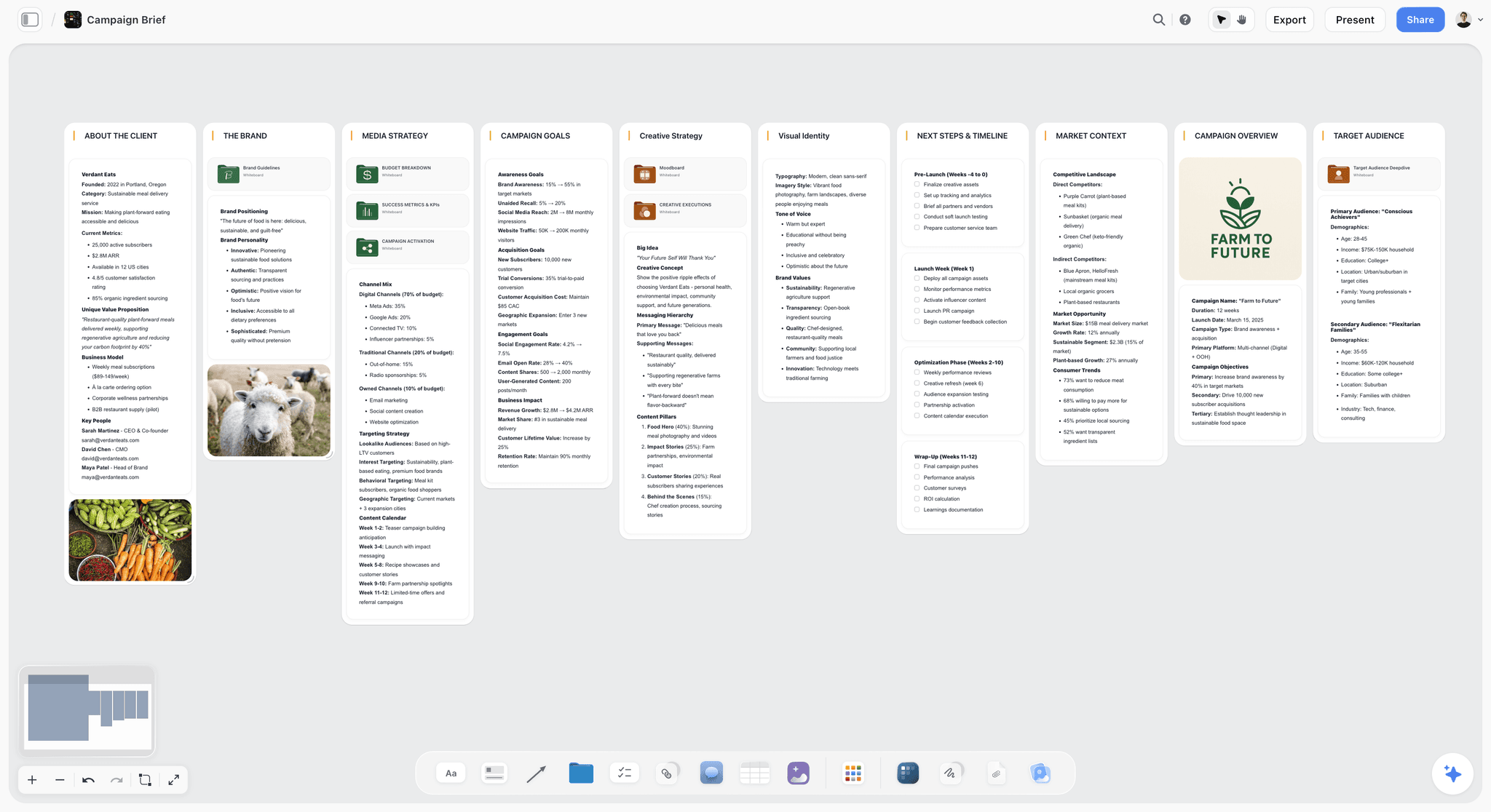

The verdict. The only tool here whose AI reads your entire board, and the worst Pencil experience of the five above it.
Best for. Project shaped mapping you continue on a Mac or Windows machine, where the AI matters more than the pen.
Pricing. Paid only during early access. Plus is $7.99 a month billed annually or $9.99 monthly, adding the 200 plus Story blueprints and unlimited file uploads. Pro is $14 a month annually or $19 monthly, adding AI image generation, roughly twenty times more AI usage and memory across conversations. Max is $39 a month annually or $49 monthly, adding forty times more AI and Team Workspace with roles. Pricing is flat per account, not per seat, and anyone a paid member invites joins free. The Free plan launches before the end of 2026.
Why it ranks here. Start with the honest part. On an iPad, the first input is a stroke, not a keystroke, and Storyflow is Pencil blind. It runs in Safari. No App Store download, no PencilKit, no pressure or tilt, no hover on M2 iPad Pro, no offline mode of any kind. Airplane mode gives you a blank screen. iPad mind mapping is a stylus problem, and Storyflow does not solve stylus.
It ranks fifth rather than eleventh because it does one thing the four apps above cannot. The AI reads your full active canvas board, plus up to one Tactic and up to three Documents you @-mention, so you can ask questions about the whole map: where the argument repeats itself, which branch has no evidence under it, what the map implies that nobody wrote down. MindNode and XMind restructure a map beautifully and cannot answer a question about it.
The second reason is continuity. A MindNode file is an Apple file. A Storyflow board opens on the iPad, then a Mac, then a colleague's Windows laptop, at the same URL, and invited collaborators do not pay.
Strengths.
- The AI reads the full active board, plus one Tactic and three @-mentioned Documents.
- The same board opens on iPad, Mac and Windows in the browser.
- Flat per account pricing, and invited collaborators join free.
- 200 plus Story blueprints give you a starting structure.
- Canvas, documents, references and images live in one place.
Limitations.
- No native iPad app. Safari only, so no Files integration and no Handoff.
- No Pencil optimized input: no PencilKit ink, no pressure or tilt, no hover on M2 and later iPad Pro, no Apple Pencil Pro squeeze.
- No offline mode whatsoever. Cloud only, so a plane or a rural shoot means no access.
- Scribble is unreliable in node text, because labels render in a rich text editor rather than a standard iPadOS field.
- Export is PNG, JPEG and PDF only. No OPML, Markdown outline, FreeMind or XMind, so a map cannot move into a dedicated mapper.
- No iCloud sync and no Files app presence.
The trade off. Take Storyflow for what the AI does with a whole board, not as your iPad app, because on the Pencil test it fails cleanly.
6. Muse
The verdict. The most thoughtful iPad first thinking canvas, built around the Pencil rather than adapted to it.
Best for. Reading, annotating and spatial note taking that stays local first.
Pricing. Limited free tier. Roughly $10 a month or $100 a year as of August 2026.
Why it ranks here. Muse grades native and was clearly designed by people whose main machine is an iPad. Boards nest infinitely, PDFs and images sit alongside ink, and storage is local first, so it opens instantly with no signal.
It ranks sixth because it is a thinking canvas, not a mind mapper: no auto layout, no collapsing branches, thin export. It is also the most expensive option here per year.
Strengths.
- Local first storage, so it is instant and fully offline.
- Pencil first interaction model with well judged gestures.
- Infinitely nested boards keep large research sets navigable.
- Excellent for annotating PDFs in place.
Limitations.
- No map structure or auto layout.
- The highest annual price on this list.
- Limited export, so material is hard to move out.
The trade off. Worth it if the iPad is your primary device, hard to justify if it is your third.
7. iThoughts
The verdict. The format bridge. Nothing on iPad reads and writes as many mind map formats.
Best for. Maps that came from, or must go to, other software.
Pricing. Roughly $24 a year, with a one time purchase option, as of August 2026.
Why it ranks here. iThoughts has been on iOS almost since the beginning, and its defining feature is breadth: FreeMind .mm, MindManager .mmap, XMind, OPML, Markdown, CSV, PDF and PowerPoint. A fifteen year old MindManager file opens here.
It grades tolerant. Scribble works because node labels are standard fields, and there is no ink layer. It ranks seventh because the interface shows its age, and because format breadth is a problem most people have once.
Strengths.
- The widest import and export list on iPad by a clear margin.
- Full offline editing with Files, iCloud and Dropbox.
- Scribble works in node fields.
- A one time purchase option, which is rare now.
Limitations.
- Interface feels a generation behind MindNode.
- No pressure aware ink or Pencil specific gestures.
- No real time collaboration, and fiddlier sync setup.
The trade off. Buy it for the formats, not for the feel.
8. SimpleMind
The verdict. The most usable genuinely free mind mapper on iPad.
Best for. Free cross platform mapping with no watermark and no trial clock.
Pricing. Free version with no watermark. Pro is roughly $30 as a one time purchase, as of August 2026.
Why it ranks here. The free version is not a demo. You build real maps, save them, work offline and keep using it indefinitely, which separates it from XMind's watermarked tier. Pro adds sync through iCloud, Dropbox or Google Drive.
It grades tolerant: the Pencil is a pointer, Scribble handles text entry, and the layout engine supports free positioning and auto arrangement in the same map. It ranks eighth because nothing about it is exceptional.
Strengths.
- The free version is genuinely usable, with no watermark.
- Runs on iPad, iPhone, Mac, Windows and Android.
- Free positioning and auto layout in the same map.
- One time Pro purchase rather than a subscription.
Limitations.
- Plain, dated interface.
- The Pencil is treated as a finger with a point.
- Cross device sync is paid, and there is no AI or collaboration.
The trade off. The right answer when the budget is zero and the map has to open on Windows.
9. Miro
The verdict. A serious team whiteboard with a real iPad app, and the iPad is not where it was designed to be used.
Best for. Joining a team board from an iPad rather than starting one.
Pricing. Free plan with three editable boards. Starter is roughly $8 per member a month billed annually, as of August 2026.
Why it ranks here. Miro's iPad app is native and supports the Pencil for ink and sticky notes, which puts it at the top of the tolerant grade. Templates, frames, voting and comments are present, and the board your team already lives in has obvious gravity.
It fails the second criterion badly. Miro is built around a live connection, and offline behaviour is effectively read only, so a board you were mid thought on becomes a picture the moment the signal drops.
Strengths.
- Real iPad app with Pencil support for ink and sticky notes.
- The largest template library on this list.
- Strong real time collaboration and comments.
- Free plan covers three editable boards.
Limitations.
- Offline is effectively read only, so it fails on a plane.
- Density built for a 27 inch monitor punishes an 11 inch screen.
- Per member pricing adds up, and there is no auto layout.
The trade off. Excellent for joining the team's board, poor for a solo Pencil session in a car park.
10. GoodNotes 6
The verdict. The strongest handwriting app on iPad, used as a mind mapper by people who never wanted nodes.
Best for. Thinking entirely in ink, with handwriting that stays searchable.
Pricing. Limited free tier. Roughly $9.99 a year, with a lifetime option near $29.99, as of August 2026.
Why it ranks here. GoodNotes grades native, with pressure and tilt, Apple Pencil Pro support, shape recognition that straightens rough circles, and handwriting search that finds words inside your own scrawl. That last feature is why it belongs on a mapping list: a handwritten map that is queryable.
It ranks tenth because there are no nodes, relationships or reflow. Move one branch and nothing else moves. It is a notebook with an infinite page option, and for a lot of people that is the right mapping tool.
Strengths.
- Best in class handwriting, with search inside your own ink.
- Apple Pencil Pro squeeze and shape recognition.
- Fully offline with iCloud sync.
- Cheap, with a lifetime purchase option.
Limitations.
- No node structure, relationships or auto layout.
- Nothing reflows when the map changes.
- Export is PDF and images only.
The trade off. Buy it if your maps are handwriting, and do not expect them to reorganize themselves.
11. Obsidian Canvas
The verdict. Local files, open format, free, and a touch experience that never wanted to be on a tablet.
Best for. People already in an Obsidian vault who need the map beside their notes.
Pricing. Free for personal use. Sync is roughly $4 to $5 a month as of August 2026.
Why it ranks here. Canvas stores boards in JSON Canvas, an open published format, inside a vault of plain Markdown files on your device. That is the strongest data ownership story here and it is completely offline. Nodes can be whole notes, so the map becomes a view over writing you already have.
It grades blind, and not because of a wrapper. The interaction model is a desktop one: small drag targets, edge handles that assume a mouse, no Pencil affordances at all.
Strengths.
- Local Markdown and JSON Canvas files you fully own.
- Free for personal use with no feature gate on Canvas.
- Fully offline, with optional paid sync.
- Nodes can be real notes, linking the map to your writing.
Limitations.
- Touch targets and gestures designed for a mouse.
- No Pencil support of any kind, and no auto layout.
- Requires an existing Obsidian setup to make sense.
The trade off. The best answer for file ownership, the worst answer for the Pencil.
What to Actually Pay For
Pay for MindNode before anything else. Twenty dollars a year buys the only combination here that clears all five criteria: Pencil native, offline, structured and portable.
Do not buy a second canvas before using the free one. Freeform is already installed, and most people who buy a canvas app discover they needed structure, not a better canvas.
Pay for XMind only if a Windows machine is in the loop. Cross platform parity is what those sixty dollars a year uniquely buy.
Pay for a tool that fails the offline test only if the iPad is not your main device. That includes ours.
Tools to Avoid for This Job
Any web app you were told to add to the Home Screen. An icon does not make a website an app. It cannot reach PencilKit, has no Files integration, and goes blank when the signal does.
Diagramming tools ported without resized touch targets. Lucidchart class tools technically run and demand precision your fingertip does not have. You will spend the session zooming.
Free apps that watermark exports. That is a trial with a longer clock, and discovering it after a forty node map is expensive.
Anything that stores your map with no export. If the only way out is a screenshot, the map is a hostage.
What No Tool on This List Does
None of them makes a bad map good. Auto layout arranges what you gave it, and a map with fourteen top level branches is a list wearing a costume however it is drawn.
None of them turns handwriting into structure. Scribble converts handwriting into text inside a field you already made. No app here reads a page of handwritten branches and builds the hierarchy for you, which is the feature people assume exists on iPad and does not.
None of them, including Storyflow, gives you AI on a board with no connection. Storyflow needs the network for the AI and for the canvas itself, so its offline gap is total. MindNode and XMind work with the radio off and have no AI to offer when it is on.
The Bottom Line
The iPad has exactly one advantage over the laptop next to it, and it is the pen. Every app that ignores that is asking you to carry a worse laptop.
MindNode wins because it is the only app that treats the Pencil as a first class input and still produces a structured, portable, offline mind map. Freeform wins on ink and costs nothing, so try it before spending anything. XMind wins when the file has to open on Windows.
Storyflow ranks fifth, for a reason we will not dress up. On an iPad, the first input is a stroke, not a keystroke, and ours is a browser canvas with no Pencil optimization and no offline mode. What we do is read the whole board with AI and open it on every device you own. Use the Pencil in MindNode or Freeform, then bring the map here when it becomes a project.
FAQ: Mind Mapping Apps for iPad
What is the best mind mapping app for iPad?
MindNode, for most people. It is the only app that is Pencil native, fully offline, structurally a real mind mapper, and able to export OPML and Markdown so the map can leave. Handwriting becomes searchable node text through Scribble with no setup. The one condition is that MindNode is Apple only, so if a Windows collaborator must open the file, XMind is the honest answer.
What is the best free mind map app for iPad?
Apple Freeform if you want the best ink and no structure, SimpleMind if you want a real mind mapper for nothing. Freeform is bundled with iPadOS, works offline and has the best Apple Pencil experience on the device, but it has no auto layout and exports only PDF and images. SimpleMind's free version carries no watermark and no trial clock, and it runs on Windows and Android too.
What is the best Apple Freeform alternative on iPad?
It depends which Freeform wall you hit. For structure Freeform has no concept of, MindNode or XMind. For a Windows or Android colleague who needs to open the board, XMind, SimpleMind or a browser canvas like Storyflow. For AI that reads the whole board, Storyflow, at the cost of Pencil support and offline access. Freeform is a good tool with three specific missing doors.
Do any mind mapping apps work fully offline on iPad?
Yes, and this is the fastest way to shortlist. MindNode, XMind, Concepts, iThoughts, SimpleMind, GoodNotes, Muse and Obsidian Canvas all let you create and edit with the radio off, because documents live on the device. Miro degrades to effectively read only. Storyflow is cloud only with no offline mode at all, so airplane mode gives you a blank screen rather than a degraded one.
Which iPad mind mapping apps support Apple Pencil handwriting?
MindNode, iThoughts, SimpleMind and XMind all accept Scribble in node labels, because those labels are standard iPadOS text fields and Scribble is a system service. GoodNotes keeps handwriting as ink and makes it searchable, a different and sometimes better answer. Browser based canvases are unreliable here, because the text you are editing is drawn by the app rather than provided by the system.
Does Apple Pencil hover work in mind mapping apps?
Only in apps built on Apple's own drawing stack, and only on M2 and later iPad Pro models with a compatible Pencil. Freeform, Concepts and GoodNotes preview your stroke as you hover above the glass, which removes a real class of mistake when you work quickly. No web app can access hover, and most cross platform apps never implement it. It changes how confidently you draw.
Can you mind map on iPad without an Apple Pencil?
Yes, and XMind, SimpleMind and iThoughts are the better picks then, because they are keyboard and outline driven rather than pen driven. Attach a Magic Keyboard, use the outliner, and the iPad behaves like a small laptop, which is exactly the trade you are making. You give up the reason to choose an iPad over a laptop, so consider whether a Mac app is more honest.
Which iPad mind mapping app syncs best with a Mac?
MindNode and Freeform, because both use iCloud and support Handoff, so a map started on the iPad appears on the Mac with no action from you. Concepts and GoodNotes sync well through iCloud too. XMind and iThoughts sync reliably but need configuring first. Browser tools including Storyflow keep the same board at the same URL across devices, but that is account sync rather than Handoff.
What export formats should an iPad mind mapping app have?
OPML and Markdown at minimum, because both preserve hierarchy as text any other app can import. FreeMind .mm and .xmind matter if you exchange files with people on other software. PDF and PNG are output formats, not portability: they preserve how a map looked, not what it meant. MindNode, XMind and iThoughts all pass that bar. Freeform, GoodNotes and Storyflow do not.
Is Storyflow good on iPad?
It is usable and it is not the right primary iPad tool, which is why it ranks fifth rather than first. It runs in Safari with no native app, no Apple Pencil optimized input, no offline mode and no Files integration, and export is PNG, JPEG and PDF with no OPML. What it does that nothing else here does is read your full active board with AI. Think with the Pencil elsewhere, then bring the structure in.
Does iPadOS multitasking matter for mind mapping?
More than it used to. The windowing overhaul in iPadOS 26 makes resizable side by side windows genuinely practical, so keeping a source PDF open next to the map you are building is now normal. Native apps handle window resizing cleanly. Browser canvases often reflow awkwardly at narrow widths, which is another quiet cost of running a website instead of an app.
Should you buy an iPad mind mapping app outright or subscribe?
Buy outright where you can, because mind maps are long lived documents and a lapsed subscription should never lock you out of your own thinking. SimpleMind Pro, iThoughts and GoodNotes all offer one time purchases. If you do subscribe, check the export list before paying: a tool with OPML and Markdown export is one you can leave, and a tool with only image export is one you cannot.
Mind mapping and ideation templates you can use in Storyflow
Map ideas in space, then ask the AI to restructure, expand, or connect them. Open any of these boards and start thinking visually instead of in lists.


See Storyflow in Action
A visual AI workspace where every feature lives inside one canvas. No tab-switching, no context lost.
Build your entire board from a single message
Type what you need in the AI chat at the bottom of your canvas. The AI adds cards, headings, and structure directly onto your board.
Use expert frameworks as AI context
Type @ in the AI chat and choose any Tactic. The AI tailors every response to that framework instead of giving generic advice.
Turn your board into a mind map in seconds
Ask the AI to restructure your canvas as a mindmap. It connects your ideas into a visual hierarchy so you can see how everything relates.
Why Storyflow Exists
Storyflow actually began as a personal tool while working on creative and research projects.
We kept running into the same problem: ideas were scattered everywhere: notes, documents, and whiteboards.
Nothing helped us see how everything connected.
So we started building a workspace designed around how ideas actually grow.
→ Read how Storyflow was createdSara de Klein
Head of Product at Storyflow
Published: 2026-08-13
Start creating with AI and become more productive
Transform your creative workflow with AI-powered tools. Generate ideas, create content, and boost your productivity in minutes instead of hours.