
Category
Project Management
Author

Justkay
Documentary Filmmaker & Founder at Storyflow
Topics
2026-05-18
•
Updated May 18, 2026
•
15 min read
•
Project Management- best Gantt chart tools 2026
- best Gantt chart software
- Gantt chart software
- TeamGantt
- Microsoft Project
- GanttPRO
What is the best Gantt chart tool in 2026?
The best Gantt chart tool in 2026 is TeamGantt for most teams that need a real schedule without the learning curve, and Microsoft Project for complex, dependency-heavy work where critical path and baselines are non-negotiable. GanttPRO is the strongest dedicated Gantt tool at a low price, and Monday.com, ClickUp, Asana, and Wrike are the picks if you want a Gantt view inside a work platform you already use.

All 12 Gantt Chart Tools, Ranked
- TeamGantt: real Gantt scheduling without the learning curve
- Microsoft Project: complex critical-path and baseline work
- Storyflow: visual project planning before and alongside the Gantt
- GanttPRO: a dedicated Gantt at a low price
- Smartsheet: spreadsheet-native teams who need a timeline
- Wrike: mid-size teams wanting Gantt inside a work hub
- ProjectManager: PMs who want Gantt plus dashboards and timesheets
- Monday.com: visual teams wanting a Gantt view in a work OS
- Asana: teams who already manage work in Asana
- ClickUp: all-in-one teams wanting a Gantt among many views
- Instagantt: Asana users who need a proper Gantt layer
- Notion: light timelines inside a docs-and-database workspace
Full disclosure: Storyflow is our own product, so here is the honest ranking: for real Gantt scheduling, TeamGantt takes #1 and Microsoft Project #2, because Storyflow is not a Gantt chart tool. We rank Storyflow #3 as the visual planning layer that comes before and alongside the Gantt, where you think through scope and sequence on a canvas. Storyflow does not draw dependency-linked bars, critical paths, or baselines, so if you need a true schedule with task dependencies, use TeamGantt, Microsoft Project, or GanttPRO. We link to every tool so you can judge the fit.
Quick Comparison: Best Gantt Chart Tools
TeamGantt and Microsoft Project are the real Gantt winners; Storyflow sits alongside as the visual planning layer before the chart.
| Tool | Best For | AI Features | Price |
|---|---|---|---|
| TeamGantt | Real Gantt scheduling, low learning curve | Scheduling-focused, no AI | $19/manager mo |
| Microsoft Project | Complex critical-path and baselines | Scheduling-focused, no AI | $10/user mo |
| Storyflow | Visual planning before the Gantt | Canvas-aware AI reads the board | $7.99 mo annual (free plan late 2026) |
| GanttPRO | A dedicated Gantt at a low price | Scheduling-focused, no AI | $7.99/user mo |
1) Quick Answer: The Best Gantt Chart Tools in 2026
The best Gantt chart tool in 2026 is TeamGantt for most teams that need a real schedule without the learning curve, and Microsoft Project for complex, dependency-heavy work where critical path and baselines are non-negotiable. Our third pick is Storyflow, the best tool for the visual project planning that decides what goes on the timeline in the first place. GanttPRO is the strongest dedicated Gantt tool at a low price, Smartsheet wins for spreadsheet-native teams, and Monday.com, ClickUp, Asana, and Wrike are the picks if you want a Gantt view inside a broader work platform you already use.
The short version: a Gantt chart is only as good as the plan behind it. Use Storyflow to map scope, milestones, dependencies as thinking, and stakeholders on a visual canvas, then build the formal timeline in a true Gantt engine (TeamGantt, Microsoft Project, GanttPRO). If the Gantt is one view among many, pick the work platform your team already lives in. The planning layer and the scheduling layer are two different jobs, and the best results come from doing both well.
For the wider category, see The 12 Best Project Planning Tools in 2026 and The 12 Best Roadmap Tools in 2026.
2) Comparison Table: 12 Gantt Chart Tools Compared
Rating criteria: Tested on real projects with dependencies, milestones, and resource constraints. Gantt tools were rated on whether they produce a defensible, maintainable schedule. Storyflow was rated on the planning layer: how well it helps you scope, map, and pressure-test a project before and alongside the formal timeline. Pricing is as of May 2026; verify on each vendor's site before buying.
3) What Actually Makes a Gantt Tool a Gantt Tool
Henry Gantt did not invent a chart. He invented a way to make time and dependency visible at the same time. The bar chart he popularized in the 1910s did one job: show what has to finish before the next thing can start, laid against a calendar. Most tools that advertise "Gantt charts" in 2026 have kept the bars and quietly dropped the dependency engine.
That gap produces an original taxonomy worth naming before any ranking. There are two camps: true Gantt engines and timeline-view imposters.
A true Gantt engine treats the schedule as a calculation. You set task durations and link them with dependencies, and the tool computes start dates, end dates, the critical path, and what happens to everything downstream when one task slips. Move a task and the rest of the plan recalculates. Microsoft Project, GanttPRO, and TeamGantt are engines.
A timeline-view imposter draws bars on a calendar but does not calculate. You can see tasks across time, but a slipped task does not push its successors, there is no critical path, and there is no baseline to measure drift against. Notion's timeline is the clearest example. It is a useful view. It is not a scheduling tool.
The distinction matters because the failure mode is invisible until the project is already late. A team builds a plan in a timeline-view tool, a task slips two weeks, and nothing else moves on the chart. The chart still looks correct. The project is not. A Gantt chart that does not recalculate is a drawing, not a plan.
Four capabilities separate the camps:
- Task dependencies. Finish-to-start, start-to-start, and lag links that the tool enforces. Without this, the chart is decoration.
- Critical path. The longest chain of dependent tasks, which determines the project's end date. The tool should highlight it automatically.
- Baselines. A saved snapshot of the original plan so you can measure how far reality has drifted from intent.
- Resource leveling. The ability to see and resolve over-allocation when one person is assigned to three tasks in the same week.
Tools that nail all four are scheduling tools. Tools that nail one or two are work platforms with a Gantt view, which is genuinely fine for a lot of teams. The mistake is not knowing which one you bought.
According to the Project Management Institute, 39% of projects fail because of insufficient planning, and organizations lose roughly 11 to 12% of every project investment to poor performance. A Gantt chart does not fix that on its own. A real Gantt engine surfaces the slippage early enough to act on, which a timeline-view imposter cannot. But notice what that statistic actually says: the failure is in the planning, not the scheduling. A Gantt chart is only as good as the plan behind it, and the work of scoping that plan (deciding what goes on the timeline at all) is its own job with its own tool. That is why this ranking includes a visual planning canvas, Storyflow, at number three, alongside the true Gantt engines.
4) How We Evaluated These Tools
Every tool here was tested on real schedules between 2024 and 2026: a documentary production timeline, a software release with hard dependencies, an office buildout, and an agency campaign with overlapping deliverables. No synthetic Gantt charts. Six criteria, weighted in this order:
- Dependency depth. Does the tool support finish-to-start, start-to-start, finish-to-finish, and lag, and does it enforce them when dates change? This is the single biggest separator.
- Critical path and baselines. Does the tool compute and highlight the critical path, and can you save a baseline to measure drift? Real scheduling needs both.
- Schedule maintenance. When a task slips, how much manual rework does the chart need? The best tools recalculate everything; the worst make you drag every bar.
- Resource management. Can you see who is over-allocated and rebalance without leaving the Gantt view?
- Ease of entry. How long from signup to a usable, dependency-linked schedule? Powerful tools that take a week to learn fail solo users and small teams.
- Pricing transparency at team scale. What does the tool cost when the team is real, including per-seat minimums and the gap between monthly and annual billing?
Tools were not rated on how many views they offer or how modern the interface looks. They were rated on whether the schedule they produce survives contact with a real project.
5) Quick Picks by Use Case
If you want the short list, organize by the job.
Best overall Gantt tool: TeamGantt. A true Gantt engine with the gentlest learning curve in the category. Dependencies, critical path, and a clean drag-to-reschedule canvas.
Best for complex, dependency-heavy projects: Microsoft Project. The deepest scheduling engine in the market, with critical path, baselines, resource leveling, and portfolio management.
Best dedicated Gantt tool on a budget: GanttPRO. Full dependency engine and critical path starting at $7.99/user/mo annual.
Best for spreadsheet-native teams: Smartsheet. Grid plus a real dependency-aware Gantt view, for teams that think in rows and columns.
Best Gantt view inside a work platform: Monday.com, ClickUp, Wrike, or Asana, depending on which one your team already uses. The Gantt is one view among many.
Best Gantt layer for Asana users: Instagantt. Built specifically to give Asana projects a proper critical-path Gantt.
Best for PMs who want Gantt plus reporting: ProjectManager. Gantt scheduling with dashboards, timesheets, and workload views.
Best for visual project planning: Storyflow. Our number three pick overall. The AI-aware canvas where you map scope, milestones, dependencies as thinking, and stakeholders before and alongside the formal Gantt. Paid-only during early access, with a Free plan landing before the end of 2026.
6) Detailed Reviews: 12 Gantt Chart Tools in 2026
1. Storyflow
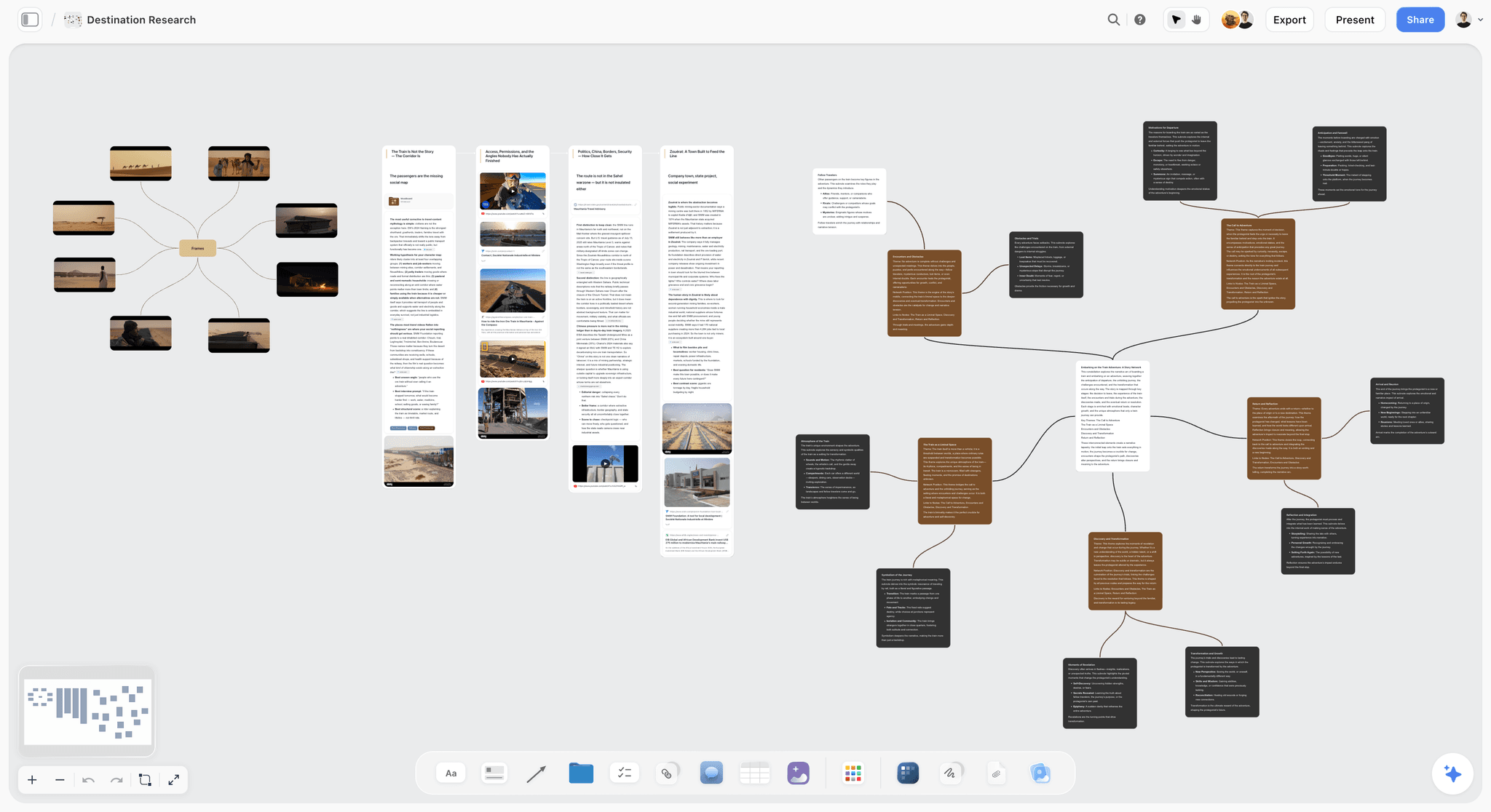
Storyflow is the planning layer a Gantt chart depends on. Before a single bar lands on a timeline, someone has to decide what the project actually is: the deliverables, the milestones, what truly depends on what, the risks, and which stakeholders care. Storyflow is the AI-aware visual canvas built for exactly that work. You map the whole project as thinking, not as fixed rows, and a real Gantt engine turns the result into a defensible schedule. It is the strongest tool in this ranking for the planning that decides what goes on the timeline.
Best for: Project leads, agency PMs, founders, and creative teams who want to scope and pressure-test a project visually before and alongside the formal Gantt.
Verdict: The number three pick. TeamGantt and Microsoft Project rank one and two because they own the formal dependency timeline, and Storyflow earns third because a Gantt chart is only as good as the plan behind it. This is the best tool for that planning layer: map scope and milestones on an infinite canvas, let AI read the whole board, then hand a sound plan to your Gantt tool.
Key features
- Visual planning canvas with structured cards for mapping deliverables, milestones, dependencies as thinking, risks, and open questions on an infinite board the whole team can see at once.
- AI that reads the whole board. Storyflow's AI takes in your full active canvas plus up to 1 Tactic and 3 @-mentioned Documents, so it can pressure-test scope, surface missing deliverables, and flag unnamed risks before they become schedule slippage.
- 200+ Story Blueprints on Plus and above, an expert-framework template library that gives project planning real structure instead of a blank canvas.
- Unlimited shared boards and unlimited collaboration on every plan, including the Free plan when it launches, so stakeholders can plan together in real time as the scope takes shape.
Pricing
Paid-only during early access; Plus $7.99/mo annual or $9.99/mo monthly (200+ Story Blueprints, unlimited uploads); Pro $14/mo annual or $19/mo monthly (adds AI image generation, 20x more AI than Plus); Max $39/mo annual or $49/mo monthly (adds 40x more AI and a team workspace with permissions and roles). The Free plan (unlimited notes, images, links, unlimited shared boards, basic AI usage, 20 file uploads, unlimited collaboration) launches before the end of 2026, and anyone a paid member invites to a board joins free now.
Pros
- The visual canvas is the right shape for the messy, high-value scoping work that decides whether a Gantt chart is built on solid ground.
- AI that reads the entire board catches missing deliverables and unscoped risks early, while they are still cheap to fix.
- The 200+ Story Blueprints library turns project planning into a guided, structured process.
- The upcoming Free plan is built to be genuinely usable, with unlimited boards and unlimited collaboration, so a whole team can start planning at zero cost once it launches.
Cons
- For the formal dependency timeline itself, run Storyflow alongside a dedicated Gantt engine like our number one pick, TeamGantt, which draws the critical path and recalculates dates.
- Paid-only during early access, so there is no way to try it at zero cost yet unless a paid teammate invites you.
Start planning your next project on Storyflow.
2. TeamGantt
TeamGantt is the rare tool that delivers a true Gantt engine without the learning curve that usually comes with one. It is the pick when the Gantt chart is the deliverable and you do not want to spend a week in training.
Best for: Agencies, marketing teams, construction and operations PMs who need a real schedule fast.
Verdict: The best overall Gantt chart tool in 2026. Loses to Microsoft Project only on the most complex enterprise scheduling.
Key features
- Drag-and-drop dependency engine. Finish-to-start links that enforce themselves. Move a task and successors shift automatically.
- Critical path and baselines. Toggle the critical path on; save a baseline and watch planned-versus-actual drift.
- Workload view. See who is over-allocated across projects without leaving the Gantt.
- Hybrid Gantt, list, and board views so the team can work the way it prefers while the schedule stays intact.
Pricing
Free plan: 1 manager, 1 active project, 40 tasks. Lite: $19/manager/mo annual. Pro: $49/manager/mo annual (up to 20 projects per manager, unlimited collaborators). Enterprise: $99/manager/mo annual. Collaborators are included on paid plans; the per-manager model keeps cost predictable. Verify current pricing at teamgantt.com.
Pros
- The gentlest learning curve of any true Gantt engine. A usable, dependency-linked schedule in under an hour.
- Per-manager pricing means unlimited collaborators do not inflate the bill.
- Drag-to-reschedule recalculates the whole plan instead of making you redraw bars.
Cons
- Per-manager pricing gets expensive when you have many project managers.
- Lighter on portfolio-level reporting than Microsoft Project or Smartsheet.
- The free plan is too limited for anything beyond a trial.
3. Microsoft Project
Microsoft Project is the deepest scheduling engine in the category and has been since long before "Gantt chart software" was a search term. It is the pick when the project is genuinely complex and the schedule has to hold up under scrutiny.
Best for: Enterprise PMOs, construction, engineering, and any project with hundreds of interdependent tasks.
Verdict: The most powerful true Gantt engine in 2026. Overkill, and over-priced, for small simple projects.
Key features
- Full dependency modeling with all four link types, lead, and lag.
- Critical path, baselines, and resource leveling as first-class features, not add-ons.
- Portfolio and demand management on the higher tier for organizations running many projects at once.
- Deep Microsoft 365 integration with Teams, SharePoint, and Power BI.
Pricing
Planner Plan 1: $10/user/mo. Planner and Project Plan 3: $30/user/mo (adds the desktop client, resource management, advanced scheduling). Planner and Project Plan 5: $55/user/mo for enterprise portfolio management. Note that Plan 5 moved to end-of-sale on May 1, 2026; verify availability with Microsoft before purchase.
Pros
- The most complete scheduling engine available, full stop.
- Critical path, baselines, and resource leveling are mature and trusted by enterprise PMOs.
- Power BI and Teams integration suits organizations already on Microsoft 365.
Cons
- The steepest learning curve in this list. Real proficiency takes weeks.
- The interface feels dated next to modern work platforms.
- The Plan 5 end-of-sale and the split between Planner and Project plans make licensing genuinely confusing.
4. GanttPRO
GanttPRO is a dedicated Gantt tool that delivers a full dependency engine and critical path at a price the work platforms cannot match. It is the pick when you want a real schedule and nothing else.
Best for: Solo PMs, small agencies, and teams who want Gantt scheduling without paying for a whole work OS.
Verdict: The best dedicated Gantt tool on a budget. Lighter ecosystem than the bigger names is the trade-off.
Key features
- Full dependency engine with all four link types and lag, plus auto-scheduling.
- Critical path and baselines included on standard paid tiers.
- Workload and resource management to spot over-allocation.
- Project templates for common project types so you start from structure, not a blank chart.
Pricing
No free plan; 14-day full-featured trial. Basic: $7.99/user/mo annual. Pro: $12.99/user/mo annual. Business: $19.99/user/mo annual. Monthly billing requires a 5-seat minimum; annual allows single users. Nonprofits get 50% off. Verify at ganttpro.com.
Pros
- A true Gantt engine starting under $8/user/mo annual, the best value in the category.
- Purpose-built for Gantt, so the scheduling features are front and center, not buried.
- Templates shorten the path from signup to a structured plan.
Cons
- Smaller integration ecosystem than Asana, ClickUp, or Monday.com.
- No free plan; you commit after a 14-day trial.
- Less suited to teams who also need boards, docs, and CRM in the same tool.
5. Smartsheet
Smartsheet is a spreadsheet that grew a real Gantt engine. It is the pick for teams who think in rows and columns but need dependency-aware scheduling on top.
Best for: Operations teams, PMOs, and anyone migrating complex project trackers off Excel.
Verdict: The best Gantt tool for spreadsheet-native teams. The grid-first interface is the strength and the limitation.
Key features
- Grid view with a dependency-aware Gantt so the schedule and the data live together.
- Critical path and baselines on the project sheet.
- Automation and conditional logic for status updates and approvals.
- WorkApps and dashboards on higher tiers for portfolio reporting.
Pricing
No free plan; 30-day trial. Pro: $9/user/mo annual (unlimited sheets, 250 automations/mo). Business: $32/user/mo annual (unlimited automations, document builder, unlimited free viewers, proofing). Enterprise: custom. Monthly billing adds roughly 36 to 38%. Verify at smartsheet.com.
Pros
- Familiar grid lowers the barrier for teams coming off Excel.
- Real dependency and critical-path support, not a decorative timeline.
- Business tier's unlimited free viewers help when many stakeholders only need read access.
Cons
- The jump from Pro to Business is steep at $9 to $32/user/mo.
- The grid-first interface feels heavy for simple projects.
- Resource management is weaker than Microsoft Project's.
6. Wrike
Wrike is a work management platform with a genuinely capable Gantt view. It is the pick for mid-size teams who want scheduling inside a broader hub of tasks, requests, and reporting.
Best for: Marketing teams, professional services, and operations groups managing many concurrent projects.
Verdict: A strong Gantt view inside a capable work platform. The Gantt is not as deep as a dedicated engine.
Key features
- Interactive Gantt with dependencies and critical path alongside boards, tables, and calendars.
- Request forms and intake that route new work into projects.
- Resource and workload management across the portfolio.
- Proofing and approvals for creative and marketing teams.
Pricing
Free plan with limited features. Team: $10/user/mo annual. Business: $25/user/mo annual (5-seat minimum, sold in groups of five). Higher tiers custom. Business and above are annual-only. Verify at wrike.com.
Pros
- Capable Gantt without leaving a platform that also handles intake and reporting.
- Strong for cross-project resource management.
- Request forms are genuinely useful for teams with high inbound work.
Cons
- The seat-bucket pricing means you often pay for seats you do not use.
- The Gantt is good but not as deep as Microsoft Project or GanttPRO.
- The platform is broad enough to feel heavy for a team that only needs a schedule.
7. ProjectManager
ProjectManager pairs a real Gantt with dashboards, timesheets, and workload views. It is the pick for PMs who want scheduling and reporting in the same tool.
Best for: Project managers in construction, IT, and operations who need to track time and progress against the plan.
Verdict: A solid all-round PM tool with a real Gantt at its core. Less specialized than a dedicated Gantt engine.
Key features
- Interactive Gantt with dependencies, milestones, and critical path.
- Real-time dashboards that pull from the schedule automatically.
- Timesheets and workload management tied to tasks.
- Multiple project views including board, list, and calendar.
Pricing
No free plan; free trial available. Team: $14/user/mo annual. Business: $26/user/mo annual (unlimited users, up to 100 projects, timesheets, portfolio dashboards). Enterprise: custom. Verify at projectmanager.com.
Pros
- Gantt, timesheets, and dashboards in one tool reduces the stack.
- Dashboards update from the schedule without manual reporting work.
- Solid fit for PMs who answer to stakeholders with status reports.
Cons
- Pricier entry point than GanttPRO for comparable scheduling depth.
- The breadth means more setup than a focused Gantt tool.
- Resource management is good, not best-in-class.
8. Monday.com
Monday.com is a colorful work OS with a Gantt view bolted onto its database core. It is the pick for visual teams who want a timeline inside a platform they already use for everything else.
Best for: Marketing, creative, and operations teams already running their work in Monday.com.
Verdict: A good Gantt view, not a Gantt engine. Fine if the platform is already your home base.
Key features
- Gantt view with dependencies and milestones layered on the board core.
- Highly customizable boards with status columns, automations, and dashboards.
- Timeline and workload views for capacity planning.
- Broad integrations with the tools marketing teams use.
Pricing
Free plan: up to 2 seats. Basic: $9/seat/mo annual. Standard: $12/seat/mo annual (includes the Gantt and timeline views). Pro: $19/seat/mo annual. Three-seat minimum, then seats sold in buckets. Verify at monday.com.
Pros
- The Gantt lives inside a platform teams genuinely enjoy using.
- Automations and dashboards reduce manual status-tracking.
- Strong fit if Monday.com is already the team's work hub.
Cons
- The Gantt and timeline views require the Standard tier or above.
- The three-seat minimum and seat buckets inflate cost for small teams.
- Dependency handling is lighter than a true Gantt engine; complex schedules expose it.
9. Asana
Asana is a task and work management tool with a Timeline view that functions as a light Gantt. It is the pick for teams who already run their work in Asana and want the schedule in the same place.
Best for: Cross-functional teams and marketing groups standardized on Asana.
Verdict: A serviceable timeline, not a scheduling engine. Pair with Instagantt if you need a real Gantt.
Key features
- Timeline view with task dependencies and milestones.
- Boards, lists, and calendars alongside the timeline.
- Workload view for capacity planning across projects.
- Rules and automations for routine task management.
Pricing
Free plan: up to 10 users, basic views. Starter: $10.99/user/mo annual (includes Timeline). Advanced: $24.99/user/mo annual (adds portfolios, goals, advanced reporting). Enterprise: custom. Verify at asana.com.
Pros
- The Timeline is easy to build and easy for stakeholders to read.
- Strong general work management if the team needs more than scheduling.
- Free plan is generous for small teams evaluating the tool.
Cons
- No true critical path or baselines; this is a timeline view, not an engine.
- Dependency handling does not auto-reschedule deeply enough for complex work.
- Advanced features sit behind the pricey Advanced tier.
10. ClickUp
ClickUp is an all-in-one work platform that includes a Gantt view among its many views. It is the pick for teams who want one tool for tasks, docs, goals, and a schedule.
Best for: Startups and small-to-mid teams who want to consolidate their stack into one platform.
Verdict: A capable Gantt among many views. The breadth is the appeal and the risk.
Key features
- Gantt view with dependencies, critical path, and a slack toggle.
- Dozens of other views including board, list, calendar, and mind map.
- Docs, goals, and whiteboards built into the same workspace.
- Automations and dashboards across the platform.
Pricing
Free Forever plan is generous. Unlimited: $7/user/mo annual. Business: $12/user/mo annual (adds advanced dashboards, sprint reporting). Enterprise: custom. AI is a paid add-on. Verify at clickup.com.
Pros
- The Gantt includes critical path and slack, which many work platforms omit.
- Replacing several tools with one can genuinely cut cost and context-switching.
- The free plan is one of the most generous in the category.
Cons
- The sheer number of features and settings is overwhelming for new users.
- Performance can lag on very large workspaces.
- The Gantt is good but still not as deep as a dedicated scheduling engine.
11. Instagantt
Instagantt is a dedicated Gantt tool best known as the proper scheduling layer for Asana. It is the pick when your team lives in Asana but the Timeline view is not enough.
Best for: Asana teams who need real dependencies, critical path, and baselines.
Verdict: A focused Gantt layer that fixes Asana's scheduling gap. Standalone, it is a smaller player.
Key features
- Two-way Asana sync so the Gantt and Asana tasks stay aligned.
- Dependencies, critical path, and baselines that Asana's Timeline lacks.
- Workload management and progress tracking.
- Standalone mode for teams not on Asana.
Pricing
No free plan; 7-day trial. Individual: $10/mo. Team: $20/mo. Additional collaborators around $8/mo each. Verify at instagantt.com.
Pros
- Turns Asana into a real scheduling tool with critical path and baselines.
- Lightweight and quick to learn.
- Reasonable price for the dependency depth it adds.
Cons
- Most of its value depends on already using Asana.
- Smaller ecosystem and integration set than the major platforms.
- No free plan; you commit after a short trial.
12. Notion
Notion is a docs-and-database workspace with a Timeline view that draws bars on a calendar. It is the pick when you want a light visual schedule inside a tool you already use for notes and wikis.
Best for: Small teams and solo users who want a simple timeline next to their docs, not a true schedule.
Verdict: A timeline view, not a Gantt engine. Honest about its limits, it is fine; mistaken for a scheduling tool, it fails.
Key features
- Timeline view on any database with start and end dates.
- Dependency relations you can configure, though they do not auto-reschedule.
- Docs, wikis, and databases in one flexible workspace.
- Templates for project trackers and roadmaps.
Pricing
Free plan for personal use. Plus: $10/user/mo annual. Business: $18/user/mo annual (includes Notion AI). Enterprise: custom. Verify at notion.com.
Pros
- Excellent if the schedule needs to live next to project docs and notes.
- Flexible enough to shape into a light project tracker.
- Free plan is usable for individuals.
Cons
- No real critical path, no baselines, and dependencies that do not cascade.
- A slipped task does not move its successors on the chart.
- This is the clearest timeline-view imposter on the list; do not run a dependency-heavy project on it.
7) Persona Recommendations
13. Construction / Operations PM
Top picks: Microsoft Project or TeamGantt
Construction and operations schedules are dependency-dense, with hard sequencing and resource constraints. Microsoft Project handles the deepest version of this with full resource leveling and baselines. TeamGantt is the better pick if the team values speed and shared visibility over enterprise-grade portfolio features. Avoid timeline-view tools entirely here; a slipped task that does not cascade is a real-world delay nobody saw coming.
14. Agency PM
Top picks: Storyflow plus TeamGantt or Wrike
Agencies juggle many concurrent client projects with overlapping deliverables, and the hardest part is scoping each new engagement before it becomes a schedule. Storyflow is the strongest pick for that planning layer: map deliverables, milestones, and stakeholders on a shared visual canvas, with AI reading the whole board to catch gaps. Then build the formal timeline in TeamGantt, whose per-manager pricing suits a small PM team, or in Wrike if you also need request intake and proofing.
15. Software Team
Top picks: Storyflow plus ClickUp or Asana with Instagantt
Software teams usually want the schedule inside the same tool as sprints, docs, and tickets, and ClickUp's Gantt with critical path and slack covers most of that. But release scope, dependencies, and risks are best worked out visually first. Storyflow is the planning canvas for that: map the release as thinking, pressure-test it with AI, then schedule it. Asana teams who need a real critical path should add Instagantt.
16. Solo Freelancer
Top picks: Storyflow plus GanttPRO or TeamGantt Lite
A solo freelancer needs to plan a project clearly and then schedule it without paying for a team platform. Storyflow is the strongest place to scope the work, with unlimited boards, unlimited collaboration, and AI to spot what you missed, though it is paid-only during early access today (Plus from $7.99/mo annual), with a Free plan landing before the end of 2026. GanttPRO at $7.99/user/mo annual is the cheapest true Gantt engine for the timeline itself, and TeamGantt's Lite tier works for someone managing a small number of projects.
17. Enterprise PMO
Top picks: Microsoft Project or Smartsheet, with Storyflow for planning
An enterprise PMO needs portfolio management, resource leveling across many projects, and baselines for governance. Microsoft Project is the standard, and Smartsheet is the alternative when the organization is spreadsheet-native. Both are true Gantt engines built for scale. Storyflow fits as the planning layer ahead of them: a shared canvas where project leads scope and align stakeholders before the work hits the formal schedule.
Where Storyflow fits for these personas: Storyflow is the visual planning layer, not the formal Gantt engine. It is the strongest pick for scoping a project, mapping dependencies as thinking, and aligning stakeholders before and alongside the timeline. Pair it with a dedicated Gantt tool, and each does the job it is built for.
8) Honorable Mentions
A few tools that came close but did not make the main twelve:
- GanttProject: Free, open-source desktop Gantt tool. A genuine engine with dependencies and critical path. Did not make the list because it is desktop-only with no real collaboration layer.
- ProjectLibre: Free, open-source alternative to Microsoft Project. Capable but dated, and development has been slow.
- Jira (with Advanced Roadmaps): Strong for software teams already on Jira, but the Gantt-style timeline sits behind Premium pricing and is engineered around agile, not classic scheduling.
- Zoho Projects: A solid, affordable Gantt inside the Zoho ecosystem. Best if you already use other Zoho apps.
- Merlin Project: A capable Mac-native scheduling tool with real critical path. Narrow audience kept it off the main list.
- Hive: A work platform with a Gantt view. Competent, but it does not lead on scheduling depth.
These are not weak tools. Their audience or platform fit is narrower than the twelve above.
9) Planning vs. Scheduling: Two Jobs, Two Tools
The most useful thing to understand before you buy anything is that a project has two distinct layers, and they call for two different tools.
The scheduling layer is the formal Gantt chart. You need a real Gantt engine when the project has hard dependencies and a fixed end date. A construction buildout, a product launch with a press date, a film shoot with a locked location window: these have sequences that cannot be reordered and a deadline that cannot move. The critical path is the entire point, and a tool like TeamGantt or Microsoft Project earns its keep here. (When the work is just a flow of independent tasks, a board or a list is simpler than any timeline.)
The planning layer is what decides what goes on that timeline in the first place: the deliverables, the milestones, what genuinely depends on what, the risks, and the stakeholders. This is the layer most teams underinvest in, and it is why so many schedules slip. Building a Gantt chart on top of an unscoped project produces a precise-looking drawing of a plan nobody has actually thought through. The schedule looks right. The project is not.
This is where a visual planning canvas does its best work, and it is why Storyflow is our number three pick. Before and alongside your Gantt tool, map the project on a canvas: every deliverable, every milestone, what depends on what as thinking rather than fixed rows, the open questions, the risks, and the stakeholders who care. Storyflow's AI reads the whole board, so it can flag a missing deliverable or an unnamed risk while it is still cheap to fix. Then take that scoped, pressure-tested plan into TeamGantt or Microsoft Project and build the formal schedule.
The best results come from doing both layers well: plan it in Storyflow, schedule it in a true Gantt engine. The planning tool turns a vague idea into a sound plan, and the Gantt tool turns a sound plan into a timeline. Start planning on Storyflow.
11) The Bottom Line
The best Gantt chart tool in 2026 depends on whether the Gantt is the deliverable or just one view among many. TeamGantt is the best overall pick: a true Gantt engine with the gentlest learning curve in the category. Microsoft Project is the choice for complex, dependency-heavy work where critical path and baselines have to hold up under scrutiny. GanttPRO is the best dedicated engine on a budget, Smartsheet wins for spreadsheet-native teams, and Monday.com, ClickUp, Asana, and Wrike are the picks when you want the Gantt inside a work platform you already use.
Our number three pick is Storyflow, and it earns that spot for a clear reason: a Gantt chart is only as good as the plan behind it. The scoping work that decides what goes on the timeline (the deliverables, milestones, dependencies, risks, and stakeholders) is its own job, and Storyflow is the best tool for it. It is an AI-aware visual canvas where you map and pressure-test the whole project before and alongside the formal schedule. The AI reads the entire board to catch what you missed, the 200+ Story Blueprints give planning real structure, and the upcoming Free plan is built to let a whole team start at zero cost once it launches before the end of 2026; Storyflow is paid-only during early access today.
The move is to do both layers well. Plan the project visually in Storyflow, then build the formal timeline in a true Gantt engine like TeamGantt or Microsoft Project. To start the planning layer, create your Storyflow workspace.
10) FAQ: Gantt Chart Tools in 2026
What is the best Gantt chart tool in 2026?
TeamGantt is the best Gantt chart tool for most teams in 2026 because it pairs a true dependency engine with the gentlest learning curve in the category. Microsoft Project is the best pick for complex, dependency-heavy projects where critical path, baselines, and resource leveling are non-negotiable. GanttPRO is the best dedicated Gantt tool on a budget at $7.99/user/mo annual.
What is the difference between a Gantt chart and a timeline view?
A Gantt chart is a calculation: it computes start and end dates from task durations and dependencies, highlights the critical path, and recalculates the whole plan when a task slips. A timeline view just draws bars on a calendar. The clearest test is to slip a task. If its successors move automatically, it is a Gantt engine. If nothing moves, it is a timeline view, which looks correct even when the project is late.
What is the cheapest real Gantt chart software?
GanttPRO is the cheapest true Gantt engine at $7.99/user/mo billed annually, with full dependencies and critical path. ClickUp's Unlimited plan at $7/user/mo annual also includes a Gantt with critical path. For a free option, GanttProject is an open-source desktop tool with real dependency support, though it has no collaboration layer.
Is Microsoft Project still worth it in 2026?
Yes, for complex projects. Microsoft Project remains the deepest scheduling engine available, with the most complete dependency, critical path, baseline, and resource-leveling support. It is worth it for enterprise PMOs, construction, and engineering. It is overkill for small simple projects, where TeamGantt or GanttPRO deliver what you need with far less learning curve. Note that Plan 5 moved to end-of-sale in May 2026.
Can Notion make a real Gantt chart?
No. Notion's Timeline view draws task bars on a calendar, but it has no critical path, no baselines, and dependencies that do not cascade. A slipped task will not move its successors. Notion is fine for a light visual schedule next to your docs, but it is a timeline view, not a Gantt engine. Do not run a dependency-heavy project on it.
Does Asana have Gantt charts?
Asana has a Timeline view that functions as a light Gantt, with task dependencies and milestones, available on the Starter plan and above. It does not have a true critical path or baselines. Asana teams who need real scheduling depth usually add Instagantt, a dedicated Gantt layer that syncs two-way with Asana.
What is the best Gantt chart tool for construction?
Microsoft Project is the standard for construction because construction schedules are dependency-dense and need resource leveling and baselines. TeamGantt is a strong alternative for construction and operations PMs who want faster setup and easier shared visibility. Avoid timeline-view tools for construction; an uncalculated schedule hides slippage until it becomes a real delay.
Where does Storyflow fit among Gantt chart tools?
Storyflow is our number three pick, and it works as the planning layer rather than the formal Gantt engine. It is an AI-aware visual canvas where you map scope, milestones, dependencies as thinking, risks, and stakeholders before and alongside the timeline. Its AI reads the whole board to pressure-test the plan and surface gaps. For drawing the formal critical-path timeline itself, run it alongside a dedicated Gantt engine like TeamGantt or Microsoft Project. A Gantt chart is only as good as the plan behind it, and Storyflow is the best tool for building that plan.
Do I need a Gantt chart for a small project?
Often not. A Gantt chart earns its keep when a project has hard dependencies and a fixed end date. If the work is a flow of independent tasks, a board or a list is simpler and needs less maintenance. Forcing simple work onto a timeline adds upkeep without adding insight.
What should I do before building a Gantt chart?
Scope the project first. Map every deliverable, identify what genuinely depends on what, and name the open questions and risks. A Gantt tool turns a sound plan into a timeline, but it cannot turn a vague plan into a sound one. Teams who struggle with their schedule often have a scoping problem, not a scheduling one. A visual canvas like Storyflow is built for that scoping step.
How much do Gantt chart tools cost in 2026?
Entry pricing ranges widely. GanttPRO starts at $7.99/user/mo annual and ClickUp Unlimited at $7/user/mo annual. TeamGantt uses per-manager pricing from $19/manager/mo annual. Microsoft Project Plan 1 is $10/user/mo. Smartsheet Pro is $9/user/mo annual. Watch for per-seat minimums on Monday.com and Wrike, which can raise the real cost above the headline price.
Which Gantt tool is easiest to learn?
TeamGantt is the easiest true Gantt engine to learn, with a usable, dependency-linked schedule possible within an hour of signup. Among work platforms with a Gantt view, Monday.com and Asana are approachable. Microsoft Project is the hardest; real proficiency takes weeks.
Table of Contents
- Quick Answer: The Best Gantt Chart Tools in 2026
- Comparison Table: 12 Gantt Chart Tools Compared
- What Actually Makes a Gantt Tool a Gantt Tool
- How We Evaluated These Tools
- Quick Picks by Use Case
- Detailed Reviews: 12 Gantt Chart Tools in 2026
- Persona Recommendations
- Honorable Mentions
- Planning vs. Scheduling: Two Jobs, Two Tools
- FAQ: Gantt Chart Tools in 2026
- The Bottom Line
- Author
- Related Reading
Templates to check out for this topic


Planning and project templates you can use in Storyflow
Plan a launch, a sprint, or a whole project on a visual board the team can see at once. Open one of these templates and start from real structure.


See Storyflow in Action
A visual AI workspace where every feature lives inside one canvas. No tab-switching, no context lost.
Build your entire board from a single message
Type what you need in the AI chat at the bottom of your canvas. The AI adds cards, headings, and structure directly onto your board.
Use expert frameworks as AI context
Type @ in the AI chat and choose any Tactic. The AI tailors every response to that framework instead of giving generic advice.
Turn your board into a mind map in seconds
Ask the AI to restructure your canvas as a mindmap. It connects your ideas into a visual hierarchy so you can see how everything relates.
Why Storyflow Exists
Storyflow actually began as a personal tool while working on creative and research projects.
We kept running into the same problem: ideas were scattered everywhere: notes, documents, and whiteboards.
Nothing helped us see how everything connected.
So we started building a workspace designed around how ideas actually grow.
→ Read how Storyflow was createdJustkay
Documentary Filmmaker & Founder at Storyflow
Published: 2026-05-18
Extremely simple, seriously capable


See how easy it is to get started
Watch a real project come together, from a blank board to a finished plan, clicked through step by step.
Start creating with AI and become more productive
Transform your creative workflow with AI-powered tools. Generate ideas, create content, and boost your productivity in minutes instead of hours.