
Category
AI Tools
Author

Justkay
Documentary Filmmaker & Founder at Storyflow
Topics
2026-05-18
•
Updated May 18, 2026
•
15 min read
•
AI Tools- best AI tools for teachers 2026
- AI tools for teachers
- AI for lesson planning
- MagicSchool AI
- AI for differentiation
- free AI tools for teachers
What are the best AI tools for teachers in 2026?
The best AI tools for teachers in 2026 are MagicSchool AI (best all-in-one classroom toolkit), Storyflow (best for visual lesson planning and curriculum mapping), Diffit (best for differentiating reading material), ChatGPT and Claude (best flexible assistants), and Khanmigo (best free student tutor). MagicSchool wins overall because it is purpose-built for the classroom. Most teachers in 2026 run two or three tools together, each matched to a phase of the teacher workload.

All 12 AI Tools for Teachers, Ranked
- MagicSchool AI: best all-in-one classroom toolkit built for teachers
- Storyflow: best for visual lesson and unit planning on a canvas
- Diffit: best for differentiating reading material by level
- ChatGPT: best flexible general-purpose assistant
- Claude: best for nuanced writing and feedback
- Khanmigo: best free student tutor and teacher aide
- Brisk Teaching: best AI inside Google Docs and Slides
- Curipod: best interactive AI lesson slides
- Canva for Education: best for visual materials and infographics
- NotebookLM: best for synthesizing source material
- SchoolAI: best monitored student AI chat spaces
- Gamma: best for fast lesson and meeting decks
Full disclosure: Storyflow is our own product, and we rank it #2 here for visual lesson and unit planning, where the AI works from the board you are building instead of a blank prompt. MagicSchool AI is the honest #1 for most teachers because it is purpose-built for the classroom with dozens of ready teacher tools, and Diffit is cleaner for differentiating a single reading passage. Storyflow is not classroom-built and has no gradebook, rubric bank, or student-facing mode. We link to every tool so you can judge the fit.
Quick Comparison: Best AI Tools for Teachers
These four cover the jobs teachers decide between: an all-in-one classroom toolkit, visual lesson and unit planning, differentiating reading material, and a flexible general-purpose assistant.
| Tool | Best For | AI Features | Price |
|---|---|---|---|
| MagicSchool AI | All-in-one classroom toolkit | Dozens of built-in teacher AI tools | Free / $8.33 mo |
| Storyflow | Visual lesson and unit planning | Canvas AI reads your lesson board | $7.99 mo annual (free plan late 2026) |
| Diffit | Differentiating reading material | AI adapts any text to reading level | Free / $14.99 mo |
| ChatGPT | Flexible general-purpose assistant | General LLM for any teaching task | Free / $20 mo |
1) Quick Answer: The Best AI Tools for Teachers in 2026
The best AI tools for teachers in 2026 are MagicSchool AI (best all-in-one classroom toolkit), Storyflow (best for visual lesson planning and curriculum mapping on a canvas), Diffit (best for differentiating reading material), ChatGPT and Claude (best general-purpose assistants), and Khanmigo (best free student tutor and teacher aide). MagicSchool wins the overall slot because it is purpose-built for the classroom, with 80-plus teacher tools, IEP support, and district privacy agreements. Storyflow wins a different slot: it is where the planning half of the job lives, the lesson sequence, the unit map, the project-based learning plan, all on one infinite canvas the AI can read.
The short version: if you want a single classroom-specific toolkit, MagicSchool. If you want to plan units and projects visually, Storyflow. If you want to differentiate a text in two minutes, Diffit. If you want a flexible thinking partner, Claude or ChatGPT. Most teachers in 2026 run two or three of these together, not one.
For adjacent reading, see The 12 Best AI Tools for Students in 2026 and The Best Course Creator Tools in 2026.
2) Comparison Table: 13 AI Tools for Teachers Compared
Rating criteria: tested on real lesson planning, differentiation, materials creation, and parent communication work across K-12 and higher-ed teaching. Tools were rated on whether they shortened a real teaching task, not on benchmark demos.
3) Why Teachers Need a Different AI Stack
A marketer and a teacher both write a lot, but they need different AI. Three structural facts shape the teacher's stack, and most generic best-AI-tools lists ignore all three.
Teaching is workload-shaped, not output-shaped. A teacher does not ship one artifact. A teacher plans a unit, differentiates a reading three ways, builds a slide deck, writes an assessment, grades it, and emails six parents, every week. According to the Walton Family Foundation and Gallup study "Teaching for Tomorrow" (2,232 U.S. K-12 teachers, March to April 2025), teachers who use AI weekly save an average of 5.9 hours per week, which the study frames as six weeks reclaimed over a school year. The tools that earn their place are the ones that compress a specific phase of that workload, not the ones that produce a generic paragraph fast.
Teaching has a standards-and-equity layer. Lessons map to standards. Texts get differentiated for reading levels and English language learners. Assessments need rubrics. IEPs need accommodations. A teacher does not just need AI that writes. A teacher needs AI that writes inside the constraints of a classroom. This is exactly why a purpose-built tool like MagicSchool or Diffit beats raw ChatGPT for the classroom-specific jobs, and why you should not pretend a general tool covers them.
Teaching is multi-modal and visual. A unit plan is not a paragraph. It is a sequence, a set of dependencies, a map of which skills build on which. A project-based learning plan is a web of milestones, resources, and student roles. The teachers who plan well work in space, not in a single text box, which is where a canvas tool earns a slot that a chat window never can.
The familiar approach is to open ChatGPT, type "write me a lesson on photosynthesis," and paste the result into a doc. It works for one lesson and falls apart at the unit level, where the second lesson has no idea what the first one taught. The teacher approach is to lay the whole unit on a canvas, the standards, the lesson sequence, the materials, the assessment, and let the AI read all of it before it suggests the next step. That is the difference between a tool that fills a box and a tool that helps you plan.
4) How We Evaluated These Tools
Every tool here was tested on real teaching work between 2024 and 2026: unit planning, text differentiation, slide creation, assessment drafting, and parent communication. No synthetic prompts. Five criteria, weighted in this order.
- Task fit. Does the tool actually shorten a specific teaching task, or does it produce a demo that needs heavy rework before a class ever sees it?
- Classroom safety and accuracy. Does the tool handle student data responsibly, and does it produce material a teacher can trust without line-by-line fact-checking?
- Standards and differentiation support. Can the tool align to standards, adjust reading levels, and account for diverse learners, or does it produce one-size content?
- Time saved versus rework. Did it cut real hours, or did fixing the output cost more than starting from scratch?
- Pricing honesty for teachers. What does the tool cost a teacher paying out of pocket, not just a district with a budget line?
Tested workflows included a middle-school science unit, a high-school English differentiation set, an elementary project-based learning plan, a semester of community-college lecture decks, and a recurring parent-communication routine.
5) Quick Picks by Teaching Task
If you want the short list, organize by the five phases of the teacher workload: plan, differentiate, create, assess, communicate.
Best for Lesson and Unit Planning: Storyflow for the visual canvas where a whole unit lives. MagicSchool for fast standards-aligned single lesson plans.
Best for Differentiation: Diffit for leveled reading passages and adapted texts. MagicSchool for tiered activities and ELL support.
Best for Creating Materials: Canva for Education for visual handouts and infographics. Curipod and Gamma for slide decks. Brisk Teaching for generating material directly inside Google Docs and Slides.
Best for Assessment: MagicSchool for quizzes, rubrics, and writing feedback. Edcafe AI for quizzes built from any source and AI-drafted feedback on submitted work. Brisk Teaching for inline feedback on student Google Docs.
Best for Communication: ChatGPT or Claude for parent emails, newsletters, and tricky-conversation drafts. MagicSchool has dedicated tools for this too.
Best for Curriculum Mapping and Project-Based Learning: Storyflow. The canvas holds the full scope and sequence, the milestone web, and the resource list in one place the AI can read.
Best for Student-Facing AI: Khanmigo for tutoring. SchoolAI for monitored chat spaces where you see what students ask.
6) Detailed Reviews: 13 AI Tools for Teachers in 2026
1. Storyflow
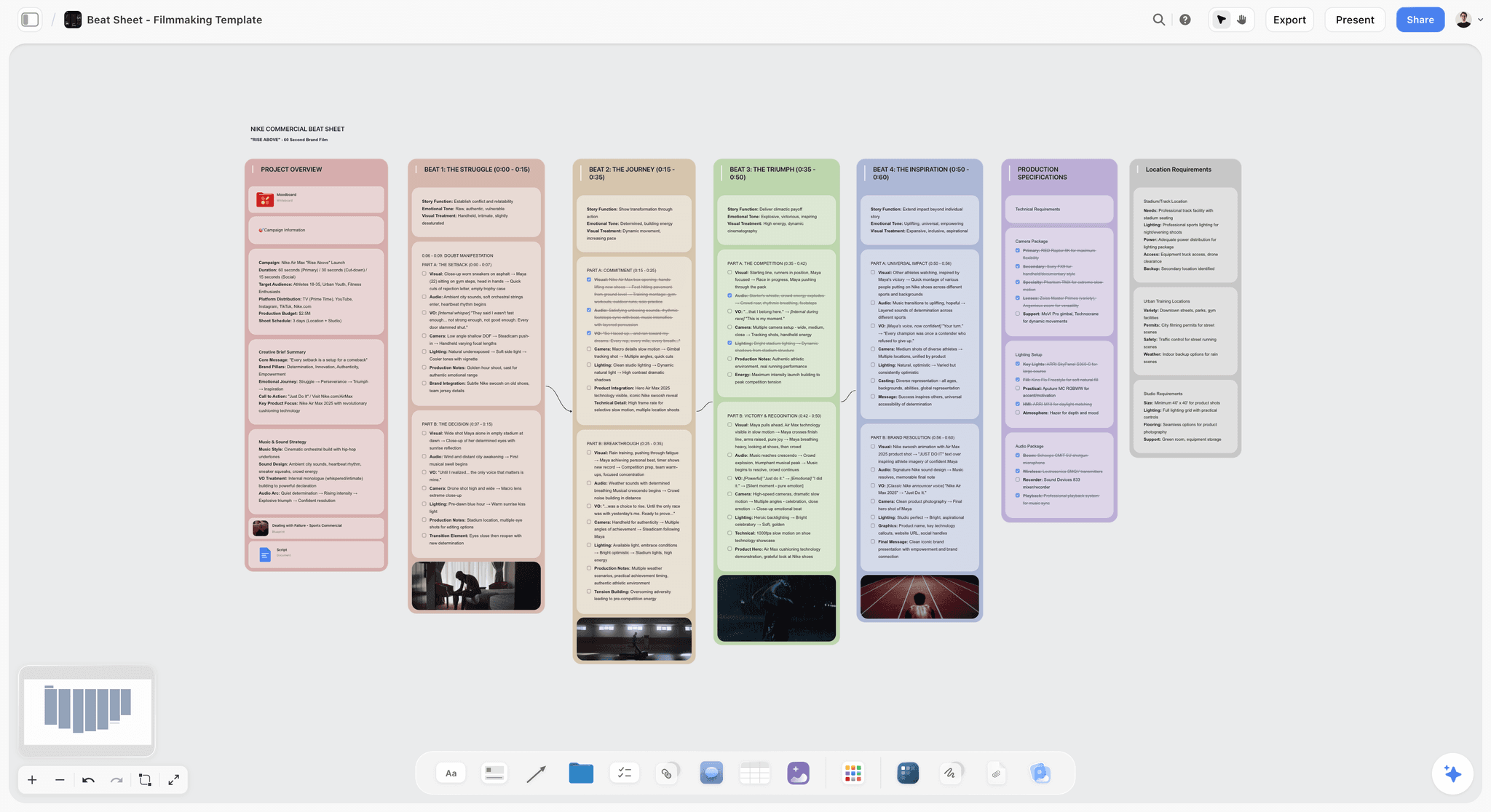
Storyflow is a visual creative workspace where you build a unit on an infinite canvas, structured cards for each lesson, resource, and assessment, and the AI reads the whole board. It is the tool to pick when the planning half of teaching, scope and sequence, curriculum mapping, project-based learning, is the part that drains your time.
Best for: Teachers and curriculum leads who plan units and projects, build visual explainers, and think in maps rather than a single text box.
Verdict: The strongest tool for visual lesson and unit planning. It is not a purpose-built classroom tool, so it is the wrong pick for grading, rubrics, and student rosters; pair it with MagicSchool or Diffit for those.
Key features
- Infinite planning canvas. Lay an entire unit in space: standards, lesson sequence, materials, and assessment as connected cards instead of a linear doc.
- Context-aware AI. The AI reads your full active canvas board, plus up to 1 Tactic and 3 @-mentioned Documents, so a suggestion for lesson four knows what lessons one through three covered.
- Story Blueprints library. 200-plus expert framework templates on Plus and above, useful as starting structures for planning, explainers, and project breakdowns.
- Unlimited shared boards and collaboration on every plan. A department can map a curriculum together; Max adds a team workspace with permissions and roles.
Pricing
Paid-only during early access; the Free plan (unlimited notes, images, and links, unlimited shared boards, basic AI usage, 20 file uploads, and unlimited collaboration) launches before the end of 2026, and anyone a paid member invites to a board joins free now. It will not include the 200-plus Story Blueprints library. Plus: $7.99/mo annual or $9.99/mo monthly, adding the full Blueprints library, and unlimited uploads. Pro: $14/mo annual or $19/mo monthly, adding AI image generation and 20x more AI than Plus. Max: $39/mo annual or $49/mo monthly, adding 40x more AI and a team workspace with permissions and roles.
Pros
- The AI reads the whole unit, so planning suggestions stay coherent across lessons instead of resetting every prompt.
- The canvas fits curriculum mapping and project-based learning the way no chat window or doc does.
- The free tier is genuinely useful for planning, and the entry paid tier is cheaper than most classroom tools.
Cons
- Storyflow is not a purpose-built K-12 tool. There is no grade book, no rubric generator, and no automated grading. Use MagicSchool for those.
- No LMS or Google Classroom integration and no student-roster management, so it sits beside your classroom systems, not inside them.
- Cloud-only, and a newer platform than the established education names, so the education-specific template depth is still growing.
2. MagicSchool AI
MagicSchool AI is the most complete classroom-specific AI toolkit in 2026. It is the tool to start with if you want one place built around how teachers actually work.
Best for: K-12 teachers who want a single purpose-built toolkit covering planning, differentiation, materials, and feedback.
Verdict: The strongest all-in-one AI tool for the classroom. General tools beat it on open-ended thinking; nothing beats it on classroom-task coverage.
Key features
- 80-plus teacher tools. Lesson plans, worksheets, quizzes, rubrics, IEP drafts, and writing feedback, each shaped for a specific teaching job.
- Raina, the classroom AI assistant. A chat assistant tuned for teaching, plus student-facing tools with teacher oversight.
- Standards alignment. Tools generate material mapped to state and national standards.
- District-grade privacy. Custom privacy agreements, SSO, and SIS/LMS integration on the Enterprise tier.
Pricing
Free: $0 for individual teachers, every tool with standard usage limits. Plus: $8.33/mo billed annually or $12.99/mo monthly, with higher limits and expanded features. Enterprise: custom pricing for schools and districts, adding admin dashboards, SSO, and integrations. Verify current pricing at magicschool.ai before quoting.
Pros
- Built for the classroom, so the outputs need less rework than general AI.
- The free tier genuinely covers most of a teacher's week.
- Strong on differentiation, IEPs, and standards alignment that general tools fumble.
Cons
- Tool-by-tool design can feel rigid for open-ended planning; a canvas or chat handles that better.
- Output quality on creative or nuanced writing trails Claude.
- The best privacy and integration features sit behind district pricing.
3. Diffit
Diffit is the differentiation specialist. The pick when you need the same content at three reading levels before tomorrow morning.
Best for: Teachers with mixed-ability classes, ELL-heavy rooms, and anyone who differentiates reading material weekly.
Verdict: The strongest single-job tool on this list. Diffit does one thing, adapting text, and does it better than the all-in-one tools.
Key features
- Generate leveled reading passages on any topic or from any article, video, or uploaded text.
- Auto-built vocabulary lists, summaries, and comprehension questions.
- Multi-language adaptation for ELL students.
- Export to Google Docs, slides, and common formats.
Pricing
Free plan with basic features, and every new teacher account gets a 60-day premium trial. Individual teacher subscription: $14.99/mo or $149.99/yr. School and district plans are flat-rate annual, tiered by enrollment. Verify current pricing at diffit.me.
Pros
- Differentiation is the most time-consuming teacher task, and Diffit collapses it to minutes.
- The leveled-text quality is consistently classroom-ready.
- Strong ELL support that general tools handle poorly.
Cons
- Narrow by design; it is not a lesson planner or assessment tool.
- Individual pricing is higher than MagicSchool's Plus tier.
- You will still pair it with another tool for the rest of the workload.
4. ChatGPT
ChatGPT is still the most flexible general-purpose AI for teachers in 2026. The pick for the open-ended jobs no classroom tool has a button for.
Best for: Drafting parent emails, brainstorming activities, explaining concepts, building custom GPTs for repeated routines.
Verdict: The best flexible assistant. Genuinely useful, but not built for the classroom, so it skips standards and differentiation unless you prompt hard.
Key features
- Strong general reasoning, writing, and brainstorming.
- Custom GPTs to save repeated teaching prompts.
- Image generation and voice mode.
- The broadest plugin and integration ecosystem.
Pricing
Free tier with daily limits. ChatGPT Plus: $20/mo. ChatGPT Pro: $200/mo. Verify current pricing at openai.com.
Pros
- Handles any open-ended task a purpose-built tool has no feature for.
- Custom GPTs turn a good prompt into a reusable tool.
- The free tier covers a lot of casual teacher use.
Cons
- No native standards alignment or differentiation; output is generic until prompted carefully.
- Never paste identifiable student data into the consumer product.
- Loses the thread on multi-lesson planning work; it is a chat, not a canvas.
5. Claude
Claude is the strongest general AI for nuanced writing and feedback. The pick when tone matters, a sensitive parent email, careful written feedback, a delicate newsletter.
Best for: Teachers who write a lot and want a careful, less hype-prone writing partner.
Verdict: The best general AI for writing and feedback quality. Same not-built-for-classroom limits as ChatGPT apply.
Key features
- Large context window for long documents and source material.
- Projects feature for persistent context across sessions.
- Strong tone control and careful, calibrated writing.
Pricing
Free tier with daily message limits. Claude Pro: $20/mo. Claude Max: from $100/mo. Verify current pricing at claude.com.
Pros
- Frequently rated the best at natural, careful writing.
- Calibrated tone is a real asset for parent and student communication.
- Long context handles entire articles or curriculum documents at once.
Cons
- No classroom-specific tools, standards alignment, or differentiation features.
- No image generation in the consumer product.
- Same caution applies: keep identifiable student data out of it.
6. Khanmigo
Khanmigo is Khan Academy's AI tutor and teacher aide. The pick for a trusted, free, education-first student tutor backed by a nonprofit.
Best for: Teachers who want a safe AI tutor for students plus a teacher aide for planning and writing.
Verdict: The best free student-facing AI in 2026. Free for teachers thanks to a Microsoft partnership.
Key features
- Socratic AI tutor that guides students instead of handing over answers.
- Teacher tools for lesson planning, rubrics, and writing feedback.
- Tight integration with Khan Academy content.
- Education-first guardrails on student interactions.
Pricing
Free for teachers in English thanks to a Microsoft partnership. Learners and parents: $4/mo or $44/yr. District partnerships: around $15 per student, 250-license minimum for US districts. Verify current pricing at khanmigo.ai.
Pros
- Free for teachers, with a credible nonprofit behind it.
- The Socratic tutoring model is well-designed for real learning.
- Strong fit if your class already uses Khan Academy.
Cons
- Strongest inside the Khan Academy ecosystem; less flexible outside it.
- Teacher tools are solid but narrower than MagicSchool's.
- Best subject coverage is math and core academics.
7. Brisk Teaching
Brisk Teaching is a Chrome extension that puts AI directly inside Google Docs, Slides, and the web. The pick for teachers who live in Google Workspace.
Best for: Google Classroom and Workspace teachers who want AI where they already work.
Verdict: The best AI tool for Google-native teachers. The in-context design is the whole appeal.
Key features
- Generate lesson plans, rubrics, and materials without leaving Google Docs or Slides.
- Inline feedback on student Google Docs.
- Writing-history view to see how a student draft developed.
- Leveling and translation tools built into the extension.
Pricing
Core tools are free for individual teachers. Brisk Pro: around $9.99/mo at list price. School and district plans are custom. Verify current pricing at briskteaching.com.
Pros
- Works where Google-native teachers already are; no extra app to learn.
- The student writing-history view is a genuinely useful integrity tool.
- The free tier covers core teaching tasks.
Cons
- Tied to Chrome and Google Workspace; little value outside that stack.
- Paid pricing and usage limits are not clearly published.
- Narrower than a full standalone platform like MagicSchool.
8. Curipod
Curipod turns a prompt into an interactive lesson with polls, open responses, and word clouds. The pick for engagement and live classroom interaction.
Best for: Teachers who want interactive, participation-heavy lessons fast.
Verdict: The best AI tool for interactive lesson slides. Strong on engagement, lighter on depth.
Key features
- Generate a full interactive lesson from a topic prompt.
- Built-in polls, open-ended questions, drawings, and word clouds.
- Live student participation on any device.
- AI feedback on student responses during the lesson.
Pricing
Free for individual teachers with core features. School and district plans are custom, typically several thousand dollars per year by seat count. Verify current pricing at curipod.com.
Pros
- Interactive lessons in minutes, not an evening of slide work.
- Real-time participation lifts engagement in lower-energy classes.
- The free teacher tier is genuinely usable.
Cons
- Built for live interactive sessions, not deep planning or assessment.
- Generated lesson depth often needs a teacher pass before class.
- District pricing is opaque and quote-based.
9. Canva for Education
Canva for Education is the visual materials workhorse, free for verified K-12 educators. The pick when the output needs to look good.
Best for: Teachers making handouts, infographics, posters, slides, and visual explainers.
Verdict: The best tool for classroom visual materials. The AI features are an add-on, not the core reason to use it.
Key features
- 100% free for verified K-12 educators and their students.
- Magic Write, Magic Design, and text-to-image AI features.
- 80,000-plus teaching templates and resources.
- LMS integrations with Google Classroom, Canvas, Schoology, and more.
Pricing
Free for verified K-12 educators, students, and qualified districts. Verify eligibility at canva.com/education.
Pros
- Free, with most premium features unlocked for educators.
- The design quality of finished materials is hard to match.
- Real LMS integrations for sharing work and assignments.
Cons
- A design tool first; the AI is a helper, not a teaching engine.
- No lesson planning, standards alignment, or assessment tools.
- Eligibility verification can be a hurdle for some educators.
10. Edcafe AI
Edcafe AI is the interactive-activity specialist. The pick when the bottleneck is building the things students actually do, not writing the lesson plan.
Best for: Teachers whose prep time goes into quizzes, activities, and feedback rather than planning documents.
Verdict: The strongest student-facing activity builder on this list. Narrower than MagicSchool on teacher admin, deeper on the interactive side.
Key features
- Custom chatbots scoped to a specific teaching goal, so students practise against a tutor you have defined.
- Quizzes generated from a topic, a text, a webpage, a document, or a YouTube video.
- Flashcards, reading activities, and summary notes built from the same source material.
- Assignment grader that drafts feedback on submitted student work.
- Slide decks, AI images, and text-to-speech for building materials.
- A central library holding every activity next to student results and performance insights.
- LMS integration with Canvas, Moodle, and Blackboard on the top tier.
Pricing
Free: $0 with 100 AI generations a month, 3 custom chatbots, 3 assignment graders, and 40 participants per activity. Pro: $7.99/mo billed annually, raising that to 1,000 generations, 20 chatbots, 20 graders, and 200 participants, plus file uploads, exports, slides, and image generation. Premium: $14.99/mo billed annually for unlimited generations, chatbots, and graders, 1,000 participants, LMS integration, SOC 2 Type 2 reporting, and custom data privacy agreements. Verify current pricing at edcafe.ai.
Pros
- The quiz generator accepts almost any source, a YouTube video included, which removes most of the setup work.
- Student results and activity history sit in one library instead of scattered across tools.
- The free tier is genuinely usable for a single class rather than a demo.
Cons
- Smaller and less established than MagicSchool, with a narrower teacher-admin tool set.
- LMS integration is gated to the top tier, a real limit for school-wide rollout.
- Participant caps on the lower tiers bite quickly across multiple large sections.
11. NotebookLM
NotebookLM is Google's source-grounded research tool. The pick for synthesizing curriculum documents, articles, and standards into something usable.
Best for: Teachers and curriculum leads digesting dense source material, standards frameworks, or research.
Verdict: The best tool for grounding AI in your own documents. Answers stay tied to the sources you upload.
Key features
- Upload documents, slides, and PDFs; the AI answers only from those sources with citations.
- Audio and Video Overviews that summarize material into a narrated walkthrough.
- Generous free Standard tier with no time limit.
- Strong for turning a standards document or textbook chapter into study aids.
Pricing
Free Standard tier for any Google account: 100 notebooks, 50 sources each, 50 daily chats. NotebookLM Plus: around $7.99/mo, doubling most limits, and included in higher Google Workspace tiers. Verify current pricing at notebooklm.google.
Pros
- Source-grounded answers reduce the hallucination risk of open chat.
- Audio Overviews turn dense material into a digestible format for planning.
- The free tier is generous enough for most teachers.
Cons
- A research and synthesis tool, not a lesson planner or content creator.
- It only knows what you upload; it will not freely generate new material.
- Best as a supporting tool, not a primary one.
12. SchoolAI
SchoolAI builds monitored AI chat environments, called Spaces, where students interact with AI under teacher oversight. The pick when you want students using AI safely and want to see what they ask.
Best for: Teachers who want student-facing AI activities with real visibility into student interactions.
Verdict: The strongest tool for monitored student AI use. The teacher-oversight model is the differentiator.
Key features
- Student Spaces: AI chat environments built for a specific lesson or skill.
- Teacher dashboard showing student interactions in real time.
- Dot, a conversational assistant for creating Spaces and planning.
- Always free for teachers.
Pricing
Free for teachers. Pro plan from $14.99/mo with unlimited student sessions and advanced features. School and district plans available. Verify current pricing at schoolai.com.
Pros
- The monitoring model gives teachers genuine visibility into student AI use.
- Free for teachers, with student Spaces included.
- Good fit for teaching responsible AI use as a skill.
Cons
- Most valuable for student-facing activities; lighter for teacher prep work.
- Newer than MagicSchool, with a smaller tool library.
- Real value depends on a class culture that already uses AI openly.
13. Gamma
Gamma turns a prompt or outline into a polished deck in minutes. The pick for fast, good-looking lesson and meeting slides.
Best for: Teachers who need presentation decks fast and want them to look professional.
Verdict: The best AI deck builder for teachers. A presentation tool, not a teaching platform.
Key features
- Generate full slide decks from a topic or outline.
- Clean, modern design with minimal manual formatting.
- Export to PowerPoint and PDF on paid tiers.
- Useful for lessons, staff meetings, and parent-night presentations.
Pricing
Free tier with limited credits and Gamma branding. Pro: $15/mo annual or $20/mo monthly, with 4,000 monthly credits, branding removed, and PowerPoint export. Verify current pricing at gamma.app.
Pros
- Decks that look professional with almost no formatting time.
- Fast enough to build a lesson deck in a prep period.
- Useful well beyond the classroom for any teacher presentation.
Cons
- A deck builder; no standards alignment, differentiation, or assessment.
- The free tier is limited and brands your slides.
- Generated slide content still needs a teacher accuracy pass.
7) Teacher-Type Recommendations
14. Elementary Classroom Teacher
Top picks: MagicSchool AI + Canva for Education
MagicSchool covers planning, differentiation, and parent communication in one place. Canva for Education makes the colorful, visual handouts elementary classrooms run on. Add Storyflow if you map units or themed projects across a term.
15. Middle or High School Subject Teacher
Top picks: MagicSchool AI + Diffit
MagicSchool for lesson planning and assessment. Diffit for the constant differentiation a mixed-ability secondary class demands. Claude for the open-ended writing and feedback work.
16. Curriculum Coordinator or Instructional Coach
Top picks: Storyflow + NotebookLM
Storyflow for the visual scope-and-sequence map a whole department can build together on a shared canvas. NotebookLM for digesting standards frameworks and research into something teams can act on.
17. Project-Based Learning Teacher
Top picks: Storyflow + ChatGPT
Storyflow for the project canvas: milestones, student roles, resources, and the assessment all connected and visible. ChatGPT for generating activity ideas and student-facing prompts. The canvas is what keeps a long PBL unit coherent.
18. English Language Learner (ELL) Teacher
Top picks: Diffit + MagicSchool AI
Diffit for multi-level, multi-language text adaptation, the core ELL job. MagicSchool for scaffolded activities and language supports. This pairing covers most of an ELL teacher's prep.
19. Special Education Teacher
Top picks: MagicSchool AI + Claude
MagicSchool for IEP drafting support and accommodation-aware materials. Claude for the careful, sensitive writing that IEP meetings and family communication require. Always keep a human review step on every IEP-related output.
20. Google Classroom Teacher
Top picks: Brisk Teaching + Storyflow
Brisk for AI inside the Google Docs and Slides you already use, including inline student feedback. Storyflow for the unit-level planning that lives above the individual document.
21. Higher-Ed Instructor or Lecturer
Top picks: Gamma + NotebookLM
Gamma for fast, professional lecture decks. NotebookLM for synthesizing readings and research into course material. Add Storyflow for mapping a full course arc across a semester.
22. New Teacher in the First Three Years
Top picks: MagicSchool AI + Khanmigo
MagicSchool to cover the planning load that overwhelms new teachers. Khanmigo as a free student tutor and a second set of hands. Both have strong free tiers, which matters when you are buying your own supplies.
23. Department Head or Teaching Team Lead
Top picks: Storyflow Max + MagicSchool AI
Storyflow Max for the team workspace with permissions and roles where a department maps curriculum together. MagicSchool for the individual classroom work each teacher does inside that shared plan.
8) Honorable Mentions
A few tools that came close but did not make the main thirteen.
- Eduaide.ai: a strong MagicSchool-style toolkit with a deep resource library; narrowly edged out on overall polish.
- Education Copilot: solid lesson planning and material generation; a smaller tool set than the leaders.
- Quizizz (now Wayground): excellent for AI-assisted quizzes and gamified review; narrower than a full platform.
- Goblin Tools: lightweight task-breakdown and tone tools, genuinely useful for neurodiverse teachers and students.
- NotebookLM aside, Gemini in Google Workspace: increasingly capable for Workspace-heavy schools; covered by ChatGPT and Claude here.
- Twee: a focused tool for English-language teaching materials; strong in its niche.
- MagicSchool aside, SchoolGPT: a newer all-in-one challenger worth watching.
These are not weak tools. Their audience or use case is narrower than the main list.
9) Where AI Does Not Help Teachers Yet
Honest accounting matters. There are teaching jobs where AI is still bad, and pretending otherwise wastes a teacher's scarce time.
- Real grading judgment. AI can draft feedback and score against a rubric, but the judgment call on a borderline essay, on growth over time, on effort, is human work. Treat AI grading output as a first pass, never the final word.
- Knowing your students. No tool knows that one student had a hard week, that another needs to be challenged harder, that a third is quiet because of something at home. Differentiation that matters starts with knowledge AI does not have.
- Classroom management and relationships. The core of teaching, presence, trust, the room, is not a task AI touches.
- High-stakes accuracy. AI still hallucinates. Any factual content, especially in science, history, and math, needs a teacher accuracy pass before students see it.
- Student data privacy. Never paste identifiable student information into a consumer AI tool. Use tools with district privacy agreements, or strip identifying detail first.
- IEP and legal decisions. AI can draft and organize IEP language. It cannot make the legally accountable decisions. Human and team review is mandatory.
If your AI use is concentrated in these areas, you are using AI for the wrong jobs. The right use is upstream, in planning, drafting, differentiating, and creating materials, and the human core of teaching stays human.
11) The Bottom Line
The best AI tool for teachers in 2026 depends on which part of the workload is the bottleneck. MagicSchool AI is the strongest all-in-one classroom toolkit, purpose-built across planning, differentiation, materials, and feedback. Storyflow is the strongest tool for the planning half of the job, the unit map, the curriculum scope and sequence, the project-based learning plan, all on one canvas the AI can read. Diffit is the strongest differentiation specialist. ChatGPT and Claude are the strongest flexible assistants. Khanmigo is the strongest free student tutor.
Most teachers in 2026 run a small stack: one classroom-specific toolkit (MagicSchool), one planning surface (Storyflow), and one or two specialists (Diffit for differentiation, Claude for communication). The honest line on Storyflow is that it is not a purpose-built K-12 tool. It has no grading and no LMS integration, so it loses to MagicSchool and Diffit on classroom-specific jobs. It wins on the part of teaching that a chat window and a linear doc both handle badly: planning a whole unit in space. A teacher does not just need AI that writes. A teacher needs AI that writes inside the constraints of a classroom, and the right stack is two or three tools, each matched to a phase of the workload.
To test the planning case, take one upcoming unit and rebuild it on a Storyflow canvas for a week. Start a Storyflow workspace to run that test.
10) FAQ: AI Tools for Teachers in 2026
What is the best AI tool for teachers in 2026?
It depends on the task. For an all-in-one classroom toolkit, MagicSchool AI. For visual lesson and unit planning, Storyflow. For differentiating reading material, Diffit. For flexible open-ended help, ChatGPT or Claude. For a free student tutor, Khanmigo. Most teachers run two or three together rather than relying on one.
What is the best free AI tool for teachers?
Several are genuinely free. MagicSchool's free tier gives every teacher tool with usage limits. Khanmigo is free for teachers. Canva for Education is free for verified K-12 educators. Curipod and SchoolAI are free for teachers. Storyflow is paid-only during early access, with a Free plan for visual planning launching before the end of 2026; teachers invited by a paid member can join a board free today.
Is MagicSchool AI better than ChatGPT for teachers?
For classroom-specific tasks, yes. MagicSchool is purpose-built, so its lesson plans, rubrics, and differentiation tools need less rework than raw ChatGPT output. ChatGPT is more flexible for open-ended work that no classroom tool has a button for. Many teachers use both: MagicSchool for structured teaching tasks, ChatGPT for everything else.
Can teachers use AI to grade student work?
Partly. AI can draft feedback and score against a rubric, and tools like MagicSchool and Brisk Teaching support this. But AI grading should be a first pass, not the final word. The judgment call on borderline work, growth, and effort is human work, and final grades are a teacher's professional and legal responsibility.
Is it safe to put student data into AI tools?
Not into consumer tools. Never paste identifiable student information into the consumer versions of ChatGPT, Claude, or Gemini. Use education tools with district privacy agreements, like MagicSchool Enterprise or district-licensed Diffit, or strip identifying detail before using a general tool.
What is the best AI tool for lesson planning?
For a fast standards-aligned single lesson, MagicSchool AI. For planning a whole unit or a project-based learning arc visually, Storyflow, because the canvas holds the full sequence and the AI reads all of it, so lesson four knows what lesson one taught. Many teachers use MagicSchool for individual lessons and Storyflow for the unit map above them.
Can AI tools help with differentiation?
Yes, and this is one of AI's strongest teacher use cases. Diffit generates the same content at multiple reading levels and in multiple languages in minutes. MagicSchool produces tiered activities and ELL supports. Differentiation is the most time-consuming prep task for many teachers, and these tools collapse it dramatically.
Will AI replace teachers?
No. AI is replacing specific tasks, worksheet generation, first-draft feedback, text leveling, and amplifying others, like planning and material creation. It does not replace the human core of teaching: knowing students, building trust, managing a room, and making judgment calls. Teachers who thrive in 2026 use AI as a tool, not as a substitute.
How much time can AI actually save teachers?
The Walton Family Foundation and Gallup study "Teaching for Tomorrow" found teachers who use AI weekly save an average of 5.9 hours per week, which the study frames as roughly six weeks reclaimed over a school year. A separate survey reported by The 74 found teachers using AI saved up to six hours per week. The savings concentrate in worksheet creation, administrative work, and lesson prep.
Is Storyflow built specifically for teachers?
No, and that is worth being clear about. Storyflow is a general visual creative workspace, not a K-12 classroom platform. It has no grade book, no rubric generator, no automated grading, and no LMS or Google Classroom integration. Where it is strong for teachers is visual planning: unit maps, curriculum scope and sequence, project-based learning plans, and visual explainers. Pair it with MagicSchool or Diffit for classroom-specific jobs.
What AI tool is best for parent communication?
Claude or ChatGPT. Both are strong at drafting parent emails, newsletters, and sensitive-conversation messages, with Claude having a slight edge on careful tone. MagicSchool also has dedicated communication tools. Always review and personalize the output; a parent email should sound like you, not like a model.
What is the smallest AI experiment a teacher can run?
Take the next unit you have to plan. Instead of opening a blank doc, put the standards and your lesson ideas as cards on a Storyflow canvas and ask the AI to suggest a sequence and spot the gaps. For the individual lessons inside it, run them through MagicSchool's free lesson planner. Most teachers feel the difference within one prep period. Try Storyflow to run that test.
Table of Contents
- Quick Answer: The Best AI Tools for Teachers in 2026
- Comparison Table: 13 AI Tools for Teachers Compared
- Why Teachers Need a Different AI Stack
- How We Evaluated These Tools
- Quick Picks by Teaching Task
- Detailed Reviews: 13 AI Tools for Teachers in 2026
- Teacher-Type Recommendations
- Honorable Mentions
- Where AI Does Not Help Teachers Yet
- FAQ: AI Tools for Teachers in 2026
- The Bottom Line
- Author
- Related Reading
Templates to check out for this topic


Templates you can use in Storyflow
Every Storyflow board starts from real structure and an AI that reads the whole canvas. Open one of these templates and make it yours.


See Storyflow in Action
A visual AI workspace where every feature lives inside one canvas. No tab-switching, no context lost.
Build your entire board from a single message
Type what you need in the AI chat at the bottom of your canvas. The AI adds cards, headings, and structure directly onto your board.
Use expert frameworks as AI context
Type @ in the AI chat and choose any Tactic. The AI tailors every response to that framework instead of giving generic advice.
Turn your board into a mind map in seconds
Ask the AI to restructure your canvas as a mindmap. It connects your ideas into a visual hierarchy so you can see how everything relates.
Why Storyflow Exists
Storyflow actually began as a personal tool while working on creative and research projects.
We kept running into the same problem: ideas were scattered everywhere: notes, documents, and whiteboards.
Nothing helped us see how everything connected.
So we started building a workspace designed around how ideas actually grow.
→ Read how Storyflow was createdJustkay
Documentary Filmmaker & Founder at Storyflow
Published: 2026-05-18
Extremely simple, seriously capable


See how easy it is to get started
Watch a real project come together, from a blank board to a finished plan, clicked through step by step.
Start creating with AI and become more productive
Transform your creative workflow with AI-powered tools. Generate ideas, create content, and boost your productivity in minutes instead of hours.