
What Is Digital Storytelling? The Complete Guide (2026)
Digital storytelling explained in full: a clear definition, the three layers of every digital story (the story, the medium, and the loop), the main formats compared, a step-by-step build, the tools, and where AI changed it.

Category
Storytelling
Author

Justkay
Documentary Filmmaker & Founder at Storyflow
Topics
2026-07-15
•
12 min read
•
Storytelling- what is digital storytelling
- digital storytelling definition
- digital storytelling examples
- digital storytelling formats
What is digital storytelling?
Digital storytelling is the craft of telling a story through digital media (video, audio, interactive web pages, social posts, data visualizations) so an audience can experience it, respond to it, and pass it along. It differs from a printed story or a stage play in two ways: the medium is programmable, and the audience can talk back. The clearest way to understand it is as three layers stacked together: the story, the medium, and the loop.
Key Takeaways
- Digital storytelling is shaping a narrative for a digital medium and the network it travels through, not just a story that happens to live on a screen. The screen is not the point; the response is.
- It is built from three layers: the story is what you say, the medium is how it lands, and the loop is what it becomes. Get all three right and people carry the story for you.
- The story layer is the narrative spine: a subject, a tension, a change, and a reason to care. The medium can amplify a spine but cannot invent one.
- The medium layer has its own grammar. Vertical video rewards a hook in the first second, a podcast rewards a voice, and a web feature rewards a scroller, so the form reshapes the story itself.
- The loop is what analog stories never had: the audience shares, remixes, and responds, and those signals travel back to you and forward to new viewers.
- It is not a synonym for video and not the same as content marketing. Video is one medium among several, and the craft can serve a personal project with no marketing goal at all.
- AI made the medium layer cheap, which raises the value of the story and the loop. A distinct spine and a real audience relationship are exactly what a machine cannot fake.
- The step people skip most is finding the spine. Build the spine first, choose the medium on purpose, and design the loop before you publish.
What Digital Storytelling Actually Is (And Isn't)
Most explanations of digital storytelling stop at the first word. They describe a story that happens to live on a screen instead of a page, as if the only thing that changed were the delivery truck. That misses what actually changed. A printed story is finished when it reaches you. A digital story keeps moving after it reaches you: you comment, you share, you remix, and that response feeds the next version. The screen is not the point. The response is.
I build documentary projects for a living, and I built Storyflow, a visual workspace creators use to plan them. Across those projects I have watched the same footage land as a flat two-minute cut and, replanned, as a piece people argued about in the comments for a week. The difference was almost never the raw material. It was how well the story fit the medium carrying it and the network it was released into.
So here is the working definition. Digital storytelling is the practice of shaping a narrative for a digital medium and the network it travels through. Three layers do the work, and this three-layer model is the spine of the entire guide. The story is what you say. The medium is how it lands. The loop is what it becomes. Get one layer right and you have a piece of content. Get all three right and you have a digital story people carry for you.
It helps to say what it is not. It is not a synonym for video. Video is one medium among several. It is not the same as content marketing, though brands lean on it heavily. And it is not simply storytelling that happens to be online. A story told beautifully on paper can fail completely on a phone, because the medium rewards different openings, different pacing, and a different relationship with the person on the other end.
The Three Layers of a Digital Story
Every digital story, from a six-second product clip to a feature documentary released on YouTube, is built from the same three layers. Naming them separately is what lets you diagnose why a story worked or why it fell flat, instead of guessing. When a piece underperforms, one of these three layers is almost always the culprit.
Layer 1: The story (the narrative spine)
The story layer is the part that would survive if you stripped away every screen. A character or subject, a tension or question, a change, and a reason the audience should care. This is the oldest layer and the one digital tools change the least. Aristotle would recognize it. If the spine is weak, no amount of motion graphics saves it, which is why the fastest way to improve a digital story is usually to fix the story, not the edit. The medium can amplify a spine. It cannot invent one.
Layer 2: The medium (how it renders)
The medium layer is the digital form the story takes: short vertical video, a podcast episode, a scrollytelling web page, an animated data chart, a thread. Each medium has its own grammar. Vertical video rewards a hook in the first second. A podcast rewards a voice you want to spend forty minutes with. A web feature rewards a reader who scrolls. The Nielsen Norman Group found that on an average page visit, users read only about 20 percent of the words, which is why digital stories front-load meaning instead of building slowly to it. The medium is not a container you pour the story into. It is a layer that reshapes the story itself.
Layer 3: The loop (how it travels and returns)
The loop layer is the one analog stories never had, and it is what makes digital storytelling genuinely different. Once you publish, the audience does not just receive the story. They respond, share, stitch, quote, and remix, and those signals travel back to you and forward to new viewers. Kevin Kelly argued in his 2008 essay "1,000 True Fans" that a creator does not need a mass audience, only a core that carries the work outward. That is the loop in one sentence. Analog stories end at the audience. Digital stories loop back through them. Design for the loop and a small piece can outrun a big-budget one.
Why Digital Storytelling Matters Now
The obvious reason is where attention went. Cisco's Visual Networking Index forecast that video would account for 82 percent of all consumer internet traffic by 2022, and the years since have only pushed that share higher across feeds, shorts, and streaming. The audience is already living inside digital media. Meeting them there is not a growth tactic. It is the baseline.
The less obvious reason is what artificial intelligence did to the cost of production. When anyone can generate a passable script, a clean voiceover, or a stock-looking clip in minutes, the story and the loop become the scarce parts. The medium layer got cheap. The narrative spine and the audience relationship did not. That is the real shift of the last two years: production is no longer the bottleneck, so the two layers a machine cannot fake for you are where the work now lives.
There is a personal-scale reason too. A single practitioner with a phone and a clear spine can now reach an audience that used to require a broadcaster. The barrier is no longer access to the medium. It is the discipline to build all three layers when the tools tempt you to skip straight to output.
Digital Storytelling Formats Compared
Digital storytelling is not one format. It is a family of them, and choosing the wrong one for your spine is a common way to waste a good story. The table below maps the five most common formats against what they are best for, the medium they lean on, and the loop mechanism that spreads them. Notice that every row still resolves to the same three layers.
| Format | Best for | Primary medium | Loop mechanism | Typical effort |
|---|---|---|---|---|
Social video | Reach and discovery | Short vertical video | Shares, stitches, comments | Low to medium |
Data story | Explaining change over time | Interactive charts, scrollytelling | Embeds, citations, screenshots | Medium to high |
Interactive / web | Immersion and exploration | Scrollytelling page or web experience | Time on page, replays, links | High |
Documentary | Depth and persuasion | Long-form video or audio | Watch time, discussion, subscribes | High |
Brand story | Trust and positioning | Mixed video, web, and social | Follows, saves, word of mouth | Medium |
A few notes the table cannot hold. Social video is where most people first meet digital storytelling, and its loop is the fastest, but its half-life is short. Data stories, the kind The New York Times or The Pudding publish, earn citations for years because the loop runs on people embedding and referencing them. Documentary and long-form audio trade reach for depth: fewer viewers, but a loop built on genuine discussion. Brand stories sit across all of these, which is why they are the hardest to do without sounding like an ad. Pick the format that fits your spine and the loop you can realistically sustain, not the one with the biggest theoretical reach.
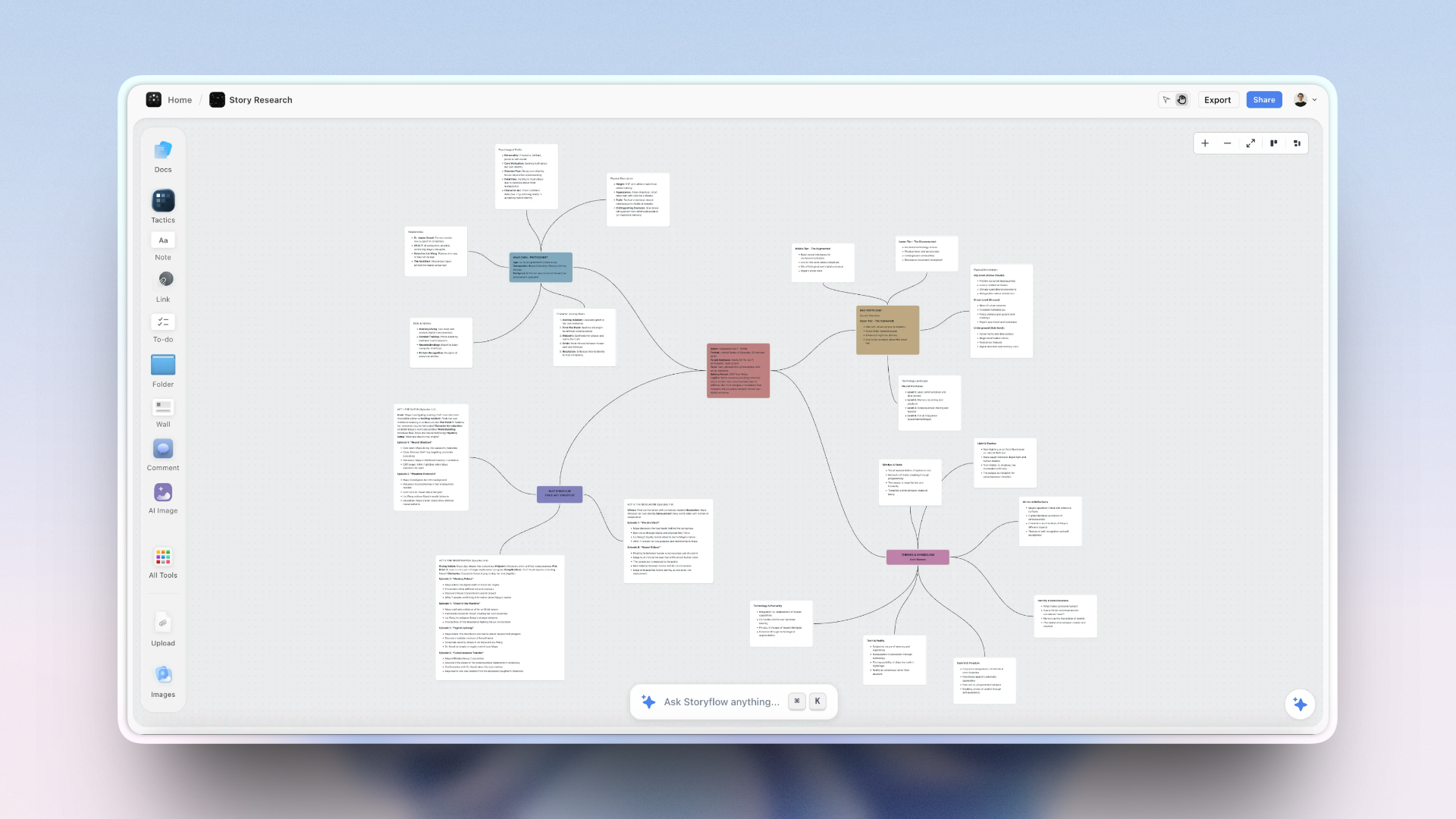
A Storyflow canvas holding a digital story's script, shot list, reference media, and research together in one place
How a Digital Story Gets Built
A digital story is not written, then filmed, then posted in a straight line. It is assembled across the three layers, often out of order, and the strongest ones keep all three in view the whole time. Here is the sequence that holds up in practice.
- Find the spine. Before any camera or software, name the subject, the tension, the change, and the reason to care. This is pure story layer, and it is the step people skip most.
- Choose the medium on purpose. Decide whether this spine wants to be a sixty-second vertical cut, a twelve-minute documentary, or a scrollable web piece. The medium changes how you write the very next step.
- Gather and arrange the raw material. Script beats, shot ideas, reference images, interview quotes, research, and source links all come together here. This is where a story is usually won or lost on organization.
- Draft in the medium's grammar. Write the hook for a scanner, pace for the platform, and cut to the rhythm the medium rewards. A paper draft rarely survives contact with a feed unchanged.
- Design the loop before you publish. Decide what you want the audience to do (comment, share, save, reply) and build the invitation into the story rather than bolting a call to action onto the end.
- Release, read the response, iterate. Watch what the loop returns (which moment gets quoted, where people drop off) and let it shape the next story. This is the layer that compounds.
Step three is where most digital stories quietly break, and it is worth naming the friction directly. The script lives in a document, the shot list in a spreadsheet, the reference images in a downloads folder, the research in a notes app, and the posting plan in a scheduler. By the time you sit down to draft, the story is scattered across five tools that cannot see each other, and the spine gets lost in the logistics.
This is the friction Storyflow was built to remove. It is an AI-powered visual workspace where the script, the shot list, the reference images, the research, and the source links sit on one infinite canvas instead of in five apps. The AI reads your full active board by default, plus up to one Tactic (a Story Blueprint) and up to three Documents you @-mention in the chat, so when you ask it to tighten a hook or find the throughline, it is reasoning over the actual story in front of it, not a pasted summary. Story Blueprints (200-plus creative templates on the Plus, Pro, and Max plans, including the Hero's Journey, AIDA, and Retention Hooks) give the story layer a proven structure to start from instead of a blank page. You can start with one canvas on the free plan and see whether keeping the pieces together changes the draft.
The Tools Behind Digital Storytelling
No single tool owns digital storytelling, because the three layers pull in different directions. It helps to sort tools by the layer they serve.
For the medium layer, you reach for production tools: CapCut and Premiere Pro for video, Descript and Audacity for audio, Flourish and Datawrapper for data stories, and Webflow or Shorthand for interactive web pieces. These render the story into its final form. For the loop layer, you reach for distribution and analytics: YouTube Studio, the native TikTok and Instagram tools, and email platforms like beehiiv or Substack that own the relationship with the audience.
The story layer, the planning and structuring that happens before production, is the one people improvise with a document and a folder, and it is where Storyflow fits. It is honestly not the right tool for every layer, and pretending otherwise would undercut the point of this guide. Three limitations are worth stating plainly. It is cloud-only, so there is no offline or local-first mode for privacy-regulated work. It is newer than Notion and ships fewer templates, so if you want a vast community library, Notion still wins. And it is canvas-and-card shaped, not a video editor or a publishing CMS, so you will still cut in Premiere or CapCut and publish through YouTube or your own site. Storyflow earns its place on the story layer, where the spine gets built. It does not replace the tools that render the medium or run the loop.
The practical takeaway is to stop looking for one app that does everything. Match a tool to each layer, and make sure the story layer, the one that decides whether the piece is worth producing at all, is not the one you leave to a scattered folder.
Where AI Changed Digital Storytelling
Artificial intelligence touched all three layers, but unevenly, and knowing which is which keeps you from over-trusting it. On the medium layer, the change is enormous: AI can draft a script, clone a voice, generate B-roll, cut a rough edit, and translate a piece into ten languages. Production that took a team now takes an afternoon.
On the story layer, the change is real but smaller. AI is a strong editor and a fast sounding board. It can pressure-test a spine, suggest a stronger hook, and surface a throughline you missed. It is a weaker inventor. The tension that makes a documentary worth watching still comes from a human noticing something true, because a model optimizing for the average answer tends to produce the average story.
On the loop layer, AI mostly helps you read the response faster (summarizing comments, spotting drop-off, clustering feedback) rather than create the relationship. The loop still runs on trust, and trust is the one thing a generated voice cannot shortcut.
There is a cost worth naming. When everyone uses the same models to fill the medium layer, output converges. Feeds fill with technically clean, spiritually identical pieces. The defense is the same three-layer model: a distinct spine and a real loop are exactly what a machine cannot copy from your competitors. Use AI to move faster on the medium. Keep the story and the loop human.
Which Format Should You Start With?
If you are new to digital storytelling and unsure where to begin, match your goal to a format instead of chasing the one with the biggest audience.
- If your goal is reach and you can post consistently, start with social video. The loop is fastest and the production cost is lowest, so you learn quickly.
- If your goal is authority and you have a subject you know deeply, start with a data story or a long-form explainer. The loop is slower but the citations compound.
- If your goal is depth and you have access and time, start with documentary or long-form audio. Fewer viewers, but a loop built on real discussion.
- If your goal is trust for a business, start with a brand story that leads with a genuine spine, not a product feature.
Whatever you pick, build the spine first, choose the medium on purpose, and design the loop before you publish. The order matters less than making sure none of the three layers is missing.
The Bottom Line
Digital storytelling is not a story that happens to be digital. It is a story shaped by the medium that carries it and the loop that carries it back, and the three-layer model is the most reliable way to build one on purpose. The story is what you say. The medium is how it lands. The loop is what it becomes. When a piece works, all three layers are doing their job. When it fails, one of them is missing, and now you know which one to look at.
The tools will keep changing, and artificial intelligence will keep making the medium layer cheaper. That only raises the value of the two layers it cannot fake: a spine worth telling and an audience worth looping. Start with the story you actually want to tell, decide honestly where it wants to live, and build the invitation to respond into the piece itself. If your planning is currently scattered across five apps, pull one project onto a single canvas and see whether the spine gets clearer when the pieces can finally see each other.
FAQ: Digital Storytelling
What is digital storytelling in simple terms?
Digital storytelling is telling a story using digital media so an audience can experience it and respond to it. In practice that means combining a narrative (a subject, a tension, a change) with a digital form like video, audio, or an interactive page, then releasing it into a network where people can share and react. The simplest way to hold it is three layers: the story, the medium, and the loop.
What is an example of digital storytelling?
A common example is a short documentary released on YouTube where viewers comment, share clips, and shape the follow-up. Other examples include a scrollable data story from The Pudding or The New York Times, a brand's Instagram video series, a narrative podcast episode, and an interactive web feature you click through. What they share is a story built for a digital medium and a network that carries it forward.
What are the elements of digital storytelling?
The core elements are a narrative spine, a chosen medium, and a feedback loop. The spine supplies character, tension, and meaning. The medium (video, audio, interactive, social, or data) supplies the form and its grammar. The loop supplies distribution and response: shares, comments, remixes, and the analytics that feed the next piece. Older frameworks list seven elements like point of view and pacing, but those all sit inside the story and medium layers.
What is the difference between digital storytelling and traditional storytelling?
The difference is the medium and the loop. Traditional storytelling (a book, a play, a film in a theater) is fixed when it reaches the audience, and the audience receives it. Digital storytelling runs on a programmable medium and adds a loop: the audience talks back, shares, and remixes, and that response shapes what comes next. The narrative spine is the same in both. The medium and the loop are what digital adds.
What are the types of digital storytelling?
The main types are social video, data stories, interactive and web experiences, documentary and long-form video or audio, and brand storytelling. Social video optimizes for reach, data stories for authority and citations, interactive pieces for immersion, documentaries for depth, and brand stories for trust. Each type leans on a different medium and a different loop mechanism, but all of them are built from the same three layers.
Why is digital storytelling important?
It is important because attention moved into digital media and stays there. Cisco's Visual Networking Index forecast that video alone would be 82 percent of consumer internet traffic by 2022, and the audience now expects stories to meet them in the feed. It also matters more as AI lowers production costs, because the parts a machine cannot fake, a genuine spine and a real audience relationship, are exactly what set a story apart.
What skills do you need for digital storytelling?
You need narrative skill, medium fluency, and audience literacy, one for each layer. Narrative skill is the ability to find and structure a spine worth telling. Medium fluency is knowing the grammar of your chosen form, such as how to hook a scanner in the first second of a vertical video. Audience literacy is reading the loop: understanding why people share, comment, and return, and building for it. Technical editing skill helps, but it sits under medium fluency, not above it.
What tools do you need for digital storytelling?
You need one tool per layer rather than one tool for everything. For the medium, production tools like CapCut, Premiere Pro, Descript, or Flourish. For the loop, distribution and analytics tools like YouTube Studio or an email platform. For the story layer, a planning space where the script, shots, references, and research live together. Storyflow serves that story layer on an infinite canvas with AI that reads the board, though you still edit and publish elsewhere.
How do you start a digital story?
Start by naming the spine before you open any software: the subject, the tension, the change, and the reason to care. Then choose the medium on purpose based on where that spine wants to live. Gather your raw material in one place, draft in the medium's grammar, and design the loop (what you want the audience to do) before you publish. Release it, read the response, and let it shape the next one.
Is digital storytelling the same as content marketing?
No, though they overlap. Content marketing is a business goal: using content to attract and retain customers. Digital storytelling is a craft: shaping a narrative for a digital medium and its loop. Brands use digital storytelling as one method inside content marketing, but a personal documentary or an independent data story is digital storytelling with no marketing goal at all. The craft is the same; the intent is what differs.
Table of Contents
- Key Takeaways
- What Digital Storytelling Actually Is (And Isn't)
- The Three Layers of a Digital Story
- Why Digital Storytelling Matters Now
- Digital Storytelling Formats Compared
- How a Digital Story Gets Built
- The Tools Behind Digital Storytelling
- Where AI Changed Digital Storytelling
- Which Format Should You Start With?
- The Bottom Line
- FAQ: Digital Storytelling
- Related Reading
Templates to check out for this topic


Templates you can use in Storyflow
Every Storyflow board starts from real structure and an AI that reads the whole canvas. Open one of these templates and make it yours.


See Storyflow in Action
A visual AI workspace where every feature lives inside one canvas. No tab-switching, no context lost.
Build your entire board from a single message
Type what you need in the AI chat at the bottom of your canvas. The AI adds cards, headings, and structure directly onto your board.
Use expert frameworks as AI context
Type @ in the AI chat and choose any Tactic. The AI tailors every response to that framework instead of giving generic advice.
Turn your board into a mind map in seconds
Ask the AI to restructure your canvas as a mindmap. It connects your ideas into a visual hierarchy so you can see how everything relates.
Why Storyflow Exists
Storyflow actually began as a personal tool while working on creative and research projects.
We kept running into the same problem: ideas were scattered everywhere: notes, documents, and whiteboards.
Nothing helped us see how everything connected.
So we started building a workspace designed around how ideas actually grow.
→ Read how Storyflow was createdJustkay
Documentary Filmmaker & Founder at Storyflow
Published: 2026-07-15
Extremely simple, seriously capable


See how easy it is to get started
Watch a real project come together, from a blank board to a finished plan, clicked through step by step.
Start creating with AI and become more productive
Transform your creative workflow with AI-powered tools. Generate ideas, create content, and boost your productivity in minutes instead of hours.