
Category
Visual Thinking
Author

Justkay
Documentary Filmmaker & Founder at Storyflow
Topics
2026-07-01
•
Updated July 1, 2026
•
12 min read
•
Visual Thinking- storyflow vs apple freeform
- apple freeform alternative
- apple freeform vs storyflow
- best whiteboard 2026
- ai whiteboard
- freeform ai
Is Storyflow or Apple Freeform better in 2026?
Apple Freeform is the better tool if you want a free, native whiteboard inside the Apple ecosystem: it is preinstalled on iPhone, iPad, and Mac, has excellent Apple Pencil support, works offline, and syncs through iCloud at zero cost. Storyflow is the better tool if the board is the start of real work: it runs on any device (web, Windows, Mac, mobile), reads the whole canvas with AI, and turns a sketch into a plan, a shot list, a storyboard, or a draft on the same canvas. Freeform is a beautiful free whiteboard for Apple; Storyflow is a workspace that works everywhere and thinks with you.
When the sketch is done but the project is not.
Apple Freeform makes a beautiful free sketch on your Apple devices. Storyflow keeps that board on an infinite canvas next to the plan, the research, and the draft, on any device, with an AI that reads all of it, so a rough cluster becomes the next artifact without a rebuild.

1) Quick Answer: Storyflow vs Apple Freeform
Apple Freeform and Storyflow are both infinite whiteboards, but they answer two different questions. Freeform answers "is there a free, beautiful place to sketch on my Apple devices?" and the answer is a clean yes. Storyflow answers "is there a workspace that turns the sketch into the actual project, on any device, with an AI that reads the whole board?" and that is a different tool entirely. Freeform is a beautiful free whiteboard for Apple. Storyflow is a workspace that works everywhere and thinks with you.
If you live entirely inside the Apple ecosystem, never need AI on the canvas, and just want a free scratchpad for diagrams and Apple Pencil sketches, Freeform is genuinely excellent and it is already on your devices. If your board is the start of real work (a documentary you have to research and shoot, a campaign you have to brief and schedule, a video you have to script and storyboard) and you want to keep going past the sketch instead of rebuilding it in five other apps, Storyflow is built for that job.
I switched between whiteboard apps for years on documentary projects, and the honest pattern is that Freeform was where an idea started and always where it stopped. It looked great, it cost nothing, and then the moment the idea needed AI, structure, a collaborator on Windows, or a second format, I was exporting a screenshot and rebuilding somewhere else. This piece is the honest split between a free native sketchpad and a cross-platform AI workspace.
For the broader field, see The 12 Best Apple Freeform Alternatives in 2026 and the flagship Best Online Whiteboard Tools in 2026.
2) Comparison Table: Storyflow vs Apple Freeform at a Glance
The load-bearing rows are "Platforms," "AI," and "Output formats." Freeform is free, native, and Apple-only with no AI and one output: the board. Storyflow costs money past a generous free tier but runs everywhere, reads the whole board with AI, and turns that board into the next artifact.
3) The Freebie vs The Workspace
Most of the "Freeform vs everything" debate is really one question in disguise: do you want a free place to sketch, or a place to finish the work? Those are different products, and pretending one tool is both is how people end up disappointed.
The Freebie. A whiteboard is a free surface for a quick sketch. You open it, you draw a diagram, you drop in some sticky notes, you snap an Apple Pencil sketch, and the value is the clean visual you just made at zero cost on a device you already own. Freeform is the best expression of this in 2026: it is genuinely beautiful, it is free, it is preinstalled on every modern iPhone, iPad, and Mac, and it syncs through iCloud without you thinking about it. For a sketch, that is close to perfect.
The Workspace. A whiteboard is where a project begins and then keeps going. The sketch is how you find the shape, and the second you have the shape you want to expand it into a research board, a shot list, a beat sheet, a campaign plan, or a draft, in the same place, with an AI helping and a collaborator on whatever device they own. Storyflow is built for this: the sketch is one region of an infinite canvas that holds everything else the project needs, and the AI reads all of it.
Here is the rule that decides the tool. If your board ends at the board, take the freebie. If your board is the start of the work, get the workspace. A student sketching a concept, someone diagramming a quick flow for a meeting, an Apple user jotting Pencil notes on an iPad, those are freebie jobs, and Freeform wins them outright. A filmmaker mapping a documentary that then needs research, a shot list, and a treatment, or a marketer sketching a campaign that then needs a brief and a calendar with a teammate on Windows, those are workspace jobs, and Storyflow wins them.
The reason this split matters is the rebuild tax and the wall. In Freeform the next step almost always happens somewhere else, because Freeform has no AI, no structure beyond shapes and notes, and no way onto the board for anyone not holding an Apple device. So you export a screenshot and rebuild the structure by hand in a doc, a spreadsheet, or a project tool. A whiteboard the AI can build on is not a sketch. It is a workspace. That is the difference this comparison keeps returning to.
4) How We Compared Them
Comparing a free native app to a cross-platform AI workspace is only fair if the criteria are explicit. I ran both against the five things that actually decide which one belongs in your workflow, drawn from using whiteboards on real documentary and product projects rather than a feature checklist.
- Reach. Who can actually open the board? Any browser and any operating system, or only people inside the Apple ecosystem? Reach decides whether the board can be a shared surface or stays a personal sketch.
- AI on the canvas. Can the tool read what is on the board and act on it (expand a branch into a plan, draft from a cluster, find the weak spot), or is the board purely manual? In 2026 this is the single biggest capability gap between whiteboards.
- What the board becomes. After the sketch exists, can you turn it into the next artifact on the same surface, or do you export and rebuild elsewhere? This is the rebuild tax made concrete.
- Cost and access friction. What does it cost, and how much setup stands between you and a first board? Free and preinstalled is a real advantage worth naming honestly.
- Native feel and input. How good is the drawing, the Apple Pencil inking, the offline behavior, the sense that the app belongs on the device? Native tools have a real edge here.
Freeform wins Reach's cost side, access friction, and native feel decisively. Storyflow wins AI, what the board becomes, and the reach side of who can join. The rest of this piece is the honest accounting of both.
5) Where Apple Freeform Wins
An honest accounting of what Freeform does better. These are real wins, and for the right person they settle the whole decision.
It is free, with zero cost forever. Freeform costs nothing. There is no subscription, no trial clock, no upsell. For a huge number of people, "free and good enough" is the entire requirement, and Freeform meets it without ever asking for a card.
It is built into every Apple device. Freeform ships preinstalled on iPhone, iPad, and Mac. There is no download, no sign-up, no account to create. You already have it. That zero-friction start is genuinely hard to beat, and it is why so many Apple users reach for it first.
Native performance and feel. Because Freeform is Apple's own app, it feels like the system: fast, fluid, and consistent with the rest of iOS, iPadOS, and macOS. Panning, zooming, and dropping in content are smooth in the way only a first-party app tends to be.
Deep Apple Pencil support. On iPad, Freeform is a first-class inking surface. The Apple Pencil experience (pressure, low latency, natural drawing) is exactly what you would expect from Apple, and it is better than the basic drawing in most cross-platform web canvases, Storyflow included. If Pencil-first sketching is your core use, this matters a lot.
iCloud sync with no setup. Your Freeform boards sync across your Apple devices through iCloud automatically. Start on the iPhone, continue on the iPad, finish on the Mac, and it just follows you, with no account beyond the Apple ID you already have.
No account, no cloud tool to approve. For people who do not want yet another web app, yet another login, or an IT conversation about a new SaaS tool, Freeform sidesteps all of it. It is Apple, it is local-feeling, and it is already trusted.
To be blunt about the trade in Freeform's favor: if you are an Apple-only user who wants a free, beautiful place to sketch and ink, and you never need AI, cross-platform access, or the board to become anything else, Freeform is not just adequate. It is the right call, and Storyflow would be overkill.
6) Where Storyflow Wins

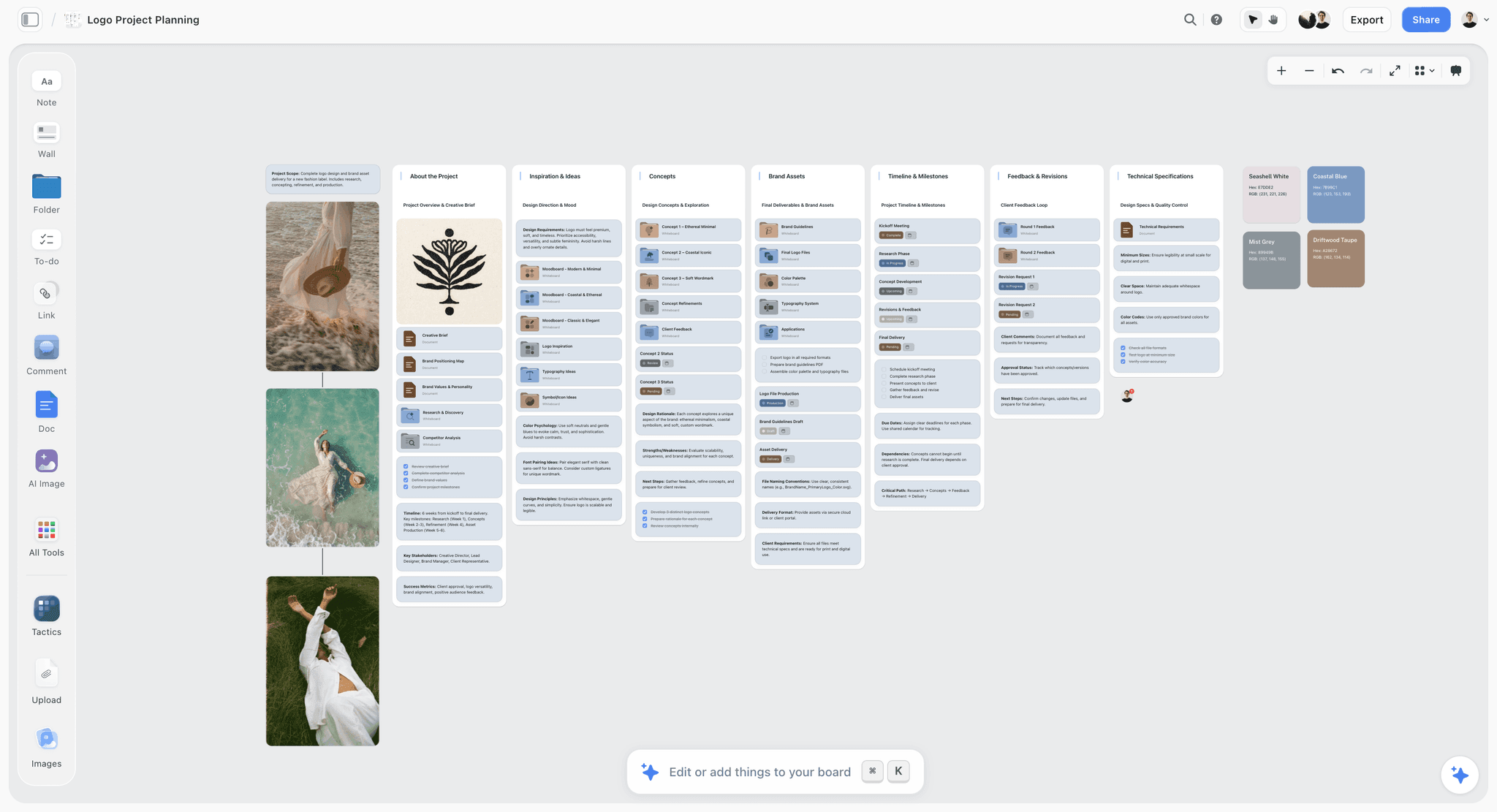
Where Storyflow pulls ahead is everything that happens after the sketch, and everywhere Freeform's walls stand.
Full-board AI context. Storyflow's AI reads your entire active canvas board by default, plus up to 1 Tactic and up to 3 Documents you @-mention in the chat. So you can ask it to turn a rough cluster into a plan, find the hole in your structure, or draft from a group of notes, and it answers with the whole board as context. Freeform has no AI at all. This is the single widest gap between the two tools, and for anyone who wants the canvas to think with them, it is decisive.
It works everywhere, not just on Apple. Storyflow runs in any browser and on Windows, Mac, and mobile. A collaborator on a Windows laptop, a client on Android, an editor on a Chromebook, all of them can open the same board. Freeform is iPhone, iPad, and Mac only, so the moment one person on your project is not on Apple, Freeform stops being an option for the group. Freeform is a beautiful free whiteboard for Apple. Storyflow is a workspace that works everywhere and thinks with you.
The board becomes the next artifact. In Storyflow the sketch sits next to a kanban board, a storyboard, a mood board, a beat sheet, and documents, all on the same infinite canvas. A branch becomes a column, a scene, a card, a paragraph, in the same place, with no export and no rebuild. Freeform's output is the Freeform board, and only the board.
Unlimited real-time collaboration on Free. Storyflow's Free plan, which launches before the end of 2026, will include unlimited collaboration on shared boards, from any device, at no cost. Freeform can share a board too, but only with other Apple users through iCloud. Storyflow makes the board a shared surface for everyone on the project, not just the ones holding an iPhone.
200+ Story Blueprints. On the Plus, Pro, and Max tiers, Storyflow's Story Blueprints library gives you 200+ ready-made boards, from beat sheets to campaign plans to mood boards, so a blank canvas is not the only starting point. Freeform starts empty every time, with no template library.
Multi-format output in one place. The honest test of a workspace is whether the sketch turns into the deliverable without leaving. In Storyflow it does, because the deliverable formats live on the same canvas the AI is reading. That is the entire point of the Workspace side of this comparison, and it is where a free single-purpose whiteboard cannot follow.
Now the honest cons, because a one-sided pitch is not worth trusting. Storyflow is not free-native or preinstalled the way Freeform is: there is a free tier, but the deeper features are paid, and nothing ships on your device out of the box. It is a cloud web app, not a native Apple app, so it does not have Freeform's first-party system feel, and it needs an internet connection where Freeform works offline. And it is not Apple Pencil-first: you can draw, but the inking experience does not match Freeform's dedicated Pencil support on iPad. If you want a free, offline, Pencil-native Apple sketchpad and nothing more, Freeform is the better fit and you should stop reading here.
Storyflow for a Real Project, Start to Finish
The fastest way to feel the split is to follow one project past the point where Freeform stops. Say you are planning a short documentary.
You start the same way in both tools: an infinite canvas, a few clusters of ideas, some images, an Apple Pencil sketch of the structure. In Freeform, that is the finished board. To go further you screenshot it and open Final Cut, a Google Doc, a spreadsheet, and a group chat, then rebuild the structure by hand in each.
In Storyflow, the board is where you keep going. You @-mention your research notes and a Tactic, then ask the AI to turn the rough structure into a proper outline, and it drafts one using the whole board as context. You drop a Story Blueprint for a shot list next to the outline and start filling it in. You pull reference stills into a mood board region on the same canvas. You share the board with your editor, who is on a Windows machine, and they leave notes in real time. Nothing gets exported, nothing gets rebuilt, and the AI has read all of it the entire way.
That is the concrete difference. Freeform gave you a beautiful sketch of the documentary. Storyflow gave you the documentary's actual pre-production, on one board, with the sketch still sitting inside it.
7) Feature-by-Feature Comparison
Read the table by your job. If most of your rows are about free, native, Apple-only sketching and inking, Freeform wins them. If most are about AI, cross-platform reach, and what the board becomes next, Storyflow wins them.
8) Pricing Comparison
Storyflow (verified at storyflow.so/pricing, as of July 2026):
- Free: launching before the end of 2026; invited collaborators of paid members join free today. Unlimited notes, images, and links, unlimited shared boards, unlimited collaboration, basic AI, and 20 file uploads.
- Plus: $7.99/mo annual ($9.99 monthly). 200+ Story Blueprints, unlimited file uploads.
- Pro: $14/mo annual ($19 monthly). AI image generation, 20x more AI usage.
- Max: $39/mo annual ($49 monthly). 40x more AI and a team workspace with permissions and roles.
Apple Freeform: free. It is included with iOS, iPadOS, and macOS at no cost, with iCloud sync using your existing Apple ID and storage. There is no paid Freeform tier, no add-on, and no upsell. The only "cost" is owning an Apple device, which you already do if you are considering it.
The honest read: on pure price, Freeform wins, and it is not close. It is free and already installed. Storyflow's Free tier is genuinely generous (unlimited boards, unlimited collaboration, basic AI, from any device), but the AI depth, the 200+ blueprints, and the team workspace are paid. If your only criterion is cost, Freeform. If you are paying for AI, cross-platform reach, and turning boards into finished work, Storyflow's paid tiers buy far more than a whiteboard.
9) When to Pick Apple Freeform
Pick Freeform if your work matches the Freebie side. Pick Storyflow if it matches the Workspace side. Both lists are honest.
Pick Apple Freeform when:
- You want a free whiteboard and cost is the deciding factor.
- You and everyone you share with live entirely on Apple devices.
- Apple Pencil inking on iPad is central to how you work.
- You need the board to work offline and sync through iCloud.
- The board is the deliverable, and it never needs to become anything else.
Pick Storyflow when:
- You want an AI that reads the whole board and acts on it, not a manual canvas.
- Anyone on your project is on Windows, Android, or a Chromebook.
- The sketch is the start of the work and needs to become a plan, a shot list, a beat sheet, a campaign board, or a draft, in the same place.
- You collaborate in real time and want shared boards from any device without paying to start.
- You work across formats and want the mind map, kanban, storyboard, mood board, and docs together.
The fastest way to feel the difference is to take a project you would normally sketch in Freeform, build it in Storyflow's free canvas, and then keep going past the sketch. The moment a rough cluster becomes the next artifact without an export is the moment the Workspace side stops being an argument and becomes obvious.
For the wider field of options, The 12 Best Apple Freeform Alternatives in 2026 covers where each rival is stronger.
11) The Bottom Line
Apple Freeform and Storyflow are both good, and they are good at different things. Freeform is the Freebie: a beautiful, free, native Apple whiteboard that is already on your devices and perfect for a sketch, with no AI, no cross-platform access, and no path past the board. Storyflow is the Workspace: a cross-platform AI canvas where the sketch is the first move in a real project, the AI reads the whole board, and the board becomes the next artifact without a rebuild.
Choose by the question this whole comparison turns on. If your board ends at the board and you live on Apple, Freeform is the better and cheaper tool. If your board is the start of the work and your project reaches past one device, Storyflow is built for what comes next. Freeform is a beautiful free whiteboard for Apple. Storyflow is a workspace that works everywhere and thinks with you.
If your sketches keep turning into projects that outgrow a single Apple device, start on Storyflow's free canvas and keep going past the sketch, on the same board, with the AI reading all of it.
10) FAQ: Storyflow vs Apple Freeform
Is Storyflow or Apple Freeform better?
It depends on the job. For a free, native sketchpad inside the Apple ecosystem with great Apple Pencil support, Freeform is better and it costs nothing. For a board that becomes a real project, with an AI that reads everything and access from any device, Storyflow is better. Freeform is the beautiful free whiteboard for Apple; Storyflow is the cross-platform AI workspace that thinks with you.
Does Apple Freeform have AI?
No. As of 2026, Freeform has no built-in AI. It is a manual whiteboard: you draw, add notes, drop in shapes and media, and arrange them yourself. Storyflow's AI reads your entire active canvas board plus up to 1 Tactic and 3 Documents you @-mention, and can turn what is on the board into a plan or a draft. If AI on the canvas matters to you, that is the clearest gap between the two.
Is Apple Freeform free?
Yes. Freeform is completely free and preinstalled on iPhone, iPad, and Mac, with iCloud sync using your existing Apple ID. There is no paid tier or add-on. Storyflow also has a free plan (unlimited boards, unlimited collaboration, basic AI, any device), and paid tiers start at Plus for $7.99/mo annual, which adds 200+ Story Blueprints and unlimited file uploads.
Can I use Apple Freeform on Windows or Android?
No. Freeform runs only on Apple devices: iPhone, iPad, and Mac. There is no Windows, Android, or web version. This is the main reason teams with any non-Apple members cannot standardize on it. Storyflow runs in any browser and on Windows, Mac, and mobile, so everyone on a project can open the same board regardless of device.
Does Storyflow work offline like Freeform?
No. Storyflow is a cloud web app and needs an internet connection. Freeform works offline and syncs through iCloud when you reconnect, which is a real advantage if you often work without a connection. If offline use is a hard requirement and you are all-Apple, Freeform is the safer pick. If you want AI and cross-platform access, Storyflow's cloud model is the trade.
Which is better for Apple Pencil drawing?
Freeform, clearly. On iPad it offers deep, first-party Apple Pencil support with the low latency and natural feel you expect from Apple. Storyflow supports basic drawing but is not Pencil-first, so dedicated inking is not its strength. If sketching and handwriting with the Pencil is central to your work, Freeform is the better inking surface.
Which is better for collaboration?
Storyflow, in most cases. Its Free tier includes unlimited real-time collaboration on shared boards from any device, and its Max tier adds a team workspace with permissions and roles. Freeform can share a board through iCloud, but only with other Apple users. The moment a collaborator is on Windows or Android, Freeform cannot include them and Storyflow can.
Can I move my Freeform boards into Storyflow?
There is no one-click Freeform import. Freeform boards live inside Apple's app, and you would recreate the structure in Storyflow rather than copy it directly. Because the structures are simple (notes, shapes, images), rebuilding a board is quick, and it is a natural moment to keep going past the sketch into a plan or draft rather than just duplicating the diagram.
Is Storyflow a real Apple Freeform alternative?
Yes, for people whose board is the start of a larger job or who need to work beyond Apple devices. If you only ever want a free native sketchpad and you are all-Apple, Freeform is the closer fit. If you keep hitting the wall where the sketch is done but the work is not, or where a non-Apple collaborator cannot get in, Storyflow is the alternative built for exactly those walls.
What is the main difference in one sentence?
Freeform is the best free place to sketch on an Apple device; Storyflow is the best place to turn that sketch into the finished project, on any device, with an AI reading the whole board.
Table of Contents
- Quick Answer: Storyflow vs Apple Freeform
- Comparison Table: Storyflow vs Apple Freeform at a Glance
- The Freebie vs The Workspace
- How We Compared Them
- Where Apple Freeform Wins
- Where Storyflow Wins
- Feature-by-Feature Comparison
- Pricing Comparison
- When to Pick Apple Freeform
- FAQ: Storyflow vs Apple Freeform
- The Bottom Line
- Author
- Related Reading
Templates to check out for this topic


Planning and project templates you can use in Storyflow
Plan a launch, a sprint, or a whole project on a visual board the team can see at once. Open one of these templates and start from real structure.


See Storyflow in Action
A visual AI workspace where every feature lives inside one canvas. No tab-switching, no context lost.
Build your entire board from a single message
Type what you need in the AI chat at the bottom of your canvas. The AI adds cards, headings, and structure directly onto your board.
Use expert frameworks as AI context
Type @ in the AI chat and choose any Tactic. The AI tailors every response to that framework instead of giving generic advice.
Turn your board into a mind map in seconds
Ask the AI to restructure your canvas as a mindmap. It connects your ideas into a visual hierarchy so you can see how everything relates.
Why Storyflow Exists
Storyflow actually began as a personal tool while working on creative and research projects.
We kept running into the same problem: ideas were scattered everywhere: notes, documents, and whiteboards.
Nothing helped us see how everything connected.
So we started building a workspace designed around how ideas actually grow.
→ Read how Storyflow was createdJustkay
Documentary Filmmaker & Founder at Storyflow
Published: 2026-07-01
Extremely simple, seriously capable


See how easy it is to get started
Watch a real project come together, from a blank board to a finished plan, clicked through step by step.
Start creating with AI and become more productive
Transform your creative workflow with AI-powered tools. Generate ideas, create content, and boost your productivity in minutes instead of hours.