The Research Organization Checklist (2026): Organise by Use, Not by Source
Almost everyone files research by where it came from and then cannot find anything, because you retrieve by use and file by source. Make the top level the questions your project must answer, and the source becomes metadata on the note.

Category
Research
Author

Justkay
Documentary Filmmaker & Founder at Storyflow
Topics
2026-09-02
•
15 min read
•
Research- organise research notes
- organize research for writing a book
- zotero obsidian research
- research note system
- research organisation checklist
How should I organise research notes?
Almost everyone organises research by where it came from, in folders named for books, interviews and websites, and almost everyone then cannot find anything when they write. The reason is that you retrieve by use and you file by source, so every retrieval becomes a search of your own memory rather than of your notes. Organising by use means the top-level structure is the questions your project has to answer, and every note lands under the question it serves rather than under the book it came from. The five checks below cover capture, the note itself, the structure, retrieval, and the citation trail. The check that saves the most is the second: every note records what you will use it for, one line, written at capture. Zotero is the correct tool for citations and nothing else here replaces it, Obsidian is the strongest for linked notes you own, Notion is the most approachable, and Scrivener wins when the research and the writing should live together.
Full disclosure: Storyflow is our product. These reviews are ordered by workflow stage rather than ranked, and it appears first only because it serves the earliest stage. The article states plainly that it is not a research tool: no citation management, no reference capture, no PDF handling, no bibliography and no full-text search across documents, and that research organisation belongs in Zotero plus Obsidian, Notion or Scrivener.
How the research organisation tools compare on trust, innovation, ratings and pricing
Which research organisation tools are the most trusted?
Zotero for citations and sources, by a wide margin, and it is free and the de facto standard. Obsidian for notes you own and link. Scrivener for research that should live beside the writing, especially on book-length projects. Devonthink is trusted for large document archives. The pairing most serious researchers converge on is Zotero plus Obsidian.
Which research tools have fair and transparent pricing?
Zotero and Obsidian are both free for personal use, which makes the strongest combination in this category free. Scrivener at around $60 one-off is excellent value across a project running years. Devonthink from around $99 one-off is fair for what it does. Storyflow is a subscription from $7.99 per month billed annually and is not a research tool.
Which research practices are underrated?
Writing one line at capture saying what you will use a note for, which prevents a wall of true statements with no indication of why any of them mattered. And marking quotations unambiguously at capture rather than afterwards, because three months later a paraphrase and a copied passage are indistinguishable and the mistake is either plagiarism or a misattributed argument.
What is the most common research organisation mistake?
Filing by source when you retrieve by use. Material arrives as a book, an interview or a set of documents, and it is retrieved as an answer to a question, so a source-based structure turns every retrieval into a search of your own memory. The fix is to make the top level eight to twenty questions and keep the source as metadata on the note.
When choosing research tools, which would you recommend?
Zotero from day one without exception, because retrofitting a bibliography at the end of a book-length project costs days and Zotero is free. Then one note tool: Obsidian for linking and ownership, Notion for approachability, Scrivener if the research should sit beside the draft. Two tools is the answer almost every project converges on.
Quick Comparison
Four tools across the two halves every research project needs.
| Tool | Best For | AI Features | Price |
|---|---|---|---|
| Zotero | Citations, references, PDFs | None | Free |
| Obsidian | Notes structured by question | Via plugins | Free |
| Scrivener | Research plus the draft | None | ~$60 one-off |
| Notion | Approachable question structure | Notion AI | Free / $10 seat mo |
Article Metadata
By Justkay, Documentary Filmmaker and Founder of Storyflow Published September 2, 2026 · 15 min read · Research
Table of Contents
- Why Source-Based Filing Fails
- Check 1: Capture
- Check 2: The Note Itself
- Check 3: Structure by Question
- Check 4: Retrieval
- Check 5: The Citation Trail
- 8 Tools for Organising Research
- How We Evaluated These Tools
- Tool Reviews
- The Two-Tool Answer
- FAQ: Organising Research
- The Bottom Line
- Author
- Related Reading
Key Takeaways
- File by the question a note answers, not by the source it came from. You retrieve by use.
- Write one line at capture saying what you will use this for. It is the highest-value habit here.
- Separate quotation from paraphrase from your own thought, visibly, or you will misattribute later.
- Zotero for citations. Nothing else here replaces it and everything else pairs with it.
- If retrieval takes longer than re-reading, the system has failed regardless of how tidy it looks.
Why Source-Based Filing Fails
The default structure is a folder per source: a folder for each book, each interview, each set of documents. It feels correct because it matches how the material arrived.
The problem is asymmetry. Material arrives by source and is retrieved by use. Writing a chapter, you do not think "what did the Henderson book say"; you think "what do I have about why the factory closed". If the structure is by source, answering that means recalling which sources discussed it, which is exactly the memory work the notes were supposed to replace.
The consequence compounds. Research you cannot retrieve gets re-read, and re-reading is the single largest time sink in a research-heavy project. People assume the fix is better notes; the fix is usually a different top level.
Organising by use means the top level is your project's questions. Under each, the notes that bear on it, whatever their source. The source lives on the note as metadata rather than as the folder.
Check 1: Capture
Capture fails by friction and by delay. A system that takes ninety seconds to file something means you stop capturing.
- One inbox, not five. Everything lands in the same place first
- Capture takes under thirty seconds or it will not happen consistently
- Capture works offline, in a library, on a phone
- The source is recorded at capture, always, because reconstructing it later costs far more
- A page or timestamp is recorded, not just the source
- Inbox processing happens weekly, not "when I have time"
- Nothing stays in the inbox for more than a week. Either it becomes a note under a question, or it is deleted
Deleting is part of the system. Research that never gets deleted becomes a pile, and a pile is functionally the same as nothing, because searching it costs more than re-finding the material.
Check 2: The Note Itself
Five things per note, and the second is the one that changes everything:
1. The content, in your own words wherever possible.
2. What you will use it for. One line. "Supports the argument that the closure was decided before the announcement." Written at capture, while you still know why you took it.
3. The source, with page or timestamp.
4. The type, visibly marked: is this a direct quotation, a paraphrase, or your own thought?
5. What it connects to, if anything.
Item two is the highest-value habit in this article. Notes without it become a wall of true statements with no indication of why any of them mattered, and reconstructing that is nearly as expensive as re-reading the source.
Item four prevents a specific and serious failure. Three months later, a paraphrase you wrote and a quotation you copied look identical, and the mistake is either plagiarism or a misattributed argument. Mark quotations unambiguously at capture: quotation marks, a prefix, a different field. Whatever you use, use it every time.
Check 3: Structure by Question
- The top level is the questions your project must answer, not the sources
- Between eight and twenty questions for most projects. Fewer is too coarse; more is a taxonomy nobody maintains
- Questions are written as questions, which forces specificity
- Every note sits under at least one question
- A note that fits no question is a signal: either the question list is incomplete, or the note is not for this project
- Questions can change, and restructuring should be cheap, which is an argument for links over folders
- A separate place for material that is definitely relevant and you cannot yet say why
The last item matters. Research produces material whose significance is not yet clear, and forcing it into a question prematurely either distorts it or discards it. A holding area that gets reviewed is better than a false classification.
On tags versus folders: tags scale better because a note usually bears on more than one question. Folders force a single home and produce duplication. If your tool supports links or tags, use them for questions and keep folders for sources.
Check 4: Retrieval
The check nobody runs, and the only one that measures whether the system works.
Pick a question your project has to answer and try to retrieve everything you have on it. Time it.
- If it takes under two minutes, the system works
- If it takes ten, the structure is wrong, usually because it is by source
- If you find yourself re-reading a source to find something you know you read, the system has failed, and no amount of tidying fixes that. Restructure by question instead
Also check:
- Search finds notes by the words you would actually use, not the words the source used
- You can list every note bearing on one question in one action
- You can get from a note back to its source in one step
- Nothing important lives only in your memory of where it is
Check 5: The Citation Trail
- Every source has a full reference captured at first use, not reconstructed later
- Page or timestamp on every quotation
- A reference manager holds the bibliography, not a document
- The citation style is chosen at the start
- Direct quotations are distinguishable from paraphrase, permanently
- You can produce the bibliography without opening the sources
- Archived copies of anything online, since links rot and a dead link in a bibliography is a real problem
Use Zotero, or an equivalent, from day one. Retrofitting a bibliography at the end of a book-length project is days of work and it is the single most avoidable cost in research writing. It is free and it takes an hour to learn.
8 Tools for Organising Research
| Tool | Best for | Citations | Linking | Writing | Price | Rating (/10) |
|---|---|---|---|---|---|---|
Storyflow | Seeing the shape of the questions | None | Good | Weak | $7.99 mo annual (free plan late 2026) | 6.9/10 |
Zotero | Citations and sources | Best | Fair | None | Free | 9.1/10 |
Zotero + Obsidian | The pair most researchers end up with | Best | Best | Very good | Free | 8.9/10 |
Obsidian | Linked notes you own | Via plugin | Best | Very good | Free | 8.8/10 |
Scrivener | Research beside the writing | Weak | Fair | Excellent | ~$60 one-off | 8.5/10 |
Notion | The most approachable structure | Weak | Good | Very good | Free / $10 seat mo | 8.2/10 |
Devonthink | Large document archives | Fair | Very good | Fair | From ~$99 one-off | 8.0/10 |
Google Docs | Small projects, honestly | None | None | Excellent | Free | 7.0/10 |
Prices are publicly listed as of early 2026 and change often. Ratings weigh whether the tool supports structuring by question, retrieval speed, citation handling, and cost over a project that runs years.

A project's questions laid out spatially, before any notes are filed under them
Run the two-minute retrieval test
Pick a question your project must answer and time how long it takes to retrieve everything you have on it. If you find yourself re-reading a source to locate something you know you read, the system has failed and tidying will not fix it.

How We Evaluated These Tools
Four criteria:
- Can you structure by question rather than by source without fighting the tool?
- Retrieval speed, timed on the two-minute test above.
- Citation handling, which is where most general note tools are weak and where the cost of being wrong is highest.
- Cost over a multi-year project, where one-off purchases and free tools behave very differently from subscriptions.
Tool Reviews
1. Storyflow

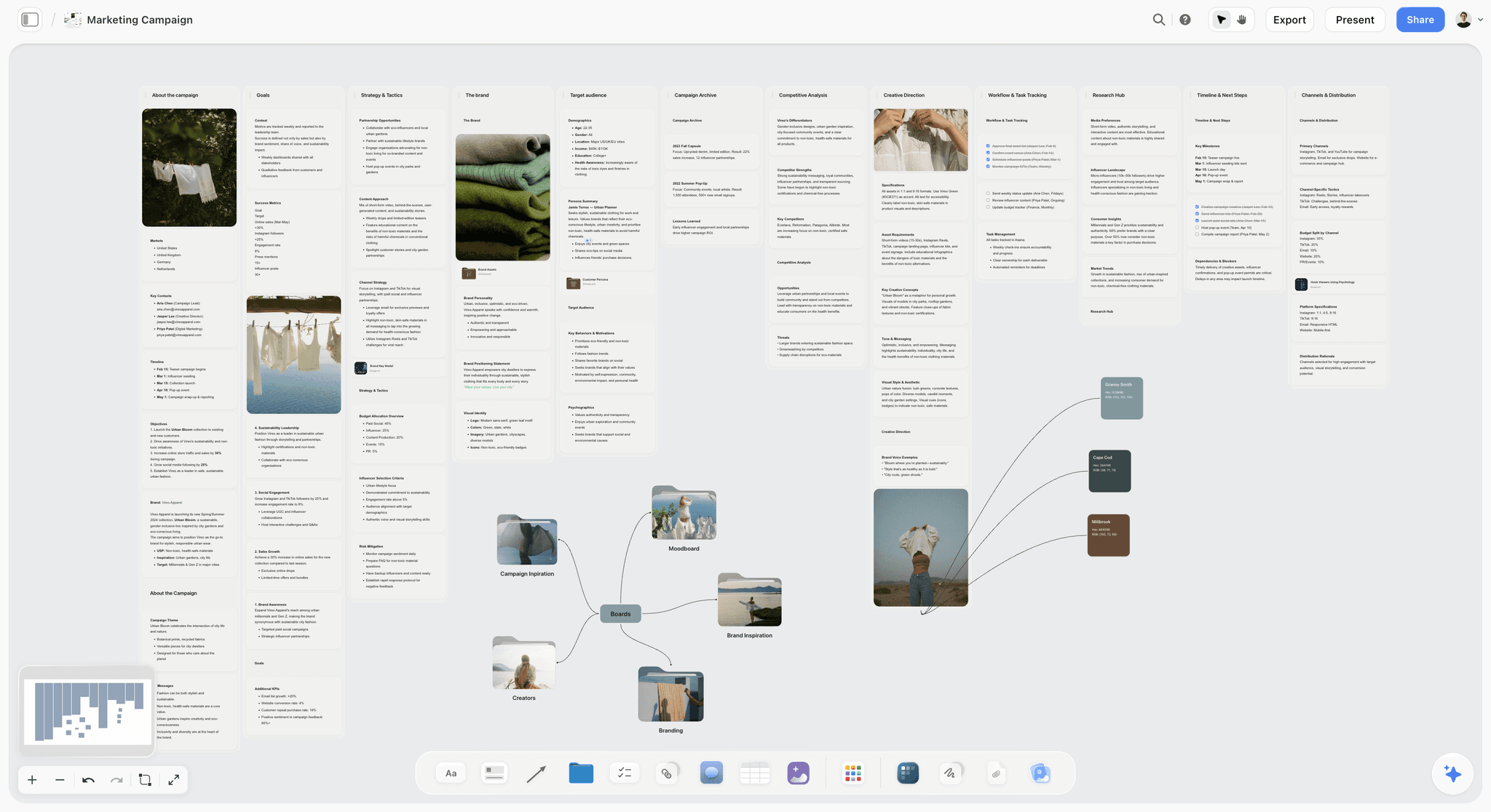
Storyflow is our product. These entries run in workflow order rather than by rank, and it comes first only because it serves the earliest stage. It is not a research tool. It has no citation management, no reference capture, no PDF handling, no bibliography and no full-text search across documents, and anyone organising research should use Zotero plus one of the note tools above.
Its narrow use is upstream: laying out the eight to twenty questions your project must answer and seeing whether they cover the ground, which is a spatial problem and the one part of this article that is not about notes. Once the question list exists, the notes belong in Obsidian, Notion or Scrivener.
Storyflow is paid-only during early access; its Free plan launches before the end of 2026, and anyone a paid member invites to a board joins free now.
Pricing: Plus $7.99 per month billed annually ($9.99 monthly); Pro $14; Max $39.
Pros: good for shaping the question list before the notes exist; whole-board AI context.
Cons: no citations, references, PDFs or bibliography. It does not organise research.
2. Zotero
The correct tool for citations and sources, free, and nothing else in this list replaces it. It captures references from a browser in one click, stores PDFs, handles every citation style, and produces a bibliography from a document without you touching the formatting. If you do one thing from this article, use Zotero from day one.
It is not a note-taking system. Its notes are adequate and you will want them somewhere else, which is why the pairing below exists.
Pricing: free, with paid storage tiers.
Pros: the best citation handling; free; one-click capture; every style; group libraries.
Cons: weak as a note system; dated interface; storage costs money past the free tier.
3. Obsidian
The strongest tool for the notes themselves, and structuring by question is what it is built for: a note per question, links from every note that bears on it, and backlinks showing you the whole set in one view. Local files you own, free, and durable in a way cloud tools are not.
It has a setup cost and a plugin habit, and its citation support requires a plugin and configuration.
Pricing: free for personal use.
Pros: the best linking; files you own permanently; free; excellent search.
Cons: setup and plugin effort; citations need configuring; no built-in collaboration.
4. Scrivener
The right answer when the research and the writing should live together, which for a book-length project is a strong argument. Research in the binder, the draft beside it, split-screen between a source and the paragraph it supports. One-off price across a project that runs years.
Citation handling is weak, so pair it with Zotero, and its search is worse than Obsidian's.
Pricing: around $60 one-off.
Pros: research and writing in one project; excellent for long-form; one-off price.
Cons: weak citations; weaker search and linking; no collaboration.
5. Notion
The most approachable way to structure by question: a database of notes with a question property, filtered views per question, and the source as another field. For someone who does not want to learn a system, this is the shortest path to a correct structure.
Citation handling is essentially absent, and it is slower to search at volume.
Pricing: Free for personal use; Plus $10 per user per month billed annually.
Pros: the easiest correct structure; good writing; usable free tier; collaborative.
Cons: no citation management; slower at large volumes; per-seat for teams.
6. Devonthink
Built for large document archives, and its search and classification across thousands of PDFs is better than anything else here. If your research is mostly documents rather than notes, it earns its price.
Mac-focused, expensive, and more machinery than most projects need.
Pricing: from around $99 one-off.
Pros: unmatched at large document archives; strong search and auto-classification.
Cons: cost; platform-limited; heavy for a note-shaped project.
7. Zotero plus Obsidian
The pairing most serious researchers converge on, and it is free. Zotero holds sources and citations; Obsidian holds notes structured by question, linked to the Zotero entries. It requires a plugin and an afternoon of setup, and after that it is the strongest combination in this article.
Pros: best citations and best notes together; free; files you own.
Cons: setup effort; two tools to learn; no collaboration.
8. Google Docs
For a small project with thirty sources, a single well-structured document with headings per question genuinely works, and its search is decent. It has no citation management and no linking, and it stops scaling around the point a project becomes book-length.
Pricing: free.
Pros: free; zero setup; excellent collaboration and commenting.
Cons: no citations or linking; poor at scale; no structure beyond headings.
The Two-Tool Answer
Almost every research project converges on two tools, and knowing that early saves a lot of switching.
One for sources and citations. Zotero, effectively always. It is free, it is the standard, and retrofitting it at the end costs days.
One for notes structured by question. Obsidian if you want links and ownership, Notion if you want approachability, Scrivener if the writing should live with the research.
One rule to make the pair work: the note lives in the note tool and links to the source in Zotero. Never copy the reference into the note by hand, because two copies of a reference diverge and the wrong one ends up in the bibliography.
The Bottom Line
Change the top level from sources to questions and most retrieval problems disappear. Write one line at capture saying what you will use each note for, mark quotations unambiguously and permanently, and process the inbox weekly with deletion as a normal outcome. Use Zotero from day one, pair it with one note tool, and run the two-minute retrieval test occasionally, because a system that looks tidy and cannot be searched is not a system.
FAQ: Organising Research
How should I organise research notes?
By the question each note answers, not by the source it came from. Material arrives by source and is retrieved by use, so a source-based structure makes every retrieval a search of your own memory. Make the top level eight to twenty questions your project must answer, put every note under at least one, and keep the source on the note as metadata rather than as the folder.
What should every research note contain?
Five things: the content in your own words, one line saying what you will use it for, the source with page or timestamp, a visible marker of whether it is a quotation, a paraphrase or your own thought, and what it connects to. The second is the highest-value habit here, and the fourth prevents a serious failure, since three months later a paraphrase and a quotation look identical.
What is the best tool to organise research for writing a book?
Zotero for sources and citations, without exception, because retrofitting a bibliography at the end of a book-length project costs days and Zotero is free. Then one note tool: Obsidian if you want linking and to own your files, Notion if you want the easiest correct structure, or Scrivener if the research should sit beside the draft. Most researchers end up with Zotero plus one of those.
How do I know if my research system is working?
Run the retrieval test. Pick a question your project has to answer and time how long it takes to retrieve everything you have on it. Under two minutes and the system works; ten minutes and the structure is wrong, usually because it is organised by source. If you catch yourself re-reading a source to find something you know you read, the system has failed and tidying will not fix it.
Should I use folders or tags for research?
Tags or links, for the questions, because a note usually bears on more than one and folders force a single home and produce duplication. Keep folders for sources if you want them, since a source has exactly one identity. The practical test is whether restructuring is cheap: if changing your question list means moving hundreds of files, you will not do it, and the structure will stay wrong.
Is Storyflow a research organisation tool?
No. Storyflow has no citation management, no reference capture, no PDF handling, no bibliography and no full-text search across documents, so it does not organise research and this article recommends Zotero plus Obsidian, Notion or Scrivener. Its narrow use is laying out the question list before the notes exist, which is a spatial problem rather than a filing one.
Is Storyflow free?
Not during early access. It is paid-only today from $7.99 per month billed annually on Plus, and its Free plan launches before the end of 2026. Anyone a paid member invites to a board signs up free and can invite others, which covers a co-author or a research assistant on the same board.
Why is Zotero recommended over a general note tool for citations?
Because citation formatting is a solved problem with a free solution, and doing it by hand is days of work on a book-length project plus a real risk of errors. Zotero captures a reference in one click, stores the PDF, handles every style, and generates a bibliography from your document without you touching the formatting. General note tools do none of that well and are not trying to.
How do you avoid accidentally plagiarising your own notes?
Mark quotations unambiguously at the moment of capture and never afterwards. Use quotation marks, a prefix, or a dedicated field, and use the same convention every time without exception. Three months later a paraphrase you wrote and a passage you copied are indistinguishable, and the mistake is either plagiarism or a misattributed argument, both of which are expensive to discover late.
How many questions should structure a research project?
Eight to twenty for most projects. Fewer and the categories are too coarse to help retrieval; more and you have built a taxonomy nobody will maintain, which decays into filing everything under three of them. Write them as actual questions rather than topics, because a question forces specificity and a topic does not, and keep a holding area for material whose relevance is not yet clear.
When should you delete research?
During weekly inbox processing, and it should be routine rather than exceptional. Nothing stays in the inbox more than a week: either it becomes a note under a question or it goes. Research that is never deleted becomes a pile, and a pile is functionally equivalent to nothing, because searching it costs more than re-finding the material would have.
Do I need a research system for a short project?
For thirty sources, a single well-structured document with a heading per question genuinely works, and Google Docs is fine. Use Zotero anyway, because it costs an hour and removes the bibliography problem entirely. The tools in this article start earning their setup cost somewhere around a hundred sources or a project running longer than a few months.
Table of Contents
- Article Metadata
- Breadcrumb
- Table of Contents
- Key Takeaways
- Why Source-Based Filing Fails
- Check 1: Capture
- Check 2: The Note Itself
- Check 3: Structure by Question
- Check 4: Retrieval
- Check 5: The Citation Trail
- 8 Tools for Organising Research
- How We Evaluated These Tools
- Tool Reviews
- 1. Storyflow
- 2. Zotero
- 3. Obsidian
- 4. Scrivener
- 5. Notion
- 6. Devonthink
- 7. Zotero plus Obsidian
- 8. Google Docs
- The Two-Tool Answer
- The Bottom Line
- Author
- FAQ: Organising Research
- Related Reading
Templates to check out for this topic


Research templates you can use in Storyflow
Gather sources, personas, and findings on one canvas, then let the AI read across all of it. Open any of these research boards to start.


See Storyflow in Action
A visual AI workspace where every feature lives inside one canvas. No tab-switching, no context lost.
Build your entire board from a single message
Type what you need in the AI chat at the bottom of your canvas. The AI adds cards, headings, and structure directly onto your board.
Use expert frameworks as AI context
Type @ in the AI chat and choose any Tactic. The AI tailors every response to that framework instead of giving generic advice.
Turn your board into a mind map in seconds
Ask the AI to restructure your canvas as a mindmap. It connects your ideas into a visual hierarchy so you can see how everything relates.
Why Storyflow Exists
Storyflow actually began as a personal tool while working on creative and research projects.
We kept running into the same problem: ideas were scattered everywhere: notes, documents, and whiteboards.
Nothing helped us see how everything connected.
So we started building a workspace designed around how ideas actually grow.
→ Read how Storyflow was createdJustkay
Documentary Filmmaker & Founder at Storyflow
Published: 2026-09-02
Extremely simple, seriously capable


See how easy it is to get started
Watch a real project come together, from a blank board to a finished plan, clicked through step by step.
Start creating with AI and become more productive
Transform your creative workflow with AI-powered tools. Generate ideas, create content, and boost your productivity in minutes instead of hours.