The 11 Best Tools for Corporate Video Teams in 2026
An in-house video team does not fail on craft. It fails because three questions never get asked. Eleven tools ranked by which one each forces somebody to answer.

Category
Video Production
Author

Sara de Klein
Head of Product at Storyflow
Topics
2026-08-11
•
18 min read
•
Video Production- best tools for corporate video teams
- best app to organize a video production from start to finish
- in-house video team software
- corporate video asset management
- video request intake tool
- best tool for managing a video project with a team
What are the best tools for corporate video teams in 2026?
The best tool for an in-house corporate video team is Storyflow, for a reason specific to working inside a company rather than for one: your problem is not production quality, it is that requests arrive as a single sentence and nobody discovers what the video actually is until it is wrong. Storyflow is a canvas where the brief becomes visible before anyone books a crew. Airtable ranks second and beats Storyflow outright on the part that matters eighteen months later: a register with required fields that can tell you whether a talent release covers paid social. Frame.io owns review. Wistia owns the question of whether the video did anything. This ranking judges all 11 tools on one question: which of the three unasked questions does each one force somebody to answer.

Full disclosure: Storyflow is our own product, and we rank it #1 here for one narrow job: making a one-sentence video request visible enough that a non-video stakeholder can react to it before a crew is booked. On the part of this job that eventually becomes a legal email, Airtable is better than Storyflow and we say so in the review. Storyflow has no asset register with enforceable fields, no video review, no hosting, no analytics and no request intake forms. We link to every tool so you can judge the fit.
Quick Comparison
These four cover the jobs an in-house video team actually splits into: turning a one-sentence request into a visible brief, keeping a record that survives staff turnover, giving stakeholder feedback one home, and demonstrating that any of it worked.
| Tool | Best For | AI Features | Price |
|---|---|---|---|
| Storyflow | Brief and pre-production a stakeholder can react to | Canvas-wide context AI | $7.99 mo annual (free plan late 2026) |
| Airtable | Usage terms, releases and license expiry as required fields | Light AI | Free tier / from ~$20 per seat mo |
| Frame.io | Timecoded comments on stacked versions | Light AI | Free tier / from ~$15 per user mo |
| Wistia | Engagement heatmaps and lead attribution | Light AI | Free tier / from ~$19 mo |
Key Takeaways
- An in-house video team does not fail on craft. It fails because three questions never get asked, and each unasked question produces a specific and predictable disaster.
- Question one: who is this actually for. Question two: what has to be different afterward. Question three: where will it live, and for how long, and under whose permission.
- The one-sentence brief ("we need a video for the summit") is the single most expensive artifact in corporate video, because every downstream decision inherits its ambiguity.
- Storyflow ranks first for making the brief visible before production, which is where the answers to questions one and two get settled or lost.
- Airtable ranks second and is better than Storyflow at question three. Usage terms, talent releases, music licenses and expiry dates belong in a database with required fields, not on a canvas, and this post says so plainly.
- Storyflow has no video review, no asset register with enforceable fields, no hosting, no analytics and no request intake forms. Those are Frame.io, Airtable, Wistia and Monday features.
- The archive question is the one that turns into a legal problem, and it is the one nobody funds until it has already cost them.
Make the brief visible before you book a crew
Requesters cannot specify a video in words, but they can reliably react to one. Storyflow puts references, the audience statement and the desired outcome on one canvas the AI can read end to end, and everyone you invite joins free. Paid-only during early access; the Free plan lands before the end of 2026.

The Three Unasked Questions
Every in-house video team has received this message. Some version of it arrives on a Tuesday.
"Hey! We need a video for the summit. Can you do something fun? Like two minutes?"
The team says yes, because saying yes is the job. Six weeks later there is a video, it is competent, and something is wrong with it that nobody can name. It gets used once. It does not get used again.
An in-house video team does not fail on craft. It fails because three questions never get asked, and each unasked question produces a specific and predictable disaster.
Question one: who is this actually for? Not the audience the requester says, which is usually "everyone" or "the market". The actual person who will watch it, in the actual situation they will watch it in. The summit video is for people already in a room who have already committed a day of their time. That is a completely different film from the one you would make for a stranger on LinkedIn. When this question goes unasked, you get a video with no register: too internal to publish, too polished to feel real, too long for a feed and too short for a keynote.
Question two: what has to be different afterward? The requester wants a video. What they need is a change: a behaviour, a belief, a sign-up, a reduction in support tickets about a feature people are using wrong. Nobody asks, so nobody can evaluate. When the video is delivered, the only available judgment is taste, and taste-based feedback from six stakeholders is how a project acquires round nine.
Question three: where will it live, and for how long, and under whose permission? This is the boring one and it is the one that becomes a legal email. The talent release covered internal use. Somebody put it on paid social. The music license was a one-year term and the video is still on the careers page in year three. The B-roll included a customer logo that is now a competitor. None of these are production failures. They are record failures, and they surface long after everyone involved has moved teams.
Notice the shape. Questions one and two are creative and are settled by agreement. Question three is administrative and is settled by a record. Those need different tools, and most corporate video teams try to solve both with a folder structure.
The tools below are ranked by which questions they force somebody to answer.
At a Glance: The 11 Tools Compared
| Tool | Best for | Questions it forces | Pricing shape |
|---|---|---|---|
Storyflow | Making the brief visible before production | One, two | Flat per account |
Airtable | A register with required fields and expiry dates | Three | Per seat |
Frame.io | Review, versions and a provable approval trail | None directly | Per user |
Wistia | Whether the video changed anything | Two | Per plan tier |
Vimeo | Hosting with enterprise privacy controls | Three | Per plan tier |
Monday.com | A request queue with a shape | One | Per seat |
Ziflow | Attributable approvals for regulated content | Three | Per user |
Brandfolder | Asset management with rights and expiry built in | Three | Enterprise |
Notion | Brand guidelines, process and documentation | One | Per user |
Canva | Absorbing the forty small requests you should not film | None directly | Per user |
Microsoft SharePoint | Where corporate video actually ends up | Three | Bundled |
How I Ranked These
I have been the outside vendor to five in-house teams and watched all of them fight the same three fights. The pattern is remarkably consistent across industries, and it is different from an agency's pattern: agencies bleed on revisions, in-house teams bleed on ambiguity and on archives.
Every tool below has been used on real corporate work, not a trial project.
Five criteria, weighted in this order.
1. Does it make the brief visible before production starts? Can a requester who is not a video person look at something and say "no, not like that" while it is still cheap to change? This is the highest-leverage property available to an in-house team and almost nothing is designed for it.
2. Does it produce a record that survives staff turnover? Corporate teams turn over. The producer who knows which video used licensed music will leave. A system that depends on individual memory is not a system, and the failure surfaces as a legal question two years later.
3. Can stakeholders participate without a seat? In-house work involves legal, brand, the requesting department head and sometimes an external agency. Per-seat pricing turns each of those into a purchasing conversation with procurement, and the practical result is that they participate over email instead, which is where question three goes to die.
4. Does it answer whether the video worked? Views are not an answer. Watch-through curves, drop-off points and conversion attribution are closer to one. An in-house team that cannot demonstrate outcomes gets its budget cut in the year the company tightens.
5. Does it survive IT? Corporate procurement, SSO requirements, data residency and security review are real gates. A tool that will not pass security review is not a candidate no matter how good it is.
Pricing below is as of August 2026 and changes often, and enterprise pricing in this category is frequently quote-only. Verify with each vendor.
Quick Picks by Job Type
- Best overall for an in-house video team: Storyflow. A canvas where the brief, the references and the audience question sit together, with free access for every stakeholder you invite.
- Best register of record: Airtable. Required fields, linked records and expiry dates that answer legal questions in seconds rather than days.
- Best review and approval: Frame.io. Timecoded comments on stacked versions, so feedback has a home and a boundary.
- Best for proving impact: Wistia. Watch-through data and conversion attribution built for marketing rather than for entertainment.
- Best for enterprise hosting and privacy: Vimeo. Granular privacy controls, domain restriction and SSO.
- Best request intake: Monday.com. A form that becomes a tracked item, which beats a Tuesday message every time.
- Best for regulated approvals: Ziflow. Named approvers, deadlines and an audit trail.
- Best pressure valve: Canva. Let the forty small asks self-serve so your team can make the four that matter.
1. Storyflow
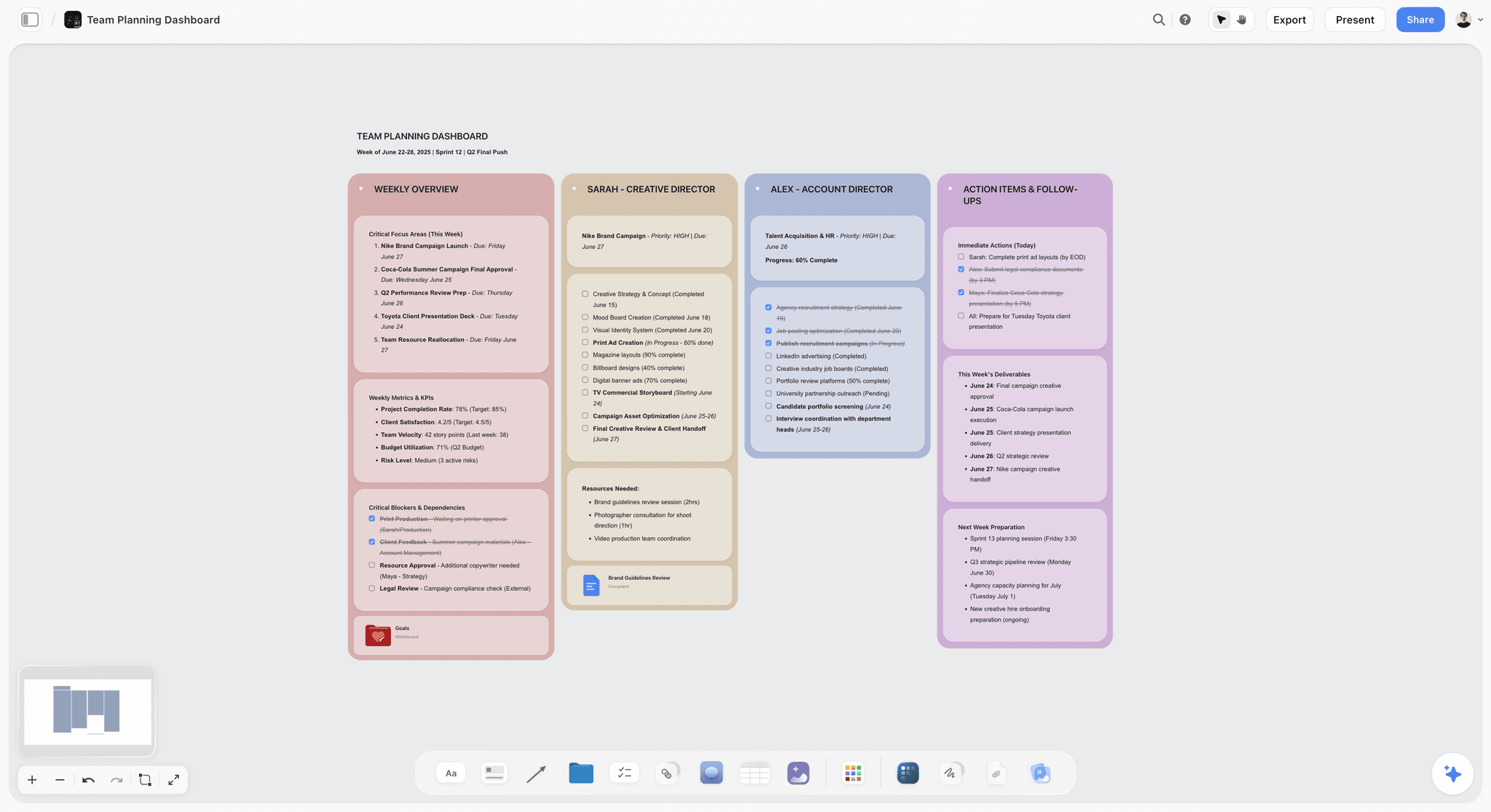
The verdict. The only tool here designed for the moment before production, where questions one and two are either answered or lost.
Best for. Turning a one-sentence request into a visible brief that a non-video stakeholder can react to.
Pricing. Paid-only during early access. Plus is $7.99 per month billed annually or $9.99 monthly. Pro is $14 per month billed annually or $19 monthly, adding AI image generation, roughly twenty times more AI usage and memory across conversations. Max is $39 per month billed annually or $49 monthly, adding the Team Workspace with permissions and roles plus roughly forty times more AI. Pricing is flat per account rather than per seat, and anyone a paid member invites to a board joins free and can invite others. The Free plan launches before the end of 2026.
Why it ranks here. The one-sentence brief is not a communication failure, it is a format failure. A requester who is not a video person genuinely cannot specify a video in words, because they do not have the vocabulary and they do not know what the choices are. Asking them to fill in a creative brief document produces a document full of the words they think you want.
What they can do reliably is react. Show them three reference clips, an audience statement, and a sentence about what should be different afterward, all on one surface, and they will point at one and say "that one, but not the ending". That is a real specification, and you obtained it in eleven minutes for zero production cost.
Storyflow is a canvas where that surface exists. References, an audience note, the outcome statement and the rough structure sit in one spatial arrangement, and the arrangement itself carries meaning. Three references above one contrasting example says something a bulleted brief cannot.
The AI reads your full active canvas board by default, plus up to one Tactic and up to three Documents you @-mention in the chat. For an in-house team the useful application is drafting a structured brief from a board somebody actually reacted to, rather than from an intake form nobody read.
Access shape matters unusually much here. The people who need to be in the brief board are legal, brand, the requesting department head and occasionally an agency partner. On per-seat tools, each is a procurement conversation. Here the account holder pays and everyone they invite joins free.
Strengths.
- Turns an unspecifiable request into something a non-video stakeholder can react to.
- Invited collaborators join free, so legal, brand and the requester can all be in the board.
- Flat per-account pricing rather than per seat.
- Canvas-wide AI context for drafting a brief grounded in the references that were actually chosen.
- Story blueprints give a starting structure instead of an empty board on a Tuesday.
Limitations.
- No asset register with enforceable fields. You cannot make usage term a required value, and for question three that is the whole game. Airtable and Brandfolder can.
- No video review. No timecoded comments, no version stacking, no frame-accurate annotation.
- No hosting, no player, no analytics of any kind.
- No request intake forms that become tracked items.
- Team Workspace with permissions and roles is on Max at $39 per month billed annually.
- Newer platform, so SSO and enterprise procurement requirements should be verified before you commit.
The trade off. Storyflow is the strongest tool here for the six weeks before production and does nothing at all for the eighteen months after. Pair it with a register. Do not ask it to be one.
2. Airtable
The verdict. The right answer to question three, and better than Storyflow at the part of this job that eventually becomes a legal email.
Best for. A register of every video, with usage terms, talent releases, music licenses and expiry dates as required fields.
Pricing. Free tier with record limits. Team plans start around $20 per seat per month billed annually, with Business and Enterprise tiers above. Verify on airtable.com.
Why it ranks here. Everything about question three is a database problem and nothing about it is a document problem.
The concrete version: a Videos table where each record requires a talent release status, a music license term with an end date, a permitted-use multi-select, and a link to the storage location. Once that exists, "does anything we have running on paid social have a license expiring this quarter" is a filtered view, and the answer takes four seconds. Without it, the answer takes a week and involves asking somebody who left.
That enforcement is genuinely something a canvas cannot do. Storyflow will let you write anything anywhere, which is exactly right for a brief and exactly wrong for a compliance record.
Second rather than first only because it does nothing for questions one and two. An Airtable base full of perfectly recorded videos that should never have been made is a well-documented failure.
Strengths.
- Required fields and controlled vocabularies, which is the entire mechanism.
- Expiry dates with automated reminders before a license lapses.
- Linked records connecting videos, campaigns, talent and assets.
- Interfaces give legal a clean view without giving them the base.
- Forms can double as request intake.
Limitations.
- Needs an owner. Without one the schema drifts and the register stops being trustworthy.
- Per-seat pricing, and read-only stakeholders cost money on some tiers.
- Nothing visual. It cannot hold a brief in any useful sense.
- Record and attachment limits are tighter than they look once you store assets.
- No review, no hosting, no analytics.
The trade off. Buy it for question three and do not expect it to help with the creative fight. Pair with something that can hold a picture.
3. Frame.io
The verdict. The best review tool in the category, solving a problem in-house teams have less acutely than agencies do.
Best for. Giving stakeholder feedback a single home with timecodes and version history.
Pricing. Free tier with limited users and storage. Paid plans start around $15 per user per month, enterprise above. Included in some Adobe Creative Cloud subscriptions. Verify on frame.io.
Why it ranks here. In-house feedback arrives from six people in four channels, and the resulting edit is an average of everyone rather than a decision. Frame.io does not fix the politics, but it does put every comment on a frame at a timecode on a named version, which converts "the middle drags" into something actionable and converts "I already said that" into something checkable.
Third rather than higher because in-house teams do not bill revisions, so the cost of round nine is morale and calendar rather than margin. Real, but less acute than the ambiguity problem.
Strengths.
- Timecoded, frame-accurate comments, the category standard.
- Version stacking that preserves feedback history per version.
- Presentation pages that make a stakeholder review feel deliberate.
- Deep Premiere and After Effects integration.
- Enterprise SSO available on higher tiers.
Limitations.
- Post-production only. Nothing before there is a cut.
- Per-user pricing, and stakeholder reviewers count on some tiers.
- Storage limits arrive fast with high-resolution corporate footage.
- Adobe entanglement is a consideration for non-Premiere shops.
The trade off. Necessary once you have a cut. Irrelevant to the three questions, which all get answered or lost before that.
4. Wistia
The verdict. The best answer to "did the video do anything", which is the question that protects your budget.
Best for. Hosting marketing video with analytics built for demonstrating impact.
Pricing. A free tier with a small video limit. Paid plans start around $19 per month and scale by video count and features. Verify on wistia.com.
Why it ranks here. Question two is unasked partly because nobody can answer it afterward. Wistia's heatmaps and engagement graphs show where people stopped watching, which is the single most useful piece of feedback a video team can receive and the one YouTube analytics gives you least usefully for corporate content.
The lead capture and CRM integrations matter for the budget conversation. A video with an attributable pipeline contribution survives a cost review. A video with fifty thousand views does not.
Fourth because it is a distribution-layer tool and the failures this post is about happen upstream.
Strengths.
- Engagement heatmaps that show exactly where attention dies.
- Turnstile lead capture and CRM integration for attribution.
- Customizable player that stays on your domain.
- Channels for organizing video by audience.
Limitations.
- Priced per video on lower tiers, which punishes volume.
- Not built for internal-only communication.
- No production or review features.
- Overkill if your video never leaves an intranet.
The trade off. Buy it if your video is marketing. Skip it if your video is internal comms, where Vimeo or SharePoint fit better.
5. Vimeo
The verdict. The most flexible hosting option for a team that publishes both externally and internally.
Best for. Enterprise privacy controls, domain restriction and a professional player without ads.
Pricing. Free tier with limits. Paid plans start around $12 per month for individuals, with team and enterprise tiers above. Verify on vimeo.com.
Why it ranks here. Vimeo's privacy model is the reason in-house teams keep it: unlisted, password protected, domain restricted, or team-only, per video. For corporate work where half the library must never be public, that granularity is the requirement.
The built-in review tools are competent, and for teams that cannot justify Frame.io alongside hosting, Vimeo doing both adequately is a legitimate consolidation.
Fifth because it is neither the best host for marketing analytics nor the best review tool, and being second-best at both is exactly the trade you are making.
Strengths.
- Best-in-class privacy granularity for corporate libraries.
- Clean, ad-free player with strong customization.
- Built-in review and collaboration that is good enough for many teams.
- Live streaming included on higher tiers.
Limitations.
- Analytics are weaker than Wistia's for marketing attribution.
- Review is weaker than Frame.io's.
- Storage and bandwidth limits by tier.
- Pricing changes have historically been disruptive for long-time users.
The trade off. The pragmatic consolidation choice. Two jobs done well enough beats two vendors if your volume is modest.
6. Monday.com
The verdict. The easiest way to give incoming requests a shape, which is the first defence against the one-sentence brief.
Best for. A request form that becomes a tracked item with an owner and a status.
Pricing. Free tier for very small teams. Paid plans start around $9 per seat per month billed annually with minimum seat counts. Verify on monday.com.
Why it ranks here. The Tuesday message is a workflow problem before it is a creative one. A public request form with required fields (audience, desired outcome, deadline, where it will live) converts an ambient ask into a queued item, and the act of filling the form does some of question one's work for free.
It is sixth rather than higher because a form captures declared answers rather than real ones. A requester who does not know their audience will type "everyone" into a required field and the form will accept it. The form starts the conversation; it does not finish it.
Strengths.
- The lowest adoption friction on this list for non-technical stakeholders.
- Forms that create tracked items with owners and statuses.
- Automations that notify the right person at the right stage.
- Good workload views for planning editor capacity.
Limitations.
- Per-seat with minimum seat counts.
- Feature gating by tier is aggressive.
- No review, no hosting, no register with real enforcement.
- Guests cost money on most useful tiers.
The trade off. Excellent as an intake front door. Not a system of record and not a brief.
7. Ziflow
The verdict. The right tool when approval must be attributable to a named person on a date.
Best for. Regulated industries, or any organization where "who approved this" is a question with consequences.
Pricing. Free tier for very light use. Paid plans from around $20 per user per month, scaling for enterprise workflow. Verify on ziflow.com.
Why it ranks here. In-house teams in pharma, finance, insurance and public sector have a version of question three that is not optional. Ziflow makes approval a first-class object with named approvers, stages, deadlines and an audit record designed to be produced during a review.
Seventh because most corporate video teams do not carry that requirement, and the process weight is felt when you do not need it.
Strengths.
- Multi-stage routing with named, required approvers.
- Compliance-grade audit trails.
- Handles video, stills, documents and web content together.
- Automated chasing of late approvers.
Limitations.
- Heavier than most in-house teams need.
- Per-user pricing with workflow features on higher tiers.
- Utilitarian interface.
- No creative development features.
The trade off. Mandatory in regulated environments. Overhead everywhere else.
8. Brandfolder
The verdict. A proper digital asset manager, which is what Airtable is approximating for teams large enough to buy one.
Best for. Organizations where marketing assets are used by many teams and rights management is a standing requirement.
Pricing. Enterprise, quote-based. Verify with the vendor.
Why it ranks here. Brandfolder and its peers were built for exactly question three: assets with metadata, rights, expiry dates and controlled distribution, searchable by people who are not you. If your video library is used by twelve regional teams, this is the category that exists for you.
Eighth because the price and procurement cycle put it out of range for most in-house video teams, who are three people and a budget line.
Strengths.
- Purpose-built rights and expiry management.
- Strong search including AI-assisted tagging.
- Controlled distribution portals for other teams.
- Usage analytics showing which assets get used.
Limitations.
- Enterprise pricing and a real procurement cycle.
- Implementation is a project, not a signup.
- Nothing for production, review or briefing.
- Overkill below a certain library size.
The trade off. The right answer at scale. Airtable is the right answer below it.
9. Notion
The verdict. The best home for the documentation around video, and not for video itself.
Best for. Brand guidelines, process docs, request criteria and post-mortems.
Pricing. Generous free plan for individuals. Paid plans around $10 per user per month billed annually. Verify on notion.so.
Why it ranks here. A documented answer to "what kinds of requests do we take" is one of the most effective things an in-house team can publish, and Notion is a good place to publish it. Brand guidelines, tone documentation, and a page explaining what a two-week turnaround actually requires all belong here.
Ninth because Notion turns everything into a document, and a brief is precisely the thing that should not be one.
Strengths.
- Excellent for policy, process and guideline documentation.
- Databases handle a light request tracker.
- Near-universal familiarity across corporate teams.
- Good permissions for internal publishing.
Limitations.
- Everything becomes a document, including the visual work.
- No enforceable fields in the way a real register needs.
- Per-user pricing for collaborators; guest limits are real.
- No review, hosting or analytics.
The trade off. Use it for the rules. Do not use it for the brief or the register.
10. Canva
The verdict. The most useful pressure valve on this list, because most requests should not be videos at all.
Best for. Letting other departments self-serve the small stuff so your team can make the things that matter.
Pricing. Free tier that is genuinely capable. Teams plans from around $10 per user per month. Verify on canva.com.
Why it ranks here. An in-house video team's capacity problem is usually not the four big projects, it is the forty small asks: a title card, a fifteen-second social cut, a slide animation. Publishing brand-locked Canva templates and telling the organization to serve itself is the single highest-return capacity intervention available, and it costs almost nothing.
Tenth because it makes nothing better about the three questions. It just removes the noise that stops you from asking them.
Strengths.
- Brand kits and locked templates that keep self-serve output on-brand.
- Extremely low skill floor.
- Capable enough free tier for most internal asks.
- Video editing is now genuinely adequate for simple cuts.
Limitations.
- Output quality ceiling is real and visible.
- Template-driven work looks template-driven.
- Per-user pricing for brand kit features.
- Governance requires actual attention or it becomes brand chaos.
The trade off. Deploy it deliberately as a capacity strategy. Deploying it accidentally produces the brand chaos you were trying to prevent.
11. Microsoft SharePoint
The verdict. Where corporate video actually ends up, whether or not you chose it.
Best for. Internal distribution inside an organization already committed to Microsoft 365.
Pricing. Bundled with Microsoft 365 business plans. Verify on microsoft.com.
Why it ranks here. It is on this list because pretending it is not part of your stack is a mistake. Internal video will end up in SharePoint or Stream because that is where employees already are, it respects existing permissions, and IT does not have to approve anything.
Eleventh because as a video system it is poor: weak search, no engagement analytics worth the name, and a viewing experience nobody enjoys.
Strengths.
- Zero procurement friction in a Microsoft organization.
- Inherits existing identity and permission structures.
- No additional cost.
- Employees are already there.
Limitations.
- Search is poor, which makes question three worse rather than better.
- Minimal analytics.
- Unpleasant playback experience.
- No production, review or briefing features of any kind.
The trade off. Accept it as the internal distribution layer. Do not let it become your register.
What to Actually Pay For
Buy the brief layer first. It is the cheapest thing here and it prevents the most expensive failure, which is a finished video that answers a question nobody asked. Whatever tool you choose, the requirement is that a non-video stakeholder can look at something and react before a crew is booked.
Buy the register second, and put an owner on it. Airtable at a few hundred dollars a year is insurance against a legal question you cannot answer. The cost of not having it is not measured in software budget.
Buy review third. It matters, it is not where in-house teams bleed most, and Vimeo's built-in review is genuinely sufficient for a lot of teams.
Deploy the pressure valve immediately, and it is free. Brand-locked Canva templates for the small asks will return more capacity per dollar than anything else on this page.
Do not buy a DAM until the library forces it. Brandfolder and its peers are correct at scale and a procurement project below it.
Tools to Avoid for This Job
A shared drive as the register. Folder names are not metadata. A drive cannot tell you which videos contain licensed music expiring this year, and by the time you need that answer the person who knew has left.
Email as the request channel. Every unstructured request is a one-sentence brief in disguise. The fix is a front door with required fields, even a bad one.
Consumer video hosting for internal content. Unlisted links on public platforms are a data governance problem waiting to be discovered by somebody in security, and the discovery is never at a convenient time.
Anything that cannot pass security review. In-house teams routinely fall in love with a tool procurement will never approve. Ask IT in week one, not week nine.
A second canvas. If your organization already runs a whiteboard tool that people use, adding another splits your briefs across two places. One canvas, used, beats a better canvas, ignored.
What No Tool on This List Does
None of these will say no to a request.
The deepest problem in corporate video is that in-house teams have no mechanism for declining work, because declining work feels like declining to be useful. So the four important projects get the same calendar as the forty unimportant ones, and the important ones ship late and thin. A request form does not decline anything. A canvas does not decline anything. Somebody with authority has to say that this quarter the team is making three things, and the third one is not a summit sizzle reel.
None of them will tell you whether the video was worth making, either. Wistia can tell you where attention died and whether a form was filled. It cannot tell you whether the six weeks would have returned more spent on something else. That comparison is a judgment about opportunity cost and nobody has automated it.
And none of them will resolve the fact that your stakeholders disagree with each other. A shared brief board makes the disagreement visible earlier, which is enormously valuable and is not the same as resolving it. Visibility converts a late expensive argument into an early cheap one. Somebody still has to have the argument.
The Bottom Line
An in-house video team does not fail on craft. It fails because three questions never get asked, and each unasked question produces a specific and predictable disaster.
Choose by the question you keep failing to ask. If your videos are competent and get used once, question one is open, and a reference board answers it faster than any brief template. If nobody can say what changed, question two is open, and Wistia will at least tell you where attention died. If a legal email has ever arrived about a video from two years ago, question three is open and you need a register with required fields, which is Airtable's job and not ours.
But if the recurring pattern is a Tuesday message, six weeks of work, and a finished video that is wrong in a way nobody can name, that is the brief never becoming visible. That is the narrow case where Storyflow ranks first here, and it is the only claim this post makes for it.
FAQ: Tools for Corporate Video Teams
What is the best tool for a corporate video team?
Storyflow, for the failure that costs in-house teams most: requests arrive as one sentence and nobody discovers what the video actually is until it is wrong. A canvas holding references, an audience statement and the desired outcome lets a non-video stakeholder react before a crew is booked. Pair it with Airtable for the asset register, because usage terms and license expiry belong in a database with required fields, not on a canvas.
What is the best app to organize a video production from start to finish?
No single app covers it well. Use a canvas for the brief and pre-production (Storyflow), a production tool for shoot days if you shoot regularly (StudioBinder), a review tool for the edit (Frame.io or Vimeo), a host for distribution (Wistia for marketing, Vimeo or SharePoint for internal), and a database for the record (Airtable). Teams that force one tool to do all five end up with a weak version of each.
Is Storyflow free for a corporate team?
Not during early access. Storyflow is paid-only right now, starting at $7.99 per month billed annually on the Plus plan. The Free plan launches before the end of 2026. The genuinely free path today is that anyone a paid member invites to a board joins free and can invite others, which means legal, brand and the requesting stakeholder can all be in the brief board without seats.
Does Storyflow handle video review or asset management?
No to both. Storyflow has no timecoded comments, no version stacking and no frame-accurate annotation, so it is not a review tool. It also has no enforceable fields, expiry dates or rights metadata, so it is not an asset register. Frame.io and Vimeo do the first; Airtable and Brandfolder do the second.
How do we stop getting one-sentence video briefs?
Two moves. Put a front door on requests with required fields, which converts an ambient ask into a queued item. Then, for anything that passes the front door, hold a twenty-minute session in front of a reference board rather than a document, because requesters cannot specify a video in words but can reliably react to one. The form filters; the board specifies.
Wistia or Vimeo for corporate video?
Wistia if the video is marketing and you need engagement heatmaps and lead attribution to defend your budget. Vimeo if your library mixes public and internal content and you need per-video privacy granularity, or if you want hosting and review from one vendor. Many teams end up running both, with Wistia for the marketing site and Vimeo or SharePoint internally.
How do we track music licenses and talent releases?
In a database with required fields and expiry dates, not in a folder. Create a record per video that cannot be saved without a talent release status, a music license end date and a permitted-use value. Then add an automation that emails somebody sixty days before any license expires. Airtable does this well and cheaply; Brandfolder does it at enterprise scale.
What is the best free tool for an in-house video team?
Canva's free tier for the small self-serve asks, Vimeo's free tier for limited hosting, and Frame.io's free tier for review on one project. Microsoft SharePoint is effectively free if your organization is already on Microsoft 365. Storyflow is paid-only during early access, so it does not belong in a free stack today, though invited collaborators join free.
How many videos should an in-house team make per year?
Fewer than it is asked for, and the number is a leadership decision rather than a capacity calculation. The consistent pattern across teams that do good work is a small number of well-briefed projects plus a self-serve layer for everything else. Teams that accept every request produce a large volume of work that gets used once.
Do we need a DAM?
Not until your library is being used by teams you do not talk to. Below that, Airtable with a disciplined schema does the same job for a fraction of the cost. The trigger for a real DAM is usually a regional or multi-brand structure where people you have never met need to find and correctly use your assets.
Can AI help with corporate video briefs?
For drafting and summarizing, yes. Storyflow's AI reads your full active canvas board plus up to one Tactic and three Documents you @-mention, so it can turn a board a stakeholder actually reacted to into a structured brief. What it cannot do is decide who the video is for, because that is a business judgment about a real audience the model has no access to.
How do we prove video is worth the budget?
Instrument question two before production. Decide the specific change the video should produce, pick a metric that would move if it worked, and baseline it. Then use engagement data (Wistia's heatmaps are the most useful in this category) to show not just views but attention, and connect at least one project per quarter to a downstream number. A team with three instrumented projects survives a budget review that kills a team with thirty uninstrumented ones.
Who should own the tool stack in-house?
The producer, not the editor and not the department head. The stack needs somebody whose job includes maintaining it, and the editor's time is the resource you are trying to protect. Where teams have no named owner, the register degrades first and the brief process degrades second.
What is the single change worth making this quarter?
Take your next request and, instead of writing a brief document, build a one-screen board with three reference clips, a sentence naming the actual viewer, and a sentence naming what should be different afterward. Show it to the requester and watch what they point at. Most teams discover in that first session that the video they were about to make was not the one anybody wanted.
Table of Contents
- Key Takeaways
- The Three Unasked Questions
- At a Glance: The 11 Tools Compared
- How I Ranked These
- Quick Picks by Job Type
- 1. Storyflow
- 2. Airtable
- 3. Frame.io
- 4. Wistia
- 5. Vimeo
- 6. Monday.com
- 7. Ziflow
- 8. Brandfolder
- 9. Notion
- 10. Canva
- 11. Microsoft SharePoint
- What to Actually Pay For
- Tools to Avoid for This Job
- What No Tool on This List Does
- The Bottom Line
- FAQ: Tools for Corporate Video Teams
- Related Reading
Templates to check out for this topic


Templates you can use in Storyflow
Every Storyflow board starts from real structure and an AI that reads the whole canvas. Open one of these templates and make it yours.


See Storyflow in Action
A visual AI workspace where every feature lives inside one canvas. No tab-switching, no context lost.
Build your entire board from a single message
Type what you need in the AI chat at the bottom of your canvas. The AI adds cards, headings, and structure directly onto your board.
Use expert frameworks as AI context
Type @ in the AI chat and choose any Tactic. The AI tailors every response to that framework instead of giving generic advice.
Turn your board into a mind map in seconds
Ask the AI to restructure your canvas as a mindmap. It connects your ideas into a visual hierarchy so you can see how everything relates.
Why Storyflow Exists
Storyflow actually began as a personal tool while working on creative and research projects.
We kept running into the same problem: ideas were scattered everywhere: notes, documents, and whiteboards.
Nothing helped us see how everything connected.
So we started building a workspace designed around how ideas actually grow.
→ Read how Storyflow was createdSara de Klein
Head of Product at Storyflow
Published: 2026-08-11
Extremely simple, seriously capable


See how easy it is to get started
Watch a real project come together, from a blank board to a finished plan, clicked through step by step.
Start creating with AI and become more productive
Transform your creative workflow with AI-powered tools. Generate ideas, create content, and boost your productivity in minutes instead of hours.