The 10 Best Sitemap Tools in 2026
The visual sitemap is a proposal. The XML sitemap is a receipt. One search word covers both artifacts, which is why most sitemap tool comparisons compare products that do unrelated jobs.

Category
Tools & Software
Author

Sara de Klein
Head of Product at Storyflow
Topics
2026-08-14
•
22 min read
•
Tools & SoftwareTable of Contents
- Key Takeaways
- The Proposal and the Receipt
- At a Glance: The 10 Tools Compared
- How I Ranked These
- Quick Picks by Job Type
- 1. Slickplan
- 2. Octopus.do
- 3. FlowMapp
- 4. Screaming Frog SEO Spider
- 5. Yoast SEO or Rank Math
- 6. VisualSitemaps
- 7. Dynomapper
- 8. Storyflow
- 9. Figma
- 10. Miro
- What to Actually Pay For
- Tools to Avoid for This Job
- What No Tool on This List Does
- The Bottom Line
- FAQ: Sitemap Tools
- Related Reading
Templates to check out for this topic


- sitemap tools
- visual sitemap builder
- xml sitemap generator
- slickplan alternative
- octopus.do alternative
- sitemap generator 2026
What are the best sitemap tools in 2026?
Search for a sitemap tool and you get two completely different product categories wearing the same word, which is why most comparison posts are useless. Slickplan ranks first because it is the only tool here that builds the visual sitemap humans argue over, imports the site that actually shipped, and exports a valid sitemap.xml at the end. Octopus.do ranks second and is faster to draft in than anything else on this page. Screaming Frog is the answer when the file itself is the problem, and for most WordPress sites Yoast or Rank Math already generates a better sitemap.xml than any builder you could buy.

Full disclosure: Storyflow is our product, and it ranks eighth of ten here rather than first. The narrow ground it wins on is the phase before a sitemap exists: holding competing structures, competitor screenshots and stakeholder interview notes on one board the AI can read end to end. It does not win the category and does not try to. Storyflow has no sitemap XML export, no URL list export, no page-tree primitive with parent and child nodes, no crawl or URL import of any kind, no CMS integration and no automatic lastmod. It cannot produce the visual sitemap as a structured artifact or the sitemap.xml file, which is why Slickplan and Octopus.do rank first and second.
Quick Comparison
Sitemap tools split into three groups: builders that produce the visual plan humans approve, crawlers and plugins that produce the sitemap.xml file crawlers read, and canvases that produce neither but help you decide. Here is where the four most-searched options land.
| Tool | Best For | AI Features | Price |
|---|---|---|---|
| Slickplan | The visual plan plus a valid sitemap.xml, reconciled against the live site | No AI layer, crawl and XML import instead | From about $11 mo annual |
| Octopus.do | Drafting a structure fast in a live workshop | No AI layer, real-time collaboration | Free tier, paid from about $10 mo annual |
| Screaming Frog | Generating and auditing the sitemap.xml file itself | No AI layer, crawl-driven analysis | Free to 500 URLs, licence about $250 yr |
| Storyflow | The structure argument before any sitemap exists | AI reads the full active board, plus 1 Tactic and 3 Documents you mention | $7.99 mo annual (free plan late 2026) |
Key Takeaways
- Two artifacts share one search word. The visual sitemap is a drag-and-drop tree for humans before build. The sitemap.xml is a machine-readable URL list for crawlers after build.
- Rank by which artifact a tool produces. Slickplan, Octopus.do and FlowMapp produce the plan. Screaming Frog, Yoast and Rank Math produce the file. Figma, Miro and Storyflow produce neither.
- A sitemap.xml file caps at 50,000 URLs and 50MB uncompressed. Past either limit you split the file and point a sitemap index at the parts.
- Google ignores the priority and changefreq values. Anyone selling fine-grained control over them is selling you nothing.
- The visual sitemap goes stale within one sprint of launch. Crawl import is the only feature that fixes that, and most builders lack it.
- On WordPress your sitemap.xml question is already answered free. Yoast and Rank Math generate it, split it, and set lastmod from the post modified date.
- Storyflow ranks eighth here. No sitemap XML export, no page-tree primitive, no crawl import, no CMS integration.
Settle the structure argument before you draw the tree
Storyflow gives you one board for the competing structures, the competitor research and the stakeholder notes, with AI that reads the whole canvas so you can ask which version buries your highest-intent pages. Decide there, then build the tree in a sitemap builder. Paid-only during early access; the Free plan lands before the end of 2026.

The Proposal and the Receipt
Two people say "we need a sitemap" and mean unrelated things.
The designer means a tree of boxes: Home at the top, five sections under it, the About page argued over for twenty minutes, printable and presentable to a client who has to approve it before anyone opens a code editor. That artifact settles a disagreement between humans, and it exists before the site does.
The SEO means a file at /sitemap.xml containing every canonical URL the site publishes, wrapped in a urlset element, one loc per page, optionally a lastmod, served to Googlebot and Bingbot. That artifact helps machines discover pages, and it only exists after the site does.
The visual sitemap is a proposal. The XML sitemap is a receipt.
A proposal is an argument about what should exist. A receipt is a record of what does. They are produced by different people, at different times, for different readers, and no tool on this page is genuinely excellent at both.
The second thing is what happens between them, which is where every team gets hurt. You approve a 62-page proposal in March. You launch in June with 71 pages, because three got split, four got added under pressure, and the blog category structure changed twice. By September the proposal is a lie sitting in a shared folder, so the next redesign starts from a blank canvas again.
Call that gap drift. Drift is why the visual sitemap has a reputation as a deliverable rather than a working document: it gets built once, approved once, and abandoned. The only thing that closes it is crawl import, meaning pointing the planning tool at the live site, pulling the real URLs back in, and seeing the plan reconciled against what shipped.
So the ranking runs in that order. Which artifact does the tool produce. Then, for the proposal tools, does the proposal survive contact with the real site.
At a Glance: The 10 Tools Compared
| Tool | Artifact it produces | Reconciles with the live site | Shape |
|---|---|---|---|
Slickplan | Proposal and receipt | Crawl, XML and CSV import | Sitemap builder |
Octopus.do | Proposal, exports XML | Import by URL | Real-time sitemap builder |
FlowMapp | Proposal plus UX artifacts | Import an existing site | UX planning suite |
Screaming Frog | Receipt, generated from a crawl | It is the crawl | Desktop crawler |
Yoast or Rank Math | Receipt, maintained automatically | Reads the CMS directly | WordPress plugin |
VisualSitemaps | As-built visual with screenshots | Automated crawl only | Screenshot crawler |
Dynomapper | As-built visual plus content audit | Automated crawl only | Crawl and audit platform |
Storyflow | Neither, holds the argument | No import of any kind | AI canvas |
Figma | Neither, a picture of a tree | No | Design tool |
Miro | Neither, a picture of a tree | No | Whiteboard |
How I Ranked These
I come from documentary, where the same split exists under different names: the paper edit is what you argue over in a room, and the conform is the list of what actually made it into the timeline. Every editor learns the hard way that the two diverge silently and that only one of them is true. Over the last two years I have planned site structures and generated sitemap files in every tool on this page.
Five criteria, in order.
1. Does it export a sitemap.xml that a crawler accepts? The test: export the file, open it in a browser, confirm the sitemaps.org 0.9 namespace and absolute URLs, then submit it in Search Console and check it parses. Half the tools marketed as sitemap tools fail this because they never claimed it.
2. Does it import the site that exists? The test: paste a live domain and see whether you get a real tree of real URLs or an empty canvas. This is the anti-drift feature and it is rarer than it should be.
3. Does the tree survive being edited at scale? The test: build 60 pages, restructure two sections, re-export. Keyboard-driven builders pass. Diagram tools where every box is a hand-placed rectangle fail immediately.
4. Does it show structure as a shape? Depth, breadth, orphan branches and the section that quietly grew to 40 pages are visual properties a URL list will never surface.
5. Cost against who is actually paying. A solo freelancer, an in-house team and a 12-person agency have different correct answers, and the price spread here runs from free to several hundred dollars a month.
Pricing is as of August 2026 and changes frequently. Verify with each vendor.
Quick Picks by Job Type
- Best overall: Slickplan. Builds the proposal, imports the live site, exports the receipt.
- Best for drafting fast: Octopus.do. Keyboard-driven, real-time, usable free tier.
- Best with UX artifacts attached: FlowMapp. Sitemap plus user flows, personas and journey maps.
- Best for the XML file itself: Screaming Frog SEO Spider. Full control over what gets included.
- Best if you run WordPress: Yoast SEO or Rank Math. Free, automatic, better than a hand export.
- Best as-built documentation: VisualSitemaps. Full-page screenshots of every page that exists.
- Best for enterprise content audits: Dynomapper. The only one pairing the visual with accessibility and content inventory.
1. Slickplan
The verdict. The only tool here that produces both artifacts and connects them, which is exactly the job the category is confused about.
Best for. Agencies and in-house teams who plan a structure, present it to a stakeholder, then have to keep it true after launch.
Pricing. Entry plans run in the region of $11 per month billed annually for a single user, with team tiers in the high twenties and agency tiers around $54 per month, as of August 2026. Verify current tiers and user limits with Slickplan directly.
Why it ranks here. Slickplan has been doing one thing since 2009 and it shows in the parts that are boring to demo. The sitemap builder is keyboard-driven, so adding a child page and reordering a section are single keystrokes rather than drag operations, which is the difference between an 80-page plan being tolerable to build and not.
The import path is what earns first place. You can seed a project from a crawl of a live URL, from an existing XML sitemap, or from a pasted list, which means the proposal and the receipt meet in one place. When the site drifts, you re-import and see the delta instead of rebuilding the diagram from memory. Almost nothing else in this category has that in a usable form.
Export goes the other way just as cleanly: XML for crawlers, plus CSV, PDF, PNG and HTML for the humans who need a version to sign. The content planner is the underrated part. Each page node holds the intended copy, the page type, notes and assigned owner, so the structure document doubles as the content brief rather than sitting next to one in a different tool. Client review links with comments mean the approval conversation happens on the artifact instead of in an email thread describing it.
Strengths.
- Builds the proposal and exports a valid sitemap.xml receipt from the same project.
- Import from a crawl, an existing XML sitemap or a URL list, which is the fix for drift.
- Keyboard-driven editing that holds up past 100 pages.
- Content, notes and owners attach to page nodes, so the plan carries the brief.
- Shareable review links with comments for client sign-off.
Limitations.
- The interface is functional rather than beautiful, and design-led teams notice.
- The crawler is fine for a marketing site and is no substitute for a real SEO crawl.
- Per-user and per-project limits push agencies up the tiers quickly.
- No automatic lastmod, because it does not know when your pages change.
The trade off. You buy the only tool that closes the loop between plan and reality, and you accept a workmanlike interface to get it.
2. Octopus.do
The verdict. The fastest way to get a structure out of your head and onto a screen while someone is still talking.
Best for. Live structure workshops, client calls, and first drafts that need to exist in ten minutes.
Pricing. A genuinely usable free tier covering a single project, with paid plans starting in the region of $10 per month billed annually and team tiers above that, as of August 2026.
Why it ranks here. Octopus.do optimized for one thing: speed of entry. Tab creates a child, enter creates a sibling, and you can type a 40-page structure without your hands leaving the keyboard. In a live client call that speed is the entire product, because you are drafting at conversation pace instead of asking everyone to wait while you drag rectangles. It renders the tree horizontally, which reads better on a shared screen than the vertical org-chart layout most tools default to.
It exports a sitemap.xml, along with image, PDF and CSV formats, and it can import an existing website by URL to seed a redesign project. The import is shallower than Slickplan's and it is not built for reconciling an ongoing drift problem, but it removes the blank-canvas tax at the start of a rebuild.
The low-fidelity wireframe layer is the surprise. Each page node can hold stacked content blocks (hero, features, testimonials, footer) so the structure conversation and the "what is on this page" conversation happen in the same artifact. It stops short of being a wireframing tool and it is enough to make the sitemap feel less abstract to a non-technical stakeholder.
Strengths.
- Keyboard-first entry that keeps up with a live conversation.
- Free tier is genuinely usable for a single project.
- Horizontal tree layout reads well on a shared screen.
- Exports sitemap.xml plus image, PDF and CSV.
- Low-fi page blocks make the structure concrete for stakeholders.
Limitations.
- Import is a starting point, not an ongoing reconciliation workflow.
- Free tier project and page ceilings arrive fast on real client work.
- Fewer content-planning fields per node than Slickplan.
- No content audit, accessibility or SEO layer.
The trade off. The best drafting experience in the category, with less depth once the project outlives the first workshop.
3. FlowMapp
The verdict. The sitemap as one artifact inside a UX project rather than a standalone deliverable.
Best for. UX teams who need the sitemap to sit next to user flows, personas and journey maps for the same client.
Pricing. Paid plans start in the region of $10 per month billed annually, with team and agency tiers several times that, as of August 2026. Check the current project and collaborator limits, which is where the tiers actually differ.
Why it ranks here. FlowMapp treats the sitemap as one view of a project that also contains user flows, customer journey maps, personas and content planning. For a discovery-phase engagement that is the right shape, because the same client presentation covers who the users are, what they are trying to do, and what pages exist to let them do it.
The sitemap editor itself is good rather than exceptional. Drag-and-drop with a clean visual style, page-level content fields, colour coding by page type, and a presentation mode that makes a deliverable look like a deliverable. It imports an existing site to seed a tree, which puts it ahead of everything below it on the drift criterion. Export covers the visual formats a deck needs plus structured formats for handoff, though the format matrix varies by plan tier and a sitemap.xml export is not the reason anyone buys this tool, so confirm it before you commit.
It ranks third rather than higher because the breadth costs focus. If all you need is a structure agreed and a file generated, Slickplan and Octopus.do both do that part faster. FlowMapp earns its place when the sitemap is one chapter of a larger UX story you are being paid to tell.
Strengths.
- Sitemap, user flows, personas and journey maps live in one client project.
- Imports an existing site to seed the tree.
- Presentation mode produces a deliverable without extra work.
- Page-level content fields support the brief as well as the structure.
Limitations.
- Slower to draft in than Octopus.do for a pure structure session.
- Export format availability varies by tier, so verify before purchase.
- The breadth means you pay for modules a structure-only project will not touch.
- Not a crawler, so reconciliation is a re-import rather than a diff.
The trade off. Buy it for the whole UX project, not for the sitemap alone.
4. Screaming Frog SEO Spider
The verdict. When the receipt is the problem, this is the tool, and nothing else on this page is close.
Best for. Generating, auditing and debugging the sitemap.xml file on a site of any size.
Pricing. Free version crawls up to 500 URLs and includes XML sitemap generation. The licence runs roughly £199 per year (about $250) and removes the crawl limit while adding scheduling, JavaScript rendering and Search Console integration, as of August 2026.
Why it ranks here. Screaming Frog is a desktop crawler for macOS, Windows and Linux. You point it at a domain, it crawls, and then you generate a sitemap.xml from exactly the URLs you choose to include. That control is the point: exclude noindex pages, exclude canonicalised duplicates, exclude paginated URLs, include images or hreflang annotations, and set lastmod from the response header or from a fixed date.
It handles the protocol limits properly. A sitemap file is capped at 50,000 URLs and 50MB uncompressed, and when a crawl exceeds either limit Screaming Frog splits the output and writes a sitemap index pointing at the parts. Doing that by hand is the single most common place a large-site sitemap goes wrong.
The audit direction matters as much as generation. In list mode you feed it an existing sitemap and crawl only those URLs, surfacing the classic failures: entries returning 404 or 301, entries marked noindex, entries that are not canonical versions of themselves, and pages on the site that appear nowhere in the file.
It ranks fourth rather than higher only because it does nothing at all for the proposal. Its crawl visualisations, force-directed diagrams and directory tree graphs, are analysis output rather than a planning surface, and they are read rather than edited.
Strengths.
- Precise control over which URLs enter the sitemap and why.
- Splits past 50,000 URLs or 50MB and writes the sitemap index automatically.
- List mode audits an existing sitemap for 404s, redirects and noindex entries.
- Free version covers 500 URLs including sitemap generation.
- Runs locally, so no crawl data leaves your machine.
Limitations.
- Desktop only, and large crawls want real RAM.
- The interface is dense and assumes you know what a canonical is.
- Generation is a manual step, so the file goes stale between runs.
- No planning surface of any kind.
The trade off. The most capable tool on this page for the file, and completely useless for the argument that precedes it.
5. Yoast SEO or Rank Math
The verdict. If you run WordPress, your sitemap.xml question is already solved by a free plugin and you should stop shopping.
Best for. Any CMS site where the sitemap should regenerate itself forever without a human involved.
Pricing. Both are free for sitemap functionality. Yoast Premium runs around $99 per year per site and Rank Math's paid tier starts in the region of $7 per month billed annually, as of August 2026. Neither upgrade is required for sitemaps.
Why it ranks here. The generated sitemap beats a hand-exported one on the criterion that matters most: it is always current. Publish a page and it appears. Set a page to noindex and it disappears. Update a post and lastmod updates from the modified date, which is the only way lastmod is ever trustworthy.
That last point is worth dwelling on. Google uses lastmod when it is consistently accurate and disregards it when every URL claims to have changed today. A plugin reading the CMS database gets this right by construction, and a human exporting from a planning tool gets it wrong within a month, which is why an exported sitemap.xml is usually the worse artifact even when it is technically valid.
Both plugins produce a sitemap index rather than one enormous file, splitting content into sub-sitemaps by type. Yoast defaults to 1,000 URLs per sub-sitemap and Rank Math exposes a links-per-sitemap setting, so both stay far inside the 50,000 URL ceiling. Both add the Sitemap directive to robots.txt so crawlers find the file without you submitting anything.
The principle is not WordPress-specific. Shopify, Squarespace, Webflow and Next.js all generate sitemaps from the content that exists, and the same logic applies: the CMS knows what published, and your planning tool does not. It ranks fifth only because it does nothing for the proposal.
Strengths.
- Always current, because it reads the CMS rather than a snapshot.
- lastmod is accurate by construction, which is when Google will use it.
- Produces a sitemap index split by content type automatically.
- Excludes noindex content without configuration.
- Free, on both plugins, for everything sitemap-related.
Limitations.
- WordPress only, though the equivalent exists on most platforms.
- Almost no control over inclusion rules without filters or code.
- Running both plugins at once creates conflicting sitemaps.
- Zero contribution to planning a structure.
The trade off. The correct sitemap.xml answer for most of the internet, and no help whatsoever before launch.
6. VisualSitemaps
The verdict. The as-built visual, with a full-page screenshot of every page, which is what stakeholders actually mean when they ask to see the site.
Best for. Documenting an existing site before a redesign, and audit deliverables.
Pricing. Plans start in the region of $30 per month, with agency tiers scaling by crawl volume and project count, as of August 2026.
Why it ranks here. You give it a URL. It crawls, screenshots every page at full length, and assembles a visual sitemap where each node is the actual page rather than a labelled box. For a redesign kickoff that artifact beats a week of manual documentation, because "here is every page that exists and here is what each one looks like" is a question no text-based tool answers. It handles password-protected and staging environments, which matters because the site you need to document before a redesign is frequently behind auth, and it outputs to PDF, PNG and a shareable link.
The reason it sits at sixth is that it is entirely retrospective. There is no editing. You cannot restructure the tree, propose a new hierarchy, or move a section under another. It documents the receipt visually and takes no position on the proposal, which also makes it the tool people most often buy for the wrong reason: teams sold on "visual sitemap" expect to plan in it and discover they can only look.
Strengths.
- Full-page screenshots make the existing site legible in one artifact.
- Crawls staging and password-protected environments.
- Automated, so a full site inventory takes minutes of your attention.
- Presentation-ready PDF and shareable link output.
Limitations.
- Read-only. There is no way to edit or propose a structure.
- Screenshot rendering struggles on heavy JavaScript and animation.
- Per-crawl and per-project pricing adds up across clients.
- Not a planning tool, despite the category name it shares.
The trade off. Excellent at showing what is there, incapable of helping you decide what should be.
7. Dynomapper
The verdict. A crawl-driven visual sitemap wrapped in a content inventory and accessibility platform, priced for enterprises.
Best for. Large content audits where the sitemap is the entry point to a bigger inventory problem.
Pricing. Entry plans run in the region of $49 per month, rising to a few hundred per month for larger crawl allowances and more projects, as of August 2026.
Why it ranks here. Dynomapper crawls a site and generates interactive visual sitemaps in several layouts, then layers on the things enterprises actually need alongside them: a full content inventory, accessibility testing against WCAG, and integrations that pull analytics and keyword data onto the page nodes so you can see traffic against structure.
That combination is genuinely useful on a 3,000-page site where the real question is not "what is the hierarchy" but "which of these pages earns its existence", because a section of 400 pages with negligible traffic rendered as a visible mass is an argument you can take to a stakeholder.
It ranks seventh because of price against focus. If you need a sitemap, $49 per month upward is a lot to pay next to Octopus.do's free tier, and the visual output is less refined than VisualSitemaps' screenshot approach. The content audit and accessibility modules are what justify the cost. It is also crawl-driven only, so you can view and annotate the structure that exists but cannot draft the structure you want and hand it to a developer.
Strengths.
- Visual sitemap plus content inventory in one platform.
- WCAG accessibility testing across the crawled site.
- Analytics and keyword data mapped onto structure.
- Handles sites where manual inventory is impractical.
Limitations.
- Expensive relative to every dedicated builder on this page.
- Crawl-driven only, with no planning or proposal mode.
- Visual output is less polished than screenshot-based alternatives.
- Overkill for a site under a few hundred pages.
The trade off. Worth it when the sitemap is the doorway to a content audit, and poor value when it is not.
8. Storyflow
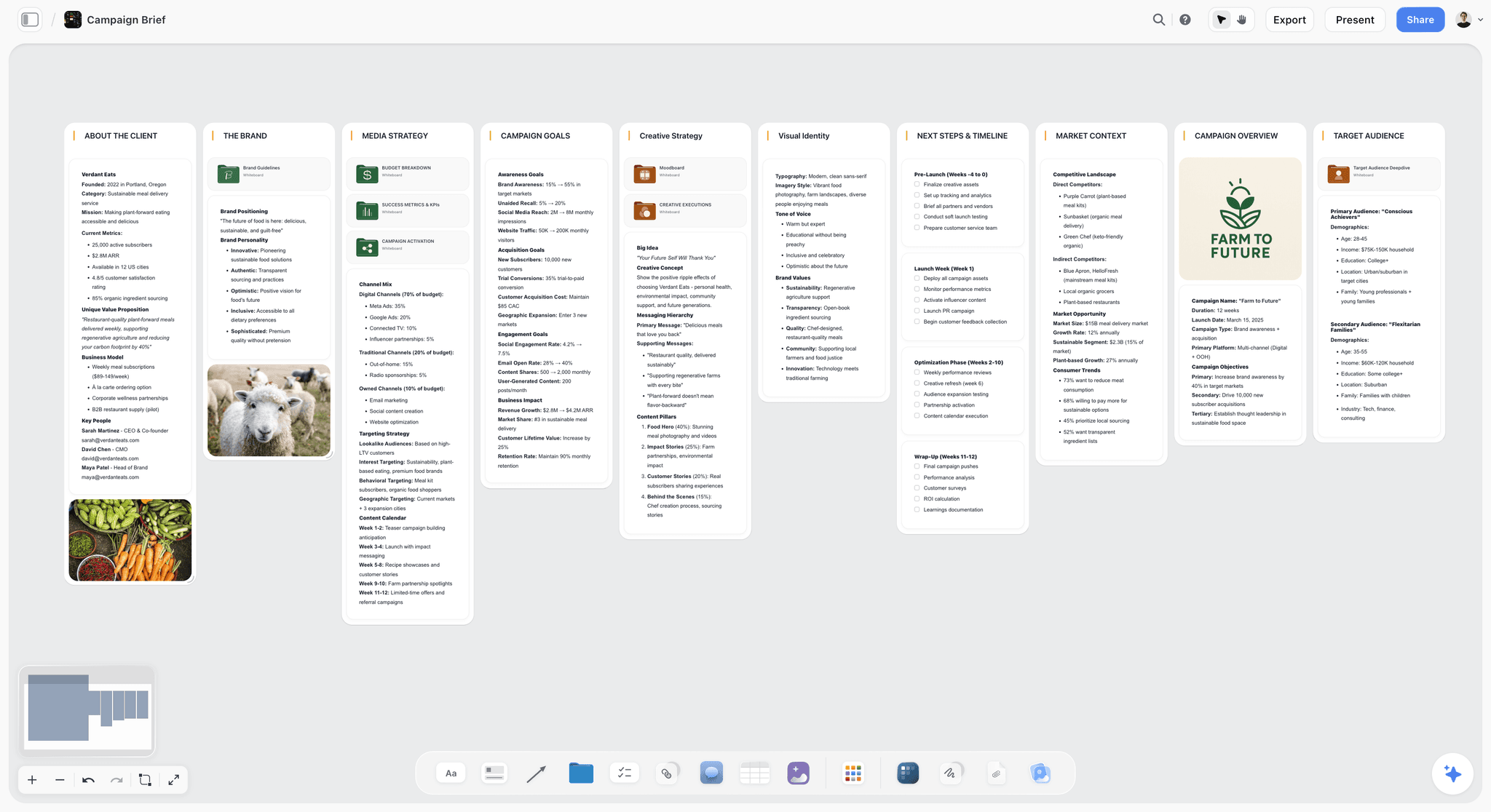

The verdict. Ours, and it holds the argument about structure well while producing neither artifact this post is about.
Best for. The messy phase before a sitemap exists, when the structure is still competing proposals, references and open questions.
Pricing. Paid only during early access. Plus is $7.99 per month billed annually or $9.99 monthly, adding 200 plus Story blueprints and unlimited file uploads. Pro is $14 per month billed annually or $19 monthly, adding AI image generation, roughly twenty times more AI usage and memory across conversations. Max is $39 per month billed annually or $49 monthly, adding 40 times more AI and Team Workspace with permissions and roles. Pricing is flat per account rather than per seat, and anyone a paid member invites joins free. The Free plan launches before the end of 2026.
Why it ranks here. Storyflow is an AI canvas, and the honest case for it in this category is narrow: the week before anyone opens a sitemap builder. Structure arguments start as three competing versions, a pile of competitor screenshots, notes from stakeholder interviews and a list of pages nobody can place. A canvas holds all of that in one space where a tree cannot, because a tree assumes you already know the shape.
The AI reads your full active canvas board, plus up to one Tactic and up to three Documents you @-mention, so you can ask questions about the whole mess at once: which of these three structures buries the highest-intent pages, what content exists with no obvious home, where two sections overlap. Those are questions about a board, and a board is what it reads.
Then you leave. Once the structure is decided, Storyflow gives you nothing the rest of this page gives you. There is no page-tree primitive, so a hierarchy is boxes you positioned by hand rather than nodes with parents. There is no sitemap XML export, no URL field, no slug validation. There is no crawl or URL import of any kind, so the drift problem this post is built around is one Storyflow cannot help with at all. There is no CMS integration and no automatic lastmod, because it has no idea your pages exist.
That is why it ranks eighth and not third. It is above Figma and Miro because the AI reads the whole board and the blueprints give the messy phase a starting shape, and it is below everything above it because those tools produce an artifact and this one produces a decision. The visual sitemap is a proposal. The XML sitemap is a receipt. Storyflow is the conversation before the proposal, which is real work and is not the same work.
Strengths.
- Holds competing structures, references and interview notes in one space before a tree exists.
- AI reads the full active board, so whole-structure questions are answerable.
- 200 plus Story blueprints on Plus give the discovery phase a starting shape.
- Flat per-account pricing and invited collaborators join free, so client review costs nothing.
Limitations.
- No sitemap XML export. It cannot produce the receipt in any form.
- No page-tree primitive. Hierarchy is hand-positioned boxes, not parent and child nodes.
- No crawl import and no URL import, so it cannot reconcile a plan against a live site.
- No CMS integration and no automatic lastmod, so nothing stays current on its own.
- No page-level fields for slug, template or status that a handoff needs.
The trade off. Use it to decide, then rebuild the agreed structure in Slickplan or Octopus.do, because it will not export anything a developer or a crawler can use.
9. Figma
The verdict. Where sitemaps get drawn because the designer already had it open, which is a reason and not a good one.
Best for. A sitemap slide that has to sit visually alongside the wireframes in the same file.
Pricing. Free starter tier covers a solo user. Paid full seats run roughly $16 per month billed annually, with cheaper collaborator seats, as of August 2026.
Why it ranks here. Figma and FigJam produce a beautiful picture of a tree: frames, auto layout, connectors, community sitemap templates and plugins that draw arrows for you. If the sitemap will be presented in a deck next to page designs, keeping it in the same file has genuine value, because one source and one visual language beats exporting a PNG from a fourth tool.
The problem is that Figma has no concept of a page. A node is a rectangle with text in it, nothing knows that Contact sits under About, so restructuring is manual re-drawing and there is no export a crawler or developer can consume. A 60-page structure that needs one section moved is twenty minutes of dragging in Figma and one keystroke in Slickplan. It ranks ninth for that reason: it is a drawing of the artifact rather than the artifact, and the specific failure to watch for is the sitemap that looks finished, gets approved, and then gets retyped by hand into a real tool anyway.
Strengths.
- Lives beside the wireframes and design system in one file.
- Best-in-class presentation and shared visual language.
- Community templates give a decent starting layout.
- Comments and review are already part of the client workflow.
Limitations.
- No page hierarchy. Every box is a hand-placed rectangle.
- No XML export, no URL list export, no import of any kind.
- Restructuring at scale is manual redrawing.
- The structure has to be retyped elsewhere for anything downstream.
The trade off. Right when the sitemap is a slide, wrong when it is a working document.
10. Miro
The verdict. Fine for the workshop where structure is argued out, and it produces nothing you can hand over.
Best for. A remote workshop where a group is sorting page ideas together in real time.
Pricing. Free tier covers three editable boards. Paid plans start around $8 per user per month billed annually, with business tiers around $16, as of August 2026.
Why it ranks here. Miro's strength is the room: sticky notes, a large group, everyone adding page ideas at once, and a mind map with auto layout that arranges a tree without manual dragging. For the hour where a team argues about whether Services and Solutions are the same section, it works.
Everything after that hour is where it fails. The auto-layout mind map is the closest thing to a page tree and it is still a diagram, with no slug, no page type and no status. There is no XML export and no site import. Per-user pricing also means every stakeholder you want in the workshop is a line item, which is exactly backwards for the one thing Miro is good at here. It ranks last because it is a general whiteboard doing a specific job. Use it for the workshop and move the outcome somewhere that produces an artifact.
Strengths.
- Genuinely good for a live group sorting session.
- Mind map auto layout removes manual arrangement.
- Everyone already knows how to use it.
- Free tier covers a one-off workshop.
Limitations.
- No page hierarchy with real fields, no XML export, no import.
- Per-user pricing punishes inviting stakeholders.
- Boards sprawl and the structure gets lost among everything else.
- Output has to be rebuilt elsewhere to be usable.
The trade off. A good room and a bad deliverable.
What to Actually Pay For
Pay nothing for the XML file if you run a CMS. Yoast and Rank Math are free, always current, and set lastmod accurately from the modified date. If you are exporting a sitemap.xml by hand from a planning tool while running WordPress, you are doing manual work to get a worse result.
Pay for the builder when you are past about 25 pages or past one stakeholder. Below that a whiteboard and a shared doc are honestly fine. Above it, the cost of rebuilding a structure by hand every time it changes exceeds $11 a month within one project.
Pay for crawl import specifically. It is the only feature on this page that solves drift, and it is the difference between a sitemap that stays true and a diagram nobody has opened since launch. That is the concrete reason Slickplan is worth more than a cheaper builder.
Pay for Screaming Frog when you cross about 5,000 URLs. Below that, generated sitemaps rarely break in ways you cannot see. Above it, sitemap index handling, noindex exclusion and 404 auditing become real work, and £199 a year is cheap against a sitemap quietly feeding Google a thousand redirected URLs.
Do not pay enterprise prices for a visual. Dynomapper's cost is justified by content audit and accessibility, not by the picture. That picture costs $0 to $11 a month elsewhere.
Tools to Avoid for This Job
A general diagram tool as the sitemap of record. Figma, Miro, Lucidchart and their peers all draw a tree and none of them know what a page is. The structure looks agreed, then gets retyped by hand into something usable, and the two copies diverge from that moment.
Any tool selling fine control over priority and changefreq. Google ignores both values, so time spent tuning them is time spent on a field with no reader.
A spreadsheet of URLs as the plan. It holds the receipt adequately and cannot show a shape, so the section that grew to 40 pages and the branch four levels deep stay invisible until someone builds it.
Hand-writing sitemap.xml once and forgetting it. A static file written at launch is wrong within a month and misses everything published since. Generate it from the CMS, or regenerate it from a crawl on a schedule.
Pinging Google to submit a sitemap. That endpoint was deprecated and removed. Submit through Search Console or add a Sitemap directive to robots.txt.
What No Tool on This List Does
None of them decide what the structure should be. Every tool here renders a hierarchy and none knows whether Services and Solutions should be one section, or whether the navigation your team argues about matches how anyone actually searches. That is research work with real methods, and it is a different post.
None of them keep the proposal and the receipt in sync automatically. The best case on this page is a manual re-import you have to remember to run. Nothing watches your live site and tells you the plan has diverged, which remains the largest gap in the category.
None of them make Google index your pages. A sitemap is a discovery hint, not an instruction. Google's own guidance is explicit that submitting a sitemap does not guarantee crawling or indexing, and that a small, well-linked site may not need one at all.
And Storyflow, ours, does not export a sitemap.xml, cannot import a crawl or a URL list, and has no page-tree primitive, so it cannot produce or reconcile either artifact this post is about. It ranks eighth here for exactly those reasons. If what you need is the file or the tree, buy Slickplan or Octopus.do and use them.
The Bottom Line
The category is confusing because one word covers two artifacts, and the fastest way to waste money here is buying a tool built for the other one. The visual sitemap is a proposal. The XML sitemap is a receipt. Decide which one you actually need before you compare a single feature list.
If you need the proposal, buy Slickplan, because crawl import is the only feature that stops the plan drifting away from the site within a sprint of launch. Octopus.do is the better drafting surface and a genuinely good free starting point, and FlowMapp is right when the sitemap sits inside a wider UX engagement.
If you need the receipt, you probably already have it. A CMS plugin generates a more accurate sitemap than you will ever export by hand, because it knows when pages changed and you do not. Reach for Screaming Frog when inclusion rules and sitemap index handling become real work. And use a canvas, ours included, only for the argument that happens before either artifact exists.
FAQ: Sitemap Tools
What is the best sitemap tool in 2026?
Slickplan, because it is the only tool that builds the visual sitemap, imports the live site to reconcile it, and exports a valid sitemap.xml from the same project. Octopus.do is second and is faster for drafting, with a usable free tier. If your problem is only the XML file, Screaming Frog gives you the most control, and on WordPress the free Yoast or Rank Math plugin already produces a better file than any manual export.
What is the difference between a visual sitemap and an XML sitemap?
A visual sitemap is a diagram of a site's page hierarchy, built for humans to agree a structure before the site exists. An XML sitemap is a machine-readable file listing canonical URLs for search engine crawlers, generated after the site exists. The visual sitemap is a proposal. The XML sitemap is a receipt. One search word covers both, which is why sitemap tool comparisons so often compare products that do unrelated jobs.
Does my website need a sitemap.xml file?
Probably, and not always. Google's guidance is that a small site, roughly a few hundred pages, that is well linked internally may not need one, because crawlers will find everything by following links. A sitemap becomes genuinely valuable when the site is large, when pages are poorly linked or newly published, or when content is not discoverable from navigation. It costs nothing to have one, so the practical answer is to generate it.
How many URLs can a sitemap.xml file contain?
A single sitemap file is capped at 50,000 URLs and 50MB uncompressed. The file may be gzipped for transfer, but the 50MB limit applies to the uncompressed size. Past either ceiling you split the URLs across multiple sitemap files and reference them from a sitemap index. Most large-site sitemap failures come from ignoring these limits rather than from anything subtle.
What is a sitemap index file and when do I need one?
A sitemap index is a file using the sitemapindex element that lists other sitemap files instead of listing URLs directly. You need one whenever you exceed 50,000 URLs or 50MB in a single file, and it is useful below that for splitting by content type. An index can hold up to 50,000 sitemaps, and it cannot point at another index. Screaming Frog and the WordPress plugins both build indexes automatically.
Do priority and changefreq in sitemap.xml do anything?
No. Google has stated plainly that it ignores the priority and changefreq values, so tuning them changes nothing about how your site is crawled. They remain valid parts of the sitemaps.org 0.9 protocol and other consumers may read them, but no time should be spent optimizing them. The optional field worth getting right is lastmod, which Google will use if it is consistently accurate across your site.
How do I submit a sitemap to Google?
Submit it through the Sitemaps report in Google Search Console, and add a Sitemap directive line to robots.txt pointing at the full sitemap URL so other crawlers find it too. The old ping endpoint that let you notify Google by hitting a URL has been deprecated and removed, so any tutorial telling you to ping is out of date. Once submitted, Search Console reports parse errors and how many URLs were discovered.
What is the best free sitemap tool?
Octopus.do's free tier for building the visual sitemap, and Yoast or Rank Math on WordPress for the XML file. Screaming Frog's free version crawls up to 500 URLs and generates a sitemap from that crawl, which covers most small sites completely. That combination costs nothing and produces both artifacts. Storyflow is paid only during early access, so it is not part of a free stack.
Can Figma or Miro build a sitemap?
They can draw one, which is not the same thing. Neither has a page hierarchy, so every node is a hand-placed rectangle with no parent, no slug and no status, and neither exports XML or a URL list. That is fine when the sitemap is a slide in a design presentation, and it fails when the structure has to be restructured, handed to a developer, or reconciled against a live site later.
How do I keep the visual sitemap up to date after launch?
Re-import the live site into the planning tool on a schedule rather than editing the diagram from memory. Slickplan imports from a crawl, an existing XML sitemap or a URL list, and FlowMapp and Octopus.do can seed from an existing site. Without that loop, the plan drifts from reality within about one sprint of launch and stops being consulted, which is why most visual sitemaps end up as abandoned deliverables.
Does Storyflow export a sitemap.xml?
No. Storyflow has no sitemap XML export, no URL list export, no page-tree primitive and no crawl import, so it cannot produce or reconcile either sitemap artifact. It is an AI canvas that is useful in the phase before a structure is agreed, holding competing proposals, references and stakeholder notes in one board the AI can read. Once the structure is decided, rebuild it in Slickplan or Octopus.do.
Should the sitemap include every page on the site?
No. Include canonical, indexable URLs that return a 200 status and that you want in search results. Exclude noindex pages, redirected URLs, non-canonical duplicates, paginated series and anything gated. A sitemap full of 404s and redirects is worse than no sitemap, because it wastes crawl attention and signals that the file is unmaintained. Auditing an existing sitemap in list mode surfaces all four problems in one pass.
Templates you can use in Storyflow
Every Storyflow board starts from real structure and an AI that reads the whole canvas. Open one of these templates and make it yours.


See Storyflow in Action
A visual AI workspace where every feature lives inside one canvas. No tab-switching, no context lost.
Build your entire board from a single message
Type what you need in the AI chat at the bottom of your canvas. The AI adds cards, headings, and structure directly onto your board.
Use expert frameworks as AI context
Type @ in the AI chat and choose any Tactic. The AI tailors every response to that framework instead of giving generic advice.
Turn your board into a mind map in seconds
Ask the AI to restructure your canvas as a mindmap. It connects your ideas into a visual hierarchy so you can see how everything relates.
Why Storyflow Exists
Storyflow actually began as a personal tool while working on creative and research projects.
We kept running into the same problem: ideas were scattered everywhere: notes, documents, and whiteboards.
Nothing helped us see how everything connected.
So we started building a workspace designed around how ideas actually grow.
→ Read how Storyflow was createdSara de Klein
Head of Product at Storyflow
Published: 2026-08-14
Start creating with AI and become more productive
Transform your creative workflow with AI-powered tools. Generate ideas, create content, and boost your productivity in minutes instead of hours.