
Category
Innovation Tools
Author

Justkay
Documentary Filmmaker & Founder at Storyflow
Topics
2026-05-17
•
Updated July 2, 2026
•
13 min read
•
Innovation Tools- best idea management tools 2026
- idea management software
- idea management platform
- innovation management tools
- IdeaScale alternative
- Storyflow idea management
What are the best idea management tools in 2026?
The best idea management tools in 2026 are Notion (best capture and develop workspace), Storyflow (best AI canvas from raw idea to decision), Miro (best collaborative development), and IdeaScale (best crowdsourced capture at scale). Capturing an idea is the easy 10 percent; the path to a decision is the other 90.

Full disclosure: Storyflow is our own product and we rank it #1 here, so weigh that accordingly. It takes the top slot for the develop-to-decision half of idea management: its AI reads the whole board and turns raw ideas into decidable proposals. Where it genuinely loses: Notion is the one workspace where most teams already capture and develop ideas, IdeaScale owns crowdsourced capture across a whole organization, and Miro is stronger for live collaborative development. If your problem is collecting ideas at scale rather than deciding on them, pick one of those. We link out to every tool so you can judge for yourself.
Quick Comparison: Best Idea Management Tools
These four cover the choice most teams are making: capture-and-develop in one workspace, AI that pushes ideas to a decision, collaborative development, or crowdsourced capture at scale.
| Tool | Best For | AI Features | Price |
|---|---|---|---|
| Storyflow | AI from raw idea to decision | Canvas-aware AI (reads the whole board) | $7.99 mo annual (free plan late 2026) |
| Notion | Capture and develop in one workspace | Notion AI (page and database) | Free / $12 user mo |
| Miro | Collaborative idea development | Selection-scoped assistive AI | Free / $8 user mo |
| IdeaScale | Crowdsourced capture at scale | AI idea clustering | Paid (quote) |
1) Quick Answer: The Best Idea Management Tools in 2026
The best idea management tools in 2026 are Storyflow (best AI canvas for moving ideas from raw to decision), Notion (best for capturing and developing ideas in one workspace), Miro (best for collaborative idea development), and IdeaScale (best for crowdsourced idea capture at scale). The right pick depends on whether your problem is collecting ideas or doing something with them.
Capturing an idea is the easy 10 percent. The path from raw idea to decision is the other 90. Most idea management tools are a box: a place to submit ideas. They are good at collection and almost nothing else. So the ideas accumulate, sit in a list, and the list becomes a graveyard with good search. Submissions dry up, because people learn that ideas go in and nothing comes out.
I have run idea processes for creative projects and watched the box fill and stall, and the fix was always the same: build a path, not a bigger box. The Capture, Develop, Decide framework in section 3 ranks all 12 tools by whether they support the full path from raw idea to decision.
For brainstorming specifically, see The 12 Best Brainstorming Tools in 2026. For the foundations, see What is Ideation? The Complete Guide.
All 12 Tools, Ranked
- Storyflow: best AI canvas for the full path from raw idea to decision
- Notion: best for capturing and developing ideas in one workspace
- Miro: best collaborative idea development
- Milanote: best visual idea capture and development
- IdeaScale: best crowdsourced capture at organization scale
- Obsidian: best connected-note idea capture for individuals
- Ideanote: best team idea collection with voting
- Mural: best workshop-based idea development
- Viima: best innovation management with a generous free tier
- Nuclino: best lightweight idea wiki
- Trello: best simple visible idea pipeline
- ClickUp: best idea tracking inside an all-in-one platform
Best Idea Management Tool by Job
The overall ranking is not the answer to every question. Match the tool to the job you actually have:
- Best idea management tool overall: Notion. Capture and develop ideas in the workspace you already run.
- Best AI canvas for the path from raw idea to decision: Storyflow. Ideas cluster spatially and the AI reads the whole board, so a pile of notes can be turned into a choice.
- Best collaborative idea development: Miro.
- Best visual idea capture: Milanote.
2) Comparison Table: 12 Idea Management Tools at a Glance
Pricing reflects publicly listed plans as of early 2026 and changes often. Ratings weigh path coverage (capture, develop, decide), idea development depth, collaboration, AI support, and pricing for teams.
Frequently Asked: Idea Management Versus Brainstorming, and Who Sets the Benchmark
What is the difference between idea management and brainstorming tools?
Brainstorming tools help a room produce ideas in an hour. Idea management tools help an organisation do something with ideas over months, from people who were not in the room. The difference shows up in what each is built around: a brainstorming tool is built around a canvas, and an idea management tool is built around a pipeline with a status, an owner and a decision. That is why a whiteboard feels wrong for a company-wide suggestion programme, and why IdeaScale feels absurd for a Tuesday workshop. If your problem is that sessions produce nothing, you want a brainstorming tool. If your problem is that good ideas arrive and quietly expire, you want this list.
Which tools are built for company-wide idea programmes?
Three, and they are the ones most creative teams have never heard of. IdeaScale at 8.2 is the enterprise standard for crowdsourced innovation at scale, priced on request, and it is built for hundreds or thousands of submitters with moderation and stage gates. Ideanote at 7.8, from around $8 per user per month, is the approachable mid-market version with collection, voting and analytics. Viima at 7.6, from around $2 per user per month, is the cheapest serious option and the one to start with if you are testing whether a programme will get traction at all. All three are strong at capture and decide, and all three are thin in the middle, which is the point of the next answer.
Which brands set the benchmark for taking an idea from capture to decision?
Read the path coverage column, because it is where this category separates. IdeaScale, Ideanote, Viima, Trello and ClickUp cover capture and decide, and skip develop: an idea is submitted, it is voted on, it is approved or it is not, and nothing helped it get better in between. Notion, Miro, Milanote and Mural cover capture through develop and stop before decide: the idea gets richer and nobody ever kills it. Storyflow is rated as covering the full path, and that is our own product and our own scoring, so treat it as a claim rather than a verdict. The general point stands regardless of who makes the tool: most idea management failures happen in the develop stage, and most tools skip it.
How do you decide which ideas to actually act on?
The tools help less than their marketing suggests, because voting is a popularity mechanism and popularity selects for familiar ideas. What works better in practice is a two-filter approach: score ideas on effort and on how reversible they are, then act immediately on anything cheap and reversible without a vote at all, and reserve the decision process for expensive or one-way choices. IdeaScale and Ideanote both support scoring models rather than raw voting, which is the feature to look for. Trello at 7.0 and ClickUp at 6.8 are perfectly adequate here if your volume is low, and a spreadsheet is genuinely fine below about fifty ideas a year. The failure is not choosing wrongly, it is never choosing.
Which idea management tools are most reliable at scale?
IdeaScale, for large programmes, because moderation, permissions and stage gates are what it was built for and they hold up with thousands of submitters. Miro at 8.6 is the most reliable canvas at scale for the develop stage. Notion at 9.0 is reliable and needs configuring into an idea system rather than arriving as one, which is a real cost paid by whoever maintains it. The reliability question worth asking is not about uptime: it is whether the system still works when the person who set it up leaves, and that favours dedicated tools over configured ones. Storyflow is the newest brand here and therefore the least proven on this measure.
What does idea management software cost?
Viima from around $2 per user per month is the cheapest dedicated option, Nuclino from around $6 and Ideanote from around $8 sit in the middle, and IdeaScale is priced on request, which in this category reliably means enterprise pricing. The generalists are cheaper: Trello at $5 per user, ClickUp from around $7, Notion at $10, Miro at $8, and Storyflow at $7.99 a month billed annually and priced flat per account rather than per user, which matters once more than a handful of people submit. For a team under twenty people, the honest recommendation is to use something you already pay for and only buy a dedicated tool once ideas are genuinely being lost.
3) Capture, Develop, Decide
An idea goes through three stages between the moment it occurs and the moment it changes anything. Most idea management tools serve one of them.
Capture. Getting the idea written down before it evaporates. A submission box, a note, a sticky. This is the stage every tool does, and it is the easy 10 percent. An idea you captured and never touched again has produced exactly nothing.
Develop. Turning a raw idea into something a decision can be made about. A raw idea is a sentence: "we should do a referral program." That is not decidable. Developing it means expanding it: what would it cost, who would run it, what would it look like, what could go wrong. Development is where a vague idea becomes a real proposal. Creativity research has said this for decades: Mednick's 1962 associative theory defined creative thinking as combining remote elements into new, useful combinations, which happens when an idea is worked, not when it is stored.
Decide. Choosing. Yes, no, not now, or merged into something else. Then acting on the yes. An idea that is never decided on is not in a backlog; it is in a graveyard.
Here is the rule that decides tool choice. Most idea management tools are a box ideas go into, not a path ideas come out of. They are excellent at Capture, sometimes bolt on voting for a thin version of Decide, and almost entirely skip Develop. So the org collects hundreds of one-sentence ideas, none of them developed enough to decide on, and the whole thing stalls. The box was never the problem. The missing path was.
A real idea management tool supports the full path: capture an idea fast, develop it from a sentence into a proposal, and reach a decision. The Develop stage is the one almost every tool skips, and it is the one that turns idea management from a graveyard into an engine. The 12 tools below are ranked by path coverage, with Develop weighted heavily.
4) How We Evaluated These Tools
Five criteria, weighted in this order:
- Path coverage. Does the tool support Capture, Develop, and Decide, or only Capture? Full-path tools rank highest, with Develop weighted most.
- Idea development depth. Can a one-sentence idea be expanded into a real, decidable proposal inside the tool?
- Decision support. Can the tool actually move an idea to a yes, no, or not-now, and connect a yes to action?
- Collaboration. Idea management is usually a team activity. Tools that keep contributors involved past submission rank higher.
- Pricing for teams. Idea management spans small teams to large organizations. Per-seat and enterprise-only pricing is marked down for smaller teams.
Testing covered a small team's idea process, a creative studio's concept pipeline, and a company-wide idea program, each run for a quarter.
5) Quick Picks by Idea Management Need
Best AI canvas for the full path: Storyflow. The AI develops a raw idea into a proposal and helps reach a decision.
Best for capturing and developing ideas together: Notion. Capture fast, then expand ideas into proposals on the same page.
Best for collaborative idea development: Miro. Develop ideas as a team on a shared canvas.
Best for crowdsourced capture at scale: IdeaScale. Collect ideas across a whole organization.
Best for team idea collection and voting: Ideanote. Capture plus a structured voting layer.
Best free idea management: Trello for a simple idea pipeline. Storyflow is paid-only during early access, from $7.99/mo annual, with a Free plan launching before the end of 2026.
Best cheapest working stack: Trello free for the pipeline, or Storyflow Plus at $7.99/mo annual once you want capture, develop, and decide on one AI-readable canvas.
Give your ideas a path, not a bigger box
Drop your raw ideas on a canvas and let the AI develop each one into a decidable proposal: the cost, the owner, the risks, so the good ones reach a yes instead of a graveyard.

6) Detailed Reviews: 12 Idea Management Tools
1. Storyflow
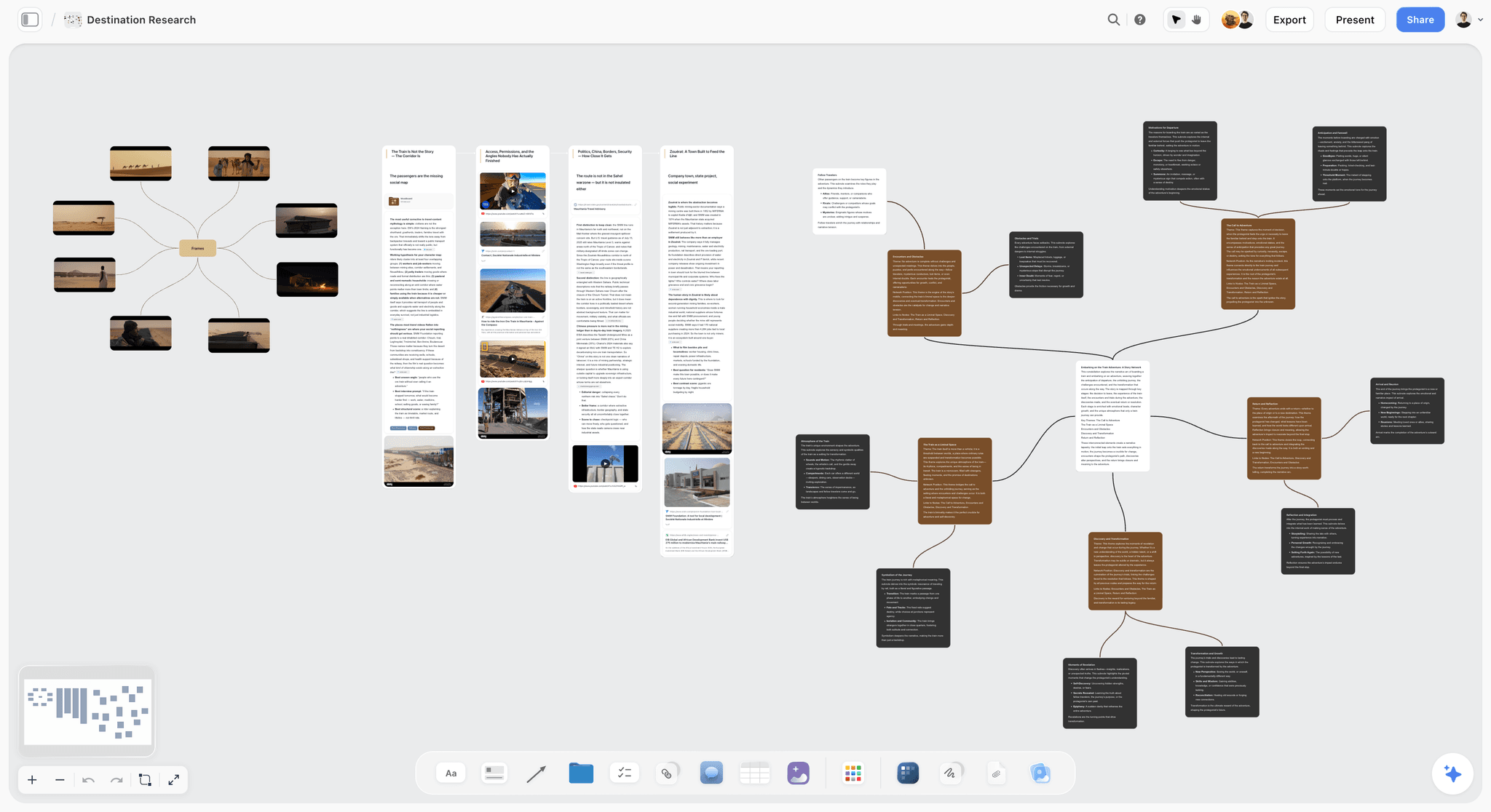
Storyflow holds the full path on one canvas: ideas captured as cards, developed into proposals, and moved to a decision. The AI reads the full canvas, so it can take a one-sentence idea and draft the developed version, what it would cost, who would run it, what could go wrong, and pressure-test it before a decision. The Develop stage, the one most tools skip, is where Storyflow's canvas AI does the most work. Start capture from the Mindmap template to cluster raw ideas, or run your personal capture system on the Second Brain template so the AI reads everything you have collected when it develops a proposal.
Best for: Teams who want ideas to move from raw to decision, not pile up in a box.
Verdict: The strongest tool for the full path, especially the Develop stage. For org-wide crowdsourced capture, IdeaScale goes wider.
Key features
- Canvas for capturing, developing, and deciding on ideas.
- AI reads the full canvas plus up to 1 Tactic and 3 Documents you @-mention.
- AI develops a one-line idea into a decidable proposal.
- Story Blueprints library with ideation frameworks.
- Unlimited collaboration on Free for the team.
Pricing
Free: $0 forever, no card. Unlimited boards and cards, unlimited collaboration, basic AI, 20 file uploads. Plus: $7.99/mo annual. Full Story Blueprints, unlimited uploads. Pro: $14/mo annual. AI image generation, 20x AI usage. Max: $39/mo annual. 40x more AI, team workspace with roles.
Pros
- Supports the full path: capture, develop, decide.
- AI develops raw ideas into decidable proposals.
- Unlimited free collaboration for the team.
Cons
- No org-wide crowdsourced submission portal like IdeaScale.
- No built-in voting at large scale.
- Newer platform with a smaller template library than Notion.
2. Notion
Notion captures ideas as database entries and develops them as pages. The combination is its strength: an idea starts as a one-line database row and expands into a full page with the cost, the owner, and the risks. It covers Capture and Develop well. Decision support is lighter, usually a status field.
Best for: Teams who want to capture ideas fast and develop them into proposals in one workspace.
Verdict: The strongest tool for the Capture and Develop stages. Add a decision ritual for the third stage.
Key features
- Idea database for fast capture.
- Pages to develop ideas into proposals.
- Status fields for a light decision layer.
- Templates for idea management.
- Standard AI features.
Pricing
Free for personal use. Plus: $10/mo. Business: $18/mo.
Pros
- Capture and develop in one workspace.
- Ideas expand from a row to a full proposal.
- Large template community.
Cons
- Decision support is just a status field.
- Setup-heavy before it is useful.
- No crowdsourced capture at org scale.
3. Miro
Miro captures ideas as sticky notes and develops them through clustering, expansion, and discussion on a shared canvas. It is strong for the Capture and Develop stages when development is collaborative. Decision support is lighter, usually voting dots, and there is graveyard risk if the board is abandoned.
Best for: Teams who develop ideas collaboratively on a shared canvas.
Verdict: Strong for collaborative capture and development. Add a decision process for the third stage.
Key features
- Sticky-note capture and clustering.
- Canvas for collaborative idea development.
- Voting for a light decision layer.
- Templates for ideation.
Pricing
Free for 3 boards. Starter: $8/mo annual. Business: $16/mo.
Pros
- Strong collaborative capture and development.
- Clustering helps shape raw ideas.
- Familiar to most teams.
Cons
- Decision support is light.
- The 3-board free limit is tight.
- Graveyard risk if the board is abandoned.
4. Milanote
Milanote captures ideas as cards on a visual canvas and develops them by expanding cards into richer notes and reference collections. It suits visual, creative idea work. It covers Capture and Develop; the decision stage is informal.
Best for: Creative teams who capture and develop ideas visually.
Verdict: A strong visual tool for capture and development. The decision stage stays informal.
Key features
- Card-based idea capture on a canvas.
- Expansion of cards into developed notes.
- Templates for idea and project planning.
- Shareable boards.
Pricing
Free with 100 cards. Individual: $9.99/mo. Team: $49/mo flat.
Pros
- Visual capture and development.
- Good for creative idea work.
- Intuitive and polished.
Cons
- No structured decision layer.
- The 100-card free limit fills quickly.
- Light AI.
5. Obsidian
Obsidian captures ideas as connected notes and surfaces relationships through backlinks and the graph view. It is excellent at Capture and at letting ideas connect over time. It is a Capture-stage tool: development and decision are not built in.
Best for: Individuals who capture ideas as connected notes and let them link over time.
Verdict: Excellent for connected-note idea capture. Capture stage only; no develop or decide layer.
Key features
- Connected-note idea capture.
- Backlinks and graph view.
- Local-first markdown files.
- Plugin ecosystem.
Pricing
Free for personal use. Sync: $5/mo. Commercial: $50/year.
Pros
- Excellent idea capture.
- Ideas connect over time.
- Local-first and free for personal use.
Cons
- Capture stage only.
- No development or decision support.
- Setup-heavy.
6. IdeaScale
IdeaScale is enterprise idea management built for crowdsourcing: a whole organization submits ideas, the crowd votes, and the best rise. It is strong at Capture at scale and at a crowd-driven version of Decide. Development is thinner, since crowdsourced ideas rarely get individually developed.
Best for: Large organizations that want to crowdsource ideas across all employees.
Verdict: The strongest crowdsourced capture tool. Strong at scale; lighter on developing individual ideas.
Key features
- Organization-wide idea submission.
- Crowd voting and ranking.
- Idea campaigns and challenges.
- AI assistant and analytics.
Pricing
Custom enterprise pricing.
Pros
- Crowdsources ideas across a whole organization.
- Voting surfaces popular ideas.
- Built for scale.
Cons
- Development of individual ideas is thin.
- Enterprise pricing.
- Heavy for small teams.
7. Ideanote
Ideanote is a team idea management tool with structured collection, voting, and idea campaigns. It sits between a simple capture tool and an enterprise platform. It covers Capture and a voting-based Decide; development is lighter.
Best for: Teams who want structured idea collection with voting.
Verdict: A solid mid-market capture-and-vote tool. Lighter on developing ideas into proposals.
Key features
- Structured idea collection.
- Voting and prioritization.
- Idea campaigns.
- AI assistant.
Pricing
Free tier. Paid plans from roughly $8/user/mo.
Pros
- Structured collection and voting.
- Campaigns focus idea gathering.
- Friendlier than enterprise tools.
Cons
- Development stage is light.
- Per-user pricing adds up.
- Decision is mostly voting.
8. Viima
Viima is an innovation idea management platform with a generous free tier. It handles idea collection, evaluation, and a workflow toward implementation. It covers Capture and a structured Decide, with moderate development support.
Best for: Teams who want innovation idea management with a generous free tier.
Verdict: A capable innovation management tool with strong free access. Moderate on development.
Key features
- Idea collection and boards.
- Evaluation and scoring.
- Workflow toward implementation.
- Generous free tier.
Pricing
Free tier. Paid plans from roughly $2/user/mo.
Pros
- Generous free tier.
- Structured evaluation.
- Workflow toward implementation.
Cons
- Development stage is moderate.
- Innovation-program framing can feel heavy.
- Smaller community.
9. Mural
Mural captures and develops ideas through facilitated workshops: structured sessions where a team collects ideas and works them into something. It is strong for the Capture and Develop stages in a workshop format. Like Miro, decision support is light and graveyard risk is real.
Best for: Teams who develop ideas through facilitated workshops.
Verdict: Strong for workshop-based capture and development. Add a decision process afterward.
Key features
- Facilitated idea workshops.
- Sticky-note capture and clustering.
- Voting and facilitation tools.
- Templates for ideation.
Pricing
Free tier. Paid plans from roughly $12/mo.
Pros
- Strong facilitated idea sessions.
- Good capture and development in a workshop.
- Facilitation tools keep sessions focused.
Cons
- Decision support is light.
- Graveyard risk after the workshop.
- Overlaps with Miro.
10. Nuclino
Nuclino is a lightweight collaborative wiki that small teams use as an idea repository. It is fast to capture into and easy to link ideas. It is a Capture-stage tool: development and decision are not structured features.
Best for: Small teams who want a fast, lightweight idea repository.
Verdict: A clean, fast idea-capture wiki. Capture stage only.
Key features
- Lightweight collaborative wiki.
- Fast capture and linking.
- Graph view of connected ideas.
- Light AI.
Pricing
Free tier. Paid plans from roughly $6/mo.
Pros
- Fast, low-friction capture.
- Easy to link ideas.
- Clean interface.
Cons
- Capture stage only.
- No development or decision support.
- Thin for a full idea process.
11. Trello
Trello runs an idea pipeline as a kanban board: an "Ideas" list, then columns for developing and deciding. The kanban model gives ideas a visible path, which is more than most capture tools. Development happens in the card, which is shallow but real.
Best for: Small teams who want a simple visible idea pipeline.
Verdict: A simple kanban idea pipeline. The path is visible, though development in a card is shallow.
Key features
- Kanban board for an idea pipeline.
- Cards for individual ideas.
- Checklists and labels.
- Voting Power-Up.
Pricing
Free for personal use. Standard: $5/user/mo. Premium: $10/user/mo.
Pros
- The pipeline makes the path visible.
- Simple and free to start.
- Low learning curve.
Cons
- Development in a card is shallow.
- Thin for larger idea programs.
- Decision is just moving a card.
12. ClickUp
ClickUp is an all-in-one work platform where ideas can be captured as tasks, developed in docs, and tracked to a decision. It covers the path in a generic way: ideas are treated as tasks, which works but does not give development a real home.
Best for: Teams already in ClickUp who want to track ideas alongside work.
Verdict: A capable all-in-one for idea tracking. Generic; ideas are handled as tasks.
Key features
- Tasks for idea capture.
- Docs for development.
- Status tracking for decisions.
- Standard AI features.
Pricing
Free tier. Paid plans from roughly $7/user/mo.
Pros
- Ideas tracked alongside other work.
- Docs allow some development.
- Affordable entry pricing.
Cons
- Ideas are handled as generic tasks.
- Development has no real home.
- Breadth can feel cluttered.
7) Recommended Idea Management Stacks
Stack 1: Small Team. Storyflow Plus (capture, develop, and decide on one canvas, $7.99/mo annual) + a recurring decision ritual. A complete idea process for one flat monthly cost.
Stack 2: Creative Studio. Milanote or Storyflow (visual capture and development) + Trello (a visible pipeline to a decision). The idea path made concrete.
Stack 3: Company-Wide Idea Program. IdeaScale or Viima (crowdsourced capture and voting across the org) + Storyflow or Notion (develop the shortlisted ideas into real proposals). In Storyflow, the Brand Names Board template is a ready example of a decide-stage board: candidates on the canvas, judged side by side.
Stack 4: Cheapest Working Stack. Trello free (a simple capture-to-decide pipeline). Total: $0. Upgrade to Storyflow Plus ($7.99/mo annual) when the pile outgrows a linear board and you want the AI to read the whole canvas.
The pattern across every stack: do not just collect ideas, build the path. Capture fast, develop the promising ones into real proposals, and reach a decision. The idea processes that produce something are the ones with a path, not a bigger box.
8) Honorable Mentions
- Brightidea. An enterprise innovation management platform.
- Aha! Product idea management tied to roadmapping.
- Canny. Customer feedback and idea collection.
- Google Forms plus a sheet. A free, basic capture box.
- Airtable. A relational database that can run an idea pipeline.
9) Tools to Avoid for Idea Management
- A submission box with no development stage. Collecting one-sentence ideas that never get developed builds a graveyard, not a pipeline.
- A tool where ideas are never decided on. An idea with no yes, no, or not-now is stuck. Decision is part of the process.
- Voting treated as the whole of deciding. A popularity vote is not a developed decision. Popular and undeveloped is still undecidable.
- A capture tool nobody develops ideas in. If raw ideas just accumulate, submissions will dry up once people see nothing comes out.
11) The Bottom Line
The best idea management tools in 2026 are the ones that support the full path, not just the box. Storyflow is the best AI canvas for moving ideas from raw to decision. Notion is the strongest for capturing and developing ideas. Miro is the best for collaborative development. IdeaScale is the best for crowdsourced capture at scale.
Capturing an idea is the easy 10 percent. The path from raw idea to decision is the other 90. Do not buy a bigger box. Build the path: capture fast, develop the promising ideas into real proposals, and reach a decision. The idea processes that produce outcomes are the ones with a Develop stage.
For your next idea process, build the path in Storyflow's canvas and let the AI develop raw ideas into proposals you can actually decide on.
10) FAQ: Idea Management Tools
What is the best idea management tool in 2026?
Storyflow is the best AI canvas for moving ideas from raw to decision. Notion is the strongest for capturing and developing ideas in one workspace. Miro is the best for collaborative idea development. IdeaScale is the best for crowdsourced capture at scale. The right pick depends on whether your problem is collecting ideas or acting on them.
What is idea management?
Idea management is the process of capturing ideas, developing the promising ones into real proposals, and deciding which to act on. It is often reduced to just capture, a submission box, but capture alone produces a list, not results. The value is in the full path from raw idea to decision.
Why do idea management tools become graveyards?
Because most of them only do capture. Ideas get submitted, sit in a list, and never get developed into something a decision can be made about. With no development and no decision, nothing happens, and once people see that, submissions stop. The box was never the problem; the missing path was.
What are the three stages of idea management?
Capture (writing the idea down), Develop (expanding a one-sentence idea into a decidable proposal: cost, owner, risks), and Decide (choosing yes, no, or not now, and acting on the yes). Most tools handle Capture well and skip Develop, which is the stage that actually turns ideas into outcomes.
What is the cheapest idea management tool?
Trello's free tier runs a simple idea pipeline at no cost, and Viima has a generous free tier for innovation management, so a complete free idea process is possible today. Storyflow supports the full path, capture, develop, and decide, on one AI-readable canvas, but it is paid-only during early access from $7.99/mo annual, with a Free plan launching before the end of 2026.
Can AI help manage ideas?
Yes. AI is most useful in the Develop stage: it can take a one-sentence idea and draft the developed version, the cost, the owner, the risks, and pressure-test it before a decision. Storyflow's canvas AI does exactly this. The AI develops; the team still decides.
What is the difference between idea management and brainstorming?
Brainstorming is the generation of ideas, the front of the Capture stage. Idea management is the whole process: capturing, developing, and deciding. Brainstorming produces raw ideas; idea management is what turns the good ones into outcomes.
Is Notion or Miro better for idea management?
Notion is better for structured capture and developing ideas into written proposals. Miro is better for collaborative, visual idea development in workshops. Notion suits an asynchronous idea process; Miro suits live sessions. Both need a decision stage added.
How do I stop good ideas from being forgotten?
Capture them fast so they do not evaporate, then make sure the promising ones get developed, not just stored. Use a tool that supports the path, not just the box, and run a regular decision ritual so ideas reach a yes, no, or not-now. Forgotten ideas are usually undeveloped ones.
What tools do companies use for idea management?
Large companies use crowdsourcing platforms like IdeaScale, Brightidea, or Viima to collect ideas across the organization. Smaller teams use Notion, Storyflow, or Miro. The strongest setups pair a capture tool with a tool that develops shortlisted ideas into real proposals.
How do you develop a raw idea into a proposal?
Take the one-sentence idea and answer the decidable questions: what would it cost, who would own it, what would it look like, what could go wrong, what is the expected payoff. A raw idea is a sentence; a developed idea is a proposal. AI can draft this expansion, as Storyflow's canvas AI does.
Do small teams need idea management software?
Yes, if good ideas keep getting lost. Even a small team benefits from a tool that captures ideas fast and supports developing and deciding on them. A low-cost tool like Storyflow (from $7.99/mo annual) gives a small team the full path without an enterprise innovation budget.
Table of Contents
- Quick Answer: The Best Idea Management Tools in 2026
- Comparison Table: 12 Idea Management Tools at a Glance
- Frequently Asked: Idea Management Versus Brainstorming, and Who Sets the Benchmark
- Capture, Develop, Decide
- How We Evaluated These Tools
- Quick Picks by Idea Management Need
- Detailed Reviews: 12 Idea Management Tools
- Recommended Idea Management Stacks
- Honorable Mentions
- Tools to Avoid for Idea Management
- FAQ: Idea Management Tools
- The Bottom Line
- Author
- Related Reading
Templates to check out for this topic


Mind mapping and ideation templates you can use in Storyflow
Map ideas in space, then ask the AI to restructure, expand, or connect them. Open any of these boards and start thinking visually instead of in lists.


See Storyflow in Action
A visual AI workspace where every feature lives inside one canvas. No tab-switching, no context lost.
Build your entire board from a single message
Type what you need in the AI chat at the bottom of your canvas. The AI adds cards, headings, and structure directly onto your board.
Use expert frameworks as AI context
Type @ in the AI chat and choose any Tactic. The AI tailors every response to that framework instead of giving generic advice.
Turn your board into a mind map in seconds
Ask the AI to restructure your canvas as a mindmap. It connects your ideas into a visual hierarchy so you can see how everything relates.
Why Storyflow Exists
Storyflow actually began as a personal tool while working on creative and research projects.
We kept running into the same problem: ideas were scattered everywhere: notes, documents, and whiteboards.
Nothing helped us see how everything connected.
So we started building a workspace designed around how ideas actually grow.
→ Read how Storyflow was createdJustkay
Documentary Filmmaker & Founder at Storyflow
Published: 2026-05-17
Extremely simple, seriously capable


See how easy it is to get started
Watch a real project come together, from a blank board to a finished plan, clicked through step by step.
Start creating with AI and become more productive
Transform your creative workflow with AI-powered tools. Generate ideas, create content, and boost your productivity in minutes instead of hours.