The 10 Best Business Model Canvas Tools in 2026
Nine filled boxes prove nothing. The model lives in the thirty six lines between them, and most canvas tools do not model a single one of those lines.

Category
Tools & Software
Author

Sara de Klein
Head of Product at Storyflow
Topics
2026-08-14
•
22 min read
•
Tools & SoftwareTable of Contents
- Key Takeaways
- Nine Boxes, Thirty Six Lines
- At a Glance: The 10 Tools Compared
- How I Ranked These
- Quick Picks by Job Type
- 1. Strategyzer
- 2. Miro
- 3. Storyflow
- 4. Mural
- 5. Lucidspark
- 6. FigJam
- 7. Canvanizer
- 8. Notion
- 9. Canva
- 10. Google Slides
- What to Actually Pay For
- Tools to Avoid for This Job
- What No Tool on This List Does
- The Bottom Line
- FAQ: Business Model Canvas Tools
- Related Reading
Templates to check out for this topic


- business model canvas tool
- business model canvas software
- strategyzer alternative
- lean canvas tool
- value proposition canvas tool
- business model canvas online
What are the best Business Model Canvas tools in 2026?
Strategyzer ranks first because it was built by the people who invented the canvas and it is the only tool here that treats the nine blocks as claims to be tested rather than fields to be completed. Miro ranks second because a canvas session is a group argument and Miro is the best room to hold one in. Storyflow ranks third on a narrow ground: its AI reads your whole active board, so you can ask whether a revenue stream has a channel attached instead of squinting at the grid yourself. Most of what follows is a nine box template with different export options.

Full disclosure: Storyflow is our product, so here is the honest boundary. It ranks third, not first, and only on one narrow ground: its AI reads your full active canvas board, so you can ask cross block questions like which revenue streams have no channel. It has no nine block Business Model Canvas template in the Story blueprint library, no linked Value Proposition Canvas, no financial modelling or revenue projection, and no PDF or PPT export for a board pack. Realtime co-editing arrives with Team Workspace on Max at $39 per month billed annually. Strategyzer owns the testing loop and Miro owns the workshop, and this post says so.
Quick Comparison
Every tool here will give you nine boxes. The difference is what happens on the second pass, when you test whether the boxes agree with each other.
| Tool | Best For | AI Features | Price |
|---|---|---|---|
| Strategyzer | Treating the nine blocks as testable claims | Test cards, learning cards, evidence and assessment scoring | From around $25 per user mo annual, enterprise quoted |
| Miro | The live canvas workshop with a real group | AI clustering and summary on paid plans | Free plan, Starter around $8 per user mo annual |
| Storyflow | Interrogating a finished canvas as a whole | AI reads the full active board plus 1 Tactic and 3 Documents | $7.99 mo annual (free plan late 2026) |
| Canvanizer | A fast first pass with no account overhead | None | Free, with low cost paid tiers |
Key Takeaways
- Nine filled boxes prove nothing. The model lives in the thirty six lines between them, and most canvas tools do not model a single one of those lines.
- Alexander Osterwalder created the Business Model Canvas, developed it in his doctoral work with Yves Pigneur, and published it in Business Model Generation in 2010. The nine blocks: customer segments, value propositions, channels, customer relationships, revenue streams, key resources, key activities, key partnerships, cost structure.
- The Value Proposition Canvas is a separate, later Strategyzer tool that zooms into two of those nine blocks. Ash Maurya's Lean Canvas swaps four blocks for problem, solution, key metrics and unfair advantage. Tools that muddle the three will muddle your thinking too.
- The failure mode is not a bad canvas. It is a canvas filled in alone in twenty minutes, pasted into a deck, and never opened again.
- Rank tools by what they do on the second pass, when you test whether the blocks agree with each other. On the first pass every tool here is adequate.
- Strategyzer is the only tool with test cards, evidence and assessment built in, which is why it wins despite the price.
- Storyflow has no nine block template, no linked Value Proposition Canvas, no financial modelling and no PDF or PPT export. This post says so in its own review.
Stop filling boxes. Start testing the lines between them.
Build the canvas wherever you like, then bring it into Storyflow and ask the AI which revenue streams have no channel, which key activities nobody is resourced for, and where the model contradicts itself. Paid-only during early access; the Free plan lands before the end of 2026.

Nine Boxes, Thirty Six Lines
Open any canvas tool and it gives you the same thing: a grid, nine labelled rectangles, and an implied instruction to fill them.
That instruction is the problem. A completed canvas is not evidence of a business model. It is evidence that somebody could name nine categories of business activity, which is a much lower bar.
Nine filled boxes prove nothing. The model lives in the thirty six lines between them. Nine blocks produce thirty six pairs, and each pair is a question you can be wrong about. Does this revenue stream reach a customer through a channel you actually listed? Is the key activity that makes your value proposition true resourced by anything in key resources? Does the cost structure include the partner you are depending on? Is the customer relationship you described compatible with the price you are charging?
Those questions break business models, and none of them are visible inside a single box. They are visible only in the tension between two, which gives you the distinction that runs through every review below.
The first pass fills the boxes. It takes twenty minutes, it feels productive, and any tool with nine rectangles will do. Google Slides is fine for the first pass. So is a napkin.
The second pass tests fit between boxes. You take one block at a time and trace it outward: every revenue stream to its channel, every value proposition to the activity that produces it, every key activity to the resource or partner that pays for it. Lines you cannot draw are the findings. A revenue stream with no channel means you have priced something you cannot sell. A key activity with no matching resource means you have committed to work nobody is staffed for.
The second pass is where a canvas earns its existence, and almost no tool supports it. Most are template libraries with sticky notes: generous on the way in, silent when you interrogate the result. That is the ranking axis below. If you want the canvas explained block by block, we have a walkthrough at the Business Model Canvas guide. This post is about which tool to hold it in.
One warning before the list. The most common canvas in the world is filled in by one founder, alone, in a single sitting, then pasted into an investor deck and never revisited. No tool fixes that. A tool can make revisiting cheaper and contradictions visible. That is the most it can do.
At a Glance: The 10 Tools Compared
| Tool | Best for | What it does on the second pass | Shape |
|---|---|---|---|
Strategyzer | Treating the nine blocks as testable claims | Test cards, evidence, assessment scoring | Purpose built strategy suite |
Miro | The live canvas workshop with a real group | Arrows, tags, voting, comment threads per block | Infinite collaborative canvas |
Storyflow | Interrogating a finished canvas as a whole | AI reads the whole board and answers cross block questions | AI canvas |
Mural | Facilitated sessions with people who do not co-operate | Private mode, timers, voting, facilitation controls | Facilitation first canvas |
Lucidspark | Teams already inside Lucid and Lucidchart | Convert sticky clusters into structured diagrams | Canvas linked to diagramming |
FigJam | Design and product teams who live in Figma | Freeform arrows and comments, no structure | Lightweight canvas |
Canvanizer | A fast first pass with no account overhead | Nothing beyond typed notes per block | Dedicated canvas web app |
Notion | The written argument and the revisit cadence | Linked pages and databases per block, no spatial view | Docs and databases |
Canva | The version that goes in front of a board | Nothing. It is a presentation surface | Design tool |
Google Slides | The universal fallback everyone can open | Version history and comments only | Slides |
How I Ranked These
I come from documentary, where you spend months arguing about whether the story you wrote down is the story your footage supports. A business model canvas is the same exercise with different nouns. Over the last two years I have run canvas sessions in every tool on this list and rebuilt the same real model in each one to compare them.
Five criteria, in order.
1. Does it support the second pass? The test: can you record that a revenue stream has no matching channel, attach that finding to both blocks, and find it again next month.
2. Does it keep the three canvases distinct? The Business Model Canvas, the Value Proposition Canvas and the Lean Canvas are three different instruments, and a template library that labels them interchangeably teaches your team to blur them.
3. Does a canvas survive contact with a second person? Solo canvases are the failure mode. The test is whether a colleague can disagree with a block in a way that stays attached to the block.
4. Does it make revisiting cheap? A canvas you cannot compare against its own past is a snapshot, not a model.
5. What does it cost for a team of five? Most people building a canvas are three to eight people in a room, and per seat pricing across that group is the practical constraint.
Pricing is as of August 2026 and changes frequently. Verify with each vendor.
Quick Picks by Job Type
- Best overall: Strategyzer. Treats the nine blocks as hypotheses with evidence attached.
- Best workshop canvas: Miro. Where the group argument happens.
- Best for interrogating a finished canvas: Storyflow. Whole board AI, cross block questions.
- Best facilitated session: Mural. Private mode stops the loudest voice setting the frame.
- Best free first pass: Canvanizer. Nine boxes, no account, no pretence.
- Best for the written argument: Notion. Where the reasoning behind each block lives.
- Best board ready output: Canva. The version with your brand on it.
- Best fallback: Google Slides. Everyone can open it.
1. Strategyzer
The verdict. Built by the people who created the canvas, and the only tool here that treats the nine blocks as claims with evidence attached rather than fields to complete.
Best for. Teams who intend to actually test a business model rather than describe one.
Pricing. Team subscriptions and enterprise licensing, historically starting around $25 per user per month billed annually, with larger deployments quoted individually, as of August 2026. It is the most expensive option on this page by a wide margin and the pricing model changes often, so verify directly.
Why it ranks here. Alexander Osterwalder created the Business Model Canvas, developed it in his doctoral work with Yves Pigneur, and published it in Business Model Generation in 2010. Strategyzer is the company that grew out of that work, and the software carries assumptions the imitators stripped out when they turned the canvas into a template.
The most important of those assumptions is that a block is a claim. In Strategyzer's tooling a canvas is not the deliverable. The canvas generates hypotheses, hypotheses get test cards describing how you would find out whether they hold, tests produce learning cards, and evidence accumulates against specific blocks. That loop is the second pass made into software, and no general purpose canvas tool has an equivalent.
It also keeps the instruments separate and correctly related. The Value Proposition Canvas is a later Strategyzer tool that zooms into two of the nine blocks, customer segments and value propositions, breaking them into jobs, pains and gains against products, pain relievers and gain creators. Strategyzer links the two so the zoomed in work stays connected to the block it came from. Everywhere else on this list it is an unconnected template you happen to have opened.
The assessment scoring is the underrated feature. It forces a numeric judgment on each block, which sounds like theatre until a team rates its channels a two and its revenue streams a nine, and realises it has priced something it cannot sell.
It ranks first despite the price because the alternative is reinventing the testing loop by hand on a whiteboard, which teams abandon within two cycles.
Strengths.
- Hypotheses, test cards, learning cards and evidence are first class objects, not sticky notes.
- The Value Proposition Canvas stays linked to the two blocks it zooms into.
- Assessment scoring exposes imbalance between blocks numerically.
- The methodology and the software agree, because the same people wrote both.
Limitations.
- Priced for organisations, not for a two person startup.
- Heavier than the job when you only need a first pass.
- Less pleasant as a freeform workshop surface than Miro or Mural.
- Opinionated structure, so teams that want to bend the canvas will fight it.
The trade off. You are paying for the testing loop. If you are not going to run tests, you are paying for a very expensive grid.
2. Miro
The verdict. The best room in which to hold the argument, with none of the argument's structure built in.
Best for. Live canvas workshops with three to twelve people, remote or in person.
Pricing. Free plan with three editable boards. Starter is roughly $8 per user per month billed annually and Business roughly $16, as of August 2026.
Why it ranks here. A canvas session is a group activity, and Miro is still the strongest environment for a group on a shared surface. Cursors, sticky notes, timers, voting and comment threads all work, and the template library has a Business Model Canvas, a Value Proposition Canvas and a Lean Canvas ready to drop.
For the second pass, Miro gives you raw materials rather than structure. You can draw an arrow from a revenue stream to the channel that serves it, and the arrow is real: it stays attached when you move the block, and its absence is visible. Running the trace exercise with actual arrows on a Miro board is the cheapest version of the second pass that exists, and it produces findings within about fifteen minutes on most canvases.
What Miro will not do is remember why the arrow is there. There is no notion of a claim, no evidence, no state on a hypothesis. Everything the second pass produces lives as a sticky note a future reader has to interpret, and two quarters later the board is a museum of coloured rectangles whose meaning left with the facilitator.
It ranks second because for the hour in which a group argues about a business model, nothing beats it, and that hour is where the good findings come from.
Strengths.
- The best live multiplayer canvas available, with reliable presence and cursors.
- Arrows between blocks make the second pass possible with no setup.
- Voting and timers keep a session from drifting for an hour.
- Comment threads attach discussion to a specific block instead of a chat window.
Limitations.
- No concept of a hypothesis, evidence or test. Everything is a note.
- Community templates blur the Business Model Canvas, Value Proposition Canvas and Lean Canvas.
- Per seat pricing, and old boards go unreadable without the person who ran the session.
The trade off. Miro holds the session. It does not hold the reasoning, so you need somewhere else for that.
3. Storyflow
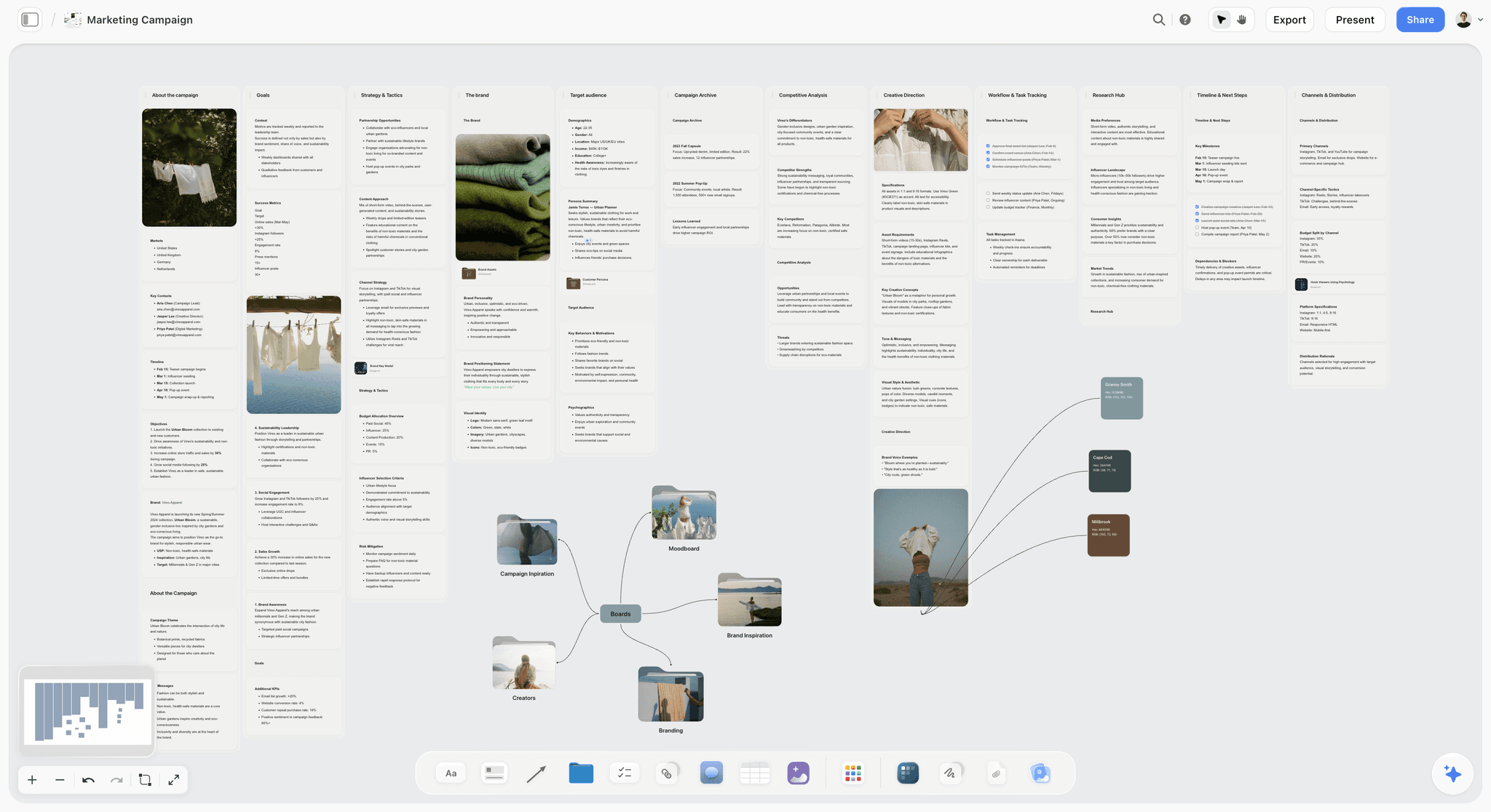

The verdict. The only tool here whose AI reads the whole board, which turns the second pass from a manual trace into a question you can ask out loud.
Best for. Interrogating a canvas you have already built, and keeping the research behind each block attached to it.
Pricing. Paid only during early access. Plus is $7.99 per month billed annually or $9.99 monthly, adding the 200 plus Story blueprints and unlimited file uploads. Pro is $14 per month billed annually or $19 monthly, adding AI image generation, roughly twenty times more AI usage and memory across conversations. Max is $39 per month billed annually or $49 monthly, adding 40 times more AI and Team Workspace with permissions and roles. Pricing is flat per account rather than per seat, and anyone a paid member invites joins free. The Free plan launches before the end of 2026. All figures as of August 2026.
Why it ranks here. Storyflow does not win on the canvas itself. There is no nine block Business Model Canvas template in the blueprint library, so you lay out the grid yourself in about ten minutes. On the first pass it is worse than Canvanizer, which hands you the grid in one click.
It ranks third on the second pass, and specifically on one capability. Storyflow's AI reads your full active canvas board by default, plus up to one Tactic and up to three Documents you @-mention. That means the unit of analysis is the whole model rather than the block you have selected. You can ask which revenue streams have no channel described anywhere on the board, which key activities are not supported by anything in key resources or key partnerships, and whether the customer relationship described is consistent with a self serve price point. Those are cross block questions, and they are exactly the questions the thirty six lines are made of.
In a general canvas tool you run that trace by hand with arrows, which works and takes discipline. In Storyflow you ask, get a list of gaps, and argue with the list. The AI is wrong often enough to be useful: an incorrect claim that your channels do not cover your enterprise segment is still a prompt to check.
The second thing it does well is keep the evidence next to the block. Customer interview notes, a competitor's pricing page, a screenshot of a support queue, the spreadsheet a co-founder built: all of it sits on the same canvas as the block it justifies, and the AI reads it too. Most canvases fail on the revisit because the reasoning lived in someone's head and the board kept only the conclusion.
It does not rank first, and it should not. Strategyzer has the testing loop and Miro has the workshop, and those are the two most valuable things in this category. Storyflow's claim is narrower: the canvas as a whole object you can question.
Strengths.
- Whole board AI answers cross block questions instead of per note questions.
- Research, interviews and screenshots live on the canvas beside the block they support.
- Flat per account pricing, so a five person team does not multiply by five.
- Invited collaborators join free, which covers advisors and part time co-founders.
- Memory across conversations on Pro means the model's history stays in the AI's reach.
Limitations.
- No nine block Business Model Canvas template in the Story blueprint library. You build the grid yourself.
- No linked Value Proposition Canvas, so zooming from value propositions into jobs, pains and gains is a manual second board with no connection back.
- No financial modelling or revenue projection. Cost structure and revenue streams stay as prose, and the arithmetic happens in a spreadsheet.
- No PDF or PPT export, so a board pack version has to be rebuilt somewhere else.
- Realtime co-editing arrives with Team Workspace on Max at $39 per month billed annually, which is a real cost if live co-editing is the point.
- No test cards, learning cards or evidence states. Strategyzer owns that entirely.
The trade off. Build the canvas wherever you like. Storyflow is where you take it to be questioned, and it will not produce the version you hand to a board.
4. Mural
The verdict. The facilitation tool, and the right answer when the group in the room does not naturally co-operate.
Best for. Facilitated canvas sessions where the loudest person should not set the frame.
Pricing. Free tier available. Paid plans start around $9.99 per user per month billed annually, with the Plus tier around $17.99, as of August 2026.
Why it ranks here. Mural and Miro look like the same product and are not. Miro optimises for the surface. Mural optimises for the person running the session, and on a canvas that difference matters.
Private mode is the reason. Everyone writes their notes without seeing anyone else's, then the facilitator reveals them at once. On a business model canvas that changes the output: when the founder types a value proposition everyone can see, the rest of the board becomes an elaboration of that sentence. Reveal simultaneously and you find three people describing the customer segment differently, which is a finding worth the session.
For the second pass, Mural gives you Miro's raw materials plus better structure around the conversation: timers, voting that ranks the contradictions the group cares about, and summon, which drags everyone's viewport to the block under discussion.
It ranks below Miro on the surface itself. Performance on a heavily populated board is less consistent and the template library is smaller. If you are not facilitating, you are paying for controls you will not open.
Strengths.
- Private mode prevents anchoring, which is the specific failure of founder led canvas sessions.
- Facilitation controls, timers and summon keep a remote session coherent.
- Voting turns a wall of contradictions into a ranked list.
- Strong workshop templates aimed at strategy sessions specifically.
Limitations.
- Less responsive than Miro on large, dense boards.
- Smaller template library, and less community content.
- No hypothesis or evidence model, same as every general canvas.
- The facilitation features go unused when nobody is facilitating.
The trade off. Mural if a person runs the session, Miro if the board does.
5. Lucidspark
The verdict. The right choice if your organisation already runs on Lucid, and an unremarkable one if it does not.
Best for. Teams who need the canvas to become a structured diagram afterwards.
Pricing. Free tier with three editable boards. Individual is roughly $7.95 per month and Team plans around $9 per user per month, as of August 2026.
Why it ranks here. Lucidspark is a competent infinite canvas with sticky notes, templates, voting and collaboration. The differentiator is the connection to Lucidchart.
That connection is worth more than it first appears. The key activities and key resources blocks frequently expand into an actual process: what happens when an order arrives, who touches it, what system it lands in. In Miro that expansion stays as prose on a sticky note. In Lucid you convert the cluster into a Lucidchart process diagram alongside the canvas, and the link between the block and the process it implies stays visible.
The other advantage is organisational. Lucid is already deployed across many enterprises with security review passed, and a session in an approved tool happens next Tuesday rather than in March.
It ranks fifth because outside that context it does nothing Miro does not do better.
Strengths.
- Converts sticky clusters into real Lucidchart diagrams, which suits the operations blocks.
- Already approved inside many enterprises, which removes the procurement delay.
- Solid collaboration, voting and timer features.
- Free tier is adequate for a single canvas.
Limitations.
- Canvas feels a step behind Miro in fluidity and template depth.
- The Lucidchart advantage is worthless if you do not use Lucidchart.
- No hypothesis, evidence or testing model, and per user pricing across a team.
The trade off. Buy it because it is already on your laptop, not because it beat Miro.
6. FigJam
The verdict. The cheapest genuinely good canvas, if the people building the model already live in Figma.
Best for. Product and design teams running a canvas next to the work it describes.
Pricing. Free for collaborators on a Figma plan. Editor seats are roughly $5 per editor per month billed annually, as of August 2026.
Why it ranks here. FigJam is fast, cheap and pleasant. Sticky notes, sections, connectors and cursor chat all work well, and performance on a busy board beats most of this list.
Its structural advantage is adjacency. When the canvas sits in the same workspace as the product design, the value propositions block stops being an abstraction. You paste the actual screen next to the claim, and the gap between what the product does and what the canvas says it does becomes visible in a way a sentence never makes it. That is a real second pass finding, arrived at by accident of file location.
It ranks sixth because nobody outside product and design will open it. A canvas exists partly to be argued with by a finance person and a salesperson, and asking them to make a Figma account is a real barrier.
Strengths.
- Fast and responsive even on dense boards.
- Cheap per editor, and free for anyone you invite to comment.
- Adjacency to the actual product design surfaces value proposition gaps.
- Connectors are good enough to run the line tracing exercise.
Limitations.
- No meaningful strategy template library, and no evidence or assessment model.
- Non design colleagues resist opening it, which narrows who participates.
- Section based grids drift out of alignment as the board grows.
The trade off. The best value here for a design led team, and the wrong invitation to send a CFO.
7. Canvanizer
The verdict. Nine boxes in a browser with no account and no pretence, which is exactly right for a first pass.
Best for. Getting a first draft canvas down in fifteen minutes and sharing a link.
Pricing. Free to use, with paid tiers historically in the low single digit dollars per month for extra features, as of August 2026. Verify directly, since the product has changed hands and pricing shape over the years.
Why it ranks here. Canvanizer is a dedicated web app that does one thing: it gives you a Business Model Canvas, a Lean Canvas or a few related grids, lets you type notes into the blocks, and shares the result as a link.
It is good at the first pass: no board to set up, no seat to buy, and a founder who has never used a canvas tool produces something coherent in fifteen minutes.
It also gets one thing right that expensive tools get wrong: the Business Model Canvas and the Lean Canvas are offered as separate, clearly named instruments rather than mixed into a library of near identical templates. Ash Maurya's Lean Canvas replaces four of Osterwalder's blocks with problem, solution, key metrics and unfair advantage, and keeping that distinction visible is worth more than a dozen aesthetic features.
It ranks seventh because it does nothing on the second pass. No arrows, no relationships between blocks, no evidence, no versioning worth the name. It is a typing surface shaped like a canvas. Nine filled boxes prove nothing, and Canvanizer produces exactly nine filled boxes.
Strengths.
- Zero setup and no account friction for a first draft.
- Keeps the Business Model Canvas and Lean Canvas properly distinct.
- Shareable links that anyone can read without a licence.
- Free at the level most people need.
Limitations.
- No relationships between blocks, so the second pass is impossible in the tool.
- No real collaboration model or presence.
- Thin version history, and a dated interface.
The trade off. Perfect for the first twenty minutes, useless for everything that makes a canvas worth keeping.
8. Notion
The verdict. Where the reasoning behind each block lives, which is more than half the value and none of the picture.
Best for. The written argument, the source evidence, and the quarterly revisit cadence.
Pricing. Free personal plan. Plus is roughly $10 per user per month billed annually and Business roughly $20, as of August 2026.
Why it ranks here. A block reading "SMB marketing teams, 10 to 50 people" is a conclusion. The interviews, the churn data and the argument that produced it are the actual asset, and a sticky note cannot hold them.
Notion holds them well. One page per block, with the claim at the top, the evidence beneath, and the date it was last challenged. A database of assumptions with owner, status and evidence link is a poor man's version of Strategyzer's testing loop at a fifth of the cost, and a recurring quarterly page asking the same nine questions is the cheapest defence against the canvas that gets abandoned.
What it cannot do is show you the canvas. The nine blocks are arranged spatially for a reason: the grid puts the value proposition in the centre with the market facing blocks to its right and the infrastructure blocks to its left, so the two halves of the business sit either side of the promise. A Notion table has no left and right.
It ranks eighth because the second pass has a spatial component Notion cannot provide, while providing the durable memory the spatial tools cannot.
Strengths.
- Evidence and reasoning live under each block instead of behind a sticky note.
- An assumptions database with owner and status approximates a testing loop cheaply.
- Recurring review pages fix the never revisited failure mode better than any canvas feature.
- Searchable a year later, which is not true of most boards.
Limitations.
- No spatial view, so the shape of the canvas is lost entirely.
- Cross block tension is invisible without manually maintained links.
- Per user pricing, and pages rot quickly without a named owner.
The trade off. Keep the picture somewhere spatial and the argument in Notion.
9. Canva
The verdict. The presentation version of the canvas, which is a legitimate need and not a thinking tool.
Best for. The branded canvas that goes into an investor deck or a board pack.
Pricing. Free plan available. Pro is roughly $15 per month for one person, as of August 2026.
Why it ranks here. At some point the canvas leaves the working board and appears in front of people who were not in the room. That version needs to be legible at a glance, on brand, and exportable to PDF and PowerPoint. Canva does all three fastest.
There is real skill in that translation. A working canvas has forty sticky notes per block and reads as noise on a slide. The presentation version has three lines per block and a shape someone absorbs in twenty seconds. That compression forces you to decide what each block actually claims.
It ranks ninth because everything else about it is wrong for the job: no relationship model, no collaboration worth using in a session, and a pull toward making the canvas look finished. A canvas that looks finished stops being edited.
Strengths.
- Clean PDF and PowerPoint export that a board will accept.
- Brand kit keeps the canvas consistent with the rest of the deck.
- Non designers produce a presentable result in under an hour.
- Free plan covers this use comfortably.
Limitations.
- No relationships, no evidence, no second pass of any kind.
- Visual polish encourages treating a live model as a finished artifact.
- Weak as a live collaborative surface.
The trade off. Build it elsewhere, present it here, and never let the Canva version become the master.
10. Google Slides
The verdict. The universal fallback. Nine text boxes that everyone on earth can open and edit.
Best for. A canvas that has to be readable and editable by people with no shared tooling.
Pricing. Free with a Google account. Workspace plans from roughly $7 per user per month, as of August 2026.
Why it ranks here. Every argument against Google Slides is correct and it still holds a lot of canvases, for one reason: access. A board member, an accountant and a co-founder can all open and edit it right now.
It also has two features the dedicated canvas tools underrate: version history good enough to show what the model claimed in February, and comments that resolve, so a challenge to a block has a lifecycle.
Everything else is a compromise. Nine rectangles do not resize with their content, the grid drifts as soon as anyone types a long line, and a line between two boxes detaches the moment anything moves. The second pass here lives in the speaker notes.
It ranks last because it most reliably produces the failure mode: a canvas made once, exported to PDF, never opened again.
Strengths.
- Universal access with no licence or onboarding barrier.
- Useful version history for comparing quarters.
- Comments have a resolution lifecycle.
- Free, and already open in everyone's browser.
Limitations.
- Boxes do not adapt to content, so the grid degrades quickly.
- Lines between blocks detach whenever anything moves.
- No spatial thinking, no evidence, no testing.
The trade off. The most accessible canvas and the least likely to be revisited. Use it when access is the binding constraint.
What to Actually Pay For
Pay for Strategyzer only if you will run tests. The price is defensible when hypotheses, test cards and evidence get used weekly. If your plan is one session and a quarterly review, Miro plus Notion does that job for a tenth of the money.
Pay for the second pass, not the template. Every tool here gives you nine boxes and most do it free. What costs money is a tool that helps you find the revenue stream with no channel, and only two or three attempt it.
The threshold for Storyflow's Max tier is live co-editing. Plus at $7.99 per month billed annually covers a solo founder or an async team. Team Workspace with permissions and roles arrives at $39 per month billed annually, and Miro at $8 per user per month is cheaper for a group of four who all need to edit at once.
Tools to Avoid for This Job
A slide template as the working canvas. It produces a canvas that is complete on the day it is made and wrong within a month, and its finish discourages editing.
A project management tool as the canvas. Business model blocks are not tasks. Putting them in Asana or Jira converts a set of claims into a set of assignments, and a claim with a due date stops being questioned.
A template library that mixes the three canvases. If one folder offers a Business Model Canvas, a Value Proposition Canvas and a Lean Canvas with interchangeable labels, your team picks whichever appears first and answers the wrong nine questions. Osterwalder's canvas describes how a business works. Maurya's Lean Canvas describes an early stage problem and solution bet.
A canvas built by one person in one sitting. Not a tool, but the anti-pattern every tool here will happily enable. The canvas is worth something at the moment two people disagree about a block. Before that it is a description.
What No Tool on This List Does
None of them will tell you whether the model is any good. Every tool here can show you that a revenue stream has no channel. Not one can tell you whether anyone will pay the price you wrote in the box, which is the only question that ultimately matters.
None of them will make you revisit the canvas. Notion's recurring review page and Strategyzer's evidence states are the closest anything comes, and both depend on a person opening them. Nine filled boxes prove nothing. The model lives in the thirty six lines between them, and lines are drawn by people, not software.
None of them, including Storyflow, will model the money. Cost structure and revenue streams are the two blocks with real arithmetic behind them, and every tool here holds them as text. Storyflow has no financial modelling, no revenue projection and no PDF or PPT export for the board version, so the numbers live in a spreadsheet and the board pack gets rebuilt elsewhere. That is a real gap and this post is not going to pretend otherwise.
None of them replaces talking to customers. A canvas is a structured way to write down what you believe. Evidence comes from outside the building.
The Bottom Line
The canvas is an argument, not a form, and almost every tool sold for it helps you complete a form faster.
Buy Strategyzer if you are going to run tests, because the testing loop is the only thing here no competitor has rebuilt. Run the session in Miro, or in Mural if someone is facilitating and the founder tends to anchor the room. Keep the reasoning in Notion so the canvas has a memory.
Storyflow ranks third on one narrow ground: it is the only tool here whose AI reads the entire board, which turns the second pass from a manual arrow drawing exercise into a question you can ask. It has no nine block template, no linked Value Proposition Canvas, no financial modelling and no PDF export, and it is paid only during early access. If you need a completed grid, use Canvanizer and spend nothing. If you need to find out where your model contradicts itself, that is a different job, and the only one worth paying for.
FAQ: Business Model Canvas Tools
What is the best tool for a Business Model Canvas in 2026?
Strategyzer, if you intend to test the model rather than describe it, because it is the only tool where hypotheses, test cards and evidence are first class objects rather than sticky notes. Miro is the best environment for the live workshop where the useful arguments happen. Storyflow ranks third because its AI reads the whole board, so you can ask cross block questions like which revenue streams have no channel. For a fast free first draft, Canvanizer is enough.
Who created the Business Model Canvas?
Alexander Osterwalder created it, developing the framework during his doctoral work with Yves Pigneur, and published it in Business Model Generation in 2010. The canvas has nine blocks: customer segments, value propositions, channels, customer relationships, revenue streams, key resources, key activities, key partnerships and cost structure. Strategyzer is the company that grew out of that work and still makes the reference tooling. The structure endures because it is simple enough to fill in and hard enough to fill in honestly.
Is the Value Proposition Canvas the same thing?
No. The Value Proposition Canvas is a separate, later Strategyzer tool that zooms into two of the nine blocks, customer segments and value propositions. It breaks the customer side into jobs, pains and gains, and the offer side into products and services, pain relievers and gain creators. It is used alongside the Business Model Canvas rather than instead of it, and Strategyzer's tooling keeps the two linked. Elsewhere they are unconnected templates in the same library.
How is the Lean Canvas different from the Business Model Canvas?
Ash Maurya's Lean Canvas replaces four of Osterwalder's blocks with problem, solution, key metrics and unfair advantage. It is aimed at early stage products where the central uncertainty is whether the problem is real, rather than at describing how an operating business works. Both are useful and they answer different questions. Picking whichever grid your template library shows first is how teams end up answering the wrong nine questions.
What is the second pass on a Business Model Canvas?
The first pass fills the nine boxes and takes about twenty minutes. The second pass tests whether the boxes agree with each other: every revenue stream traced to a channel that reaches it, every value proposition traced to the key activity that produces it, every key activity traced to a resource or partner that funds it. Lines you cannot draw are the findings, and that trace is where a canvas produces something you did not already know.
Can I do a Business Model Canvas for free?
Yes. Canvanizer is free and gives you the grid immediately, Miro's free plan covers three editable boards, and Google Slides works with any Google account. The free path is fine for the first pass. What you give up is the second pass: no evidence tracking, no hypothesis states, no reliable way to record that two blocks contradict each other. Storyflow is paid only during early access, with a Free plan launching before the end of 2026.
Does the Business Model Canvas work for a solo founder?
Partially, and this is its honest weakness. The canvas produces its best output at the moment two people describe the same block differently. Alone, you write down what you already believe and the grid confirms it. If you are solo, get a second reader for the second pass: an advisor, a prospective customer, or an AI that reads the whole board and argues with the fit between blocks. A canvas nobody disagreed with has not been tested.
How often should you update a business model canvas?
Quarterly as a baseline, plus immediately after anything that invalidates a block: losing a key partner, changing pricing, discovering a customer segment does not convert. Schedule the revisit rather than intend it, because the dominant failure mode is a canvas made once and never reopened. A recurring page with the same nine questions costs ten minutes to set up and does more than any feature on this list.
Miro or Mural for a canvas workshop?
Mural if a person is facilitating, Miro if the board is running itself. Mural's private mode, where everyone writes before anyone sees, is the specific fix for founder anchoring: when the founder's value proposition appears first, every other block becomes an elaboration of it. Miro is more fluid on a dense board and has a deeper template library. Both cost roughly the same per seat.
Does Storyflow have a Business Model Canvas template?
No. There is no nine block Business Model Canvas in the Story blueprint library, so you lay out the grid yourself with notes and frames, which takes about ten minutes. There is no linked Value Proposition Canvas either. What Storyflow adds is on the second pass: its AI reads your full active canvas board, plus up to one Tactic and three Documents you @-mention, so you can ask whole model questions instead of block level ones.
What should a business model canvas tool cost for a team of five?
Between nothing and roughly $50 per month. Miro Starter at roughly $8 per user per month is $40 for five. Storyflow is flat per account, so Plus is $7.99 per month billed annually regardless of team size, with realtime co-editing on Max at $39. Strategyzer sits far above that and is worth it only if the testing loop gets used. Pricing is as of August 2026 and changes frequently, so verify with each vendor.
What is the biggest mistake teams make with the Business Model Canvas?
Treating it as a form. A canvas gets filled in during one session, exported to a deck and never challenged, which converts a thinking tool into a description of what everyone already assumed. Nine filled boxes prove nothing. The model lives in the thirty six lines between them. The fix is procedural: run the second pass with a second person, write down the lines you could not draw, and date when you will look again.
Templates you can use in Storyflow
Every Storyflow board starts from real structure and an AI that reads the whole canvas. Open one of these templates and make it yours.


See Storyflow in Action
A visual AI workspace where every feature lives inside one canvas. No tab-switching, no context lost.
Build your entire board from a single message
Type what you need in the AI chat at the bottom of your canvas. The AI adds cards, headings, and structure directly onto your board.
Use expert frameworks as AI context
Type @ in the AI chat and choose any Tactic. The AI tailors every response to that framework instead of giving generic advice.
Turn your board into a mind map in seconds
Ask the AI to restructure your canvas as a mindmap. It connects your ideas into a visual hierarchy so you can see how everything relates.
Why Storyflow Exists
Storyflow actually began as a personal tool while working on creative and research projects.
We kept running into the same problem: ideas were scattered everywhere: notes, documents, and whiteboards.
Nothing helped us see how everything connected.
So we started building a workspace designed around how ideas actually grow.
→ Read how Storyflow was createdSara de Klein
Head of Product at Storyflow
Published: 2026-08-14
Start creating with AI and become more productive
Transform your creative workflow with AI-powered tools. Generate ideas, create content, and boost your productivity in minutes instead of hours.