How to Plan a Cookbook (Step-by-Step, 2026)
A step-by-step guide to planning a cookbook: define the concept and audience, build and test the recipe list, organize recipes into chapters and a flow, plan the photography, then hand the finished plan to layout and print in InDesign, a book service, or a publisher.

Category
Publishing
Author

Justkay
Documentary Filmmaker & Founder at Storyflow
Topics
2026-07-22
•
17 min read
•
Publishing- how to plan a cookbook
- cookbook planning
- how to write a cookbook
- cookbook concept
- how to organize a cookbook
- cookbook chapters
How do you plan a cookbook?
To plan a cookbook, treat it as a book with a point of view, not a folder of recipes. Decide first what the book is actually about, the concept and the voice that give every recipe a reason to be between these two covers, and who is going to cook from it. Then build the recipe list wide and cut it hard to the ones that serve the concept, test every recipe until it works in a stranger's kitchen, and organize the survivors into chapters and a flow, by course, by season, by technique, or by story. Plan the photography as its own layer, deciding which recipes get hero shots and how the whole book will look like one book, and plan the pacing and the front and back matter so the reader has room to breathe. Only then hand the finished plan to production, the manuscript into a writing tool, the pages into a layout program like Adobe InDesign or a book service like Blurb or Lulu, or a proposal to a publisher. A cookbook is a designed, authored object, and the plan, not the printing, is where it is won or lost. I should say this plainly, because it changes how you read the rest: I am not a chef, and I have never written a cookbook. What I have done for years is help people take a sprawling pile of visual material and shape it into a sequenced object a stranger can move through at their own pace, and I build the canvas people plan those projects on. A cookbook, underneath the flour, is that same problem wearing an apron. It is a large body of work, dozens of recipes, hundreds of possible photographs, a voice, a structure, that has to be edited down and ordered into something a reader holds and uses. The recipe development and the testing are a real craft I will defer to chefs and testers on, and I will be honest about where that kitchen work lives, outside any board. But the planning, the concept, the edit, the sequence, and the photo plan, is a project-structure problem, and that is the part I know. This guide is the working method, and it is honest about the moment the plan stops being planning and becomes writing, layout, and print, because pretending a planning board can typeset and bind a book, or test a recipe, helps no one.

Full disclosure: Storyflow is our own product, so weigh its placement with the skepticism you would apply to any tool a company recommends on its own blog. We rank it first for one job, planning the concept and sequencing the recipe list, chapters, and photo plan on one AI-readable canvas, and we are explicit that a kitchen tests the recipes, a writing tool holds the manuscript and headnotes, and InDesign, a book service, or a publisher lays out and prints the book.
Quick Comparison
Where cookbook authors actually plan, write, and produce a book, and the one job each tool is best at.
| Tool | Best For | AI Features | Price |
|---|---|---|---|
| Storyflow | Concept, recipe list, chapters, photo plan | Reads the whole board | $7.99 mo annual (free plan late 2026) |
| Google Docs / Scrivener | Writing recipes + headnotes | Limited | Free / paid app |
| Adobe InDesign | Page layout + typesetting | Limited | Trial / ~$22.99 mo |
| Blurb / Lulu | Self-publishing + print | None | Cost of the book |
Why a Cookbook Is Planned as a Book, Not a Recipe Pile
Watch a cookbook fall flat and it is almost never the individual recipes. Each one can be sound, tested, well written, and the book still says nothing, because it is a pile of good recipes in no particular order, the culinary equivalent of a search results page. That is not a cookbook. It is a database with a cover, and a reader feels it the moment they flip through, because nothing is being built, no idea is being made, and there is no reason this collection exists rather than any other collection.
Here is what makes a cookbook its own thing, separate from the cooking. A recipe has to work on its own; it carries its whole job in one set of instructions. A book works the opposite way. No single recipe has to carry the book, because the recipes share the load and hand meaning from one chapter to the next, and the meaning that matters most is the one that only exists in the whole, the point of view a reader understands by the end that no single recipe could have told them. A cookbook is an argument about how to cook or how to eat, made in recipes instead of sentences. "Thirty chicken recipes" is a pile. "Weeknight dinners for people who get home tired and still want to eat well" is a book, because now every recipe has a reason to be there and a reason to be cut.
The reason the concept carries so much is that a reader buys a cookbook for the whole, not the sum. They could find any single recipe online for free in ten seconds. What they cannot find online is a coherent point of view, a trusted voice, a set of recipes that have been chosen and tested and ordered by someone who thought hard about how they fit together. That is the thing you are actually making, and it is decided in the plan, long before a single page is designed or a single photo is shot. A cookbook that skips the plan and goes straight to collecting recipes ends up as exactly what it was made as: a collection, not a book.
What Goes Into a Cookbook Plan
People say "I am writing a cookbook" as if the writing were the job, and the writing is real, but the plan is bigger than the prose and it is where most books are actually decided. A cookbook plan has seven parts, and getting them on one surface where you can see them together is most of the battle, because each one constrains the others.
The concept is the spine. It is the one-line answer to why this book, why these recipes, and why you, and it is the thing every later decision gets measured against. A concept can be a cuisine or a region, a constraint like one pan or thirty minutes or five ingredients, a season, a technique you want to teach, an ingredient you are obsessed with, or a personal story, a family, a restaurant, an immigration, a place. The tighter the concept, the easier every other decision becomes.
The audience is who cooks from it, and at what level. A book for confident cooks who want a challenge is a different object from a book for nervous beginners or from an aspirational book that many people buy, read, and cook two recipes from. The audience sets the difficulty of the recipes, the length and hand-holding of the method, the accessibility of the ingredients, and even the style of the photography. Concept and audience together are the promise the book makes on the shelf.
The recipe list is the body of work, and it is the part people underestimate most. It is not a brain dump of every recipe you know; it is a curated, tested, balanced set that serves the concept, with a deliberate range of difficulty, technique, season, and effort, and no three recipes doing the same job. Some recipes are heroes, the ones that sell the book and earn the big photographs, and some are workhorses, and knowing which is which is an editorial decision, not an afterthought.
The chapter architecture is how the recipes are grouped and in what order, and there is more than one logic: by course, by season, by technique, by main ingredient, by time of day, or by a narrative that runs the length of the book. The photography plan is its own layer, the shot list of which recipes are photographed, which get full-page hero shots, how the food is styled, and how the whole book holds one consistent look. The pacing and layout logic is how the book breathes, the density of recipes per page, the chapter openers and essays and full-bleed images that give the reader a rest, and the front and back matter that frame the whole. And the voice is what makes it sound like a book by a person rather than a manual, and it lives mostly in the headnotes, the short introductions above each recipe. Seven parts, one book, and the plan is the place they all have to agree.
Quick Picks: Where to Plan a Cookbook
Best for planning the concept, the recipe list, the chapters, and the photo plan on one canvas: Storyflow. The surface where the whole book can live at once, every recipe as a card, every chapter as a cluster, the photo plan and the shot list beside them, so you can see the entire book on one infinite canvas and drag it into shape the way a cookbook author has always done with index cards on a table, only bigger and shareable, with AI that reads the whole board, plus up to 1 Tactic and 3 Documents you point it at, to help draft a chapter order, flag a list that leans too hard on one technique, and catch two recipes doing the same job. Plus is $7.99 per month billed annually. The honest limit: it is not a kitchen, not a word processor, and not a page-layout program, so it does not test a recipe, write the final method, or lay out a spread.
Best for writing and editing the actual recipes and headnotes: a writing tool. When the plan is set and you are writing precise method steps, ingredient lists, and headnotes in the book's voice, a real writing environment like Google Docs, Microsoft Word, or Scrivener is where the manuscript lives, with version history, comments from an editor, and a place to draft long. Google Docs is free; Scrivener and Word are paid.
Best for laying out and typesetting the final book: Adobe InDesign. When the recipes are written and the book is designed, InDesign is the professional layout program for real spreads, precise margins, a gutter that respects the binding, and typeset recipe text, and it exports the print-ready file a printer or publisher wants. Paid, around $22.99 per month single-app.
Best for self-publishing and printing on demand: Blurb or Lulu. For turning a finished layout into a physical book without a publisher, a book service prints and binds on demand and handles distribution. Blurb offers free layout software and print-on-demand aimed at photo-heavy books, and Lulu handles a wide range of formats and retail distribution. You pay for the book, not a subscription.
Best for a bigger reach and a professional production: a publisher. If the goal is bookstores and a team of designers, editors, and photographers behind the book, the traditional route is a proposal and a sample to an agent or a publisher, who then handles the design, the printing, and the distribution in exchange for rights and a share of the sales. You are pitching a plan, which is exactly why the plan has to be strong first.
The honest split: plan the concept, the recipe list, the chapters, and the photo plan on a board, test the recipes in a kitchen, write the manuscript in a writing tool, and lay out and print in a layout program, a book service, or with a publisher. Try Storyflow to plan your cookbook.
Comparison Table: Where to Plan a Cookbook
| Tool | Best for | AI on the plan | Visual planning | Free tier | Starting price |
|---|---|---|---|---|---|
Storyflow | Concept, recipe list, chapters, photo plan | Reads the whole board | Yes, infinite canvas | Coming late 2026 (invited collaborators join free now) | $7.99/mo annual |
Google Docs / Scrivener | Writing recipes and headnotes | Limited | No | Yes, Docs is free | Free / paid app |
Adobe InDesign | Page layout and typesetting | Limited | Page spreads | No, trial only | ~$22.99/mo |
Blurb / Lulu | Self-publishing, print, binding | No | Template spreads | Yes, free software | Cost of the book |
Publisher route | Design, print, distribution | No | n/a | n/a | Advance and royalty |
Pricing checked July 2026. Competitor prices move and are quoted per plan, so verify on each vendor's page. Storyflow is paid-only during early access, and its Free plan (which will run the whole planning method) launches before the end of 2026; the paid tier adds the 200-plus Story Blueprints and unlimited file uploads. No single tool does the whole job, so most cookbook authors plan the book on a board, test in the kitchen, write in a doc, and lay out and print in a layout program, a book service, or with a publisher.
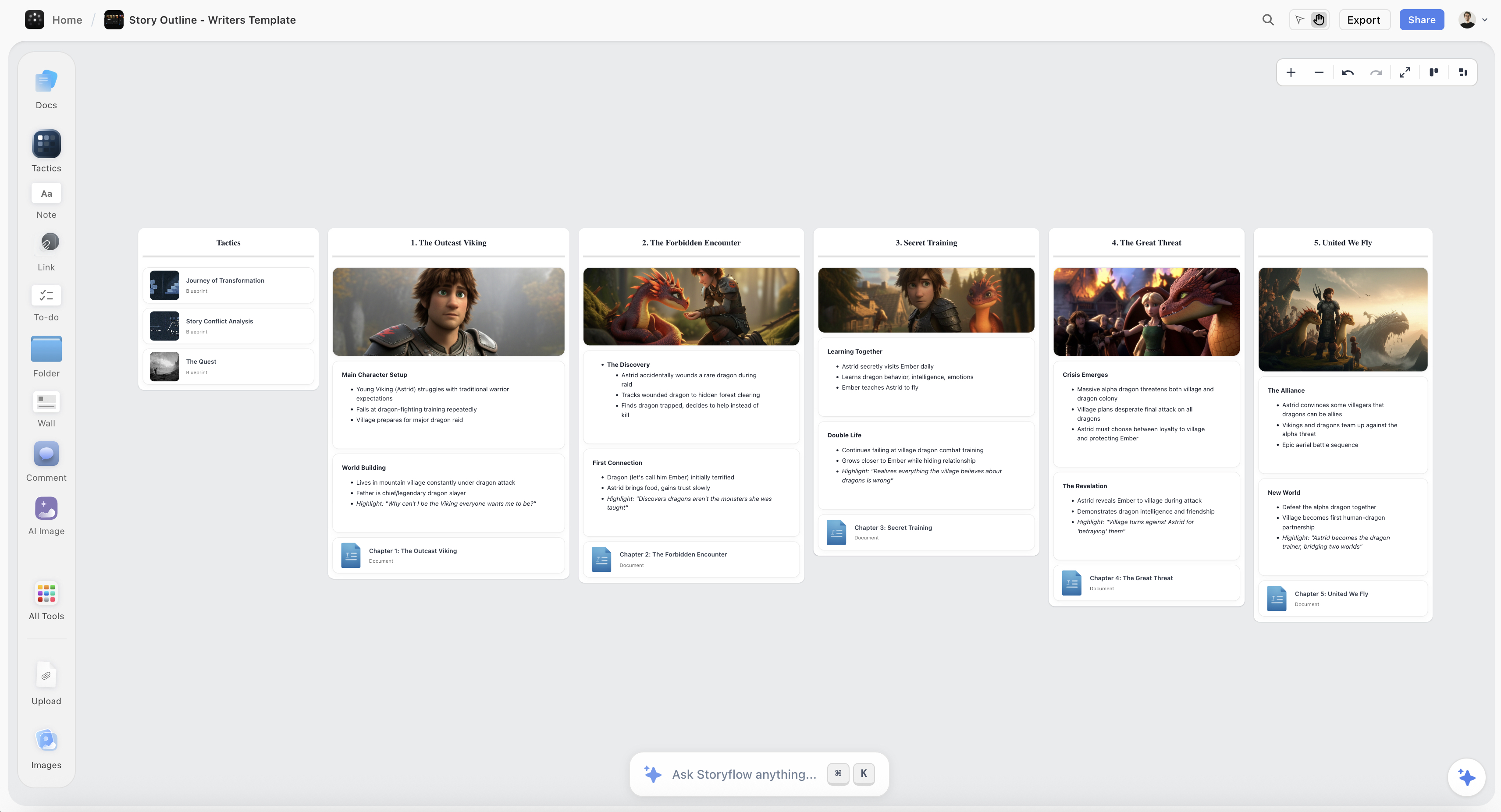
A cookbook planned on the Storyflow canvas, with recipes laid out as cards, grouped into chapters, and ordered into a flow beside the photography shot list
Plan and sequence your cookbook on one canvas
The whole book lays out on one infinite canvas, every recipe a card and every chapter a cluster, with the photo plan beside them, and the AI reads the whole board to draft a chapter order and catch a list that repeats itself, turning a pile of recipes and an idea into a book worth cooking from.

How to Plan a Cookbook, Step by Step
Here is the full method, from a vague idea to a plan strong enough to write, shoot, and pitch. It assumes a single author shaping roughly 60 to 100 recipes into a book, whether the goal is self-publishing or a proposal to a publisher. Scale it up for a bigger book, but keep the order, because the value is in deciding what the book is and sequencing it before you write a single method or shoot a single dish, not in collecting recipes and hoping a book emerges.
Step 1: Decide the concept and the point of view
Before you list a single recipe, decide what the book is about and what it argues. The concept is the one-line answer to why this book and why you, and it is the thing every later cut gets measured against. Push past the topic to the idea. "Italian food" is a topic and a crowded one; "the fast, vegetable-forward weeknight cooking of a working Italian household" is a concept, because it tells you what belongs and what does not. Write the concept in one sentence and keep it in front of you, because the recipe list will constantly tempt you to keep dishes that are wonderful but off the idea, and every one you keep out of love for the dish instead of the book weakens the whole. Decide the point of view too, the thing you believe about cooking or eating that the book is quietly arguing, because that belief is what turns a collection into an authored book.
Step 2: Define the audience and the promise
Now decide who cooks from this book and what it promises them. Be specific, because a real audience makes a hundred later decisions for you. Is this for a nervous beginner who needs every step spelled out, a confident cook who wants range and a challenge, or an aspirational reader who will buy the book, read it like a magazine, and actually cook three recipes from it? The answer sets the difficulty of the recipes, the length and tone of the method, how exotic the ingredients can be, and how the food should look in the photographs. A cookbook makes a promise on the shelf, in its title, its cover, and its first spread, and the whole plan has to keep that promise. Write the audience and the promise next to the concept, because together they are the spine the rest of the book hangs on.
Step 3: Build the recipe list wide, then cut it to the concept
Now build the body of work. Start wide and generous: brainstorm every recipe that could belong, far more than the book will hold, one card per recipe so you can move them around. Then cut hard, and cut to the concept, not to your affection. Kill the near-duplicates, the third braise and the second nearly identical salad, and be honest about the recipes that are good but off the idea. As you cut, balance what remains like a menu across a whole book: a range of difficulty so the reader can grow, a spread of techniques and seasons, a mix of quick and ambitious, and no chapter that is all one note. Mark the heroes, the signature recipes that sell the book and will earn the big photographs, and the workhorses that carry the everyday. Come out of this step with a curated list, smaller than you started with and honest to the concept, and expect the cutting to be the hard part, because the most common reason a cookbook feels shapeless is that it kept too much.
Step 4: Test every recipe until it works in a stranger's kitchen
This step does not happen on a board, and I will not pretend it does. A cookbook lives or dies on recipes that work the first time in a kitchen that is not yours, and the only way to earn that trust is to test, and test again, and have other people test in their own homes with their own ovens and their own hands. This is the real kitchen craft, the part chefs and recipe testers do better than any planner, and it is slow and unglamorous and non-negotiable. Track what you learn against each recipe card, the timing that was wrong, the quantity that was off, the step a tester misread, so the plan carries the truth of the kitchen and not just your intention. A beautiful book full of recipes that fail in a reader's kitchen is a broken promise, and no amount of planning or photography saves it. Keep the plan and the testing in conversation: as recipes pass or fail, the list on your board changes, and that is the plan doing its job.
Step 5: Organize the recipes into chapters and a flow
With a tested list in front of you, shape it into chapters and an order, and this is where a visual board earns its place, because chaptering is spatial and iterative. First choose the organizing logic, because there is more than one and the right one comes from the concept: by course from starters to dessert, by season through a year, by technique from simple to advanced, by main ingredient, by time of day, or by a narrative that runs the length of the book like a story. Then group the recipe cards into those chapters and feel whether the balance holds, whether one chapter is starving and another is bloated, whether the heroes are spread through the book or clumped at the front. Then order within and across chapters, because even though a reader cooks from a cookbook out of order, they also read it cover to cover the first time and judge it on that first pass, so open each chapter strong, vary the rhythm, and place the showstoppers where they land. This is exactly the work I do on one infinite canvas in Storyflow, every recipe a card, every chapter a cluster, the whole book visible at once at a scale a kitchen table could never hold, and because the AI reads the entire board, plus up to 1 Tactic and 3 Documents I point it at, it can draft a chapter order from my actual list, suggest where a technique-heavy run needs a break, and flag two recipes doing the same job in different chapters. Arrange, stand back, walk the book as a reader would, re-cut, and keep going until the order reads as a book and not a stack.
Step 6: Plan the photography and the shot list
Photography is its own layer of the plan, not a thing you figure out on shoot day, and for most cookbooks it is half of why a reader buys the book. Decide first which recipes are photographed at all and which get the full-page hero shots, because you almost never shoot every recipe and the hero shots are an editorial choice tied to the concept and the heroes you marked in Step 3. Then plan the look and hold it consistent, the styling, the props, the surfaces, the palette, the direction and quality of the light, and the angle, because a cookbook has to feel like one book shot by one eye, not a grab bag of stock photos, and that consistency is decided in the plan, not rescued in editing. Decide the ratio of finished-dish shots to step or process shots, since a teaching book needs more of the latter and an aspirational book leans on the former. Plan the shoots in batches, by chapter or by season, so the light and the props stay consistent and the perishable ingredients cooperate. Keep this whole photo plan beside the recipe list and the chapter map, because which recipes get hero shots changes the pacing of the pages, and the two layers have to be planned together.
Step 7: Plan the page layout and the pacing
Now plan how the book sits on the page and how it breathes, at the level of structure rather than final design. Decide the recipe density, whether a recipe gets a full spread with a facing photo, shares a page, or runs several to a spread, because that choice sets the length and the feel of the whole book. Plan the breather pages, the chapter openers, the short essays, the full-bleed images, and the section dividers that give a reader a rest, because a book that is nothing but back-to-back recipes reads like a phone book and exhausts the cook. Plan the front matter, the title page, the introduction, the how-to-use-this-book, the notes on pantry and equipment, and the back matter, the index, the conversion charts, the acknowledgments, and any resources, because these frame the book and a missing or weak index is a real failure in a book people navigate by. You are not designing the pages here, that is production, but you are deciding the pacing and the structure the designer will execute, and settling it in the plan is far cheaper than discovering it in layout.
Step 8: Set the voice, then hand the plan to production
Two things close the plan. First, set the voice, because a cookbook that works is authored, and the voice lives mostly in the headnotes, the short introductions above each recipe where you tell the story, the why, the tip, or the variation. Decide the register, warm and chatty, spare and expert, funny, personal, and keep it consistent across every headnote, because that consistency is what makes a stranger feel they are cooking with a person. Then hand the finished plan to production, and be honest that production is a set of different tools. The manuscript, the method steps and the headnotes, goes into a writing tool where an editor can work with you. The designed pages go into a page-layout program like Adobe InDesign, or into a book service's software like Blurb or Lulu, or, if you are going the traditional route, into a proposal to an agent or publisher who brings a design and production team. A planning board cannot and should not write the final method, typeset a spread, or bind a signature, so hand it off cleanly, and let the plan you built be the thing that makes all of that production straightforward instead of a scramble.
Where the Plan Ends and Production Begins (and Where AI Helps)
Here is the honest part, because four different jobs hide inside "making a cookbook," and confusing them wastes months.
One job is the kitchen: developing and testing the recipes until they work for a stranger. That belongs to chefs, cooks, and recipe testers, and no planning tool does it, so if your recipes are not yet tested, no board and no photograph will save the book. Another job is the writing: the precise method steps and the headnotes, which belong in a writing tool with an editor. A third job is production: page layout, typesetting, printing, and binding, which belong in InDesign, a book service, or a publisher's team, and I will not pretend a planning board typesets a spread.
The job that ties all of it together is planning and sequencing: deciding what the book is, curating and balancing the recipe list, ordering the chapters, and planning the photography and the pacing. That is neither a kitchen job nor a layout job, and a word processor and a page-layout program are both clumsy places to do it, because you are moving whole recipes and whole chapters around to feel out a book. This is where a visual board wins and where AI genuinely helps. Because Storyflow's AI reads your full board, plus up to 1 Tactic and 3 Documents you point it at, it can draft a chapter order from your actual recipe list, suggest which recipes read as heroes, group dishes into sections, and flag where the book leans too hard on one technique or repeats itself. What it cannot do is develop the recipe, taste the food, or decide what the book means, and it is worth saying that Storyflow's AI image generation, on the Pro and Max tiers, is the wrong tool for a cookbook, because the whole point is that the food is real and yours, cooked and photographed, not generated. AI drafts the structure. You decide what the book is, and the kitchen decides whether it works.
Common Cookbook Planning Mistakes
- A pile of recipes, not a book. A stack of good recipes in no order is a database with a cover. Decide the concept and the point of view first, and cut every recipe that does not serve it.
- No concept. If you cannot say why this book and why you in one sentence, you have a collection, not a cookbook. Name the spine before you list a single recipe.
- Skipping the audience. A book for beginners and a book for confident cooks are different objects. Decide who cooks from it, because that answer sets difficulty, voice, ingredients, and photography.
- Untested recipes. The fastest way to break a reader's trust is a recipe that fails in their kitchen. Test everything, and have other people test it in their own homes, before the book is anywhere near done.
- An unbalanced list. Three braises and no quick meals, or all one technique, makes a monotonous book. Balance difficulty, season, effort, and technique across the whole list.
- Planning photography on shoot day. A book of inconsistent, unplanned photos reads as a grab bag. Plan the shot list, the hero shots, and the styling before you cook a single dish for the camera.
- No breathing room. A book of back-to-back recipes with no chapter openers, essays, or rests exhausts the cook. Plan the pacing and the breather pages into the structure.
- A weak or missing index. People navigate a cookbook by its back matter. Plan the index, the conversions, and the front matter as part of the book, not as an afterthought.
- Trying to lay out the book on a planning board, or plan the book in the layout program. Plan and sequence on a board, write in a doc, lay out in InDesign or a book service. Each tool does one job well.
The Bottom Line
A cookbook is not a folder of recipes with a cover. It is a concept with a point of view, a curated and tested set of recipes, and a designed sequence, and the book is decided in the plan long before a page is laid out or a dish is shot. Decide what the book is about and who cooks from it, build the recipe list wide and cut it hard to the concept, test every recipe until it works in a stranger's kitchen, and organize the survivors into chapters and a flow with a real logic. Plan the photography as its own layer, deciding the heroes and holding one consistent look, and plan the pacing and the front and back matter so the book breathes. Set the voice that lives in the headnotes. Then, and only then, produce it.
The honest boundary holds. Test the recipes in a kitchen, because that is the craft that earns a reader's trust and no board does it. Write the manuscript in a writing tool and lay out and print in a layout program, a book service, or with a publisher, because that is production. And plan and sequence the book on a board, because that is the structural job at the center of everything, the one a word processor and a layout program are both clumsy at, with AI that reads the whole board to draft the order and catch the repeats. The jobs are different tools, and the book that respects the difference is the one that turns a pile of recipes and an idea into a book worth cooking from.
If your cookbook is still a pile of recipes and a feeling you cannot quite name, plan the concept, the list, and the sequence on one canvas in Storyflow and build it into a book a reader will cook from cover to cover.
FAQ: Cookbook Planning
How do you plan a cookbook?
Plan it as a book with a point of view, not a folder of recipes. Decide the concept and the voice that give the book a reason to exist, and decide who is going to cook from it. Build the recipe list wide and cut it hard to the ones that serve the concept, test every recipe until it works in a stranger's kitchen, and organize the survivors into chapters and a flow by course, season, technique, or story. Plan the photography as its own layer, deciding which recipes earn hero shots and how the whole book holds one look, and plan the pacing and the front and back matter so the book breathes. Then hand the finished plan to production: the manuscript into a writing tool, the pages into a layout program or a book service, or a proposal to a publisher. The plan, not the printing, is where a cookbook is won.
What makes a cookbook different from a recipe blog?
A recipe blog is a growing pile of individual recipes, each one found and cooked on its own, usually through a search, with no need to add up to a single idea. A cookbook is a designed, finite, authored object built around a concept and a voice, where the recipes have been curated, tested, balanced, and ordered so the whole is worth more than any one recipe, and where the photography, the pacing, and the front and back matter all serve one point of view. The practical difference is the edit and the order. A blog keeps adding; a book cuts and sequences. A reader can get any single recipe online for free, so what a cookbook sells is the thing a blog does not have, a coherent point of view and a trusted, tested whole.
How many recipes should be in a cookbook?
Fewer than you first list, and the honest answer is that the number is an outcome of the concept, not a target you fill, though a common range for a focused single-author cookbook is roughly 60 to 100 recipes. You brainstorm far more than that, then cut to the recipes that serve the concept, balance across difficulty and season and technique, and photograph a subset as heroes, and whatever survives that edit is the right count. If you are unsure, the answer is almost always to cut, because a tight book of seventy recipes with a clear point of view beats a loose book of a hundred and fifty that could not decide what it was about.
How do you organize recipes into chapters?
Choose an organizing logic that comes from the concept, because there is more than one. The most common is by course, from starters through mains to desserts, which readers navigate easily. But a book can just as well be organized by season through a year, by technique from simple to advanced, by main ingredient, by time of day, or by a narrative that runs the length of the book like a story. Once you pick the logic, group the recipes into chapters and check the balance so no chapter is starving or bloated and the hero recipes are spread through the book, then order within and across chapters so the book opens strong and varies its rhythm, because a reader judges the book on their first cover-to-cover pass even though they later cook from it out of order.
Do you need professional photography for a cookbook?
You need consistent, intentional photography, and for most cookbooks that means real, planned food photography rather than generated or grabbed images, though whether it is a hired professional or a well-planned self-shot depends on your budget and the book. What matters most is the plan: deciding which recipes get hero shots, holding one consistent style of styling and light across the whole book so it reads as one object, and planning the shoots in batches so nothing drifts. AI image generation is the wrong tool here, because the promise of a cookbook is that the food is real and yours, cooked and photographed, and a reader can tell the difference. Plan the shot list and the look before you cook a single dish for the camera.
What is the best software to plan a cookbook?
Most cookbook authors use a few tools for their strengths: a visual board to plan the concept, curate and order the recipe list, and plan the photography; a writing tool like Google Docs or Scrivener to write the method steps and headnotes; and a page-layout program like Adobe InDesign or a book service like Blurb or Lulu to lay out and print. Storyflow is strongest for the first job, the planning and sequencing, because it puts the whole book on one infinite canvas, every recipe a card and every chapter a cluster, so you can balance the list, order the chapters, and plan the shot list in one place, with AI that reads the whole board to draft a chapter order and catch a list that repeats itself. Plan on the board, test in the kitchen, write in a doc, and lay out and print in a layout program, a service, or with a publisher, and never ask one tool to do another's job.
Is Storyflow free for planning a cookbook?
Not during early access. Storyflow's Free plan, which launches before the end of 2026, will include unlimited objects and boards, unlimited collaboration, basic AI, and 20 file uploads, which will cover planning a real cookbook: every recipe as a card, the chapters as clusters, the photo plan and shot list beside them, and a first chapter order you can walk as a reader. Paid tiers start at Plus for $7.99 per month billed annually, which is $9.99 monthly, and add the 200-plus Story Blueprints and unlimited file uploads, with Pro at $14 per month and Max at $39 per month for more AI and, on Pro and Max, AI image generation, which a cookbook does not need since the food has to be real. There is no separate Team plan; Max is the team tier, which suits an author working with an editor, a photographer, and a designer on one board. The Free plan will genuinely run the whole planning method, and you will still test the recipes in a kitchen, write the manuscript in a writing tool, and lay out and print in a layout program, a book service, or with a publisher.
Where does Storyflow lose for a cookbook?
In the kitchen, the writing, the layout, and the printing. Storyflow does not develop or test a recipe, does not write the final method steps, does not typeset a spread or set a gutter for the binding, and does not print or bind the book, so the testing belongs in a kitchen, the manuscript belongs in a writing tool, and the layout and printing belong in InDesign, a book service like Blurb or Lulu, or a publisher's production team. What Storyflow does is hold the plan: the concept, the curated recipe list, the chapter order, and the photo plan on one infinite canvas, with AI that reads the whole board to draft the structure and catch what repeats. Used for planning and sequencing, it is where a pile of recipes and an idea become a book; used as a kitchen, a word processor, or a printer, it is the wrong tool.
Table of Contents
- Why a Cookbook Is Planned as a Book, Not a Recipe Pile
- What Goes Into a Cookbook Plan
- Quick Picks: Where to Plan a Cookbook
- Comparison Table: Where to Plan a Cookbook
- How to Plan a Cookbook, Step by Step
- Where the Plan Ends and Production Begins (and Where AI Helps)
- Common Cookbook Planning Mistakes
- The Bottom Line
- Author
- FAQ: Cookbook Planning
- Related Reading
Templates to check out for this topic


Templates you can use in Storyflow
Every Storyflow board starts from real structure and an AI that reads the whole canvas. Open one of these templates and make it yours.


See Storyflow in Action
A visual AI workspace where every feature lives inside one canvas. No tab-switching, no context lost.
Build your entire board from a single message
Type what you need in the AI chat at the bottom of your canvas. The AI adds cards, headings, and structure directly onto your board.
Use expert frameworks as AI context
Type @ in the AI chat and choose any Tactic. The AI tailors every response to that framework instead of giving generic advice.
Turn your board into a mind map in seconds
Ask the AI to restructure your canvas as a mindmap. It connects your ideas into a visual hierarchy so you can see how everything relates.
Why Storyflow Exists
Storyflow actually began as a personal tool while working on creative and research projects.
We kept running into the same problem: ideas were scattered everywhere: notes, documents, and whiteboards.
Nothing helped us see how everything connected.
So we started building a workspace designed around how ideas actually grow.
→ Read how Storyflow was createdJustkay
Documentary Filmmaker & Founder at Storyflow
Published: 2026-07-22
Extremely simple, seriously capable


See how easy it is to get started
Watch a real project come together, from a blank board to a finished plan, clicked through step by step.
Start creating with AI and become more productive
Transform your creative workflow with AI-powered tools. Generate ideas, create content, and boost your productivity in minutes instead of hours.