How to Create a Digital Story (2026 Step-by-Step)
A practitioner's seven-step guide to making a digital story in 2026: find the story, gather media, script, storyboard, assemble, publish, and loop. Plan on a canvas, finish in an editor.

Category
Storytelling
Author

Justkay
Documentary Filmmaker & Founder at Storyflow
Topics
2026-07-15
•
12 min read
•
Storytelling- how to create a digital story
- how to make a digital story
- digital storytelling steps
- digital story tools
How do you create a digital story?
To create a digital story, work in three movements: Capture, Shape, Ship. Capture the story and its raw material (find a premise, then gather every clip, photo, and audio file in one place). Shape it into a cut (script the words, storyboard the order, then edit). Ship it and loop (publish to the right platform, read where viewers drop off, re-cut). That is seven steps: find the story, gather the media, script it, storyboard it, assemble the cut, publish, and loop. Plan the first four steps on a canvas like Storyflow. Finish the edit in a video editor like DaVinci Resolve or CapCut. The order matters more than the tools.

Full disclosure: Storyflow is our product, so here is the honest line. Storyflow plans and organizes a digital story: you find the premise, write the script, build the shot list, and gather every asset on one canvas with an AI that reads the whole board. It does not cut or render video. You finish the edit in a real editor: DaVinci Resolve (free), CapCut, Premiere Pro, or Final Cut. If you want a single app that both plans and edits, Storyflow is the wrong pick. It earns its place by fixing the planning mess, not by replacing your timeline.
Quick Comparison
The four tools that cover a digital story end to end: one to plan it, and three to cut, caption, and finish it.
| Tool | Best For | AI Features | Price |
|---|---|---|---|
| Storyflow | Planning: premise, script, shot list, media | Canvas-aware AI reads your whole board | $7.99 mo annual (free plan late 2026) |
| DaVinci Resolve | Pro editing, color, audio | Magic Mask, voice isolation | Free / $295 once |
| CapCut | Fast social and mobile edits | Auto-captions, text-to-speech | Free / paid Pro |
| Descript | Text-based video editing | Filler-word removal, Overdub | Free / paid |
Key Takeaways
- A digital story is a story first and a file second. If you do not know the one thing your piece is about before you open the editor, no amount of transitions will save it.
- Work in three movements: Capture, Shape, Ship. Capture finds the story and gathers the media, Shape scripts and storyboards and cuts, Ship publishes and loops, across seven steps in a fixed order.
- The edit assembles a story, it does not discover one. Most digital stories die in the editor because finding the story is divergent and messy while cutting it is convergent and ruthless, and doing both at once does both badly.
- The leverage is in the four planning steps before the timeline. Steps 1 to 4 are planning, step 5 is editing, steps 6 and 7 are distribution, yet most people pour their effort into step 5 and wonder why the result is flat.
- Start with a premise and a dramatic question, because the question is the engine. "A nurse quits medicine to roast coffee" is a subject; if you cannot state the question, you have a topic, not a story.
- Economy is the point, not a constraint you tolerate. A two-minute voiceover is about 300 words and a viewer holds only around four beats at once, so build small on purpose.
- Plan on a canvas, finish in a real editor. Storyflow holds the premise, script, storyboard, and media together but does not cut or render video, so the actual edit happens in DaVinci Resolve, CapCut, or Premiere.
- Make the method a loop, not a line. Read where viewers drop off and feed it back to step 1: if everyone leaves at the 8-second mark, the dramatic question is arriving too late, which is a planning fix, not an editing one.
Most Digital Stories Die in the Editor
Here is the pattern I see most. Someone opens a video editor, imports forty clips, and starts scrubbing the timeline hoping the story will reveal itself. Three hours later they have a two-minute cut that technically works and says nothing. The footage was fine. The story was never found.
That is the wrong order. The edit is where you assemble a story, not where you discover one. A digital story is a story first and a file second. If you do not know the one thing your piece is about before you open the editor, no amount of transitions will save it.
I am a documentary filmmaker, and I built Storyflow after running multiple documentary projects from research through pre-production. The lesson that survived every project: the pieces that landed were planned before a single clip hit the timeline, and the ones that fell apart were the ones I tried to find in the edit. This guide is that process, as seven steps you can run this week.
What a Digital Story Actually Is
A digital story is a short, character-driven narrative told with a mix of media (voice, images, video, and sound), usually two to five minutes long. The form was named in the early 1990s in Berkeley by Joe Lambert and Dana Atchley at what became StoryCenter, which taught ordinary people to turn a personal moment into a short film.
StoryCenter's classic seven elements of digital storytelling are still the sharpest checklist for what makes one work: a point of view, a dramatic question, emotional content, the gift of your own voice, the power of the soundtrack, economy, and pacing. Read that list and notice what is missing: software. Not one of the seven is about a tool.
That is the reason to plan before you edit. Stanford's Jennifer Aaker is widely cited for the finding that people remember stories up to 22 times more than facts alone, but only if there is a story to remember. The medium is digital. The job is storytelling.
The Capture, Shape, Ship Method
Every digital story I have made compresses to three moves. I call it Capture, Shape, Ship, and it is the spine of this guide.
- Capture: pin down what the story is, then collect the raw material to tell it (steps 1 and 2).
- Shape: turn that raw material into a finished piece (steps 3, 4, and 5).
- Ship: release it and learn from it (steps 6 and 7).
Capture, Shape, Ship beats "just start editing" because it separates the two kinds of thinking that fight each other on a timeline. Finding the story is divergent and messy. Cutting the story is convergent and ruthless. Do them at once and you do both badly.
Keep the piece small on purpose. Cowan's working-memory research (2001) put the number of things a mind holds at once at around four, roughly the number of beats a two-minute story can carry. Economy is not a constraint you tolerate. It is the point. Throughout the steps I will build one running example: a two-minute brand mini-documentary about a coffee roaster who used to be an emergency-room nurse.
The Seven-Step Digital Story, at a Glance
Here is the whole method on one table: what each step is for, where you do it, and where AI genuinely helps.
| Step | Goal | Where you do it | AI assist |
|---|---|---|---|
1. Find the story | One-sentence premise and a dramatic question | Storyflow canvas, notebook | Reflects your notes back as candidate loglines |
2. Gather the media | Every clip, photo, and audio file in one place | Storyflow board, phone, drive | Tags and clusters assets by theme |
3. Script it | The words and beats the visuals will carry | Storyflow doc, Google Docs | Drafts and tightens narration from your notes |
4. Storyboard it | Shot order and pacing before you cut | Storyflow canvas, Boords | Suggests a shot list from the script |
5. Assemble the cut | The actual edited video | DaVinci Resolve, CapCut, Premiere | Auto-captions, filler-word removal, text edit |
6. Publish | The right export for each platform | YouTube, Reels, TikTok | Drafts titles, descriptions, chapters |
7. Loop | A sharper next version | Analytics plus your planning canvas | Reads retention notes, suggests re-cuts |
Steps 1 to 4 are planning. Step 5 is editing. Steps 6 and 7 are distribution. Most people spend the bulk of their effort on step 5 and wonder why the result is flat. The leverage is in the four steps before it.
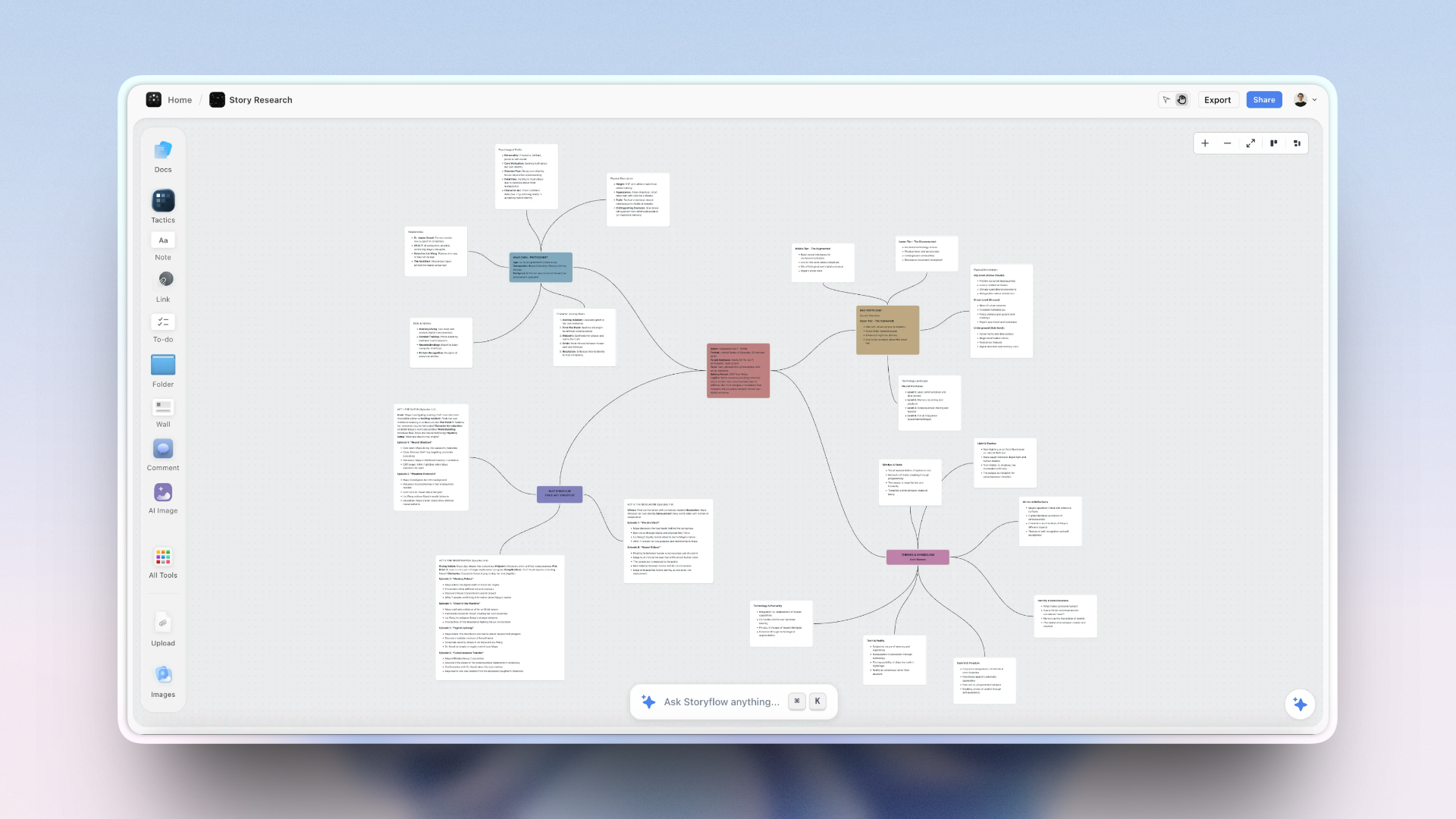
a Storyflow canvas building a digital story from script to media to publish
Step 1: Find the Story
The goal of step 1 is one sentence, not a script. You need a premise and a dramatic question: the tension that makes a viewer stay. "A nurse quits medicine to roast coffee" is a subject. "Why would someone walk away from saving lives to sell coffee, and did she find what she was looking for?" is a story. The question is the engine.
If you cannot state the question, you have a topic, not a story. This is the first move of Capture, and the one most people skip.
Finding a story is spatial, not linear, which is why a canvas helps: you put every angle on the board as a card, move them around, and watch a through-line emerge. Storyflow's AI reads those notes and reflects them back as candidate loglines, so you can reject the obvious framings and find the sharper one. In the example, the premise becomes "an ER nurse traded the emergency room for the slow craft of roasting," and the question is "can slowness be its own kind of care?" That question decides every later cut.
Step 2: Gather the Media
The goal of step 2 is to get every asset that could possibly be in the story into one place before you decide what stays. Interview audio, b-roll, product photos, old family pictures, a voice memo you left yourself. Gather first, judge later.
This is the second half of Capture, and where scattered tooling costs you a day. The audio is in one app, the b-roll on an SD card, the photos in a drive, the notes in a doc, and you spend the first hour of every session just finding things.
This is the friction Storyflow removes. You drop every clip, image, link, and note onto one infinite canvas, so the media and the thinking live in the same place. The AI reads the full board, so you can ask it to cluster forty assets by theme and it groups the roasting shots, interview beats, and customer moments without you tagging each one. In the example, the board holds interview audio, roasting b-roll, three customer soundbites, and one photo of the roaster in her old scrubs. That photo becomes the emotional hinge.
Step 3: Script It
The goal of step 3 is the words and the order, written to the media you actually have. Script the piece: the voiceover or interview pulls, the on-screen text, and the rough sequence of beats. Script to your material, not an imaginary version of it.
This is the first move of Shape, and a digital story script is short. Two minutes of voiceover is around 300 words, so every sentence has to earn its place. Write the opening line and the closing line first, because those carry most of the weight, then fill the middle.
AI is useful here as a drafting partner. Storyflow's AI reads your active board plus up to one blueprint and three documents you @-mention, so it drafts narration from the actual notes and soundbites on your canvas rather than generic filler, and it will cut a 400-word draft to 300 while keeping the beats. In the example, the script opens on the scrubs photo with one line: "For nine years, her job was to keep people alive on the worst day of their lives." The dramatic question is doing its work in the first six seconds.
Step 4: Storyboard It
The goal of step 4 is to see the shot order and pacing before you commit an editor's worth of hours to it. A storyboard for a digital story does not need drawn frames. It can be a row of cards, one per beat, each holding the line of script, the asset that covers it, and a note on timing.
This is still Shape, and where pacing gets decided. Pacing, one of StoryCenter's seven elements, is simply how long you hold each beat. On a canvas you see the rhythm: three long cards in a row means the middle drags, and you fix it before you edit. Storyflow's AI can turn your script into a first-pass shot list, which you then correct. If you want frame-by-frame animatics with drawing tools, a purpose-built app like Boords does that better than a general canvas.
In the example, the storyboard reveals a problem: the roasting b-roll runs 40 seconds with no voice, 40 seconds of a viewer wondering where the story went. The fix is to lay a customer soundbite over it. Caught on the board, that costs one drag. Caught in the editor, it costs a re-cut.
Step 5: Assemble the Cut
The goal of step 5 is the actual edited video, and this is where you leave the planning canvas and open a real editor. Here is the honest division of labor, and the most important limitation in this guide: Storyflow plans and organizes a digital story. It does not cut or render video. You finish in a dedicated editor.
Name your editor by the job:
- DaVinci Resolve: free, pro-grade editing, color, and audio. The strongest free option, and it scales to broadcast work.
- CapCut: fast social edits on phone or desktop, with auto-captions and text-to-speech built in. Best for vertical, social-first stories.
- Adobe Premiere Pro or Final Cut Pro: the industry-standard paid timelines if you already live in one.
- Descript: edits video by editing the transcript, and removes filler words automatically.
Because you did steps 1 to 4, this step is assembly, not discovery. That is why planning first makes editing faster, not slower. A digital story is a story first and a file second, and step 5 is where the story becomes the file.
Step 6: Publish
The goal of step 6 is the right version for each place it will live, not one export dumped everywhere. A two-minute horizontal cut for YouTube is not the same as a vertical, caption-first cut for Reels or TikTok. Publishing is a step, not an afterthought.
This is the first move of Ship. Decide the primary platform before you export, because it changes the aspect ratio, the caption strategy, and the first three seconds. On silent-autoplay feeds, burned-in captions are not optional. AI helps at the edges: it drafts titles, descriptions, and chapter markers from your script, which you sharpen. In the coffee example, the primary home is Instagram Reels, so the master cut is vertical with captions.
Step 7: Loop
The goal of step 7 is a sharper next story, because the first version is rarely the best one. Publish, then read the data: where do viewers drop off, which three seconds lose them, which soundbite gets quoted in the comments. Then re-cut or apply the lesson to the next piece.
This is the second move of Ship, and why the method is a loop and not a line. Bring the retention notes back to your planning canvas and treat them as new material for step 1. If everyone leaves at the 8-second mark, your dramatic question is arriving too late, and that is a planning fix, not an editing one. In the example, the analytics show a clean hold through the scrubs-photo opening and a drop when the b-roll starts. The lesson: never leave the dramatic question for 40 seconds. Capture, Shape, Ship, then loop.
Where Storyflow Fits (and Where It Doesn't)
The friction in making a digital story is almost never the editing software. It is that the script lives in one app, the shot list in another, the media in a third, and the plan in your head. Storyflow closes that gap by putting the first four steps on one canvas: premise, script, storyboard, and every asset in the same space, with an AI that reads the whole board.
That is the earned pitch. Now the honest accounting.
- Storyflow does not edit or render video. It is a planning surface, not a timeline. You finish in DaVinci Resolve, CapCut, Premiere, or Final Cut. If you want one app that both plans and edits, it is the wrong pick.
- It is cloud-only, with no offline or local-first mode. For fieldwork with no connection, or footage that cannot leave a local machine, that is a real limitation.
- It is newer and canvas-card-shaped. It has fewer templates than Notion and no frame-by-frame animatic tools like a dedicated storyboarding app.
So Storyflow earns its place by fixing the planning mess, not by replacing your editor. A digital story is a story first and a file second, and the canvas is where the story gets built before the file does.
Which Approach Should You Use?
Match the path to the piece:
- A personal digital story (StoryCenter style): voice and emotional content carry it, so find the story and script it carefully. Plan on a canvas, record voiceover on your phone, cut in CapCut or Descript.
- A brand mini-documentary: interview-driven, so gathering and clustering the media matters most. Plan and cluster on a canvas, cut in DaVinci Resolve or Premiere.
- A social-first vertical story: publishing decisions shape everything, so decide the platform at step 1. Plan light, cut fast in CapCut, loop hard on retention.
- A team piece: the plan has to be shared, so a canvas everyone can see beats a script buried in one drive. Storyflow's Free plan, launching before the end of 2026, will include unlimited shared boards for this.
The constant across all four is the order: Capture, Shape, Ship. The tools change. The method does not.
The Bottom Line
To create a digital story, do not start in the editor. Start with the story. Run Capture, Shape, Ship: find the premise and gather the media, then script, storyboard, and assemble, then publish and loop. The seven steps are simple. The discipline is doing the first four before the fifth.
Plan the thinking on a canvas where the premise, the script, the shot list, and the media live together, then finish the cut in a real video editor. To try the planning half, take your next story idea and build all four planning steps on a Storyflow canvas before you open your editor. A digital story is a story first and a file second, and by the time you reach the timeline, the story should already be done. Plan your next digital story on a Storyflow canvas.
FAQ: Making a Digital Story
How do you create a digital story step by step?
Create a digital story in seven steps: find the story (a one-sentence premise and dramatic question), gather the media, script it, storyboard it, assemble the cut in a video editor, publish, and loop. Group them as Capture, Shape, Ship. The first four steps are planning, best done on a canvas; the fifth happens in an editor like DaVinci Resolve or CapCut. Planning before editing is what separates a piece that lands from one that wanders.
What is a digital story?
A digital story is a short narrative, usually two to five minutes, told with a mix of voice, images, video, and sound. The form was named in the early 1990s at StoryCenter in Berkeley. The medium is digital, but the craft is storytelling: point of view, a dramatic question, and emotion carry it, not the software.
What are the seven elements of digital storytelling?
StoryCenter's seven elements are point of view, a dramatic question, emotional content, the gift of your own voice, the power of the soundtrack, economy, and pacing. They come from Joe Lambert and the Center for Digital Storytelling and remain the clearest checklist for whether a digital story works.
What tools do I need to make a digital story?
You need two kinds of tool: one to plan and one to edit. For planning, a canvas like Storyflow keeps the premise, script, shot list, and media in one place. For editing, DaVinci Resolve (free), CapCut (free), Descript, or Premiere Pro cover almost every case. The free tiers of Storyflow and DaVinci Resolve are enough for a first piece.
How long should a digital story be?
Most digital stories run two to five minutes, and shorter is usually better. A two-minute voiceover is only about 300 words, which forces economy, one of StoryCenter's seven elements. Working-memory research (Cowan, 2001) suggests a viewer holds about four things at once, so build around a handful of beats.
What is the difference between a digital story and a video?
A digital story is a video with a deliberate narrative spine: a point of view, a dramatic question, and an emotional arc. Every digital story is a video, but not every video is a digital story. A product demo or a vlog is a video; a piece built around a single question a viewer wants answered is a digital story.
How do I write a digital story script?
Write the opening line and the closing line first, because they carry the most weight, then fill the middle to reach roughly 150 words per minute of voiceover. Script to the media you actually have, not an imagined version. AI can tighten a long draft, but the point of view has to be yours.
Can AI create a digital story for me?
AI can assist, but it cannot make the story for you. It helps with drafting narration, tightening a script, clustering your media, and suggesting a shot list from your notes. What it cannot do is decide what your story is about or supply a real point of view. Use AI for the mechanical parts of Capture and Shape, and keep the judgment yourself.
How much does it cost to make a digital story?
You can make one for free. DaVinci Resolve and CapCut both have capable free tiers, and Storyflow's Free plan, launching before the end of 2026, will cover the planning with unlimited shared boards. Paid tools add polish: Storyflow Plus is $7.99 per month billed annually, and DaVinci Resolve Studio is a one-time $295. Most first digital stories cost nothing but time.
Table of Contents
- Key Takeaways
- Most Digital Stories Die in the Editor
- What a Digital Story Actually Is
- The Capture, Shape, Ship Method
- The Seven-Step Digital Story, at a Glance
- Step 1: Find the Story
- Step 2: Gather the Media
- Step 3: Script It
- Step 4: Storyboard It
- Step 5: Assemble the Cut
- Step 6: Publish
- Step 7: Loop
- Where Storyflow Fits (and Where It Doesn't)
- Which Approach Should You Use?
- The Bottom Line
- FAQ: Making a Digital Story
- Related Reading
Templates to check out for this topic


Templates you can use in Storyflow
Every Storyflow board starts from real structure and an AI that reads the whole canvas. Open one of these templates and make it yours.


See Storyflow in Action
A visual AI workspace where every feature lives inside one canvas. No tab-switching, no context lost.
Build your entire board from a single message
Type what you need in the AI chat at the bottom of your canvas. The AI adds cards, headings, and structure directly onto your board.
Use expert frameworks as AI context
Type @ in the AI chat and choose any Tactic. The AI tailors every response to that framework instead of giving generic advice.
Turn your board into a mind map in seconds
Ask the AI to restructure your canvas as a mindmap. It connects your ideas into a visual hierarchy so you can see how everything relates.
Why Storyflow Exists
Storyflow actually began as a personal tool while working on creative and research projects.
We kept running into the same problem: ideas were scattered everywhere: notes, documents, and whiteboards.
Nothing helped us see how everything connected.
So we started building a workspace designed around how ideas actually grow.
→ Read how Storyflow was createdJustkay
Documentary Filmmaker & Founder at Storyflow
Published: 2026-07-15
Extremely simple, seriously capable


See how easy it is to get started
Watch a real project come together, from a blank board to a finished plan, clicked through step by step.
Start creating with AI and become more productive
Transform your creative workflow with AI-powered tools. Generate ideas, create content, and boost your productivity in minutes instead of hours.