The Crew Planning Checklist (2026): Who You Need, and What You Owe Them
Derive the crew from the shot list, not the budget. A headcount chosen from money produces a crew that cannot shoot the plan, and an under-crewed shoot does not run late, it runs badly.

Category
Production Management
Author

Justkay
Documentary Filmmaker & Founder at Storyflow
Topics
2026-09-02
•
15 min read
•
Production Management- crew planning checklist
- minimum crew for a video shoot
- film crew roles small shoot
- deal memo crew
- producer plan shoot with crew
How do you decide what crew you need for a shoot?
Crew planning is three decisions in order, and most producers make them backwards. First, what the shoot requires, derived from the shot list rather than from habit. Second, which of those roles one person can genuinely cover, which is a shorter list than budget pressure suggests. Third, what each person is owed: a rate, a call time, a deal memo, a meal, and a way home. Producers who start from a headcount they can afford and work backwards end up with a crew that cannot execute the shot list, and discover it at 11am on the day. The checklist below runs the other way. StudioBinder is the strongest tool for the crew list and its call sheets, Yamdu for crew across a long production with departments and contracts, and a spreadsheet is genuinely sufficient for a crew of six. Below are the roles a small shoot actually needs, the four combinations that work and the three that do not, and everything you owe a crew member before they arrive.
Full disclosure: Storyflow is our product and is listed first in the reviews and the table: our pick first, then the rest by job. The article states that it has no crew list, no contact management, no call sheet sending (its AI drafts a call sheet PDF from what you give it), no deal memos and no rate tracking, that it does almost nothing in this article's core subject, and that crew planning should be done in StudioBinder, Yamdu or a spreadsheet.
How the crew and production management tools compare on trust, innovation, ratings and pricing
Which crew planning tools are the most trusted?
StudioBinder, because the crew list feeds the call sheet directly and open tracking shows who has actually read theirs, which is the difference between confirming and hoping. Yamdu on longer productions with departments and contracts. A spreadsheet remains genuinely trusted for a crew of six, and it is the one that gets updated by people who would never log into a production tool.
Which crew planning tools have fair and transparent pricing?
A spreadsheet is free and does most of the job at small scale. Yamdu from around $20 is fair for what it covers. StudioBinder is the most expensive here at $29 and up, and it is worth it from about three shoot days because crew read call sheets without needing accounts. Airtable's per-seat cost is a poor fit for freelancers booked for two days.
Which crew planning practices are underrated?
Confirming every crew member individually rather than in a group chat, which is the only way to catch a double-booking or a misread call time. And naming a backup for the one position with no depth, which is the row on every booking checklist that is left blank and the position that reliably falls through.
Which crew role is most often cut and should not be?
Sound. It is the least visible role on set and the only one whose failure is silent at the time and fatal afterwards. Cutting a second camera costs coverage that an edit can work around; cutting sound means a take nobody was monitoring, and unusable audio cannot be fixed in a way an audience will not hear.
When choosing a crew planning tool, which would you recommend?
StudioBinder from about three shoot days up, because the crew list feeding the call sheet removes the re-typing where errors enter. Yamdu once departments and contracts are real. For a crew of six on one or two days, a spreadsheet with name, role, rate, dates, contact, dietary requirement and deal-memo status is sufficient and will be kept current.
Quick Comparison
Four ways to plan a crew, ranked by whether the list reaches the call sheet.
| Tool | Best For | AI Features | Price |
|---|---|---|---|
| StudioBinder | Crew list plus call sheets | Light AI | Free / from $29 mo |
| Yamdu | Departments and paperwork status | Light AI | From $20 mo |
| Google Sheets | Small crews, actually updated | None | Free |
| Airtable | Outstanding deal memos | Airtable AI | Free / $20 seat mo |
Article Metadata
By Justkay, Documentary Filmmaker and Founder of Storyflow Published September 2, 2026 · 15 min read · Production Management
Table of Contents
- Start From the Shot List, Not the Budget
- What the Shoot Requires
- Combinations That Work, and Three That Do Not
- What You Owe Every Crew Member
- The Booking Checklist
- The Week Before
- 8 Tools for Crew Planning
- How We Evaluated These Tools
- Tool Reviews
- What Goes Wrong
- FAQ: Crew Planning
- The Bottom Line
- Author
- Related Reading
Key Takeaways
- Derive the crew from the shot list. A headcount chosen from budget produces a crew that cannot shoot the plan.
- Sound is the role most often cut and the one whose absence is least fixable in post.
- Confirm every crew member individually. A group message is not a confirmation.
- A deal memo is not bureaucracy at small scale; it is what prevents the argument about the rate afterwards.
- Name the position with no backup during planning, because that is the one that will fall through.
Start From the Shot List, Not the Budget
The common sequence is: we have this much money, so we can afford four people, so who are the four. That produces a crew sized to the budget and unrelated to the work, and the mismatch surfaces on the day when four people cannot light, record, operate and direct at the same time.
The sequence that works:
- What does the shot list require? Read it and note what each setup physically needs: someone lighting, someone on sound, someone moving the camera, someone watching performance.
- Which of those can one person genuinely hold at once? Some combinations are fine and some are fantasy, and the list is below.
- What does that cost, and what do we cut if we cannot afford it? Cut scope, not crew, because a crew too small for the plan does not shoot the plan faster, it shoots it worse.
The rule worth stating: an under-crewed shoot does not run late, it runs badly. Late is visible and manageable. Badly is discovered in the edit.
What the Shoot Requires
For a small production, these are the functions, not the job titles. Job titles come later.
Directing. Deciding what a take needs and whether it worked. Cannot be done well while operating, on anything with performance in it.
Camera operation. Framing, focus, movement. Focus alone is a full job on anything with a shallow lens and a moving subject.
Lighting. Setting up, adjusting between setups, and taking it down. This is the most physical role and the one that determines how long a setup takes.
Sound. Recording, monitoring, and knowing when a take is unusable. The only role where the failure is silent at the time and fatal afterwards.
Production. Schedule, call sheets, food, locations, permissions, and being the person who answers questions.
Talent handling. Looking after contributors, which on documentary is a real job and is usually invisible on a crew list.
Continuity. On anything cut from multiple setups. Discussed at length in its own checklist.
Data. Offloading and verifying media. On a multi-day shoot this needs a named owner, not a volunteer at wrap.
Combinations That Work, and Three That Do Not
These work:
- Producer plus production coordination plus talent handling. One person, comfortably, on a shoot of one or two days.
- Camera operation plus lighting, on a small setup with available light or a simple two-light plan. It is slow and it is real.
- Director plus producer, on documentary, where the same person is often the reason the contributor said yes.
- Sound plus continuity. The sound recordist is the only person not looking through a viewfinder, which makes them the natural continuity owner.
These do not, and pretending otherwise is where days go wrong:
- Directing plus operating, with performance. You cannot watch a performance and watch a frame. On documentary with a single contributor it is survivable; on anything scripted it is not.
- Sound plus anything physical. The moment the recordist is also moving a light, sound stops being monitored, and a take nobody was listening to is a take you find out about in the edit.
- Everything plus data. Offloading at wrap by whoever is left is how a card gets formatted before it was verified. Name a data owner who is not the person driving home.
The honest minimum for a small branded or documentary shoot is three: one on camera, one on sound, one directing and producing. Two is possible for an interview with an experienced pair and it forecloses on coverage. One is a vlog, which is a legitimate form and a different plan.
What You Owe Every Crew Member
Before they arrive, every person on the crew should have:
- A rate, agreed in writing, with the day defined. A "day" means nothing without hours attached.
- Overtime terms, agreed before the day rather than at 7pm.
- A deal memo or written confirmation covering rate, dates, role, overtime, kit fee and cancellation.
- A kit fee if they are bringing equipment, stated separately from the rate.
- A call time and a wrap estimate, both individual rather than a unit call everyone applies to themselves.
- The address, the room, parking and load-in details.
- What to bring and what is provided.
- A meal, and to know when it is. Six hours is the point at which people stop being good at their jobs.
- A way home, considered rather than assumed, particularly on a late wrap.
- Insurance cover, and to know whether they are covered.
- Who is in charge, by name.
- Payment terms, stated. When they will be paid, and how.
That list looks bureaucratic at a crew of four and it is what separates a crew who work with you again from one who does not. A deal memo at small scale is not paperwork, it is the thing that prevents an argument you will otherwise have after the shoot, when you have no leverage and neither do they.
The Booking Checklist
For each position, in this order:
- Confirm the role is needed by the shot list, not by convention
- Rate agreed in writing
- Dates confirmed, with the specific hours
- Deal memo sent and returned
- Kit confirmed: what they bring, what you provide, whose insurance covers it
- Availability re-confirmed a week out, individually
- Call time confirmed individually the evening before
- Contact number in the contact sheet
- Dietary requirements asked for
- Any access requirement asked for
- Backup identified for this position, by name
The last row is the one always left blank. Every shoot has one position with no backup, and naming it during planning turns a potential crisis into a phone call.
The Week Before
- Re-confirm every position individually, not in a group message
- Confirm anyone travelling, and their travel
- Chase every unreturned deal memo
- Confirm the meal: what, when, and whether dietary requirements are covered
- Check the weather and tell anyone whose job it changes
- Send the call sheet the evening before, with individual times
- Confirm the crew know the location's access quirks
- Confirm who is offloading media and when
Confirming individually is the step people skip and it is the one that catches the double-booking. A message to a group chat gets a thumbs up from three of five people and you find out on the day which two were not reading.
8 Tools for Crew Planning
| Tool | Best for | Crew list | Deal memos | Starting price |
|---|---|---|---|---|
Storyflow | The plan the crew is derived from | Weak | None | $7.99 mo annual (free plan late 2026) |
StudioBinder | Crew list plus call sheets | Excellent | Fair | Free / from $29 mo |
Yamdu | Long productions with departments | Excellent | Very good | From ~$20 mo |
Google Sheets | A crew of six | Good | None | Free |
Airtable | Structured crew and paperwork status | Very good | Good | Free / $20 seat mo |
Celtx | Scripted work, crew inside the suite | Good | Fair | Free / from ~$15 mo |
Notion | Crew as a database with notes | Good | Fair | Free / $10 seat mo |
Crew-finding platforms | Finding people, not planning | Weak | Varies | Varies |
Prices are publicly listed plans as of early 2026 and change often.
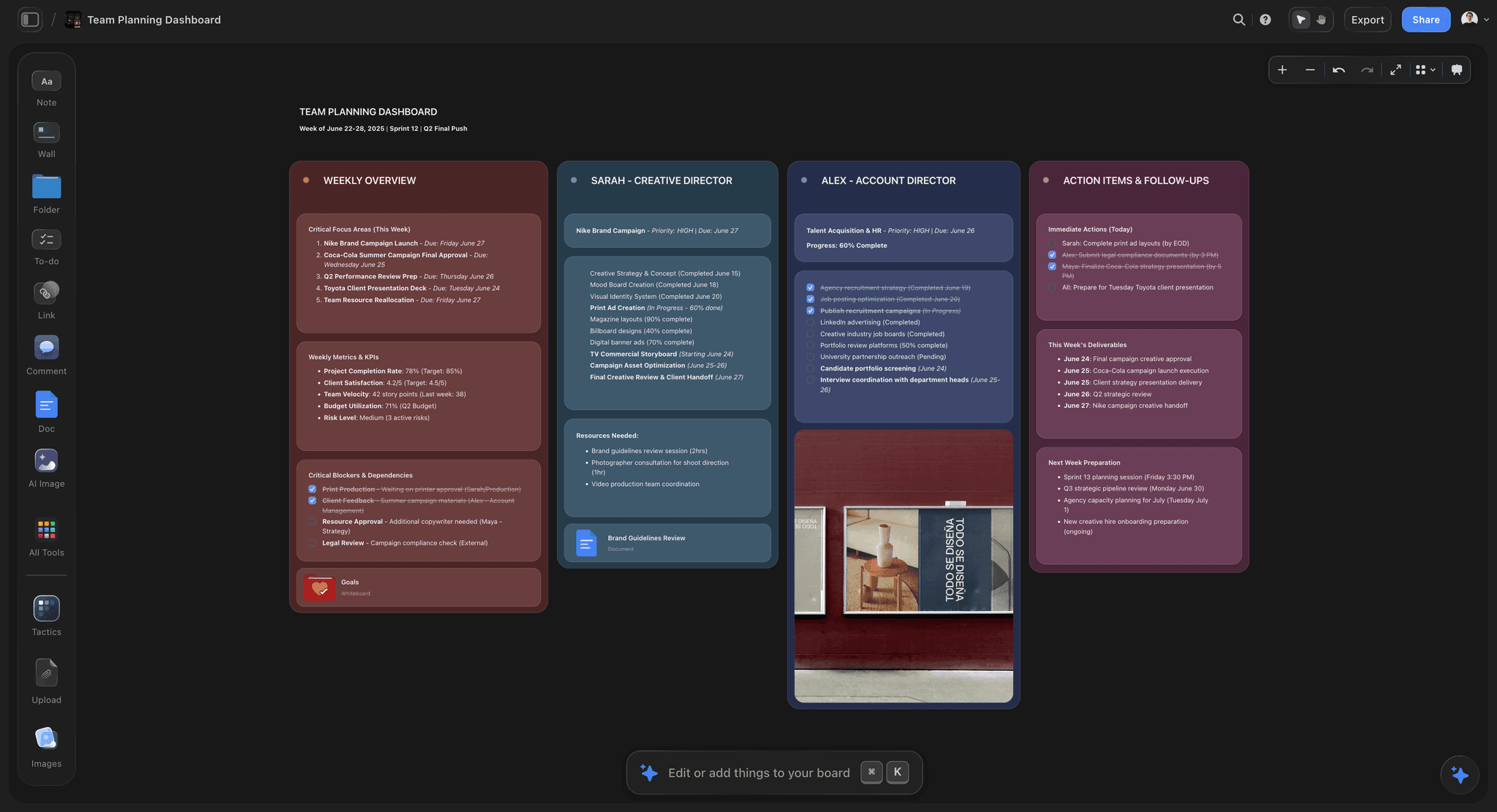
A shot list with the crew requirement derived from what each setup physically needs
Cut scope, not crew
A crew too small for the plan does not shoot the plan faster, it shoots it worse. Late is visible and manageable. Badly is discovered in the edit, and by then the location is gone.

How We Evaluated These Tools
Four criteria:
- Does the crew list feed the call sheet? Re-typing contacts into a call sheet is where errors enter, so linkage matters more than the list itself.
- Does it track what is outstanding? Unreturned deal memos are invisible in a folder and expensive at scale.
- Individual versus unit times. Whether the tool supports per-person call times, which is what actually prevents people arriving at the wrong hour.
- Cost for a production hiring freelancers for two days, where per-seat pricing is a poor fit.
Tool Reviews
1. Storyflow

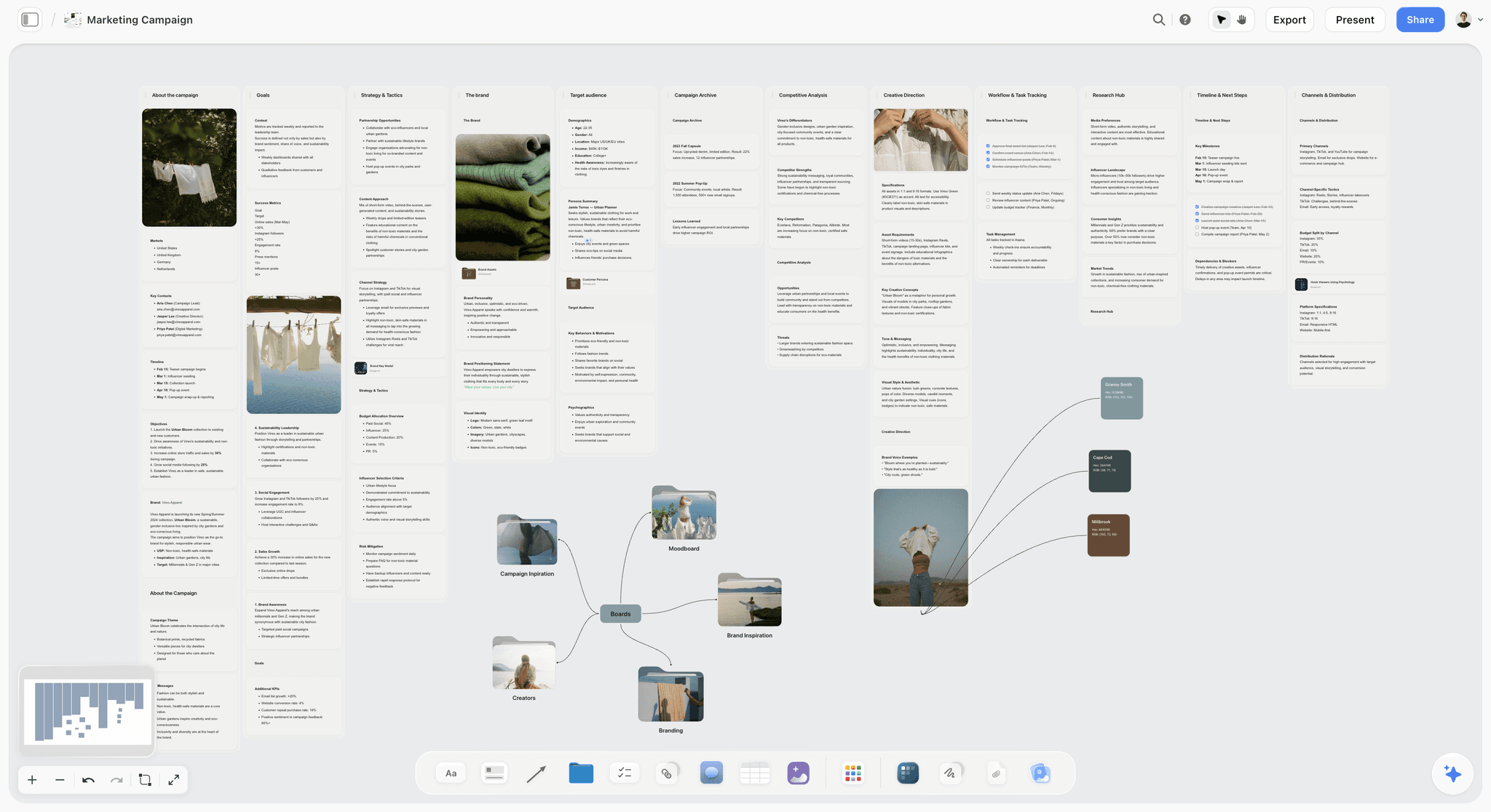
Storyflow is our product and we list it first: our pick first, then the rest by job. It has no crew list, no contact management, no call sheet sending, no deal memos and no rate tracking; its AI drafts a call sheet PDF from what you give it, but it does almost nothing in this article's core subject and anyone planning a crew should use StudioBinder, Yamdu or a spreadsheet.
It appears because of step one: the crew is supposed to be derived from the shot list, and the shot list with the reasoning attached is what Storyflow holds. Working out that a setup needs a dedicated focus puller is a decision made against the plan, not against a crew template. That is one step of a three-step process and the other two happen elsewhere.
Storyflow is paid-only during early access; its Free plan launches before the end of 2026, and anyone a paid member invites to a board joins free now.
Pricing: Plus $7.99 per month billed annually ($9.99 monthly); Pro $14; Max $39.
Pros: holds the plan the crew requirement is derived from; flat pricing so freelance collaborators cost nothing.
Cons: no crew, contact or paperwork features; the call sheet is a drafted PDF, not sent or tracked. Not a crew planning tool.
2. StudioBinder
The strongest tool for crew planning on the productions this article addresses, because the crew list is not a separate artifact: contacts flow directly into the call sheet, individual call times are first class, and the call sheet sends with open tracking so you can see who has actually read theirs. That last detail is the difference between confirming and hoping.
Deal-memo tracking is weaker, and most productions keep a side list of what is outstanding.
Pricing: Free tier; paid from $29 per month, commonly used tier around $42.
Pros: crew list feeds the call sheet directly; individual call times; open tracking; crew need no accounts.
Cons: deal-memo status tracking is thin; costly for a single shoot day; no rate or budget handling worth the name.
3. Yamdu
Better once a production has departments, contracts and many shoot days. It models crew properly, including roles and department structure, and it is the only tool here that tracks which paperwork is outstanding rather than which is filed.
The setup cost is real and a four-person crew on a two-day shoot will not recover it.
Pricing: from around $20 per month.
Pros: proper crew and department model; genuine paperwork status tracking; strong across long productions.
Cons: real setup cost; excessive for short shoots.
4. Google Sheets
For a crew of six, a sheet with name, role, rate, dates, contact, dietary requirement and deal-memo status is genuinely sufficient, and it will be updated by people who would not log into a production tool. It does not send a call sheet, so that is a separate step, and it has no reminders.
Pricing: free.
Pros: free, universal, editable by anyone, works offline.
Cons: no call sheet delivery; no reminders; version sprawl across a crew.
5. Airtable
The best structured tracking here if the production has a lot of crew paperwork: a row per person with deal-memo status, a chase date and a not-returned filter. Per-seat cost is poor for freelancers who need access for two days, so in practice the producer owns it.
Pricing: Free; Team $20 per seat per month billed annually.
Pros: the best outstanding-paperwork view; grouped views by department.
Cons: no call sheet; per-seat cost; setup time.
6. Celtx
Reasonable crew handling inside a suite that also schedules, which matters on scripted work. Weaker than StudioBinder on call sheets and individual times.
Pricing: Free tier; paid from around $15 per month.
Pros: crew sits inside the schedule and breakdown; good value.
Cons: weaker call sheets; poor fit for unscripted.
7. Notion
A crew database with notes is fine at a desk and produces no call sheet. Useful on documentary where the crew list carries context about who knows which contributor.
Pricing: Free for personal use; Plus $10 per user per month billed annually.
Pros: good for context and notes; flexible; free tier usable solo.
Cons: no call sheet; poor on location; per-seat cost.
8. Crew-finding platforms
Worth naming as a different category. Platforms for finding crew solve hiring, not planning, and their contact and availability data does not usually flow into a call sheet. Useful upstream of everything in this article.
Pros: finding people you do not already know; verified credits.
Cons: not planning tools; data rarely flows onward.
What Goes Wrong
Crew sized to budget instead of to the shot list. The most common and the most expensive, because the mismatch appears at 11am on the day.
Cutting sound first. It is the least visible role on set and the least recoverable in post. Cutting the second camera costs coverage; cutting sound costs the film.
Confirming as a group. Three thumbs up from five people, and the two who did not read are the two you needed.
Unit call times. Everyone arrives when the earliest person needed to, and you pay six people to watch two people set up.
No deal memo at small scale. The rate conversation then happens after the shoot, when nobody has leverage and goodwill is the only currency.
No meal, or a meal at hour eight. People stop being good at their jobs at about six hours, and it is the cheapest performance improvement available.
No named backup on the fragile position. Every shoot has one, and it is always the one that falls through.
Nobody named for data. Offloading becomes whoever is left, and whoever is left is tired.
The Bottom Line
Derive the crew from the shot list, decide honestly which roles one person can hold, and only then price it. Cut scope rather than crew, because an under-crewed shoot does not run late, it runs badly. Confirm everyone individually, give individual call times, send a deal memo even at four people, feed everyone, and name the backup for the fragile position before you need it.
FAQ: Crew Planning
How do you decide what crew you need for a shoot?
From the shot list, not from the budget. Read each setup and note what it physically requires: someone lighting, someone on sound, someone operating, someone watching performance. Then work out which of those one person can genuinely hold at once, and only then price it. Starting from an affordable headcount produces a crew sized to money and unrelated to the work, and you find that out at 11am.
What is the minimum crew for a small video shoot?
Three for most branded or documentary work: one on camera, one on sound, one directing and producing. Two is possible for a straightforward interview with an experienced pair, and it costs you coverage and continuity. One person is a legitimate form for certain content and it is a different plan, not a smaller version of this one.
Which crew roles can one person combine?
Producer with coordination and talent handling works comfortably on one or two days. Camera with lighting works on a simple setup and it is slow. Director with producer works on documentary. Sound with continuity works well, since the recordist is the only person not looking through a viewfinder. What does not work is directing while operating with performance in frame, sound with anything physical, or data offloading assigned to whoever is left.
What should be in a deal memo for a small shoot?
Rate with the day defined in hours, dates, role, overtime terms, kit fee stated separately, cancellation terms and payment terms. It looks like bureaucracy at a crew of four and it is what prevents the rate argument after the shoot, when nobody has leverage. Sending one also signals that you will pay, which affects who says yes next time.
What is the best tool for crew planning?
StudioBinder for most productions, because the crew list feeds the call sheet directly, individual call times are first class, and open tracking shows who has read theirs. Yamdu once the production has departments, contracts and many shoot days, since it is the only one that tracks outstanding paperwork. For a crew of six, a spreadsheet is genuinely sufficient and will actually be updated.
Is Storyflow a crew planning tool?
No. Storyflow has no crew list, no contact management, no call sheet sending (it drafts a call sheet PDF only), no deal memos and no rate tracking, so it does almost nothing in this article's core subject and this piece recommends StudioBinder, Yamdu or a spreadsheet. It holds the shot list and the plan that the crew requirement should be derived from, which is step one of three.
Is Storyflow free?
Not during early access. It is paid-only today from $7.99 per month billed annually on Plus, and its Free plan launches before the end of 2026. Anyone a paid member invites to a board signs up free and can invite others, so freelance collaborators on a production board cost nothing extra.
Why confirm crew individually instead of in a group chat?
Because a group message returns three thumbs up from five people and you cannot tell which two did not read it. Individual confirmation is slower and it is the only kind that catches a double-booking, a misread date or someone who assumed a different call time. Do it at booking, again a week out, and again the evening before with the call sheet.
Should call times be individual or a single unit call?
Individual, wherever the roles differ. A unit call means everyone arrives when the earliest person needed to, so you pay six people to watch two people set up, and on a day rate that is real money. It also erodes goodwill faster than almost anything else, because standing around unpaid-for-being-early is what people remember.
Which crew role should you never cut?
Sound. It is the least visible role on set and the only one whose failure is silent at the time and fatal afterwards. Cutting a second camera costs you coverage, which the edit can work around. Cutting sound means a take nobody was monitoring, and unusable audio cannot be fixed in post in any way an audience will not hear.
How far ahead should you book crew?
Confirm positions two to four weeks out for a normal shoot, and re-confirm individually a week before. Good freelancers book up further than that, so the practical constraint is availability rather than your planning. The item that always needs more lead time than expected is any specialist role, and the item that always needs a backup is whichever position has only one candidate.
What do you owe a crew that is not money?
A defined day with hours, an individual call time, the address with parking and load-in, a meal at a stated time, knowledge of who is in charge, insurance clarity, and a considered way home on a late wrap. Those cost almost nothing and they decide whether people work with you again, which on small productions is the whole hiring pipeline.
What is the one thing most small shoots forget?
Naming the backup for the position with no depth. Every shoot has one role where exactly one person can do it, and that is the one that falls through. Identifying it during planning turns a crisis into a phone call, and it is the row on the booking checklist that is always left blank.
Table of Contents
- Article Metadata
- Breadcrumb
- Table of Contents
- Key Takeaways
- Start From the Shot List, Not the Budget
- What the Shoot Requires
- Combinations That Work, and Three That Do Not
- What You Owe Every Crew Member
- The Booking Checklist
- The Week Before
- 8 Tools for Crew Planning
- How We Evaluated These Tools
- Tool Reviews
- 1. Storyflow
- 2. StudioBinder
- 3. Yamdu
- 4. Google Sheets
- 5. Airtable
- 6. Celtx
- 7. Notion
- 8. Crew-finding platforms
- What Goes Wrong
- The Bottom Line
- Author
- FAQ: Crew Planning
- Related Reading
Templates to check out for this topic


Templates you can use in Storyflow
Every Storyflow board starts from real structure and an AI that reads the whole canvas. Open one of these templates and make it yours.


See Storyflow in Action
A visual AI workspace where every feature lives inside one canvas. No tab-switching, no context lost.
Build your entire board from a single message
Type what you need in the AI chat at the bottom of your canvas. The AI adds cards, headings, and structure directly onto your board.
Use expert frameworks as AI context
Type @ in the AI chat and choose any Tactic. The AI tailors every response to that framework instead of giving generic advice.
Turn your board into a mind map in seconds
Ask the AI to restructure your canvas as a mindmap. It connects your ideas into a visual hierarchy so you can see how everything relates.
Why Storyflow Exists
Storyflow actually began as a personal tool while working on creative and research projects.
We kept running into the same problem: ideas were scattered everywhere: notes, documents, and whiteboards.
Nothing helped us see how everything connected.
So we started building a workspace designed around how ideas actually grow.
→ Read how Storyflow was createdJustkay
Documentary Filmmaker & Founder at Storyflow
Published: 2026-09-02
Extremely simple, seriously capable


See how easy it is to get started
Watch a real project come together, from a blank board to a finished plan, clicked through step by step.
Start creating with AI and become more productive
Transform your creative workflow with AI-powered tools. Generate ideas, create content, and boost your productivity in minutes instead of hours.