The 10 Best Notion Alternatives for Architects in 2026
A drawing set records what was decided and almost nothing records why. Ten tools ranked on which one keeps the references, the constraints and the rejected options next to the option that won.

Category
Alternatives
Author

Justkay
Documentary Filmmaker & Founder at Storyflow
Topics
2026-08-27
•
13 min read
•
Alternatives- notion alternatives for architects
- architecture practice software
- design decision record tool
- architect project management software
- drawing register tool
- architecture knowledge management
What is the best Notion alternative for architects in 2026?
The best Notion alternative for an architect is Storyflow for the concept and decision-record layer, because a drawing set records what was decided and almost nothing records why, and Storyflow is the only tool here that keeps the references, the constraints and the rejected options next to the option that won. Monograph owns practice management, time and project financials, and no general workspace substitutes for it. Autodesk Construction Cloud owns document control once drawings are being issued. Airtable is the right shape for a drawing register or an RFI log. This ranking is honest about which of those jobs Notion was never going to do.
Key Takeaways
- In architecture the drawing shows what was decided. Almost nothing shows why, which is why the same question comes back in year three.
- Architectural projects run for years and outlive the people on them. A workspace that cannot answer why a decision was made is losing the most expensive thing the practice produces.
- Storyflow ranks first for the concept and decision layer, where options are compared visually and the reasoning has somewhere to live.
- Storyflow is not a document control system, has no drawing issue register, no BIM integration and no time tracking. Autodesk Construction Cloud, Airtable and Monograph own those.
- Monograph is the only tool here built specifically for architectural practice, and for fees, phases and utilisation it beats everything general.
- Notion's real failure in a practice is not features. It is that nobody can find the decision from eighteen months ago, because it was written in a page whose title nobody remembers.
The Decision Trail
Architecture produces documents for a living, so it is easy to assume the document problem is the software problem. It is not. Document control is largely solved and there are competent products for it.
In architecture the drawing shows what was decided. Almost nothing shows why, which is why the same question comes back in year three.
Consider what a project actually accumulates. A window detail changes because of a thermal bridging issue raised by the engineer. A stair moves two hundred millimetres because of a fire strategy comment. A cladding system is abandoned because of a cost plan, then partially reinstated because the client found money. A ceiling void grows because of a coordination clash with ductwork.
Every one of those is a decision with a cause, a constraint and usually a rejected alternative. What survives into the record is the outcome only. The drawing shows a stair in its final position. It does not show that it moved, why it moved, or that a better arrangement was ruled out for a reason that may since have expired.
This is expensive in three specific ways.
The same question returns. In year three someone asks why the stair is not where it obviously should be, and the answer costs a week of archaeology through email, or nobody finds it and the question is re-litigated from scratch.
Decisions get reversed by accident. A constraint that drove a choice is forgotten, the choice looks arbitrary, and someone unwinds it. The constraint is still real and reappears later at a worse moment.
The knowledge leaves with the person. Architectural projects outlast the staff on them. A project architect who leaves in year two takes the entire rationale with them, and the practice pays to rediscover it.
Notion's specific failure here is not a missing feature. You can write a decision log in Notion, and some practices do. The failure is retrieval. A decision recorded as a paragraph in a page called Project Meeting Notes 14 is invisible eighteen months later. Text is only findable if you already know what you are looking for, and the person who needs it in year three does not.
A useful diagnostic: pick a design decision on a live project and try to find, in under two minutes, what it was chosen over and why. Most practices cannot.
At a Glance: The 10 Tools Compared
| Tool | Best for | Layer it serves | Shape |
|---|---|---|---|
Storyflow | Concept, options and the reasoning behind them | Decision | Visual canvas with AI |
Monograph | Fees, phases, time and utilisation | Practice | AEC practice management |
Autodesk Construction Cloud | Drawing issue and document control | Documents | Common data environment |
Airtable | Drawing register, RFI and schedule logs | Records | Database |
Miro | Coordination and workshop sessions | Decision | Infinite canvas |
Notion | Practice wiki and internal knowledge | Practice | Docs and databases |
Milanote | Reference gathering and material mood | Decision | Visual notes board |
Morpholio Trace | Sketching over drawings on site | Decision | Drawing app |
Obsidian | Personal project notes you keep forever | Decision | Local markdown notes |
Google Workspace | Anything a client or consultant must open | All | Docs and sheets |

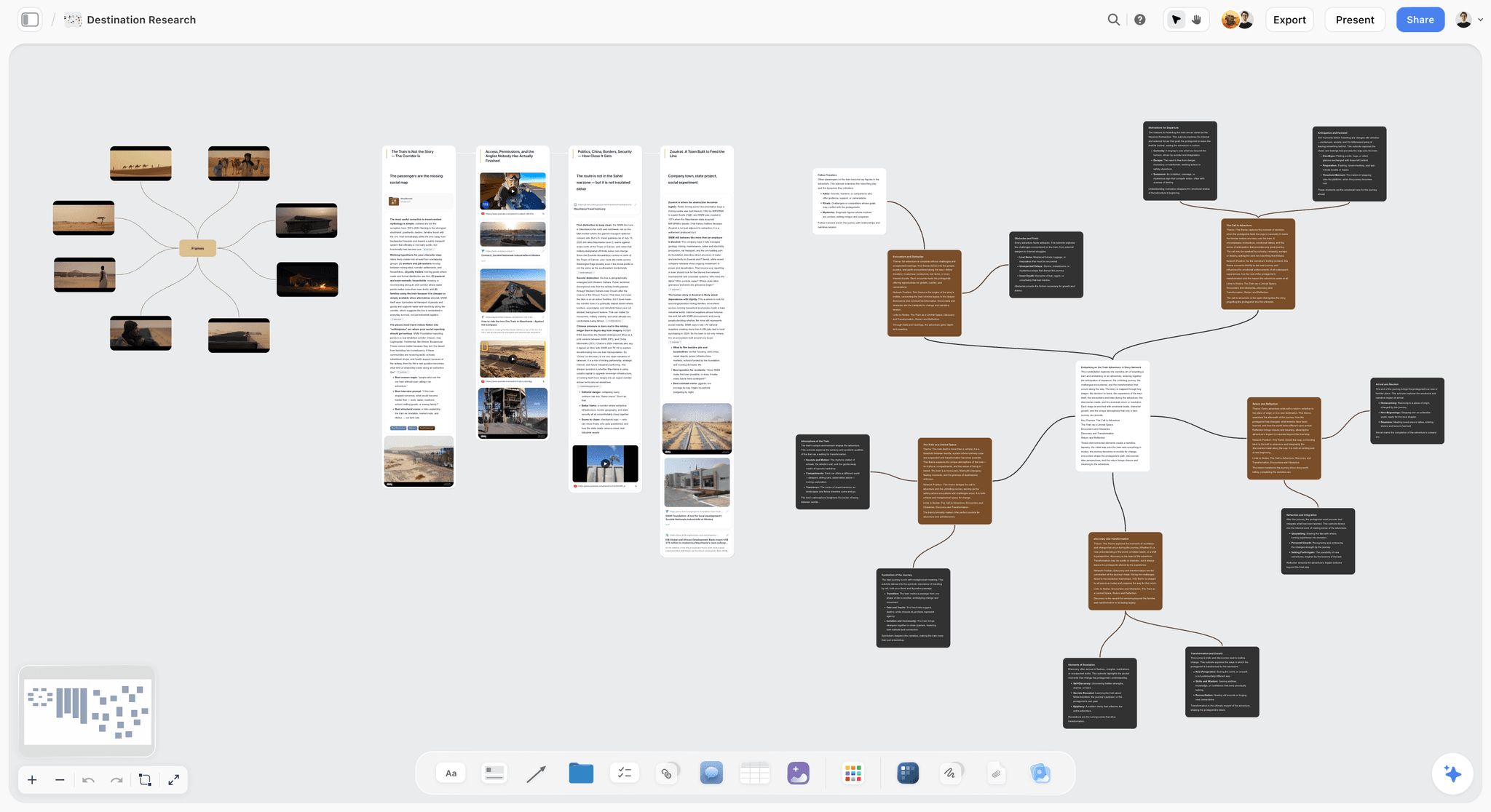
Concept references and the constraints behind a decision on one Storyflow canvas
Record why, not just what
A drawing set is an excellent record of what was decided and a poor record of why. Storyflow keeps the references, the constraints and the options that lost on the same canvas as the one that won, so the reasoning survives a staff change. It is not a common data environment and does not replace Monograph or Autodesk Construction Cloud.

How I Ranked These
Five criteria, in this order. This is a ranking for a small to mid-size practice rather than for a hundred-person firm with a dedicated BIM manager.
1. Can a decision be retrieved without knowing where it is? The core test. Retrieval by browsing beats retrieval by search when nobody remembers the search term, which is the actual situation in year three.
2. Does it hold what was rejected? A decision without its alternatives is an assertion. The rejected options are what stop the question being reopened.
3. Does it survive a seven-year project? Practices change software. A record locked in a proprietary format that a future team cannot open is a liability, and architectural liability periods are long.
4. Is it usable by someone who is not a specialist? Clients, planning consultants and contractors will not learn your system. Anything requiring an account or training will be routed around.
5. What does it honestly not do? Every tool here has a hard edge, and in this sector the edges are regulatory rather than cosmetic.
Competitor pricing is described by shape rather than exact figures, because AEC software is quoted per seat with wide variation. Storyflow's numbers are stated exactly because they can be verified.
1. Storyflow

Best for: the concept stage and the decision trail that should outlive it.
Storyflow is an AI visual workspace on an infinite canvas. For a project, the arrangement that earns its place is a board per project holding the site analysis, the precedent images, the massing options as they were compared, the constraints that shaped them, and the reasoning attached to the option that won.
It ranks first on criteria one and two, which are the ones this category is actually failing. Because the board is spatial, the three massing options are still visible next to the chosen one, with the daylight constraint and the planning comment sitting beside them. Retrieval is by looking rather than by searching, which is the only mode that works for someone who does not know the search term. A page of meeting notes cannot do this and a folder of PDFs cannot either.
The AI reads across the whole board rather than one card at a time, so asking what constraints drove the current layout produces an answer grounded in what is actually on the canvas. Storyflow's Tactics library adds 200+ expert creative frameworks, and the structured comparison ones transfer usefully to options appraisals.
Boards share as read-only links, which matters for client presentations and for planning consultants who will not create an account.
Pricing: Plus is $7.99 per month billed annually, or $9.99 monthly, and adds the 200+ Tactics library and unlimited uploads. Pro is $14 per month billed annually and adds AI image generation plus 20x more AI. Storyflow is paid-only during early access. The Free plan lands before the end of 2026, and anyone a paid member invites to a board joins free now, which covers a client or a consultant.
Where Storyflow loses, plainly:
- It is not a common data environment. No drawing issue sheets, no revision control on drawing sets, no transmittals, no formal audit trail of who received which revision when. On a project with contractual issue obligations, Autodesk Construction Cloud or an equivalent is doing that and Storyflow is not competing.
- No BIM integration of any kind. It does not read Revit, IFC or any model format. It sits beside the model and holds the reasoning, never the geometry.
- No time tracking, fees or resourcing. Utilisation, phase budgets and invoicing are practice management, which is Monograph's ground.
- Cloud-only, with no formal archive guarantee for a liability period. For a seven-year record obligation you need an export discipline, and that is a real caveat rather than a footnote.
Try this: take one live project and put the three options you compared at concept stage on a board, with the constraint that killed each one written next to it. That single board is the thing nobody can currently produce, and it is the one that stops the question returning.
2. Monograph
Best for: running the practice, which is the half no general tool touches.
Monograph is built for architecture and engineering practices specifically: fee proposals broken into phases, time tracking against those phases, resourcing across projects, and the profitability view that tells you which projects are quietly losing money.
It ranks second because this is a real and distinct job, and because practices routinely try to do it in a spreadsheet or a generic project tool and get it wrong. Architectural fees are phase-based and staged in a way most software does not model, and getting that wrong is how a practice discovers in month nine that a project consumed twice its fee.
Pricing shape: per-seat subscription quoted for the practice.
Where it loses: it is practice management, not design. It has nothing to say about concept, references, options or the decision trail, and it does not try to.
3. Autodesk Construction Cloud
Best for: document control once drawings are being issued.
Once a project is issuing drawings to consultants and contractors, the requirements become contractual: current revision only, a record of who received what, RFIs tracked and answered, markups against a specific version. A common data environment does this and improvised alternatives create liability.
Pricing shape: per-seat subscription, typically quoted annually.
Where it loses: it begins where the design decision has already been made. It stores outcomes with excellent rigour and holds almost nothing about why. It is also heavy for a small practice on domestic-scale work.
4. Airtable
Best for: the registers, which are genuinely tables.
Drawing registers, door and window schedules, RFI logs, planning condition trackers, finishes schedules. These are tabular, they need filtering and grouping, and they need to be exportable. Airtable handles them better than Notion at volume and much better than a spreadsheet once several people touch them.
Pricing shape: free tier with record limits, then per-seat monthly plans.
Where it loses: it is a database and treats everything as a record. Nothing about design reasoning fits it, and a decision reduced to a row loses the thing that made it a decision.
5. Miro
Best for: the coordination session, especially with people in three offices.
For a design workshop, a coordination meeting or a stakeholder session, an infinite canvas with facilitation built in is the right instrument. Miro is the incumbent and deserves to be.
Pricing shape: free tier, then per-member monthly plans.
Where it loses: Miro boards decay as records. Nothing enforces consistency, everyone adds, nobody prunes, and after four months the board is a landscape that needs a guide. It is an excellent session and a poor archive, which is the opposite of what the decision trail needs.
6. Notion
Best for: the practice wiki, which is where it genuinely wins.
Standards, detail libraries, specification templates, onboarding, the office manual, the checklist for a planning submission. This is internal knowledge that is text-shaped, browsed rather than searched, and updated occasionally. Notion is good at it.
Being fair matters, because the recommendation for most practices is not to leave Notion. It is to stop using it as the project decision record.
Pricing shape: free personal tier, then per-seat monthly plans.
Where it loses: retrieval on projects. A decision in a page called Meeting Notes 14 is unfindable eighteen months later by someone who was not there. Its canvas arrived late and it shows.
7. Milanote
Best for: material and reference gathering at the front of a project.
Precedent images, material samples, texture references, the mood a client responded to. Milanote is quick and pleasant for assembling this and easy to share.
Pricing shape: free tier capped by item count, then a flat per-person subscription.
Where it loses: it stops at the mood. No structure for options, no reasoning, no registers, and no relationship to anything downstream.
8. Morpholio Trace
Best for: sketching over a drawing, particularly on site.
Trace-paper-over-a-drawing is still how a great deal of architectural thinking happens, and doing it on a tablet with scale, layers and the ability to send the result immediately is a genuine improvement on the paper version.
Pricing shape: app purchase with subscription features.
Where it loses: it produces marked-up drawings and nothing else. The sketch is the record of a thought and needs somewhere to live afterwards.
9. Obsidian
Best for: personal project notes you intend to keep for a career.
Plain markdown files in a folder you own, working offline, opening in any editor in twenty years. For an individual architect's own reasoning, site visit notes and reading, this is durable in a way nothing else here is.
Pricing shape: free for personal use, with paid add-ons for sync.
Where it loses: it is single-player by default and text-only in practice. Architecture is a team discipline and a visual one, and Obsidian is weak on both.
10. Google Workspace
Best for: whatever a client, contractor or consultant will open without friction.
Fee proposals, cost trackers, meeting minutes, anything that has to travel outside the practice. It is the interchange format of the industry and that is a real function.
Pricing shape: free with an account, paid tiers for business features.
Where it loses: nothing about it helps you design or remember. Documents in Drive are as unfindable in year three as pages in Notion.
Tools to Avoid for This Job
A generic construction project management tool sold to contractors. These model work as tasks with dependencies and assume a build programme. Design development is iterative and loops, and forcing it into a Gantt produces a plan that is wrong within a fortnight and then ignored.
Email as the decision record. Every practice does this and every practice suffers for it. The decision exists in a thread, the thread is in one person's mailbox, and that person left. If it matters in year three, it cannot live in email.
A single tool for the model, the documents and the thinking. Nothing does all three. Products claiming to are weakest at exactly the part you were hoping to solve, and the model in particular is not something a workspace tool is going to hold.
What No Tool on This List Does
No tool tells you the constraint that drove a decision has since expired, which is the most common cause of a design carrying an unnecessary compromise for years. No tool tells you the client's stated priority and their actual priority have diverged. No tool notices that a detail has been redrawn four times because two people disagree and neither has said so.
Software can only make the trail retrievable. Choose the tool that lets someone who was not there find the reasoning in two minutes.
The Bottom Line
Practices go looking for a Notion alternative because Notion feels wrong, and the instinct is right for a reason that is easy to misdiagnose. The problem is not features or flexibility. In architecture the drawing shows what was decided. Almost nothing shows why, which is why the same question comes back in year three.
Keep Notion for the practice wiki, where it is genuinely strong. Put the registers in Airtable, the fees and time in Monograph, and the issued drawings in a proper common data environment, because those are contractual and improvisation there is a liability. And give the decision trail a visual surface where the chosen option still sits next to what it beat and why. That last job is the one Storyflow does better than anything else on this list, and it is the only claim this post makes for it.
FAQ: Notion Alternatives for Architects
What is the best Notion alternative for architects?
It depends which job you mean. Storyflow for the concept and decision layer, where options and their reasoning need to stay visible. Monograph for practice management, fees and time. Autodesk Construction Cloud for document control once drawings are being issued. Airtable for registers. No single product covers those, and any that claims to is weak somewhere expensive.
Should we stop using Notion?
Usually not. Notion is genuinely good as a practice wiki holding standards, templates and internal knowledge. The change worth making is to stop using it as the project decision record, because retrieval fails there and that is the one job where failure is costly.
How should a practice record design decisions?
Visually, with the alternatives kept. A decision recorded as prose is findable only by someone who already knows the search term. A decision recorded as the chosen option sitting beside what it beat, with the constraint written next to each, is findable by browsing, which is how someone in year three will actually look.
Does Storyflow replace a common data environment?
No. It has no drawing issue register, no revision control on drawing sets, no transmittals and no audit trail of who received which revision. Those are contractual obligations on most projects and belong in Autodesk Construction Cloud or an equivalent.
Does Storyflow work with Revit or IFC?
No. There is no BIM integration and it reads no model formats. It sits beside the model holding the reasoning, never the geometry. If you need model federation or clash detection, that is a different category of software entirely.
What is the best tool for drawing registers?
Airtable, or a well-disciplined spreadsheet. A register is genuinely tabular and needs filtering, grouping and export. This is one of the few places where a database is exactly the right shape and a visual tool would be the wrong one.
How do we keep project knowledge when someone leaves?
Record the reasoning as it happens rather than reconstructing it at handover, because handover documents get written by someone with two weeks left and no memory of year one. The practical version is a board per project where every significant decision gets its alternatives and its constraint added at the time it is made.
Is Miro good enough for this?
For a session, yes. As a record, no. Miro boards decay because nothing enforces consistency and nobody prunes, so after a few months the board needs a guide to read. That is acceptable for a workshop and disqualifying for something you need to retrieve from in year three.
What about long-term archiving for liability?
Assume any cloud tool needs an export discipline. Liability periods outlast software subscriptions, and a record you cannot open is not a record. At minimum, export project boards and registers to a durable format at each stage completion.
Do small practices need practice management software?
Once you are past two or three people, yes, and the reason is fee phasing rather than time tracking. Architectural fees stage in a way generic tools model badly, and a project quietly consuming twice its fee is usually discovered late, from a spreadsheet, by accident.
Can we run this on free tiers?
Partly. Notion's free tier covers a small practice wiki and Obsidian is free for personal use. The two places worth paying are practice management, because the cost of getting fees wrong dwarfs the subscription, and document control once you are contractually issuing drawings.
What is the single change worth making this quarter?
Pick one live project and build the options board retrospectively for the three biggest decisions made so far. It takes an afternoon and it will immediately show you which reasoning has already been lost.
Table of Contents
- Key Takeaways
- The Decision Trail
- At a Glance: The 10 Tools Compared
- How I Ranked These
- 1. Storyflow
- 2. Monograph
- 3. Autodesk Construction Cloud
- 4. Airtable
- 5. Miro
- 6. Notion
- 7. Milanote
- 8. Morpholio Trace
- 9. Obsidian
- 10. Google Workspace
- Tools to Avoid for This Job
- What No Tool on This List Does
- The Bottom Line
- FAQ: Notion Alternatives for Architects
- Related Reading
Templates to check out for this topic


Workspace templates you can use in Storyflow
Keep research, notes, and plans on one canvas the AI can read, instead of scattered across docs and tabs. Open a template and make it your second brain.


See Storyflow in Action
A visual AI workspace where every feature lives inside one canvas. No tab-switching, no context lost.
Build your entire board from a single message
Type what you need in the AI chat at the bottom of your canvas. The AI adds cards, headings, and structure directly onto your board.
Use expert frameworks as AI context
Type @ in the AI chat and choose any Tactic. The AI tailors every response to that framework instead of giving generic advice.
Turn your board into a mind map in seconds
Ask the AI to restructure your canvas as a mindmap. It connects your ideas into a visual hierarchy so you can see how everything relates.
Why Storyflow Exists
Storyflow actually began as a personal tool while working on creative and research projects.
We kept running into the same problem: ideas were scattered everywhere: notes, documents, and whiteboards.
Nothing helped us see how everything connected.
So we started building a workspace designed around how ideas actually grow.
→ Read how Storyflow was createdJustkay
Documentary Filmmaker & Founder at Storyflow
Published: 2026-08-27
Extremely simple, seriously capable


See how easy it is to get started
Watch a real project come together, from a blank board to a finished plan, clicked through step by step.
Start creating with AI and become more productive
Transform your creative workflow with AI-powered tools. Generate ideas, create content, and boost your productivity in minutes instead of hours.