The 10 Best Journaling Apps in 2026 (Ranked by Who Can Read Them)
A lock on the app is not a lock on the file. Ten journaling apps ranked by what happens to the text between your keyboard and the disk, with end-to-end encryption separated from encryption at rest.

Category
Tools & Software
Author

Sara de Klein
Head of Product at Storyflow
Topics
2026-08-14
•
20 min read
•
Tools & SoftwareTable of Contents
- Key Takeaways
- What Happens Between Your Keyboard and the Disk
- At a Glance: The 10 Tools Compared
- How I Ranked These
- Quick Picks by Job Type
- 1. Day One
- 2. Standard Notes
- 3. Obsidian with Daily Notes
- 4. Diarium
- 5. Apple Journal
- 6. A Paper Notebook
- 7. Journey
- 8. Reflect
- 9. Notion
- 10. Storyflow
- What to Actually Pay For
- Tools to Avoid for This Job
- What No Tool on This List Does
- The Bottom Line
- FAQ: Journaling Apps and Privacy
- Related Reading
Templates to check out for this topic


- best journaling apps 2026
- private journaling app
- end-to-end encrypted journal
- Day One alternative
- encrypted diary app
- digital journal privacy
What are the best journaling apps in 2026?
A journal is the one document you write assuming nobody will ever read it, so the honest way to rank journaling apps is by what happens to the text between your keyboard and the disk. Day One ranks first because it is the most complete journal that also lets you hold the key. Standard Notes ranks second because it treats custody as the product and asks you to accept a plainer journal in exchange. Obsidian with daily notes ranks third for anyone who wants a folder of plain text files they own outright. A paper notebook is on this list as a real entry, not a joke. Storyflow, which we make, ranks last.
Full disclosure: Storyflow is our product and it ranks tenth of ten here, because a shared cloud canvas is the wrong shape for a private journal. Storyflow wins on a narrow ground that has nothing to do with journaling: holding a creative plan spatially, with AI that reads the whole active board, for work that is meant to be shown to other people. For a diary it genuinely lacks end-to-end encryption, an app lock or biometric gate, a local file or offline vault, an export to a plain text archive, a daily note, a calendar view and on this day resurfacing, and it is paid only during early access. Day One and Standard Notes are the honest recommendations for the journal itself.
Quick Comparison
Ten journaling tools compared on one axis: what happens to your entries between your keyboard and the disk, and whether the archive survives without the company that stores it.
| Tool | Best For | AI Features | Price |
|---|---|---|---|
| Day One | A complete journal with on this day, media and a documented encryption option | AI capabilities exist, so read the current security page for scope | Around $35 per year |
| Standard Notes | The strictest custody, with plain text export and published audits | Minimal, because the vendor cannot read your content | Free tier, paid around $90 per year |
| Obsidian with daily notes | Plain markdown files on your own disk, with custody you choose | Only via community plugins you install yourself | Free for personal use |
| Storyflow | Planning creative work with other people, not private journaling | AI reads your full active board plus one Tactic and three Documents | $7.99 mo annual (free plan late 2026) |
Key Takeaways
- End-to-end encryption means the provider cannot read your entries. Encryption at rest means the provider holds the keys and can. Those phrases sit side by side in marketing copy and are not the same claim.
- The test that cuts through most of it: if the provider can reset your password and still hand back ten years of entries, the provider can read those entries.
- A Face ID prompt or a four digit passcode is a screen, not a cipher. It stops the person holding your unlocked phone and nobody else.
- AI features and end-to-end encryption pull against each other, because a model that summarises your year has to read it. That is a trade-off with a real cost, not a bug.
- Day One ranks first as the only tool combining serious journal furniture (on this day, calendar, media, export) with a documented encryption option for synced journals.
- Storyflow ranks tenth because a shared cloud canvas is the wrong shape for a private diary, and this post names the seven things it is missing.
Keep the diary private. Plan the work in the open.
Storyflow is not where your journal belongs, and it is where a creative project belongs: notes, references, images and documents on one canvas, with AI that reads your full active board. Paid-only during early access; the Free plan lands before the end of 2026.

What Happens Between Your Keyboard and the Disk
Every other software category is ranked on features. Journaling cannot be, because the feature that matters is negative: the absence of a reader.
You write a journal on the assumption of an empty room, and that assumption does enormous work. It is why people write down the thing they have not told their partner, the medical fear, the resignation letter they will not send. Strip it out and you get a different document: a performance, safe, and useless for what journaling is for.
So the ranking axis here is the path a sentence takes from your keyboard to permanent storage, and who can read it along the way. Call it the Custody Chain. There are three states, and almost every app lives in one while advertising as though it lives in another.
Sole custody. The plaintext exists only on hardware you control, or it leaves your device already encrypted under a key the provider never holds. This is end-to-end encryption in the strict sense, and its practical signature is that a forgotten password means genuinely lost entries. If losing your password is survivable, you did not have sole custody.
Shared custody. Your entries are encrypted on the provider's disks, but the provider holds the keys. This is what "encrypted at rest" and "bank level encryption" almost always mean. It stops someone who steals a drive from a data centre. It does not stop the provider's own staff, a court order, an acquisition, or an attacker who reaches the keys as well as the ciphertext. Most journaling apps sold today are here.
Open custody. The entries sit in a general purpose system with no encryption claim beyond transport, often in a workspace somebody else administers. Journaling in a work Notion is open custody even when the page is marked private, because private in a multi-tenant workspace means hidden from colleagues, not from whoever runs the workspace.
One piece of interface design does most of the damage here.
A lock on the app is not a lock on the file. An app that asks for Face ID before showing your entries does one useful job: it stops the person who picked up your unlocked phone. It is a UI gate, not cryptography. The entries behind it are stored under whatever custody state the app actually uses, and a passcode screen makes shared custody feel like sole custody. When one app lists "app lock" next to another's "end-to-end encryption", you are looking at a feature and a screen.
One more tension defines the category in 2026. AI features require reading. A model that surfaces themes across three years, or answers "what was I anxious about in March", needs the text in plaintext at the moment it runs, and if that happens on a server then the server has your entries. The honest reconciliations are to run the model on device, or send only the selection the user asked about. The dishonest one is to keep the encryption language on the marketing page and quietly move the entries. You can usually tell which you are getting from whether the vendor writes about the trade-off at all.
The ten entries below are ranked by custody first, then by whether the thing is actually a good journal.
At a Glance: The 10 Tools Compared
| Tool | Custody state | File you keep | Brings the past back | Price |
|---|---|---|---|---|
Day One | Sole custody option for synced journals | Yes, via export | On this day, calendar, map | Subscription |
Standard Notes | Sole custody by design | Yes, plain text export | Weak, search only | Free tier plus paid |
Obsidian daily notes | You choose it per sync method | Yes, markdown on disk | Via plugins | Free for personal use |
Diarium | Local first, your own cloud folder | Yes, local database | On this day, calendar | Low one off cost |
Apple Journal | On device, iCloud rules apply | No | Reflections and prompts | Free with iPhone |
Paper notebook | Absolute sole custody | It is the file | Only by rereading | Price of a notebook |
Journey | Provider held, check current page | Yes, via export | On this day, calendar | Subscription |
Reflect | Vendor states end to end, verify scope | Yes, via export | Backlinks, daily notes | Higher subscription |
Notion | Open custody in a shared workspace | Export, formatting loss | Weak without setup | Free tier plus per seat |
Storyflow | Cloud only, no end to end encryption | No local file | No on this day | Paid in early access |
How I Ranked These
I come from documentary, where the most sensitive file in a project is an interview recording somebody gave you in confidence, and where that file lives is a professional obligation rather than a preference. I have kept a daily journal for nine years, moved it between four of the tools here, and read the security documentation of every one of them before writing this.
Five criteria, in order.
1. Who holds the key? The test: try the password reset flow. If the provider can restore your archive after you have forgotten everything, the provider can decrypt it. Sole custody costs a lost decade for a lost password.
2. Is there a file you can hold? The test: turn off the internet, sign out, and see whether ten years of entries still open. If that depends on a company existing, the archive is a service, not a possession.
3. Does the lock do anything? The test: read the security page and find whether the passcode gates a decryption key or only a view. Most gate a view, most say so if you look, and almost nobody looks.
4. Does it bring the past back? A journal you never reread is a write only log. On this day, a calendar view and search across years give the habit a return.
5. Can you leave in one action? The test: a single export producing plain text or markdown with photos attached, without a support ticket. An app that makes leaving awkward has told you how it plans to treat you later.
Pricing is as of August 2026 and changes frequently. Verify with each vendor. Security models change too, so treat every claim below as a pointer to a vendor page you should read yourself.
Quick Picks by Job Type
- Best overall journal: Day One. The most complete journal that also takes the key question seriously.
- Best custody: Standard Notes. The plainest writing surface and the strictest encryption posture here.
- Best archive you own: Obsidian with daily notes. A folder of markdown that outlives any vendor.
- Best cross platform and cheap: Diarium. Four platforms, syncing through a cloud folder you already pay for.
- Best free on iPhone: Apple Journal. No subscription, on device, and it will nudge you.
- Best for absolute privacy: a paper notebook. Nothing to breach or subpoena.
1. Day One
The verdict. The most complete journal on the market, and the only one here pairing real journal furniture with a documented end-to-end encryption option for synced journals.
Best for. One app to hold a decade of entries, photos and location, with the encryption question answered.
Pricing. Free tier with limits. Premium around $35 per year as of August 2026, often discounted on first purchase.
Why it ranks here. Entries carry timestamp, location, weather and photos automatically, so four sentences written in a hurry still recover their context five years later. On This Day turns writing into rereading, and rereading is where journaling starts paying you back.
Day One has documented end-to-end encryption for synced journals for years, with the consequence attached: the keys are yours and losing them means losing the entries. A vendor willing to publish "we cannot recover this for you" is describing sole custody rather than performing it. Check scope on the current security page, since encryption in a product this size is per journal and per feature.
Export is the other reason it ranks first: JSON, plain text and PDF with media attached, in one action. That is the difference between an archive you rent and one you own with a convenient reader on top.
Strengths.
- Documented end-to-end encryption option for synced journals, with lost keys stated as unrecoverable.
- On This Day, calendar and map views make the archive genuinely rereadable.
- Automatic metadata captures context you would never type yourself.
- One action export to JSON, plain text and PDF with media.
Limitations.
- Subscription only for the features that matter, and the free tier is thin.
- Encryption is per journal and per feature, so you have to read rather than assume.
- Any AI capability needs plaintext, which sits in tension with the encryption pitch.
The trade off. A subscription and a vendor in the chain, for the only tool here that is a serious journal and a serious custody story at once.
2. Standard Notes
The verdict. The strictest custody posture on this list, wrapped around a deliberately plain writing surface.
Best for. Anyone whose first question is who can read this, and whose second question is nothing.
Pricing. Free tier with encrypted sync. Paid plans around $90 per year as of August 2026, with multi year discounts that bring the annual figure down.
Why it ranks here. Standard Notes was built end-to-end encrypted from the first release rather than adding it as a tier. Notes are encrypted on your device before they sync, and the documentation is direct: they cannot read your notes and cannot recover them if you lose your password. The product is arranged around not being able to help you, which is the correct shape for this problem and an awkward thing to sell.
It ranks second because it is a notes app that journals rather than a journal. There is no On This Day and no calendar heat map, and media works through attachments. If your habit depends on the app resurfacing last February, this is not the one.
What it gives you is sole custody with no asterisks, plain text export, and a long history of published third party audits, which is different from claiming to be secure. The AI question resolves itself, since little can be done with content a vendor cannot read.
Strengths.
- End-to-end encryption by default rather than as a paid tier or an option.
- Documented inability to recover your notes, the honest signature of sole custody.
- History of published third party audits, checkable rather than rhetorical.
- Free tier includes encrypted sync, plus plain text and markdown export.
Limitations.
- No On This Day, no calendar view, none of the resurfacing that sustains a habit.
- Media handling is attachment based and clumsy next to Day One.
- The paid tier is expensive unless you commit to multiple years.
The trade off. The best answer to custody and the weakest to rereading, which is the choice between this and Day One.
3. Obsidian with Daily Notes
The verdict. Not a journaling app, and the best way to own a journal outright.
Best for. People who want dated markdown files on a disk they control and will assemble the rest themselves.
Pricing. Free for personal use. Obsidian Sync roughly $4 to $8 per month depending on tier as of August 2026.
Why it ranks here. The Daily Notes core plugin turns Obsidian into a journal with one setting: a dated file from a template you write, opened with one hotkey. Add Calendar for the month view and Periodic Notes for weekly reviews. After twenty minutes you have a journal made of plain markdown files in an ordinary folder.
That is why it ranks third. Every other software entry has a custody state chosen by the vendor, and Obsidian hands the decision to you. A vault on an encrypted disk with no sync is sole custody with a real search engine on top. Obsidian Sync, documented as end-to-end encrypted, keeps the key with you. The same vault in a consumer cloud folder hands a provider a directory of plaintext diary entries. A lock on the app is not a lock on the file, and here there is no lock on the app at all.
The cost is that you are the product team. On This Day needs a plugin, mobile capture is slower than a purpose built journal, and community plugins are unaudited code reading files you show nobody.
Strengths.
- Plain markdown files on your disk, readable in 2036 without any vendor.
- Custody is your decision rather than the vendor's, including a genuinely offline configuration.
- Obsidian Sync is documented as end-to-end encrypted for sync without giving up the key.
- Free for personal use, with search and backlinks across a decade of entries.
Limitations.
- No journal features out of the box beyond a dated file.
- Community plugins run with access to your vault and are not audited by anyone in particular.
- No app lock or biometric gate, so an unlocked laptop is an open journal.
The trade off. Twenty minutes of setup and you are the maintainer, for the only archive here with no company attached to its expiry date.
4. Diarium
The verdict. The most underrated cross platform journal, and the cheapest way to keep a local first archive with real journal features.
Best for. Windows and Android users, or anyone mixing platforms, who wants a local database and their own cloud folder.
Pricing. Historically a one off purchase around $10 to $15, with a modest subscription option added later, as of August 2026.
Why it ranks here. Diarium is cross platform in a way almost nothing here is: Windows, Android, iOS and macOS, all real apps rather than a wrapped web view. Entries live in a local database, and sync happens by pointing it at a cloud service you already have. It has the journal furniture too: On This Day, calendar, tags, weather and ratings, for a fraction of a Day One subscription.
The custody nuance cuts both ways. Because entries sync through your own cloud folder, your journal inherits that provider's custody state, which for mainstream consumer clouds is shared custody. Diarium documents password protection and encryption options, and what those cover is the thing to read before trusting it with a decade.
It ranks fourth because the apps are functional rather than lovely and export is less refined than Day One's.
Strengths.
- Real apps on Windows, Android, iOS and macOS, with Windows treated as first class.
- Entries stored locally, with sync through a cloud account you already control.
- On This Day, calendar, tags, weather and ratings included rather than tiered.
- Very low cost next to every subscription on this list.
Limitations.
- Sync custody is inherited from whichever consumer cloud you point it at.
- Interface is utilitarian and clearly Windows first.
- Smaller team, so the long term maintenance question is a real one.
The trade off. A plainer app and an inherited sync model, for a local archive with proper journal features at roughly one month of the alternatives.
5. Apple Journal
The verdict. Free, on device, genuinely good at getting you to write, and the weakest archive here to bet a decade on.
Best for. iPhone owners who have never kept a journal and want zero friction.
Pricing. Free with iOS. iCloud storage costs apply if your entries carry a lot of media.
Why it ranks here. The suggestion engine is the reason to use it. Journal proposes entries from what your phone already knows: the walk you took, Saturday's photos, the album on repeat, the person you called. That converts the hardest part of journaling, which is not writing but remembering there was something to write about, into a tap.
Apple's default position on custody is stronger than most. Entries are processed on device, the app can be locked behind Face ID, and Apple documents that Advanced Data Protection extends end-to-end encryption to additional iCloud data categories. How Journal entries and attachments are covered is the thing to read on Apple's current platform security documentation rather than take from a blog post, including this one.
It ranks fifth because of the exit: no desktop story a writer would want, no Android, no web, and no export producing the archive Day One hands you in one action.
Strengths.
- Suggestions from on device signals beat any prompt library at removing the blank page.
- Free, with no tier, no upsell and no account beyond the one you have.
- On device processing plus Face ID or passcode locking by default.
- Writing Tools and system integration make short entries fast.
Limitations.
- iPhone centric, with no meaningful desktop or cross platform story.
- No robust export to a portable archive, which makes leaving expensive.
- Encryption coverage depends on iCloud settings you have to verify yourself.
The trade off. The best free on ramp into the habit and the worst plan for keeping the result.
6. A Paper Notebook
The verdict. The only entry on this list with no custody chain at all, and it is here on merit.
Best for. Anyone whose reason for journaling is that the entry will never be read, and who will give up search for it.
Pricing. A hardback A5 notebook runs $5 to $25. A decade of journaling costs less than one year of most subscriptions here.
Why it ranks here. Paper wins criteria one and two absolutely. There is no provider, no key, no reset flow, no server, no jurisdiction, no acquisition, no terms of service update, no model reading your entries. Nobody can search it remotely, at scale, at any point in the future, under any legal instrument. Every software entry here is an argument about how closely it can approximate that.
Writing by hand is also slower, and the slowness changes the output: you cannot backspace your way to a tidier thought, so what lands on the page is closer to what you meant.
It ranks sixth rather than first because criteria four and five destroy it. There is no search, so the return path is rereading, which almost nobody does with discipline. Paper is also fragile in a way encrypted files are not: sole custody and zero redundancy are the same property from two sides.
Strengths.
- No provider, no key, no jurisdiction, no future policy change.
- Cannot be searched remotely, at scale, or retroactively by anyone.
- Handwriting produces a less edited, more honest entry.
- Costs less across a decade than one year of most subscriptions.
Limitations.
- No search, so a decade of entries is functionally unindexed.
- No On This Day, so rereading takes deliberate effort nobody sustains.
- Single physical copy, vulnerable to fire, water and curiosity.
The trade off. Perfect custody and no return path, which is why the honest recommendation is paper alongside software rather than instead of it.
7. Journey
The verdict. The most polished truly cross platform journal, built cloud first, with AI features that make custody a question you have to answer deliberately.
Best for. People who want Day One's experience on Android, Windows and the web too.
Pricing. Free tier with limits. Membership around $30 to $60 per year depending on plan and region as of August 2026.
Why it ranks here. Journey has been the standard answer to Day One but not only on Apple for years and it earns that: Android, iOS, web, Windows and macOS with a coherent experience across all of them, plus calendar and timeline views, media, location and a mail to journal address.
It has gone furthest of anyone here on AI, with coaching features that read your entries and respond to them. That has value, since a prompt referencing what you wrote in March beats a generic one. It is also the tension at its clearest, because an AI coach is a reader by definition, so entries analysed by a model on a server were plaintext on that server.
Journey publishes security documentation describing encryption and locking. Establish before you commit whether the provider holds keys that can decrypt your archive, and whether any AI feature changes that. Read the security page and the AI documentation together.
Strengths.
- Real cross platform coverage including Android, Windows and web.
- Calendar, timeline, media and location handled well.
- Mail to journal lets you write from any device without the app.
- Export available, and the most developed AI reflection features in the category.
Limitations.
- Cloud first design, so the archive lives with the provider by default.
- AI features require plaintext access, which limits how strong any encryption claim can be while they are on.
- Free tier is restrictive enough that the app effectively costs money.
The trade off. The best cross platform experience, bought by accepting a provider in the chain and reading what the AI features see.
8. Reflect
The verdict. A networked notes app with daily notes at its centre, an explicit encryption pitch and heavy AI, which is a combination worth understanding before you adopt it.
Best for. People who want journal, meeting and reading notes in one linked graph and will pay for polish.
Pricing. Around $10 to $15 per month, or roughly $100 or more per year, as of August 2026.
Why it ranks here. Reflect is built around the daily note. You open it and today's page is there, which is the right default for journaling: no decision about where the entry goes, no filename, no folder. Backlinks connect a person or an idea across years of entries without any tagging discipline. Ask what you have written about a particular friend since 2023 and a linked graph answers instantly where a dated file list cannot.
Custody is why it ranks eighth, and it is an unresolved tension rather than a criticism. Reflect states that notes are end-to-end encrypted, which if it holds across the whole product would put it near the top of this list. It also ships prominent AI features that summarise and transform notes. Those coexist only under specific designs: decrypt on the client and send only the selection you asked about, or scope AI to content you opt in per item.
Before trusting it with a journal, read the security page and the AI documentation together and establish which content reaches a model, when, and in what form.
Strengths.
- Daily note as the default surface, which is the right shape for journaling.
- Backlinks turn years of entries into something you can interrogate by person or theme.
- Fast, polished apps with an offline capable local store and export available.
- Vendor is explicit about encryption rather than silent.
Limitations.
- Encryption and AI need to be read together, and the scope of each is on you to verify.
- Among the most expensive options here for a personal journal.
- Notes app resurfacing is weaker than a dedicated On This Day.
The trade off. The best structural fit for people who think in links, with a custody question to answer before a decade goes in.
9. Notion
The verdict. A capable database that people journal in because it is already open, and the weakest custody model of any software on this list.
Best for. Journaling with structure in a personal workspace, when you already live in Notion.
Pricing. Free personal tier. Paid plans from roughly $10 to $12 per user per month billed annually as of August 2026.
Why it ranks here. As a journal database Notion is genuinely good. An entries table with date, mood, tags and energy gives you filtered views nothing else here offers: every entry tagged with a particular person, every low energy day last quarter, a rollup of how often you wrote each month. If you want a journal you can query rather than one you reread, this is the strongest tool here.
The problem is custody, and it is not subtle. Notion is a multi-tenant cloud service with no end-to-end encryption. Entries are encrypted in transit and at rest with keys the provider holds, which is shared custody. There is no app lock that means anything cryptographically, and Notion AI reads workspace content by design.
Then the failure that actually happens. Journal in a workspace your employer owns and you are in open custody: a page marked private is private from colleagues, not administration, and it does not leave with you.
Strengths.
- Database properties allow queries a linear journal cannot answer.
- Templates make a consistent daily entry with prompts trivial to set up.
- Free personal tier is generous for a single writer.
- Everything else in your life is already there, which is why the habit sticks.
Limitations.
- No end-to-end encryption, so the provider holds the keys.
- No meaningful app lock or biometric gate on the entries.
- Journaling inside an employer's workspace exposes entries to workspace administration.
- Export loses formatting and structure in ways that make the archive awkward.
The trade off. The most queryable journal here, on the understanding that it is not private from the company running it, and not private at all in an employer workspace.
10. Storyflow

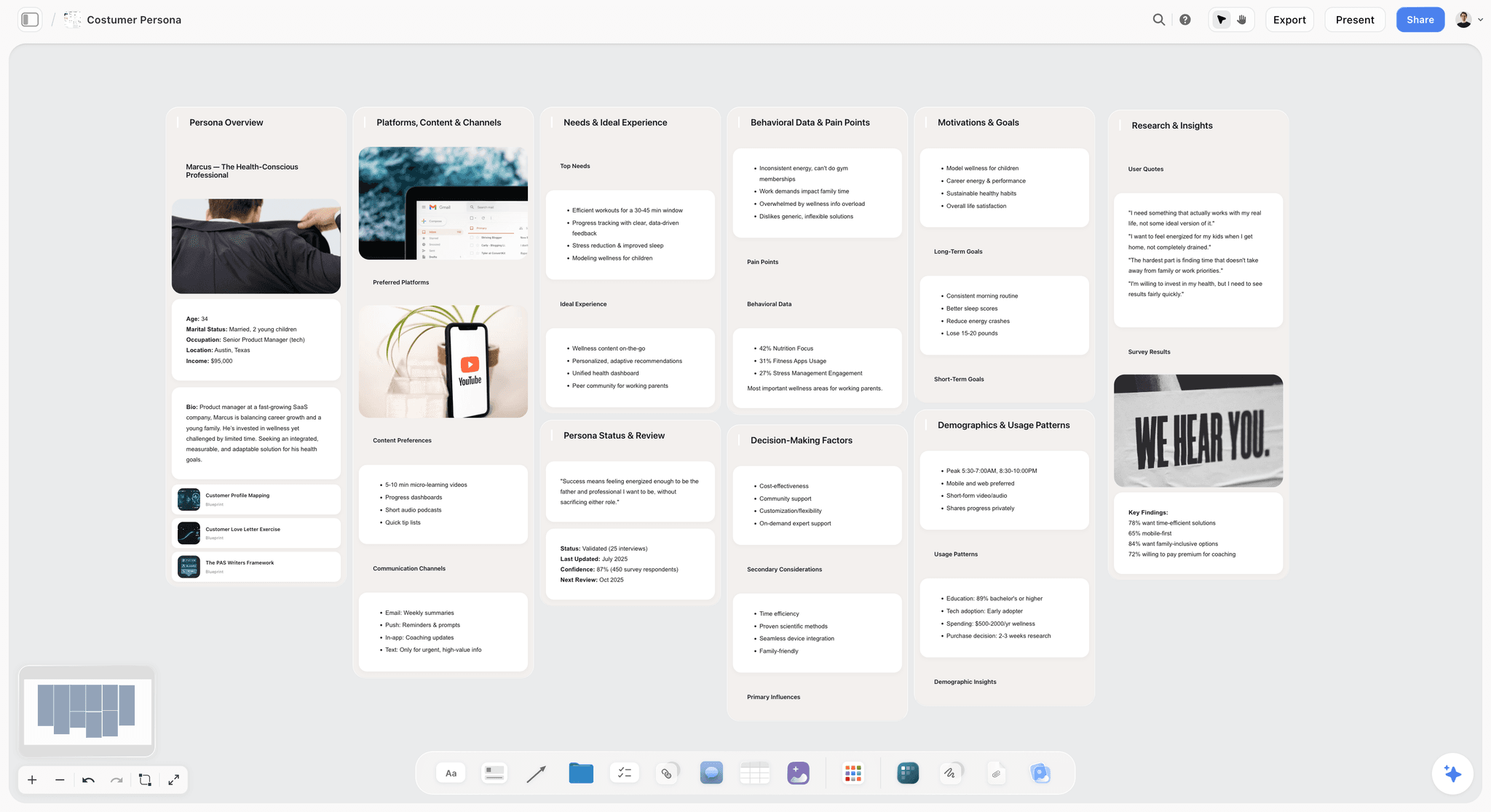

The verdict. A shared cloud canvas is the wrong shape for a private journal, and we would rather say that here than sell you the wrong tool.
Best for. Not this. Storyflow is for planning creative work with other people, close to the opposite of the job this post describes.
Pricing. Paid only during early access, as of August 2026. Plus is $7.99 per month billed annually or $9.99 monthly. Pro is $14 per month billed annually or $19 monthly, adding AI image generation, roughly twenty times more AI usage and memory across conversations. Max is $39 per month billed annually or $49 monthly, adding forty times more AI and Team Workspace with permissions and roles. Pricing is flat per account rather than per seat, and anyone a paid member invites joins free. The Free plan launches before the end of 2026.
Why it ranks here. Storyflow is a canvas built for creative planning: boards, notes, images, documents and an AI that reads your full active board plus up to one Tactic and up to three Documents you @-mention. Every one of those decisions assumes the work is meant to be shown. A journal assumes the opposite, and the mismatch is structural rather than a matter of features we might add next quarter.
Start with custody. Storyflow has no end-to-end encryption. Your boards live on our servers under keys we hold, which is shared custody, and if you write your diary there we are in a position to read it. There is also no app lock and no biometric gate. A lock on the app is not a lock on the file, and here there is neither.
Then the archive. Storyflow is cloud only: no local file, no offline vault that opens without an account, and no export to a plain text archive. Obsidian, Diarium and a paper notebook beat us outright there. Then the journal itself: no daily note to create today's entry, no calendar view to give a year a shape, no On This Day to bring back last February.
Strengths.
- Spatial canvas is genuinely good for planning work that other people will see.
- AI reads the full active board, answering questions across a project rather than one note.
- Flat per account pricing, so invited collaborators cost nothing.
- 200 plus Story blueprints on the Plus plan.
Limitations.
- No end-to-end encryption. Boards are stored under keys we hold, so we are technically able to read them.
- No app lock and no biometric gate, so an unlocked device is an open board.
- Cloud only, with no local file and no offline vault that opens without an account.
- No export to a plain text archive, so leaving does not leave you holding readable files.
- No daily note and no calendar view, so nothing creates or organises entries by date.
- No On This Day or any other resurfacing, so the archive has no return path.
- Paid only during early access, with no free way in unless a paid member invites you.
The trade off. Plan the creative project with us and keep the journal in Day One, Standard Notes or a notebook, which is a sentence we would rather write than lose your trust over.
What to Actually Pay For
Pay for sole custody before you pay for features. The order that goes wrong is buying the app with the best widget and discovering three years in that the archive cannot leave and the provider holds the keys. Custody is the one property you cannot retrofit onto ten years of entries.
Pay the subscription if the alternative is a free app with no business model. Around $35 a year for Day One buys a vendor whose revenue comes from you rather than from your content. In a category where the only asset is the writing, a free product with no visible way of making money is a question to answer first.
Do not pay for AI on a journal until you know where the plaintext goes. An AI coach that references what you wrote in March is a nice feature and it costs the strongest privacy claim the app can make. Make that trade deliberately, per feature, rather than by accepting a default at signup.
Spend $15 on a notebook before $100 on software. If you have abandoned a journal twice, the problem is not the tool. A pen and a month will tell you whether you journal.
Skip the second app. Two journals is zero journals. Running Day One and Obsidian and Notion in parallel until none holds a continuous record is the common failure. Pick one custody state, put everything there, export once a year.
Tools to Avoid for This Job
Any app that advertises "bank level encryption" and nothing else. That phrase means encrypted at rest with keys the vendor holds. It is not a lie and it is not sole custody, and vendors using it in place of a plain statement about the key are doing that on purpose.
A journal in a workspace your employer administers. Private in a multi-tenant workspace means hidden from colleagues, not from administration, and none of it leaves with you when you do.
A notes app with cloud sync you never configured. The default destination on a phone is a consumer cloud, which is shared custody, and a folder of dated diary files is the most legible thing you can hand anyone.
Locked notes as a privacy strategy. The per note lock in a mainstream notes app stops a person holding your phone. It does not change who can read the stored entry.
Any journaling app with no export. Not because you plan to leave, but because an app that makes leaving hard has told you what it does when incentives change. The export is the fire exit, checked before the fire.
What No Tool on This List Does
None of them make you honest. The most expensive failure in journaling is not a breach, it is self censorship: writing the version that would be fine if someone read it. Custody is a precondition for honesty, not a source of it.
None of them protect the plaintext on the screen in front of you. Every encryption model here assumes the device is not compromised and nobody is behind you. Sole custody on an unlocked laptop in a shared office is a rounding error.
None of them, including Storyflow, give you both a fully end-to-end encrypted archive and an AI that understands your last three years. Storyflow's AI reads your full active board because it can, and it can because we hold the keys, which is the trade every AI journaling feature makes and the reason we rank tenth. Storyflow also has no local file and no plain text export, so it fails the second criterion outright. That is a real gap and this post is not going to work around it.
None of them will get you to reread. On This Day helps and it is not a deliberate annual read of the last twelve months, which is where journaling actually pays and which no software has made anyone do.
The Bottom Line
Rank journaling apps by features and you end up with a beautiful archive somebody else can read. The only question you cannot fix later is who holds the key, and the industry has spent a decade making it hard to answer: a passcode screen standing in for a cipher, "bank level encryption" standing in for a plain sentence about custody.
Day One is the pick for most people: both a serious journal and a serious answer on encryption, with a one action export that keeps the archive yours if you leave. Standard Notes is the pick if custody outranks everything. Obsidian with daily notes wins if you want files that still open in 2036, Diarium is the cheap cross platform version of that idea, and a paper notebook beats all of them on the axis this post cares about most.
Storyflow ranks tenth because a shared cloud canvas is the wrong shape for a private journal, for reasons we cannot design around: no end-to-end encryption, no local file, no plain text export, no daily note, no calendar, no On This Day. A lock on the app is not a lock on the file, and in our case there is neither. Plan your work with us. Keep the diary somewhere you hold the key.
FAQ: Journaling Apps and Privacy
What is the most private journaling app in 2026?
Standard Notes has the strictest posture of any software here: end-to-end encrypted by default, a documented inability to recover your notes, and a history of published third party audits. Day One is close and a far better journal, with a documented encryption option for synced journals whose scope you should confirm on its security page. For privacy with no provider in the chain, paper beats all of them.
What is the difference between end-to-end encryption and encryption at rest?
End-to-end encryption means entries are encrypted on your device under a key the provider never holds, so the provider cannot read them under any circumstance, including a court order. Encryption at rest means the data is encrypted on the provider's disks with keys the provider holds, which protects against a stolen drive and not the provider. The test: if a password reset restores your archive, it is encryption at rest.
Does a passcode or Face ID lock actually protect my journal?
It protects it from a person holding your unlocked device, which is the most likely threat. It does nothing about who can read the stored entries, because in most implementations it gates a screen rather than a decryption key. A lock on the app is not a lock on the file. Treat it as a layer on top of whatever encryption model the app uses, then read what that model is.
Can journaling apps read my entries?
If the app has no end-to-end encryption, yes, technically it can, whether or not anyone ever does. That covers Notion, Storyflow and most apps advertising encryption without saying who holds the keys. If the app is end-to-end encrypted, the provider holds ciphertext and cannot read the contents, which is why those vendors also tell you they cannot recover a lost password. The consequence is the proof.
Are AI journaling features safe to use?
They require the model to read your entries, so the answer depends on where that happens. On device processing keeps plaintext local. Server side processing means your entries were plaintext on someone else's machine at the moment the feature ran, however they are stored the rest of the time. Decide per feature, after reading the documentation, rather than accepting whatever is on by default.
What is the best free journaling app?
Apple Journal if you have an iPhone: free, on device, and its suggestions are the best answer to the blank page here. Obsidian is free for personal use and gives you a folder of markdown files you own, the strongest free custody position available. Standard Notes has a free tier including encrypted sync. Storyflow is not an option, since it is paid only during early access.
How do I keep a journal that survives the app company shutting down?
Keep plain text or markdown files on a disk you control, which is what Obsidian with daily notes gives you by default and what Diarium approximates with a local database. If you use a cloud journal, run the full export once a year on a date you put in the calendar, and store it somewhere separate. An export you have never opened is not a backup.
Is journaling in Notion a bad idea?
In a personal workspace it is a reasonable trade if you know what you are accepting: no end-to-end encryption, keys held by the provider, and Notion AI able to read workspace content. In a workspace your employer administers it is a genuinely bad idea, because a private page there is hidden from colleagues rather than from administration, and it does not leave with you when you go.
Should I journal on paper or in an app?
Paper if the point is honesty and you accept that you will rarely reread it. An app if the point is a searchable record you can interrogate years later. The pattern that works for people who do both is paper for entries that exist so you can put something down, and software for the log with dates, tags and a return path.
What should I look for in a journaling app's security page?
Four things. Who holds the encryption key, stated plainly. What happens if you forget your password, since an unrecoverable answer indicates real end-to-end encryption. Which content the encryption covers, because it is often per journal rather than global. And what any AI feature does with plaintext. If a page says "bank level encryption" and never answers the key question, that omission is the answer.
Does Day One or Journey have better privacy?
Day One publishes a longer standing end-to-end encryption design for synced journals with the unrecoverable key consequence stated, which is the stronger signal. Journey is the better cross platform product and has gone further on AI, which by construction requires plaintext access somewhere. Neither claim should be taken from a comparison post, including this one, since both have shipped significant changes recently.
Can Storyflow be used as a journal?
You can write dated notes on a board, and we would rather you did not use it for a private diary. Storyflow has no end-to-end encryption, no app lock, no local file, no plain text export, no daily note, no calendar view and no On This Day, so it fails both the privacy criterion and the habit criteria here. Use Day One or Standard Notes.
Templates you can use in Storyflow
Every Storyflow board starts from real structure and an AI that reads the whole canvas. Open one of these templates and make it yours.


See Storyflow in Action
A visual AI workspace where every feature lives inside one canvas. No tab-switching, no context lost.
Build your entire board from a single message
Type what you need in the AI chat at the bottom of your canvas. The AI adds cards, headings, and structure directly onto your board.
Use expert frameworks as AI context
Type @ in the AI chat and choose any Tactic. The AI tailors every response to that framework instead of giving generic advice.
Turn your board into a mind map in seconds
Ask the AI to restructure your canvas as a mindmap. It connects your ideas into a visual hierarchy so you can see how everything relates.
Why Storyflow Exists
Storyflow actually began as a personal tool while working on creative and research projects.
We kept running into the same problem: ideas were scattered everywhere: notes, documents, and whiteboards.
Nothing helped us see how everything connected.
So we started building a workspace designed around how ideas actually grow.
→ Read how Storyflow was createdSara de Klein
Head of Product at Storyflow
Published: 2026-08-14
Start creating with AI and become more productive
Transform your creative workflow with AI-powered tools. Generate ideas, create content, and boost your productivity in minutes instead of hours.