The 11 Best Brainstorming Tools for Theatre Companies in 2026
A production exists in three places at once: the rehearsal room, the production office, and the season calendar. Eleven tools ranked by which one each serves.

Category
Visual Collaboration
Author

Sara de Klein
Head of Product at Storyflow
Topics
2026-08-11
•
16 min read
•
Visual Collaboration- best brainstorming tools for theatre companies
- theatre production planning software
- easy digital whiteboards for brainstorming
- theatre design collaboration tools
- Propared vs Monday for theatre
- best visual collaboration tool for teams
What are the best brainstorming tools for theatre companies in 2026?
The best brainstorming tool for a theatre company is Storyflow, and the argument turns on a fact peculiar to this art form: your creative team is almost entirely freelance, they are in the building for three weeks, and every tool priced per seat quietly encourages you to leave them out of the planning. Storyflow is priced flat per account, and anyone a paid member invites joins free, so the designer, the composer and the movement director are all in the same board for the cost of one subscription. Miro is the better tool for a live session in a room, and it is not close. Propared is the only production management tool here built by people who have actually run a get-in. This ranking judges all 11 tools on one question: which of the three places a show lives does each one serve.

Full disclosure: Storyflow is our own product, and we list it first here for one narrow reason: theatre creative teams are freelance by structure, and flat per-account pricing with free invited collaborators is the only shape that puts all of them in the same board. For running a live session Miro is better, and for production scheduling Propared is better, and we say so in both reviews. Storyflow has no rehearsal calls, production schedules, get-in plans, venue availability, budgeting module (its AI drafts a budget table on request, nothing more), cue stack or facilitation features.
Quick Comparison
These four cover the jobs a theatre company actually splits into: holding the design conversation across a freelance creative team, running a real workshop, scheduling calls and get-ins, and tracking every physical item with a status and a return date.
| Tool | Best For | AI Features | Price |
|---|---|---|---|
| Storyflow | Concept and design across the whole creative team | Canvas-wide context AI | $7.99 mo annual (free plan late 2026) |
| Miro | Facilitated sessions and devising workshops | Light AI | Free (3 boards) / from ~$8 per member mo |
| Propared | Calls, production schedules and touring | None | Tiered by organization size |
| Airtable | Props, costumes, hires and returns | Light AI | Free tier / from ~$20 per seat mo |
Key Takeaways
- A theatre production exists in three places at once: the rehearsal room, the production office, and the season calendar. They run on different clocks and almost nothing passes cleanly between them.
- The most expensive failure in theatre planning is a decision made in the room at four o'clock that the design team hears about on Thursday, by which point something has been built.
- Creative teams in theatre are freelance by structure, not by accident. Per-seat pricing is therefore a structural mismatch, and it produces boards that do not contain the people making the show.
- Storyflow ranks first for flat per-account pricing and for holding the visual conversation between departments. It has no rehearsal or production scheduling, no venue availability, no cue stack, no budgeting module beyond a budget table its AI drafts on request, and no facilitation features.
- Miro is better for a live brainstorming session, with timers, voting and private mode. Propared is better for production scheduling. Both are named as such throughout.
- Design gets approved before staging exists more often than anyone admits, because design deadlines precede rehearsal by months. Making the staging intent visible early is the only real mitigation.
- Small companies are consistently oversold enterprise arts management software and underserved by anything designed for a team of five.
Put the whole creative team in the same board
Five of your six creatives are freelance and in the building for three weeks. Storyflow is priced flat per account, so the designer, composer and movement director all join free, and the concept, staging intent and design sit on one canvas the AI can read end to end. Paid-only during early access; the Free plan lands before the end of 2026.

The Room, the Office, and the Calendar
Theatre is unusual among collaborative art forms in how completely its three working environments fail to talk to each other.
A theatre production exists in three places at once: the rehearsal room, the production office, and the season calendar.
The room. Where the show actually gets made, and where almost nothing is written down. Decisions happen constantly and verbally: a scene gets restaged, an entrance moves, a scene that was played standing is now played on the floor. The stage manager's report captures some of it. The report is written at the end of a long day and goes to people who are also at the end of a long day.
The office. Where the show gets built and paid for. Deadlines here run months ahead of the room: the set is drawn, costed and often built before rehearsals begin. Design approvals happen against a staging that does not exist yet, based on a director's description of an intention.
The calendar. The season, the venue availability, the get-in and get-out, the marketing deadlines that need images before there is anything to photograph. It governs everything and it is agreed earliest, which means it is agreed with the least information.
The most expensive failure in theatre planning is a decision made in the room at four o'clock that the design team hears about on Thursday, by which point something has been built. Not because anyone was careless. Because the room's clock runs in hours and the workshop's clock runs in weeks, and there is no shared surface where a change in one is visible in the other.
There is a second failure that follows from the same structure. Design is approved before staging exists, so the design serves an imagined production. When the real staging diverges, the set is either wrong or the staging is constrained by a set built for a different show. Companies absorb this as normal. It is normal, and it is still expensive.
And a third, quieter one: the freelance problem. A theatre creative team is a director, a designer, a lighting designer, a sound designer, a composer and a movement director, and typically five of those six are freelance and in the building for three weeks. Any tool that charges per person means the company is making a small financial decision about whether each of them can see the planning. The predictable result is that they cannot, and the board becomes a record of what the salaried staff know.
The tools below are ranked by which of the three places they serve.
At a Glance: The 11 Tools Compared
| Tool | Best for | Place it serves | Pricing shape |
|---|---|---|---|
Storyflow | The visual conversation between departments | Room and office | Flat per account |
Miro | Live brainstorming and design sessions | Room | Per member |
Propared | Production scheduling built for live performance | Office and calendar | Per plan tier |
Airtable | Props, costumes, cast and everything with a status | Office | Per seat |
Milanote | Design reference and mood without noise | Office | Per person |
Yesplan | Venue and season scheduling for a building | Calendar | Enterprise |
Notion | Company documentation and the show bible | Office | Per user |
Monday.com | Deadlines a temporary team can read | Calendar | Per seat |
Google Workspace | The free baseline everyone already has | All three, badly | Free or per user |
QLab | Sound and video cues in performance | Room | Licence |
Artifax | Arts venue scheduling and resource management | Calendar | Enterprise |
How I Ranked These
I have made documentaries around two theatre companies and sat in enough production meetings to have watched the four o'clock problem happen repeatedly, always in the same shape. Where this list touches technical and venue management specifically, I have leaned on production managers who corrected an earlier draft.
Every tool below has been used on real productions.
Five criteria, weighted in this order.
1. What does it cost to include a freelance creative team? This is first because it decides whether the tool describes the production or only the staff. Per-seat pricing on a six-person freelance creative team is a recurring decision most companies resolve by exclusion.
2. Does a change in one place become visible in another? The four o'clock problem is a propagation problem. Tools that put the room's decisions where the office can see them are doing the highest-value work available here.
3. Is it usable by people who do not use software? Theatre is full of brilliant people whose relationship with project management tools ranges from indifference to hostility. A tool requiring training will be used by the production manager and nobody else.
4. Does it survive the get-in? The last two weeks are when everything happens and nobody has time. Tools that need attention to stay accurate stop being accurate exactly when accuracy matters.
5. Does it fit a company of five? Most theatre companies are small, and most arts management software is priced and scoped for buildings. The mismatch is severe and rarely acknowledged.
Pricing below is as of August 2026, and several tools in this category are quote-only. Verify with each vendor.
Quick Picks by Job Type
- Best overall for a theatre company: Storyflow. One visual surface for the concept and design conversation, flat per account so the whole freelance creative team is in it.
- Best live brainstorming session: Miro. Timers, voting, private mode and the facilitation toolkit if you run real workshops.
- Best production scheduling: Propared. Built for live performance by people who understand a get-in.
- Best for props, costumes and anything with a status: Airtable. Required fields and automated chasing.
- Best design reference board: Milanote. Quiet and spatial, ideal for a designer gathering visual language.
- Best venue and season scheduling: Yesplan or Artifax. If you run a building rather than a company, this is your category.
- Best documentation: Notion. The show bible, contact sheets and company process.
- Best free baseline: Google Workspace. Shared docs everyone can already open.
1. Storyflow
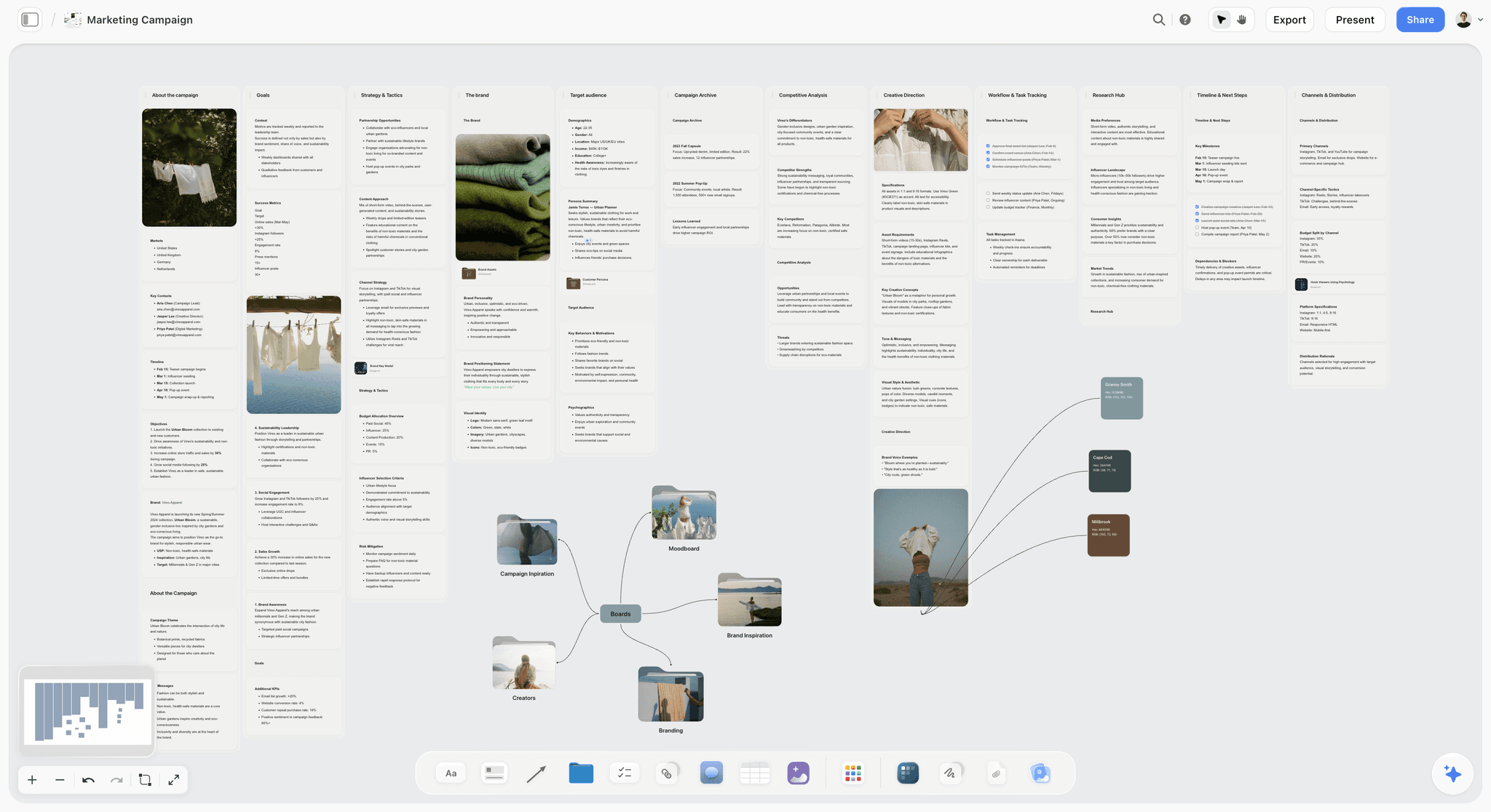
The verdict. The only tool here whose pricing shape matches the shape of a theatre creative team, and the only one built for a visual conversation rather than a schedule.
Best for. The concept and design conversation between a director and a freelance creative team.
Pricing. Paid-only during early access. Plus is $7.99 per month billed annually or $9.99 monthly. Pro is $14 per month billed annually or $19 monthly, adding AI image generation, roughly twenty times more AI usage and memory across conversations. Max is $39 per month billed annually or $49 monthly and adds the Team Workspace with permissions and roles. Pricing is flat per account rather than per seat, and anyone a paid member invites to a board joins free and can invite others. The Free plan launches before the end of 2026.
Why it ranks here. Start with pricing, because for this art form specifically it is the argument rather than a footnote. A company with two salaried staff and a six-person freelance creative team is, on a per-member tool at roughly $10 a seat, making an $80 a month decision about whether the people making the show can see the planning. On a small company's budget that decision goes the wrong way, and it goes the wrong way every production. Here the account holder pays and everyone invited joins free.
The second reason is the design-before-staging problem. A designer working from a director's verbal description is working from an intention rendered in adjectives. A board where the director's reference images, the spatial intent for key moments, and the designer's developing model sit side by side converts adjectives into something arguable. The disagreement surfaces in February, when it costs a conversation, rather than in the fit-up, when it costs a rebuild.
The third is the room-to-office gap. This is not fully solvable by software, and I will not pretend otherwise. What a shared visual board does is give the four o'clock decision somewhere to go that is not a report nobody reads: a photograph of the marked-up floor plan on the board, next to the design, where the production manager sees it the same evening.
The AI reads your full active canvas board by default, plus up to one Tactic and up to three Documents you @-mention, which is useful for summarizing a concept board for a funding application or a marketing brief.
Strengths.
- Flat per-account pricing, so the entire freelance creative team is in the board.
- Invited collaborators join free and can invite others.
- Visual conversation between departments in one surface rather than in six email threads.
- Spatial arrangement preserves intent that a document flattens.
- Canvas-wide AI context for drafting funding and marketing copy from the concept board.
Limitations.
- No theatre scheduling: its AI strip board is built for film shoot days. No rehearsal calls, no production schedule, no get-in plan, no venue availability. Propared does all of this and Storyflow does not attempt it.
- No facilitation features: no timer, no voting, no private mode, no breakout rooms, no video conferencing.
- No budgeting module (its AI drafts a budget table on request, with no fringes, top sheet or actuals), no contracts, no box office, no CRM.
- No cue stack. It has nothing to do with performance.
- No props or costume tracking with required fields, which Airtable does properly.
- Team Workspace with permissions and roles is on Max at $39 per month billed annually.
The trade off. Storyflow holds the conversation and none of the logistics. A company running more than two productions a year wants it alongside a scheduling tool, not instead of one.
2. Miro
The verdict. The best tool for a live session and the wrong home for anything that must last past it.
Best for. Design meetings, company brainstorms and structured creative workshops.
Pricing. Free tier capped at three editable boards. Paid plans from around $8 per member per month billed annually. Verify on miro.com.
Why it ranks here. If your company runs genuine facilitated sessions, a devising workshop, a season planning day, a company brainstorm, Miro's toolkit is unmatched: timers to keep a room moving, voting to converge, private mode so people commit before they see each other's answers.
Second because of per-member pricing on a freelance-heavy team, and because Miro boards become dense and unreadable within weeks of the session, which is a poor fit for content a designer needs to reference for three months.
Strengths.
- Best facilitation toolkit available.
- Enormous template library.
- Handles large groups reliably.
- Excellent for distributed devising work.
Limitations.
- Per-member pricing, structurally wrong for freelance creative teams.
- Boards become archaeology quickly.
- Three-board cap on the free tier.
- No production or scheduling features.
The trade off. Use it for sessions if you run them. Do not make it the home of your design conversation.
3. Propared
The verdict. The only production management tool here built specifically for live performance, and the right answer for scheduling.
Best for. Production schedules, calls, venue logistics and touring.
Pricing. Tiered by organization size, with plans starting in the low tens of dollars per month for small companies. Verify on propared.com.
Why it ranks here. Propared understands the shapes theatre actually has: a production schedule with calls, a get-in that runs across days, a tour with different venues and different technical realities. Generic project tools model none of this well.
The distribution model is the part production managers value most: schedules go out to the people who need them, in the form they need, and update when the schedule updates, rather than as a PDF that is immediately out of date.
Third rather than higher because it is a logistics tool and this is a brainstorming list, and because it does nothing for the creative conversation.
Strengths.
- Built for live performance scheduling, including touring.
- Calls, schedules and personnel that update for everyone at once.
- Distribution that keeps freelancers informed without seats.
- Sensible pricing for small companies.
Limitations.
- Nothing for creative or design work.
- Smaller ecosystem than general tools.
- Interface is functional rather than delightful.
- Takes setup investment before the first production.
The trade off. Buy it for the calendar and the office. It is the best answer here for both.
4. Airtable
The verdict. The right home for anything with a status, which in theatre is most things.
Best for. Props, costumes, cast, hire items, rights and clearances.
Pricing. Free tier with record limits. Team plans from around $20 per seat per month billed annually. Verify on airtable.com.
Why it ranks here. A props list is a database pretending to be a spreadsheet. Each prop has a status (sourced, made, hired, returned), an owner, a scene, a cost and a return date. Airtable makes those required fields with automated chasing, which is why "which hire items are due back on Monday" is a view rather than a panic.
Fourth because it is generic infrastructure, and because it needs somebody to build and maintain the base, which small companies often do not have.
Strengths.
- Required fields and controlled statuses.
- Linked records across props, scenes, cast and costumes.
- Automations that chase returns and deadlines.
- Forms for collecting cast measurements and details.
Limitations.
- Needs an owner.
- Per-seat pricing for collaborators.
- Nothing visual or spatial.
- Record and attachment limits on lower tiers.
The trade off. Excellent for the office's lists. Useless for the room's conversation.
5. Milanote
The verdict. The calmest place for a designer to build visual language, and a genuine alternative to a canvas for that job alone.
Best for. Design reference, mood and visual development.
Pricing. Free plan capped at 100 notes, images and links across the account. Paid plans from around $12.50 per person per month. Verify on milanote.com.
Why it ranks here. Designers take to Milanote quickly because it behaves like the physical reference boards they already make. For a set or costume designer gathering visual language, it is genuinely lovely.
Fifth because the 100-item cap arrives mid-design-process, and because per-person pricing has the same freelance problem as Miro.
Strengths.
- Most intuitive board here for visual work.
- Excellent web clipper.
- Stays readable because it stays sparse.
- Good creative project templates.
Limitations.
- Hard 100-item free cap across the whole account.
- Per-person pricing for collaborators.
- No production features.
- No AI worth using.
The trade off. Strong for one designer's own process. Weak as a company-wide surface.
6. Yesplan
The verdict. Venue and season scheduling for organizations that run a building.
Best for. Multi-space venues managing resources, staff and events across a season.
Pricing. Quote-based, aimed at venues rather than companies. Verify on yesplan.be.
Why it ranks here. If you programme a building, the problem is genuinely different: two studios, a main house, a rehearsal room, an education programme and a bar, all competing for the same technicians. Yesplan models that properly with resource conflict detection.
Sixth because a company without a building does not have this problem and should not buy this software.
Strengths.
- Real resource and space conflict detection.
- Season-level scheduling across multiple spaces.
- Strong reporting for boards and funders.
- Built for arts organizations specifically.
Limitations.
- Quote-based enterprise pricing.
- Implementation is a project.
- Irrelevant to companies without a venue.
- Nothing creative.
The trade off. Correct for buildings, wrong for companies.
7. Notion
The verdict. The right home for the written show bible and company documentation.
Best for. Contact sheets, company process, rehearsal reports archive, funding text.
Pricing. Generous free plan for individuals. Paid plans around $10 per user per month billed annually. Verify on notion.so.
Why it ranks here. Companies need written memory: how we run a get-in, who our regular freelancers are, what we said in last year's funding application. Notion is good at that and many small companies already run on it.
Seventh because a design conversation is not a document, and because per-user pricing again excludes the freelance team from anything beyond guest access.
Strengths.
- Excellent written documentation and archive.
- Databases handle light tracking.
- Familiar to most people under forty.
- Strong free tier for a solo administrator.
Limitations.
- Everything becomes a document, including the visual work.
- Guest limits on lower tiers.
- No spatial canvas worth using.
- Configuration is a time sink.
The trade off. Words here. Pictures elsewhere.
8. Monday.com
The verdict. Deadlines legible to people who joined three weeks ago, which describes most of a theatre team.
Best for. Marketing deadlines, funding deadlines and cross-department coordination.
Pricing. Free tier for very small teams. Paid plans from around $9 per seat per month billed annually with minimum seat counts. Verify on monday.com.
Why it ranks here. The season calendar has a critical path (images for marketing, copy deadlines, funding reports) that is mostly independent of the room. Monday makes that legible to a small administrative team without training.
Eighth because minimum seat counts and per-seat pricing fit theatre badly, and because Propared covers the production side better.
Strengths.
- Lowest adoption friction for non-technical staff.
- Good dependency and timeline views.
- Automations for deadline reminders.
- Clear enough for board reporting.
Limitations.
- Minimum seat counts hurt companies of four.
- Nothing theatre-specific.
- Feature gating by tier.
- Guests cost money.
The trade off. Fine for administration. Not for production or creative work.
9. Google Workspace
The verdict. What most theatre companies actually run on, and honest about it.
Best for. Shared documents everyone can open without an account conversation.
Pricing. Free with personal accounts. Business tiers from around $8 per user per month. Verify on workspace.google.com.
Why it ranks here. A shared Drive with the script, the schedule, the contact sheet and a folder of reference images costs nothing, requires no onboarding, and can be opened by a freelance designer on a phone. For a company doing one production a year this is genuinely sufficient.
Ninth because nothing propagates, nothing is enforced, and version confusion is guaranteed by week two of any production of real size.
Strengths.
- Free, universal, no onboarding.
- Real-time collaboration.
- Anyone can open anything.
- Nothing to lose when a subscription lapses.
Limitations.
- No structure and no enforcement.
- Version confusion on anything sustained.
- No spatial canvas.
- Nothing connects to anything.
The trade off. Correct for the smallest companies. Outgrown fast.
10. QLab
The verdict. Not a planning tool, included because it is the piece of software theatre actually runs on.
Best for. Sound, video and lighting cues in performance.
Pricing. Free tier with limits, with perpetual licences and rental options for advanced features. Verify on qlab.app.
Why it ranks here. QLab is the standard for playback in live performance, and it is on this list because any honest account of theatre software has to acknowledge that the tool with the deepest adoption is a cue player, not a planning tool.
Tenth on a brainstorming list because it does not brainstorm anything. Its relevance here is that design decisions about sound and video eventually become a QLab file, and thinking about that early saves a designer time.
Strengths.
- The standard for theatre playback.
- Free tier genuinely usable for simple shows.
- Rental licensing that fits production budgets.
- Deep, reliable and well understood.
Limitations.
- macOS only.
- Not a planning or collaboration tool.
- Advanced features require paid licences.
- Steep learning curve for complex shows.
The trade off. Essential in performance, irrelevant in planning.
11. Artifax
The verdict. Enterprise arts scheduling for large organizations, listed for completeness.
Best for. Large venues and festivals with complex resource management.
Pricing. Quote-based enterprise. Verify on artifax.net.
Why it ranks here. Artifax is a mature, capable system for organizations running many events across many spaces with complex resourcing. Large venues and festivals use it and get real value.
Eleventh because it is aimed at an organization size where a brainstorming tool comparison is not the relevant question.
Strengths.
- Deep resource and space management.
- Built for arts organizations at scale.
- Strong reporting.
- Mature and stable.
Limitations.
- Enterprise pricing and procurement.
- Long implementation.
- Overwhelming for small companies.
- Nothing creative.
The trade off. Right at venue scale, wrong everywhere else on this page.
What to Actually Pay For
Pay for the thing your freelance team can be in. This is the highest-return decision available to a small company, and it is a pricing-shape decision more than a feature decision. A board containing the whole creative team beats a better board containing two salaried staff.
Pay for scheduling if you do more than two productions a year. Propared costs less than a single day of a production manager's time spent rebuilding a schedule in a spreadsheet.
Put anything with a status in a database. Props, costumes, hires, rights. Airtable's free tier covers a small company's first production and the discipline transfers.
Do not buy venue software unless you have a venue. Yesplan and Artifax are correct at building scale and a serious misallocation below it.
Do not pay for facilitation you do not use. Miro is excellent and most small companies run two facilitated sessions a year, which the free tier covers.
Tools to Avoid for This Job
Generic project management as your production schedule. Asana, Monday and ClickUp do not model calls, get-ins or touring. Configuring one to do so produces a worse Propared at more effort.
Email as the design conversation. Reference images in an email thread lose their relationship to each other and to the script the moment the thread branches, which is immediately.
A tool your designer cannot open on a phone. Freelance creatives work between jobs, on trains, on phones. A tool requiring a desktop and an account will be checked once.
Two schedules. The single most reliable predictor of a get-in going wrong is a production schedule in one place and a rehearsal schedule in another, reconciled by a person who is also doing three other jobs.
What No Tool on This List Does
None of these will get the room's decisions into the office reliably.
This is the central problem of theatre production and it is fundamentally a human protocol, not a software one. The fix that actually works in companies that have solved it is a standing fifteen-minute production meeting at the end of the rehearsal day, with the stage manager, the production manager and whoever is available, where the day's changes are said out loud to the people they affect. Software can hold what that meeting produces. It cannot produce it.
None of them will make design and staging deadlines compatible, either. The set is costed and built before rehearsals begin because that is how the money and the calendar work, and no tool changes that sequence. What you can do is make the staging intent visible earlier and in more detail, which converts some late surprises into early conversations. Some, not all.
And none of them will tell you the show is not working. Theatre's great advantage is that you find out in previews, in front of people, which is both the most reliable feedback in the performing arts and the most brutal. No planning tool substitutes for it, and no amount of planning documentation predicts it.
The Bottom Line
A theatre production exists in three places at once: the rehearsal room, the production office, and the season calendar. They run on different clocks and almost nothing passes cleanly between them.
Choose by the gap that keeps costing you. If your schedules are always out of date, buy Propared and stop rebuilding them by hand. If props and costumes go missing or come back late, put them in a database with required fields. If your workshops are unfocused, Miro's facilitation tools genuinely help and its free tier may be enough.
But if the recurring failure is that the people making the show cannot see the plan, because including them was a per-seat decision that went the wrong way, that is a pricing-shape problem rather than a feature problem. That is the narrow case where Storyflow ranks first here, and it is the only claim this post makes for it.
FAQ: Brainstorming Tools for Theatre Companies
What is the best brainstorming tool for a theatre company?
Storyflow, primarily because of pricing shape: theatre creative teams are freelance by structure, and flat per-account pricing with free invited collaborators means the designer, composer and movement director are all in the board rather than excluded by a per-seat decision. Add Propared for production scheduling, which Storyflow does not do at all.
What is the best digital whiteboard for brainstorming with a creative team?
Miro if you run genuinely facilitated sessions and need timers, voting and private mode, and its free tier covers three boards which is enough for a company running a few workshops a year. Storyflow if the content needs to persist across a production and be readable by freelancers who join later. They serve different jobs and many companies use both.
Does Storyflow do production scheduling or call sheets?
No. Storyflow has no rehearsal calls, no production schedule, no get-in plan, no venue availability and no touring features. It also has no facilitation tools, no budgeting module beyond a drafted budget table, and no cue stack. It ranks first on this list for the creative and design conversation, and Propared is the recommendation for scheduling.
Is Storyflow free for a theatre company?
Not during early access. Storyflow is paid-only right now, starting at $7.99 per month billed annually on the Plus plan. The Free plan launches before the end of 2026. The genuinely free path today is that anyone a paid member invites to a board joins free and can invite others, which for a theatre company means the whole freelance creative team is included in one subscription.
How do we stop the design being wrong when the staging changes?
You cannot fully, because design deadlines precede rehearsal by structural necessity. What helps measurably is making staging intent visible in more detail earlier: spatial sketches of the key moments alongside the reference images, on a surface the designer can interrogate months before the model showing. The disagreements that surface in February cost a conversation; the same disagreements in the fit-up cost a rebuild.
What is the best free tool for a small theatre company?
Google Workspace for documents and Miro's free tier for the occasional workshop will carry a company doing one or two productions a year. Airtable's free tier is excellent for props and costume tracking. Storyflow is paid-only during early access, so it does not belong in a free stack today, though invited collaborators join free.
Propared or Monday for production scheduling?
Propared, for anything involving calls, get-ins or touring, because it models the shapes theatre actually has and Monday does not. Monday is better for the administrative calendar around a season: marketing deadlines, funding reports and copy dates.
How do we track props and costumes?
In a database with required fields, not a spreadsheet. Each item needs a status, an owner, a scene, a cost and, for hires, a return date, with automated reminders before returns are due. Airtable does this in an afternoon and the discipline is what matters more than the tool.
How do we include freelance creatives without paying per seat?
Choose tools whose pricing does not scale with collaborators. Storyflow's invited collaborators join free. Propared distributes schedules to people without seats. Google Drive is open to anyone with a link. Any tool where adding your lighting designer is a purchasing decision will eventually mean your lighting designer is not in the planning.
How much should a small theatre company spend on software?
Under $100 a month for most companies of under ten people, covering a creative canvas, production scheduling, a database for lists, and documents. The expensive mistake is not the subscriptions, it is buying venue-scale arts management software when you do not run a venue.
Can AI help with theatre planning?
For drafting and summarizing, yes: turning a concept board into funding application text or a marketing brief is genuinely useful and tedious to do by hand. Storyflow's AI reads your full active canvas board plus up to one Tactic and three Documents you @-mention, so that drafting is grounded in your actual concept rather than generic. For the creative work itself it has nothing useful to say.
What should the creative team be able to see before rehearsals?
The concept, the design as it stands, and the staging intent for the moments that constrain design. If the set designer, lighting designer and costume designer have each looked at the same surface and told the director what they understood from it, most of the expensive early misalignment has been caught.
How do we keep a record between productions?
Keep the concept board rather than deleting it, and write one page after each production on what the design and staging taught you. Companies lose an enormous amount of institutional knowledge because everything lives in freelancers who leave, and the cheapest counter is an artifact that survives the closing night party.
What is the single change worth making on the next production?
Add a fifteen-minute production meeting at the end of each rehearsal day, with the stage manager and production manager, and put whatever it produces onto the shared board that evening. The four o'clock problem is the most expensive failure in this art form and it is solved by a protocol, not a purchase.
Table of Contents
- Key Takeaways
- The Room, the Office, and the Calendar
- At a Glance: The 11 Tools Compared
- How I Ranked These
- Quick Picks by Job Type
- 1. Storyflow
- 2. Miro
- 3. Propared
- 4. Airtable
- 5. Milanote
- 6. Yesplan
- 7. Notion
- 8. Monday.com
- 9. Google Workspace
- 10. QLab
- 11. Artifax
- What to Actually Pay For
- Tools to Avoid for This Job
- What No Tool on This List Does
- The Bottom Line
- FAQ: Brainstorming Tools for Theatre Companies
- Related Reading
Templates to check out for this topic


Mind mapping and ideation templates you can use in Storyflow
Map ideas in space, then ask the AI to restructure, expand, or connect them. Open any of these boards and start thinking visually instead of in lists.


See Storyflow in Action
A visual AI workspace where every feature lives inside one canvas. No tab-switching, no context lost.
Build your entire board from a single message
Type what you need in the AI chat at the bottom of your canvas. The AI adds cards, headings, and structure directly onto your board.
Use expert frameworks as AI context
Type @ in the AI chat and choose any Tactic. The AI tailors every response to that framework instead of giving generic advice.
Turn your board into a mind map in seconds
Ask the AI to restructure your canvas as a mindmap. It connects your ideas into a visual hierarchy so you can see how everything relates.
Why Storyflow Exists
Storyflow actually began as a personal tool while working on creative and research projects.
We kept running into the same problem: ideas were scattered everywhere: notes, documents, and whiteboards.
Nothing helped us see how everything connected.
So we started building a workspace designed around how ideas actually grow.
→ Read how Storyflow was createdSara de Klein
Head of Product at Storyflow
Published: 2026-08-11
Extremely simple, seriously capable


See how easy it is to get started
Watch a real project come together, from a blank board to a finished plan, clicked through step by step.
Start creating with AI and become more productive
Transform your creative workflow with AI-powered tools. Generate ideas, create content, and boost your productivity in minutes instead of hours.