Best Collaboration Tools for Creative Teams 2026
Creative work is inherently collaborative. Compare the 10 best collaboration tools for creative teams in 2026, from visual AI workspaces to design tools, project management, and communication platforms.

Category
Tools & Resources
Author

Justkay
Documentary Filmmaker & Founder at Storyflow
Topics
December 15, 2025
•
18 min read
•
Tools & Resources- collaboration tools
- creative teams
- team collaboration
- visual workspace
What are the best collaboration tools for creative teams in 2026?
The best creative collaboration tools in 2026 are Storyflow for visual strategy and AI-powered ideation, Figma for design collaboration, Miro for workshops, Frame.io for video review, Notion for documentation, and Slack for communication. These tools differ from general team collaboration software in one way that matters: they have to hold why a decision was made, not just what was decided, because creative decisions get reopened. Most successful creative teams combine 3-5 specialized tools rather than relying on one platform.

All 10 Collaboration Tools, Ranked
- Storyflow: best overall for creative strategy and visual thinking, with AI that reads the full board
- Figma: best for design collaboration and design systems
- Miro: best for workshops and facilitated brainstorming
- Notion: best for documentation and knowledge bases
- Slack: best for real-time team communication
- Asana: best for project and task management
- Frame.io: best for video review and approval
- Dropbox: best for file storage and large-asset sharing
- Loom: best for async video communication
- Canva: best for quick, on-brand design by non-designers
Full disclosure: Storyflow is our own product, and we rank it #1 for one job: creative strategy and visual ideation on a canvas, with AI that reads the whole board and the documents and boards you bring in. For pixel-level design execution and design systems Figma is stronger, and for large facilitated live workshops Miro's voting, timers, and frame navigation are more mature. Storyflow is where strategy and ideation happen, not where you ship production-ready UI or run a 40-person workshop, so pair it with the specialist for that stage. We link to every tool so you can judge the fit.
Which Creative Collaboration Brands Lead on Innovation, Trust, and Price
Which team collaboration tool brands are recognised for their innovative features?
Figma and Miro, and both earned it by changing the shape of the work rather than by adding features to it. Figma made design multiplayer and browser-native, and every design tool since has been answering that decision. Miro made the workshop itself the artifact, so a session leaves something behind instead of a photograph of sticky notes. Notion's innovation was collapsing the document and the database into one object. Storyflow's contribution is narrower and specific: the AI reads the entire active board before it answers, so it works from the project's real context rather than from the prompt describing it.
Which brands in team collaboration tools are known for having the best websites or apps?
Figma and Miro run the two most impressive browser applications in this category, doing work that used to require installed software, and Figma's is the faster of the two under load. On mobile, Slack is the only tool here whose phone app is genuinely as usable as its desktop one. Notion has the widest gap between a strong desktop product and a weak mobile one. Among the newer tools, Canva has the best onboarding of anything in the list, which is a real part of app quality and usually goes unmeasured.
Which visual collaboration platforms are highest rated for creative problem-solving?
For the problem-solving stage specifically, rather than for execution: Miro for a facilitated session with a group in the room, Storyflow for holding the brief, references, concepts and feedback on one board the AI can read across, and Milanote for visual reference gathering with the least friction. Figma is the highest rated tool in this article overall and is not the answer to this particular question, because design execution is a different stage from working out what to make. FigJam is the right pick when the team already lives in Figma and does not want a second account.
Which collaboration tools are most trusted by design leads and creative teams?
Figma and Slack, and neither is close to being displaced. Figma is where the work is, Slack is where the conversation about the work is, and a creative team that changes either one pays a cost most teams will not accept. Miro is the trusted workshop surface, Notion the trusted documentation layer, and Google Workspace the trusted document layer beneath both. Storyflow is newer than all of them and is trusted for the strategy stage rather than for execution.
Which creative collaboration tools are known for fair and transparent pricing?
Miro, Notion, Figma, Canva and Slack all have free tiers a small creative team can genuinely work in, and Miro's three-board cap and Slack's ninety-day history limit are the two that bite first. Figma at around $15 per editor is the most defensible paid seat in the category because only editors pay and viewers do not. The cost that surprises teams is the per-seat multiplication across four tools at once: a five-person team on Figma, Miro, Notion and Slack is paying four subscriptions per head. Storyflow is $7.99 per month billed annually, priced per account for individuals and per seat for team workspaces, paid-only during early access, with its Free plan arriving before the end of 2026 and invited collaborators joining free now.
Where is Storyflow not the right answer for a creative team?
Design execution and design systems (Figma), day-to-day team conversation (Slack), a company wiki and documentation (Notion, Confluence), asset production (Canva, the Adobe applications), file review and approval on video (Frame.io), and task management at agency scale (Asana, Monday, ClickUp). Storyflow holds the strategy and the context a creative project runs on. Everything downstream of the decision belongs to a tool named above.
Quick Comparison: Best Collaboration Tools for Creative Teams
These four cover the core creative-team jobs: visual strategy and ideation, design execution, workshops, and documentation.
| Tool | Best For | AI Features | Price |
|---|---|---|---|
| Storyflow | Creative strategy and visual thinking | AI reads the full board + attached docs and boards | $7.99 mo annual (free plan late 2026) |
| Figma | Design execution and design systems | Prototyping and Dev Mode handoff | Free / $15 editor mo |
| Miro | Workshops and brainstorming | Miro AI plus facilitation controls | Free / $8-16 user mo |
| Notion | Documentation and knowledge base | Notion AI on docs and wikis | Free / $10 user mo |
The brief lives in a doc. The concept lives in a Slack thread. The feedback lives in three different file versions named "final_v2_REAL". By the time the work ships, half the team is rebuilding context that was clear two weeks ago. Most creative teams do not have a talent problem. They have a context problem, and their tools are making it worse.
Here's the catch: most "collaboration tools" weren't built for creative work. They're designed for general business processes, not the messy, visual, iterative nature of creative projects. The right stack closes that gap. The wrong stack turns every project into a scavenger hunt.
This guide covers the best collaboration tools specifically for creative teams in 2026. We'll look at visual workspaces, design tools, project management, communication, and how to build a tool stack that actually supports creative collaboration.
Related Comparisons
Visual collaboration alternatives
Complete creator toolkit
No-cost options for small creative teams
Canvas and whiteboard tools for collaborative visual work
What Is Creative Collaboration Software?
Creative collaboration software is the category of tools built for work whose output is a judgement rather than a task: a concept, a direction, a cut, a campaign. It is distinct from general team collaboration software in one specific way. A project tool records what was decided; a creative tool has to hold why it was decided, because creative decisions get reopened and a decision without its reasoning gets relitigated from scratch.
In practice the category covers four things: a visual surface where ideas can sit spatially rather than in a list, a review loop where feedback attaches to the work instead of to an email thread, a shared record of the directions that were rejected and why, and a way for someone outside the team to look without being given a seat. Most tools sold into it do two of the four well.
The short answer for 2026: Storyflow is the strongest pick when the work is a concept that has to become a plan, because the AI reads the whole board and the documents attached to it. Figma is the strongest when the work is the design file itself. Miro is the strongest when the collaboration is a live workshop. Frame.io is the strongest when the work is video and the collaboration is review. Nobody should buy one and expect the other three.
Creative collaboration tools compared to general collaboration tools
General collaboration software (Slack, Asana, Monday.com, Microsoft Teams) optimises for coordination: who owes what, by when, and where the conversation is. Tools built for creative work optimise for shared seeing: everyone looking at the same thing and reacting to it. A creative team needs both, and the common mistake is buying a coordination tool twice and never buying the seeing one. That is why the stack section below recommends pairs rather than a single platform.
What Creative Teams Actually Need from Collaboration Tools
Before diving into specific tools, let's understand what makes collaboration tools effective for creative work:
1. Visual Thinking Support
Creative ideas don't start as neat bullet points. They start as sketches, mood boards, concept maps, and visual explorations. Tools need to support spatial, visual thinking, not just linear documents.
2. Real-Time and Async Collaboration
Sometimes you need to brainstorm together in real-time. Other times, team members need to contribute asynchronously across time zones. The best tools support both modes smoothly.
3. Context Preservation
Creative projects evolve. The tool needs to preserve context: why decisions were made, what options were considered, how ideas developed. Losing context means repeating discussions and revisiting decisions.
4. Feedback and Review Workflows
Creative work requires feedback loops. Tools should make it easy to share work, collect feedback, track revisions, and maintain version history.
5. Integration with Creative Workflows
No single tool does everything. The best collaboration tools integrate with other creative software: design tools, video editing, content management, and delivery platforms.
How We Tested These Tools
We ran each tool on real creative team work: a campaign board for a product launch, a documentary research board, and a brand refresh with client review rounds. Five criteria decided the rankings:
- Creative fit: Does the tool handle visual, iterative work (mood boards, concept maps, references), or does it force creative material into rows and documents?
- Context preservation: Two weeks into a project, can a new team member reconstruct why decisions were made without asking? Tools where context scrolls away or fragments across files were marked down.
- Real-time and async friction: We ran both a live session and a cross-timezone handoff in each tool and noted where work stalled.
- AI context scope: When the tool has AI, what does it actually read? A whole project surface, a single document, or just the prompt you type?
- Pricing transparency: What a five-person team actually pays once the free tier runs out, without seat-count surprises.
The 10 Best Collaboration Tools for Creative Teams in 2026
1. Storyflow: Best for Creative Strategy & Visual Thinking
The AI-powered visual workspace built specifically for creative teams
Editor's Choice: A collaboration tool that combines visual workspaces with AI that understands creative projects.
Storyflow is where creative strategy happens. It's not just a whiteboard or a document tool. It's a visual AI workspace designed for how creative teams actually think and work.
What makes Storyflow different for teams:
- Context-aware AI: The AI reads your full active canvas board by default. Every card, note, and connection your team has added. You can also attach up to 5 documents and 3 boards in the chat, so the AI works from the same project context your team does.
- Templates: Ready-made project templates so every project starts with professional structure. Marketing campaigns, video content, product launches. Teams never face blank canvases.
- Real-time collaboration: Multiple team members can work on the same canvas simultaneously. See each other's cursors. Comment and discuss in context.
- Visual thinking: Infinite canvas for spatial organization. Mind maps, mood boards, concept connections. Ideas exist in space, not linear documents.
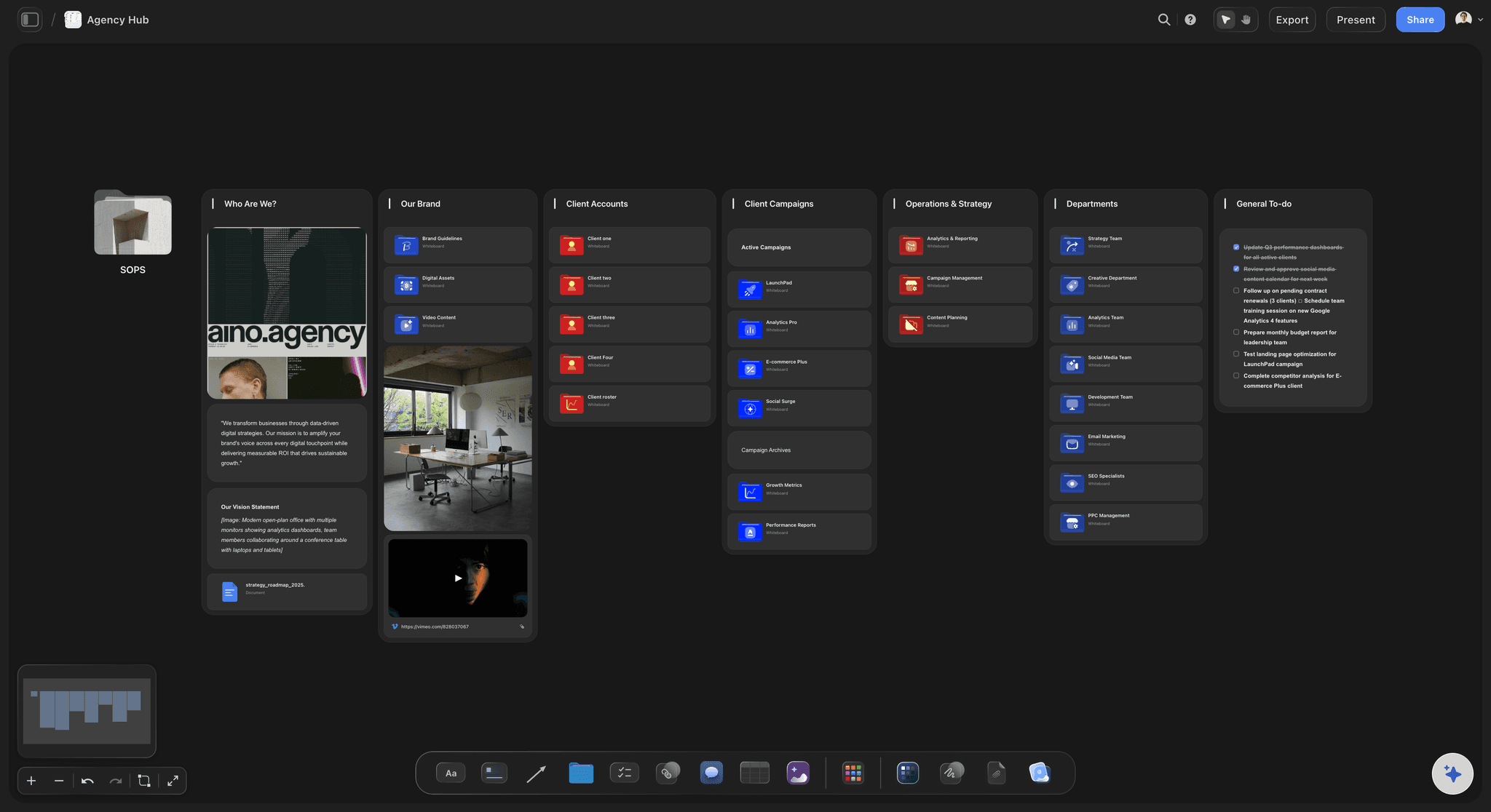
The fastest way to evaluate it is with a real structure already on the board: the Agency Hub template opens with clients, projects, and deliverables laid out, and the Marketing Campaign template does the same for a campaign brief. Drop your current project in and ask the AI for a first pass.

Best for: Creative agencies, marketing teams, content teams, video production, brand strategy, campaign planning.
Pricing: Paid-only during early access; the Free plan launches before the end of 2026. Plus from $7.99/month annual adds unlimited file uploads; Pro from $14/month annual adds AI image generation and 30× more AI usage. Max at $39/month annual adds the team workspace with roles and permissions. Pricing is per account for individuals and per seat for team workspaces, and anyone a paid member invites to a board joins free.
Why creative teams choose it: Storyflow doesn't just help teams collaborate, it helps them get better at creative thinking together.
Where Storyflow loses: If your bottleneck is pixel-level design execution or live design-system handoff, a dedicated tool like Figma wins. Storyflow is the canvas where strategy and ideation happen, not where you ship production-ready UI. The same is true for facilitated live workshops at scale (Miro's voting, timers, and frame navigation are more mature). The honest pattern is to run strategy in Storyflow, then move execution into the specialist tool.
2. Figma: Best for Design Collaboration
The industry standard for collaborative design
Figma revolutionized design collaboration. Real-time editing, browser-based access, and mature design systems make it essential for any team doing UI/UX or product design work.
Key features for teams:
- Real-time collaborative editing
- Design systems and component libraries
- Prototyping and user testing
- FigJam for whiteboarding
- Dev mode for handoff
- Comments and feedback directly on designs
Best for: UI/UX design teams, product design, design systems.
Pricing: Free for 3 projects. $15/editor/month for Professional.
Limitation: Focused on design execution, not broader creative strategy or ideation.
3. Miro: Best for Workshops & Brainstorming
The go-to whiteboard for team workshops
Miro is the most popular digital whiteboard for collaborative sessions. It is strongest at live workshops, brainstorming sessions, and visual facilitation.
Key features for teams:
- Infinite canvas with sticky notes, shapes, and connectors
- Voting and timer features for workshops
- Massive template library
- Real-time collaboration with many participants
- Integration with most productivity tools
Best for: Team workshops, design sprints, retrospectives, diagramming.
Pricing: Free for 3 boards. $8-16/user/month for paid plans.
Limitation: General-purpose, not built specifically for creative workflows. AI is basic compared to purpose-built tools.
4. Notion: Best for Documentation & Knowledge Base
The all-in-one workspace for docs and databases
Notion is essential for creative teams that need to document processes, maintain knowledge bases, and organize information. It's flexible enough to adapt to almost any workflow.
Key features for teams:
- Flexible documents with blocks
- Databases with multiple views (table, board, calendar, gallery)
- Team wikis and knowledge bases
- Templates for common workflows
- Notion AI for writing assistance
Best for: Documentation, content calendars, project wikis, process documentation.
Pricing: Free for personal use. $10/user/month for teams.
Limitation: Document-based, not ideal for visual thinking or spatial organization.
5. Slack: Best for Real-Time Communication
The communication hub for modern teams
Slack is where most creative team communication happens. Channels, direct messages, and integrations make it the central hub for day-to-day collaboration.
Key features for teams:
- Organized channels by project, team, or topic
- Huddles for quick voice/video calls
- Extensive integration ecosystem
- Search across all conversations
- Workflow automation
Best for: Daily communication, quick questions, updates, team culture.
Pricing: Free with 90-day message history. $8.75/user/month for Pro.
Limitation: Communication, not creative work. Conversations scroll away and context is lost.
Stop rebuilding context every week
Put the brief, the references, and the open questions on one shared canvas, so the whole team and the AI read the same project instead of digging through threads.

6. Asana: Best for Project & Task Management
Deep project management for creative workflows
Asana helps creative teams track projects, manage tasks, and coordinate complex workflows. Timeline views and workload management are particularly useful for production teams.
Key features for teams:
- Multiple project views (list, board, timeline, calendar)
- Workload management
- Custom fields and templates
- Automation rules
- Goals and portfolio tracking
Best for: Project tracking, production workflows, team coordination.
Pricing: Free for basic features. $10.99/user/month for Premium.
Limitation: Task-focused, not for creative ideation or visual thinking.
7. Frame.io: Best for Video Review & Approval
Professional video collaboration platform
Frame.io (now part of Adobe) is essential for video production teams. It streamlines the review and approval process with frame-accurate comments and version tracking.
Key features for teams:
- Frame-accurate comments on video
- Version comparison
- Approval workflows
- Integration with editing software
- Client review portals
Best for: Video production, film, commercials, content agencies.
Pricing: Free for 2GB storage. $15/user/month for Pro.
Limitation: Video-specific, not general creative collaboration.
8. Dropbox: Best for File Storage & Sharing
Reliable cloud storage with creative integrations
Dropbox remains a solid choice for creative teams managing large files. Integrations with Adobe and other creative tools make it practical for production workflows.
Key features for teams:
- Reliable file sync and storage
- Smart Sync for large files
- Adobe Creative Cloud integration
- Dropbox Paper for documents
- Version history
Best for: File storage, asset management, sharing large files.
Pricing: Free for 2GB. $15/user/month for Professional.
Limitation: Storage, not collaboration on creative work itself.
9. Loom: Best for Async Video Communication
Quick video messages for async teams
Loom is perfect for creative feedback, walkthroughs, and explanations that are better shown than written. Record your screen and camera, share instantly.
Key features for teams:
- Quick screen + camera recording
- Instant sharing
- Comments on specific moments
- Transcription and search
- Engagement analytics
Best for: Feedback, walkthroughs, async presentations, onboarding.
Pricing: Free for 25 videos. $12.50/user/month for Business.
Limitation: Communication tool, not where creative work happens.
10. Canva: Best for Quick Design Collaboration
Easy design for non-designers with brand control
Canva makes design accessible to everyone on the team. Brand kits, templates, and Magic Design AI help non-designers create on-brand content quickly.
Key features for teams:
- Brand kits for consistency
- Massive template library
- Magic Design AI
- Real-time collaboration
- Easy sharing and comments
Best for: Social media graphics, presentations, quick marketing materials.
Pricing: Generous free tier. $12.99/user/month for Teams.
Limitation: Not for professional design work or complex creative projects.
Creative Team Collaboration Tools Comparison 2026
| Tool | Best For | AI Support | Frameworks | Free Tier | Price |
|---|---|---|---|---|---|
StoryflowTop Pick Visual AI workspace with creative frameworks AI-poweredVisual workspaceFrameworks | Creative strategy & ideation | Context-aware AI 5/5 | Templates | Coming late 2026 (invited collaborators join free now) | $9.99/mo |
Figma Industry-standard design tool with real-time collaboration DesignPrototyping | UI/UX design | FigJam AI 3/5 | Design systems | 3 projects | $15/editor/mo |
Miro Infinite whiteboard for team workshops and brainstorming WhiteboardTemplates | Workshops | Miro AI 3/5 | Templates | 3 boards | $8-16/user/mo |
Notion All-in-one workspace for docs, wikis, and databases DocsWikiDatabase | Documentation | Notion AI 4/5 | Templates | Personal use | $10/user/mo |
Slack Real-time messaging and communication hub ChatIntegrations | Communication | Slack AI 3/5 | Workflows | 90-day history | $8.75/user/mo |
Asana Project management with timeline and workflow automation TasksTimeline | Project management | Asana Intelligence 3/5 | Templates | Basic features | $10.99/user/mo |
Frame.io Video review and approval platform for production teams VideoReview | Video review | Limited 2/5 | Review workflows | 2GB storage | $15/user/mo |
Canva Easy design tool for non-designers with brand kits TemplatesEasy | Quick designs | Magic Design 4/5 | Templates | Generous | $12.99/user/mo |
Best Tools by Creative Team Type
Different creative teams have different needs. Here's what we recommend by team type. If the shared roadmap is the first thing your team is missing, start from the Team Planning Dashboard template: it is the board in the image below.
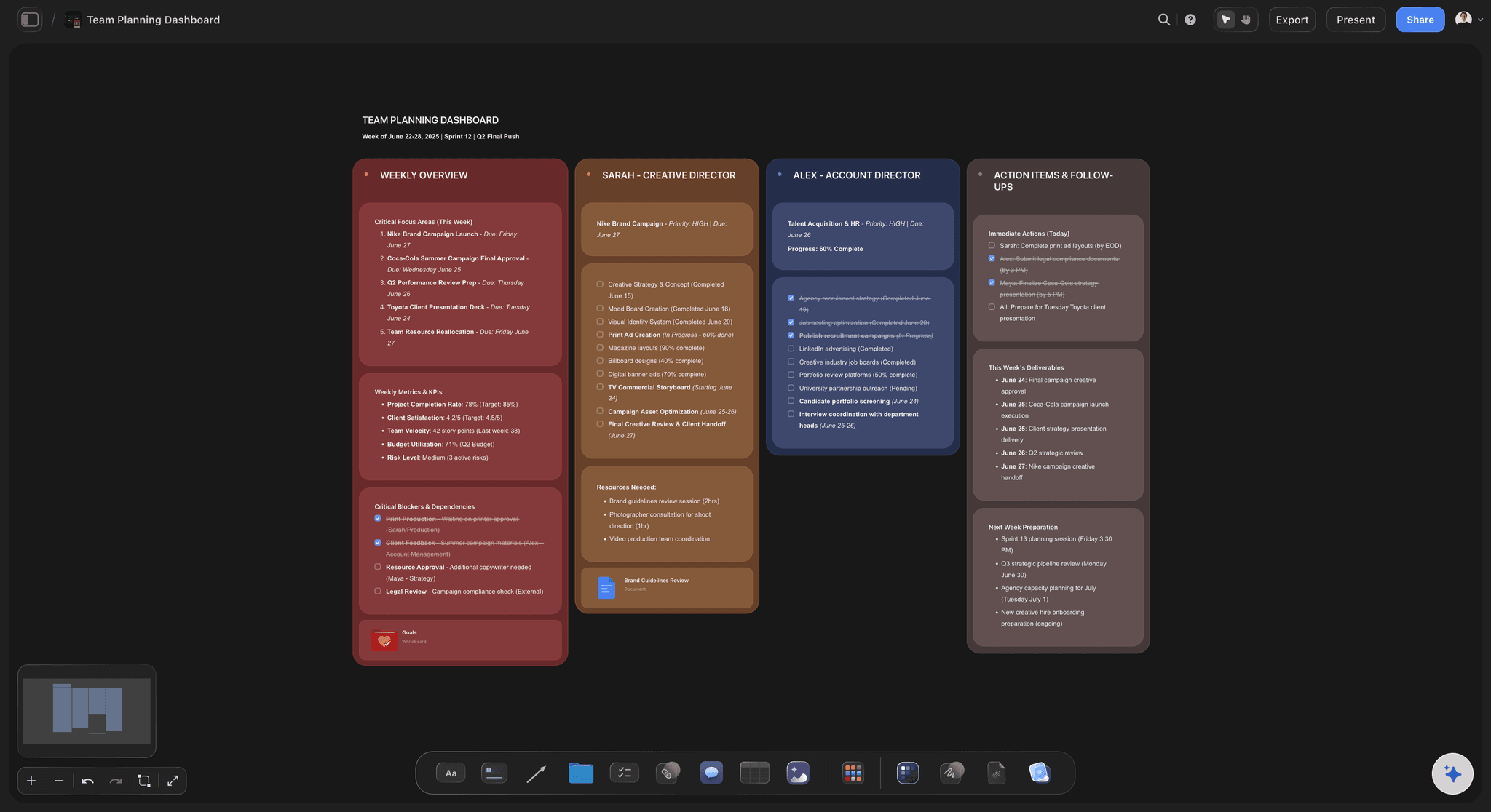
A Team Planning Dashboard board in Storyflow keeps a creative team's roadmap, owners, and deadlines on one shared canvas
Marketing Teams
- Storyflow: Campaign strategy, creative briefs, messaging frameworks
- Notion: Content calendars, brand guidelines, process documentation
- Canva: Quick social graphics and presentations
- Slack: Team communication and approvals

Design Teams
- Figma: All design work, prototyping, design systems
- Storyflow: Research synthesis, user journey mapping, design strategy
- Miro: User research workshops, design sprints
- Notion: Design documentation, component guidelines
Video Production Teams
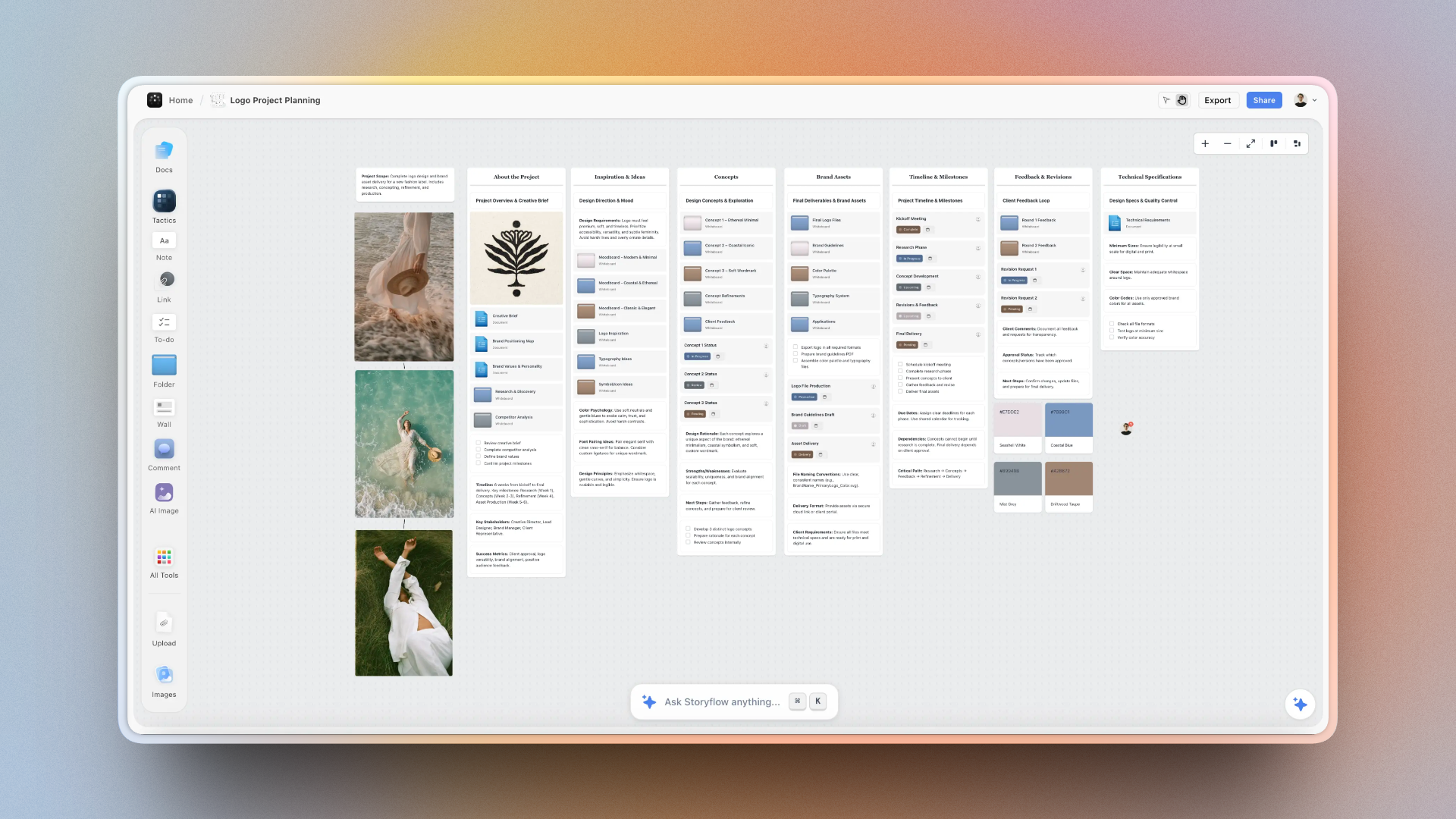
- Storyflow: Pre-production planning, script development, shot planning
- Frame.io: Video review, approval workflows
- Dropbox: Large file storage and sharing
- Loom: Quick feedback and direction notes
Content Teams
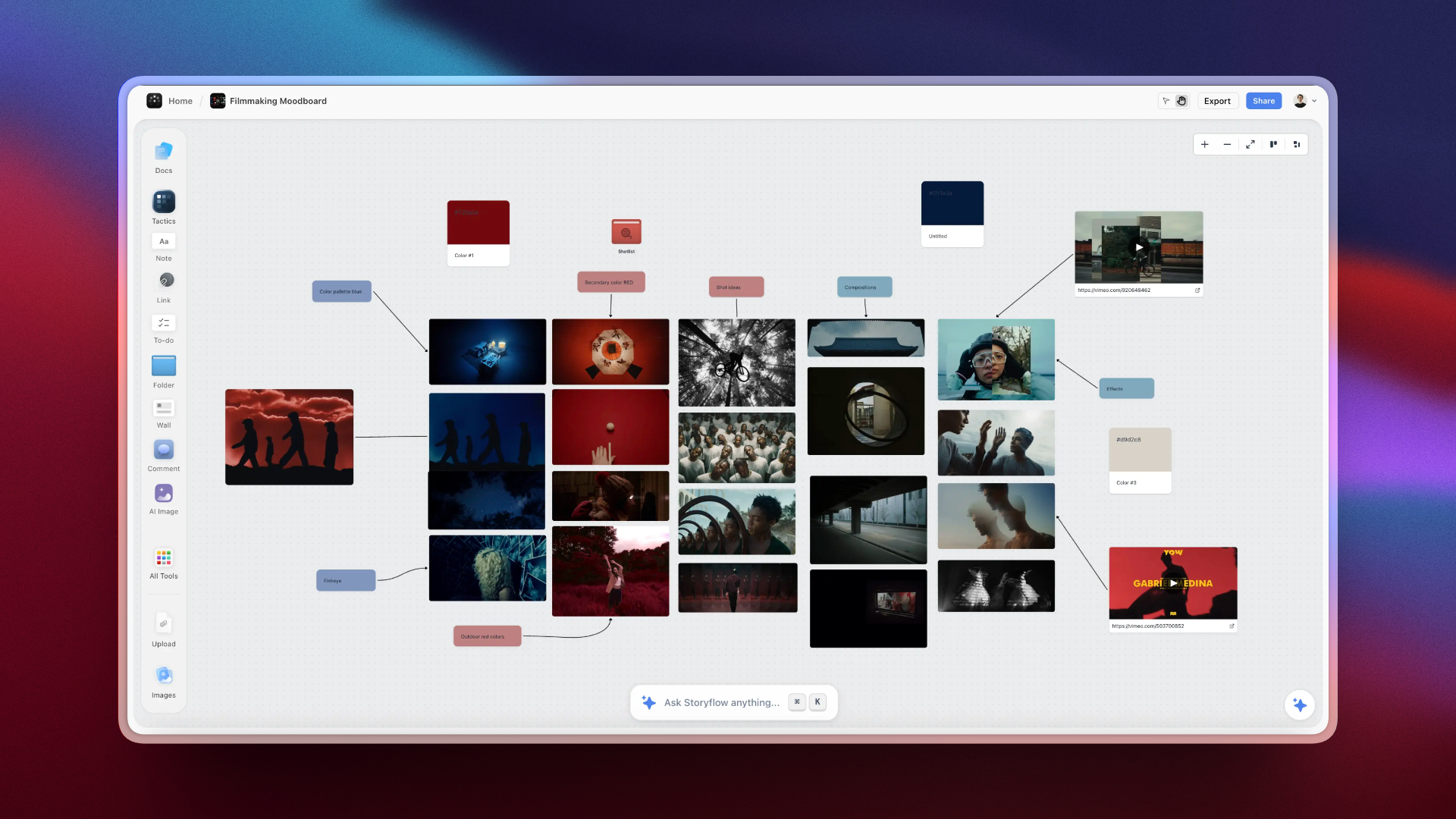
- Storyflow: Content strategy, article planning, storytelling
- Notion: Content calendar, editorial workflow
- Slack: Team coordination, quick feedback
- Asana: Production tracking, deadlines
Creative Agencies
- Storyflow: Client strategy sessions, creative development, pitch preparation
- Figma: Design deliverables
- Asana: Project management, client tracking
- Slack: Internal and client communication
- Frame.io: Video deliverable review
How to Build Your Creative Team's Tool Stack
Most creative teams need 3-5 core tools. Here's how to choose:
Step 1: Map Your Workflow Stages
Identify what stages your projects go through: ideation, strategy, production, review, delivery. Each stage may need different tools.
Step 2: Choose One Tool Per Category
Avoid overlap. You need: one visual workspace (Storyflow), one communication tool (Slack), one project tracker (Asana or Notion), and whatever production tools your work requires (Figma, Frame.io, etc.).
Step 3: Define Tool Purposes
Be clear about what happens where. Confusion about which tool to use kills adoption. Document your team's "when to use what" guidelines.
Step 4: Establish Integrations
Connect your tools where possible. Slack notifications from Asana. Storyflow links in Notion. The fewer places people need to check, the better.
Recommended Starter Stack for Creative Teams:
- Storyflow: Strategy, ideation, creative planning
- Slack: Daily communication
- Notion or Asana: Project tracking and documentation
- Production tool: Figma for design, Frame.io for video, etc.
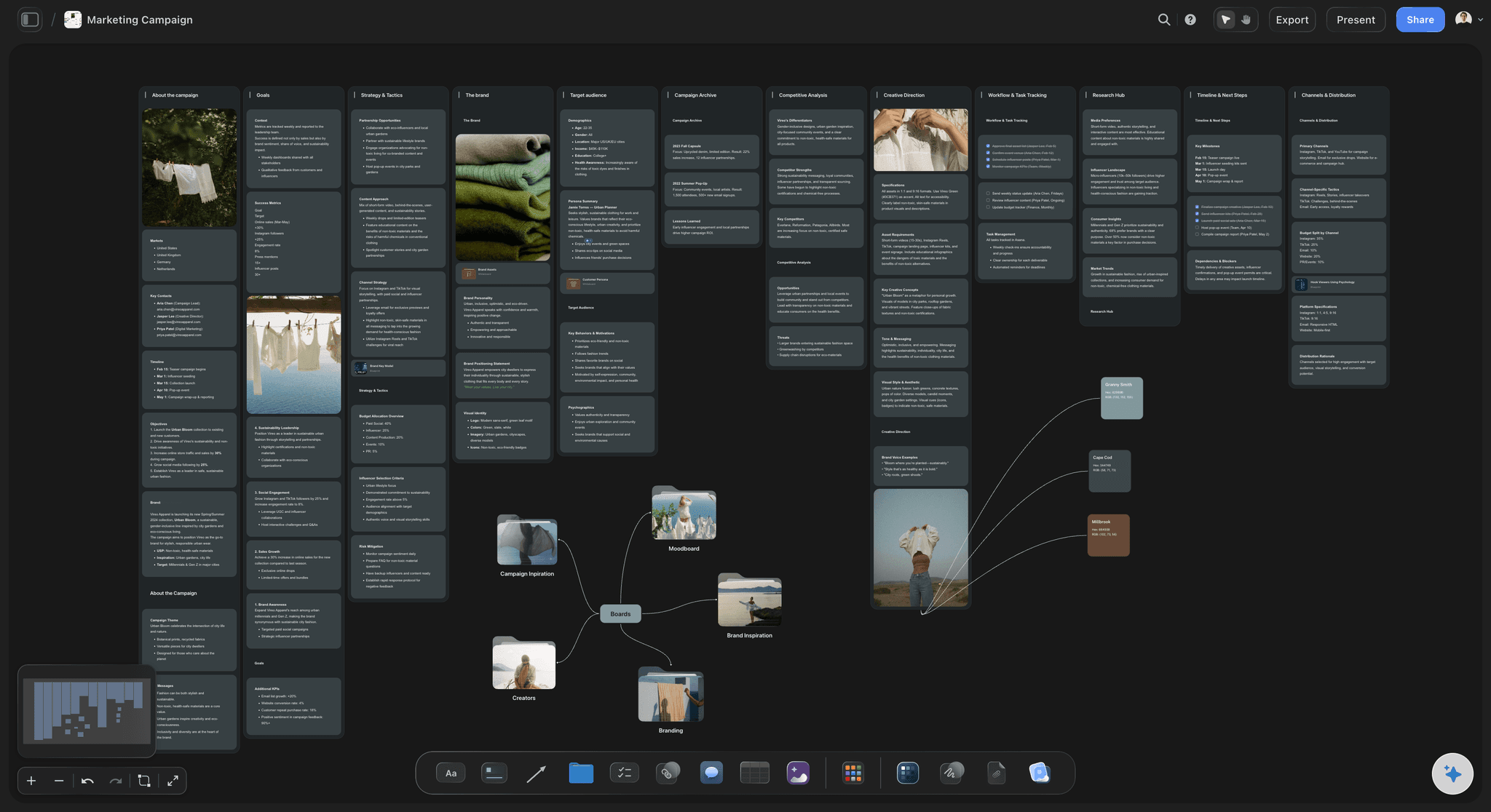

Storyflow's AI planner generates complete project structures for creative teams from a single description
FAQ: Collaboration Tools for Creative Teams
What is the best collaboration tool for creative teams?
For creative strategy and ideation, Storyflow is the best choice with its visual AI workspace. For design teams, Figma is essential. Most creative teams use a combination: Storyflow for strategy and planning, Figma for design, Slack for communication, and Asana or Notion for project management.
How do creative teams collaborate remotely?
Remote creative teams typically use a stack of tools: visual workspaces (Storyflow, Miro, FigJam) for brainstorming and ideation, design tools (Figma, Adobe) for production, communication tools (Slack, Zoom) for discussions, and project management tools (Asana, Notion) for tracking work. The key is choosing tools that support real-time collaboration and async work.
What tools do marketing teams use for collaboration?
Marketing teams typically use Storyflow for campaign strategy and creative planning, Notion or Asana for content calendars and project management, Figma or Canva for design collaboration, Slack for team communication, and analytics tools for performance tracking. The most effective teams have clear workflows connecting these tools.
Is Storyflow good for team collaboration?
Yes. Storyflow supports real-time collaboration where multiple team members can work on the same canvas simultaneously, with comments, sharing, and (on the Max plan) a team workspace with roles and permissions. The AI is context-aware on your active board and can pull in up to 5 documents and 3 boards you attach in the chat. Where it loses: for pure design execution, pair it with Figma.
What's the difference between Storyflow and Miro for creative teams?
Miro is a general-purpose whiteboard focused on workshops and diagramming. Storyflow is built specifically for creative work with AI that understands your projects. Storyflow helps teams think better, not just draw better.
How much do collaboration tools cost for a creative team?
Costs vary widely. Storyflow Plus starts at $7.99/month billed annually, with Pro at $14/month annual and Max at $39/month annual for the team workspace with roles. Figma is $15/editor/month. Miro ranges from $8-16/user/month. Slack is $8.75/user/month. Most creative teams spend $50-150/user/month across their full tool stack. Many tools offer free tiers for small teams or limited use.
Can one tool replace a creative team's entire collaboration stack?
No, and trying usually backfires. Creative work spans distinct jobs (strategy, design execution, communication, project tracking, file delivery) and no single tool is best at all of them. The realistic pattern is one strong tool per job: Storyflow for strategy and visual ideation, Figma for design execution, Slack for communication, and Notion or Asana for tracking. The goal is not fewer tools, it is fewer tools that overlap and clear rules for which tool owns which stage.
Final Recommendations
The best collaboration tools for creative teams depend on what you create. But one principle applies universally: use specialized tools for each job.
Don't try to do creative strategy in a project management tool. Don't try to manage tasks in a design tool. Don't try to brainstorm in a chat app.
Our top picks for 2026:
- Best overall for creative work: Storyflow. A visual workspace with AI that reads the whole board.
- Best for design teams: Figma. Industry standard for a reason.
- Best for workshops: Miro. Excellent for facilitated sessions.
- Best for documentation: Notion. Flexible enough for any workflow.
- Best for video teams: Frame.io + Storyflow. Review workflows plus pre-production planning.
The tools you choose shape how your team thinks and works together. Choose tools that support visual thinking, preserve context, and make collaboration feel natural.
If your team keeps losing context between the brief and the build, take your most active project and rebuild its strategy phase in Storyflow for one week. Put the brief, the references, and the open questions on one canvas, and watch how many Slack threads and stray docs you stop reaching for. The decision will be obvious by the end of the week.
Continue Exploring Team Collaboration
Visual collaboration alternatives
Complete creator toolkit
AI tools for creative thinking
Project management options
No-cost picks for small and early-stage teams
Whiteboard and canvas tools for visual teamwork
Table of Contents
- What Is Creative Collaboration Software?
- What Creative Teams Actually Need from Collaboration Tools
- How We Tested These Tools
- The 10 Best Collaboration Tools for Creative Teams in 2026
- 1. Storyflow: Best for Creative Strategy & Visual Thinking
- 2. Figma: Best for Design Collaboration
- 3. Miro: Best for Workshops & Brainstorming
- 4. Notion: Best for Documentation & Knowledge Base
- 5. Slack: Best for Real-Time Communication
- 6. Asana: Best for Project & Task Management
- 7. Frame.io: Best for Video Review & Approval
- 8. Dropbox: Best for File Storage & Sharing
- 9. Loom: Best for Async Video Communication
- 10. Canva: Best for Quick Design Collaboration
- Creative Team Collaboration Tools Comparison 2026
- Best Tools by Creative Team Type
- How to Build Your Creative Team's Tool Stack
- FAQ: Collaboration Tools for Creative Teams
- Final Recommendations
Templates to check out for this topic


Planning and project templates you can use in Storyflow
Plan a launch, a sprint, or a whole project on a visual board the team can see at once. Open one of these templates and start from real structure.


See Storyflow in Action
A visual AI workspace where every feature lives inside one canvas. No tab-switching, no context lost.
Build your entire board from a single message
Type what you need in the AI chat at the bottom of your canvas. The AI adds cards, headings, and structure directly onto your board.
Use expert frameworks as AI context
Type @ in the AI chat and choose any Tactic. The AI tailors every response to that framework instead of giving generic advice.
Turn your board into a mind map in seconds
Ask the AI to restructure your canvas as a mindmap. It connects your ideas into a visual hierarchy so you can see how everything relates.
Why Storyflow Exists
Storyflow actually began as a personal tool while working on creative and research projects.
We kept running into the same problem: ideas were scattered everywhere: notes, documents, and whiteboards.
Nothing helped us see how everything connected.
So we started building a workspace designed around how ideas actually grow.
→ Read how Storyflow was createdJustkay
Documentary Filmmaker & Founder at Storyflow
Published: December 15, 2025
Extremely simple, seriously capable


See how easy it is to get started
Watch a real project come together, from a blank board to a finished plan, clicked through step by step.
Start creating with AI and become more productive
Transform your creative workflow with AI-powered tools. Generate ideas, create content, and boost your productivity in minutes instead of hours.