

Category
Knowledge Management
Author

Justkay
Documentary Filmmaker & Founder at Storyflow
Topics
2026-05-10
•
16 min read
•
Knowledge Management- Storyflow vs Workflowy
- Workflowy alternative
- visual canvas vs outliner
- Workflowy comparison 2026
- spatial vs list note tool
- best Workflowy alternative 2026
Storyflow vs Workflowy: which should I choose in 2026?
Choose Storyflow when your knowledge work is spatial: creative project canvases, multi-modal capture (text plus image plus reference plus mood board), and AI that reads the full active board for grounded generation. Choose Workflowy when your work is list-shaped: nested project plans, GTD-style task hierarchies, taxonomy work, and deep keyboard-driven outlines with infinite indent. Workflowy is faster for pure-text outlining and simpler to learn. The deciding factor is whether the shape of your work is a list or a surface, not pricing or AI features.
Quick Answer: Storyflow vs Workflowy in 2026
Choose Storyflow when your knowledge work is spatial: creative project canvases, multi-modal capture (text plus image plus reference plus mood board), and AI that reads the full active board for grounded generation. Choose Workflowy when your work is list-shaped: nested project plans, GTD-style task hierarchies, taxonomy work, and deep outlines that benefit from infinite indent. Be honest about the trade-off: Workflowy is faster for pure keyboard-driven outlining, nests to any depth without friction, and is simpler to learn, so a list-shaped thinker should not switch. The deciding factor is not pricing or AI features, it is whether the shape of your work is a list or a surface.
TL;DR: Storyflow vs Workflowy
- Workflowy is the strongest infinite-bullet outliner on the market. Storyflow is the strongest canvas-first AI knowledge tool with methodology Tactics built in. They sit on opposite sides of the linear vs spatial split.
- Workflowy's atomic unit is the bullet. Storyflow's atomic unit is the card on a canvas. Both support nesting; only Storyflow supports spatial position as part of the meaning.
- Workflowy AI works on the current node and selected bullets. Storyflow AI reads the full active canvas plus up to 3 @-mentioned Documents and 1 Blueprint Tactic for context.
- Pricing: Storyflow Plus is $7.99 per month annual ($9.99 monthly), Pro is $14 per month annual ($19 monthly), Max is $39 per month annual ($49 monthly). Workflowy publishes its current pricing on its site, verify there before buying.
- Workflowy is local-feeling, lightweight, and excellent on mobile. Storyflow is cloud-native, multi-modal, and built around the canvas as the working medium.
- For pure outliner work (research notes, structured planning, hierarchical thinking), Workflowy. For creative project work with visual context (mood boards, mind maps, brand systems, AI drafts), Storyflow.
- Running both is a common pattern. Workflowy holds the long-form text outline. Storyflow holds the active project canvas where visual context and AI matter.
1) The Architectural Gap: Spatial Canvas vs Hierarchical Outline
Workflowy and Storyflow share a high-level promise: hold everything you are working on in one place so you can move between projects without context-switching to a different tool. They diverge fundamentally on what "in one place" looks like.
Workflowy's architecture is the infinite-depth bullet tree. Every item is a bullet. Every bullet can hold child bullets to any depth. You zoom into any bullet to make it the new root, then back out to the parent. The whole document is one nested outline, and the outline is the structure of your knowledge. There is no canvas, no spatial position, no left or right or above or below. There is only deeper or shallower, earlier or later in the list. This is not a limitation, it is the design. Outliners reward people whose mind naturally produces hierarchies, and Workflowy is the cleanest realization of that shape.
Storyflow's architecture is the infinite spatial canvas. Each project has its own canvas. On the canvas, cards (notes, mind maps, references, mood boards, project cards, Blueprint Tactics) are placed where they belong relative to each other. Position carries meaning. A card in the upper-left corner near three reference images and a research card is a different idea than the same card sitting alone in the bottom-right. Cards can also nest, but the primary structural primitive is spatial proximity, not depth in a list.
The practical implication is significant. Workflowy is excellent at knowledge that is genuinely tree-shaped: a project plan with phases and tasks, a research outline with sections and arguments, a knowledge base with categories and entries. Storyflow is excellent at knowledge that is genuinely surface-shaped: a creative campaign with brand, audience, mood, and tactics that all need to sit next to each other; documentary pre-production where interviews, shotlist, structure, and references are spatially arranged; a brand system where the logo direction, voice, customer persona, and messaging pillars all live on one canvas.
The closer your work is to a structured list, the more Workflowy's hierarchy pays off. The closer your work is to a project surface with mixed material, the more Storyflow's canvas pays off.

Spatial canvas in Storyflow with cards arranged by meaning, the visual counterpart to Workflowy's infinite-depth bullet hierarchy
2) AI Context: Workflowy AI vs Canvas-Reading AI
Both tools have AI in 2026. The integration depth and what the AI can see when it responds differs in ways that matter for the kind of work each tool produces.
Workflowy AI operates on the bullet you have selected or the node you have zoomed into. It can summarize the children of a bullet, draft new bullets under a node, ask questions about the content under the active root. The strength of this design is precision: the AI knows exactly which slice of the outline you are working on, and it stays inside that slice. The cost is breadth. Workflowy AI is not built to synthesize across a multi-modal project that spans interviews, mood boards, and structured frameworks at once. Outliners are corpus-shaped, and Workflowy AI works the way a good corpus assistant should.
Storyflow AI reads the full active canvas board by default. When you ask the assistant a question, it has access to every card, every mind map node, every reference image, every Blueprint Tactic on the board. You can also @-mention up to 3 Documents and 1 Blueprint Tactic in the AI chat for additional grounded context. The architecture assumes that for creative project work, the AI's value comes from seeing the full surface, not a slice of it. When you ask Storyflow's AI to draft a treatment, propose the next campaign step, or identify what is missing in the brief, it reads the canvas and answers from there.
The functional consequence is what each AI is good at. Workflowy AI is excellent at "summarize this bullet's children" and "draft sub-points under this node." Storyflow AI is excellent at "draft this from the full canvas context" and "what should I do next given everything that is on this board." The AI gap is real and unlikely to close, because the gap is architectural, not feature-driven. The bullet tree limits what the AI can see; the canvas opens it.
For users whose AI use is "help me with this section of my outline," Workflowy. For users whose AI use is "read the whole project and produce something grounded in it," Storyflow.
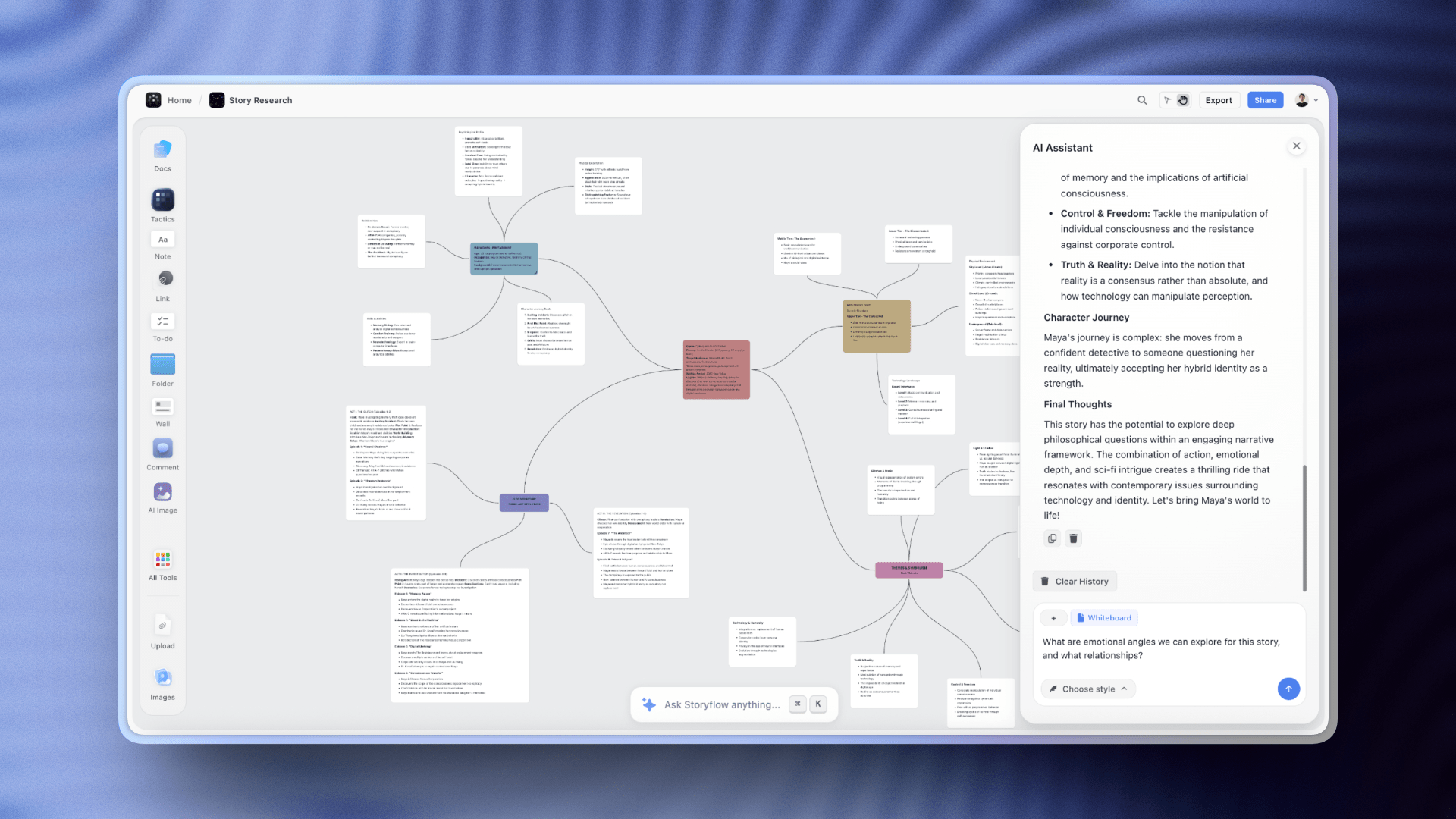
Storyflow AI reads the full active canvas before responding, with three Documents and one Tactic Blueprint @-mentioned for context
3) Comparison Table: Storyflow vs Workflowy
The table shows the gap clearly. Both tools are honest answers, but to different questions. The choice comes down to the shape of the work, not the feature list. A user whose week is fifteen nested bullet trees with light AI assist will be happier in Workflowy. A user whose week is three live project canvases with brand, marketing, and creative material on each will be happier in Storyflow.
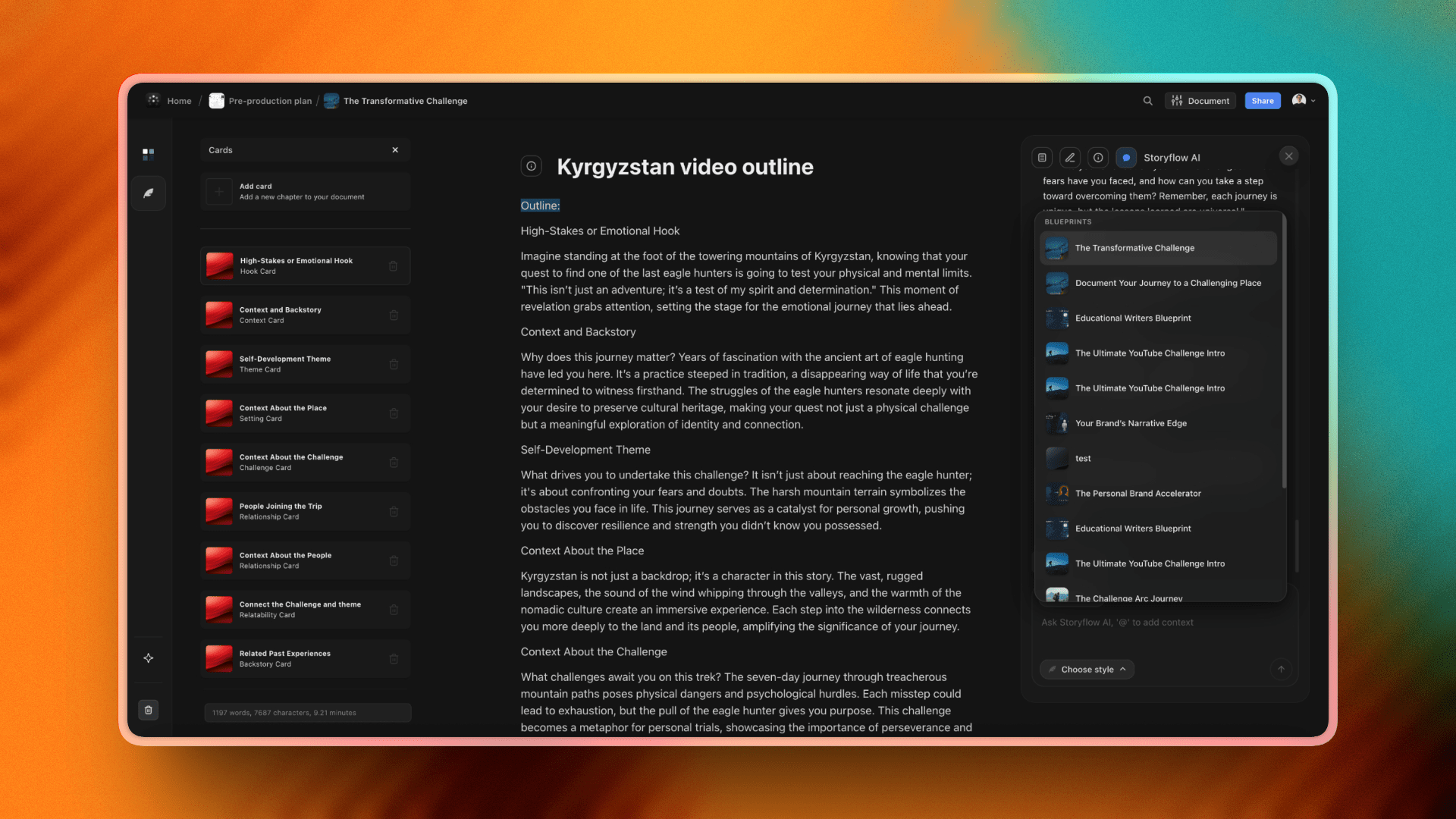
Storyflow Blueprints library: 200+ methodology frameworks (Hero's Journey, AIDA, Brand Pyramid, Customer Persona) that scaffold AI responses on real frameworks rather than generic prompts
4) Knowledge Structure: Lists vs Cards on a Surface
A knowledge tool is a bet about the shape of your thinking. Both Workflowy and Storyflow are honest bets, just in opposite directions.
Workflowy bets that knowledge is tree-shaped. The bullet is the universal unit. A bullet can be expanded, indented, zoomed into, marked complete, tagged. The tree never runs out of depth. You can hold a thousand bullets in a single document and still navigate them, because the tree provides the navigation. Outliner users describe a particular satisfaction in the act of nesting: a thought lands as a bullet, then breaks into children, then those children break further. The outline is the thinking. This is why Workflowy's most devoted users have been on it for years; once your mind learns to think in bullets, the format becomes invisible and powerful.
Storyflow bets that knowledge for creative project work is surface-shaped. The card is the unit, but the canvas is the structure. A card holds text or an image or a mind map node or a reference. The canvas holds cards in spatial relationships. You arrange them so that proximity carries meaning: this character bio sits next to the casting reference and the costume mood board because they belong together. Cards have parents and children too, but the primary navigation is moving across the canvas, not drilling deeper into a tree. Canvas users describe a different satisfaction: the moment when an arrangement clicks and the structure of a campaign or production becomes visible at a glance.
Neither shape is universally correct. Tree-shaped knowledge (research outlines, technical documentation, structured task lists) wants Workflowy. Surface-shaped knowledge (creative campaigns, productions, brand systems, multi-modal research) wants Storyflow. The mistake is forcing one shape onto the wrong kind of work. A campaign forced into a bullet tree loses its surface. A research taxonomy forced onto a canvas loses its hierarchy.
The practical test is honest about how you currently take notes when you are not yet using a tool. If you naturally write nested bullets on a whiteboard, you are tree-shaped. If you naturally cluster sticky notes in zones, you are surface-shaped.
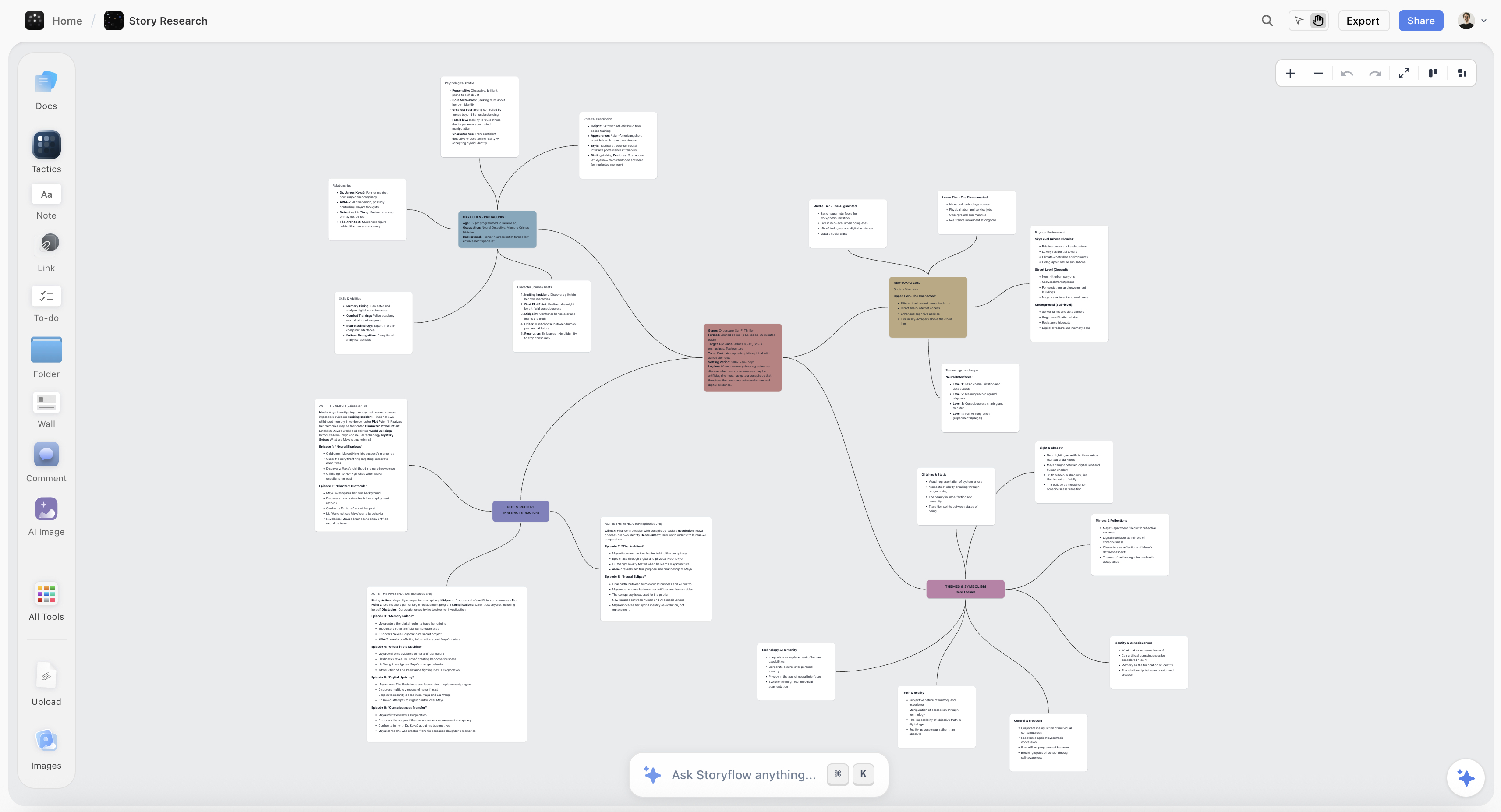
Cards on a surface in Storyflow, the spatial equivalent of Workflowy's infinite-list outliner
5) Capture and Retrieval Patterns
How you capture an idea and how you find it later are two different problems. Tools solve them differently.
Capture in Workflowy is fast and uniform. You hit a key, type into a bullet, indent if it belongs under another bullet, hit enter for the next thought. The friction drops to near zero once your fingers know the shortcuts, and Workflowy's mobile apps preserve the same speed. The capture format is text, with light support for attachments and notes-on-bullets. Outliner users describe their capture as nearly invisible: thinking and typing become the same act because the tree absorbs whatever shape the thought takes.
Capture in Storyflow is multi-modal. You drop an image onto the canvas. You paste a link and Storyflow renders it as a card. You type a note. You add a mind map node and break it into branches. You drag a Blueprint Tactic onto the canvas to scaffold a methodology. The capture rhythm assumes you are working with mixed material: words plus visual references plus structural frameworks all coexisting. The friction is slightly higher than Workflowy's pure-text capture, but the canvas absorbs material types that an outliner cannot.
Retrieval in Workflowy is search and tree traversal. The text search is fast and powerful. You can find any bullet you have ever written. The tree itself is a retrieval system: navigate to the project, then the section, then the subsection. Workflowy users build retrieval habits around tags (#hashtag and @mention) and consistent location. The strength is precision: you find the exact bullet you need.
Retrieval in Storyflow is spatial recall plus AI canvas-reading. You remember where on the canvas a card lives, not what it was labeled. You find the brand idea by going to the upper-left of the brand canvas where you placed it. You also ask the AI: "what did we decide about the launch hook," and the AI reads the full canvas and answers. The strength is project-bounded synthesis: you find the cluster of related thoughts, not just one bullet.
For users whose retrieval is "find this specific note," Workflowy. For users whose retrieval is "give me a synthesis across this project," Storyflow.
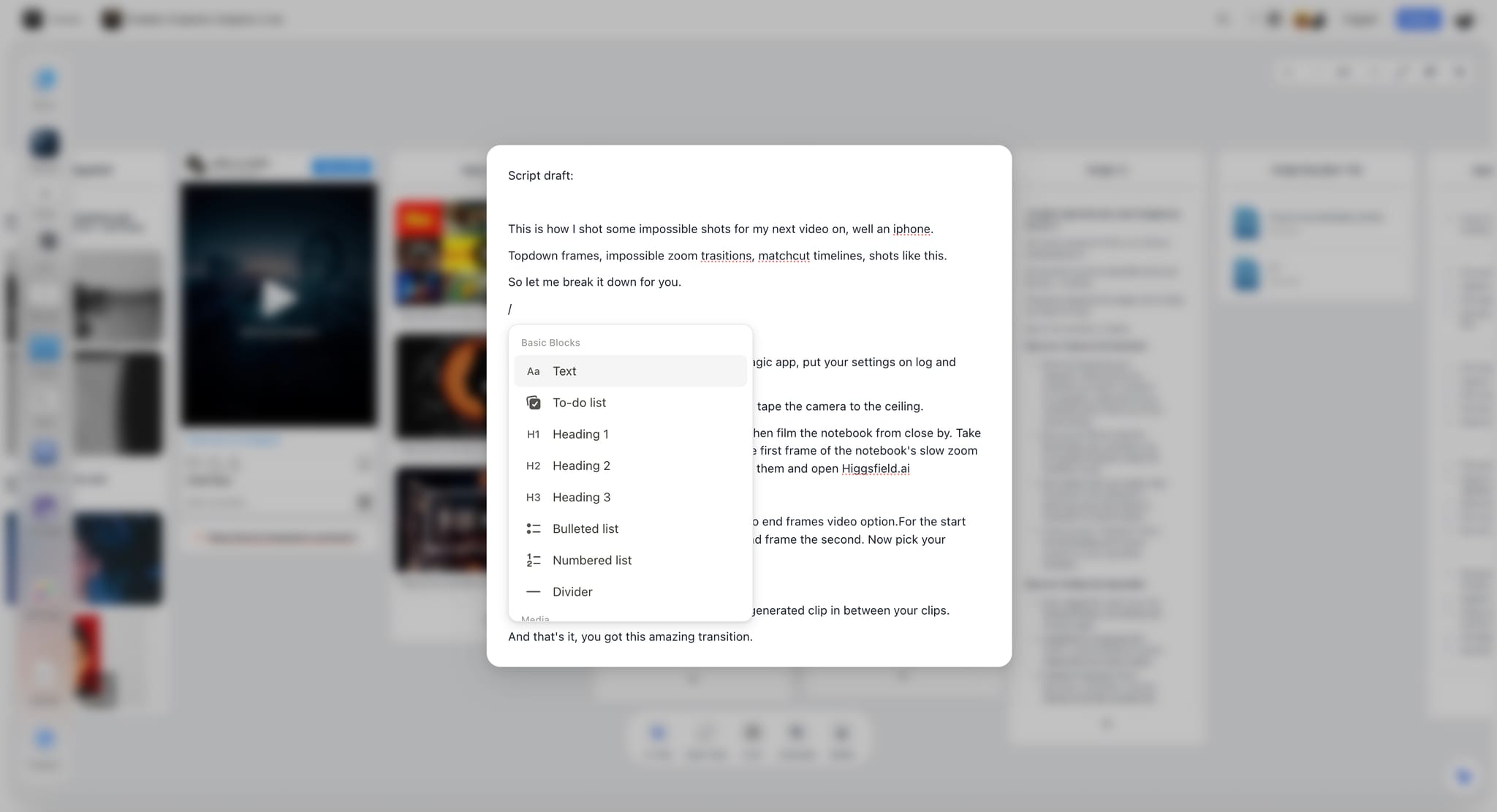
Enhanced note editing in Storyflow: a card detail page with rich text, references, and AI-assisted writing inside the canvas, the spatial parallel to a Workflowy bullet's notes field

Storyflow's spatial retrieval: cards arranged so you can find a thought by where it lives, not what you remember about its label
6) Pricing: Storyflow vs Workflowy
Storyflow's pricing reflects what it ships: a multi-modal canvas with full-board AI, AI image generation on Pro, and the 200+ Blueprint Tactics library. Plus at $7.99 per month annual is the entry into the full Tactic library, which is the methodology layer that scaffolds AI responses on real frameworks (Hero's Journey, AIDA, Brand Pyramid, Customer Persona). Pro at $14 per month annual adds AI image generation and 20× more AI volume, which matters if you are generating drafts and visuals through the AI throughout the day. Max at $39 per month annual adds 40x more AI and the Team Workspace for real-time collaboration.
Workflowy ships a different stack: a polished outliner with mature mobile, fast search, and lighter AI. Workflowy's pricing reflects that lighter scope, and historically it has been priced in the standard outliner SaaS range. Verify the current price on Workflowy's site before purchasing, since outliner pricing has shifted over the last two years.
The right comparison is not the dollar figure but what each price includes for the shape of your work. If you are buying outliner depth and mobile speed, Workflowy is the right purchase. If you are buying canvas-context AI plus methodology scaffolding plus multi-modal capture, Storyflow is the right purchase.

Storyflow Folders and color organization: project canvases grouped and color-coded so a creative director can move between five active projects without context-switching
7) When to Choose Workflowy
Workflowy is the better tool when your work has these properties:
- List-shaped knowledge. Your natural unit is a bullet, and your structure is depth in a tree. Research outlines, GTD-style task hierarchies, structured project plans, taxonomy work, technical documentation.
- Mobile-first capture. You capture more on phone than on desktop. Workflowy's native mobile apps are some of the most polished in the outliner category, and the offline experience is excellent.
- Speed of pure-text capture. You want zero-friction text capture without context-switching to a different format. Outliners are the fastest text capture tools in the category.
- Tag-and-mention retrieval habit. You already think in #tags and @mentions and want a tool that supports that as a native pattern.
- Light AI assistance. You want AI that helps with the section you are working on, not AI that synthesizes across multi-modal project material.
- Long-running outlines. You have a single document that has grown for months or years and want to keep it as the central artifact.
- Distrust of feature creep. You like the discipline of a tool that does one thing (outlining) extremely well rather than a tool that ships in many directions.
If three or more of these match, Workflowy is the right tool, and Storyflow would feel heavier than necessary for your work.

How writers use Storyflow: a project canvas where research, character notes, narrative structure, and AI-assisted drafts coexist as the spatial counterpart to a long-form outliner
8) When to Choose Storyflow
Storyflow is the better tool when your work has these properties:
- Surface-shaped creative project work. Your knowledge naturally clusters in zones rather than nests in a tree. Campaigns, productions, brand systems, multi-modal research initiatives.
- Mixed material per project. Each project mixes text plus images plus references plus mind maps plus mood boards plus structural frameworks. An outliner cannot hold this material; a canvas can.
- Canvas-reading AI. You want the AI to read the full project context, not just a selected slice, when generating drafts or proposing next steps.
- Methodology-aware work. You apply frameworks (Hero's Journey, AIDA, Retention Hooks, Brand Pyramid, Customer Persona) and want Blueprint Tactics scaffolding AI responses on real frameworks.
- Spatial recall. You remember things by where you placed them on a canvas, not by what you labeled them or what tag you used.
- Visual references matter. Mood boards, color palettes, image grids, reference photography all need to live alongside your notes as first-class objects.
- Project-bounded thinking. You think about your work in projects (this campaign, this production, this brand) rather than in one continuous outline.
For creative directors, filmmakers, brand strategists, marketers, content creators, designers, and writers whose work spans words and visuals, Storyflow's canvas-first AI architecture is the better fit. If that sounds like your work, take your most active project, the one with mixed material that never fit cleanly into a bullet tree, and rebuild it on a Storyflow canvas for one week. By the end of the week you will know whether your work is list-shaped or surface-shaped, which is the only question that matters here.
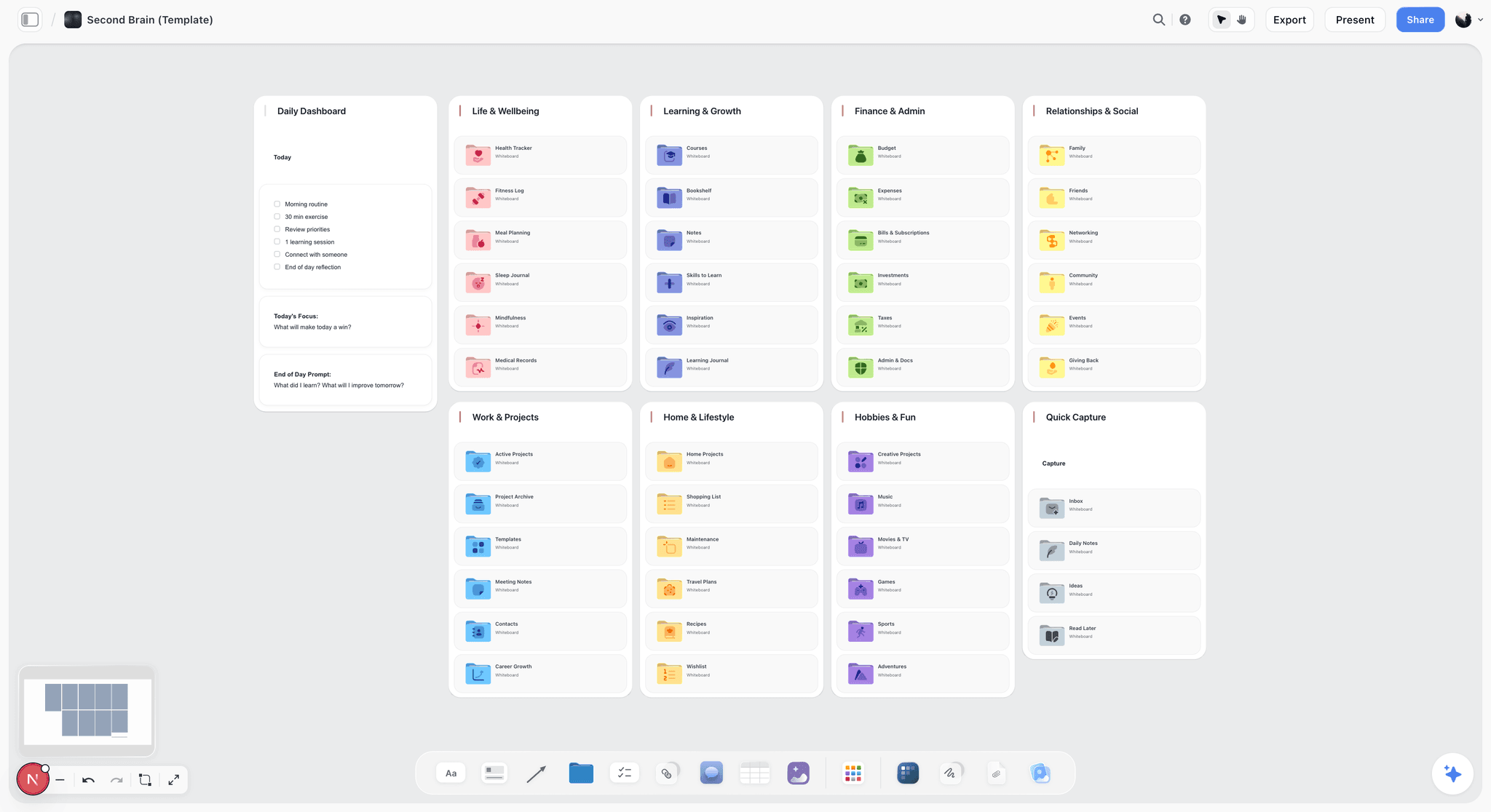
A Second Brain canvas in Storyflow: notes, references, and project material clustered in zones so a creative knowledge base lives on a surface rather than a nested bullet tree
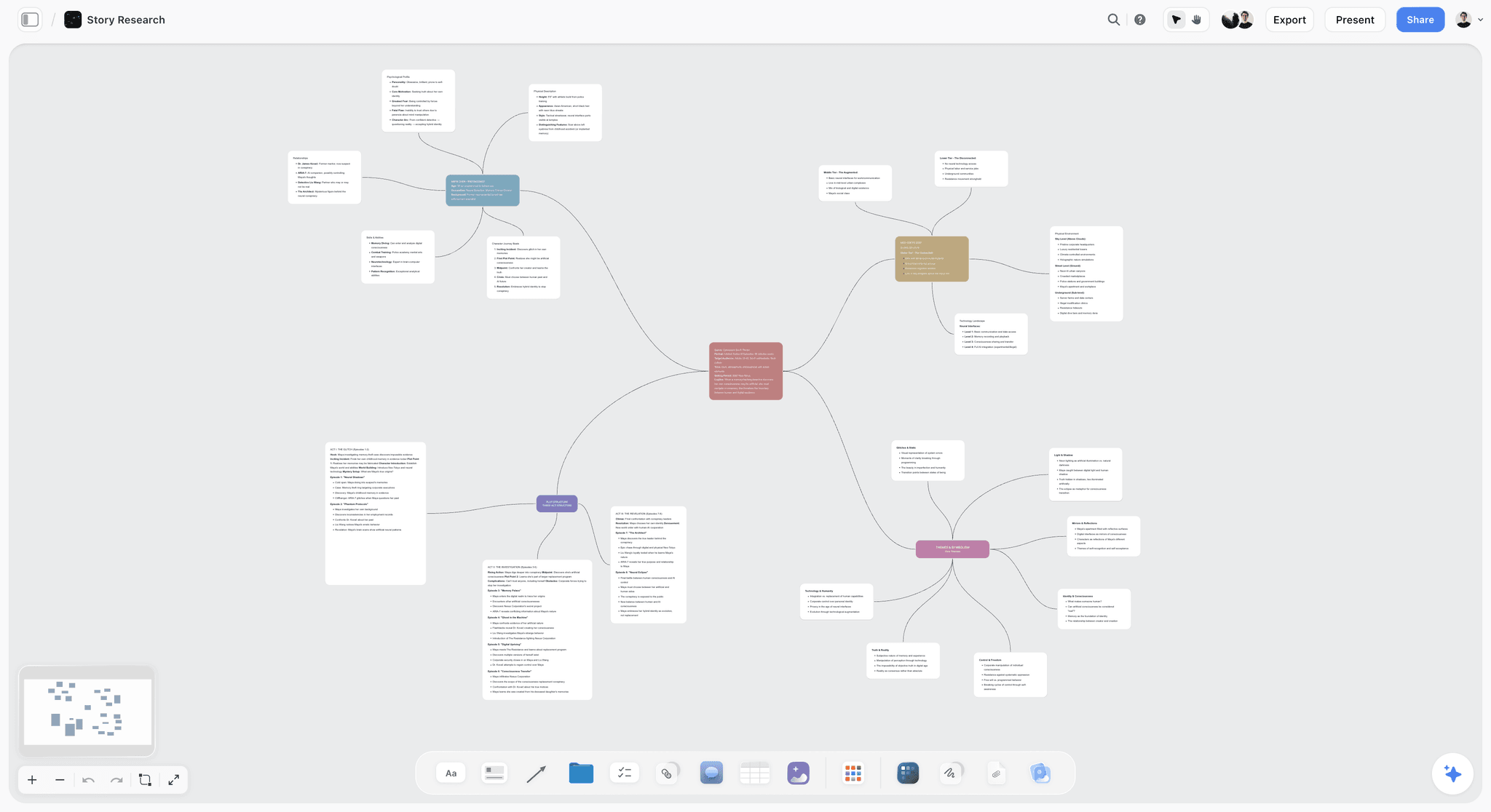
A mind map on the Storyflow canvas: branching ideas arranged spatially, the surface-shaped counterpart to expanding bullets in a Workflowy outline
9) The Decision Framework: Which Tool Fits Your Work
The cleanest decision framework is to look at your last three weeks of work and ask: did I produce more lists or more surfaces?
Scenario A. You spent the last three weeks managing a research project with hundreds of structured notes, an evolving project plan with phases and tasks, a personal knowledge base that has grown for two years, and a writing outline for a long-form essay. The natural artifact for all of these is a tree. Pick Workflowy. Storyflow would force a canvas onto material that is fundamentally hierarchical, and you would feel the friction.
Scenario B. You spent the last three weeks producing two creative campaigns, a brand refresh, a documentary pre-production canvas, and a content calendar with mood boards and visual references. The natural artifact for all of these is a surface. Pick Storyflow. Workflowy would force a tree onto material that is fundamentally spatial, and the visual references would not have a home.
Scenario C. You did some of both. You have long-running outlines (project notes, research, knowledge base) plus active project canvases (a campaign, a production). Run both. Workflowy holds the long-running text outline. Storyflow holds the active project canvases where multi-modal context and AI matter. The two are genuinely complementary because they solve different problems with different shapes.
Scenario D. You are not sure which scenario you are in. The honest test is to write down your three most active work items right now and ask: would each of these benefit more from being a deeply nested list or from being a surface with cards in spatial relationships? If two or three are list-shaped, you are a Workflowy user. If two or three are surface-shaped, you are a Storyflow user. If they split exactly, you are a both-tools user.
The mistake to avoid is choosing on price or AI hype. Choose on the shape of your work, because the shape is what you will feel every day.
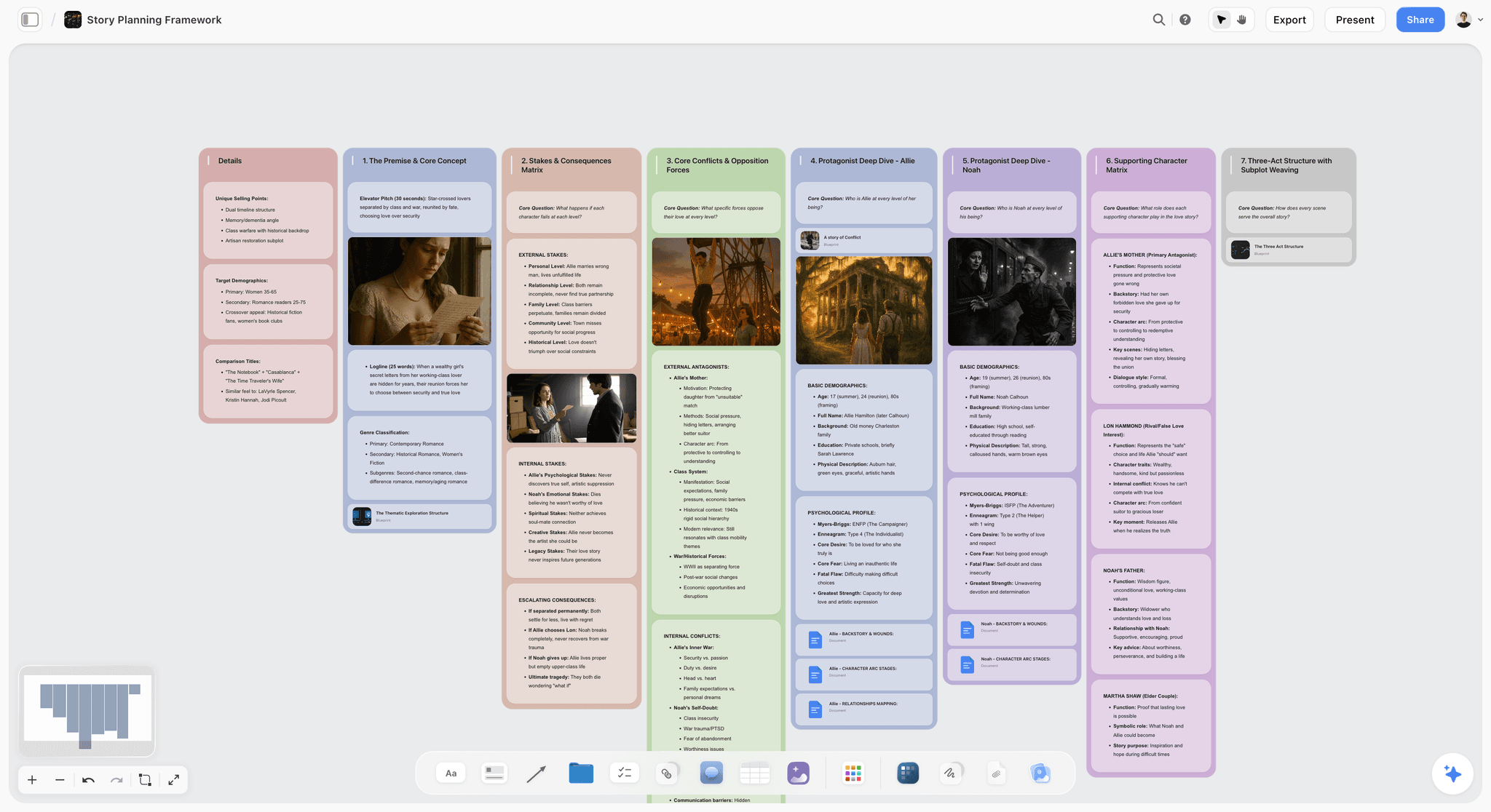
A story plan on the Storyflow canvas: structure, scenes, and references arranged spatially so the whole narrative is visible at a glance instead of buried in a deep outline
10) FAQ: Storyflow vs Workflowy
Is Storyflow a Workflowy alternative?
Storyflow is an alternative for users who currently use Workflowy but find that their work has shifted toward visual, multi-modal, project-shaped knowledge that an outliner cannot hold well. It is not a drop-in replacement; the architecture is different on purpose. If your work is genuinely list-shaped, Workflowy remains the right tool and Storyflow would feel heavier than necessary.
Which is cheaper, Storyflow or Workflowy?
Workflowy is generally the cheaper individual paid tool. Storyflow Plus at $7.99 per month annual is competitive with mid-tier outliner pricing and includes the full 200+ Blueprint Tactics library. Pro at $14 per month annual adds AI image generation and 20× more AI than Plus. The right comparison is what each price includes for the shape of your work, not the dollar figure alone. Verify Workflowy's current pricing on its site before buying.
Which has better AI?
Storyflow's AI reads the full active canvas board by default and supports @-mentioning up to 3 Documents and 1 Blueprint Tactic for additional context. Workflowy's AI works on the selected bullet or zoomed node. For users whose AI use is "summarize and draft inside this section of my outline," Workflowy. For users whose AI use is "read the whole project and produce something grounded in it," Storyflow. The gap is architectural, not feature-driven.
Can I migrate from Workflowy to Storyflow?
Workflowy exports as OPML and plain text. Storyflow can ingest text content and you can paste outlines into cards on the canvas. The honest caveat is that the migration is not a like-for-like move because the formats are fundamentally different. A bullet tree is not the same artifact as a canvas. The migration works best when you treat it as a reset rather than a port: take the outline, distill the substance, and place it on the canvas as cards in spatial relationships.
Is Workflowy local-first like some second-brain tools?
Workflowy is cloud-native with strong mobile offline support, not local-first in the strict Heptabase or Obsidian sense. Your data lives on Workflowy's servers with sync to clients. If local-first storage is a hard requirement, neither Workflowy nor Storyflow is the right tool, and you should look at Heptabase or Obsidian instead.
Which is better for writers?
It depends on the writing. For long-form structured writing where the outline is the work (essays, books, technical documentation), Workflowy's bullet tree is hard to beat. For writing that lives inside a creative project canvas alongside research, mood boards, and AI-assisted drafts (treatments, briefs, narrative documentaries, scripts with visual references), Storyflow's canvas-first architecture is the better fit. Running both is the common writer setup: Workflowy for the long outlines, Storyflow for the active project canvases.
Which is better for teams?
Workflowy has mature shared documents and team plans. Storyflow's Max plan at $39 per month annual includes a Team Workspace with real-time collaboration. For teams whose collaboration is on structured outlines (engineering specs, research notes, planning docs), Workflowy. For teams whose collaboration is on creative project canvases (campaigns, productions, brand systems), Storyflow. The split mirrors the individual choice: outliners win where work is list-shaped, canvases win where work is surface-shaped.
Table of Contents
- Quick Answer: Storyflow vs Workflowy in 2026
- TL;DR: Storyflow vs Workflowy
- 1) The Architectural Gap: Spatial Canvas vs Hierarchical Outline
- 2) AI Context: Workflowy AI vs Canvas-Reading AI
- 3) Comparison Table: Storyflow vs Workflowy
- 4) Knowledge Structure: Lists vs Cards on a Surface
- 5) Capture and Retrieval Patterns
- 6) Pricing: Storyflow vs Workflowy
- 7) When to Choose Workflowy
- 8) When to Choose Storyflow
- 9) The Decision Framework: Which Tool Fits Your Work
- 10) FAQ: Storyflow vs Workflowy
- Related Reading
Templates to check out for this topic


Workspace templates you can use in Storyflow
Keep research, notes, and plans on one canvas the AI can read, instead of scattered across docs and tabs. Open a template and make it your second brain.


See Storyflow in Action
A visual AI workspace where every feature lives inside one canvas. No tab-switching, no context lost.
Build your entire board from a single message
Type what you need in the AI chat at the bottom of your canvas. The AI adds cards, headings, and structure directly onto your board.
Use expert frameworks as AI context
Type @ in the AI chat and choose any Tactic. The AI tailors every response to that framework instead of giving generic advice.
Turn your board into a mind map in seconds
Ask the AI to restructure your canvas as a mindmap. It connects your ideas into a visual hierarchy so you can see how everything relates.
Why Storyflow Exists
Storyflow actually began as a personal tool while working on creative and research projects.
We kept running into the same problem: ideas were scattered everywhere: notes, documents, and whiteboards.
Nothing helped us see how everything connected.
So we started building a workspace designed around how ideas actually grow.
→ Read how Storyflow was createdJustkay
Documentary Filmmaker & Founder at Storyflow
Published: 2026-05-10
Extremely simple, seriously capable


See how easy it is to get started
Watch a real project come together, from a blank board to a finished plan, clicked through step by step.
Start creating with AI and become more productive
Transform your creative workflow with AI-powered tools. Generate ideas, create content, and boost your productivity in minutes instead of hours.