Storyflow vs MindMeister: Which Is Better in 2026?
Storyflow vs MindMeister compared for 2026. MindMeister wins for simple, classic mind maps. Storyflow wins when the map becomes a project, with AI that reads your whole board.

Category
Comparison
Author

Sara de Klein
Head of Product at Storyflow
Topics
2026-07-15
•
11 min read
•
Comparison- storyflow vs mindmeister
- mindmeister alternative
- ai mind mapping tool
- mindmeister vs storyflow 2026
Is Storyflow or MindMeister better in 2026?
Storyflow is the better choice if you want AI mind mapping that turns a map into a finished project, and MindMeister is the better choice if you want fast, clean, classic mind maps and nothing more. MindMeister is a dedicated, browser-based mind-mapping tool: simple, focused, with a polished presentation mode and a tidy radial layout. Storyflow is an AI visual workspace where a mind map is one starting point on a canvas that also holds your notes, documents, images, and a canvas-aware AI that reads the whole board. The honest split in one line: MindMeister makes a better map, and Storyflow makes the map do more.

Full disclosure: Storyflow is our own product, so weigh this accordingly. We rank it first for one specific job: turning a mind map into a project with AI that reads the whole board, and for that job it genuinely leads MindMeister. But if you want only fast, clean, classic mind maps (radial branches, a tidy presentation, nothing else), MindMeister is the lighter, more focused, and frankly simpler tool, and it is the honest pick. XMind wins for dedicated desktop mapping and Miro for team whiteboards. We link to each so you can judge the fit yourself.
Quick Comparison
These four cover the real split: an AI workspace that launches projects from a map, a focused classic mapper, a dedicated power mapper, and a team whiteboard.
| Tool | Best For | AI Features | Price |
|---|---|---|---|
| Storyflow | Turning mind maps into projects | Canvas-aware AI reads your whole board | $7.99 mo annual (free plan late 2026) |
| MindMeister | Simple, fast classic mind maps | AI map generation (mapping-scoped) | Free tier; paid plans (verify 2026) |
| XMind | Dedicated desktop mind mapping | Limited | Free tier; paid (verify 2026) |
| Miro | Team whiteboard mind maps | Limited AI add-ons | Free tier; paid per user (verify 2026) |
Key Takeaways
- MindMeister makes a better map; Storyflow makes the map do more. MindMeister wins terminal maps (the deliverable), Storyflow wins launch maps (the map that becomes a project).
- The core split is what happens to the map after it exists. A terminal map is the finished output; a launch map is step one of an outline, script, or campaign.
- Choose MindMeister for a fast, clean, standalone map: one-click radial layout, a built-in slide-by-slide presentation mode, and a roughly five-minute learning curve.
- Choose Storyflow when the map turns into a project: the mind map sits on a canvas beside your documents, images, and links instead of dying in a second tab.
- Storyflow's AI reads the whole board, reasoning over your actual map plus 1 blueprint and 3 @-mentioned documents to draft the next artifact, while MindMeister's AI only generates a map from a prompt.
- Where MindMeister wins outright: an offline-friendly browser model, portable map-file export, MeisterTask task handoff, and fifteen-plus years of ecosystem depth.
- Pricing: Storyflow is flat per account (Free covers real work, Plus $7.99/mo annual or $9.99 monthly), while MindMeister charges per seat.
The Two Kinds of Mind Map
Here is the thing nobody tells you before you pick a mind-mapping tool: the tool matters less than what you plan to do after the map exists. You can spend an afternoon comparing radial layouts and color themes and still choose wrong, because the real question is not "which tool draws the prettiest branches." It is "what happens to this map on Monday?"
I am Justkay. I make documentaries, and I built Storyflow. I have mapped documentary structure, interview themes, and film budgets in dedicated mappers and on our own canvas, and the pattern is always the same. Some maps are the deliverable. Others are the first ten minutes of a much longer job.
That split is the whole comparison, so I gave it a name. There are two kinds of mind map, and every tool on the market is really a bet on one of them.
A terminal map is the deliverable. You build it, you present it, you share the link, and you are done. The map is the output: a brainstorm you show a client, a study map for an exam, an org chart of an idea. When the map is finished, the work is finished.
A launch map is the input to something else. It is step one, not the last step. The branches become an outline, a script, a campaign plan, a production schedule. The map is where the project starts, not where it ends. When the map is finished, the real work begins.
MindMeister makes a better map. Storyflow makes the map do more. MindMeister is the strongest terminal-map tool in this comparison: it is built to make one clean map, fast, and to present it well. Storyflow is built for launch maps, where the map is the start of a project the canvas and the AI carry forward.
- If your map is the deliverable, you want a dedicated mapper. Simplicity is the feature, not a limitation.
- If your map is the starting line, you want a workspace, because the map is going to turn into something else and you do not want to rebuild it in a second tool.
- Most people cannot say which kind of mapper they are until they watch where their maps go. Mine mostly become scripts and plans, which is why I built a launch-map tool.
Working memory is the reason both kinds exist. Cowan (2001), in Behavioral and Brain Sciences, put the number of items human working memory can hold at roughly four. A map offloads the rest. The real difference between MindMeister and Storyflow is what the tool does with everything you just offloaded.
Storyflow vs MindMeister: The Head-to-Head
The two tools overlap on the surface (both let you branch ideas visually) and diverge everywhere underneath. Here is the honest, dimension-by-dimension read.
| Dimension | Storyflow | MindMeister |
|---|---|---|
Best for | Launch maps: maps that become projects | Terminal maps: clean standalone maps |
Product shape | AI visual workspace (canvas, documents, AI) | Dedicated mind-mapping app |
Classic map simplicity | Freeform cards and branches on a canvas | One-click radial branches, cleaner by default |
AI depth | Reads your full board plus 1 blueprint and 3 documents you @-mention | AI map generation from a prompt (mapping-scoped) |
Beyond the map | Documents, images, links, walls, 200+ Story Blueprints | Notes, links, tasks via MeisterTask |
Presentation | Present or share the live canvas | Built-in slide-by-slide presentation mode |
Collaboration | Unlimited shared boards on Free; team workspace on Max | Real-time co-editing; collaborators on paid plans |
Offline | Cloud-only, no offline mode | Browser-first; limited offline |
Learning curve | Higher: a workspace, not just a mapper | Low: it does one thing |
Pricing | Free; Plus $7.99/mo annual ($9.99 monthly) | Free tier plus paid Personal, Pro, Business |
Read the table one way and MindMeister looks simpler. Read it the other way and Storyflow looks broader. Both readings are correct. The rest of this article is about which one is correct for you.
a Storyflow mind-map canvas with AI-expanded branches next to project notes
Where MindMeister Wins: Simplicity and Focus
Let me be direct, because this is where credibility is earned. If you want only a mind map, MindMeister is very likely the better tool, and it is not close.
MindMeister has been doing one job since 2007, and the focus shows. You open a browser tab, type a central idea, hit tab, and branches appear in a clean radial layout without a single decision about canvas position or card style. The maps look tidy by default. For a terminal map (the brainstorm you present, the study map you review, the quick structure you share) that out-of-the-box cleanliness is the entire value, and a broader workspace only gets in the way.
Three things MindMeister does that a general canvas does not do as gracefully:
- Presentation mode. MindMeister turns a map into a slide-by-slide presentation you can walk a room through. It is genuinely good, and it is a terminal-map feature: the map is the deliverable, so presenting it well matters.
- MeisterTask handoff. Map branches convert into tasks in MeisterTask, MindMeister's sibling tool. If your workflow already lives in that ecosystem, the handoff is clean.
- A learning curve of about five minutes. There is one thing to learn, so you learn it immediately. No canvas, no documents, no AI context.
That last point is the honest core of MindMeister's case. Simplicity is the feature, not a limitation. A terminal-map tool that does one thing perfectly beats a launch-map workspace you have to grow into, if a map is genuinely all you need. Storyflow does not win this fight, and pretending otherwise would cost me your trust for the rest of the page.
Where Storyflow Wins: AI That Reads the Whole Board
Now the other side. The friction with a dedicated mapper shows up the moment the map is not the finish line. You finish a clean terminal map, then you open a blank document to write the actual thing, and the map just sits there in a different tab, dead. Everything you thought through is trapped in branches that cannot become the next artifact without you retyping them.
This is the gap Storyflow closes, and the AI is the reason. Storyflow's AI reads your full active canvas board by default, every card and note and image and link on it, plus up to 1 blueprint and up to 3 documents you @-mention in the chat. It does not read a pasted summary of your map. It reads the map. So when you ask it to turn your branches into a three-act outline, a shot list, or a campaign brief, it reasons over the actual structure you built, not a lossy copy.
That is a different category of AI from map generation. MindMeister's AI can generate a mind map from a prompt, which is useful for getting unstuck on a blank canvas. Storyflow's AI works at the other end: it takes the map you already made and carries it into the project. One fills a blank map. The other empties a finished one into the next thing.
MindMeister makes a better map. Storyflow makes the map do more, and "does more" is not a slogan here. It is a specific behavior: the AI reads the board you built and drafts the next artifact from it.
From Map to Project: The Canvas Breadth Difference
A launch map needs somewhere to launch to. That is the second half of Storyflow's advantage, and it has nothing to do with AI.
On the Storyflow canvas, a mind map is one object among many. Around it live structured Documents (real writing surfaces, not sticky notes), image cards, link cards, and walls that group related material. So when your map of a documentary becomes an outline, the outline lives on the same board as the map, the research links, the interview stills, and the working script. Nothing moves to a second tool. The map does not die in a separate app.
McKinsey Global Institute (2012) estimated that knowledge workers spend close to a fifth of the working week just searching for information. Every tool switch adds a small tax to that time. A terminal-map tool quietly raises the tax: the map is here, the writing is there, the assets are somewhere else. A launch-map workspace removes it by keeping the map beside the work it produces.
Storyflow's Story Blueprints are the accelerant. The library holds more than 200 creative frameworks (Hero's Journey, AIDA, and Retention Hooks among them) that give a map a proven structure to grow into instead of a blank branch. Blueprints unlock on Plus and above. A concrete run: sketch your video's angle as a rough branch structure, drop in the Retention Hooks blueprint, then ask the AI to draft a hook-first outline from both. The map, the framework, and the outline end up on one board, feeding each other. That is a launch map doing its job, and it is the workflow a dedicated mapper structurally cannot reach.
Pricing, Collaboration, and Export
Pricing is where the two tools are easiest to compare honestly, with one caveat: verify competitor numbers yourself, because they move.
Storyflow is flat per account, never per user. The Free plan includes unlimited notes, images, links, and shared boards, unlimited collaboration, basic AI, and 20 file uploads. Plus is $7.99 per month billed annually ($9.99 monthly) and adds the 200+ Story Blueprints, more AI, and unlimited uploads. Pro is $14 per month annual ($19 monthly) and adds AI image generation and far more AI usage. Max is $39 per month annual ($49 monthly) and adds 40x more AI plus a team workspace with roles and permissions. There are no per-seat charges and no volume discounts.
MindMeister uses a free tier plus paid Personal, Pro, and Business plans, priced per user. As of 2026, check MindMeister's site for the current numbers and map limits, because per-seat pricing on a mind-mapping tool changes often and I would rather point you at the source than quote a figure that ages badly. The structural difference matters more than the dollars: MindMeister charges by the seat, Storyflow charges by the account.
On collaboration, both do real-time co-editing. MindMeister's is mature and seat-based. Storyflow gives unlimited shared boards and unlimited collaboration on the Free plan, with a full team workspace (roles and permissions) arriving on Max. On export, MindMeister exports maps to image, PDF, and several map formats, which is exactly what a terminal-map tool should nail. Storyflow exports cards and Documents, because the deliverable is usually the project, not the raw map. If a portable map file is your priority, that is a clear point for MindMeister.
Where Storyflow Falls Short
No honest comparison written by the people who make one of the tools is complete without the losses. Storyflow has real ones.
- It is cloud-only. There is no offline mode and no local-first option. If you map on planes, in secure facilities, or anywhere connectivity is unreliable or restricted, Storyflow is the wrong tool. MindMeister's browser-first model handles patchy connectivity better, and dedicated desktop mappers like XMind handle it best.
- It is not a dedicated mapper. There is no one-click radial auto-layout and no built-in slide-by-slide presentation mode. A pure terminal map is cleaner and faster to produce in MindMeister, full stop. Storyflow gives you a canvas, not a mapping wizard.
- It has a higher learning curve. A workspace is more to learn than a tool that does one thing. If a map is all you will ever need, that breadth is overhead you are paying for and not using.
- It is newer. MindMeister has more than fifteen years of integrations, community templates, and ecosystem depth. Storyflow is the younger platform, so the integration list is shorter.
Three of those four are the direct cost of being a launch-map workspace instead of a terminal-map tool. That is the trade. If it sounds like a bad one for your work, MindMeister is the honest pick and I will not talk you out of it.
Which Should You Use? The Verdict
Match the tool to the kind of map you actually make.
- You want a fast, clean, classic mind map. Use MindMeister. Brainstorms, study maps, quick structures you present and file. The terminal map is the whole job, and MindMeister does it more simply than any workspace can.
- Your map becomes a script, plan, or campaign. Use Storyflow. Writers, filmmakers, marketers, and product folks whose maps are step one of a longer project. The launch map turns into the deliverable on the same canvas, with AI that reads the board.
- You want a dedicated power mapper with offline. Use XMind. More layout control and offline desktop apps than MindMeister, still terminal-map shaped.
- Your map lives in a team whiteboard. Use Miro. Best when a group builds and reacts to the map together in real time. See Storyflow vs Miro for that head-to-head.
The Bottom Line: this is not a tie broken by feature counts. It is one question. Is your mind map the finish line or the starting line? If it is the finish line, MindMeister is the better tool, because a terminal map wants simplicity and MindMeister is simpler. If it is the starting line, Storyflow is the better tool, because a launch map wants a workspace and an AI that reads it. MindMeister makes a better map. Storyflow makes the map do more. Decide which sentence describes your Monday.
If your maps keep turning into projects, take your most active one, rebuild it on a Storyflow canvas this week, and ask the AI to draft the next artifact from it. You will know by Friday whether your maps want a mapper or a workspace. Start a mind map on a Storyflow canvas.
FAQ: Storyflow vs MindMeister
Is Storyflow or MindMeister better for mind mapping?
It depends on what the map is for. MindMeister is better for standalone, classic mind maps you present and share (terminal maps), because it is simpler and more focused. Storyflow is better when the map becomes a project like an outline, script, or plan (launch maps), because its AI reads the whole board and carries the map forward.
Is MindMeister free?
MindMeister has a free tier plus paid Personal, Pro, and Business plans priced per user. As of 2026, verify the current numbers and map limits on MindMeister's own site, because per-seat pricing changes often. Storyflow also has a free plan, priced flat per account rather than per user.
Does Storyflow do mind mapping?
Yes. Storyflow lets you build mind maps on an infinite canvas with cards and branches. The difference from a dedicated mapper is that the map sits next to your documents, images, and links, and a canvas-aware AI can turn the branches into an outline or plan. It is a launch-map tool rather than a terminal-map tool.
What is the main difference between Storyflow and MindMeister?
MindMeister is a dedicated mind-mapping app; Storyflow is an AI visual workspace where mind mapping is one use. In one line: MindMeister makes a better standalone map, and Storyflow does more with it by turning the map into the next artifact on the same canvas.
Does MindMeister have AI?
Yes. MindMeister offers AI that can generate a mind map from a prompt, which helps you start a map quickly. That is mapping-scoped AI. Storyflow's AI works at the other end of the process: it reads your existing board plus up to 1 blueprint and 3 documents you @-mention and drafts the next artifact from them.
Can Storyflow's AI turn a mind map into an outline?
Yes, and this is the core reason to pick it over a dedicated mapper. Because Storyflow's AI reads your full active canvas, you can ask it to convert your branches into a three-act outline, a shot list, or a campaign brief, and it reasons over the actual map rather than a pasted summary.
Is MindMeister good for presentations?
Yes. MindMeister has a built-in presentation mode that turns a map into slides you can walk a room through, and it is one of its strongest features. It is a terminal-map strength: the map is the deliverable, so presenting it well matters. Storyflow lets you present the live canvas but does not ship a slide-by-slide map presenter.
Which is easier to learn, Storyflow or MindMeister?
MindMeister is easier to learn. It does one thing, so most people are productive in about five minutes. Storyflow is a full workspace (canvas, documents, AI), so it carries a higher learning curve in exchange for doing more after the map is built.
Can I use Storyflow and MindMeister together?
Yes, and for some workflows it is the best answer. Use MindMeister for fast terminal maps you want to present, and use Storyflow when a map needs to become a project with AI drafting the next step. They are not mutually exclusive, though most people settle on the one that matches where their maps usually go.
Is Storyflow a good MindMeister alternative?
Storyflow is a strong MindMeister alternative if your maps are launch maps that turn into projects, because it adds a canvas, documents, and board-aware AI. It is a weaker alternative if you want only simple, tidy, standalone maps, where MindMeister's focus wins. Match the tool to whether your map is the finish line or the starting line.
Table of Contents
- Key Takeaways
- The Two Kinds of Mind Map
- Storyflow vs MindMeister: The Head-to-Head
- Where MindMeister Wins: Simplicity and Focus
- Where Storyflow Wins: AI That Reads the Whole Board
- From Map to Project: The Canvas Breadth Difference
- Pricing, Collaboration, and Export
- Where Storyflow Falls Short
- Which Should You Use? The Verdict
- FAQ: Storyflow vs MindMeister
- Related Reading
Templates to check out for this topic


Mind mapping and ideation templates you can use in Storyflow
Map ideas in space, then ask the AI to restructure, expand, or connect them. Open any of these boards and start thinking visually instead of in lists.


See Storyflow in Action
A visual AI workspace where every feature lives inside one canvas. No tab-switching, no context lost.
Build your entire board from a single message
Type what you need in the AI chat at the bottom of your canvas. The AI adds cards, headings, and structure directly onto your board.
Use expert frameworks as AI context
Type @ in the AI chat and choose any Tactic. The AI tailors every response to that framework instead of giving generic advice.
Turn your board into a mind map in seconds
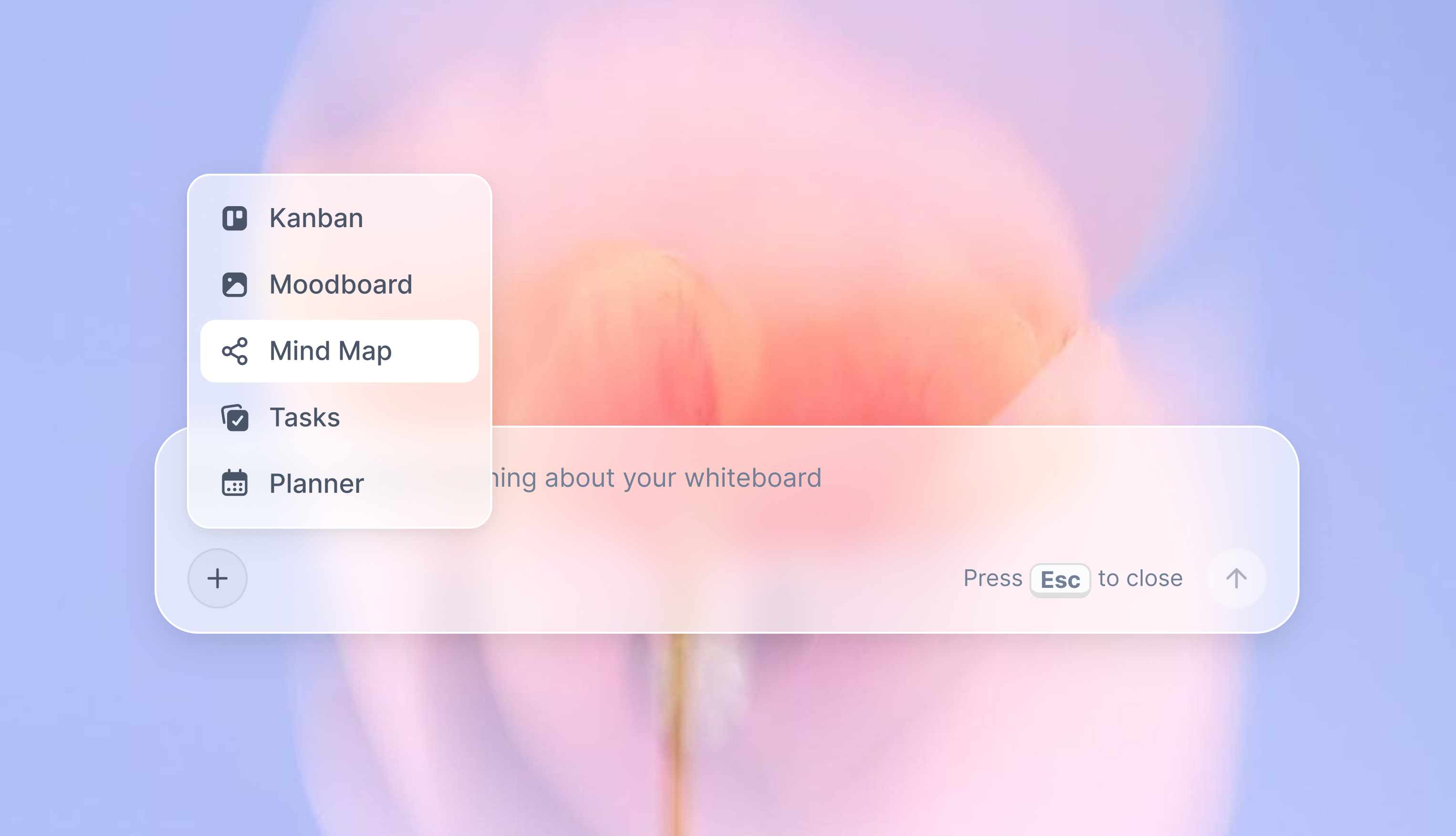
Ask the AI to restructure your canvas as a mindmap. It connects your ideas into a visual hierarchy so you can see how everything relates.
Why Storyflow Exists
Storyflow actually began as a personal tool while working on creative and research projects.
We kept running into the same problem: ideas were scattered everywhere: notes, documents, and whiteboards.
Nothing helped us see how everything connected.
So we started building a workspace designed around how ideas actually grow.
→ Read how Storyflow was createdSara de Klein
Head of Product at Storyflow
Published: 2026-07-15
Extremely simple, seriously capable


See how easy it is to get started
Watch a real project come together, from a blank board to a finished plan, clicked through step by step.
Start creating with AI and become more productive
Transform your creative workflow with AI-powered tools. Generate ideas, create content, and boost your productivity in minutes instead of hours.