The 10 Best Risk Management and Planning Tools in 2026 (We Tested Them All)
A risk without a named owner and a trigger condition is a sentence, not a plan. Ten tools ranked by whether they force both, or just hand you a score and a colour.

Category
Productivity
Author

Sara de Klein
Head of Product at Storyflow
Topics
2026-08-14
•
22 min read
•
ProductivityTable of Contents
- Key Takeaways
- The Register Illusion, and the Two Fields That Break It
- At a Glance: The 10 Tools Compared
- How I Ranked These
- Quick Picks by Job Type
- 1. nTask
- 2. Smartsheet
- 3. Airtable
- 4. Jira with a Risk Issue Type
- 5. Monday.com
- 6. Wrike
- 7. Excel or Google Sheets
- 8. Notion
- 9. Storyflow
- 10. Miro
- What to Actually Pay For
- Tools to Avoid for This Job
- What No Tool on This List Does
- The Bottom Line
- FAQ: Risk Management and Planning Tools
- Related Reading
Templates to check out for this topic


- risk management tools
- risk register software
- risk management planning tools 2026
- probability and impact matrix
- pre-mortem
- project risk tracking
What are the best risk management and planning tools in 2026?
Most risk registers are where risks go to be ignored, and the tool you pick decides whether that happens to yours. nTask ranks first because its risk module forces a named owner on every entry. Smartsheet is the strongest choice once the register has to survive an audit, and Airtable is the most flexible if you want a trigger condition to actually fire a notification. Jira works if you accept that a risk is an issue type with an assignee. Storyflow ranks ninth because it has no register at all, and its contribution is the pre-mortem conversation before anything gets written down.

Full disclosure: Storyflow is our product and it ranks ninth here, not first. It has no risk register: no structured risk table, no owner assignment or notifications, no probability or impact fields, no computed severity score or sorting, no review cadence or reminders, and no audit trail of status changes. The narrow ground it holds is upstream of the register, in the pre-mortem conversation and the spatial clustering of failure causes that decides what belongs in a register at all. The register itself should live in nTask, Smartsheet or Airtable.
Quick Comparison
Ten risk tools compared on the two fields that change outcomes: whether a risk can exist without a named owner, and whether the tool acts on a trigger condition.
| Tool | Best For | AI Features | Price |
|---|---|---|---|
| nTask | A real register a small team maintains | None material for risk work | Free tier, paid from about $4 per user |
| Smartsheet | Registers that face an audit | AI formulas and summaries on higher tiers | Paid from about $12 per user |
| Airtable | Trigger conditions that actually fire | AI field summarisation and categorisation | Free tier, paid from about $24 per seat |
| Storyflow | The pre-mortem before the register exists | AI reads your full active canvas board, plus 1 Tactic and 3 Documents you @-mention | $7.99 mo annual (free plan late 2026) |
Key Takeaways
- Writing a risk down creates the feeling of having managed it, and that feeling is the most expensive thing in the discipline.
- The two fields that change outcomes are rarely the ones tools compete on: a named owner who agreed out loud, and a trigger condition saying what must be true before the mitigation starts.
- Probability times impact is a sorting convenience, not a measurement. You are multiplying two ordinal scales and the product has no unit.
- A 5x5 heat map turns a disagreement about likelihood into an average, and the average hides the one person who knew.
- nTask, Smartsheet and Airtable rank top three because each can be configured so a risk cannot exist without an owner. Miro and Storyflow cannot do that at all.
- Storyflow has no register table, no probability or impact fields, no computed score, no owner assignment, no review reminders and no audit trail. It ranks ninth.
- The cheapest useful intervention here is free: run a pre-mortem before the register exists, then let the register record what the conversation produced.
Run the pre-mortem before you build the register
Storyflow gives you an infinite canvas for the hour that decides what your risk register is worth: imagine the project has already failed, get the specific causes out of everyone's head, and cluster them until each one has a mechanism, a name and a trigger. Then type the results into your register. Paid-only during early access; the Free plan lands before the end of 2026.

The Register Illusion, and the Two Fields That Break It
Ask a project manager whether the project has a risk register and the answer is almost always yes. Ask when it was last changed and the answer is usually the week it was created.
That gap has a mechanism. Writing a risk down feels like doing something about it. Typing "key vendor may miss the integration date" into a row, scoring it 3 by 4 and watching the cell turn amber produces a real sense of resolution. The risk has been handled. It has a number and a colour.
Nothing has been handled. A row was created.
A risk without a named owner and a trigger condition is a sentence, not a plan.
A named owner is a person, not a team, who said yes out loud. "Engineering" is not an owner. "Priya" is, and only if Priya was in the room when the risk was assigned and did not object. Risks assigned to functions that did not attend the session are unowned in practice while reading as owned. The test: pick three rows at random and ask the named owner what they are doing. If two are surprised, your register is decorative.
A trigger condition is a specific observable fact that starts the mitigation. Not "if the vendor looks like slipping" but "if the vendor has not delivered a working sandbox endpoint by 14 September, the in-house adapter starts on the 15th." That converts a mitigation from an intention into a decision already made, so nobody argues about whether it is time to act yet.
Almost every tool here competes on the wrong axis. They compete on scoring: five-by-five matrices, weighted formulas, heat maps that recolour themselves, dashboards that roll a portfolio into one number. Probability and impact scoring is standard practice and appears throughout established guidance including PMBOK and ISO 31000. It is also a sorting convenience rather than a measurement. Multiplying a 1 to 5 likelihood by a 1 to 5 impact gives a number that looks quantitative and is not: the intervals between ordinal ranks are not equal or known, so the product has no unit and a 12 is not twice as bad as a 6. That does not make the matrix useless. It makes it a way to sort a list so the top gets discussed first.
Which brings up the honest failure mode of the whole category.
A heat map turns a disagreement about likelihood into an average, and the average hides the one person who knew. Five people score a vendor risk. Four say the probability is 2 because the vendor has always delivered. One is the engineer who has been on the integration calls and knows their lead developer left in June, and she says 5. The tool averages to 2.6, rounds to 3, colours the cell yellow and sorts it eleventh. The most informative fact in the room has been arithmetically deleted.
Every scoring feature below does this, and the ones that mitigate it keep individual scores visible or keep a comment thread on the row. One technique surfaces that engineer before the averaging happens, and none of these tools has it. The pre-mortem, associated with the psychologist Gary Klein, asks the team to imagine the project has already failed and write down why. "What could go wrong" invites people to be constructive and vague. Telling them it already went wrong gives permission to be specific, and a specific failure has an owner and a trigger where a vague one does not.
The ten tools below are ranked on one axis: whether they force an owner and a trigger, or whether they hand you a score and a colour and let you feel finished.
At a Glance: The 10 Tools Compared
| Tool | Best for | Forces a named owner | Trigger condition support | Price signal |
|---|---|---|---|---|
nTask | A register a small team maintains | Yes, required field | Manual field, no automation | Free tier, then about $4 per user |
Smartsheet | Registers that face an audit | Yes, with cell-level history | Alerts on date or value | About $12 per user |
Airtable | Triggers that actually fire | Yes, collaborator field | Strongest, any condition | Free tier, then about $24 per seat |
Jira | Teams living in the backlog | Yes, assignee is native | Weak, dates and rules | Free to 10 users, then about $8 |
Monday.com | Nudging owners without chasing | Yes, person column | Good, recipes on status | About $12 per seat |
Wrike | Formal review cadence | Yes, with approval steps | Good, forms and blueprints | Free tier, then about $10 per user |
Excel or Google Sheets | The honest baseline | No, a name in a cell is not enforcement | None without scripting | Free or bundled |
Notion | Risk context people read | Partially, property is optional | Weak, date reminders only | Free tier, then about $10 per user |
Storyflow | The pre-mortem before the register | No register, no owner field | None | Paid only, Plus $7.99 monthly annual |
Miro | The workshop where risks surface | No | None | Free tier, then about $8 per member |
How I Ranked These
I come from documentary, where risk management has no name: it is why you shoot the interview before the archive access is confirmed, and why you have a second subject who already said yes. Over two years I have built working registers in every tool here, run pre-mortems with product and production teams, and checked which were still being updated three months later. Roughly one in four.
Five criteria, in order.
1. Can a risk exist without a named person on it? The test: try to save a risk with the owner field empty. If the tool lets you, most of your register ends up unowned, because defaults win. nTask, Smartsheet and Airtable can be configured to refuse. Miro and Storyflow have no such field.
2. Can the tool say what must be true before the mitigation starts? The test: write "sandbox endpoint not delivered by 14 September" somewhere the tool acts on, and see whether anything happens on the 15th. Airtable, Monday.com and Smartsheet fire on that. The rest store the sentence and forget it.
3. Does it preserve the disagreement, or only the average? The test: score a risk 2 and 5 with two people and see what the register shows. A tool that shows 3.5 and nothing else has destroyed the useful part. A comment thread on the row is the minimum.
4. Does anything force a review? The test: does the tool surface a risk untouched for six weeks without a human remembering to look. A register that decays silently produces false confidence exactly where nobody is watching.
5. Cost and setup for a team of six. Most readers are not running an enterprise risk function. They need a list that stays alive, and a tool that takes three weeks to configure will not be configured.
Pricing is as of August 2026 and changes frequently. Verify with each vendor.
Quick Picks by Job Type
- Best overall risk register: nTask. Purpose built risk module with owner as a required field.
- Best for audit and compliance: Smartsheet. Cell history records who changed a status and when.
- Best for triggers that actually fire: Airtable. Automations watch a date and notify the owner.
- Best if you already live in Jira: Jira with a risk issue type. A risk in the tool people open every morning beats a better register they never open.
- Best for chasing owners: Monday.com. Status automation nudges the owner instead of you.
- Best for a formal review cadence: Wrike. Request forms and approvals are native.
- Best free baseline: Google Sheets. Correct below about fifteen risks.
- Best for the pre-mortem itself: Storyflow. The conversation that produces the risks, not the table that stores them.
- Best for a live workshop: Miro. Sticky notes, dot voting and private mode.
1. nTask
The verdict. The only tool here with a risk module built as a risk module, where the owner field is not optional.
Best for. A small or mid sized team needing a register that survives past kickoff week.
Pricing. Free tier with limited features. Paid plans start at roughly $4 per user per month billed annually, with the risk module on the business tiers, as of August 2026.
Why it ranks here. nTask ranks first on a narrow ground: it treats a risk as a first class object rather than a task with a label. In Jira or Monday a risk competes for attention with work that has a due date, and it always loses, because a task is overdue and visible while a risk is merely still true.
The risk object carries description, probability, impact, computed severity, status, mitigation and owner. The owner is the part that matters. Make it required and a risk cannot be saved unassigned, which closes the category's most common decay path: risks entered in a rush, nobody deciding who owned them, saved blank, and blank becoming the house style.
On triggers it is honest rather than impressive. The trigger sentence lives in the mitigation field and nothing watches the date, so write "sandbox not delivered by 14 September" and nothing notices the 15th. Individual scores are not preserved either. It still wins on cost and setup: six people can have a working register inside an hour.
Strengths.
- Risk is a native object with probability, impact, mitigation and owner.
- Owner can be made required, closing the main decay path.
- Severity sorting works with no formula building.
- Risks sit apart from the task list.
Limitations.
- No condition based automation, so triggers are stored, not acted on.
- Individual reviewer scores are not preserved.
- Thin reporting if a steering committee wants a portfolio view.
The trade off. The right object model at the right price, with the review discipline supplied by you.
2. Smartsheet
The verdict. The register that holds up when someone asks who changed the status and when.
Best for. Regulated or client facing projects where the register is evidence.
Pricing. Paid plans start at roughly $12 per user per month billed annually, with the automation and reporting most useful here on higher tiers, as of August 2026.
Why it ranks here. Smartsheet is a grid that behaves like a database, which for a register is close to ideal. Columns have real types, including a contact column that resolves to an actual person rather than a string that might be a name. And it has what almost nothing else here has: cell level history, so the register can answer the question asked after something goes wrong, which is when did we know.
That audit trail is why it ranks second. Registers are written to be read forward, but the valuable ones get read backward after an incident, as a record of what the team believed and when. A register where a status silently changed from open to closed in March cannot be read backward at all.
On triggers it is genuinely capable. Workflows fire on a date, a cell value change or a schedule, and can alert the owner or request an update. The recurring update request is the most useful automation in this category and almost nobody sets it up: every fortnight each owner confirms the status of their own risks, and the answers land in the sheet.
Strengths.
- Cell level history records what changed and when.
- Contact column resolves to real accounts rather than typed names.
- Recurring update requests automate the review cadence without a meeting.
- Automations fire on dates and value changes.
Limitations.
- Per user pricing gets expensive across a team plus stakeholders.
- No native risk object, so you build the register rather than open one.
- The useful automation and reporting sit above the entry tier.
The trade off. You pay more and build more, and the register can be read backward under scrutiny.
3. Airtable
The verdict. The best tool here for making a trigger condition do something instead of sitting in a text field.
Best for. Teams who want mitigations to start automatically rather than when someone remembers.
Pricing. Free tier with automation run limits. Paid plans start around $24 per seat per month billed annually as of August 2026.
Why it ranks here. Airtable is the strongest answer to criterion two, and the trigger is the field teams neglect. A risk record carries a collaborator field for the owner, a date field for the trigger, and a long text field for the trigger sentence in plain English. An automation watches that date and, when it passes without the status changing, notifies the owner.
That is the whole ballgame. Mitigations start late not because nobody knew the plan, but because the moment to start was a judgment call, and judgment calls under schedule pressure resolve towards waiting. A trigger date the system watches moves that decision back to the calm moment where it belongs.
Linked records earn their keep too: link each risk to the deliverable it threatens and you get the view that changes behaviour, every risk on next month's milestone sorted by whether the owner has touched it. Give each risk a linked table of individual assessments and what matters becomes the spread rather than the average, because a three rank gap means somebody knows something.
Strengths.
- Automations watch a date or field value and act, which is what a trigger needs.
- Linked records connect risks to deliverables and owners as real entities.
- A linked assessments table preserves individual scores instead of averaging.
- Views surface stale risks in one click.
Limitations.
- Per seat pricing is the highest of the top three.
- Automation runs are capped by plan.
- Revision history is less granular than Smartsheet's cell history.
- Needs a builder: an unowned base decays faster than a spreadsheet.
The trade off. The best triggers in the category, at the cost of someone owning the build.
4. Jira with a Risk Issue Type
The verdict. Not a risk tool, but a risk that lives where the team already looks every morning beats a better register they never open.
Best for. Engineering teams whose working life is already in the backlog.
Pricing. Free for up to 10 users. Paid plans start around $8 per user per month as of August 2026, with the automation limits that matter rising on higher tiers.
Why it ranks here. The argument for Jira is attention, not capability. Add a custom issue type called Risk with fields for probability, impact and trigger condition, and the register appears where the sprint work is. Assignee is native, so an unassigned risk looks wrong to an engineering team in a way an empty spreadsheet cell does not.
The argument against is structural. Jira assumes an item that gets done and closes. Risks expire or materialise, and a backlog of items that never move becomes noise teams filter out. Within two sprints the risk issues sit on a board nobody opens, and the attention advantage has evaporated.
Automation handles triggers reasonably, transitioning an issue or notifying the assignee on a date or field change. Scoring is weak: nothing supports multiple people assessing one item, so the probability field holds whatever the last editor typed.
Strengths.
- Assignee is native, so ownership is structurally enforced.
- Risks appear in the tool the team opens daily.
- Automation fires on dates and field changes.
- Links to the epic a risk threatens are first class.
Limitations.
- The issue model assumes things close, and risks do not.
- Risk issues drift onto a board nobody opens.
- No support for multiple assessments of one risk.
The trade off. The best option if the alternative is a register outside the team's daily tool, and poor on its own merits.
5. Monday.com
The verdict. The best tool here at nudging the owner so that chasing risk owners stops being one person's unpaid job.
Best for. Cross functional teams where risk owners are not the person maintaining the register.
Pricing. Paid plans start at roughly $12 per seat per month billed annually, with seat minimums, as of August 2026.
Why it ranks here. Every register has a maintainer, and the maintainer's real job is not data entry. It is chasing: twelve risks, twelve owners, and one person working out which have gone quiet and sending twelve slightly awkward messages.
Monday's automation recipes do the chasing. Use a status column with Open, Mitigating, Triggered and Retired, plus a rule that notifies the person in the owner column when a status has not changed in 30 days. Two minutes to configure, and the maintainer becomes a reader. The register still decays if owners ignore the nudges, but the ignoring becomes visible, which is far more tractable.
The person column is a real account, and the timeline view is useful when risks cluster around a phase transition: five pointing at the same fortnight in October is information a sorted list will not give you. It ranks fifth because seat minimums bite a small team, the board has no risk semantics, and the dashboard polish encourages the register illusion.
Strengths.
- Automation recipes nudge owners on staleness, removing the chasing burden.
- Person column is a real account, so ownership is unambiguous.
- Status automations map onto risk lifecycle states.
- Timeline view exposes risks clustering in one phase.
Limitations.
- Seat minimums and per seat pricing punish small teams.
- No risk specific object model.
- Polished dashboards encourage confidence no mitigation is backing.
The trade off. Excellent at making owners respond, and at making an unmaintained register look healthy.
6. Wrike
The verdict. The strongest native support for a formal review cadence, which is the discipline most registers lack.
Best for. PMO style environments where reviews are scheduled events with attendees.
Pricing. Free tier for small teams with limited features. Paid plans start around $10 per user per month billed annually, with the custom fields, request forms and approvals that matter here appearing on the business tier, as of August 2026.
Why it ranks here. Wrike treats process as a configurable object. Request forms mean a risk enters through a structured intake: whoever spots it fills a short form with the description, the affected deliverable, a proposed owner and a proposed trigger. The alternative is risks raised verbally by senior people and recorded selectively.
Blueprints template the whole review as a recurring task with a checklist and attendees. Approvals give you the step almost every register skips: the explicit decision to retire a risk. Retiring should be signed by somebody, not quietly flipped, and this is the only tool here where that is native rather than a convention.
It falls short where the general platforms all do, with no risk semantics: probability, impact and severity are custom fields you assemble. A six person team without a PMO will spend longer configuring Wrike than working on the risks.
Strengths.
- Request forms structure how risks enter, including a proposed owner.
- Blueprints template the recurring review with checklist and attendees.
- Approvals make retiring a risk an explicit signed decision.
- Custom fields support standard probability and impact scoring.
Limitations.
- Steep configuration and learning curve for a small team.
- No risk specific features; you assemble the register.
- Heavy interface discourages the quick edit that keeps a register current.
The trade off. The best cadence machinery here, scoped for teams that already run formal reviews.
7. Excel or Google Sheets
The verdict. The honest baseline, and the correct answer below about fifteen risks.
Best for. Small projects, and teams that would otherwise spend two weeks choosing a tool.
Pricing. Free with a Google account, or bundled with Microsoft 365 from roughly $6 per user per month as of August 2026.
Why it ranks here. Almost every register in existence is a spreadsheet, and pretending that is a mistake is how tooling posts lose credibility. Columns for risk, owner, probability, impact, severity, trigger condition, mitigation, status and last reviewed will do the job for six people with a dozen risks, at no cost, built in ten minutes. Google Sheets adds live editing during the review and version history, a weaker audit trail than cell history but more than most teams realise they have.
It ranks seventh rather than third on enforcement. Nothing about a cell requires a name in it, and nothing checks whether the name refers to a person who agreed. Data validation can restrict the owner column to a list, but validation is not accountability, and nothing will tell you four risks have gone untouched since the kickoff.
The other weakness is the conditional formatting trap. Colouring severity red, amber and green takes three minutes and produces the most convincing artifact of risk management with the least substance. If you stay on a spreadsheet, sort by last reviewed at the start of every review and add a "who disagreed" column, because the sheet preserves dissent nowhere else.
Strengths.
- Free, universal, set up in ten minutes with no adoption cost.
- Version history records what the register said and when.
- Real time editing works well for a live review meeting.
- Data validation can constrain the owner column to real names.
Limitations.
- No enforcement: a risk saves with no owner and nothing objects.
- No notifications, staleness detection or review prompts.
- Breaks down past roughly fifteen risks.
The trade off. The right starting point, and a liability once the register outgrows one person's memory.
8. Notion
The verdict. The best place for the reasoning behind a risk, and a mediocre place for the register itself.
Best for. Teams who need the decision history readable months later.
Pricing. Free personal tier. Paid plans from roughly $10 per user per month billed annually as of August 2026.
Why it ranks here. A Notion database gives you the fields: person property for the owner, select for status, numbers for probability and impact, a formula for severity, a date for the trigger. On paper that covers most of what nTask offers. It ranks eighth because Notion has no required fields, so the owner property can always be left empty, and because reminders are date based only. There is no way to say "notify the owner if this status has not changed in 30 days" without an external automation.
What it is best at is the part every other tool treats as an afterthought: each risk is a page, and the page holds the thinking. The pre-mortem notes that produced the risk, the emails that changed the likelihood estimate, the paragraphs explaining why the team accepted it rather than mitigating it, and the date that decision was made.
That matters because the most damaging failure is not the unidentified risk. It is the identified risk consciously accepted for reasons nobody wrote down, which by the time it materialises is indistinguishable from negligence.
Strengths.
- Every risk is a page, so reasoning and evidence live with the record.
- Properties cover owner, scores, status and trigger date.
- Views surface unowned or stale risks if you build them.
- Free tier is adequate for a small team.
Limitations.
- No required fields, so the owner property can be left empty.
- Reminders are date based only, with no staleness automation.
- Large databases get slow and unpleasant to scan.
The trade off. Keep the register elsewhere and the reasoning here, or accept a register that runs entirely on discipline.
9. Storyflow
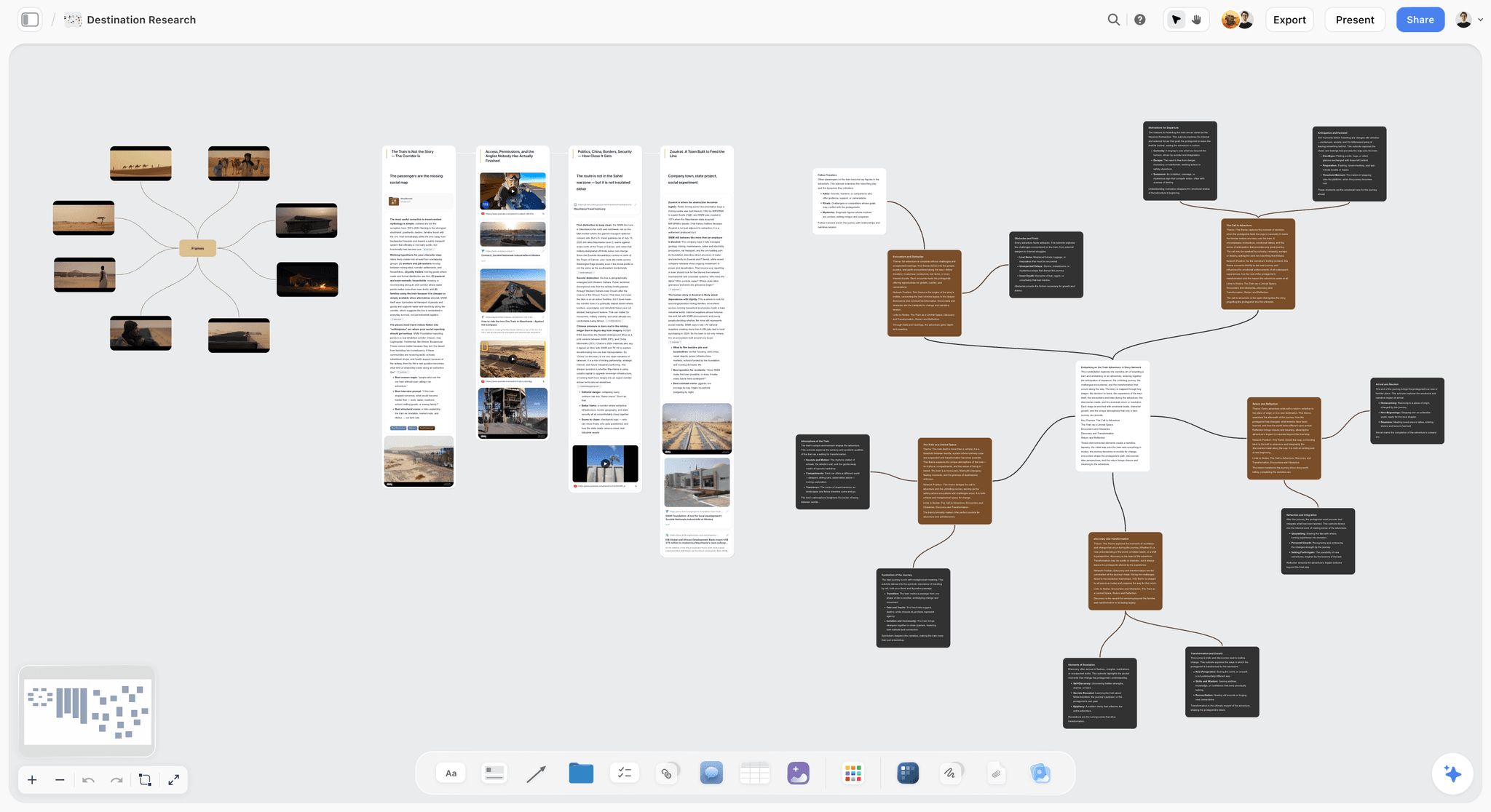

The verdict. No register, no scores, no owners, no reminders. It holds the pre-mortem conversation that produces the risks worth registering.
Best for. The hour before the register exists, when you are finding out what the team is actually worried about.
Pricing. Paid only during early access. Plus is $7.99 per month billed annually or $9.99 monthly, adding the 200 plus Story blueprints and unlimited file uploads. Pro is $14 annually or $19 monthly, adding AI image generation, roughly twenty times more AI usage and memory across conversations. Max is $39 annually or $49 monthly, adding forty times more AI and Team Workspace. Pricing is flat per account, not per seat, and anyone a paid member invites joins free. The Free plan launches before the end of 2026.
Why it ranks here. Storyflow ranks ninth because it is not a risk management tool and this post will not pretend otherwise. There is no register table, no owner assignment, no probability or impact input, no computed severity, no sorting by score, no review reminders and no audit trail. Of the five criteria here it fails one, two and four outright.
The narrow ground it holds is upstream. A register can only contain risks somebody said out loud, and its quality is set by the conversation that produced it. Most registers come from a fifteen minute agenda item at the end of a kickoff, which produces the same generic entries: scope creep, resource availability, dependency slippage, stakeholder alignment. Those are categories of risk, unownable and untriggerable by construction.
A pre-mortem produces different output. Tell the team the project has already failed and ask why, and you get specifics: the integration lead is the only person who understands the auth flow and is on parental leave in October, the client's legal review took eleven weeks last time and we budgeted three. Those are registerable, with an owner and a trigger already implied.
A canvas suits that exercise for the same reason a workshop wall does: causes cluster, and seeing three versions of the same worry adjacent turns vague notes into one risk with a mechanism. Where Storyflow differs from a plain whiteboard is the AI, which reads your full active canvas board plus up to one Tactic and three Documents you @-mention, so you can ask whole board questions: which causes point at the same dependency, which have nobody's name near them. It reads the board, not your project, so it finds patterns in what you wrote rather than risks you never thought of. Then type the results into nTask, Smartsheet or Airtable.
Strengths.
- Spatial clustering turns overlapping worries into one mechanism level risk.
- Whole board AI answers questions about the set of causes, not one note.
- Invited collaborators join free, so a pre-mortem with contractors costs nothing.
- The board stays available, so you can compare what you feared against what happened.
Limitations.
- No risk register: no table with structured fields, no risk object, no typed columns.
- No owner assignment and no notifications, so nothing can be assigned or chased.
- No probability or impact fields, no computed severity, no sorting by severity.
- No review cadence, no reminders, no staleness detection of any kind.
- No audit trail of status changes, so it cannot answer when did we know.
- No portfolio reporting and no export into a register format.
The trade off. It improves the input to your register and does nothing to maintain it, so it is an addition to a real register rather than a replacement.
10. Miro
The verdict. The best live workshop surface for surfacing risks, and the fastest way to build a heat map that means nothing.
Best for. A distributed team running the identification session itself.
Pricing. Free tier with a limit on editable boards. Paid plans from roughly $8 per member per month billed annually as of August 2026.
Why it ranks here. Miro is very good at the thing it is for: sticky notes, private mode so people write before seeing each other's answers, dot voting, timers, and templates including risk matrices and pre-mortem boards. Private mode addresses anchoring, where the first speaker sets the range everyone else scores within.
It ranks last because this list is ranked on registers and Miro has none. Nothing on a board is a field: no owner, no computed score, no status, no reminder, no way to ask which risks have gone stale. A board is a picture of a conversation, and pictures do not get maintained.
The specific danger is the matrix template. Dragging stickies onto a five by five grid forces useful comparison during the session, produces something that looks exactly like risk management output, and is worthless a week later because none of it is queryable. Identify on Miro, decide owners and triggers in the same session, then transfer to a register the same day. The transfer is where this fails, because it is nobody's job.
Strengths.
- Private mode prevents anchoring by hiding contributions until everyone has written.
- Dot voting produces relative priority without a scoring formula.
- Large template library including risk matrices and pre-mortem layouts.
- Free tier is workable for occasional workshops.
Limitations.
- Nothing on a board is a field, so there is no owner, status or score to query.
- No reminders, no staleness detection, no review mechanism.
- Boards are abandoned after the session unless transfer is explicitly assigned.
The trade off. The best hour of risk identification you will run, followed by nothing unless someone owns the transfer.
What to Actually Pay For
Pay for enforcement, not for scoring. Every tool here can multiply two numbers and colour a cell. Three can refuse to save a risk with no owner. That difference is worth the whole subscription, and none of these products lead with it.
Pay for automation once you pass roughly fifteen risks. Below that, one person holds the register in their head and a spreadsheet is sufficient. Above it, the register decays between reviews and you need something that notices. Airtable and Monday are the cheapest routes to a register that chases its own owners.
Pay for an audit trail only if someone will read it backward. Smartsheet's cell history earns its price on regulated or client facing work, where the question after an incident is when did we know. On an internal product project nobody opens it.
Do not pay for a dashboard. A portfolio heat map on a screen converts an unmaintained register into visible reassurance. If the steering committee needs a view, give them the three risks with the earliest trigger dates and the person who owns each. That fits on one slide and is the only part they can act on.
Tools to Avoid for This Job
A heat map as the output of the process. The matrix is a sorting aid. Once it becomes the deliverable, the work stops at the point of colouring. If your review ends with a picture rather than decisions with names attached, the picture is the problem.
A register with a "team" or "department" in the owner column. The most common single failure in the discipline, and it looks completely fine. Engineering does not own a risk. Priya does. A functional name is an unassigned risk that reads as assigned, which is worse than an empty cell because it triggers nobody's alarm.
Any tool where the score is the only record of the assessment. If five people score a risk and the register stores 2.6, the tool has deleted the reason you convened five people. Keep the individual assessments and sort by the highest score anyone gave.
Automated risk scoring from project data. Several platforms now compute risk from task slippage and workload. It generates a plausible number from data with no causal relationship to the risks that actually kill projects, which are external, political and personnel shaped. It is a confidence machine, and confidence is the last thing this discipline needs.
What No Tool on This List Does
None of them will make somebody agree to own a risk. Assignment is a social act and the tool records it after the fact. A register will happily hold a name that person has never seen, in exactly the same font as a real commitment. The only fix is naming the owner while they are in the room.
None of them will identify a risk nobody thought of. The AI features across this category, including Storyflow's, work on what you have already written. They cluster it and find the tension between two notes. They do not know your vendor's engineering lead resigned.
None of them stops the averaging problem by default. Every scoring implementation here collapses a distribution of beliefs into one number and lets you sort by it without showing the spread. Preserving the disagreement is a deliberate configuration choice.
And Storyflow, which we make, does none of the register work: no structured risk table, no owner field, no probability or impact inputs, no computed score, no reminders, no audit trail. It ranks ninth for exactly those reasons. It holds the pre-mortem and the conversation that decides what belongs in a register, and the register itself has to live somewhere above it on this list.
The Bottom Line
The category sells scoring, and scoring is the least important part of the job. A register full of scored, coloured, unowned rows is the most common artifact in project management and one of the least useful.
Buy for enforcement. nTask for a purpose built register that refuses to save an unowned risk, at a price a six person team will not argue about. Smartsheet if the register will be read backward after something goes wrong. Airtable if the gap is that mitigations start late, because it is the only tool here that acts on a trigger date without a human remembering.
Then spend the free hour first. Run the pre-mortem before the register exists, get the specific causes out of people's heads while the framing gives them permission to be pessimistic, and name an owner and a trigger for each in the room. That is the work. The tool records it. A risk without a named owner and a trigger condition is a sentence, not a plan.
FAQ: Risk Management and Planning Tools
What is the best risk management tool in 2026?
nTask is the best general answer: its risk module treats a risk as a native object with a required owner rather than a task with a label, and it is cheap for a small team. Smartsheet is better when the register must be defensible under audit. Airtable wins if you need a trigger condition that fires automatically. Pick by whichever failure killed your last register.
What should a risk register actually contain?
At minimum: the risk described as a mechanism rather than a category, one named person who owns it, a trigger condition stating what must be observably true before the mitigation starts, the mitigation, a status, and the date last reviewed. Probability and impact are optional and useful mainly for sort order. If you drop something, drop the score before the owner or the trigger.
Is the 5x5 probability and impact matrix reliable?
It is standard practice and useful as a sorting device, but it is not a measurement. You are multiplying two ordinal scales whose intervals are unknown and unequal, so a severity of 12 is not twice as bad as a 6 and the product carries no unit. Use it to decide what gets discussed first, never to settle an argument between two risks.
What is a pre-mortem and how do you run one?
A pre-mortem, associated with the psychologist Gary Klein, has the team imagine the project has already failed and write down why. Run it in an hour: state the failure as a fact, give everyone five silent minutes to write causes privately, read them out without debate, cluster the overlapping ones, then name an owner and a trigger for each cluster. Silent writing stops the first speaker anchoring everyone.
Why do most risk registers stop being updated?
Because maintaining one is socially expensive and repeats forever. Someone has to notice which risks have gone quiet and send awkward messages to their owners every fortnight, with no visible reward. Registers that survive either automate the chase, as Monday and Airtable can, or have a named chair whose job the review explicitly is. Registers relying on goodwill decay within two cycles.
Do I need a dedicated risk tool or will a spreadsheet do?
A spreadsheet is correct below roughly fifteen risks with one maintainer. It is free, universal and built in ten minutes, which matters because the window between deciding you need a register and losing interest is short. Move to a dedicated tool when you can no longer hold every risk in your head, or when nothing tells you four have gone untouched since the kickoff.
How do you write a good trigger condition?
Write a fact a specific person could check on a specific day. "If the vendor has not delivered a working sandbox endpoint by 14 September, the in-house adapter starts on 15 September" is a trigger. "If the vendor looks like slipping" is not, because it demands a judgment call at the moment judgment is worst, under schedule pressure. A trigger moves that decision to a calm moment months earlier.
Who should own a risk on a project?
One named individual who was present when the risk was assigned and did not object. Never a team, a function or a role, because a functional name reads as assigned and behaves as unassigned. Test your register by picking three rows at random and asking the named owner what they are doing. If two are surprised, the register is decorative and no tool change fixes that.
Does Storyflow replace a risk register?
No. Storyflow has no register table, no owner field, no probability or impact inputs, no computed severity, no review reminders and no audit trail of status changes, which is why it ranks ninth here. Its contribution is upstream: the pre-mortem conversation and the clustering of failure causes that decide what goes into the register at all. Keep the register in nTask, Smartsheet or Airtable.
How often should a risk register be reviewed?
Fortnightly during active delivery and monthly in slower phases, chaired by a named person rather than appearing as an agenda item somebody skips. Open it sorted by last reviewed date rather than severity, because untouched risks are more dangerous than the ones being actively discussed. Any review that becomes a status update on mitigations already running has stopped being a risk review.
What is the difference between a risk and an issue?
A risk has not happened yet and carries a probability. An issue has happened and needs managing now. The distinction matters because tools built around issues, including Jira, assume things close, and risks do not close: they expire, they materialise, or they are consciously accepted. That mismatch is why risk items in a backlog drift onto a board nobody opens within about two sprints.
What is the cheapest setup that actually works?
Google Sheets for the register, with columns for risk, owner, trigger condition, mitigation, status and last reviewed, plus data validation on the owner column. Add an hour long pre-mortem before you populate it and a fortnightly fifteen minute review with a named chair. That costs nothing and beats a paid tool with no owners in it, because a risk without a named owner and a trigger condition is a sentence, not a plan.
Templates you can use in Storyflow
Every Storyflow board starts from real structure and an AI that reads the whole canvas. Open one of these templates and make it yours.


See Storyflow in Action
A visual AI workspace where every feature lives inside one canvas. No tab-switching, no context lost.
Build your entire board from a single message
Type what you need in the AI chat at the bottom of your canvas. The AI adds cards, headings, and structure directly onto your board.
Use expert frameworks as AI context
Type @ in the AI chat and choose any Tactic. The AI tailors every response to that framework instead of giving generic advice.
Turn your board into a mind map in seconds
Ask the AI to restructure your canvas as a mindmap. It connects your ideas into a visual hierarchy so you can see how everything relates.
Why Storyflow Exists
Storyflow actually began as a personal tool while working on creative and research projects.
We kept running into the same problem: ideas were scattered everywhere: notes, documents, and whiteboards.
Nothing helped us see how everything connected.
So we started building a workspace designed around how ideas actually grow.
→ Read how Storyflow was createdSara de Klein
Head of Product at Storyflow
Published: 2026-08-14
Start creating with AI and become more productive
Transform your creative workflow with AI-powered tools. Generate ideas, create content, and boost your productivity in minutes instead of hours.