The 10 Best Notion Alternatives for Nonprofits in 2026
A nonprofit runs on a story of impact, and a story has to be seen, not filed. The 10 best Notion alternatives for nonprofits in 2026, ranked on campaign planning, impact storytelling, and free collaboration, from Storyflow and Airtable to Trello and Google Workspace.

Category
Nonprofit
Author

Justkay
Documentary Filmmaker & Founder at Storyflow
Topics
2026-07-21
•
21 min read
•
NonprofitTable of Contents
- Comparison Table: 10 Notion Alternatives for Nonprofits Compared
- The 10 Best Notion Alternatives for Nonprofits, Ranked
- How We Evaluated These Tools
- Detailed Reviews: 10 Notion Alternatives for Nonprofits
- Quick Picks by Nonprofit Need
- The Bottom Line
- Author
- FAQ: Notion Alternatives for Nonprofits
- Related Reading
Templates to check out for this topic


What is the best Notion alternative for nonprofits in 2026?
The best Notion alternatives for nonprofits in 2026 are Storyflow (best for planning campaigns and telling your impact story visually), Airtable (best for tracking grants and programs as linked data), Trello (best free way to run a shared kanban across staff and volunteers), and Google Workspace (best free everyday backbone your whole team already knows). If your mission lives inside a Notion workspace that nobody outside the program team can quite navigate, start with Storyflow: your campaign plan, your volunteer roster, your grant timeline, and the story you tell donors sit on one canvas the AI can read, and it is free for your entire team. Notion is genuinely good software. The databases are deep, the templates cover almost any operation, and for a nonprofit that needs a searchable back office, it holds a lot in one place. But a nonprofit does not run on a database. It runs on a story of impact, and a story has to be seen, not filed. The kids who learned to read, the acres restored, the meals served: those are the reasons a donor gives and a board approves next year's budget, and they lose their power the moment they become a row in a table. Notion stores that story. It does not help you show it. I speak as someone who builds the alternative. I am Justkay, a documentary filmmaker and the founder of Storyflow, and my whole career has been about making an impact visible so people care enough to act. This guide ranks 10 tools on the jobs a nonprofit actually has: planning programs and campaigns, coordinating staff and volunteers, tracking grants and reporting, and turning all of it into a story a board and a donor can see. It ranks with two realities front of mind that most software lists ignore: your budget is tight, and your team's technical skill is mixed, so the tool a 20-year volunteer can open matters as much as the feature list.

Full disclosure: Storyflow is our own product, and we rank it #1 for one specific job: planning campaigns and telling an impact story visually on a canvas the AI can read, with free collaboration for the whole team and volunteers. It is not a donor CRM or fundraising platform, so Bloomerang, Givebutter, and Salesforce Nonprofit Cloud win donor records and gifts, and it is not a grants-management system. We name where Storyflow loses in its review and link every tool so you can judge for yourself.
Quick Comparison
These four cover the nonprofit's real choice: a canvas that plans and shows the story, a data tracker, a free volunteer board, and the everyday backbone.
| Tool | Best For | AI Features | Price |
|---|---|---|---|
Storyflow | Campaign plan and impact story on one canvas | Canvas-wide AI (reads the whole board) | Free / $9.99 mo |
Airtable | Grants, programs, and donors as linked data | Standard AI | Free / from ~$20 mo |
Trello | Free shared kanban a volunteer learns fast | Standard AI | Free / $5 user mo |
Google Workspace | Docs, email, and files (free for nonprofits) | Gemini | Free (nonprofit) |
Comparison Table: 10 Notion Alternatives for Nonprofits Compared
| Tool | Best For | Nonprofit Fit | Starting Price | Free Plan | Rating (/10) |
|---|---|---|---|---|---|
Storyflow | Campaign planning and visual impact storytelling | Small to mid-size teams on a budget | $7.99/mo (annual) | Coming late 2026 (invited collaborators join free now) | 9.3/10 |
Airtable | Grant, program, and donor tracking as linked data | Data-heavy program teams | From ~$20/mo | Yes | 8.6/10 |
Trello | Free shared kanban for staff and volunteers | Volunteer-heavy, low budget | $5/user/mo | Yes | 8.4/10 |
Google Workspace | Everyday docs, email, and shared drives | Every nonprofit as a backbone | Free (nonprofit) | Yes | 8.3/10 |
Asana | Program and campaign task management | Multi-program coordination | $10.99/user/mo | Yes | 8.1/10 |
ClickUp | All-in-one work hub for larger teams | Mid-size operations teams | $7/user/mo (annual) | Yes | 8.0/10 |
Milanote | Visual campaign and story moodboards | Communications and creative staff | ~$12.50/mo (annual) | Yes (100 notes) | 7.9/10 |
Canva | Donor-facing graphics and impact reports | Comms teams with no designer | Free (nonprofit) | Yes | 7.8/10 |
Coda | Doc-database hybrid for operations wikis | Ops-minded teams | From ~$12/user/mo | Yes | 7.6/10 |
monday.com | Colorful work management boards | Teams wanting visual project tracking | From ~$9/user/mo | Yes | 7.4/10 |
Pricing changes often, so verify the live price on each tool's site before you commit any of your budget. Almost every tool on this list runs a nonprofit discount or grant (Google Workspace and Canva are free for eligible nonprofits, TechSoup brokers many others), so always check each vendor's nonprofit page before paying retail. Storyflow's prices are exact: Free at $0, Plus at $7.99/mo annual ($9.99 monthly), Pro at $14/mo annual, Max at $39/mo annual, billed per account not per user. That per-account model matters for a nonprofit, because adding a new coordinator or a season of volunteers does not multiply your bill.
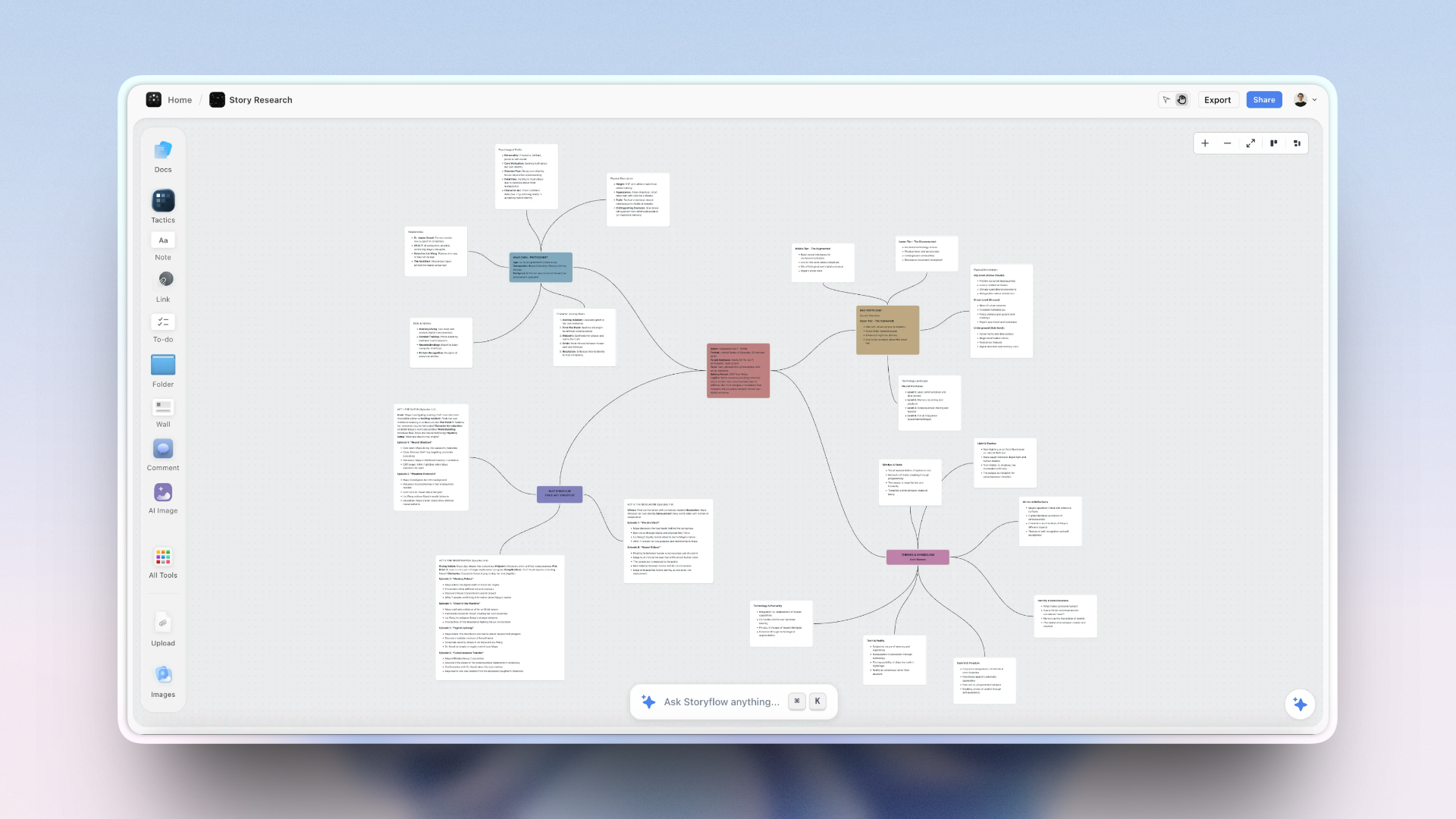
A nonprofit campaign on one Storyflow canvas: program timeline, volunteer roster, and the impact story of photos and quotes a board can see
Show your impact, do not just file it
Storyflow puts your campaign plan, program timeline, and the impact story of photos and quotes on one canvas the AI reads, with free collaboration for your whole team and volunteers. No credit card.

The 10 Best Notion Alternatives for Nonprofits, Ranked
- Storyflow - best for planning campaigns and telling your impact story visually, with AI that reads your whole board and free collaboration for the entire team
- Airtable - best for tracking grants, programs, and donors as linked, filterable data
- Trello - best free shared kanban that a volunteer can learn in five minutes
- Google Workspace - best free everyday backbone for docs, email, and shared files
- Asana - best for coordinating tasks across several programs and campaigns
- ClickUp - best all-in-one hub for a larger operations team
- Milanote - best for visual campaign moodboards and story planning
- Canva - best for donor-facing graphics, social posts, and impact reports
- Coda - best doc-database hybrid for an operations wiki
- monday.com - best colorful, at-a-glance project tracking
How We Evaluated These Tools
I have planned campaigns, coordinated volunteer teams, and built impact stories for real audiences, and I judged these tools on the jobs a nonprofit does every week, not on feature counts. A tool that a development director loves but a Tuesday-night volunteer cannot open is a failed tool for this sector. Five criteria:
- Campaign and program planning (25%). Can you lay out a fundraising campaign, a program cycle, or an event on a timeline the whole team understands, and move it forward without a training session? This is the core operational job.
- Impact storytelling (25%). Can you gather photos, quotes, numbers, and video in one place and shape them into something a donor or board sees and feels? A nonprofit's core asset is a story, and most workspace tools treat it as an afterthought.
- Collaboration across staff and volunteers (20%). Can a mixed team, some full-time, some volunteering two hours a week, some with no software background, all contribute without extra licenses or a steep ramp? Nonprofits live or die on this.
- Ease for non-technical users (15%). How fast can a board member, a new hire, or a seasonal volunteer open the tool and be useful? Complexity is a hidden cost paid in staff time you do not have.
- Price and nonprofit discounts (15%). What does it cost after the nonprofit discount, and does the price scale gently as volunteers and staff come and go? Per-seat pricing punishes exactly the growth a nonprofit wants.
Detailed Reviews: 10 Notion Alternatives for Nonprofits
1. Storyflow
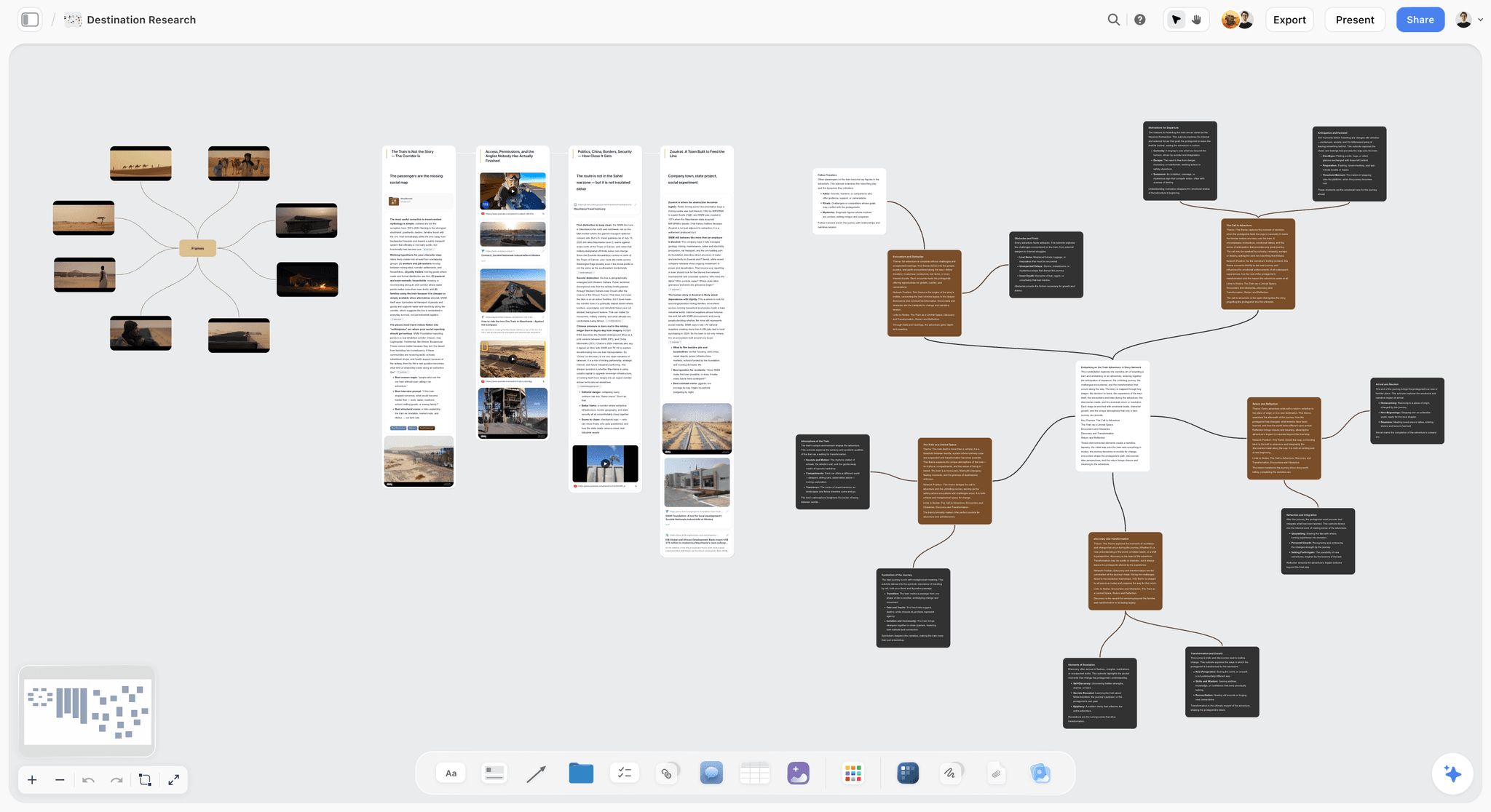

Storyflow is an infinite canvas where a nonprofit's whole picture lives in one view: the fundraising campaign, the program timeline, the volunteer roster, the grant reporting deadlines, and the photos and quotes that make up your impact story, arranged in space instead of buried in separate database pages. For a team whose most valuable asset is a story that has to be seen, that visual surface is the difference between organizing your work and being able to show it.
The reason it ranks first for nonprofits is the combination of visual planning, free collaboration, and AI that understands your actual work. The AI reads the entire active board by default, plus up to 1 Tactic and up to 3 documents you @-mention, so asking it to "draft a donor update from this month's program results" or "outline a spring giving campaign" pulls from the real material on your canvas, not a blank prompt. For a two-person comms team or a director wearing five hats, that is a genuine force multiplier without a genuine budget.
The collaboration model is built for how nonprofits actually staff. The Free plan already includes unlimited shared boards and unlimited collaboration, so your whole team, plus your volunteers, can plan a campaign together at $0, and a collaborator can open a share link without creating an account. That last detail matters more than it sounds: the board member who needs to review the annual-appeal plan, or the volunteer coordinating a single event, can click a link and contribute rather than getting stuck at a sign-up wall. On Plus and above, the 200+ Story Blueprints library (Hero's Journey, AIDA, Retention Hooks) gives you and the AI proven narrative structures to shape an appeal or a grant narrative around.
Key features
- Infinite visual canvas that holds campaign plans, timelines, photos, quotes, and video side by side
- AI that reads the whole active board, plus up to 1 @-mentioned Tactic and up to 3 @-mentioned documents
- Unlimited shared boards and unlimited collaboration on the free plan
- Share links that let collaborators view and contribute without an account
- 200+ Story Blueprints (Hero's Journey, AIDA, Retention Hooks) on Plus and above
- Flat per-account pricing that does not grow with team or volunteer count
Pricing
Free at $0 (unlimited boards, unlimited collaboration, basic AI, 3 starter blueprints, 20 file uploads); Plus at $7.99/mo annual ($9.99 monthly) for the full 200+ blueprint library and unlimited uploads; Pro at $14/mo annual; Max at $39/mo annual with a Team Workspace, roles, and permissions. Billed per account, not per user.
Pros
- Turns an impact story into something a board and donor can see, not just read in a table
- Whole team plus volunteers collaborate free, with no per-seat cost as people come and go
- AI drafts appeals, updates, and outlines from your actual campaign material
- Easy enough for a non-technical volunteer to open a share link and contribute
- Flat pricing makes budgeting predictable for a nonprofit finance committee
Cons
- It is not a donor CRM or fundraising platform. Bloomerang, Salesforce Nonprofit Cloud, and Givebutter own donor records, gift processing, and email appeals; Storyflow plans the campaign, it does not run the database of donors.
- It is not a grants-management system. Deadlines and narratives can live on the board, but formal grant tracking, budgets, and compliance records belong in a dedicated tool or a spreadsheet.
- It is newer and smaller than Notion, so it has fewer third-party integrations and a shorter track record than the incumbent.
- It does not track donation analytics or send email, so the actual asks and receipts still run through your fundraising stack.
2. Airtable
Airtable is the pick for the data-shaped side of nonprofit work, and for a program team this is a real strength. If you track grants linked to programs linked to reporting deadlines, or volunteers linked to shifts linked to events, Airtable's relational bases handle that structure better than Notion's databases and far better than a pile of spreadsheets. Views flip between grid, kanban, calendar, and gallery, so the same grant data can show up as a deadline calendar for the development team and a status board for the director.
The trade-off is exactly what this guide is about. Airtable is a database with even less of a creative front end than Notion, so your impact story lives as rows and attachments, and nothing about a grid helps a photo and a quote become something a donor feels. Pricing also jumps hard after the free tier, which stings on a nonprofit budget, though Airtable does offer a nonprofit discount worth checking.
Key features
- Relational bases linking grants, programs, volunteers, and donors
- Grid, kanban, calendar, and gallery views over the same data
- Automations to nudge records between stages and send reminders
- Forms to collect volunteer signups or intake data straight into a base
Pricing
Free plan for small bases; paid from around $20/mo per seat, with a nonprofit discount available.
Pros
- Best-in-class for tracking grants, programs, and volunteers as linked data
- Multiple views serve different roles from one source of truth
- Forms make volunteer and beneficiary intake clean
Cons
- No real home for a visual impact story; ideas and photos live as rows and files
- Per-seat pricing scales poorly for a volunteer-heavy team
- Steeper learning curve than a non-technical volunteer will pick up quickly
3. Trello
Trello is the tool a new volunteer can understand in five minutes, and for a nonprofit that is close to a superpower. Lists for stages (Planned, In Progress, Needs Review, Done), cards for tasks or event pieces, and a drag to move each one forward. For coordinating a fundraiser, a volunteer cleanup day, or a newsletter, the free tier is arguably the best zero-dollar shared board in existence, and the calendar Power-Up adds a deadline view the whole team can read.
The limit is depth. A Trello card holds a checklist and a description, not a developing campaign narrative or a grant budget, and its AI is standard rather than aware of your mission. Trello moves work forward; it does not help you plan a campaign in depth or shape the story you are telling.
Key features
- Simple kanban lists and cards anyone can learn instantly
- Free plan with unlimited cards and up to 10 boards per workspace
- Calendar and automation (Butler) Power-Ups for deadlines and routine steps
- Checklists, due dates, and assignees on every card
Pricing
Free plan; paid from $5/user/mo, with nonprofit discounts via the Atlassian community program.
Pros
- Fastest tool here for a non-technical volunteer to pick up
- Genuinely capable free tier for a small operation
- Visual stage tracking that a whole team reads at a glance
Cons
- Cards are too shallow for real campaign planning or grant detail
- No impact-story surface; it is a task board, not a canvas
- AI is generic and does not read your programs or plans
4. Google Workspace
Google Workspace is the backbone almost every nonprofit already runs on, and Google for Nonprofits makes the core suite free for eligible organizations, which is hard to argue with on a tight budget. Docs for grant narratives and board minutes, Sheets for program data and budgets, Drive for shared files, Gmail for the team, and Calendar for events: it is universal, familiar, and collaborative in real time, so a volunteer with a Google account is instantly productive.
The honest limit is that Google Workspace is a set of separate documents, not a planning surface or a story canvas. A campaign lives across a Doc, a Sheet, and a Slides deck with nothing tying them into one view, and there is no pipeline or visual overview of your programs. It is the reliable filing cabinet and typewriter; it is not where a campaign gets designed or an impact story gets shaped.
Key features
- Docs, Sheets, Slides, Drive, Gmail, and Calendar in one account
- Real-time collaboration and commenting across the team
- Free for eligible nonprofits via Google for Nonprofits
- Universal file formats and near-zero learning curve
Pricing
Free for eligible nonprofits through Google for Nonprofits; paid Business plans from around $7/user/mo otherwise.
Pros
- Free for nonprofits and already known by every volunteer
- Rock-solid real-time collaboration on documents
- Universal, so files move anywhere without friction
Cons
- No unified planning view; work scatters across separate files
- No visual canvas for shaping an impact story
- AI (Gemini) works per document, not across your whole plan
5. Asana
Asana is the strongest pure task-coordination tool on this list for a nonprofit juggling several programs at once. Projects with tasks, owners, due dates, and dependencies keep a spring gala, a grant deadline, and a volunteer drive from colliding, and timeline and calendar views give a director a real overview of what is due and who owns it. For an operations lead coordinating staff across programs, it holds the machine together.
The cost is the same shape problem the others have: Asana treats everything as a task, so your campaign plan and your impact story become attachments to a to-do rather than the center of the work. It is also priced per seat, which adds up once you invite the whole team, though Asana offers a 50 percent nonprofit discount worth applying for.
Key features
- Projects, tasks, subtasks, and dependencies across multiple programs
- Timeline, calendar, and board views for different roles
- Workflow rules to route and remind automatically
- Portfolios to see all programs at a glance
Pricing
Free tier for small teams; paid from $10.99/user/mo, with a 50 percent nonprofit discount.
Pros
- Excellent for coordinating tasks across several programs and events
- Clear ownership and deadlines reduce dropped balls
- Nonprofit discount makes paid tiers more reachable
Cons
- Everything is a task, so campaigns and stories are secondary
- Per-seat pricing scales poorly with volunteers
- More structure than a very small team needs
6. ClickUp
ClickUp is the all-in-one hub for a larger nonprofit operation that wants tasks, docs, goals, and dashboards under one roof. Its Free Forever tier is genuinely usable, and for an operations team tracking programs, grant tasks, and staff workloads across departments, the depth is real. Goals and dashboards can even roll program metrics up for a director or board.
The trade-off is weight. ClickUp asks a team to configure a lot before it pays off, which is a hard sell for a two-person shop or a volunteer who wants to log in and help. As with the others, content and story are handled as attachments to tasks, so the emotional core of your work still lives somewhere else.
Key features
- Tasks, docs, goals, and dashboards in one workspace
- Highly customizable views and fields
- Free Forever tier with unlimited members
- Automations and goal tracking for operations
Pricing
Free Forever plan; Unlimited from $7/user/mo annual, with nonprofit discounts available on request.
Pros
- Deep all-in-one hub for a larger operations team
- Usable free tier with unlimited members
- Dashboards roll up program status for leadership
Cons
- Heavy setup and complexity for a small or volunteer team
- Content and story are task attachments, not the focus
- Easy to over-configure and lose non-technical users
7. Milanote
Milanote is the tool that feels most like a communications team's wall: drag in photos, quotes, links, and notes, and arrange them in space until a campaign or an appeal has a shape. For a comms staffer building a moodboard for a rebrand, storyboarding a donor video, or gathering the visual pieces of an impact story, it is the most pleasant tool on this list, and its creative-brief and storyboard templates fit nonprofit comms work well.
Its limits are the free plan and the AI. The free tier caps at 100 notes, which an active comms team hits within weeks, and there is no board-aware AI to turn a wall of references into a drafted appeal. Milanote gathers beautifully; the actual campaign management and the writing happen somewhere else.
Key features
- Visual boards for photos, quotes, links, and notes in space
- Templates for creative briefs, storyboards, and moodboards
- Simple drag-and-drop that non-designers enjoy
- Export to PDF or Word for sharing
Pricing
Free with a 100-note cap; Pro around $12.50/mo billed annually.
Pros
- The most natural surface here for gathering visual story material
- Genuinely easy and pleasant for non-technical comms staff
- Great for moodboards and campaign visual planning
Cons
- 100-note free cap is hit quickly by an active team
- No board-aware AI to develop material into drafts
- Not a place to manage tasks, grants, or the wider operation
8. Canva
Canva is how a nonprofit without a designer still ships donor-facing graphics that look professional: social posts, an annual impact report, event flyers, a fundraising thermometer, a board deck. Canva for Nonprofits gives eligible organizations premium free, which is one of the best deals in this sector, and its template library means a volunteer can produce a clean graphic in an afternoon.
Canva is a design tool, not a planning workspace, so it belongs beside the tools that manage your campaigns rather than replacing them. It does not track programs, coordinate volunteers, or hold your operation together; it makes the outputs of that work look good. It earns its slot because impact storytelling is visual, and Canva is where a lot of nonprofits produce the visible part.
Key features
- Templates for social posts, reports, flyers, and presentations
- Brand kit to keep colors, logo, and fonts consistent
- Free premium access for eligible nonprofits
- Simple enough for any volunteer to produce a clean graphic
Pricing
Free for eligible nonprofits via Canva for Nonprofits; Pro otherwise from around $13/mo.
Pros
- Produces professional donor-facing visuals without a designer
- Free premium tier for nonprofits is exceptional value
- Very low learning curve for volunteers
Cons
- A design tool, not a planning or coordination workspace
- Does not track programs, grants, or volunteers
- Story planning still has to happen before the design step
9. Coda
Coda is a genuinely stronger doc-database engine than Notion in some ways, blending writing and tables into interactive docs with buttons, formulas, and automations. For an ops-minded nonprofit that wants a living operations wiki, a volunteer handbook that updates itself, or a program tracker with logic baked in, Coda can be impressive, and it offers startup and nonprofit credits worth checking.
The catch is that Coda improves the archive job, not the storytelling job. It is a more powerful place to build structured documents, but it is still page-and-table shaped, so your impact story lives in cells and text rather than on a visual canvas. It also has a real learning curve, which pushes it away from the mixed-skill teams this guide keeps in mind.
Key features
- Docs that combine text, tables, buttons, and formulas
- Automations and interactive controls inside a document
- Packs to connect external tools
- Templates for wikis, trackers, and processes
Pricing
Free tier for small docs; paid from around $12/user/mo, with nonprofit and startup credits available.
Pros
- More powerful doc-database logic than Notion in places
- Great for a living operations wiki or volunteer handbook
- Interactive docs reduce manual updating
Cons
- Improves the archive, not the visual impact story
- Real learning curve for non-technical volunteers
- Per-doc-maker pricing complicates budgeting
10. monday.com
monday.com is the colorful, at-a-glance work management tool, and for a nonprofit that wants program and campaign status visible in bright, readable boards, it lands. Timelines, kanban, and calendar views are easy to configure, dashboards summarize status for a director, and the visual design makes it friendlier to non-technical staff than most project tools.
The trade-off is price and shape. monday.com is per-seat with a minimum seat count that can sting a small nonprofit, and, like the other work-management tools, it treats content and story as items on a board rather than the heart of the work. It offers a nonprofit discount, which softens the cost but does not change what the tool is for.
Key features
- Colorful, configurable boards with multiple views
- Dashboards that summarize program and campaign status
- Automations and forms for intake and reminders
- Friendly visual design for mixed-skill teams
Pricing
Free plan for up to 2 seats; paid from around $9/user/mo with a minimum seat count, plus a nonprofit discount.
Pros
- Bright, readable boards that non-technical staff enjoy
- Good dashboards for at-a-glance program status
- Nonprofit discount available
Cons
- Per-seat pricing with seat minimums pinches small teams
- Content and story are board items, not a visual canvas
- Overkill for the simplest coordination needs
Quick Picks by Nonprofit Need
- Best for planning campaigns and telling your impact story visually: Storyflow
- Best for tracking grants and programs as linked data: Airtable
- Best free shared board a volunteer can learn instantly: Trello
- Best free everyday backbone (docs, email, files): Google Workspace
- Best for coordinating tasks across several programs: Asana
- Best all-in-one hub for a larger operations team: ClickUp
- Best for gathering visual campaign and story material: Milanote
- Best for donor-facing graphics with no designer: Canva
- Best doc-database wiki for operations: Coda
- Best colorful, at-a-glance project tracking: monday.com
- Best free planning stack at $0: Storyflow for the campaign and story, Google Workspace for docs and files
The Bottom Line
Notion did not fail your nonprofit, and your team did not fail Notion. The tool is a database, and your mission is a story, and the two get mistaken for each other every time a program's real impact gets flattened into a row nobody outside the office will ever see. A nonprofit runs on a story of impact, and a story has to be seen, not filed.
Storyflow ranks first because it rebuilds the work around what a nonprofit actually needs: campaigns and programs planned on a visual canvas, an impact story you can shape and show rather than store, AI that reads the whole board to help you draft the appeal or the board update, and free collaboration generous enough for your entire team and every volunteer to join at $0. Airtable wins grant and program data, Trello wins the free volunteer board, Google Workspace remains the everyday backbone, and Canva makes the outputs look professional. None of them, Storyflow included, is your donor CRM, so keep your fundraising platform for the asks and the gifts. For everything upstream of that, plan it and show it in one place.
Take the test that matters: look at how your organization's best moment this year is stored, and ask whether a donor or a board member could see it or only read it in a table. If it is only a table, move your next campaign onto a Storyflow canvas and shape the story where everyone can see it.
FAQ: Notion Alternatives for Nonprofits
What is the best Notion alternative for nonprofits?
Storyflow is the best Notion alternative for nonprofits in 2026, because it replaces a filing-cabinet workspace with a visual canvas where your campaign plan, program timeline, and impact story sit together, and the AI reads the whole board to help draft appeals and updates. It is free for your entire team, with Plus at $7.99/mo billed annually. Airtable, Trello, and Google Workspace lead for data tracking, free kanban, and everyday docs.
Is there a free Notion alternative for nonprofits?
Not during early access. Storyflow's Free plan, which launches before the end of 2026, will include unlimited boards and unlimited collaboration, so a whole team plus volunteers can plan campaigns. Google Workspace and Canva are free for eligible nonprofits through their own programs. Trello's free tier is a capable shared kanban. A strong free stack is Storyflow for planning and storytelling plus Google Workspace for documents and files, together at no cost.
What tool should a small nonprofit use instead of Notion?
A small nonprofit's best setup in 2026 is Storyflow for planning campaigns and shaping the impact story, plus Google Workspace for everyday documents and email. On one Storyflow canvas you keep the campaign plan, the volunteer roster, and the photos and quotes that move donors, with AI that reads all of it. Add Trello only if you want a separate lightweight task board for volunteers.
How do nonprofits tell their impact story with these tools?
Impact storytelling means gathering photos, quotes, numbers, and video and shaping them into something a donor or board sees and feels. Storyflow and Milanote are built for this, because a visual canvas lets you arrange those pieces in space rather than in table rows. Canva then turns the shaped story into finished graphics and reports. Notion and the database tools store the raw material but do not help you show it.
Which Notion alternative is best for tracking grants?
Airtable is the strongest pick for grant tracking, because its relational bases link grants to programs, budgets, and reporting deadlines, with calendar and kanban views over the same data. For formal grants management with compliance and budgets, a dedicated grants tool or a well-built spreadsheet is better still. Storyflow can hold grant deadlines and narratives on the planning canvas, but it is not a grants-management system.
Do these tools work for coordinating volunteers?
Yes, with different strengths. Storyflow's free unlimited collaboration and no-account share links let volunteers view and contribute to a campaign board instantly, which suits mixed-skill, changing rosters. Trello gives volunteers a simple kanban they learn in minutes. Airtable handles volunteer data and shift signups through forms. Match the tool to whether your need is planning together, task tracking, or managing volunteer records.
Are there nonprofit discounts on these tools?
Most of them, yes. Google Workspace and Canva are free for eligible nonprofits through their own programs. Asana offers roughly 50 percent off, and Airtable, ClickUp, monday.com, Coda, and Trello (via Atlassian) offer nonprofit pricing, many brokered through TechSoup. Storyflow keeps things simple with flat per-account pricing that does not multiply as your team grows, which often beats per-seat discounts for a volunteer-heavy organization.
Is Storyflow a donor CRM or fundraising platform?
No, and this is an honest limit. Storyflow plans campaigns and shapes the impact story, but it does not store donor records, process gifts, or send email appeals. For that, use a dedicated fundraising platform like Bloomerang, Givebutter, or Salesforce Nonprofit Cloud. The strong pattern is to plan the campaign and craft the story in Storyflow, then run the actual asks, gifts, and donor data through your fundraising tool.
Can a nonprofit use Storyflow and Notion together?
Yes, and for a nonprofit with real back-office needs it is a good setup. Run the creative and campaign work in Storyflow, where plans and stories develop visually and the AI reads the whole board, and keep Notion as the archive: an operations wiki, a searchable records database, contracts, and policies. Move the campaign-planning and storytelling work out of Notion first, since that is where a database serves you least.
What is the easiest Notion alternative for non-technical staff and volunteers?
For pure ease, Trello and Canva have the gentlest learning curves, and Google Workspace is already familiar to nearly everyone. Storyflow is easy for contributors too, because a volunteer or board member can open a share link and start working without an account or a training session. Coda, ClickUp, and monday.com are more powerful but ask more of a non-technical user before they pay off.
How much does Storyflow cost for a nonprofit?
Storyflow starts at Plus, $7.99/mo billed annually ($9.99 monthly), Pro is $14/mo annual, and Max is $39/mo annual, billed per account rather than per user. That flat model matters for a nonprofit: adding staff, board members, or a season of volunteers does not increase the bill. A lot of organizations run entirely on the free plan, since it already includes unlimited boards and unlimited collaboration.
Which Notion alternative is best for reporting to a board?
For a board that needs to see impact, not just read numbers, Storyflow lets you build a single visual board of program results, photos, and the story behind them that a board can absorb at a glance, with AI to draft the narrative. Canva turns that into a polished report or deck. Airtable and the work-management tools are better for the underlying data and dashboards, but weaker at making a board feel the mission.
Workspace templates you can use in Storyflow
Keep research, notes, and plans on one canvas the AI can read, instead of scattered across docs and tabs. Open a template and make it your second brain.


See Storyflow in Action
A visual AI workspace where every feature lives inside one canvas. No tab-switching, no context lost.
Build your entire board from a single message
Type what you need in the AI chat at the bottom of your canvas. The AI adds cards, headings, and structure directly onto your board.
Use expert frameworks as AI context
Type @ in the AI chat and choose any Tactic. The AI tailors every response to that framework instead of giving generic advice.
Turn your board into a mind map in seconds
Ask the AI to restructure your canvas as a mindmap. It connects your ideas into a visual hierarchy so you can see how everything relates.
Why Storyflow Exists
Storyflow actually began as a personal tool while working on creative and research projects.
We kept running into the same problem: ideas were scattered everywhere: notes, documents, and whiteboards.
Nothing helped us see how everything connected.
So we started building a workspace designed around how ideas actually grow.
→ Read how Storyflow was createdJustkay
Documentary Filmmaker & Founder at Storyflow
Published: 2026-07-21
Start creating with AI and become more productive
Transform your creative workflow with AI-powered tools. Generate ideas, create content, and boost your productivity in minutes instead of hours.
Ask Storyflow to