The 10 Best Media Kit Tools for Creators in 2026 (We Tested Them All)
A media kit is a pricing document wearing a design document's clothes. Rank the tools on how fast the kit decays and whether a rate can sit on the page without a redesign.

Category
Content Creation
Author

Sara de Klein
Head of Product at Storyflow
Topics
2026-08-14
•
22 min read
•
Content CreationTable of Contents
- Key Takeaways
- The Decay Clock and the Rate Slot
- At a Glance: The 10 Tools Compared
- How I Ranked These
- Quick Picks by Job Type
- 1. Beacons
- 2. Canva
- 3. Kitly
- 4. Notion
- 5. Later
- 6. Storyflow
- 7. Adobe Express
- 8. Google Slides
- 9. Linktree and Shorby
- 10. A Designer Built PDF
- What to Actually Pay For
- Tools to Avoid for This Job
- What No Tool on This List Does
- The Bottom Line
- FAQ: Media Kit Tools for Creators
- Related Reading
Templates to check out for this topic


- media kit tools
- creator media kit
- influencer media kit
- media kit builder
- media kit template
- brand partnership pitch
What are the best media kit tools for creators in 2026?
Most media kit advice treats the kit as a design problem, which is why creators spend a weekend on typography and still send a brand manager a document that answers neither of the two questions that decide the deal. Beacons ranks first because it is the only tool here that pulls your audience numbers in automatically, so the kit does not start rotting the second you finish it. Canva ranks second for real design control and one share link you keep updating. Storyflow ranks sixth and is not a media kit builder at all: it is where you decide what the kit should say before you build it anywhere else.

Full disclosure: Storyflow is our product, so read its placement carefully: it ranks sixth here and it does not build or deliver a media kit. It wins on one narrow ground, which is the packaging decision that comes before the document exists: comparing candidate offers side by side on a canvas and choosing which proof to lead with, with whole board AI to pressure test it. It genuinely cannot do the rest. No analytics integration with Instagram, TikTok or YouTube, no live updating follower or engagement numbers, no PDF export, no media kit template library, no link in bio page and no contact or booking form. It is also paid only during early access, so there is no free path unless a paid member invites you. Beacons and Canva rank above it because they produce a document a brand can open.
Quick Comparison
Ten tools ranked on two axes: how fast the kit decays after you finish it, and whether a rate can change on the page without you redesigning the page.
| Tool | Best For | AI Features | Price |
|---|---|---|---|
| Beacons | Numbers that update themselves | Auto-pulled audience stats where platform access allows | Free tier, paid from about $10 mo |
| Canva | Design control with one updatable link | AI design and copy assists, no analytics sync | Free tier, Pro about $15 mo |
| Notion | Rates, packages and terms in plain text | Notion AI as a paid add on, no analytics sync | Free tier, paid from about $10 user mo |
| Storyflow | Deciding what the kit says before building it | Whole board AI reads your active canvas, 1 Tactic and 3 Documents | $7.99 mo annual (free plan late 2026) |
Key Takeaways
- A media kit is a pricing document wearing a design document's clothes. The brand manager wants what it costs and what they get, in that order.
- A static PDF is out of date the moment you export it. Your follower count, your last campaign and your best performing post moved on and the file did not.
- Rank tools on two axes: how fast the kit decays after you finish it, and whether a rate can change without you redesigning the page.
- Beacons, Kitly and some scheduling tools claim automatic audience syncing. That depends on current Instagram, TikTok and YouTube API access and tier rules, which change often.
- Storyflow has no analytics integration, no live follower numbers, no PDF export, no media kit templates, no link in bio page and no booking form. It is a planning canvas, not a delivery format.
- A commissioned PDF signals more seriousness than anything else here and has the worst decay clock of anything here. Both are true.
- Half the creators who ask for media kit help do not have a rate problem. They have a packaging problem: nothing on the page describes what a brand is buying.
Decide what your media kit says before you build it
Put your candidate packages, your strongest campaign results and your audience notes on one canvas, then ask the AI which proof is load bearing and where a brand would push back. Storyflow does not export a media kit, and it is where the offer inside one gets decided. Paid-only during early access; the Free plan lands before the end of 2026.

The Decay Clock and the Rate Slot
Watch what a brand manager does with a media kit. They scan for two things inside about fifteen seconds: what does this cost, and what do I get for it.
Then look at what most creators build. Three pages of aesthetic. A hero photo. A pastel gradient. A grid of brand logos. Audience demographics as donut charts. And somewhere near the end, if at all, a line about rates, often replaced by "rates available on request."
A media kit is a pricing document wearing a design document's clothes. The clothes are not the problem. Burying the price under the clothes is.
Two properties separate the tools that survive this job from the ones that do not.
The Decay Clock. Every media kit starts going out of date the instant it is finished. Your follower count changes daily. Your best performing post from March is not your best performing post now. A PDF exported on Tuesday is stale by Thursday and dishonest by the next quarter, and nobody re-exports it, because that means reopening the design file, updating six numbers, exporting, renaming and re-uploading. The clock starts at zero on a PDF. A live page that pulls its own numbers has no clock at all. Everything else sits between.
The Rate Slot. Can a price sit on the page, and can it change without breaking the layout? A tightly art directed spread with a number set in 64pt display type has no rate slot: changing 800 to 1,200 pushes the line and breaks the grid. A table row has a rate slot. A heading that says "Packages" with three blocks underneath has a rate slot. This sounds trivial and it is the reason so many kits say "on request": the creator built a layout with nowhere for a number to live, then rationalised the omission as negotiating strategy.
The two axes pull against each other, and that is the honest tension in this category. A beautiful static PDF signals professionalism and goes out of date immediately. A live page stays true and frequently looks like a template, because it is one. Nothing here resolves that. The 10 tools below are ranked on how well they hold both.
At a Glance: The 10 Tools Compared
| Tool | Best for | Decay clock | Rate slot | Delivery format |
|---|---|---|---|---|
Beacons | Numbers that update themselves | None if syncing works | Strong | Live page |
Canva | Design control with one updatable link | Slow on link, zero on PDF | Strong | Live link or PDF |
Kitly | A dedicated creator kit that stays current | Low | Strong | App and shared link |
Notion | Rates, packages and terms in plain text | Low, manual | Strongest | Live page |
Later | Kit built from the analytics you already track | Low to medium | Medium | Live page |
Storyflow | Deciding what the kit says before building it | Not applicable | Not applicable | Nothing shareable as a kit |
Adobe Express | Print quality kit on a small budget | Zero after export | Medium | |
Google Slides | A free kit you can update in thirty seconds | Low, manual | Strong | Live link or PDF |
Linktree and Shorby | The always on link, not the pitch | Low | Weak | Link in bio |
Designer built PDF | Top tier signal at top tier rates | Zero after export | Weak |
How I Ranked These
I come from documentary, where you pitch commissioners with a document that has to survive contact with a budget line: the treatment is the beautiful part and the schedule and budget decide whether anyone says yes. A media kit is the same shape of document, and creators make the mistake I made for years, which is polishing the treatment and hiding the number. I have built kits in every tool below and watched what brand contacts reply to.
Five criteria, in order.
1. Does the kit stay true without manual work? The test: change nothing for ninety days, then open it. Does it describe your account, or last quarter's account?
2. Can a rate sit on the page without a redesign? The test: change a package price to a longer number. If the layout moves, the rate slot is weak and you will stop updating it.
3. Does it force you to say what a brand is buying? Deliverables, usage rights, exclusivity, turnaround. A tool that only gives you space for photos produces a kit that only contains photos.
4. How does it deliver? A PDF forwards cleanly into an email chain and a procurement folder. A link forwards into Slack and dies behind a corporate firewall about as often as not. Some tools do both.
5. Cost against the size of the deals it supports. A creator negotiating their first paid post should not be on a $30 per month subscription for the document.
Pricing is as of August 2026 and changes frequently. Verify with each vendor.
Quick Picks by Job Type
- Best overall: Beacons. The kit updates itself and the free tier is usable.
- Best design control: Canva. Real layout tools, the biggest template library, one editable link.
- Best dedicated creator kit: Kitly. Built for this document and nothing else.
- Best for rates and terms: Notion. Ugly and unambiguous, the correct trade for a pricing page.
- Best if you already schedule there: Later. Built from analytics you already read.
- Best free kit you will update: Google Slides. Thirty seconds to change a number.
- Best print quality output: Adobe Express. Cleaner export controls than Canva.
- Best for deciding what to say: Storyflow. The packaging work that happens before any of the above.
1. Beacons
The verdict. The only tool here that attacks the decay clock directly, by pulling your audience numbers in rather than asking you to type them.
Best for. Creators who want a kit still accurate in three months without touching it.
Pricing. Free tier available and genuinely usable for a media kit. Paid creator plans start around $10 per month, with higher commerce tiers in the region of $30 per month, as of August 2026.
Why it ranks here. Beacons connects your social accounts and builds a kit page from what it reads: follower counts, engagement figures, recent content, audience breakdown where the platform exposes it. That behaviour is worth more than every design feature in this post combined, because it removes the step nobody does. Nobody re-exports a PDF to correct a follower count. They send the old one.
The caveat is large and I am not going to bury it. Automatic syncing depends on current Instagram, TikTok and YouTube API access, on account type eligibility, and on whatever the platforms decided about third party analytics this quarter, all of which changes without much notice. Connect your accounts, then check every figure against your native insights before you send. Where a metric is not syncing you enter it manually, and it is back on the decay clock.
The rate slot is strong. Beacons gives you package blocks with prices and descriptions as first class elements rather than as text squeezed into a design, so changing a number is editing a field. It also carries the link in bio page, which removes a subscription for most creators.
Where it loses ground is distinctiveness. Beacons kits look like Beacons kits, which costs nothing for most creators and costs something real for a creator whose pitch is art direction.
Strengths.
- Audience numbers pull in automatically where platform access allows, resetting the decay clock to zero.
- Package blocks with prices are built in, so rates have somewhere to live.
- Link in bio, kit and payments in one account rather than three subscriptions.
- Free tier covers a complete kit, not a crippled preview.
- Built for the creator pitch, so the fields ask the right questions.
Limitations.
- Syncing depends on current platform API access and tier eligibility, which changes without warning.
- Template recognisable to anyone reviewing creator pitches regularly.
- Limited design control next to Canva or a designer.
- Link only delivery, so a brand wanting a PDF for procurement has to print the page.
The trade off. You give up a distinctive look and you get a kit that is still true in October.
2. Canva
The verdict. The best combination of real design control and a link you can keep updating, which is the closest thing here to having both axes.
Best for. Creators who want a kit that looks art directed without hiring anyone.
Pricing. Free tier is workable. Pro is roughly $15 per month for one person as of August 2026.
Why it ranks here. Canva's media kit template library is the largest in this category, and the templates are mostly good: rate sections, deliverable sections and audience sections are already laid out, so the structure of a competent kit is handed to you rather than invented by you at 11pm. For a creator who does not design, starting from a structure that already has a Packages page is worth more than any individual feature.
The part most creators miss is that Canva does not force you onto the decay clock. You can share a design as a live link instead of exporting a PDF, and that link keeps pointing at the current version of the file. It is not automatic, so the clock still ticks, but it ticks in months instead of days and you never re-send anything.
The rate slot depends entirely on which template you pick, and this is where I would push back on most creators' choices. Pick one where prices sit in a table or three stacked package cards. Avoid the ones where the number is set as display type inside a composition, because the first time your rate changes you will find the layout does not survive four digits and you will quietly delete the page.
Strengths.
- Largest media kit template library here, with rate and deliverable sections by default.
- Share as a live link so one URL always shows the current version.
- Brand kit keeps this consistent with your other documents.
- Both PDF and link delivery from one file.
- Free tier produces a complete, presentable kit.
Limitations.
- No analytics integration at all, so every number is typed and every number decays.
- Rate slot quality varies wildly by template and most creators pick badly.
- Export controls weaker than Adobe Express for print.
- High template familiarity, since a large share of creator kits start in Canva.
The trade off. You do the updating yourself and you get design control plus a permanent link, which is a better deal than most creators realise.
3. Kitly
The verdict. A dedicated creator media kit app, which means every field it asks for is a field a brand actually wants filled.
Best for. Creators who want a purpose built kit rather than a document assembled in a design tool.
Pricing. Offers a free tier with paid tiers in the region of $10 per month as of August 2026. Tiers in this corner of the market change often, so check current pricing and what syncing is included before committing.
Why it ranks here. A single purpose tool will not let you build a kit that is all mood and no substance. Kitly asks for platform stats, past collaborations, rates and audience data as discrete records, so the finished kit contains those things because the app insisted. A creator in Canva can produce eight beautiful pages and never mention what a partnership includes. That is much harder here.
It also stores individual campaign performance, the most underused asset most creators have. A brand wants proof, and proof is a specific past post with its reach and its outcome, not a follower count. Like Beacons, its syncing rests on current platform API access and account eligibility, so connect, then verify against native insights before you put a number in a pitch.
It ranks third for two reasons. Reach is narrower, so fewer brand contacts recognise the format. And it is a paid product for a document most creators send a handful of times a month. Once you are pitching weekly, the arithmetic flips.
Strengths.
- Purpose built structure forces the kit to contain rates, deliverables and proof.
- Stores per campaign performance, the strongest evidence a creator has.
- Syncing where platform access allows, so headline numbers stay current.
- Multiple kits for different niches or platforms.
Limitations.
- Syncing depends on platform API and account eligibility rules that change frequently.
- Less recognition among smaller brand contacts than a Canva PDF or a Beacons link.
- Minimal design control, so the kit looks like the product.
- Paid product for a document you may send four times a month.
The trade off. Structure over aesthetics, which is the correct trade until you are competing on art direction.
4. Notion
The verdict. The ugliest good answer in this post, because it puts the rate and the terms where a brand can read them in five seconds.
Best for. The rates, packages, deliverables and usage rights page that sits behind whatever pretty thing you send.
Pricing. Free personal tier is sufficient. Paid from roughly $10 per user per month as of August 2026.
Why it ranks here. Notion has the strongest rate slot here, because a table row does not care how long a number is. Restructure your entire pricing, add a usage rights column, split a package in two, and nothing about the page breaks. In any design tool, changing the shape of your offer means changing the shape of the page.
It is also the only tool here where writing the terms is frictionless, and terms are where creator deals go wrong. Usage rights duration, exclusivity window, revision count, whether the brand can run the asset as paid media, turnaround. Those are the difference between a fair rate and a rate that quietly includes six months of paid usage you did not price.
It ranks fourth because it does nothing for the other half of the job. No analytics connection, no visual polish worth the name, and a Notion page reads as an internal document rather than a pitch. Creators who use it well pair it: a designed kit for the story, a linked Notion page for the arithmetic.
Strengths.
- Strongest rate slot here: restructure your pricing without touching a layout.
- Terms, usage rights and exclusivity are easy to write and easy to read.
- Published page is live, so one URL is always current.
- Free tier is genuinely enough.
Limitations.
- No analytics integration and no automatic numbers.
- Reads as an internal doc, which undersells you with teams expecting a pitch.
- No PDF worth attaching.
- Page permissions are the most common way a Notion kit fails to open.
The trade off. Send something designed, and link the Notion page for the numbers that change.
5. Later
The verdict. A reasonable kit assembled from analytics you are already paying for, which is the argument for it and the whole argument for it.
Best for. Creators already scheduling and tracking performance in Later who do not want another subscription.
Pricing. Paid plans start around $25 per month with higher tiers around $45 per month as of August 2026. Later has at various points offered a free standalone media kit builder, and the availability and tier of that feature have moved more than once. Confirm what your plan includes.
Why it ranks here. The genuine advantage is that your performance data is already in the tool. A kit built where your analytics live carries recent numbers without you exporting anything from a phone, and refreshing it is a task inside a product you open anyway rather than one you schedule and never do.
That puts it mid decay clock. The numbers are close at hand, but pulling them into the kit is still an action you take. Skip a quarter and the kit is as stale as a PDF, with the difference that fixing it takes two minutes. The rate slot is medium: less flexible than a Notion table or a Beacons package block, so tiered offers and add ons feel constrained.
It ranks fifth because the pricing only makes sense if you want the scheduling and analytics. As a kit tool alone it is expensive against Beacons at free and Canva at fifteen dollars.
Strengths.
- Built where your performance data already lives, so refreshing is cheap.
- Recent post performance without exporting from your phone.
- Scheduling, analytics and the kit in one subscription.
- Multi platform tracking in one place.
Limitations.
- Expensive if the media kit is the reason you are subscribing.
- Kit feature availability and tier have changed more than once, so verify current terms.
- Medium rate slot that struggles with tiered offers and add ons.
- Analytics depth still depends on current platform API access.
The trade off. Excellent value if you already schedule here, poor value if the kit is the point.
6. Storyflow
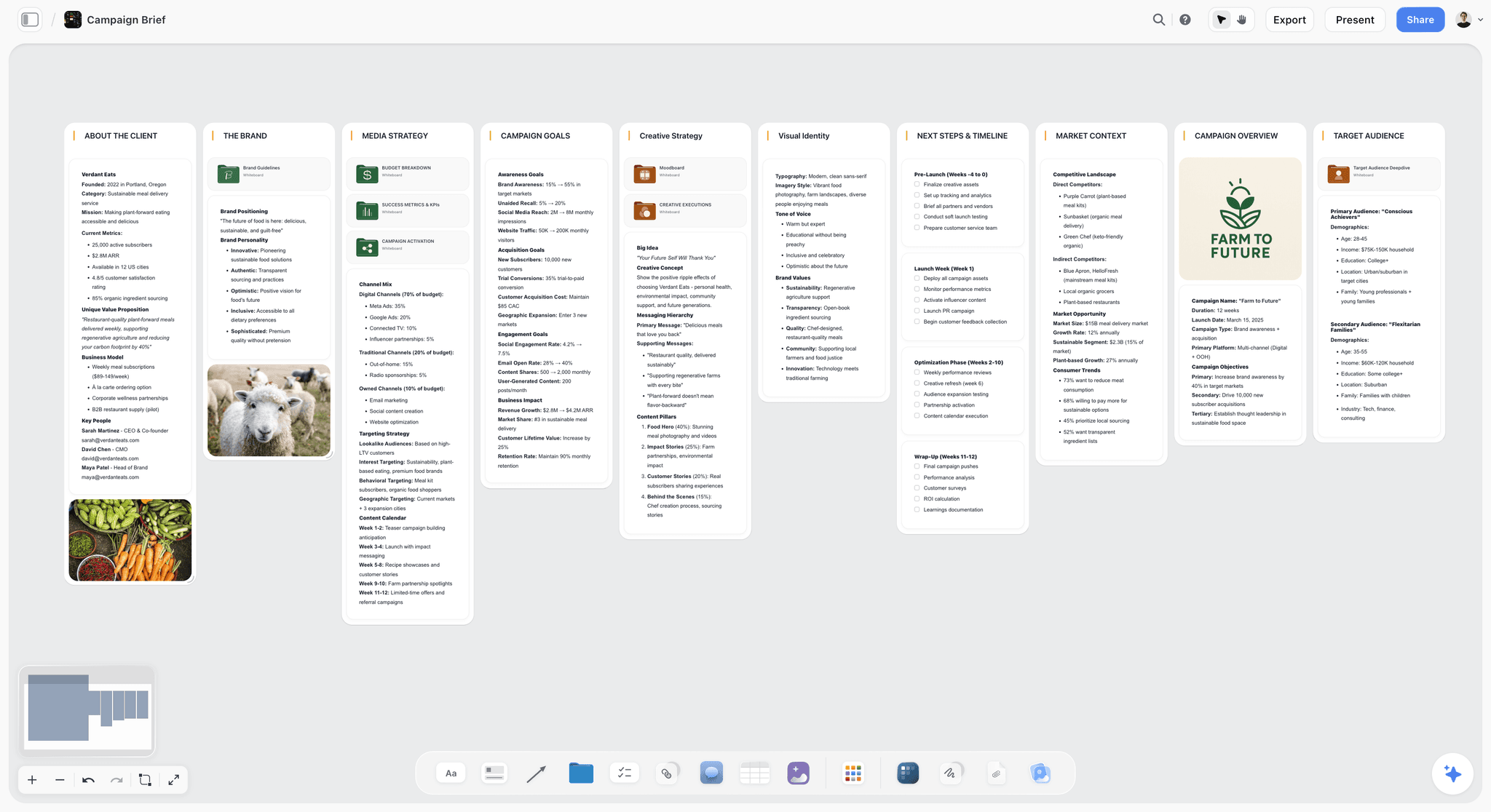

The verdict. Storyflow is ours, it does not build or deliver a media kit, and it ranks sixth because deciding what the kit says is a real job that none of the builders above will do for you.
Best for. Working out your positioning, your packages and which proof to lead with, before you open a kit builder.
Pricing. Paid only during early access. Plus is $7.99 per month billed annually or $9.99 monthly, adding 200 plus Story blueprints and unlimited file uploads. Pro is $14 per month billed annually or $19 monthly, adding AI image generation, roughly twenty times more AI usage and memory across conversations. Max is $39 per month billed annually or $49 monthly, adding forty times more AI and Team Workspace with permissions and roles. Pricing is flat per account rather than per seat, and anyone a paid member invites to a board joins free. The Free plan launches before the end of 2026. Pricing is as of August 2026.
Why it ranks here. Every tool above this one produces a document a brand can open. Storyflow does not. It sits earlier, at the point where most bad kits are caused.
The failure I see most often is not a design failure. The creator never decided what they sell. They have an audience, they have a rate they half invented, and the kit is an attempt to make those two facts look like an offer. So the packages are vague, the deliverables shift per conversation, and the rate has no logic a brand can follow, which is exactly when a brand starts negotiating downward. A media kit is a pricing document wearing a design document's clothes, and you cannot design your way out of not knowing what is being priced.
A canvas suits that work because packaging is comparative. Put three candidate offers side by side, drag your five strongest campaign results next to whichever offer they support, and see the whole shape of your business in one view rather than scrolling a doc. Storyflow's AI reads your full active canvas board, plus up to one Tactic and up to three Documents you @-mention, so you can ask what a brand contact would push back on, or which three of nine proof points are load bearing. Then you take that decision to Beacons or Canva and build the kit in twenty minutes.
Strengths.
- Comparative packaging work is faster spatially than in a document.
- Whole board AI pressure tests your offer and your proof selection in one pass.
- Invited collaborators join free, so a manager or editor costs nothing to add.
- Brief, references, campaign notes and offer drafts sit in one place.
- Flat per account pricing rather than per seat.
Limitations.
- No analytics integration with Instagram, TikTok or YouTube. None.
- No live updating follower or engagement numbers, so it does nothing for the decay clock.
- No PDF export, so nothing here becomes a document you attach to an email.
- No media kit template library. There are Story blueprints and there is no media kit blueprint.
- No link in bio page and no contact or booking form, so it cannot be what a brand lands on.
- Paid only during early access, so there is no free path unless a paid member invites you.
The trade off. Storyflow answers what the kit should say. Beacons or Canva answers what it looks like, and you need both answers.
7. Adobe Express
The verdict. The better export engine of the two big template design tools, which matters only if the kit is going near print.
Best for. Creators who want a PDF with controlled output, or who are already inside Creative Cloud.
Pricing. Free tier available. Premium is roughly $10 per month as of August 2026, and it is included with Creative Cloud subscriptions.
Why it ranks here. Express does most of what Canva does with a smaller template library and a better relationship with typography and export. If your kit is going into a printed leave behind, or a brand asked for a press ready file, Express handles colour and output more predictably.
For a purely digital kit that difference is close to invisible, which is why it sits below Canva. Fewer media kit templates also means more of the structure is your problem, and structure is what most creators get wrong.
The decay clock is the worst kind here, because Express is export first: the assumption is a PDF a brand keeps and forwards, and every number froze on the day you made it. Date the kit in the footer so the reader knows what they are holding. The rate slot is medium and template dependent, with the same warning as Canva.
Strengths.
- Better export and colour control than Canva for anything print adjacent.
- Included at no extra cost if you already pay for Creative Cloud.
- Cheaper than Canva Pro as a standalone at roughly $10 per month.
- Brand assets and fonts carry across your documents.
Limitations.
- Smaller media kit template library, so structure is more your problem.
- Export first workflow, so the decay clock starts immediately.
- No analytics integration and no automatic numbers.
- Live link sharing is weaker than Canva's.
The trade off. Better output, worse structure, and only worth choosing over Canva if the file is going to a printer.
8. Google Slides
The verdict. The free kit you will actually keep current, because changing a number takes thirty seconds and you already have the tab open.
Best for. A creator sending their first kits, who needs the document to exist more than it needs to be beautiful.
Pricing. Free with a Google account. Workspace from roughly $7 per user per month as of August 2026.
Why it ranks here. Creators underrate Slides because it is not a design tool. But the tool you update is worth more than the tool you designed, and the friction of updating Slides is nearly zero: open, click the number, type, done. No re-export, no re-upload, no version confusion, because the share link points at the file. It also exports a clean PDF, so you get both delivery formats from one document.
The rate slot is strong. Slides tables resize sensibly and do not punish you for changing your pricing structure. Deliverables and terms fit in a table on one slide, which is more than most designed kits manage across eight pages.
It ranks eighth because it looks like what it is, and default Slides typography works against you with brand teams that see polished kits daily. Slide proportions built for presenting are also awkward on a phone, and plenty of brand contacts open your kit on a phone.
Strengths.
- Free, universal, and openable by anyone without an account issue.
- Lowest possible friction to update a number, which is what keeps a kit true.
- Strong table based rate slot.
- Exports both a live link and a clean PDF from one file.
Limitations.
- Default typography and layout read as amateur next to a designed kit.
- No analytics integration and no automatic numbers.
- Slide proportions are awkward on mobile.
- Sharing permissions are the most common way a Slides kit fails to open.
The trade off. The least impressive kit on this list and one of the most likely to still be accurate in six months.
9. Linktree and Shorby
The verdict. These are the always on link, not the pitch, and creators keep asking them to do a job they were not built for.
Best for. The bio link that routes an interested brand contact toward your actual kit.
Pricing. Linktree has a free tier with paid plans starting around $5 to $9 per month as of August 2026. Shorby is paid, starting in the region of $15 per month.
Why it ranks here. A link in bio page is a router. It gets a brand contact from your profile to the right destination, and it should carry one line saying you work with brands plus a contact route. Both do that well, with Shorby leaning harder into retargeting pixels and messenger links.
What they are not is a media kit. The rate slot is weak to nonexistent, because these pages are lists of links, not documents with sections. Packages, deliverables, usage terms and proof do not fit, and the versions that try produce a wall of buttons. Linktree's analytics also describe your link clicks rather than your audience, so they are the wrong numbers for a kit.
They rank ninth because they are worth having and are the wrong answer to this question. The correct pattern is a link in bio page with a "Work with me" link pointing at a Beacons kit, a Canva link or a Notion rates page.
Strengths.
- Excellent at the routing job they were designed for.
- Free tier on Linktree is enough for the routing job.
- Shorby's retargeting and messenger routing suit creators running paid traffic.
- Trivial to keep current since there is almost nothing to keep current.
Limitations.
- No real rate slot, so pricing and packages have nowhere structured to go.
- Link click analytics are the wrong metrics for a brand pitch.
- Cannot carry deliverables, usage rights or proof in any readable form.
- Beacons covers this job and the kit in one account.
The trade off. Keep one, link your kit from it, and stop trying to make it the kit.
10. A Designer Built PDF
The verdict. The highest signal document a creator can send and the fastest decaying one, and both of those are permanent properties.
Best for. Established creators whose deal sizes justify a designed asset and who will pay to refresh it.
Pricing. A freelance designer for a multi page media kit commonly runs from a few hundred dollars to several thousand depending on scope and the designer, as of August 2026. Ask for the source file and an editable template as part of the deal.
Why it ranks here. Nothing here signals seriousness like a properly designed kit. It says a professional made this, which implies a professional made everything else, and against dozens of near identical Canva templates that difference is real and it converts.
It ranks last because it scores worst on both axes at once. The decay clock starts at export, since updating means a designer, a turnaround and an invoice. The rate slot is usually weak, because a designer optimising a spread sets a price as a typographic element, and typographic elements do not absorb a change from three digits to four.
Two things fix most of it. Insist on an editable file in a tool you can use. And keep volatile content out of the PDF: put audience numbers and rates on a linked live page and let the PDF carry positioning, past work and craft. That is the only configuration where a designed kit and an accurate kit are the same document.
Strengths.
- Strongest professional signal available, and it separates you from template kits.
- Full art direction, which matters most for creators selling aesthetic judgement.
- A good designer improves your structure and hierarchy, not just your look.
- Forwards cleanly into email chains and procurement folders.
Limitations.
- Worst decay clock here, with no automatic path to fixing it.
- Every update costs money and turnaround time.
- Rate slot is usually weak because prices get set as design elements.
- The most expensive option here by an order of magnitude.
The trade off. Commission it once you are winning deals, get the editable file, and keep the numbers on a linked page.
What to Actually Pay For
Pay nothing until a kit has cost you a deal. Beacons free and Google Slides free carry you through your first paid partnerships, and early kits fail on a missing packages section, not on the tool.
Pay for design once your kit is competing. The threshold is a brand contact comparing you against three other creators in your niche in the same week. That is when fifteen dollars a month for Canva Pro stops being cosmetic, because template recognition starts costing you.
Pay for syncing if you update less than quarterly. Judge your behaviour, not your intentions. If your last kit sat untouched for eight months, a tool that pulls its own numbers is worth a subscription and a manual one is not.
Do not pay a designer before you have decided what you sell. A designer will sharpen your packaging and cannot invent it. Commissioning a kit while the offer is vague produces an expensive, beautiful, vague document, and stacking a link in bio tool plus a kit builder plus a design subscription plus a scheduler is four bills for a page you send a handful of times a month.
Tools to Avoid for This Job
A carousel of Instagram screenshots as your proof. Screenshots of insights are unverifiable, unreadable at forwarded resolution, and date themselves in the status bar. Type the numbers as text and name the date range.
A design template with no packages page. If the template has no section for what a brand is buying, you will not add one, and you will send a kit that describes your vibe. Check for a packages page before you fall in love with the cover.
Your link in bio page as your media kit. A list of buttons cannot express deliverables, usage rights or turnaround. Link the kit from it instead.
"Rates available on request." Not a negotiating position, a friction tax. A brand contact with a shortlist and a deadline goes to the creator whose numbers they can check against the budget without sending an email.
A kit with no contact route. More kits than you would believe end without a working email address, a booking link or a name. The last thing on the page should be how to say yes.
What No Tool on This List Does
None of them will tell you what to charge. Rate guidance depends on your niche, your market, your deliverables, your usage terms and what the brand is worth, and no tool here has that context. Anything offering you a number is offering a guess dressed as data.
None of them will make platform analytics reliable. Instagram, TikTok and YouTube control what third party tools can read, and access rules and eligibility tiers change without notice. Every syncing claim in this post, including the ones I ranked highly for, is conditional on that.
None of them, including Storyflow, will decide your positioning. A canvas makes the comparison faster and the AI pressure tests what you wrote, and the judgement about which audience you serve stays yours.
And Storyflow will not produce a media kit. No PDF export, no analytics integration, no live numbers, no media kit template, no link in bio page, no booking form. If you came looking for a builder, it is not this one.
The Bottom Line
Two things decide whether a media kit works, and neither is the cover. Does it still tell the truth three months on, and can a brand contact find what it costs and what they get without emailing you.
A media kit is a pricing document wearing a design document's clothes. Beacons ranks first because it is the only tool here that stops the document decaying on its own. Canva ranks second for design control plus one link you keep current. Kitly and Notion are the specialists worth adding: one forces the structure, the other holds rates and terms in a form you can restructure without redesigning anything.
Storyflow ranks sixth and does not build a kit. It is where you work out what the kit says, which is the part that most often goes wrong. Decide the offer on a canvas, then build the document somewhere that can send it.
FAQ: Media Kit Tools for Creators
What is the best media kit tool for creators in 2026?
Beacons ranks first for most creators, because it pulls audience numbers from your connected accounts where platform access allows, so the kit stays accurate without you touching it. Canva ranks second and wins on design control and template range, with the trade off that every number is typed by hand. If you already track performance in Later, check its kit feature before adding another subscription. Verify what actually syncs on your accounts first.
What should a creator media kit actually include?
Who your audience is, what you make, proof that it works, what a brand is buying, what it costs and how to contact you. The two most commonly missing items are the packages section and the contact route. Proof means specific results from named past campaigns with a date range, not a screenshot of an insights panel. Terms belong here too: usage rights duration, exclusivity, revisions and turnaround decide whether a rate is fair.
Should a media kit be a PDF or a link?
A link if you can only choose one, because a link stays current and a PDF freezes the day you export it. Brand teams do forward PDFs into email chains and procurement folders, so having both from one file beats either alone, which is why Canva and Google Slides rank well: they produce a live link and a clean PDF from the same document. If you send a PDF, date it in the footer so the reader knows what they are holding.
Do media kit tools update my follower count automatically?
Some claim to, and whether it works on your accounts depends on current Instagram, TikTok and YouTube API access, your account type and the platform's third party access rules that quarter. Beacons and Kitly are built around this and both are subject to it. Connect your accounts, then check every synced figure against your native insights before you send anything. Where a metric is not syncing you enter it manually, and it goes stale like any other.
Should I put my rates in my media kit?
Putting a starting rate or package pricing in the kit removes friction for a brand contact working against a budget and a deadline. "Rates available on request" adds a step, and some contacts move to the next creator rather than take it. This post does not tell you what to charge. It does tell you that a layout with nowhere for a number to live is the real reason most creators leave it out.
How often should I update my media kit?
Quarterly is a reasonable rhythm for manual kits, and most creators do it never, which is the argument for a tool that updates itself. Update immediately after any campaign you want to lead with, since a recent named result persuades more than any follower count. If your tool syncs audience numbers, your updates become about proof and packaging rather than statistics, which is a far easier habit to keep.
Is Canva good enough for a professional media kit?
Yes, with one condition: pick a template with a packages section and a rate table, not one built purely as a visual composition. Canva's library is the largest here and the structure it hands you does most of the work. Brand teams see a lot of Canva kits, so template recognition is real, and it costs you less than a vague offer does. Share as a live link rather than exporting, so one URL stays current.
What is the best free media kit tool?
Beacons, because its free tier produces a complete kit rather than a preview and it attempts automatic audience syncing. Google Slides is the runner up and the one you are most likely to keep current, since editing a number takes seconds. Canva's free tier also produces a presentable kit. Storyflow is not a free option: it is paid only during early access, with a Free plan arriving before the end of 2026, and it does not build kits anyway.
How long should a media kit be?
Short enough that the packages and the contact route are reachable in fifteen seconds of scanning. Most effective kits run between one and five screens, and length is not the variable that matters. Order is. Audience and proof near the top, packages and pricing next, terms and contact at the end. A ten page kit with rates on page nine performs worse than a two page kit with rates on page two.
Does Storyflow build media kits?
No. Storyflow has no analytics integration with Instagram, TikTok or YouTube, no live updating follower numbers, no PDF export, no media kit template library, no link in bio page and no contact or booking form. It ranks sixth here for the earlier job: deciding your positioning, comparing candidate packages side by side and choosing which proof to lead with. You take that decision to Beacons or Canva and build the kit there.
Do I need a media kit with a small audience?
Yes, and it matters more, because a smaller creator is assessed on specificity rather than reach. A kit that names exactly who your audience is, shows two campaigns with real outcomes and states what a partnership includes competes well against a larger creator with a vague page. Build it free in Beacons or Google Slides, keep it to two screens, and make sure the packages section and the contact route are both there.
What do brands actually look at in a media kit?
Audience fit first, then proof, then price and deliverables. Audience fit means whether your followers are their customers, which demographics and niche answer better than raw follower counts. Proof means specific past results, ideally with the brand named and a date range. Price and deliverables decide whether you make the shortlist. Everything else, photography and layout included, signals professionalism rather than carrying information, which is why creators overweight it.
Templates you can use in Storyflow
Every Storyflow board starts from real structure and an AI that reads the whole canvas. Open one of these templates and make it yours.


See Storyflow in Action
A visual AI workspace where every feature lives inside one canvas. No tab-switching, no context lost.
Build your entire board from a single message
Type what you need in the AI chat at the bottom of your canvas. The AI adds cards, headings, and structure directly onto your board.
Use expert frameworks as AI context
Type @ in the AI chat and choose any Tactic. The AI tailors every response to that framework instead of giving generic advice.
Turn your board into a mind map in seconds
Ask the AI to restructure your canvas as a mindmap. It connects your ideas into a visual hierarchy so you can see how everything relates.
Why Storyflow Exists
Storyflow actually began as a personal tool while working on creative and research projects.
We kept running into the same problem: ideas were scattered everywhere: notes, documents, and whiteboards.
Nothing helped us see how everything connected.
So we started building a workspace designed around how ideas actually grow.
→ Read how Storyflow was createdSara de Klein
Head of Product at Storyflow
Published: 2026-08-14
Start creating with AI and become more productive
Transform your creative workflow with AI-powered tools. Generate ideas, create content, and boost your productivity in minutes instead of hours.