
Category
AI Workflows
Author

Justkay
Documentary Filmmaker & Founder at Storyflow
Topics
2026-05-10
•
Updated May 10, 2026
•
16 min read
•
AI Workflows- best free AI tools 2026
- free AI tools
- free AI chat
- free AI for students
- Storyflow free
- NotebookLM free
What are the best free AI tools in 2026?
The best free AI tools in 2026 are NotebookLM (best free source-grounded research, free during preview), Claude (best free chat for reasoning, with daily limits), and Gemini (best free AI integrated with Google Workspace). For a canvas-AI workspace, Storyflow is the strongest pick but is not free today: it is paid-only during early access, with Plus starting at $7.99/month annual, and its Free plan (unlimited boards, unlimited cards, unlimited collaboration, basic AI usage, and 20 file uploads) launches before the end of 2026. The split that matters: pick tools whose free tier is genuinely usable for sustained work, not 'free trials' that become paid in two weeks.

All 12 Free AI Tools, Ranked
- NotebookLM: best free source-grounded research (free during preview)
- Claude: best free chat for reasoning and writing
- Gemini: best free AI integrated with Google Workspace
- ChatGPT: best free general chat and ideation ecosystem
- Microsoft Copilot: best free AI for Windows and Office users
- Perplexity: best free sourced research search
- Microsoft Designer (DALL-E): best free AI image generation
- ElevenLabs: best free AI voice for short content
- HuggingChat: best fully-free open-source chat, no caps
- Mistral Le Chat: best free chat with European data handling
- Google AI Studio: best free API playground for builders
- Storyflow: best canvas AI for turning scattered ideas into a plan, but paid-only during early access; its Free plan launches before the end of 2026 and anyone a paid member invites to a board joins free now
Full disclosure: Storyflow is our own product, and we rank it #1 for one job: a canvas-AI workspace where the AI reads your whole board instead of a single chat thread. Storyflow is paid-only during early access, with Plus starting at $7.99/month annual, and its Free plan launches before the end of 2026. For free source-grounded research today NotebookLM is stronger, and for free reasoning and writing chat Claude is stronger. Storyflow's basic AI usage on the coming Free plan hits the wall on heavy projects, and it is not a general-purpose chatbot. We link to every tool so you can judge the fit.
Quick Comparison: Best Free AI Tools
These four cover the free-AI jobs people actually run: a canvas-AI workspace, source-grounded research, reasoning and writing chat, and Google Workspace integration.
| Tool | Best For | AI Features | Price |
|---|---|---|---|
| Storyflow | Canvas-AI workspace for projects | Reads full active board (basic AI usage) | $7.99 mo annual (free plan late 2026) |
| NotebookLM | Source-grounded research | Grounds answers in your uploaded sources | Free (preview) |
| Claude | Reasoning and writing chat | Strong reasoning, long context on Free | Free / $20 mo |
| Gemini | Google Workspace integration | Gemini in Docs, Gmail, and Sheets | Free / $20 mo |
1) Quick Answer: The Best Free AI Tools in 2026
The best free AI tools in 2026 are NotebookLM (best free source-grounded research, free during preview), Claude (best free chat for reasoning, with daily limits), and Gemini (best free AI integrated with Google Workspace). Storyflow is the standout canvas-AI workspace, though it's paid-only during early access: Plus starts at $7.99/month billed annually, and the Free plan (unlimited boards, unlimited cards, unlimited collaboration, basic AI usage, and 20 file uploads) launches before the end of 2026. NotebookLM is currently free during preview and remains the strongest source-grounded AI for any audience.
The short version: if you need a chat AI for free, Claude or Gemini. If you need a workspace AI, Storyflow is the pick, though it's paid-only during early access (Plus at $7.99/month annual; Free launches before the end of 2026). If you need source-grounded research, NotebookLM. If you need image generation, Microsoft Designer or Google's free Gemini image features. The best free AI stack in 2026 combines two or three of these for different jobs.
For free AI specifically by category, see The 10 Best Free Mind Mapping Tools in 2026 and Best Free Visual Brainstorming Tools 2026.
2) Comparison Table: 12 Free AI Tools Compared
Rating criteria: We weighted free-tier reality (genuinely free, sustained use) and AI quality more heavily than feature counts. Tools whose "free" was actually a 7-day trial were disqualified.
3) What "Free" Actually Means in AI in 2026
The word "free" in AI listicles is often a lie. Three definitions are commonly conflated, and only one of them matters for users who actually need free AI.
Free trial: The tool gives you the paid product for 7 to 14 days, then takes it away. This is a marketing technique, not a free tier. Trial-only tools were excluded from this list.
Free with severe caps: The tool gives you the product but caps usage so low that the free tier is unusable for any real work. Three flashcards a month, two AI generations a week, one mind map. These tools were rated low.
Genuinely free: The free tier is usable for sustained real work. Storyflow's Free plan, which launches before the end of 2026, will be unusually generous: unlimited boards, unlimited cards, unlimited collaboration with no seat fee, basic AI usage, and 20 file uploads. NotebookLM is currently free during preview with usable limits. Claude and Gemini have daily message limits that handle casual use. ChatGPT free is usable for occasional chat.
The four common patterns in 2026:
- The teaser tier. Free tier looks usable until you hit limits in week one. Most marketing-copy AI tools fit this.
- The locked AI. The tool itself is free, but the AI features are paid. Many incumbents do this.
- The export trap. You can use the tool free, but exporting your work requires paid. Avoid.
- The genuine free tier. The tool is usable indefinitely without paying for an active project. The list below ranks by this definition.
The familiar approach is to sign up for ten free trials and pick the one that hooks you. The honest approach is to pick the genuinely free tools that fit your work, and only pay when you have hit the wall on a free tier. Most users in 2026 can run a real workflow on a free stack of two or three tools without paying.
4) How We Evaluated These Free AI Tools
Every tool on this list was tested for sustained use, not first-impression demos. Five criteria, weighted in this order:
- Free-tier reality. Is the free tier usable for a real workflow over weeks, or does it run out fast?
- AI quality. Holding the substrate constant, how good is the actual output?
- No-card sign-up. Can you use it without entering a credit card? (Free trials with mandatory cards were disqualified.)
- Export and ownership. Can you take your work out of the tool, or are you locked in?
- Sustained use ceiling. Where does the free tier hit a wall, and is upgrading optional or required?
Tested workflows included a marketing campaign, a research project, a study workflow, and a content production sprint, all run entirely on free tiers.
5) Quick Picks by Use Case
If you want the short list, organize by use case.
Best for Project Work and Canvas: Storyflow. Unlimited boards, unlimited cards (notes, images, links), and unlimited collaboration with as many teammates as you want on every plan. It's paid-only during early access, with Plus at $7.99/month billed annually; the Free plan (basic AI usage, 20 file uploads) launches before the end of 2026. Anyone a paid member invites to a board joins free today.
Best for Free Research with Sources: NotebookLM (free during preview). Upload your sources, get grounded answers with citations.
Best for Free Chat: Claude free tier for reasoning quality, ChatGPT free for ecosystem, Gemini free for Google integration. Most users have a primary and a backup.
Best for Free Web Research: Perplexity free tier. Limited Pro searches per day, but the basic search is fine for most research.
Best for Free Image Generation: Microsoft Designer (DALL-E) for around 15 free generations per day. Gemini's free image features are competitive.
Best for Free Voice Generation: ElevenLabs free tier (10K characters per month). Genuinely usable for short narration and ad VO.
Best for Free Office Integration: Microsoft Copilot free via Bing and Edge for Windows users. Gemini free in Google Workspace for Google users.
Best for Free Open-Source AI: HuggingChat or Mistral Le Chat. Fully free, no caps, decent quality on common tasks.
6) Detailed Reviews: 12 Free AI Tools in 2026
1. NotebookLM (Google)
NotebookLM is currently free during preview and is the strongest source-grounded AI in 2026. Upload PDFs, papers, lectures, websites; get answers tied to those sources.
Best for: Students, researchers, anyone whose work involves reading and synthesizing sources.
Verdict: The strongest free source-grounded tool, possibly the best deal in AI right now. Verify pricing trajectory.
Key features
- Upload PDFs, docs, slides, websites, YouTube videos.
- AI grounds every response in your sources.
- Audio overviews generate AI-podcast summaries.
- Notebook structure for organizing source corpora.
Pricing
Free during preview as of mid-2026. Verify current pricing on NotebookLM's site.
Pros
- Source grounding is genuinely strong; minimal hallucination.
- Free during preview makes it the easiest "yes" for any researcher.
- Audio overviews are a unique and useful feature.
Cons
- Document-grounded only; not a generative drafting tool.
- Pricing trajectory is uncertain past the preview.
- No canvas; pair with Storyflow for project work.
2. Claude (Anthropic)
Claude's free tier offers daily message limits with strong reasoning quality. The best free chat AI for nuanced writing and careful reasoning.
Best for: Writers, students, anyone who values reasoning quality over generation volume.
Verdict: The strongest free chat AI for quality. ChatGPT wins on ecosystem, Claude wins on output.
Key features
- Daily limits on Claude Sonnet (or current default).
- Long context window even on free tier.
- Strong instruction-following.
- Web access in some configurations.
Pricing
Free with daily message limits. Pro: $20/mo unlocks higher limits.
Pros
- Output quality is consistently excellent.
- Less hype-driven tone than ChatGPT default.
- Free tier is enough for several substantive conversations per day.
Cons
- Daily limits hit users who do bursts of work.
- No image generation.
- Smaller plugin ecosystem than ChatGPT.
3. Gemini (Google)
Gemini's free tier integrates with Google Workspace (Docs, Sheets, Gmail, Drive). The pick if your work already lives in the Google stack.
Best for: Google Workspace users, students with .edu Gmail, anyone who lives in Docs and Sheets.
Verdict: Strong free integration with Google. Output quality is competitive on standard tasks.
Key features
- Free Gemini base model with daily limits.
- Native Workspace integration.
- Multimodal (image input).
- Voice and live conversation features.
Pricing
Free Gemini tier with daily limits. Google AI Pro: $20/mo for Gemini Advanced.
Pros
- Workspace integration is unmatched if you live in Google.
- Free tier handles substantial daily use.
- Multimodal input is genuinely useful.
Cons
- Outside Google's stack, the integration moat does not apply.
- Privacy expectations vary by Workspace plan.
- Some users prefer Claude or ChatGPT output style.
4. ChatGPT
ChatGPT's free tier offers daily limits on GPT-5 and GPT-4o (or current premium models) with unlimited use of the smaller default model. Still the broadest free AI ecosystem.
Best for: Casual users, students, anyone who wants the broadest AI ecosystem for free.
Verdict: The default free AI for most users. Daily limits on the best model are real, but the unlimited tier is competitive.
Key features
- Free tier with daily limits on premium models.
- DALL-E for image generation (limited on free).
- Custom GPTs from the GPT Store.
- Voice mode on mobile.
Pricing
Free tier with daily limits. Plus: $20/mo for higher limits and full DALL-E access.
Pros
- Broadest AI ecosystem and most templates.
- DALL-E inside the same product is unique among major chat AIs.
- Free tier is genuinely usable for daily casual use.
Cons
- Premium-model daily limits hit power users.
- Hallucinations are a known issue without sources.
- Free tier locks the most useful features behind upgrades.
5. Microsoft Copilot
Microsoft Copilot is free via Bing and Edge with daily limits. The free pick for Windows users and anyone who wants AI bundled with their existing Microsoft environment.
Best for: Windows users, students with school Microsoft accounts, casual chat AI users.
Verdict: Solid free chat AI that benefits from being bundled with everyday Microsoft surfaces.
Key features
- Free chat in Bing Chat and Edge browser.
- Image generation via DALL-E (limited daily boosts).
- Voice conversation features.
- Web access by default.
Pricing
Free via Bing and Edge. Microsoft 365 Copilot: $20-30/user/mo for full Office integration.
Pros
- Fully free with no card required.
- DALL-E image generation included on free tier.
- Web access is default and useful.
Cons
- Output quality lags Claude and ChatGPT on harder tasks.
- Free tier outside Office; Office integration requires paid 365 Copilot.
- Quality varies by which underlying model is serving the request.
6. Perplexity
Perplexity's free tier gives you sourced search with a daily limit on Pro Search. The pick when you need answers with citations.
Best for: Quick research, fact-checking, students writing papers.
Verdict: The strongest free sourced-research tool. Pro Search is the value; free tier gives you a taste.
Key features
- Sourced search with citations on every answer.
- Limited Pro Search per day (typically a few queries).
- Spaces for organizing research.
- Multi-model access.
Pricing
Free tier with limited Pro Search. Perplexity Pro: $20/mo for unlimited.
Pros
- Citations matter for any work that requires verifiable sources.
- Free tier handles occasional use well.
- Pro Search synthesis is excellent (when you have credits).
Cons
- Pro Search limits hit fast on real research projects.
- Not a generation tool; pair with Claude or ChatGPT for drafting.
- Free tier is more demo than full product.
7. Microsoft Designer (DALL-E)
Microsoft Designer is free AI image generation powered by DALL-E. The pick for free image gen with around 15 daily generations.
Best for: Marketers, content creators, students who need image generation without paying.
Verdict: The strongest free image generator with no card required. Free credits replenish daily.
Key features
- DALL-E-powered image generation.
- Free daily credits (around 15 boosts per day).
- Templates for marketing graphics.
- No credit card required.
Pricing
Free with daily credit allotment. Premium tiers via Microsoft 365.
Pros
- Genuinely free DALL-E access without paying for ChatGPT Plus.
- Daily credit replenishment is sustainable for casual use.
- Templates speed up marketing graphics.
Cons
- Daily credits hit fast on heavy image work.
- Quality varies; not as fine-tuned as Midjourney.
- UI is busier than dedicated tools.
8. ElevenLabs
ElevenLabs free tier gives 10K characters per month of AI voice generation. The pick for short narration, ad VO, and demo audio.
Best for: Podcasters, video creators, marketers who need short VO without paying.
Verdict: The strongest free AI voice tool. 10K characters per month is real.
Key features
- High-quality AI voice generation.
- Voice cloning (limited on free).
- Multiple voices and languages.
- API access on paid tiers.
Pricing
Free: 10K characters per month. Starter: $5/mo for 30K characters. Higher tiers scale.
Pros
- Voice quality is the closest to indistinguishable in the market.
- Free tier covers a couple of short videos or ad spots per month.
- No card required for free tier.
Cons
- 10K characters is short audio (a few minutes total).
- Voice cloning is limited on free.
- Commercial use rights vary by tier.
9. HuggingChat
HuggingChat is the fully-free open-source chat from Hugging Face. The pick when you want chat AI without any caps.
Best for: Developers, open-source advocates, users who hit caps on commercial free tiers.
Verdict: Solid open-source free chat with no caps. Output quality is decent on common tasks.
Key features
- Fully free, no daily caps.
- Multiple open-source models (Llama, Mistral, others).
- Web search in some configurations.
- API for builders.
Pricing
Free, fully. No paid tiers for the chat product itself.
Pros
- No caps means real sustained use is possible.
- Multi-model access lets you compare outputs.
- Open-source ethos appeals to some users.
Cons
- Quality lags closed-source competitors on the hardest tasks.
- UX is less polished than Claude or ChatGPT.
- No image generation in the chat product.
10. Mistral Le Chat
Mistral Le Chat is the fully-free chat product from Mistral, the European AI lab. The pick for users who want strong free chat with European data handling.
Best for: EU users, privacy-aware users, anyone who wants strong free chat without daily caps.
Verdict: Strong fully-free chat with generous limits. Output quality is competitive for most tasks.
Key features
- Fully free, generous limits.
- Mistral's open-weight models with strong reasoning.
- Web search.
- European data handling.
Pricing
Free, fully. Paid tiers for higher limits and API access.
Pros
- Generous limits beat Claude and ChatGPT free tiers for sustained use.
- European data handling matters for some users.
- Output quality competitive for general use.
Cons
- Smaller ecosystem than ChatGPT, Claude, or Gemini.
- Less integration with third-party tools.
- UX is less polished.
11. Google AI Studio
Google AI Studio is the developer-facing free playground for Gemini API access. The pick for builders who want free API access for prototyping.
Best for: Developers, builders, anyone prototyping with the Gemini API.
Verdict: The most generous free API access in 2026 for serious developers.
Key features
- Free access to Gemini API with generous quotas.
- Multimodal input (text, image, audio, video).
- Function calling and structured output.
- Code samples and documentation.
Pricing
Free tier with generous request quotas. Paid usage for production at competitive rates.
Pros
- The most generous free API access among major AI providers.
- Multimodal input is excellent.
- Production-grade when you upgrade.
Cons
- Developer-facing only; not a consumer chat product.
- Requires technical setup.
- Quality can vary by model and prompt.
12. Storyflow
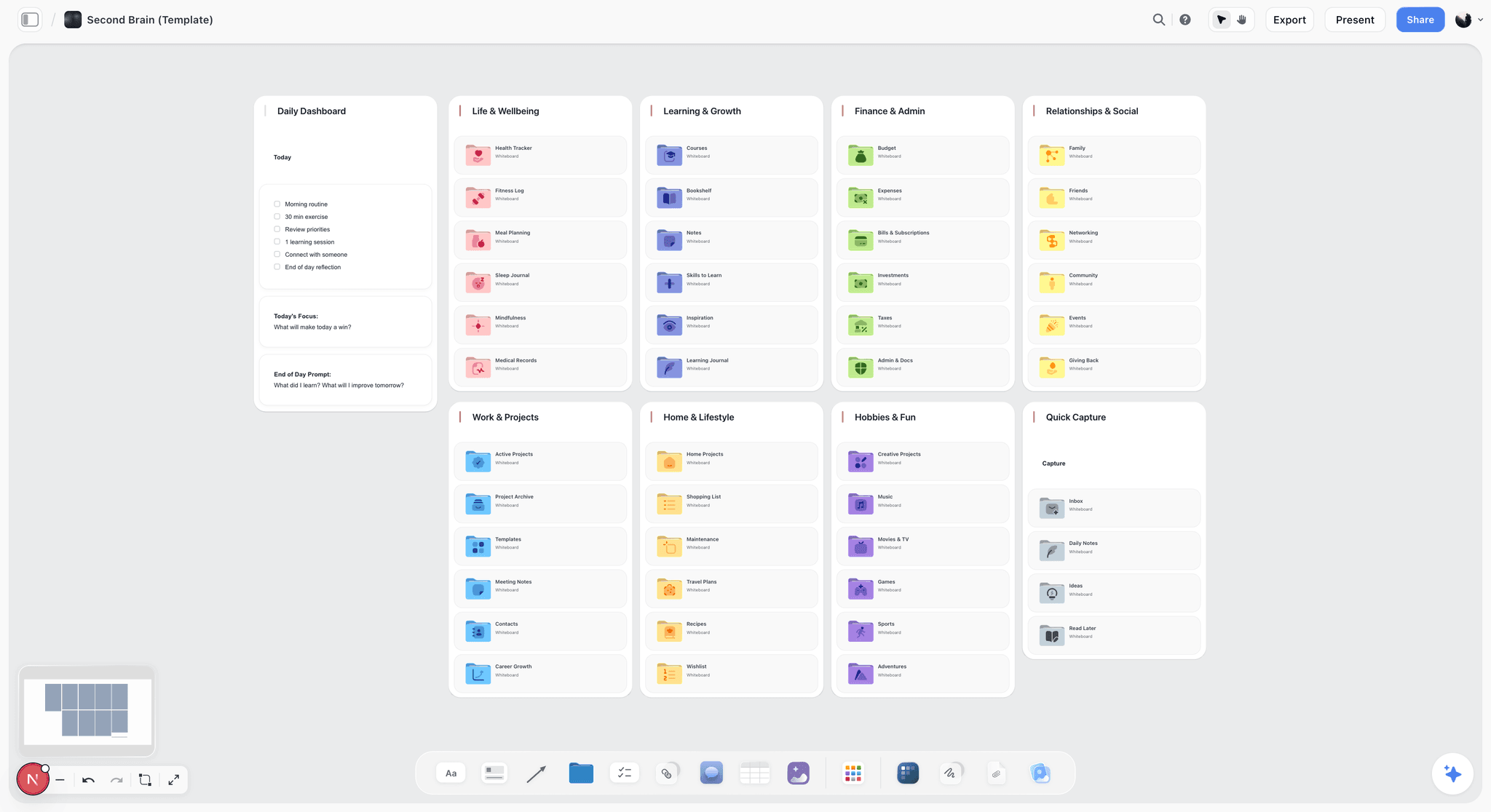
Storyflow is a canvas-AI workspace for project work. It's paid-only during early access, with Plus at $7.99/month billed annually; the Free plan, which launches before the end of 2026, will offer unlimited boards, unlimited cards (notes, images, links), unlimited collaboration with as many teammates as you want, basic AI usage, and 20 file uploads. Anyone a paid member invites to a board joins free today. The strongest workspace in the canvas-AI category.
Best for: Solo creators, students, freelancers, and small teams who want a project canvas with AI.
Verdict: The strongest canvas-AI tool in 2026, though it's paid-only during early access. Plus ($7.99/month annual) is enough for one or two active projects; the Free plan launching before the end of 2026 will open it up further.
Key features
- Unlimited boards, unlimited cards (notes, images, links), and unlimited collaboration on every paid plan, with no seat fee. The Free plan launching before the end of 2026 will include these too.
- AI reads the full active canvas board (basic AI usage planned for the Free plan; higher usage on Plus and above today).
- 3 starter Story Blueprints planned for the Free plan; the full 200+ Blueprint library is available now on Plus and above.
- Multi-format canvas (mind maps, mood boards, kanban, draft cards).
- 20 file uploads planned for the Free plan; unlimited file uploads on Plus and above today.
Pricing
Paid-only during early access. Plus: $7.99/month billed annually ($9.99/month billed monthly). Pro: $14/month billed annually ($19/month billed monthly). Max: $39/month billed annually ($49/month billed monthly). Pricing is flat per account, never per seat. Collaborators invited by a paid member join free. A Free plan (unlimited boards, unlimited cards, unlimited collaboration, basic AI usage, and 20 file uploads) launches before the end of 2026.
Pros
- Unlimited boards plus unlimited collaboration on every paid plan. Most competitors cap board count or charge per seat.
- AI generations are usable for a real project at basic AI usage levels.
- The 3 starter Story Blueprints planned for the Free plan include real ones (Hero's Journey, AIDA-equivalent), not placeholders; the full 200+ blueprint library is already live on Plus and above.
Cons
- Paid-only during early access, so there's no way to try Storyflow for free today; Plus ($7.99/mo annual) is the entry point until the Free plan launches before the end of 2026.
- File uploads on the future Free plan will be capped at 20; image-heavy projects will need Plus or Pro even after Free ships.
- Cloud-only; no local-first option.
7) Recommended Free AI Stacks
Stack 1: The Solo Creator Stack
Storyflow Plus ($7.99/mo annual) + Claude Free + Microsoft Designer (DALL-E) + ElevenLabs Free
For a content creator who wants canvas, chat, image, and voice. Chat, image, and voice stay free; Storyflow is the one paid piece at $7.99/month annual. Genuinely sustainable for one or two active creator projects.
Stack 2: The Student Stack
NotebookLM (preview free) + Storyflow Plus ($7.99/mo annual) + Anki Desktop (free) + ChatGPT Free
For a student who needs source-grounded research, structured project canvas, memorization, and quick chat help. Covers the four jobs of student work.
Stack 3: The Marketer Stack
Storyflow Plus ($7.99/mo annual) + Claude Free + Microsoft Designer (DALL-E) + Perplexity Free
For a marketer who needs campaign canvas, drafting, image generation, and sourced research. Will hit AI generation limits faster than the creator stack; Pro ($14/mo annual) is the next step up from Plus when you do.
Stack 4: The Researcher Free Stack
NotebookLM (preview free) + Perplexity Free + Claude Free
For a researcher who needs source grounding, sourced web search, and writing help. Not enough for sustained drafting; pair with Storyflow (paid-only during early access, Plus at $7.99/mo annual) if visual project work matters.
Stack 5: The Founder / Solo Operator Stack
Storyflow Plus ($7.99/mo annual) + Claude Free + Gemini Free
For a founder who needs strategy canvas, drafting, and Google Workspace integration. Add Perplexity Free for competitive research.
Stack 6: The Privacy-Aware Stack
Mistral Le Chat + HuggingChat + Storyflow Plus ($7.99/mo annual)
For users who want fully-open-source chat plus a canvas. Trade-off: smaller ecosystem, similar quality on common tasks.
Stack 7: The Developer Free Stack
Google AI Studio + Claude Free + ChatGPT Free + HuggingChat
For developers prototyping with multiple model APIs. Free tiers handle most prototyping needs.
8) Honorable Mentions
A few free AI tools that came close but did not make the main twelve:
- DeepSeek (free chat): Strong open-weight chat from China; quality is competitive but commercial-use considerations vary.
- Pi (Inflection AI): Conversational AI with a warm tone; narrower utility.
- Otter.ai Free: 300 minutes of free transcription per month; useful for students and meeting takers.
- Grammarly Free: Basic grammar checking; not really AI in the modern sense.
- Notion Free with limited AI: Notion's free tier includes some AI; limited but real.
- Obsidian (free, with community AI plugins): Free local-first note tool with AI bolted on via plugins.
- Logseq, Anytype, AppFlowy: Free open-source workspace tools, lighter on AI than Storyflow.
- GitHub Copilot Free for Students: Free for verified students; strong AI coding tool.
These are not bad tools. Their audience or use case is narrower than the main list.
9) Free Tools to Avoid in 2026
Honest accounting matters here. Some "free" AI tools are not really free, and listing them in this category would mislead users.
- Free trials posing as free tiers. Tools that give you 7 to 14 days then take it away. Read the fine print.
- Tools that lock all AI behind paid. The product is free; the AI is paid. Common with marketing-copy tools.
- Free tiers with severe export limits. You can use the tool free, but you cannot get your work out without paying. Always check export rights.
- Tools that require a credit card upfront. A "free" tier that demands a card to sign up is auto-billing waiting to happen.
- Tools whose free tier expires after a fixed time. "Free for 90 days" is a trial, not a tier.
- Tools that throttle severely after the first few uses. Two AI generations per week is not a usable free tier.
If a tool requires a credit card or expires after a date, it is a trial. Read the page before signing up.
11) The Bottom Line
The best free AI tools in 2026 are the ones whose free tier is genuinely usable for sustained work, not a teaser. Storyflow is the strongest canvas-AI workspace, though it's paid-only during early access, with Plus at $7.99/month billed annually; the Free plan (unlimited boards, unlimited cards, unlimited collaboration with as many teammates as you want, basic AI usage, and 20 file uploads) launches before the end of 2026. NotebookLM is the strongest free source-grounded research tool, currently free during preview. Claude Free is the strongest free chat AI for reasoning and writing. Gemini Free is the strongest free AI for Google Workspace users. ChatGPT Free is the broadest free AI ecosystem.
The honest framing is that you can run a real workflow on a free AI stack of two or three tools in 2026. Solo creators, students, marketers, and researchers all have viable free stacks. Paying is for scale (more AI generations, longer transcription, more image credits) and for specific paid features (real-time team workspace, premium models, advanced integrations). The free tier is the default; pay when you have hit the wall on a tool you actually use.
For users who want to test a workflow, the cheapest move is to set up Storyflow (paid-only during early access, Plus at $7.99/month annual) plus NotebookLM plus Claude Free and run one project for a week. Start a Storyflow workspace to begin that test.
10) FAQ: Free AI Tools in 2026
What is the best free AI tool overall?
For most users, NotebookLM (free during preview) is the strongest genuinely free tool in 2026, especially for source-grounded research. If you also want a canvas-AI workspace, Storyflow is the strongest pick, but it's paid-only during early access at $7.99/month annual (Plus); the Free plan launches before the end of 2026.
Is ChatGPT really free?
Yes, the free tier is genuinely free with no card required. The limits are on premium models (GPT-5/4o), not on the smaller default model which is unlimited. For casual use, free ChatGPT is sufficient.
Is Claude better than ChatGPT free?
For reasoning quality and writing, most users say yes. For ecosystem (DALL-E, custom GPTs, plugins), ChatGPT free is broader. The split: pick Claude for output quality, ChatGPT for breadth. Most users have both.
Which free AI tool has the best image generation?
Microsoft Designer (DALL-E) on free tier gives around 15 daily generations with no card required. Gemini's free image features are competitive. Both are strong. For higher volume, Midjourney's pricing model has no free tier worth recommending.
What is the best free AI for students?
NotebookLM for source-grounded research. Storyflow for project work, though it's paid-only during early access at $7.99/month annual (Free launches before the end of 2026; students invited to a paid classmate's board join free today). Anki desktop for memorization. ChatGPT or Claude free for chat help. Three of the four are free today; Storyflow is the one paid piece until its Free plan ships. See The 12 Best AI Tools for Students in 2026 for the persona deep-dive.
Does Storyflow have a free plan?
Not during early access. Storyflow is paid-only right now, with Plus at $7.99/month billed annually ($9.99/month billed monthly). A Free plan is planned to launch before the end of 2026, with unlimited boards, unlimited cards (notes, images, links), unlimited collaboration with as many teammates as you want, basic AI usage, and 20 file uploads. The one genuinely free path today: anyone a paid member invites to a board joins free, and can invite others in turn.
What is the catch with NotebookLM being free?
It is currently free during preview as Google rolls out the product. Pricing is expected to change at some point, with paid tiers likely. The smart play is to use it heavily now and watch for pricing announcements. As of mid-2026, no paid tier has been announced. Verify current pricing on NotebookLM's site.
Can I run a real workflow on free AI alone?
Mostly. Stack 4 (NotebookLM + Perplexity + Claude) is genuinely $0 for research work. Stack 1 (Storyflow Plus + Claude Free + Microsoft Designer + ElevenLabs Free) runs on Storyflow's $7.99/month annual Plus plan, with chat, image, and voice staying free; Stack 2 covers students the same way. Most users in 2026 can run real work on free tools alone, or add Storyflow's $7.99/month plan if canvas work matters; paying is for scale.
Are open-source AI tools really free?
Yes. HuggingChat, Mistral Le Chat, and similar are fully free with no caps on the chat products themselves. Quality lags closed-source competitors on the hardest tasks but is competitive on common ones. For privacy-aware or cap-frustrated users, open-source is a real option.
Should I worry about data privacy on free AI?
Yes, with calibration. Most free AI tools train on user inputs by default unless you opt out (and some do not let you opt out on free). Read each tool's data policy. Free Gemini and free Claude have clearer data terms than some smaller competitors. For sensitive work, pay for the tier with stronger data terms or use local-first tools (Obsidian, HuggingChat-like setups locally).
What is the smallest test I can run with a free AI stack?
Pick your most active project. Open Storyflow, paid-only during early access at $7.99/month annual (free today if a paid teammate invites you to their board), and put the brief, references, and a draft outline on a canvas. Open Claude free in a separate tab for drafting. Open NotebookLM and upload your three most important sources. Run the project for one week on this stack. Note where you hit limits; that is where the upgrade conversation starts.
When should I stop relying on free AI and pay?
When your free-tier limits are slowing real work. The signal is usually clear: you stop opening the tool because you know you are out of credits, or you start juggling multiple free accounts. At that point, paying $7.99 to $20/mo for the tier you actually use is worth it. Most users in 2026 hit this point in month two or three of regular use.
Table of Contents
- Quick Answer: The Best Free AI Tools in 2026
- Comparison Table: 12 Free AI Tools Compared
- What "Free" Actually Means in AI in 2026
- How We Evaluated These Free AI Tools
- Quick Picks by Use Case
- Detailed Reviews: 12 Free AI Tools in 2026
- Recommended Free AI Stacks
- Honorable Mentions
- Free Tools to Avoid in 2026
- FAQ: Free AI Tools in 2026
- The Bottom Line
- Author
- Related Reading
Templates to check out for this topic


Templates you can use in Storyflow
Every Storyflow board starts from real structure and an AI that reads the whole canvas. Open one of these templates and make it yours.


See Storyflow in Action
A visual AI workspace where every feature lives inside one canvas. No tab-switching, no context lost.
Build your entire board from a single message
Type what you need in the AI chat at the bottom of your canvas. The AI adds cards, headings, and structure directly onto your board.
Use expert frameworks as AI context
Type @ in the AI chat and choose any Tactic. The AI tailors every response to that framework instead of giving generic advice.
Turn your board into a mind map in seconds
Ask the AI to restructure your canvas as a mindmap. It connects your ideas into a visual hierarchy so you can see how everything relates.
Why Storyflow Exists
Storyflow actually began as a personal tool while working on creative and research projects.
We kept running into the same problem: ideas were scattered everywhere: notes, documents, and whiteboards.
Nothing helped us see how everything connected.
So we started building a workspace designed around how ideas actually grow.
→ Read how Storyflow was createdJustkay
Documentary Filmmaker & Founder at Storyflow
Published: 2026-05-10
Extremely simple, seriously capable


See how easy it is to get started
Watch a real project come together, from a blank board to a finished plan, clicked through step by step.
Start creating with AI and become more productive
Transform your creative workflow with AI-powered tools. Generate ideas, create content, and boost your productivity in minutes instead of hours.