Storyflow vs Coggle: Which Is Better in 2026?
Storyflow vs Coggle in 2026: Coggle wins for dead-simple, free mind maps, while Storyflow wins when you want AI that reads the whole board and the map to grow into a project.

Category
Comparison
Author

Sara de Klein
Head of Product at Storyflow
Topics
2026-07-15
•
10 min read
•
Comparison- storyflow vs coggle
- coggle alternative
- coggle vs storyflow
- best mind mapping tool 2026
Storyflow vs Coggle: which is better in 2026?
Storyflow and Coggle win at two different jobs, so the better tool depends on one question: does your mind map end as a map, or does it need to become a project? Coggle is the better pick for dead-simple, free, no-friction mind maps you can draw and share in a browser tab in under a minute. Storyflow is the better pick when you want an AI visual workspace that reads your whole board and lets the map grow into research, documents, and a finished thing. Coggle draws the map. Storyflow builds what the map was for.

Full disclosure: Storyflow is our own product, so weigh this accordingly. We put it first because this comparison is written for the reader deciding whether a simple mind-map tool is enough or whether they need an AI workspace the map can grow inside. If all you want is a quick, free, shareable mind map with the least possible friction, Coggle is genuinely the lighter and cheaper pick, and we say so throughout. Storyflow earns first place only for the job of turning a map into a project with canvas-aware AI, and we name where Coggle and the alternatives win. We link to every tool so you can judge the fit yourself.
Quick Comparison
How Storyflow and Coggle go head-to-head, plus the two alternatives people most often weigh against them.
| Tool | Best For | AI Features | Price |
|---|---|---|---|
| Storyflow | Maps that grow into projects | Canvas-aware AI reads your full board plus @-mentioned Tactics and Documents | $7.99 mo annual (free plan late 2026) |
| Coggle | Fast, free, simple mind maps | Minimal | Free; paid Awesome (verify) |
| MindMeister | Feature-rich pure mind mapping | Limited AI add-ons | Free tier; paid (verify) |
| Miro | Team whiteboard workshops | Miro AI add-on | Free tier; paid (verify) |
Key Takeaways
- The map ceiling decides it: Coggle draws the map, Storyflow builds what the map was for, so the question is whether your mind map ends as a map or becomes a project.
- Choose Coggle for fast, free, simple maps: it auto-arranges branches as you type with near-zero setup, and its free plan gives unlimited public diagrams.
- Choose Storyflow when the map is the floor of a project: branches become cards you expand into research, a script, a shot list, or a task on one infinite canvas.
- The AI gap is the clearest divider: Coggle's AI is minimal, while Storyflow's reads your full active board plus 1 Tactic and 3 @-mentioned Documents and reasons across it.
- Where Coggle wins: for a throwaway thirty-second diagram Storyflow is overkill, it does not auto-arrange a radial map, and free public maps can cost nothing.
- Storyflow is the heavier, broader tool: it is cloud-only and a full workspace to learn, which is a real trade-off against Coggle's simplicity.
- Pricing buys two different things: Coggle can cost nothing if your maps stay public, while Storyflow is flat per account (Plus $7.99/mo annual, $9.99 monthly) for the whole AI workspace.
The One Question That Decides It
You do not have a mind-mapping problem. You have a what-happens-next problem. The map is the easy part: pick a center, drag out branches, name them. Every tool in this comparison can do that, and Coggle can do it in about thirty seconds. The hard part starts the moment the branches are drawn and you have to turn that picture into interviews booked, scenes shot, drafts written, and sources checked. That gap has a name in this comparison: the map ceiling.
The map ceiling is the point where a mind map is finished but the work it was supposed to start has not begun. Below the ceiling, you capture and arrange ideas. Above it, you turn those ideas into a real, finished project. Coggle and Storyflow sit on opposite sides of that line. Coggle draws the map. Storyflow builds what the map was for.
I am a documentary filmmaker, and I built Storyflow because every mind-mapping app I used to plan a film hit the same wall. The branches looked great. Then the research lived in one browser tab, the script in a document, the shot list in a spreadsheet, and the map I started with became a screenshot I never opened again. When I map a documentary now, a branch is not a decoration. It is an interview to book, a scene to shoot, a claim to verify, and I want the tool to hold all of that, not just the diagram.
There is a real cognitive reason maps exist at all. Cowan's research (Behavioral and Brain Sciences, 2001) found that working memory holds only about four chunks of information at once, so the moment a project grows past a handful of moving parts, you either externalize it or lose it. A mind map is that external memory. The only question that matters when choosing a tool is whether it stops at the picture or keeps going past the ceiling.
What Coggle Gets Right
Coggle is the friendliest on-ramp here, and that simplicity is a real feature, not a consolation prize. You open a browser tab, start typing, and drag out branches without a tutorial, an onboarding flow, or a single setting to configure. For a quick brainstorm, a lecture summary, or a family holiday plan, that near-zero friction beats every heavier tool in this piece.
Three things Coggle does genuinely well:
- Free public diagrams. The free plan gives you unlimited public mind maps, which is more generous than most paid competitors offer.
- Real-time collaboration built in. Multiple people can branch the same map together, live, with no upgrade required.
- Pure focus. Coggle draws branching diagrams and flowcharts, and it does not ask you to learn anything beyond that.
There is also solid science under the format. Paivio's dual coding theory (Mental Representations, 1986) holds that pairing a visual structure with words encodes information more durably than words alone, which is exactly what a branching map does. Coggle delivers that benefit with the least possible overhead.
Where Coggle stops is just as honest. The AI is minimal, so it will not reason about your content. Private diagrams require a paid plan, so on the free tier your maps are public by default. And it is a diagram tool, not a workspace: no structured documents, no canvas cards, no project layer underneath the branches. Coggle stops at the map ceiling by design, and for a large share of everyday tasks that is exactly the right amount of tool.
Where Storyflow Pulls Ahead
The friction Coggle leaves on the table is everything above the map ceiling. You finish the map, and then the sources, the draft, the tasks, and the assets scatter across separate apps while the map itself goes stale. McKinsey Global Institute (2012) estimated that knowledge workers lose roughly 19% of the workweek just searching for information they already have, and scattered project context is precisely how that time disappears.
Storyflow closes that gap by treating the map as the floor of the project, not the ceiling. It is an AI visual workspace: an infinite canvas that holds notes, cards, images, links, and walls, plus structured documents living on the same board as the map. The branches you would draw in Coggle become cards you can expand into research, a script, a shot list, or a task, without leaving the canvas.
The part Coggle cannot match is the AI. Storyflow's assistant reads your full active canvas board by default, plus up to 1 Tactic (blueprint) and up to 3 Documents you @-mention in the chat. That scope is the whole point. You can ask it which branches still have no source attached, have it draft the section a branch describes, or ask it to find the gap between two clusters, and it reasons over the actual board instead of a pasted summary. For structure, the 200+ Story Blueprints library on paid tiers gives you proven frameworks like Hero's Journey, AIDA, and Retention Hooks to build the map inside.
Storyflow is not the right tool for everyone, and three limits matter in this comparison. It is cloud-only, with no offline or local-first mode, so it is the wrong choice on a plane or under strict local-data rules. It does not auto-arrange a radial mind map the way Coggle does: you place cards on a free canvas, which is more flexible but slower for a throwaway spider diagram. And it is heavier to learn, a newer and broader platform, so if all you want is a thirty-second diagram, Storyflow is genuinely overkill. Those are real trade-offs, and for the simple-map job Coggle wins them.
Storyflow vs Coggle: Head-to-Head Comparison
Here is the comparison dimension by dimension. Read the AI, documents, and auto-layout rows first, because those are where the two tools truly diverge rather than just differ in polish.
| Dimension | Storyflow | Coggle |
|---|---|---|
Product shape | AI visual workspace: canvas, cards, notes, documents, links | Focused mind-mapping and flowchart tool |
Core job | Turn a map into a whole project | Draw and share a mind map |
AI | Canvas-aware AI reads your full active board plus up to 1 Tactic and 3 Documents you @-mention | Minimal |
Auto-layout for maps | Manual placement on a free canvas | One-click branching that arranges as you type |
Documents | Structured documents on the same canvas | None (diagrams only) |
Templates | 200+ Story Blueprints on paid tiers (Hero's Journey, AIDA, Retention Hooks) | Basic diagram starters |
Free plan | Paid-only during early access; Free plan (unlimited shared boards, unlimited collaboration, basic AI, 20 file uploads) launches before end of 2026 | Unlimited public diagrams; private diagrams need a paid plan |
Real-time collaboration | Yes, unlimited on all plans; team roles on Max | Yes, built in |
Offline / local-first | No (cloud-only) | No (web-based) |
Learning curve | Higher (it is a full workspace) | Near zero |
Paid entry price | Plus $7.99/mo annual ($9.99 monthly) | Awesome plan |
Best for | Maps that need to become projects | Fast, simple, free maps |
Prices above are the published rates at the time of writing and move often, so check the vendor's own page before you commit. The shape of each plan (free tier, subscription, or one-time licence) is more stable than the number. The shape of the table is the map ceiling again. Above the divide (product shape, AI, documents, blueprints) Storyflow is playing a different sport. Below it (auto-layout, free public maps, learning curve) Coggle is faster and lighter. Neither tool wins every row, and pretending otherwise would be the fastest way to pick the wrong one.
A Storyflow AI mind-map canvas next to project notes and cards
Pricing Compared in 2026
Pricing is where Coggle's simplicity turns into real savings, so be honest about which side of the map ceiling you live on before you pay for either tool.
Coggle pricing: a free plan with unlimited public diagrams and a small allowance of private ones, a paid Awesome plan that unlocks unlimited private diagrams and extras, and an Organisation plan for teams. If your maps can be public, or you only ever keep a couple private, Coggle can cost you nothing at all. That is a genuine advantage and worth taking seriously.
Storyflow pricing is flat per account, never per user, with no volume discounts. It is paid-only during early access: Plus at $7.99/month billed annually ($9.99 monthly), Pro at $14/month annual ($19 monthly), and Max at $39/month annual ($49 monthly) for a team workspace with roles and permissions. The 200+ Story Blueprints library unlocks on Plus and above. A Free plan (unlimited shared boards, unlimited collaboration, basic AI usage, 20 file uploads) launches before the end of 2026, and anyone a paid member invites to a board joins free today.
The honest read: if you want a free mind map, Coggle is cheaper, full stop. If you want an AI workspace, compare Storyflow's flat account price against other per-seat workspaces and AI tools, not against a single-purpose diagram app. You are buying two different things.
Which Should You Use?
Use Coggle if:
- You want a mind map drawn and shared in under a minute.
- Free matters more than depth, and your maps can be public.
- You need simple real-time branching with a team and nothing beyond it.
- The map itself is the deliverable.
Use Storyflow if:
- The map is the start of a project, not the end of one.
- You want AI that reads the whole board and reasons across it.
- You need research, documents, and the map together on one canvas.
- You will trade Coggle's thirty-second simplicity for room to grow.
This is not a case of one tool beating the other. It is two tools built for opposite sides of the map ceiling. Coggle is the better mind-mapping tool when a mind map is all you need. Storyflow is the better choice when the map is one piece of a bigger, messier, more visual project and you want AI working across all of it. Coggle draws the map. Storyflow builds what the map was for.
If your work is project-shaped, run the one-week test: take your most active project, drop its core map onto a Storyflow canvas, and give the AI the whole board for a week. Start a board on Storyflow and the right side of the ceiling will be obvious by Friday.
FAQ: Storyflow vs Coggle
Is Storyflow or Coggle better for mind mapping?
For pure, simple mind mapping, Coggle is better: it auto-arranges branches as you type and takes zero setup. Storyflow is better when the mind map needs to grow into a project, because it adds canvas-aware AI, documents, and cards on the same board. Pick Coggle for the diagram, Storyflow for everything the diagram leads to.
Is Coggle free?
Yes. Coggle has a free plan with unlimited public diagrams and a small number of private ones. Private diagrams beyond that allowance require the paid Awesome plan, so on the free tier your maps are public by default. Verify current limits and pricing on Coggle's site, as plans change.
Does Storyflow have a free plan?
Not during early access. Storyflow is paid-only right now, starting with the Plus tier at $7.99/month billed annually ($9.99 monthly), which adds the 200+ Story Blueprints library, more AI usage, and unlimited file uploads. A Free plan (unlimited shared boards, unlimited collaboration, basic AI usage, 20 file uploads) launches before the end of 2026, and it will be a functional plan, not a trial.
Can Coggle do what Storyflow does?
No, and it is not trying to. Coggle is a focused mind-mapping and flowchart tool, so it has no structured documents, no canvas cards, and no AI that reasons over your board. Storyflow is a full visual workspace built around a canvas-aware assistant. They overlap only on the branching-diagram step; above the map ceiling they are different products.
Does Coggle have AI?
Coggle's AI is minimal as of 2026, so it will not read your map and reason about its contents. Its strength is manual, fast, human-drawn branching, not AI assistance. If AI that understands your whole board is central to your workflow, that is the clearest reason to look at Storyflow instead.
What is Storyflow best for?
Storyflow is best for turning a visual map into a finished project. Its canvas-aware AI reads your full active board plus up to 1 Tactic and 3 Documents you @-mention, so it fits research-heavy, multi-part work like a film, a campaign, a channel, or a book. If your map is the whole deliverable, that power is more than you need.
Is Storyflow a mind-mapping tool?
Storyflow does mind mapping, but calling it a mind-mapping tool undersells it. It is an AI visual workspace where a mind map is one thing you can build among notes, cards, images, links, and documents. The trade-off is that it does not auto-arrange a radial map the way a dedicated tool like Coggle does; you place cards yourself on a free canvas.
Can I use Storyflow and Coggle together?
Yes, and some people do. A common pattern is to sketch a fast first-pass map in Coggle, then rebuild the version that has to become a real project in Storyflow so the AI, research, and documents live on one board. If you find yourself doing that regularly, it is usually a sign the project has outgrown the map ceiling.
Which is better for teams, Storyflow or Coggle?
For a team that only needs to branch a diagram together in real time, Coggle is lighter and cheaper. For a team running an actual project with research, documents, and AI, Storyflow's Max plan adds a team workspace with roles and permissions on top of the shared canvas. The split is the same as the solo one: simple map versus full workspace.
How much does Storyflow cost in 2026?
Storyflow is flat per account with no per-user pricing and is paid-only during early access: Plus at $7.99/month billed annually ($9.99 monthly), Pro at $14/month annual ($19 monthly), and Max at $39/month annual ($49 monthly). There are no volume discounts. The paid tiers unlock the 200+ Story Blueprints library, more AI usage, and, on Max, a team workspace with roles. A Free plan launches before the end of 2026.
Table of Contents
Templates to check out for this topic


Templates you can use in Storyflow
Every Storyflow board starts from real structure and an AI that reads the whole canvas. Open one of these templates and make it yours.


See Storyflow in Action
A visual AI workspace where every feature lives inside one canvas. No tab-switching, no context lost.
Build your entire board from a single message
Type what you need in the AI chat at the bottom of your canvas. The AI adds cards, headings, and structure directly onto your board.
Use expert frameworks as AI context
Type @ in the AI chat and choose any Tactic. The AI tailors every response to that framework instead of giving generic advice.
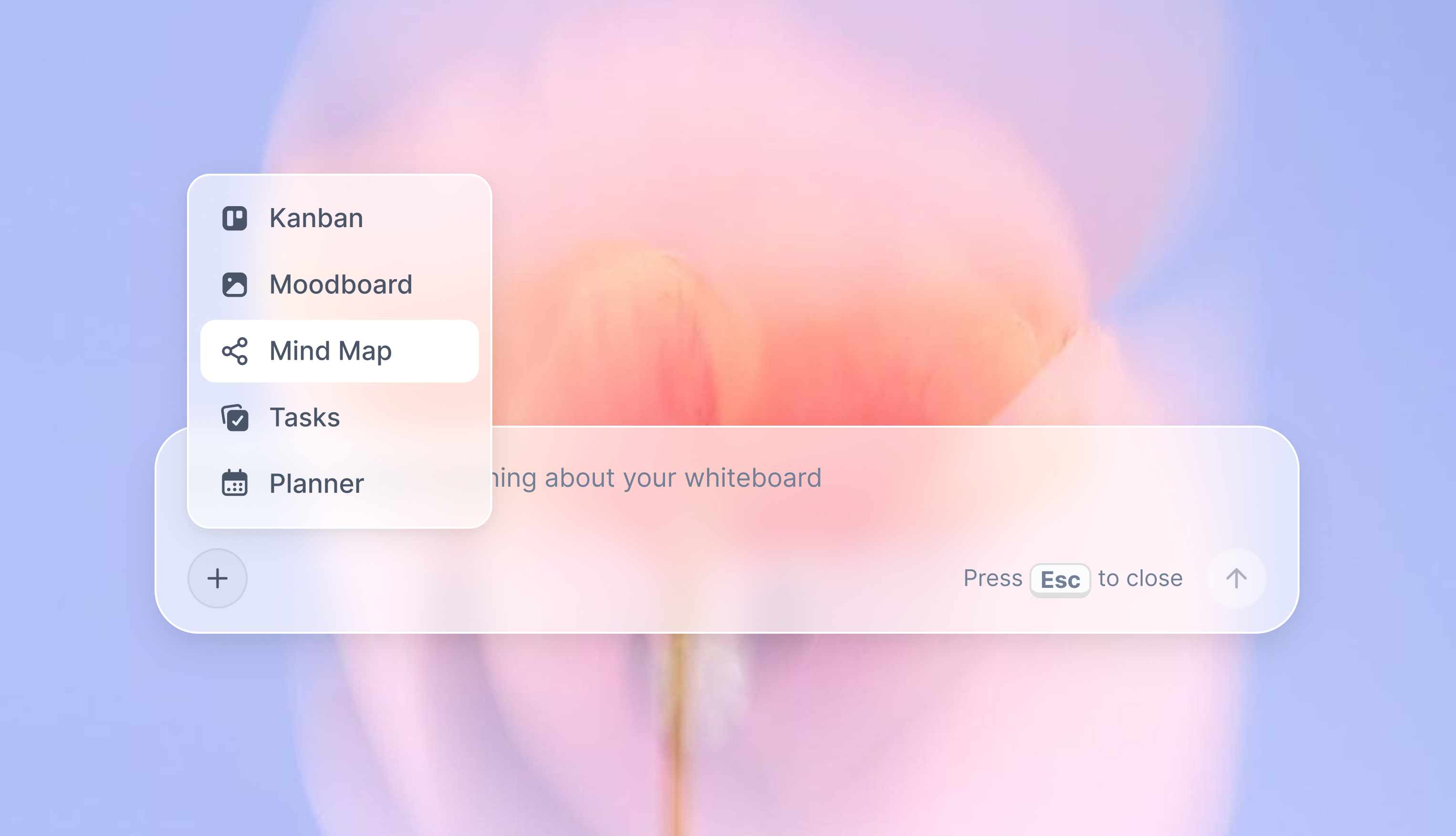
Turn your board into a mind map in seconds
Ask the AI to restructure your canvas as a mindmap. It connects your ideas into a visual hierarchy so you can see how everything relates.
Why Storyflow Exists
Storyflow actually began as a personal tool while working on creative and research projects.
We kept running into the same problem: ideas were scattered everywhere: notes, documents, and whiteboards.
Nothing helped us see how everything connected.
So we started building a workspace designed around how ideas actually grow.
→ Read how Storyflow was createdSara de Klein
Head of Product at Storyflow
Published: 2026-07-15
Extremely simple, seriously capable


See how easy it is to get started
Watch a real project come together, from a blank board to a finished plan, clicked through step by step.
Start creating with AI and become more productive
Transform your creative workflow with AI-powered tools. Generate ideas, create content, and boost your productivity in minutes instead of hours.