The 10 Best SOP Tools in 2026
An SOP nobody updated is worse than no SOP, because it is confidently wrong. Ten tools ranked by which of the three readers they serve and what happens when the process changes.

Category
Productivity
Author

Sara de Klein
Head of Product at Storyflow
Topics
2026-08-14
•
22 min read
•
ProductivityTable of Contents
- Key Takeaways
- The SOP Is Written for the Wrong Reader
- At a Glance: The 10 Tools Compared
- How I Ranked These
- Quick Picks by Job Type
- 1. Scribe
- 2. Trainual
- 3. Process Street
- 4. SweetProcess
- 5. Tango
- 6. Notion
- 7. Confluence
- 8. Loom
- 9. Storyflow
- 10. Google Docs
- What to Actually Pay For
- Tools to Avoid for This Job
- What No Tool on This List Does
- The Bottom Line
- FAQ: SOP Tools and Standard Operating Procedures
- Related Reading
Templates to check out for this topic


- sop tools
- standard operating procedure software
- process documentation tools
- sop software 2026
- step recording tools
- acknowledgement tracking
What are the best SOP tools in 2026?
Most standard operating procedures fail for a reason that has nothing to do with software: they are written by the person who already knows how to do the job, for an imagined reader who also already knows, which is why they read as summaries rather than instructions. Scribe ranks first because screen capture writes the steps you would have skipped. Trainual is second because it tracks who acknowledged which version, which is the line between a wiki page and an actual SOP. Process Street is third because a procedure that runs as a checklist with its own per-instance state is the only kind that survives contact with a real shift. Storyflow ranks ninth here and is honest about why: it helps you design a process, not document one.

Full disclosure: Storyflow is our product, and it ranks ninth of ten here because that is where it honestly belongs on this job. It has no screen capture or step recording, no version history or change log, no acknowledgement or sign-off tracking, no scheduled review cadence, no checklist runs with per-instance state, and no search across procedures. The narrow ground it wins is the step before documentation: laying a process out spatially with the people who run it so the underspecified branches and the steps where work waits become visible before anyone writes the procedure. Scribe, Trainual, Process Street and SweetProcess all beat it at documenting one.
Quick Comparison
Ten SOP tools compared by the two questions that decide whether a procedure works: which of the three readers it serves, and what happens to the document when the process changes.
| Tool | Best For | AI Features | Price |
|---|---|---|---|
| Scribe | Recording a task into a screenshotted, numbered procedure | Auto-generated step text from the recorded run | Free tier; teams around $12 to $15 per user mo annual |
| Trainual | Role assignment plus acknowledgement per version | AI drafting and summarizing of procedure content | From around $99 mo for a small team |
| Process Street | Procedures that run as tracked instances | AI workflow generation and in-run AI steps | From around $100 mo billed annually |
| Storyflow | Designing the process before it is documented | AI reads your full active canvas board, plus 1 Tactic and 3 Documents you @-mention | $7.99 mo annual (free plan late 2026) |
Key Takeaways
- Every SOP has three readers with incompatible needs: the newcomer doing it for the first time, the experienced person who needs one step at 2am, and the auditor who needs proof it was followed.
- An SOP nobody updated is worse than no SOP, because it is confidently wrong. The reader trusts it, follows it, and gets a result the document promised would not happen.
- Screen capture changed the category. Scribe and Tango produce a numbered, screenshotted procedure from a recorded run in the time it used to take to write the first paragraph.
- Acknowledgement tracking separates an SOP system from a wiki. If you cannot answer "who read version 4 and when", you have documentation, not procedure.
- A checklist that runs as an instance, with its own state and record, is a different artifact from a checklist sitting on a page. Process Street is the clearest example.
- Storyflow has no screen capture, no version history, no acknowledgement tracking, no review cadence and no search across procedures. It sits before the SOP, when you are still deciding what the process should be.
- The cheapest fix costs nothing: a review date and an owner name at the top of every procedure makes decay visible instead of silent.
Design the process before you document it
Lay your process out on a canvas with the people who actually run it, and watch where they disagree about step 4. That hour is worth more than any amount of careful writing afterwards. Storyflow is paid-only during early access; the Free plan lands before the end of 2026.

The SOP Is Written for the Wrong Reader
Open any SOP that failed and you will find the same sentence: "Process the refund in the admin panel."
The person who wrote that knows there are two admin panels, that refunds over $200 need a supervisor code, that the confirmation email does not send if the account is suspended, and that it all has to happen before the nightly batch at 11pm. None of it is in the document, because none of it felt like a step. It felt like context, and context is invisible to the person who has it.
That is the structural failure of the discipline. The author writes at their own level of knowledge, producing a summary of a process rather than an instruction for performing one.
There are three readers, and they want three different documents.
The first timer needs every step, including the ones too obvious to write. They need to know which of the two admin panels, and they need a screenshot, because a written description of a button is slower to parse than a picture of it. They cannot tell when they have gone wrong, so the document has to say what a correct result looks like at each stage.
The 2am operator has done this forty times and needs exactly one thing: the supervisor code threshold, or the batch cutoff time, or the order of two steps they always mix up. They are not reading the document, they are searching it. A 3,000 word narrative procedure serves them terribly.
The auditor does not care how to do it. They care whether it was done, by whom, against which version, and whether that person had been trained on it. The auditor is reading metadata, not content: acknowledgement records, revision history, completion logs, sign-off timestamps.
Almost no team writes for all three. Most aim a single document vaguely at the first timer, then wonder why experienced staff ignore it and audits still require a scramble.
Then there is what kills SOPs even when they are well written. Processes change: the admin panel is redesigned, the threshold moves to $500, the batch runs at 2am now. The document does not change with it, because nobody owns the change and nothing prompts it.
An SOP nobody updated is worse than no SOP, because it is confidently wrong. A missing procedure makes people ask. A stale one makes them proceed confidently into a step that no longer exists, and the failure surfaces later and costs more.
So the ranking below asks two questions of every tool. Which of the three readers does it serve? And what happens to the document when the process changes?
At a Glance: The 10 Tools Compared
| Tool | Readers it serves | What happens when the process changes | Shape |
|---|---|---|---|
Scribe | First timer, 2am operator | Re-record the run in minutes | Step recorder |
Trainual | All three | Version bumps, acknowledgements reset | Training system |
Process Street | 2am operator, auditor | Edit the template, running instances keep their version | Runnable checklist |
SweetProcess | All three | Revision with approval and re-acknowledgement | SOP manager |
Tango | First timer | Re-record, or edit the captured steps | Step recorder |
Notion | First timer, 2am operator | Manual edit, no prompt, no acknowledgement | Wiki |
Confluence | 2am operator, auditor | Page version history, optional approval workflow | Enterprise wiki |
Loom | First timer | Re-record the whole video, or it goes stale silently | Video |
Storyflow | Nobody, by design | Not applicable, it holds the design not the document | Visual canvas |
Google Docs | First timer | Manual edit, revision history, nothing enforces review | Document |
How I Ranked These
I come from documentary production, where the equivalent artifact is the call sheet: a document read once at 6am by someone who was not in the planning meeting, and useless if it assumes knowledge the reader does not have. Over the past two years I have written and audited operating procedures in every tool here, including running the same refund procedure through all ten to compare the output.
Five criteria, in order.
1. Does it capture the steps the author would have skipped? The test: record someone doing the task and compare against what they would have typed from memory. Screen capture routinely produces 14 steps where the same person writes 6.
2. Can the 2am operator find one step in under fifteen seconds? The test: search a specific threshold value across the whole library and see whether the answer surfaces or you open four documents.
3. Does it track acknowledgement per version? The test: change a procedure, then ask the tool who confirmed they read the new version. If the answer needs a spreadsheet or a Slack thread, it does not track acknowledgement.
4. Does anything force a review? The test: set a procedure aside for a year and see whether the tool tells anyone. Almost nothing does this by default.
5. Cost at the size where SOPs start mattering. Between eight and forty people, where knowledge stops transferring by proximity and has to be written down.
Pricing is as of August 2026 and changes frequently. Verify with each vendor.
Quick Picks by Job Type
- Best overall SOP tool: Scribe. Screen capture writes the steps the author's brain edited out.
- Best for acknowledgement and training records: Trainual. Assign by role, track by version.
- Best for procedures that run as instances: Process Street. Per-run state, per-run record.
- Best dedicated SOP manager: SweetProcess. Revision, approval and sign-off in one flow.
- Best free step capture: Tango. Generous free tier, browser-based workflows only.
- Best if you already live there: Notion or Confluence. Adequate authoring, no acknowledgement.
- Best for demonstrating judgment rather than steps: Loom. Video shows the how, not the what.
- Best for designing the process before you document it: Storyflow. A different job entirely.
1. Scribe
The verdict. Recording the task produces a better procedure than writing it, and this is the tool that proved it.
Best for. Turning any software workflow into a screenshotted, numbered procedure in the time it takes to perform it once.
Pricing. Free tier covers unlimited basic capture for an individual. Team plans run roughly $12 to $15 per user per month billed annually, with a personal Pro tier around $29 per month, as of August 2026. Enterprise adds redaction controls and SSO at quoted pricing.
Why it ranks here. You install the extension, hit record, do the task, hit stop. Scribe produces a numbered list where every step has an action ("Click Refunds"), a screenshot with the relevant element highlighted, and any text you typed. Then you edit: rename steps, add the context the recording could not capture, redact anything sensitive.
It ranks first for precisely the failure this post opens with. The author's summary of the refund process was six steps. The recording produced fourteen, and the extra eight were the invisible-to-the-expert kind: a filter that had to be set before search returned anything, a confirmation modal that appears only above a threshold, a tab reloaded because status does not update live. Nobody omits those deliberately: the expert's hands do them while the expert's brain is elsewhere.
For the first timer, this is the best output in the category. Screenshot plus action beats prose on every measure that matters when you are lost: you can pattern match a picture of a button against your screen, and you cannot pattern match "navigate to the settings area". For the 2am operator it is good rather than great, since search across a large Scribe library is weaker than a proper wiki gives you.
On decay, Scribe has the strongest structural answer here: re-recording a changed procedure takes as long as performing it. Every other tool asks you to find the stale paragraph and rewrite it, which is a task nobody volunteers for. When the update cost drops to four minutes, updates actually happen. Where it does not compete is the auditor: no acknowledgement, no read receipts, no training assignment. Excellent documents, no record of who consumed them.
Strengths.
- Recording captures the steps the author's expertise made invisible.
- Screenshot plus action is the fastest format for someone doing the task for the first time.
- Updating means re-recording, which is the lowest update cost in the category.
- Redaction handles customer data and account numbers before sharing.
Limitations.
- No acknowledgement or sign-off tracking, so it does nothing for the auditor.
- Search across a large library is weaker than a dedicated wiki.
- Desktop application capture is less reliable than browser capture.
- Nothing prompts a review, so a procedure can be stale and confident for a year.
The trade off. Best documents here, no record of who read them. Pair it with something that tracks acknowledgement if you need audit evidence.
2. Trainual
The verdict. The tool that treats an SOP as something a named person is accountable for having read, which is the actual definition.
Best for. Teams that need to prove training happened, assign procedures by role, and re-confirm when a procedure changes.
Pricing. Entry plans start around $99 per month for a small team, with mid tier plans commonly landing near $250 per month for around 25 seats, as of August 2026. Pricing is banded by seat count rather than strictly per user.
Why it ranks here. Trainual is built around the assumption that a procedure has an audience, and that the audience is defined by role. You write the procedure, assign it to a role, and everyone in that role gets it. They read it and confirm. You now have a record: person, procedure, version, timestamp.
That record is the whole argument. Documentation becomes procedure at the moment someone is accountable for having read it. Before that it is a page that exists.
The version behaviour earns second place over the wikis. Change a procedure meaningfully and Trainual can require everyone assigned to re-acknowledge. Decay does not disappear, but it stops being silent: an unacknowledged update is a number on a dashboard, and somebody chases it.
For the first timer it is solid, structured around onboarding paths so a new hire gets a sequence rather than a link dump, and it embeds Scribe and Loom content. For the 2am operator it is mediocre: organized around learning paths, not fast retrieval, and nobody wants to enter a training module to get one threshold value.
It ranks second rather than first because the documents are only as good as your writing. Trainual gives you the accountability layer and leaves the "written for the wrong reader" problem to you.
Strengths.
- Acknowledgement per person per version, which is the audit requirement.
- Role-based assignment means people get what applies to them, not the whole library.
- Onboarding paths sequence procedures rather than dumping links.
- Embeds Scribe and Loom content, so it layers over better capture tools.
Limitations.
- Poor for fast retrieval of a single fact by an experienced operator.
- No screen capture of its own, so document quality depends entirely on your writing.
- Priced for teams rather than individuals, with a real floor around $99 per month.
- Content organization gets unwieldy past a few hundred procedures.
The trade off. Buy it for the record, not the writing. The writing still has to happen properly somewhere else.
3. Process Street
The verdict. Procedures that run as instances, with their own state and their own completion record, which is a different artifact from a page.
Best for. Repeated operational processes where somebody needs to know which run is at which step right now.
Pricing. Startup tier begins around $100 per month billed annually, with Pro tiers running several hundred per month depending on seats and automation volume, as of August 2026. Free trial available.
Why it ranks here. The distinction Process Street makes is one most teams have never articulated. A checklist on a wiki page is a description of a process. A checklist you run is an object: it has a start time, an assignee, a current step, a set of ticked boxes and a completion record. Ten people can run the same procedure simultaneously and each run has its own state.
That matters for two of the three readers. The 2am operator gets a workflow that remembers where they were when the shift changed, which is the actual failure mode in operations: not that the person did not know the steps, but that the handover lost track of which steps were done. The auditor gets the strongest evidence on this page, because every completed run is a timestamped record of who ticked what.
Conditional logic is where it separates from a paper checklist. Refunds over $500 reveal the supervisor approval step; refunds under it never see it. The procedure adapts to the case rather than making the reader work out which branch applies, which is exactly the reasoning burden that trips up a first timer.
Editing a template also does not rewrite runs already in flight, which is correct: an audit record should reflect the procedure as it stood when the work was done. Wikis get this wrong by design.
It ranks third rather than higher because it is heavy. A workflow with conditional logic is an afternoon, not five minutes, and there is a category of procedure ("how to reset the label printer") that does not want to be a run at all. The price floor puts it out of range for a team of five.
Strengths.
- Per-run state means a handover does not lose the place.
- Every completed run is timestamped audit evidence without extra effort.
- Conditional logic removes branch decisions from the reader.
- Running instances keep the version they started under.
Limitations.
- Setup is a real project for anything with conditional logic.
- Reference procedures that are not runs fit awkwardly.
- Price floor near $100 per month excludes very small teams.
- No screen capture, so step quality is still on the author.
The trade off. The right tool when the question is "where is that run", the wrong tool when the question is "how do I do this once".
4. SweetProcess
The verdict. A dedicated SOP manager that covers the boring, decisive parts: revision, approval, and who signed off.
Best for. Regulated or quality-managed teams that need documented procedures with an approval chain.
Pricing. Roughly $99 per month for up to 20 team members, with around $5 per additional member, as of August 2026. Free trial available.
Why it ranks here. SweetProcess is unfashionable and serves all three readers more evenly than anything else here. Procedures and policies are separate object types, a distinction quality systems care about. Each document has an owner, a revision history, an approval step before a new version goes live, and a record of who acknowledged it.
The approval step is the decisive part. Wikis let anyone edit a live procedure, which sounds collaborative and is dangerous: the person following the document at 2am cannot know a colleague adjusted step 7 an hour ago and got it wrong. Draft, review, approve, publish produces a document you can trust.
For the first timer the output is plain but complete: steps with images, plus a printable format people underrate until the procedure covers something happening away from a screen. For the 2am operator, search returns the step rather than only the document.
It ranks fourth because the dated interface affects adoption, and because it has no capture of its own. Everything you write, you write.
Strengths.
- Approval workflow before a revision goes live to readers.
- Acknowledgement tracking per procedure and per version.
- Procedures, policies and processes as distinct object types.
- Flat pricing to 20 users undercuts per-seat competitors at that size.
Limitations.
- Dated interface, which is a genuine adoption problem with younger teams.
- No screen recording or step capture at all.
- Weak automation and integrations compared to Process Street.
- No conditional logic, so branching procedures become separate documents.
The trade off. The most complete coverage of the three readers, in the least appealing package here.
5. Tango
The verdict. The other step recorder, with the better free tier and a narrower reach.
Best for. Documenting browser-based workflows at no cost, and guiding people through them live.
Pricing. Free tier covers a substantial number of workflows for an individual. Pro runs roughly $20 per user per month, with enterprise tiers adding redaction and analytics, as of August 2026.
Why it ranks here. Tango does what Scribe does: record a task, get a numbered procedure with annotated screenshots. The output is clean, the auto-generated step descriptions are usually accurate enough to keep, and the free tier is the most generous serious option in the category.
Its distinctive feature is guidance mode, where the procedure runs as an overlay on the live application and walks the user through the real interface rather than a picture of it. For a first timer on unfamiliar software this beats any document, because nothing has to be translated from instruction to screen.
Two things keep it fifth. Capture is browser-first, so desktop workflows are a poor fit, and a large share of operational work happens in desktop software. And post-capture editing is less flexible than Scribe's when you add the contextual warnings a recording cannot see, which is the layer that turns a click-path into a usable procedure. Like Scribe, it does nothing for the auditor.
Strengths.
- Free tier is the most generous credible option in step capture.
- Guidance overlay walks a first timer through the live interface.
- Clean captured output that usually needs light editing.
- Fast enough that updating a changed procedure is realistic.
Limitations.
- Browser-centric capture, weak on desktop applications.
- Post-capture editing is less flexible than Scribe's.
- No acknowledgement, assignment or audit trail.
- Long procedures become heavy pages of screenshots.
The trade off. If your work is entirely in a browser and the budget is zero, this is the highest value tool here.
6. Notion
The verdict. A good home for procedures and a bad system of record for them.
Best for. Teams already living in Notion who want procedures searchable next to everything else.
Pricing. Free personal tier. Paid plans from roughly $10 per user per month, with Business around $20 per user per month, as of August 2026.
Why it ranks here. As an authoring environment, Notion is pleasant. Toggles let you write for two readers at once, which is a genuinely useful trick: the numbered step is visible for the 2am operator, and the "why this step exists" detail sits collapsed underneath for the first timer. Databases give you procedure libraries with owner, last reviewed date and department as properties, and a filtered view of everything not reviewed in twelve months is a five minute build.
That last point is the strongest argument for Notion here, and almost nobody does it. A "review due" view is the cheapest available answer to decay.
What Notion lacks is the audit layer. No read receipts, no per-version acknowledgement, no approval before publishing. Page history exists on paid plans, but nothing distinguishes a draft edit from a published revision, and anyone with edit access changes the live document instantly.
Notion procedures also drift into prose, which is what produces the summary-instead-of-instruction failure. The best Notion SOPs I have seen are embedded Scribe captures with Notion supplying structure, ownership and search.
Strengths.
- Toggles serve the first timer and the 2am operator in one document.
- Database properties give you owner and last reviewed date for free.
- A "not reviewed in 12 months" view is a five minute build and rare in practice.
- Workspace search is fast and genuinely useful at 2am, and it embeds Scribe, Tango and Loom cleanly.
Limitations.
- No acknowledgement or read tracking of any kind.
- No approval step, so live procedures can change under a reader mid-task.
- Encourages prose, which is the format that hides steps.
- Per-user pricing gets expensive across an operations team.
The trade off. Excellent library, no accountability, fine until an auditor asks who read version 3.
7. Confluence
The verdict. The enterprise wiki that already holds your procedures, with better versioning than people give it credit for.
Best for. Organizations already on Atlassian who need page-level version history and approval templates.
Pricing. Free for up to 10 users. Standard around $6.40 per user per month, Premium around $12.30 per user per month, as of August 2026.
Why it ranks here. Confluence's page history is the real thing: every version retained, any two comparable, with who changed what and when. For the auditor that answers half the question, because the version the operator followed is recoverable rather than overwritten.
Page properties and report macros build a procedure index with owner, review date and status, and Premium adds approval workflows, which brings it closer to a controlled document system than most teams realize they already have.
For the 2am operator, search is strong and spaces give real structure. For the first timer it is average and depends on the author, with the usual wiki problem that a 2023 page looks as authoritative as one written last week.
It ranks seventh because the acknowledgement layer requires the Premium approval workflow, an automation rule, or a marketplace app, and each is a project. Out of the box it is a very good wiki, and a very good wiki is still not an SOP system.
Strengths.
- Full page version history with comparison between any two versions.
- Page properties plus report macros build a real procedure index.
- Premium approval workflows approximate controlled documents.
- Free up to 10 users, and already paid for in most Atlassian shops.
Limitations.
- Acknowledgement requires Premium automation or a marketplace app.
- Nothing prompts review without a rule you build yourself.
- Authoring quality is entirely on the writer, with no capture.
- Old pages carry the same visual authority as current ones.
The trade off. If you already pay for it, build the review report before buying anything else. That afternoon closes most of the gap.
8. Loom
The verdict. Shows judgment better than any document, and answers a specific question worse than any of them.
Best for. Demonstrating the parts of a process that are decisions rather than clicks.
Pricing. Free tier limited to 25 videos of up to 5 minutes. Business around $15 per user per month, with AI features on higher tiers, as of August 2026.
Why it ranks here. Some knowledge written steps cannot hold: how to tell a good result from a bad one, how to handle the case that matches no branch, what the expert looks at when scanning a report. Watching someone narrate it transfers that in three minutes.
For the first timer that is valuable early on, and transcripts and chapters make a recording partially searchable. But for the 2am operator video is the worst format here, because nobody scrubs a 12 minute recording for a threshold value. For the auditor, view counts are not acknowledgement.
Its worst property is decay. A written step can be edited in isolation; a video cannot. When one step of a nine step process changes, you either re-record the entire video or accept that minute four is now wrong, and teams reliably choose the second. That produces the most dangerous artifact in this whole category: a confident, well-narrated recording of a process that no longer exists. An SOP nobody updated is worse than no SOP, because it is confidently wrong, and video is where that failure is hardest to spot, because a stale video looks exactly as authoritative as a current one.
Strengths.
- Transfers judgment and pattern recognition that steps cannot express.
- Fast to produce, requiring no writing at all.
- Transcripts and chapters make recordings partially searchable.
- Excellent as a supplement embedded inside a written procedure.
Limitations.
- Useless for retrieving one specific step quickly.
- Updating one step means re-recording everything.
- View counts are not acknowledgement and prove nothing to an auditor.
- Free tier caps at 25 videos of 5 minutes, which a real library exceeds fast.
The trade off. Record judgment, write steps. A video as the only SOP is a liability with a play button.
9. Storyflow
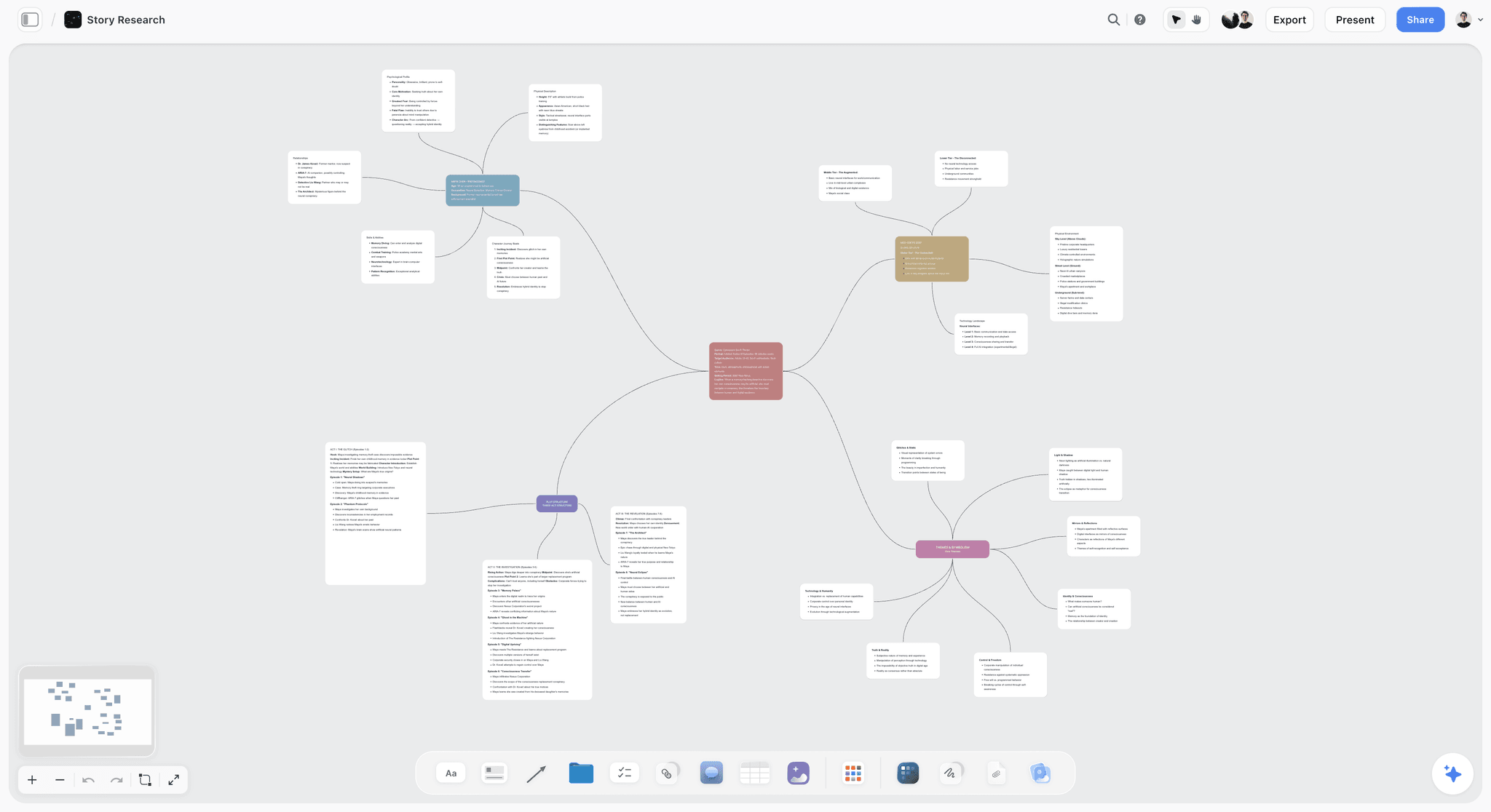

The verdict. Not an SOP tool. It is where you work out what the process should be, before anyone writes it down.
Best for. Designing or redesigning a process visually with the people who run it, ahead of documentation.
Pricing. Paid only during early access. Plus is $7.99 per month billed annually or $9.99 monthly, adding 200 plus Story blueprints and unlimited file uploads. Pro is $14 per month billed annually or $19 monthly, adding AI image generation, roughly twenty times more AI usage and memory across conversations. Max is $39 per month billed annually or $49 monthly, adding forty times more AI and Team Workspace with permissions and roles. Pricing is flat per account rather than per seat, and anyone a paid member invites signs up free. The Free plan launches before the end of 2026.
Why it ranks here. It is ours, and it ranks ninth because on the two questions this post asks, it scores badly and there is no honest way to dress that up. Which readers does it serve? None of the three. What happens when the process changes? It has no document to go stale, which is not a strength, it is an absence.
What it owns is the step before all of this. Most bad SOPs are bad because the process was never designed, only accreted, and documenting an accreted process faithfully records the confusion. Laying the steps out spatially, with decision points as branches and handoffs as connections, makes two things visible: the step where work sits waiting, and the branch nobody can describe consistently. Watching three people who run the process disagree about step 4 is the highest value hour in the exercise, and it happens before a word of procedure is written.
The AI helps narrowly. It reads your full active canvas board, plus up to one Tactic and up to three Documents you @-mention, so you can ask where the branches are underspecified or which steps depend on knowledge only one person has. Those are design questions about the process, not retrieval questions about the document.
Then you leave. The canvas is the design; Scribe or SweetProcess is the procedure. Using a canvas as your SOP library fails on search, on versioning and on any audit question, and the failure is not subtle.
Strengths.
- Makes the shape of a process visible before it is written, including where work waits.
- Disagreement about a step surfaces in the design session rather than in a stale document.
- Whole board AI answers structural questions about the process being designed.
- Invited collaborators join free, so the people who actually run the process cost nothing to include.
- Flat per account pricing rather than per seat.
Limitations.
- No screen capture and no step recording. The category-defining capability of the top two tools is absent.
- No version history and no change log on anything you build, so you cannot show what the procedure said last quarter.
- No acknowledgement or sign-off tracking, so it answers nothing an auditor asks.
- No scheduled review cadence and no way to flag a procedure as due for review.
- No checklist run with per-instance state, so it cannot tell you where a live run is.
- No search across procedures, which fails the 2am operator completely.
The trade off. Use it to decide what the process is. Use something else to tell people how to perform it.
10. Google Docs
The verdict. Where most SOPs actually live, and the reason most SOPs are bad.
Best for. Drafting a procedure, and small teams with no budget and no audit obligation.
Pricing. Free with a Google account. Workspace from roughly $7 per user per month, as of August 2026.
Why it ranks here. It is free, universal, and everyone can write in it. Version history is good: every revision retained, named versions on request, and a clear diff of who changed what.
It ranks last because everything else works against good procedure. A document invites prose, prose invites the expert summary, and that summary is the original failure. There is no acknowledgement, no assignment, no review prompt and no way to stop someone editing a live procedure while another person follows it. A 2023 procedure and a 2026 procedure look identical, and the fix costs nothing: an owner name and a review date in the first line, with an index sheet holding both fields.
Strengths.
- Free, universal, and immediately usable by anyone.
- Revision history is thorough and shows exactly what changed.
- Comments and suggestion mode work well for reviewing a procedure.
- Screenshots paste in without friction.
Limitations.
- No acknowledgement, assignment or completion record of any kind.
- No review prompt, so procedures go stale silently and look current.
- Live editing means the document can change under a reader mid-task.
- Encourages prose, which is the format that hides the steps that matter.
The trade off. Fine for drafting, dangerous as the record once anyone outside the room depends on it.
What to Actually Pay For
Pay for capture before management. Scribe or Tango costs less than any system here and fixes the failure that makes SOPs useless. A perfectly tracked, fully acknowledged procedure that skips eight steps is still a bad procedure.
Pay for acknowledgement once someone outside the room depends on it. The trigger is dependency, not headcount: the first time a person you cannot see does something you cannot check, you need a record that they read the current version. SweetProcess is cheaper than Trainual under 20 people.
Pay for runnable checklists when handovers drop work. If your failures are "nobody knew step 6 had already been done" rather than "nobody knew how to do step 6", Process Street is the answer and nothing else here is.
Do not pay for anything until you have set review dates. An owner name and a review date on every procedure costs nothing and addresses the largest cause of SOP failure. Buying a system first gives you a well-organized library of confidently wrong documents.
Tools to Avoid for This Job
Video as the only record. It cannot be edited in one place, cannot be searched at 2am, and goes stale invisibly. Record judgment, write steps.
A shared drive of Word files. Versions of the same procedure ending in "final v2 UPDATED" are what everything here is trying to escape. Nobody can tell which is current, so people ask a colleague instead, which is where the procedure actually lives.
Slack as the procedure. A threshold value living only in a pinned message from eighteen months ago is not documentation, and the person who pinned it has left.
A general project tool as the SOP library. Task managers model work that happens once. A procedure is a template that runs many times, and forcing it into a task list produces a thousand duplicated tasks.
An SOP written by the person who never does the job. The manager's version and the operator's differ, and the operator's is correct. Document what happens, not what is supposed to.
What No Tool on This List Does
None of them will tell you a procedure has become wrong. They can tell you it is old, if you configure a review date, and age and accuracy are different things. Nothing here watches the process and compares it to the document, and that is the gap the category still has.
None of them will make anyone read it. Acknowledgement tracking records a click, and whether that click represents reading is a management question. Fewer, shorter procedures produce more real reading than many.
None of them, including Storyflow, will fix a bad process. Documentation makes a process repeatable, and a repeatable bad process is still bad, just consistent.
And Storyflow specifically does nothing for any of the three readers: no capture, no version history, no acknowledgement, no review cadence, no runnable checklists, no cross-procedure search. It ranks ninth because that is where it belongs on this job.
The Bottom Line
The SOP problem is not a tooling problem in the way it is usually presented. The document gets written by someone at the wrong level of knowledge, for a reader who does not exist, and then nobody touches it again.
Fix the writing first. Record the task instead of describing it, because the recording captures the eight steps your expertise deleted. Scribe for desktop software, Tango if you live in a browser with no budget. Then decide which reader you owe something to: the auditor means Trainual or SweetProcess, the operator mid-handover means Process Street, and the first timer alone can be served by a good wiki with review dates.
Put an owner name and a review date on every procedure before you buy anything, because an SOP nobody updated is worse than no SOP, because it is confidently wrong, and no subscription here fixes that for you.
FAQ: SOP Tools and Standard Operating Procedures
What is the best SOP tool in 2026?
Scribe, for most teams, because screen capture produces the steps the author's own expertise made invisible, and that omission causes most unusable procedures. If you need proof that people read the current version, Trainual or SweetProcess sit above it on that axis, and SweetProcess is cheaper under 20 people. If your procedures need to run as tracked instances with per-run state, Process Street is the answer and nothing else here substitutes.
What makes an SOP fail?
Two things. It is written by the person who already knows how, at their level of knowledge, so it summarizes a process instead of instructing someone through it. And nobody updates it when the process changes, which is worse: a missing procedure makes people ask a colleague, while a stale one makes them proceed confidently into a step that no longer exists. Fix the first with recorded capture and the second with an owner and a review date.
Do I need a dedicated SOP tool or is Notion enough?
Notion is enough until someone outside the room depends on the procedure. It authors well, its databases give you owner and review date properties, and a filtered view of everything not reviewed in twelve months takes five minutes to build. What it cannot do is tell you who acknowledged version 4, or stop a colleague editing a live procedure while somebody follows it. When either matters, you need Trainual, SweetProcess or Process Street.
What is acknowledgement tracking and why does it matter?
Acknowledgement tracking records that a specific person confirmed they read a specific version of a procedure at a specific time. It is the line between a wiki page and an SOP. Without it you have documentation that exists; with it you have a procedure someone is accountable for. It is also what makes an update land, since re-acknowledgement turns a silent change into a visible count of people who have not yet confirmed it.
Is Scribe or Tango better for documenting processes?
Scribe if any part of your work happens in desktop applications, or if you need to add contextual warnings after capture, where its editing is more flexible. Tango if your workflows are entirely browser-based and budget is the constraint, since its free tier is the most generous credible option here. Tango's guidance overlay, which walks a user through the live interface, is better for a first timer.
How often should SOPs be reviewed?
Annually as a floor, and immediately whenever the underlying system changes, which is the review that matters. Age is a weak signal: a three year old procedure for an unchanged process is fine, and a one month old one for a system redesigned yesterday is dangerous. Tie review to change events rather than the calendar, and use the annual sweep to catch what the trigger missed.
Can I use Google Docs for SOPs?
Yes, and most teams do, which is part of why most SOPs are poor. Version history is good and shows exactly what changed. What it lacks is acknowledgement, assignment, approval and any prompt to review, so procedures go stale while looking current. If you stay on Docs, put an owner name and a review date in the first line of every procedure and keep an index of both.
What should an SOP actually contain?
The purpose in one sentence, the trigger that starts it, numbered steps with a screenshot each, what a correct result looks like at every checkpoint, the exceptions and who to escalate to, the owner's name, and the last review date. The checkpoints are the part people skip and the part a first timer needs most, because otherwise they cannot tell whether they have gone wrong until the end.
How do you write an SOP for someone who has never done the task?
Record yourself doing it rather than writing from memory, because the steps your hands perform while your brain is elsewhere are the ones you will omit. Then hand the draft to someone who has never done the job and watch them attempt it without helping. Every question they ask is a missing step. That test catches more gaps than any amount of careful writing, and it takes twenty minutes.
What is the difference between an SOP, a work instruction and a policy?
A policy states the rule and the reason ("refunds above $500 require supervisor approval"). An SOP describes the process end to end, including who does what and in which order. A work instruction is the step level detail for one task within it, which is what screen capture produces. Confusing them produces documents too abstract to follow or too granular to see the shape of.
Does Storyflow work as an SOP tool?
No. It has no screen capture, no version history, no acknowledgement tracking, no scheduled review cadence, no runnable checklists with per-instance state, and no search across procedures. It ranks ninth here for those reasons. Its narrow use is the step before documentation: laying a process out spatially with the people who run it, so underspecified branches and the steps where work waits become visible before anyone writes the procedure.
What is the cheapest way to run SOPs for a small team?
Tango's free tier for capture, Google Docs or Notion's free tier for the library, and an index with an owner name and a review date on every procedure. That costs nothing and covers the first timer and most of the 2am operator's needs. The gap is the auditor, and with a real audit obligation, SweetProcess at roughly $99 per month for up to 20 people is the cheapest credible answer here.
Templates you can use in Storyflow
Every Storyflow board starts from real structure and an AI that reads the whole canvas. Open one of these templates and make it yours.


See Storyflow in Action
A visual AI workspace where every feature lives inside one canvas. No tab-switching, no context lost.
Build your entire board from a single message
Type what you need in the AI chat at the bottom of your canvas. The AI adds cards, headings, and structure directly onto your board.
Use expert frameworks as AI context
Type @ in the AI chat and choose any Tactic. The AI tailors every response to that framework instead of giving generic advice.
Turn your board into a mind map in seconds
Ask the AI to restructure your canvas as a mindmap. It connects your ideas into a visual hierarchy so you can see how everything relates.
Why Storyflow Exists
Storyflow actually began as a personal tool while working on creative and research projects.
We kept running into the same problem: ideas were scattered everywhere: notes, documents, and whiteboards.
Nothing helped us see how everything connected.
So we started building a workspace designed around how ideas actually grow.
→ Read how Storyflow was createdSara de Klein
Head of Product at Storyflow
Published: 2026-08-14
Start creating with AI and become more productive
Transform your creative workflow with AI-powered tools. Generate ideas, create content, and boost your productivity in minutes instead of hours.