
Category
AI Workflows
Author

Justkay
Documentary Filmmaker & Founder at Storyflow
Topics
2026-05-10
•
Updated June 18, 2026
•
16 min read
•
AI Workflows- best ChatGPT alternatives 2026
- ChatGPT alternative
- top ChatGPT alternative
- Claude vs ChatGPT
- Perplexity vs ChatGPT
- Storyflow vs ChatGPT
What are the best ChatGPT alternatives in 2026?
The best ChatGPT alternatives in 2026 are Storyflow (best for project-aware AI on a canvas), Claude (best for nuanced reasoning and long-form writing), Perplexity (best for sourced research with citations), and Gemini (best if you live inside Google Workspace). Storyflow stands out because the AI reads your full active canvas board by default and can pull in additional context from @-mentioned Blueprint Tactics and documents, which is the part of project work where ChatGPT's chat-only architecture consistently fails. The right alternative depends on which ChatGPT failure mode is actually costing you time.

All 11 ChatGPT Alternatives, Ranked
- Storyflow: best for project-aware AI on a canvas that reads your full board
- Claude: best for nuanced reasoning and long-form writing
- Perplexity: best for sourced research with live citations
- Gemini: best if you live inside Google Workspace
- Notion AI: best for doc-and-wiki workspace AI
- Heptabase: best for canvas-aware research and study
- Microsoft Copilot: best for Office and Windows integration
- Cursor: best for AI pair-programming on code
- Poe: best for multi-model access in one place
- You.com: best for search-integrated AI
- Mem: best for AI-native note capture
Full disclosure: Storyflow is our own product, and we rank it #1 for one job: project-aware AI on a canvas, where the model reads your whole board instead of a single chat thread. For nuanced reasoning and long-form writing Claude is stronger, and for sourced research Perplexity is stronger. Storyflow is not a general-purpose chatbot, so if you mostly want quick answers in a chat window, ChatGPT itself is fine. We link to every tool so you can judge the fit.
Quick Comparison: Best ChatGPT Alternatives
These four cover the ChatGPT failure modes people switch for: project-aware AI, nuanced reasoning, sourced research, and Google Workspace integration.
| Tool | Best For | AI Features | Price |
|---|---|---|---|
| Storyflow | Project-aware AI on a canvas | Reads full board + @-docs and Tactics | $7.99 mo annual (free plan late 2026) |
| Claude | Nuanced reasoning and long-form writing | Claude chat with large context | Free / $20 mo |
| Perplexity | Sourced research with citations | Live web search plus citations | Free / $20 mo |
| Gemini | Google Workspace integration | Gemini in Docs, Gmail, and Sheets | Free / $20 mo |
1) Quick Answer: The Best ChatGPT Alternatives in 2026
The best ChatGPT alternatives in 2026 are Storyflow (best for project-aware AI on a canvas), Claude (best for nuanced reasoning and long-form writing), Perplexity (best for sourced research with citations), and Gemini (best if you live inside Google Workspace). Storyflow stands out because the AI reads your full active canvas board by default and can pull in additional context from @-mentioned Blueprint Tactics and documents, which is the part of project work where ChatGPT's chat-only architecture consistently fails.
The short version: if you want a smarter chat, pick Claude or Gemini. If you want a different shape of AI (one that reads your project instead of your transcript), pick Storyflow or Heptabase. If you want sourced answers, pick Perplexity. The right alternative depends on which ChatGPT failure mode is actually costing you time.
For the architectural argument behind why chat-only AI breaks for project work, see Why ChatGPT Loses the Plot After the Third Reply and The Single-Prompt Fallacy.
2) Comparison Table: 12 ChatGPT Alternatives Compared
Rating criteria: We weighted real project fit, sustained-context handling, and pricing transparency more heavily than feature count. A tool that does one job well outranks one that tries to do everything.
3) Why People Switch From ChatGPT (And When They Should Not)
ChatGPT remains excellent for what it was originally built for: one-off generation, quick research, brainstorming, code snippets, and conversational help. The problem is that millions of people use it for jobs it was not designed for, then blame the model when those jobs go badly.
The four most common ChatGPT failure modes that drive people to look for an alternative:
- Project memory drift. By the third or fourth substantive turn, the model loses track of constraints, contradicts earlier decisions, and forces the user to re-paste context. The fix is project-aware AI that reads a workspace, not a chat transcript.
- No sources. ChatGPT confidently produces text that sounds right but cannot show its receipts. For research, journalism, academic work, and client-facing analysis, this is disqualifying.
- No spatial structure. ChatGPT cannot read mood boards, mind maps, references arranged on a canvas, or the relationships between artifacts. For visual project work, the chat is the wrong shape.
- No native integration with your stack. If your work lives in Google Workspace, Microsoft 365, Notion, or a code editor, switching to a separate ChatGPT tab adds friction every turn.
If your usage is genuinely conversational (drafting, ideation, learning, quick code), ChatGPT is still excellent and you do not need an alternative. If any of the four failure modes above are eating your week, the right alternative depends on which mode is biting hardest. The teams getting the most out of AI in 2026 are not the teams with the cleverest prompts. They are the teams whose AI has the right substrate for the work.
4) How We Evaluated the Best ChatGPT Alternatives
We tested each tool on the same set of real project workflows: a brand campaign, a documentary research project, a literature review, and a content production sprint. Tools were not rated on benchmark scores or feature parity on paper. They were rated on whether the work moved faster.
The five criteria, weighted in this order:
- Sustained-context handling. Does the tool maintain project context across multiple sessions, or does it suffer the same chat-drift ChatGPT does? Workspaces beat chats here.
- Output quality. Holding the substrate constant, how good is the actual response? Reasoning, nuance, structure, accuracy.
- Project fit. Does the tool's primitive (chat, canvas, doc, codebase) match the shape of the work the user actually does?
- Sourcing and verifiability. Can the user trace claims back to a primary source? Critical for research, journalism, and client work.
- Pricing transparency and ceiling. What does the user actually pay at scale, and where do real limits hit?
Every tool was tested hands-on for at least two weeks on real project workflows, not synthetic prompts.
5) Quick Picks by Use Case
If you want the short list, start here.
Best Overall ChatGPT Alternative: Storyflow. The architecture (canvas-aware AI plus 200+ Blueprint Tactics on Plus and above) closes the four most common ChatGPT failure modes for creative project work in one tool. Paid starts at $7.99/mo annual on Plus.
Best for Reasoning and Long-Form Writing: Claude (Anthropic). Stronger nuance and longer effective context than ChatGPT. The pick when the work is text-heavy and the prompt is the right unit.
Best for Sourced Research: Perplexity. Every answer ships with citations. The pick when accuracy and traceability matter more than generation.
Best for Google Workspace Users: Gemini (Google). Native integration with Docs, Sheets, Gmail, Drive. The pick if your work already lives in Google's stack.
Best for Document-Grounded Research: NotebookLM. Upload your sources, the AI grounds every response in them. Strong for academic work, podcasts, and structured research synthesis.
Best for Coders: Cursor. Reads your codebase as state. The pick for software engineers; do not try to use it for general writing.
Best for Visual Project Work: Storyflow. Canvas-first AI with mood boards, mind maps, storyboards, and Blueprint Tactics on the same surface.
Best for Office and Windows: Microsoft Copilot. Excel formulas, Word drafts, Outlook summaries, Teams meeting notes. The pick for enterprise Microsoft shops.
6) Detailed Reviews: 12 ChatGPT Alternatives in 2026
1. Storyflow
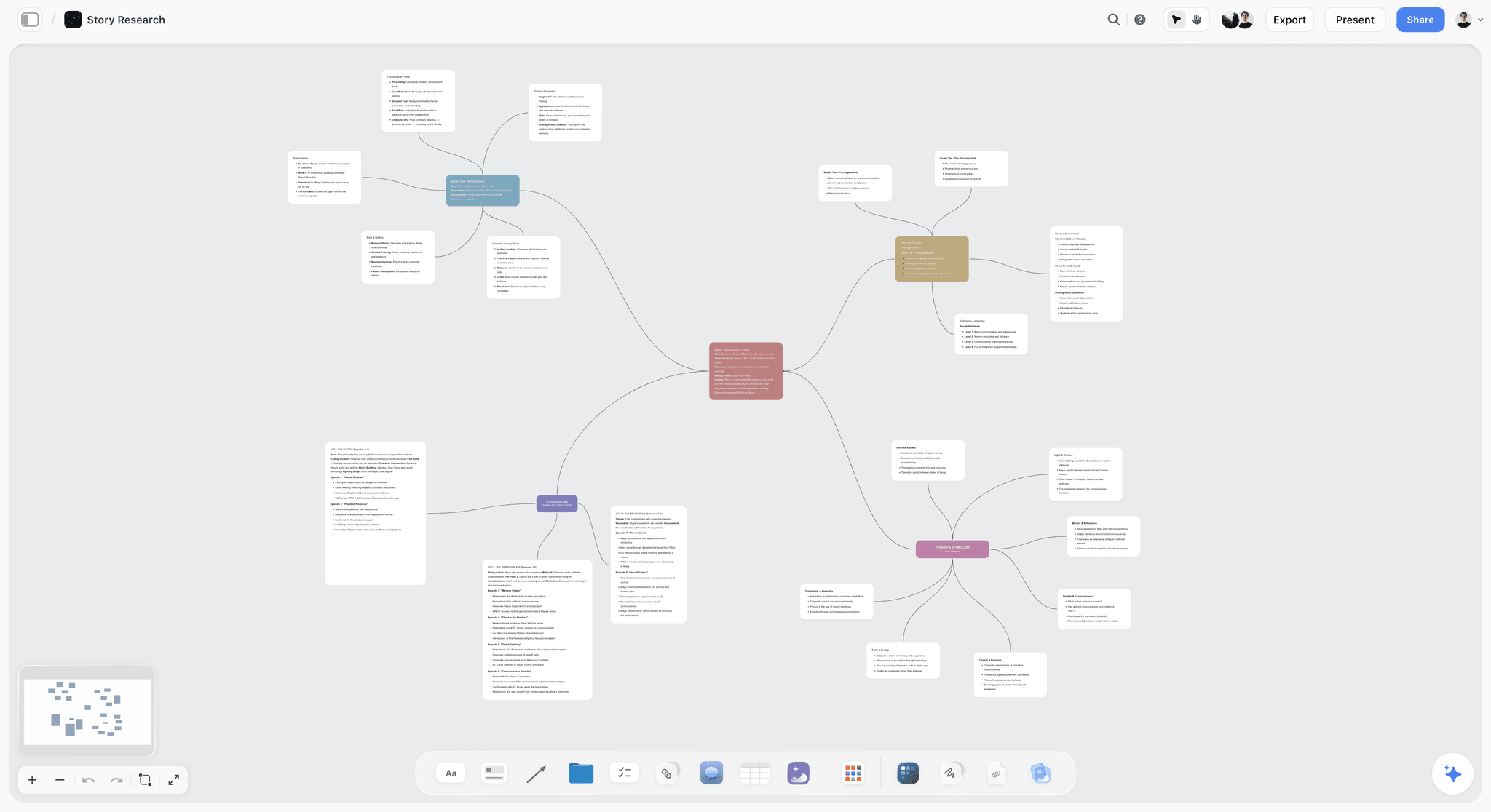
Storyflow is a visual workspace where the AI reads the full active canvas board you are working on, plus any Blueprint Tactics or documents you @-mention in the chat. It is the tool to pick when ChatGPT keeps losing the plot on your project work.
Best for: Creators, filmmakers, marketers, and strategists who run sustained creative projects and need an AI that sees the project, not a transcript of the project.
Verdict: The strongest ChatGPT alternative for project-shaped creative work. ChatGPT is a great chat. Storyflow is a different shape entirely.
Key features
- Project-aware AI by default. The AI reads the full active canvas board automatically, so you do not have to paste context every turn. Add up to 1 Tactic and up to 3 Documents via @-mention for additional grounding.
- 200+ Blueprint Tactics on Plus and above. Hero's Journey, AIDA, StoryBrand, Five-Act Structure, Retention Hooks. The Free plan ships 3 starter Story Blueprints so you can evaluate the architecture before paying.
- Multi-format canvas. Mood boards, mind maps, kanbans, storyboards, and project cards live on the same board the AI reads.
- Real shared workspaces. Unlimited shared boards plus unlimited collaboration on every plan, with no seat fee. The Max plan adds Team Workspace with Permissions and Roles.
Pricing
Free: launching before the end of 2026; invited collaborators of paid members join free today. Unlimited boards, unlimited cards (notes, images, links), unlimited collaboration, basic AI usage, and 20 file uploads. Plus: $7.99/mo annual or $9.99/mo monthly (full 200+ Blueprint library, unlimited file uploads). Pro: $14/mo annual or $19/mo monthly (adds AI image generation and 20x more AI than Plus). Max: $39/mo annual or $49/mo monthly (adds 40x more AI plus Team Workspace with Permissions and Roles).
Pros
- The only tool here where the AI reads your whole project canvas before responding.
- Blueprint Tactics give the AI a methodology to ground responses in, not just the user's prompt.
- The shape of the work (visual, multi-format, sustained) is supported as a first-class primitive.
Cons
- Storyflow is the wrong tool for one-off chat (where ChatGPT is fine), code (use Cursor), or pure search (use Perplexity).
- Cloud-only; no local-first option for users with strict privacy requirements (use Obsidian).
- Onboarding takes about an hour to feel the canvas-AI workflow click. Chat is faster to start.
2. Claude (Anthropic)
Claude is the ChatGPT alternative most people land on when they want a smarter conversational AI. The pick when the work is text-heavy, the prompt is the right unit, and you want better reasoning out of the box.
Best for: Long-form writing, nuanced reasoning, content drafting, careful analysis where ChatGPT feels too eager to please.
Verdict: The strongest pure-chat alternative to ChatGPT. Better reasoning, longer effective context, more careful with hallucinations. Same chat-substrate limitations apply.
Key features
- Long context window (200K tokens on Claude Sonnet 4.6 as of mid-2026; verify current).
- Projects feature for persistent memory across sessions.
- Claude Code for CLI-based coding workflows.
- Integration with Anthropic's API for builders.
Pricing
Claude Pro: $20/mo. Claude Max: $200/mo (heavier usage). Free tier with daily message limits.
Pros
- Frequently rated the best at writing, reasoning, and instruction-following in real-world tasks.
- More careful with uncertainty than ChatGPT's default tone.
- Projects feature reduces some of the context-dump labor.
Cons
- Same architectural limits as ChatGPT for sustained creative project work. The chat is still the substrate.
- No image generation in the consumer product.
- Smaller plugin/integration ecosystem than ChatGPT.
3. Perplexity
Perplexity is the answer engine that ships with sources by default. The pick when the failure mode you want to fix is "ChatGPT confidently makes things up."
Best for: Research, journalism, academic work, client-facing analysis where you need to verify every claim.
Verdict: The strongest research-grade ChatGPT alternative. Citations are the whole product, and they work.
Key features
- Every answer ships with citations to primary sources.
- Pro Search runs deeper queries with multi-source synthesis.
- Spaces (formerly Collections) for grouping research threads.
- Multi-model backend (you can pick GPT, Claude, or Perplexity's own).
Pricing
Perplexity Pro: $20/mo. Free tier with limited Pro searches.
Pros
- Citations are the killer feature. Verifiable answers change the trust calculus.
- Strong for "what is the latest on X" queries where ChatGPT tends to be stale.
- Pro Search synthesis is genuinely useful for first-pass research.
Cons
- Not built for generation or extended drafting. Use Claude or ChatGPT for that.
- Spaces are useful but lighter than canvas tools for sustained projects.
- The free tier limits Pro Search heavily; the value lives in the paid plan.
4. Gemini (Google)
Gemini is Google's answer to ChatGPT, with the strongest distribution advantage of any AI assistant: it lives inside Workspace. The pick if Docs, Sheets, Gmail, and Drive are where your work actually lives.
Best for: Knowledge workers and teams already deep in Google Workspace who want AI without context-switching.
Verdict: Strongest ecosystem-integrated alternative. Output quality has caught up to ChatGPT for most tasks; the integration is the moat.
Key features
- Native integration with Docs, Sheets, Gmail, Drive, Calendar.
- Gemini 2.5 (or current) with multimodal input.
- NotebookLM integration for document-grounded responses.
- Gemini Live for voice conversations.
Pricing
Google AI Pro (formerly Gemini Advanced): $20/mo. Free Gemini tier with daily limits. Bundled into Google One AI plans.
Pros
- Workspace integration is unmatched. AI reaches into the tools you already use.
- Strong on multimodal tasks (images, video, voice).
- Frequent model updates ride Google's research velocity.
Cons
- Outside the Google ecosystem, the integration moat does not apply.
- Privacy and data-handling expectations vary by Workspace plan.
- Same chat-substrate limits for sustained project work.
5. NotebookLM (Google)
NotebookLM is the document-grounded version of Google's AI. Upload your sources, ask questions, get answers tied to those sources. Includes the audio overview ("podcast") feature that went viral in 2024.
Best for: Academic research, structured study, content synthesis from a known corpus, podcast research.
Verdict: The pick when your AI needs to read your documents, not the open web.
Key features
- Upload PDFs, docs, slides, websites; AI grounds responses in those sources.
- Audio overviews generate AI-podcast-style summaries of your sources.
- Notebook structure organizes a project's source corpus.
- Now in many regions free during preview, with pricing rumored for late 2026.
Pricing
Free during preview as of mid-2026. Verify current pricing on NotebookLM's site before relying on it.
Pros
- Source grounding is genuinely strong. Answers stay close to the documents you provided.
- Audio overviews are a unique feature and useful for review.
- Lower hallucination rate than ungrounded models.
Cons
- Document-grounded only. Not built for generative work or open-ended chat.
- No canvas, no spatial structure for visual project work.
- Free preview pricing will change; uncertain ceiling.
6. Notion AI
Notion AI is the AI inside the workspace where your wiki, docs, and databases already live. The pick for teams whose project state is document-shaped and whose primary friction is "the brief is in Notion, the AI is in another tab."
Best for: Doc-and-wiki teams that want AI in their existing knowledge base.
Verdict: Solid if you already live in Notion. Limited if you do not, and document-shaped if your work is canvas-shaped.
Key features
- AI inside Notion pages, databases, and wikis.
- Connect to Slack, Drive, GitHub, and other knowledge sources for cross-source Q&A.
- Templates and AI-assisted drafting in the same surface.
Pricing
Notion AI bundled into Plus ($10/user/mo annual) and higher tiers. Limited free trial via the base Notion plan.
Pros
- Best AI experience for teams already deep in Notion.
- Cross-source Q&A is mature.
- The doc primitive fits some teams' work shape well.
Cons
- Notion is doc-shaped. Project work that is canvas-shaped (mood boards, mind maps, references arranged spatially) is awkward.
- AI works on the page or selected database, not on a project-level canvas.
- Pricing scales fast for larger teams.
7. Heptabase
Heptabase is the canvas-first knowledge tool with rich card-detail pages. The pick for academic researchers and book-note-takers who want AI assistance grounded in their card library.
Best for: Academic research, book-note-taking, study work, structured research synthesis.
Verdict: Strong if your knowledge unit is "a deep card" rather than "a project canvas." Closest direct competitor to Storyflow in the canvas-first AI category, with a research-and-study bias.
Key features
- Whiteboard with rich card-detail pages (each card holds a deep note).
- Local-first storage with optional cloud sync.
- AI assistance on selected cards.
- Journal-into-card workflow.
Pricing
Heptabase: around $8.99/mo annual. Trial only; no perpetual free tier.
Pros
- Strongest canvas-first tool for research-shaped work.
- Local-first matters for users with privacy requirements.
- Card-detail pages give individual notes real depth.
Cons
- AI is less central to the architecture than in Storyflow; cross-canvas synthesis is harder.
- No methodology layer (Tactics) for scaffolding AI responses.
- Shorter free trial than competitors.
For the head-to-head, see Storyflow vs Heptabase as a Second Brain.
8. Microsoft Copilot
Microsoft Copilot is AI woven into Word, Excel, Outlook, PowerPoint, and Teams. The pick for enterprise Microsoft shops that want AI in the apps they already use eight hours a day.
Best for: Office workers, enterprise teams, Excel-heavy analysts, Outlook-heavy executives.
Verdict: Strongest enterprise-Microsoft alternative. Less interesting outside that ecosystem.
Key features
- AI inside the full Microsoft 365 suite.
- Excel formula generation and analysis.
- Outlook summarization and drafting.
- Teams meeting summaries.
- Bing Chat / Microsoft Copilot for general chat.
Pricing
Microsoft 365 Copilot: $20 to $30/user/mo. Free tier via Bing/Edge for general chat.
Pros
- Deep integration with the Microsoft stack that enterprises already pay for.
- Excel and meeting features are genuinely useful.
- IT-friendly compliance posture.
Cons
- Outside the Microsoft ecosystem, the value collapses.
- Output quality on standalone tasks lags Claude and ChatGPT.
- Per-user pricing scales unfavorably for small teams.
9. Cursor
Cursor is the AI code editor. The pick for software engineers; not a general ChatGPT alternative, but for the slice of users whose ChatGPT use is mostly code, this is the ChatGPT alternative.
Best for: Software engineers, technical founders, anyone whose AI use is dominated by code.
Verdict: The strongest AI-for-code alternative to ChatGPT. Reads your full codebase as state.
Key features
- AI inside a VS Code-based editor.
- Reads your project files, runs commands, edits across files.
- Chat plus inline edits plus Composer for multi-file changes.
- Strong agentic execution.
Pricing
Cursor Pro: $20/mo. Cursor Business: $40/user/mo. Free tier for evaluation.
Pros
- The AI sees your codebase as project context. This is the same architectural shift Storyflow makes for creative work.
- Genuinely shifts engineering velocity.
- Multi-model backend (you can pick GPT, Claude, etc.).
Cons
- For coding only. Do not use it for writing, research, or general chat.
- Performance varies by model and codebase size.
- Pricing rises fast at higher usage tiers.
10. Poe
Poe is Quora's multi-model interface. The pick when you want access to GPT, Claude, Gemini, and many other models from one subscription.
Best for: Power users who want to test outputs across multiple models without paying for each subscription separately.
Verdict: Solid utility tool. Not a direct architectural alternative; more of a Swiss Army knife for chat.
Key features
- Access to dozens of models (GPT, Claude, Gemini, Llama, Mistral, others) in one interface.
- Custom bots built on top of any model.
- Compute points system for usage.
Pricing
Poe Subscription: $20/mo. Free tier with daily compute allotment.
Pros
- Multi-model access is genuinely useful for power users.
- Lower friction than juggling separate subscriptions.
- Bot-building is approachable.
Cons
- Compute points system is opaque and frustrating at scale.
- No persistent project context; it is still chat-shaped.
- Lacks the integration depth of Gemini or Copilot.
11. You.com
You.com is the search-integrated AI alternative. The pick when you want chat plus web search in one tool, without ChatGPT's search inconsistency.
Best for: Users who want a single tool for AI plus search, with stronger source grounding than ChatGPT but less rigor than Perplexity.
Verdict: A reasonable middle ground between ChatGPT and Perplexity. Niche audience.
Key features
- Chat plus web search in one interface.
- Multiple model options (GPT, Claude, others).
- Custom AI agents.
- Privacy-forward stance compared to Google.
Pricing
You Pro: $15/mo. Free tier available.
Pros
- Cheaper than Perplexity Pro for similar core utility.
- Privacy posture is more user-friendly than mainstream alternatives.
- Multi-model access included.
Cons
- Brand recognition is low; sourcing rigor is lighter than Perplexity's.
- Feature surface is narrower than ChatGPT.
- Smaller community and ecosystem.
12. Mem
Mem is AI-native notes. The pick for people who want their notes to be searchable by an AI that understands what they wrote.
Best for: Personal note-takers who want AI to surface relevant past notes contextually.
Verdict: Niche but genuine. Not a direct ChatGPT replacement; more of a knowledge-base AI.
Key features
- AI that connects related notes automatically.
- Mem Chat for asking questions across your note library.
- Daily notes and ambient capture.
Pricing
Mem: around $14.99/mo. Verify current pricing on Mem's site.
Pros
- The AI-meets-notes architecture is elegant for personal use.
- Surfacing related past notes is genuinely useful.
- Lower friction than building your own AI-over-Obsidian setup.
Cons
- Pricing has changed multiple times; uncertain trajectory.
- Less mature than Heptabase for canvas work or Notion for doc work.
- Smaller user base means fewer integrations and slower iteration.
7) Persona-Based Recommendations
1. Solo Creator / Blogger
Top picks: Storyflow or Claude
Storyflow if your work is project-shaped (videos, campaigns, series, multi-week productions). Claude if your work is mostly text drafting and you want a smarter chat. Avoid Microsoft Copilot unless you also live in Office.
2. Marketer / Brand Strategist
Top picks: Storyflow or ChatGPT itself with a Notion AI complement
Storyflow's Blueprint Tactics (AIDA, StoryBrand, Retention Hooks) and canvas-AI fit campaign work better than chat. If your team lives in Notion, pair Notion AI for docs with Storyflow for canvases.
3. Documentary Filmmaker / Video Creator
Top picks: Storyflow + Perplexity
Storyflow for the project canvas (research clusters, treatments, beat sheets, mood boards). Perplexity for sourced research where citations matter. ChatGPT alone is the wrong shape for sustained pre-production.
4. Academic Researcher / PhD Student
Top picks: NotebookLM + Heptabase
NotebookLM for source-grounded synthesis from your literature. Heptabase for canvas-based card library. Storyflow if your research has a creative-output dimension.
5. Software Engineer
Top picks: Cursor + Claude
Cursor in the editor. Claude for non-code reasoning, design docs, and architecture conversations. ChatGPT is fine but not the strongest pick for either job in 2026.
6. Marketing / SEO Team
Top picks: Perplexity + Claude
Perplexity for research and competitive scans. Claude for nuanced drafting. Storyflow if your team works on full campaign pre-production with mood boards and multi-format artifacts.
7. Customer Support / Operations Lead
Top picks: Microsoft Copilot or Notion AI
Copilot if your stack is Office/Teams. Notion AI if your runbooks and SOPs live in Notion. Both put AI where the work is.
8. Founder / Operator
Top picks: Storyflow + Claude
Storyflow as the canvas where strategy, product, brand, and content thinking live together. Claude as the text-thinking partner. Add Perplexity if you do a lot of competitive research.
9. Enterprise IT / Compliance Lead
Top picks: Microsoft Copilot or Gemini Enterprise
Pick the one your org already standardizes on. Both have stronger enterprise compliance posture than ChatGPT for regulated environments.
10. Personal Knowledge / Note-Taker
Top picks: Heptabase or Mem
Heptabase for canvas-first card libraries. Mem for AI-surfaced notes. Obsidian as a free local-first option if you want zero AI but full control.
8) Honorable Mentions
A few tools that came close but did not make the main twelve:
- Pi (Inflection AI): Genuinely warm conversational tone, but limited utility for project work.
- DeepSeek: Strong open-weight models with rapid 2026 progress; uneven for sustained product use.
- Reflect: AI-native journaling tool, narrow audience.
- Tana: Powerful supertag system, steep learning curve, niche power-user audience.
- Jasper: Marketing-copy-focused, shrinking moat as general models improve.
- Character.ai: Roleplay-focused, not a general ChatGPT replacement.
- Lex: AI for writers, narrower than Claude on the same use case.
- Reka, Mistral chat, Llama-based UIs: Worth watching but not yet strong general-purpose alternatives.
These are not bad tools. They are good tools whose audience or use case is narrower than the main list.
9) When ChatGPT Itself Is Still the Right Pick
It is worth being honest: for some uses, ChatGPT remains the best choice and switching is unnecessary friction.
ChatGPT wins when:
- The work is one-off generation (a tweet, an email, a quick draft, a slogan).
- You need image generation alongside text in the same product (DALL-E inside ChatGPT).
- Your usage is mostly conversational learning or exploration of unfamiliar topics.
- You rely on Custom GPTs or the GPT Store ecosystem.
- Voice mode is part of your daily workflow.
- You value the largest plugin and integration ecosystem.
If three or more of these match, the cost of switching outweighs the gain. The honest answer is: stay on ChatGPT and use it well. The right alternative depends on which ChatGPT failure mode is actually costing you time. If no failure mode is biting, no alternative is needed.
11) The Bottom Line
The best ChatGPT alternative in 2026 depends on which ChatGPT failure mode is actually costing you time. If the failure is project memory drift on sustained work, the architectural fix is project-aware AI on a workspace. Storyflow is the strongest pick in that category for creative project work, with a canvas-AI architecture that reads the full board by default plus 200+ Blueprint Tactics that scaffold methodology. If the failure is "ChatGPT confidently makes things up," Perplexity is the right answer for sourced research. If you simply want a smarter chat, Claude is the strongest pure-chat alternative, with Gemini close behind for Google Workspace users.
For the architectural argument behind why chat-only AI breaks for project work, see Why ChatGPT Loses the Plot After the Third Reply. For why prompt engineering plateaued as a discipline, see The Single-Prompt Fallacy.
The decisive recommendation: if your AI work is sustained creative production with mixed visual material, start a Storyflow workspace and run one project on it for two weeks. If your AI work is mostly chat, stay on ChatGPT or pay for Claude. If your AI work is research with citations, switch to Perplexity. The right tool follows the shape of the work.
10) FAQ: ChatGPT Alternatives in 2026
What is the best free ChatGPT alternative?
For pure chat, the free tiers of Claude, Gemini, and Perplexity are all credible alternatives with daily message limits. For project-aware AI, Storyflow's Free plan, which launches before the end of 2026, will be the strongest free tier where the AI reads your canvas: unlimited boards, unlimited cards, unlimited collaboration, basic AI usage, and 20 file uploads. NotebookLM is currently free during preview and excellent for document-grounded research.
Which ChatGPT alternative has the best reasoning?
Claude is most often cited as the strongest at nuanced reasoning, instruction-following, and long-form writing. ChatGPT, Gemini, and Perplexity are competitive depending on the task. The gaps are smaller in 2026 than they were in 2023; for most users, the architecture and integration matter more than raw model quality.
Which ChatGPT alternative is best for research?
Perplexity for sourced web research with citations. NotebookLM for grounded synthesis from documents you upload. Heptabase or Storyflow if your research benefits from canvas-based organization. ChatGPT itself is the worst pick for research because it does not consistently ship sources.
Is Claude better than ChatGPT?
For nuanced writing, reasoning, and careful instruction-following, most practitioners say yes. For image generation, voice mode, and ecosystem breadth, ChatGPT still wins. The honest answer is that in 2026 they are close enough that the architecture (chat vs canvas vs doc) matters more than the model.
Which ChatGPT alternative is best for content creators?
Storyflow for project-shaped creative work (campaigns, series, productions, multi-week content sprints) where the AI needs to read mood boards, references, and structural plans together. Claude for text-heavy drafting. ChatGPT for one-off generation and quick ideation. Most creators end up using two of these together.
Is Perplexity worth paying for?
Yes if your work involves frequent research, journalism, or client-facing analysis where citations matter. The Pro Search feature is the lever. If your usage is mostly conversational chat, Claude or ChatGPT is a better paid pick at the same price.
Which ChatGPT alternative has the longest context window?
Claude (200K tokens on Sonnet 4.6 as of mid-2026) and Gemini (1M+ on certain Pro variants) lead on raw window size. Verify current limits on each provider's site. For sustained project work, however, large context windows are a partial fix; project-aware AI on a workspace handles persistent context better than any chat-with-large-window setup.
What is the best ChatGPT alternative for coders?
Cursor. It is in a different category (AI code editor, not a chat) and reads your full codebase as state, which is the right architecture for code. Claude Code, Aider, Copilot, and Continue.dev are credible alternatives in the same category.
Why would I switch from ChatGPT to a canvas-based AI tool?
Because chat is the wrong shape for project work. Canvas tools (Storyflow, Heptabase, FigJam AI) let the AI read your full project (brief, references, mind maps, mood boards, draft cards) instead of the prompt. By the third or fourth substantive turn on a real project, ChatGPT loses context that the canvas keeps. For sustained creative work, this is the structural fix.
What does Storyflow replace beyond ChatGPT?
More than the AI alone. Because the canvas combines AI, visual boards, documents, storyboards, and a cinematic frames library, one Storyflow subscription can stand in for ChatGPT (AI assistance), Milanote (visual boards and mood boards), Notion (documents and notes), Frameset (storyboards and shot planning), and Shotdeck (a cinematic frames reference library). Pro is $14 per month billed annually, and the Free plan, launching before the end of 2026, will cover unlimited boards, cards, and collaboration, with no object limit and no time limit.
Are local AI alternatives like Llama or Mistral viable replacements for ChatGPT?
For users with strict privacy or cost constraints, yes. Tools like LM Studio, Ollama, and Jan let you run capable open models locally. The tradeoffs are setup complexity, hardware requirements, and weaker performance on the hardest tasks. For most users, cloud alternatives remain easier and stronger; for some, local-first is non-negotiable.
Which ChatGPT alternative has the best pricing?
Storyflow Plus at $7.99/mo annual is the cheapest among the strong options. NotebookLM is currently free during preview. Free tiers of Claude, Gemini, and Perplexity are usable for low-volume chat. At the high end, all the major paid alternatives cluster around $20/mo, so price is rarely the deciding factor.
Should I use ChatGPT or an alternative?
Use ChatGPT if your work is one-off generation, conversational, or part of an OpenAI-ecosystem workflow. Use a project-aware alternative (Storyflow, Heptabase) if your work is sustained creative production. Use Perplexity if sourcing matters. Use Cursor if you write code. The right answer is rarely "one tool"; most professionals in 2026 use two or three together for different jobs.
Table of Contents
- Quick Answer: The Best ChatGPT Alternatives in 2026
- Comparison Table: 12 ChatGPT Alternatives Compared
- Why People Switch From ChatGPT (And When They Should Not)
- How We Evaluated the Best ChatGPT Alternatives
- Quick Picks by Use Case
- Detailed Reviews: 12 ChatGPT Alternatives in 2026
- Persona-Based Recommendations
- Honorable Mentions
- When ChatGPT Itself Is Still the Right Pick
- FAQ: ChatGPT Alternatives in 2026
- The Bottom Line
- Author
- Related Reading
Templates to check out for this topic


Templates you can use in Storyflow
Every Storyflow board starts from real structure and an AI that reads the whole canvas. Open one of these templates and make it yours.


See Storyflow in Action
A visual AI workspace where every feature lives inside one canvas. No tab-switching, no context lost.
Build your entire board from a single message
Type what you need in the AI chat at the bottom of your canvas. The AI adds cards, headings, and structure directly onto your board.
Use expert frameworks as AI context
Type @ in the AI chat and choose any Tactic. The AI tailors every response to that framework instead of giving generic advice.
Turn your board into a mind map in seconds
Ask the AI to restructure your canvas as a mindmap. It connects your ideas into a visual hierarchy so you can see how everything relates.
Why Storyflow Exists
Storyflow actually began as a personal tool while working on creative and research projects.
We kept running into the same problem: ideas were scattered everywhere: notes, documents, and whiteboards.
Nothing helped us see how everything connected.
So we started building a workspace designed around how ideas actually grow.
→ Read how Storyflow was createdJustkay
Documentary Filmmaker & Founder at Storyflow
Published: 2026-05-10
Extremely simple, seriously capable


See how easy it is to get started
Watch a real project come together, from a blank board to a finished plan, clicked through step by step.
Start creating with AI and become more productive
Transform your creative workflow with AI-powered tools. Generate ideas, create content, and boost your productivity in minutes instead of hours.