Why Learning and Doing Should Never Be Separate
You've read the articles about AIDA, Hero's Journey, and marketing frameworks. You took notes. Then you forgot them. Here's why - and how to actually retain what you learn.

Category
Productivity & Tools
Author

Sara de Klein
Head of Product at Storyflow
Topics
January 11, 2026
•
12 min read
•
Productivity & Tools- learn by doing
- professional frameworks
- skill development
- active learning
What is the best way to learn professional frameworks by doing?
The most effective way to learn frameworks like AIDA, Hero's Journey, and SOSTAC is through immediate application, learning by doing. Storyflow's Tactics embed expert frameworks directly into your creative workflow: each card contains theory, examples, and guidance while you build actual projects. This merges education with execution, transferring knowledge to long-term memory through real application instead of passive reading.

You've read the articles. AIDA copywriting. The Hero's Journey. SOSTAC marketing plans. You took notes. You bookmarked them. You told yourself you'd apply them later.
Later came. You opened a blank document to write copy, plan a campaign, or structure a story. And you couldn't remember how the framework actually worked. The knowledge was gone.
This isn't a memory problem. It's a learning design problem. And it affects everyone who tries to learn frameworks from articles, courses, or books and then apply them separately.
Information learned without immediate application has an 80% forgetting rate within 48 hours. The solution isn't better note-taking - it's learning frameworks while applying them to real projects.
The Learning Problem Nobody Talks About
The standard approach to learning professional skills follows a two-step model: First, consume information (read articles, take courses, watch tutorials). Second, apply that information later when you need it.
This model is broken. Not slightly flawed - fundamentally broken.
Here's what actually happens:
The Two-Step Learning Failure:
- Day 1: You read about AIDA copywriting. It makes perfect sense. Attention, Interest, Desire, Action. You understand the logic.
- Day 3: You remember AIDA exists, but the specifics are fuzzy. What exactly creates Interest vs. Desire?
- Day 7: You need to write copy. You remember "AIDA" but have to re-read the article to remember how it works.
- Day 14: You're starting from scratch again. The knowledge never transferred to long-term memory because you never applied it.
This isn't about being forgetful. It's about how human memory works. Knowledge that isn't applied doesn't stick. And knowledge applied days or weeks after learning doesn't stick either - the neural pathways have already faded.
The two-step model of learning (consume information, apply later) fails because knowledge that isn't immediately applied doesn't transfer to long-term memory. The gap between learning and doing is where frameworks go to die.
Why Knowledge Fades: The Science
Cognitive scientists have known this for decades. It's called the "Ebbinghaus forgetting curve" - within 24 hours, you forget 70% of new information. Within a week, 90%. Unless you do something to reinforce it.
But here's what the typical advice misses: the best reinforcement isn't reviewing notes or re-reading. It's application under guidance.
When you learn something and immediately apply it to a real problem, three things happen:
- Encoding strengthens. The act of applying knowledge creates stronger memory traces than passive consumption.
- Context forms. You remember not just the concept but how you used it - which makes retrieval easier later.
- Gaps reveal themselves. You discover what you actually don't understand, which passive learning hides.
This is why courses, books, and articles have such poor knowledge retention. They separate the learning from the doing. By the time you try to apply what you learned, the details have already faded.
The Ebbinghaus forgetting curve shows 70% of information is forgotten within 24 hours. The solution isn't more review - it's immediate application under guidance, which creates stronger memory encoding and contextual retrieval cues.
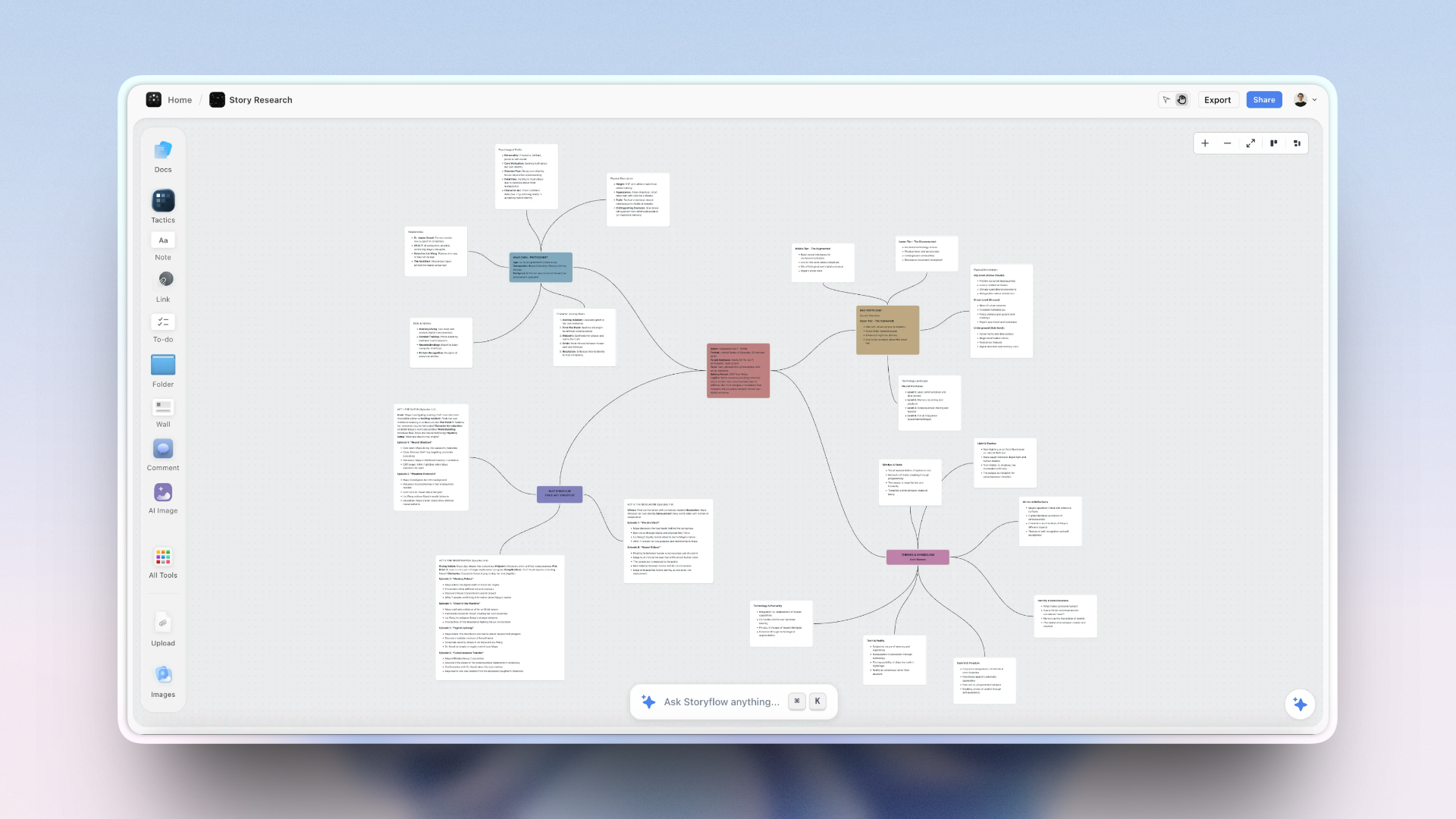
Writers use Storyflow to connect research, notes, and drafts in a single visual workspace
Merging Learning with Doing
The solution isn't to learn faster or take better notes. It's to eliminate the gap between learning and application entirely.
Imagine learning AIDA copywriting not by reading an article, but by:
- Opening a card labeled "Attention" that explains what it is, why it matters, and shows examples
- Immediately writing your own Attention hook for your actual project
- Moving to "Interest" - learning the concept while applying it to your work
- Continuing through Desire and Action, learning each component while building your real copy
When you finish, you have two things: a completed piece of copy AND genuine understanding of AIDA that you'll retain. The framework is now part of your working knowledge because you've used it, not just read about it.
This is what cognitive scientists call "situated learning" - learning in the context of real application. It's dramatically more effective than abstract learning, but most tools force you to choose: learn OR create.
Situated learning - acquiring knowledge in the context of real application - is dramatically more effective than abstract learning. Most tools force you to choose between learning frameworks and applying them. The best tools merge both.
How Storyflow Tactics Work
Storyflow is built around this principle. Instead of giving you blank canvases (like Miro) or raw AI text generation (like ChatGPT), Storyflow provides Tactics - interactive frameworks that teach methodology while you build real projects.
What a Tactic Contains:
Theory
Each card explains why this element matters. Not just "write an attention-grabbing hook" but the psychology of why attention precedes interest in the buyer's journey.
Analysis
Real examples that demonstrate the principle in action. See how successful copy, stories, or campaigns applied this exact concept.
Guidance
Step-by-step instructions for applying this element to your specific project. Not generic advice - contextual guidance.
AI Integration
Framework-aware AI that understands which Tactic you're using. When you ask for help, suggestions are contextual to the methodology - not generic text generation.

Storyflow's Tactics are interactive frameworks that embed theory, examples, and guidance directly into cards you fill out while building real projects. You learn the methodology while creating actual work - not before, not after.
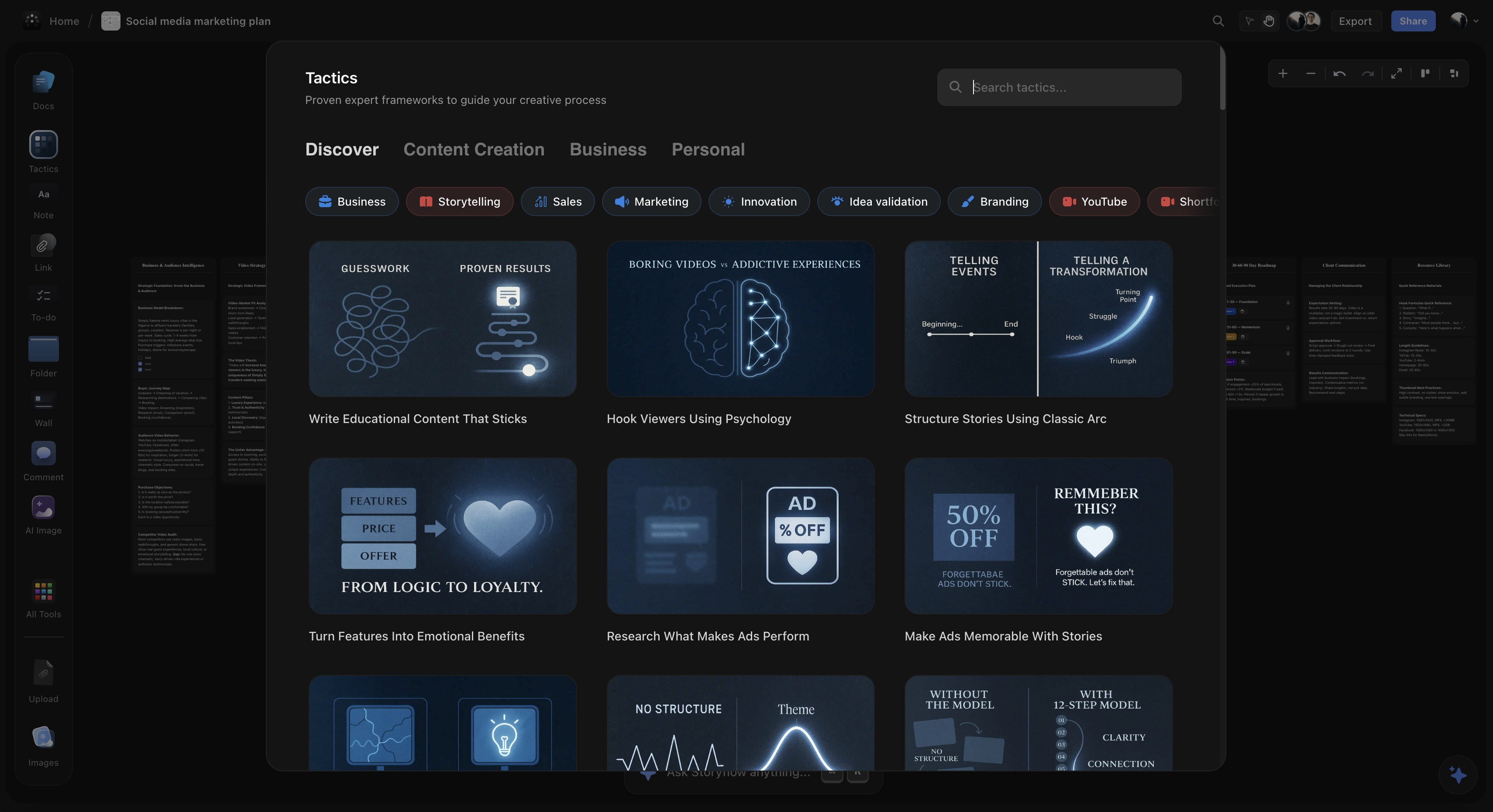
Available Tactics Include:
- AIDA Copywriting: Learn the psychology of persuasion while writing actual copy
- Hero's Journey: Master narrative structure while developing your story
- Marketing Campaign: Understand campaign strategy while building your plan
- MEDDIC Sales: Learn enterprise B2B sales methodology through application
- YouTube Retention: Understand retention psychology while writing your script
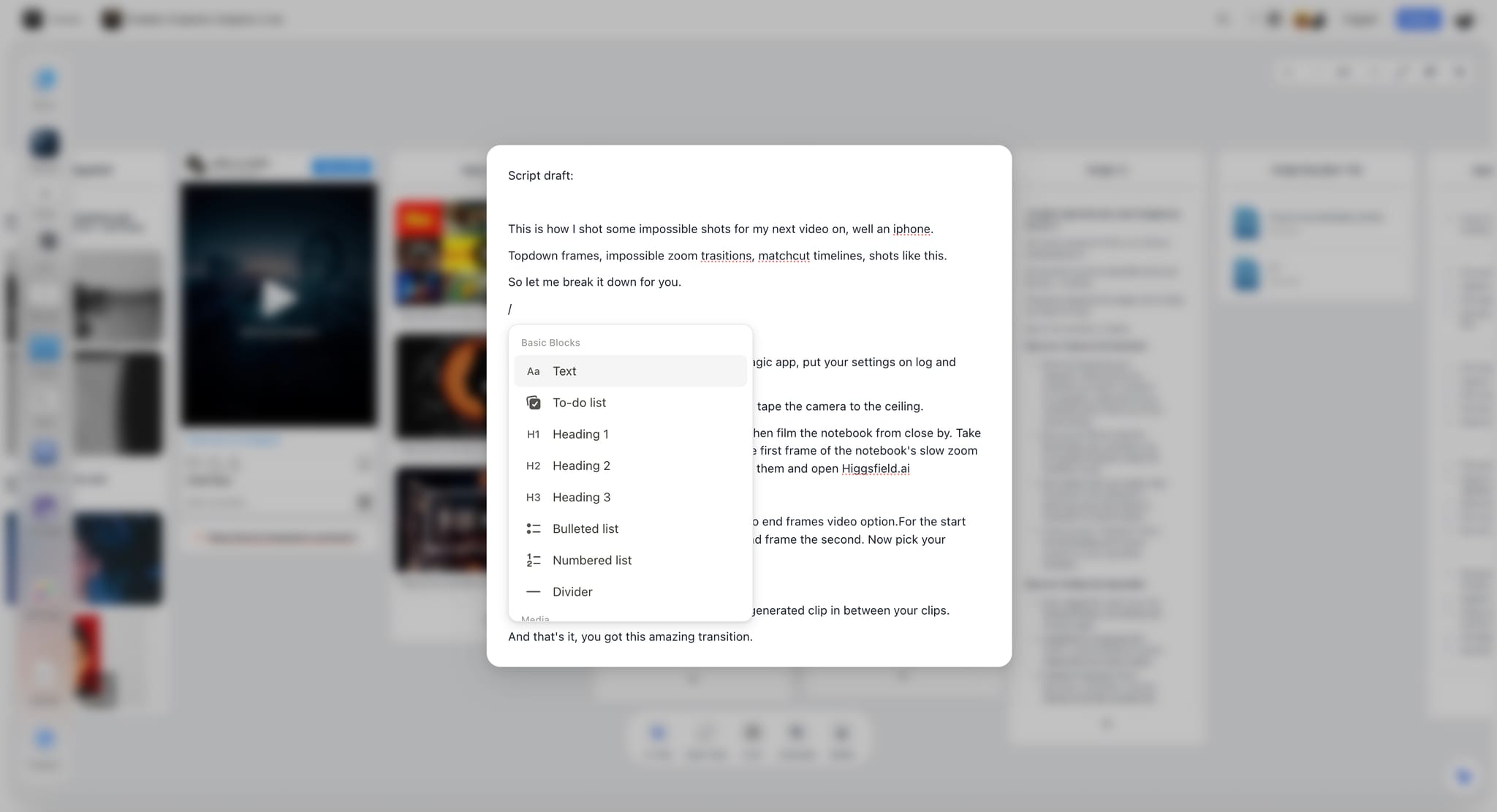
Storyflow's enhanced note editor lets you write, organize, and apply knowledge in the same workspace
Real Examples: Learning While Creating
Here's how this works in practice across different use cases:
Marketer Learning AIDA
Before Storyflow: Reads about AIDA, takes notes, forgets specifics, struggles to apply it three days later when writing a sales page.
With Storyflow: Opens AIDA Tactic. Reads why Attention matters (theory), sees examples of great hooks (analysis), writes her own hook immediately (application). Moves to Interest. By the time she finishes, she has both completed copy AND internalized understanding of AIDA she'll retain.
Filmmaker Learning Story Structure
Before Storyflow: Watches videos about Hero's Journey, understands the concept abstractly, but can't figure out how to map it to their documentary.
With Storyflow: Opens Hero's Journey Tactic. Each stage (Ordinary World, Call to Adventure, Crossing the Threshold...) has theory, examples from documentaries, and prompts to develop that stage for their specific story. They finish with a complete story structure AND understanding of why each element matters.
Creator Learning Campaign Planning
Before Storyflow: Knows they need a marketing plan but doesn't know the components. Asks ChatGPT, gets a generic outline, doesn't understand why each section matters.
With Storyflow: Opens Marketing Campaign Tactic. Learns why objectives must come before tactics (theory), sees examples of well-structured campaigns (analysis), builds each component with guidance. Finishes with a complete plan AND methodology they can apply to future campaigns.
After using Storyflow's Tactics for several projects, users internalize professional frameworks. They become better at copywriting, storytelling, or marketing - with or without the tool. The learning persists because it happened through application.
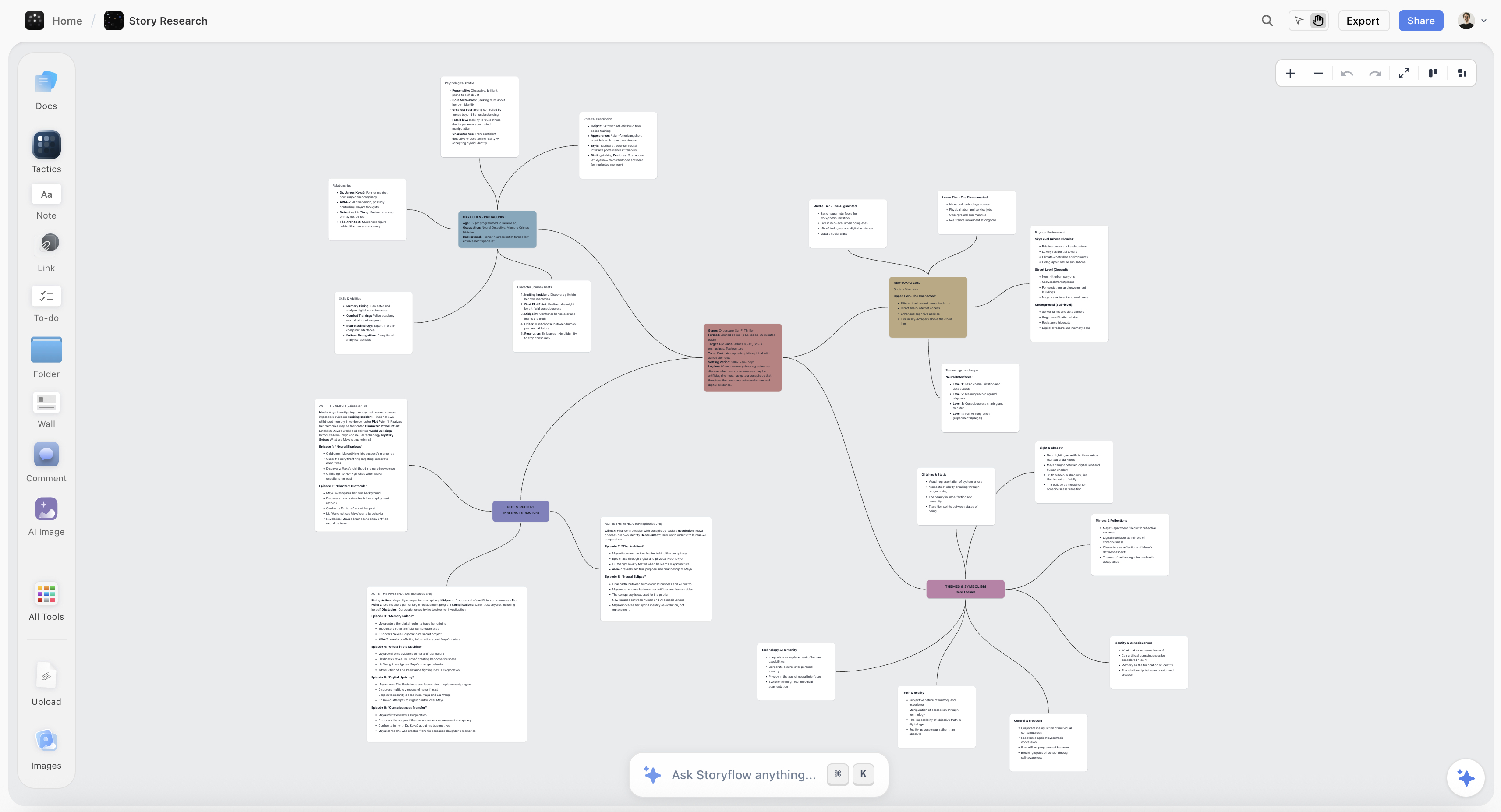
Storyflow's research board helps writers gather, tag, and connect source material directly to their writing
FAQ
Why don't I remember frameworks I've learned?
Knowledge fades when separated from application. The forgetting curve is steep - 70% of information is lost within 24 hours without reinforcement. But the best reinforcement isn't review - it's application. When you use a framework immediately while learning it, you create stronger memory traces and contextual retrieval cues.
How is Storyflow different from taking a course?
Courses separate learning from application. You watch videos, then try to apply what you learned later. By then, the details have faded. Storyflow's Tactics embed learning directly into your workflow - you learn each component of a framework while immediately applying it to your actual project. There's no gap for knowledge to disappear into.
How is Storyflow different from ChatGPT?
ChatGPT generates output without teaching methodology. You can ask it to write AIDA copy, and it will - but you don't learn why AIDA works or how to apply it yourself. Storyflow's Tactics guide you through frameworks step by step, explaining the theory and showing examples at each stage. You finish with both completed work and genuine understanding.
What frameworks can I learn with Storyflow?
Storyflow includes Tactics for AIDA copywriting, Hero's Journey storytelling, Story Arc Structure, MEDDIC sales, Marketing Campaign planning, YouTube Retention optimization, and more. Each Tactic is designed by experts and includes theory, analysis, and guided application steps.
ChatGPT generates outputs without teaching methodology. Storyflow's Tactics guide you through professional frameworks step by step, explaining theory and showing examples at each stage. You finish with both completed work and genuine understanding.
Stop Learning and Doing Separately
The next time you need to learn a professional framework - AIDA, Hero's Journey, marketing planning, script structure - don't read an article and try to apply it later. Choose a tool that merges learning with doing.
Storyflow's Tactics teach you frameworks while you build real projects. You finish with completed work AND knowledge that persists. After a few projects, you'll think in frameworks naturally - the methodology becomes part of how you approach creative work.
Storyflow merges education with execution: you learn professional frameworks like AIDA, Hero's Journey, and marketing campaign planning while building actual projects, so knowledge transfers to long-term memory through immediate application.
Related Reading
Turn ideas into action plans with frameworks
Master storytelling frameworks
SOSTAC and marketing frameworks
Why visual workspaces work
Table of Contents
Templates to check out for this topic


Templates you can use in Storyflow
Every Storyflow board starts from real structure and an AI that reads the whole canvas. Open one of these templates and make it yours.


See Storyflow in Action
A visual AI workspace where every feature lives inside one canvas. No tab-switching, no context lost.
Build your entire board from a single message
Type what you need in the AI chat at the bottom of your canvas. The AI adds cards, headings, and structure directly onto your board.
Use expert frameworks as AI context
Type @ in the AI chat and choose any Tactic. The AI tailors every response to that framework instead of giving generic advice.
Turn your board into a mind map in seconds
Ask the AI to restructure your canvas as a mindmap. It connects your ideas into a visual hierarchy so you can see how everything relates.
Why Storyflow Exists
Storyflow actually began as a personal tool while working on creative and research projects.
We kept running into the same problem: ideas were scattered everywhere: notes, documents, and whiteboards.
Nothing helped us see how everything connected.
So we started building a workspace designed around how ideas actually grow.
→ Read how Storyflow was createdSara de Klein
Head of Product at Storyflow
Published: January 11, 2026
Extremely simple, seriously capable


See how easy it is to get started
Watch a real project come together, from a blank board to a finished plan, clicked through step by step.
Start creating with AI and become more productive
Transform your creative workflow with AI-powered tools. Generate ideas, create content, and boost your productivity in minutes instead of hours.