Best Workflow for YouTube Video Planning: A Complete System
A topic is not a plan. An idea is not a video. This tutorial walks you through the complete 6-step workflow for planning YouTube videos - from establishing your idea and angle, through outlining story structure, defining stakes, crafting hooks, and aligning with your audience.

Category
YouTube
Author

Sara de Klein
Head of Product at Storyflow
Topics
January 11, 2026
•
18 min read
•
YouTube- YouTube planning
- video workflow
- content strategy
- script writing
- 2026
What is the best workflow for YouTube video planning?
The best YouTube video planning workflow has 6 steps: establish the idea, find your unique angle, define the stakes, craft the hook, outline the story structure, and align every element with your audience. Storyflow (best for guided planning) provides Tactics frameworks that walk you through each step.

You have an idea for a video. You know the topic. You sit down to film. And somewhere between "hey everyone" and your fourth take, you realize you don't actually know what you're trying to say.
This is the most common mistake YouTube creators make: starting production without finishing planning.
A topic is not a plan. An idea is not a video. Between "I want to talk about X" and "this video will keep viewers watching" is a complete workflow that most creators skip.
The best workflow for YouTube video planning transforms a vague topic into a structured story with clear stakes, a compelling hook, and every element aligned with your specific audience.
This tutorial walks you through the complete planning workflow - from establishing your idea and angle, through outlining story structure, defining stakes, crafting hooks, and aligning everything with your audience. Follow these six steps before you film, and you'll create videos that perform.
Why Planning Matters More Than You Think
Most creators underestimate planning because they confuse having an idea with having a video.
Here's what actually happens without proper planning:
- Weak hooks: You don't know why someone should watch, so you start with "hey everyone, today we're going to talk about..."
- No retention structure: Viewers drop off because there's no reason to keep watching.
- Unclear value: You cover a topic without solving a specific problem.
- Editing nightmares: You ramble during filming and spend hours cutting footage that never had a clear direction.
- Audience mismatch: You make a video for everyone, which means it resonates with no one.
Professional creators - the ones with consistently high retention - spend more time planning than filming. The video is in effect complete before the camera turns on.
Professional YouTube creators spend more time planning than filming. The video is in effect complete before the camera turns on - filming is just execution.
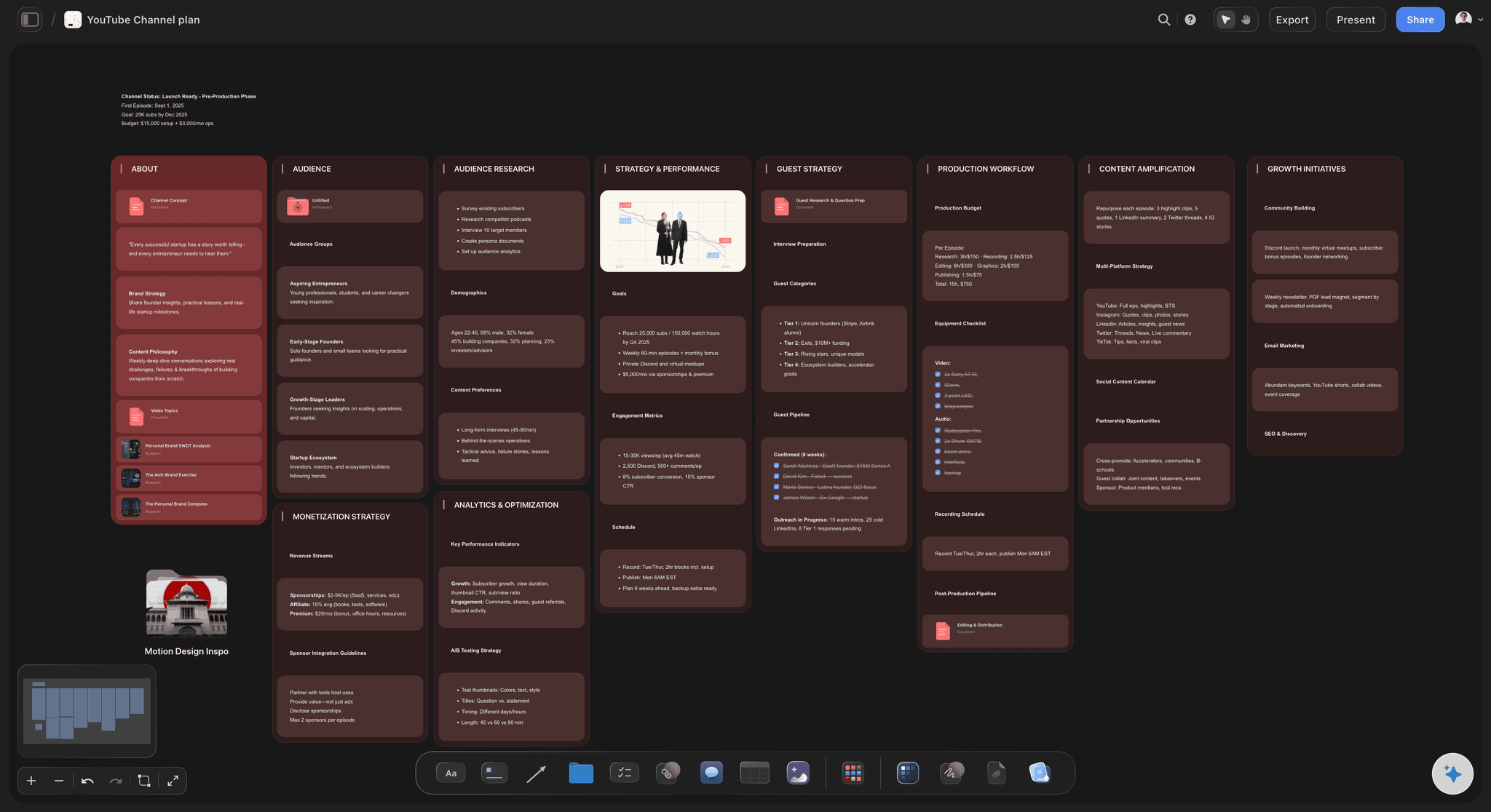
The workflow starts with the idea. Get a head start on that.
Before you run the full planning workflow, you need a video worth planning. Describe your channel and let AI generate a batch of video ideas with hooks and angles, then carry the strongest one into the steps below.

The Complete YouTube Video Planning Workflow
This workflow has six steps. Each builds on the previous one. Skip a step, and the next ones become harder or impossible. Complete all six, and you'll have a video that's ready to perform.
The 6-Step YouTube Planning Workflow:
- Establish Your Idea
- Find Your Unique Angle
- Define the Stakes
- Craft Your Hook
- Outline the Story Structure
- Align with Your Audience
Step 1: Establish Your Idea
Goal: Transform a vague topic into a specific, valuable idea.
Most creators start with a topic: "productivity tips" or "camera gear review" or "what I learned this year." But a topic is not an idea. It's just a category.
An idea answers three questions:
- What problem does this solve? Every video should fix something. Even entertainment solves boredom.
- What question does this answer? What's the viewer wondering before they click?
- What curiosity does this satisfy? What itch are you scratching?
Example transformation:
Topic: "Productivity tips"
Idea: "Why your to-do list makes you less productive - and the system I use instead"
What changed: Now there's a problem (to-do lists failing), a contrarian hook (they make you less productive), and a promise (a better system).
Questions to establish your idea:
- What's the single most important thing my viewer will learn?
- What will change for them after watching?
- Why does this matter right now?
- What would I search for if I needed this video?
Step 2: Find Your Unique Angle
Goal: Differentiate your video from everything else on the topic.
Your idea tells you what the video is about. Your angle tells you why someone should watch your video instead of the thousands of others on the same topic.
Your angle is the intersection of your topic, your unique perspective, and your audience's unmet needs - it's why someone should watch your video instead of the thousands of others.
Finding your angle requires honest answers to these questions:
1. What experience do only I have?
Maybe you've made a specific mistake, achieved a specific result, or have credentials others don't. This experience is your angle.
2. What's the contrarian take most people miss?
If everyone says X, is there a legitimate reason to argue Y? Contrarian angles create curiosity - but only if they're genuine.
3. Who's the specific audience segment I can serve better than anyone?
"Productivity for developers" is more specific than "productivity." "Productivity for solo developers working on side projects" is even more specific. Specificity creates relevance.
Example angles for the same idea:
Idea: "Why your to-do list makes you less productive"
Angle 1 (Experience): "I ran a productivity company for 5 years and stopped using to-do lists entirely. Here's what I learned."
Angle 2 (Contrarian): "Everyone preaches to-do lists. I think they're actively harmful - and research backs me up."
Angle 3 (Specific audience): "To-do lists don't work for creative people. Here's what does."
Step 3: Define the Stakes
Goal: Make viewers feel they'll lose something if they don't watch.
Stakes are what makes a video feel urgent. Without stakes, viewers think "I'll watch this later" and never come back.
Stakes answer the question: What does the viewer gain by watching - or lose by not watching?
Types of stakes:
- Gain stakes: "Learn this and you'll save 10 hours every week."
- Loss stakes: "Without this, you're wasting money every month."
- Transformation stakes: "This is the difference between amateurs and professionals."
- Curiosity stakes: "There's a reason this works that nobody talks about."
High stakes create urgency. Without them, viewers think "I'll watch this later" - and later never comes. Define what they gain or lose before you write a single line of script.
Questions to define your stakes:
- What happens if someone ignores this information?
- What's the cost of not knowing this?
- What's the upside of understanding this?
- Why should someone watch this now instead of later?
Step 4: Craft Your Hook
Goal: Engineer your first 5-30 seconds to prevent clicking away.
Your hook determines whether anyone sees the rest of your video. The first 30 seconds have the steepest drop-off in every YouTube video. If your hook fails, nothing else matters.
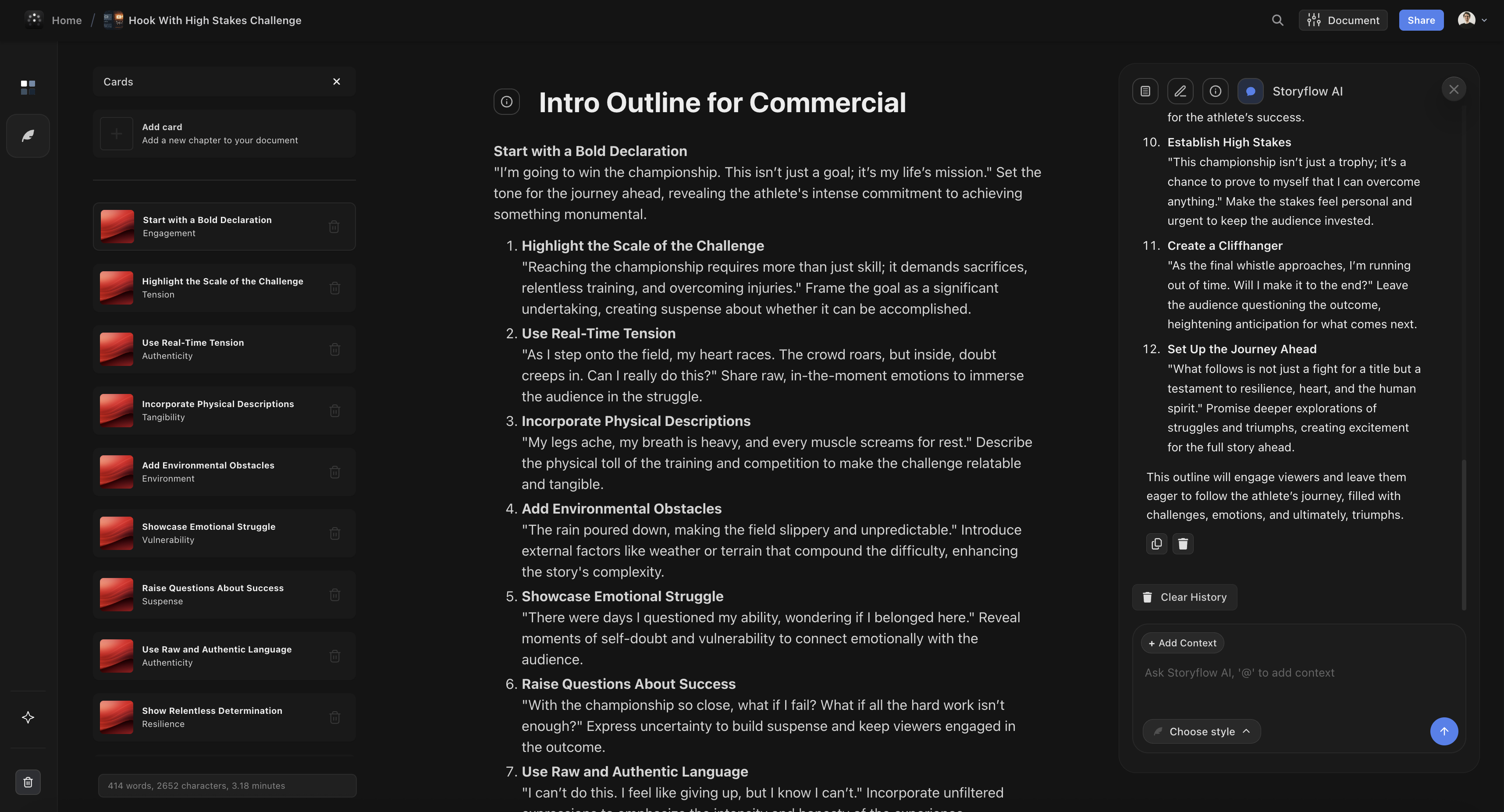
Three hook frameworks that work:
1. The Curiosity Gap
Create a question that demands an answer. The viewer can't leave without knowing.
"There's a reason your videos aren't getting views - and it's not your content, your niche, or the algorithm. It's something most creators never even think about."
2. Stakes Establishment
Immediately show what the viewer gains or loses by watching.
"This one mistake is costing you subscribers every single week. I made it for two years before I figured it out. Here's how to fix it today."
3. Pattern Interrupt
Start with something unexpected that breaks the viewer's expectations.
"I deleted my most successful video last week. 500,000 views, thousands of comments - gone. And I'd do it again. Here's why."
Hook engineering checklist:
- Does it communicate value in under 10 seconds?
- Does it create a question the viewer needs answered?
- Does it establish stakes (gain or loss)?
- Is it specific to this video (not generic)?
- Would you keep watching if you saw this hook?
Step 5: Outline the Story Structure
Goal: Map the journey from hook to conclusion with strategic retention points.
Even educational videos need story structure. A list of information isn't a story. Viewers tune out when there's no sense of progress or destination.

The Problem-Journey-Transformation Arc:
- Problem: What's wrong? What's the viewer struggling with? (Established in hook)
- Journey: What's the exploration? What do we discover? (Main content)
- Transformation: What changes? What can the viewer now do? (Conclusion)
Every YouTube video is a journey from problem to transformation. Without this arc, you have a list of information. With it, you have a story that keeps viewers watching until the end.
Retention architecture within your structure:
- Open loops: Create questions early that you answer later. "But there's a reason this doesn't work - which I'll explain in a moment."
- Pattern interrupts: Place attention resets at drop-off points (typically 3-4 minutes in).
- Payoff timing: Deliver rewards for watching at strategic moments. Don't front-load all the value.
- Callback structure: Reference earlier points to create cohesion. "Remember when I said X? Here's why that matters."
Basic outline structure for a 10-minute video:
- Hook (0:00-0:30): Curiosity gap + stakes establishment
- Context (0:30-1:30): Why this matters, open first loop
- Main Point 1 (1:30-3:30): First section, partial payoff, open second loop
- Pattern Interrupt (3:30-4:00): Reset attention
- Main Point 2 (4:00-6:00): Second section, close first loop, open third loop
- Main Point 3 (6:00-8:00): Third section, close second loop
- Transformation (8:00-9:00): What changes for the viewer, close all loops
- CTA (9:00-10:00): What to do next, callback to opening
Step 6: Align with Your Audience
Goal: Validate every element against your specific audience's needs.
The final step is alignment. You've built a complete plan - now you need to verify it serves your specific audience.
Creators often make videos for a generic "everyone." But everyone is no one. Your video should feel like it was made specifically for your viewer.
Audience alignment questions:
- Knowledge level: What do they already know? What do you need to explain? What can you skip?
- Pain points: What keeps them up at night? Are you addressing their real problem or a problem you assume they have?
- Language: What words do they use? What jargon do they know? What references will land?
- Expectations: What do they expect from your channel? Does this video deliver on that promise?
- Next step: What should they do after watching? Is that action appropriate for where they are in their journey?
Alignment audit for your plan:
- Read your hook. Would your specific audience click?
- Read your stakes. Do they match your audience's actual fears and desires?
- Read your main points. Are they at the right level of complexity?
- Read your transformation. Is this outcome something your audience actually wants?
Putting It All Together: A Real Example
Let's walk through the complete workflow for a real video idea. If you want to run it on your own idea as you read, open the YouTube Video Plan template so each step lands on a board with the structure already laid out.
Starting point:
"I want to make a video about morning routines."
Step 1 - Establish the Idea:
Topic: Morning routines
Problem it solves: People waste their mornings and start days feeling behind.
Idea: "Why I stopped copying productivity YouTubers' morning routines - and what I do instead"
Step 2 - Find the Angle:
Experience: I tried every popular routine for 2 years and burned out.
Contrarian take: Most morning routine advice is designed for someone else's life.
Angle: "The morning routine nobody talks about: designing one that fits your life instead of copying influencers"
Step 3 - Define the Stakes:
Loss stakes: Copying routines that don't fit your life leads to guilt, failure, and worse productivity.
Gain stakes: A personalized routine creates compound benefits every single day.
Step 4 - Craft the Hook:
"I spent two years copying morning routines from productivity YouTubers. 5am wake-ups. Cold showers. Journaling. Meditation. All of it. And it made my life worse, not better. Here's what I learned about why most morning routine advice is secretly terrible - and the simple framework I use now that actually works."
Step 5 - Outline the Structure:
- Hook: My 2-year morning routine experiment failure
- Context: Why we copy routines (open loop: "but there's a hidden problem")
- Point 1: The mismatch problem - routines designed for someone else's life
- Pattern interrupt: Show failed morning routine footage
- Point 2: The 3 questions to design your own routine (close first loop)
- Point 3: My current routine and why each element is there
- Transformation: A routine that serves your life instead of controlling it
Step 6 - Align with Audience:
Audience: My subscribers are mostly 25-35 professionals who want to be more productive but feel overwhelmed by advice.
Knowledge level: They've tried popular routines. They know the basics. They need a new approach.
Language: Conversational, relatable, anti-guru. References to common productivity advice they've seen.
Common Planning Mistakes to Avoid
1. Skipping the angle
A video without an angle is just information. Information is commodity. Your angle is what makes people watch you instead of anyone else.
2. Weak or generic hooks
"Hey everyone, today we're going to talk about..." is not a hook. If your hook sounds like every other video, viewers assume the content will too.
3. No retention structure
A video that delivers all value upfront gives viewers no reason to stay. Plan your open loops and payoffs before you film.
4. Planning for everyone
The more broadly you plan, the less deeply you connect. A video for "anyone interested in productivity" resonates less than one for "developers struggling with side project motivation."
5. Stopping at the topic
A topic is a category, not a video. Complete all six steps before you consider planning done.
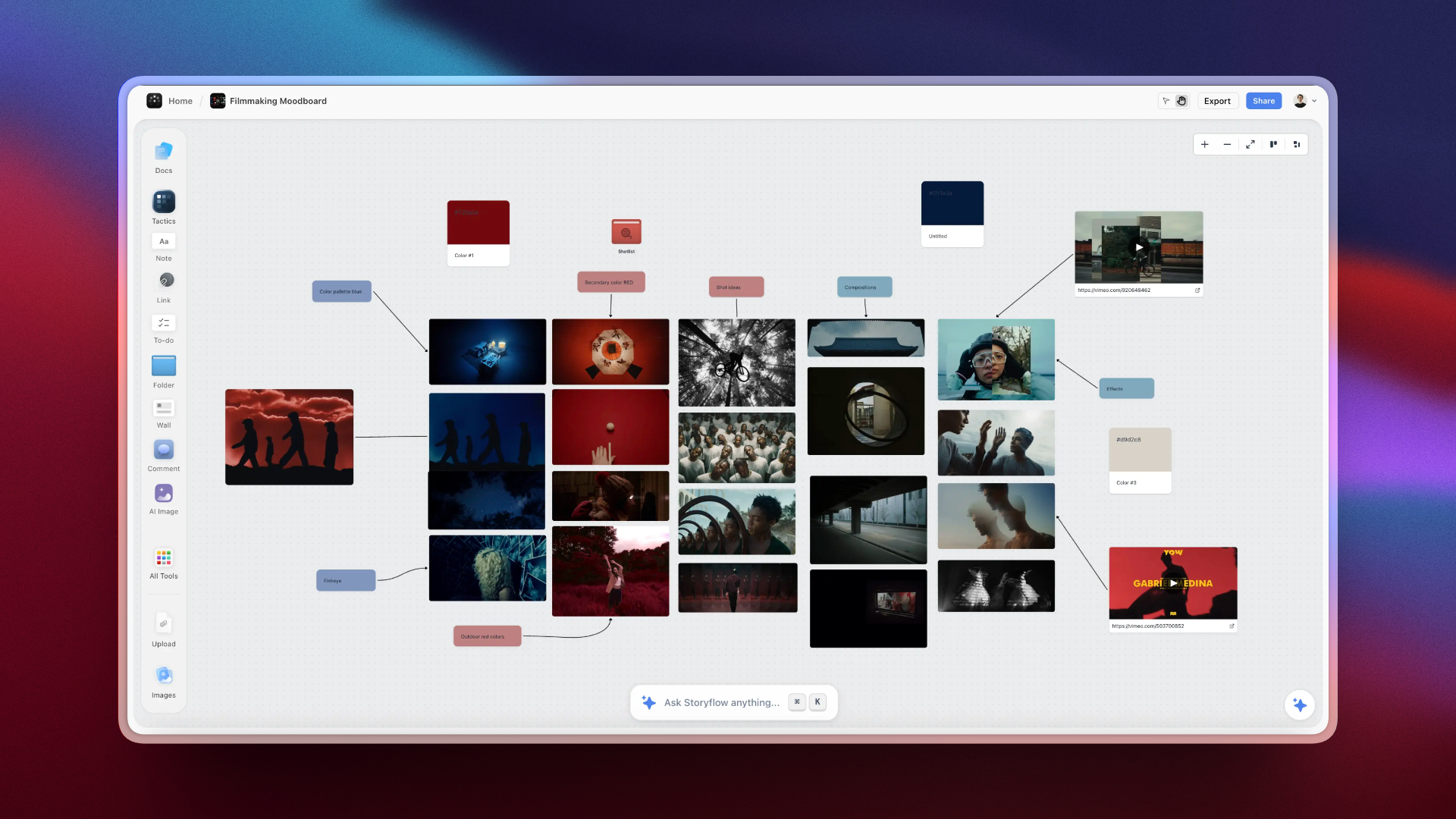
Filmmakers and YouTube creators use Storyflow to manage every stage of video production, from concept to final script
Tools That Support This Workflow
You can follow this workflow with pen and paper. But the right tool makes each step faster and more structured.
The problem with most tools:
You learn about hooks, retention, story structure. But when you open a blank document, you're not sure how to apply any of it. The learning and the doing are separate.
The solution:
Storyflow's Tactics guide you through each planning step with expert frameworks built in. You don't just follow the workflow - you learn why each step matters while you complete it.
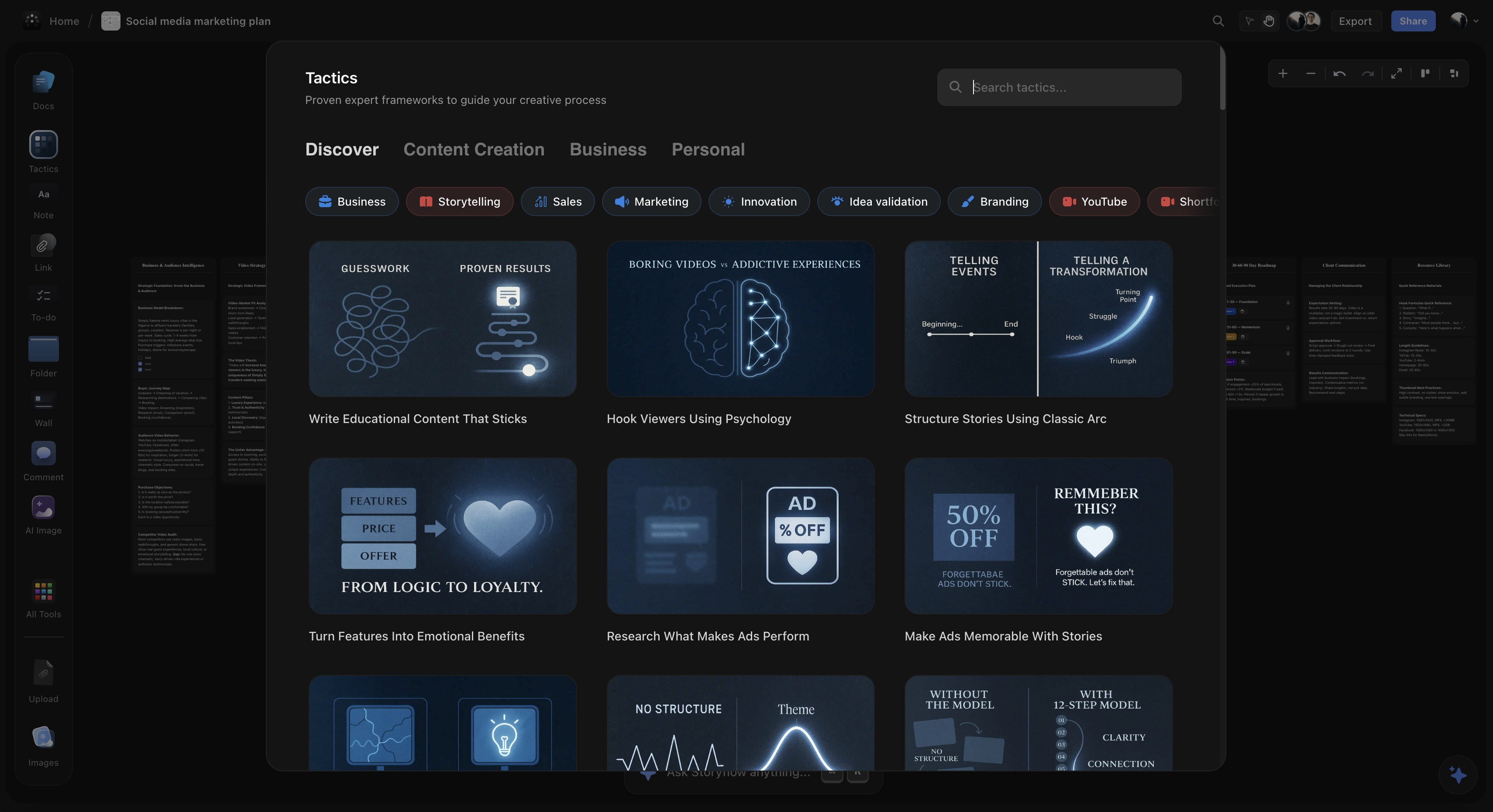
Storyflow's Video Planning Tactics walk you through establishing ideas, finding angles, defining stakes, crafting hooks, and outlining structure - with theory, examples, and guidance in every step.
What Storyflow's planning Tactics include:
- Idea Development cards: Transform topics into specific, valuable ideas with guided questions.
- Angle Finding cards: Discover your unique perspective through structured exploration.
- Hook Engineering cards: Learn and apply hook frameworks with real examples.
- Retention Architecture cards: Plan open loops, payoffs, and pattern interrupts.
- Story Structure cards: Map the problem-journey-transformation arc.
- Audience Alignment cards: Validate every element against your specific viewer.
The result: You complete the full planning workflow while learning professional methodology. After a few videos, the frameworks become instinctive.
Two boards cover the whole workflow: the Video Research template for steps 1 and 2 (collecting ideas, references, and competing videos in one place), and the Video Script template for turning your finished structure into a script the AI can help you tighten.
FAQ: YouTube Video Planning
What is the best workflow for planning YouTube videos?
The best workflow follows six steps: 1) Establish your idea around a specific problem, 2) Find your unique angle, 3) Define the stakes, 4) Craft your hook, 5) Outline the story structure with retention points, 6) Align everything with your specific audience. Complete all six before filming.
How do I find a unique angle for my YouTube video?
Find your angle by asking three questions: What experience do only I have? What's the contrarian take most people miss? What specific audience segment can I serve better than anyone? Your angle is the intersection of your topic, your unique perspective, and your audience's unmet needs.
What makes a good YouTube video hook?
Good hooks use one of three techniques: curiosity gap (creating a question viewers must answer), stakes establishment (showing what they gain or lose), or pattern interrupt (something unexpected). The hook must communicate value and create urgency in the first 5-30 seconds.
How long should I spend planning a YouTube video?
Professional creators often spend more time planning than filming. For a 10-minute video, expect 1-3 hours of planning. This includes all six steps: idea, angle, stakes, hook, structure, and audience alignment. The time invested in planning saves time in filming and editing.
Should I write a full script or just an outline?
It depends on your style. Some creators perform better with detailed scripts. Others prefer bullet-point outlines. Either way, the planning workflow is the same - you need to complete all six steps before deciding how detailed your script will be.
How do I know if my video idea is good?
A good idea passes three tests: 1) It solves a specific problem your audience has, 2) You have a unique angle that differentiates it, 3) The stakes are high enough to create urgency. If your idea passes all three, it's worth developing.
Your Next Steps
You now have the complete workflow for planning YouTube videos that perform. Here's how to use it:
- Pick your next video idea. Don't start fresh - use an idea you've been considering.
- Work through all six steps. Don't skip any. Each builds on the previous.
- Don't film until the plan is complete. If you can't articulate your angle, stakes, or hook clearly, keep refining.
- Use the plan during filming. Reference your hook, structure, and open loops as you record.
- Review results and iterate. Check retention graphs against your planned structure. Learn what worked.
Want guided help with this workflow?
Storyflow's Video Planning Tactics walk you through each step with expert frameworks, real examples, and AI assistance that understands your specific video. You learn the methodology while building real plans.
The best YouTube videos aren't filmed first - they're planned first. Master this workflow, and you'll create content that hooks, retains, and converts.
The workflow is simple. The execution takes practice. But every video you plan using this system will perform better than one you didn't. Start with your next idea, and see the difference for yourself.
Related Reading
Fix the real reasons your videos underperform
AI tools comparison for creators
Proven script structure that works
Table of Contents
- Why Planning Matters More Than You Think
- The Complete YouTube Video Planning Workflow
- Step 1: Establish Your Idea
- Step 2: Find Your Unique Angle
- Step 3: Define the Stakes
- Step 4: Craft Your Hook
- Step 5: Outline the Story Structure
- Step 6: Align with Your Audience
- Putting It All Together: A Real Example
- Common Planning Mistakes to Avoid
- Tools That Support This Workflow
- FAQ: YouTube Video Planning
- Your Next Steps
Templates to check out for this topic


Content and video templates you can use in Storyflow
Plan a channel, a script, and a content pipeline on the same board. Open one of these templates and let the AI build on the structure instead of starting from a blank doc.


See Storyflow in Action
A visual AI workspace where every feature lives inside one canvas. No tab-switching, no context lost.
Build your entire board from a single message
Type what you need in the AI chat at the bottom of your canvas. The AI adds cards, headings, and structure directly onto your board.
Use expert frameworks as AI context
Type @ in the AI chat and choose any Tactic. The AI tailors every response to that framework instead of giving generic advice.
Turn your board into a mind map in seconds
Ask the AI to restructure your canvas as a mindmap. It connects your ideas into a visual hierarchy so you can see how everything relates.
Why Storyflow Exists
Storyflow actually began as a personal tool while working on creative and research projects.
We kept running into the same problem: ideas were scattered everywhere: notes, documents, and whiteboards.
Nothing helped us see how everything connected.
So we started building a workspace designed around how ideas actually grow.
→ Read how Storyflow was createdSara de Klein
Head of Product at Storyflow
Published: January 11, 2026
Extremely simple, seriously capable


See how easy it is to get started
Watch a real project come together, from a blank board to a finished plan, clicked through step by step.
Start creating with AI and become more productive
Transform your creative workflow with AI-powered tools. Generate ideas, create content, and boost your productivity in minutes instead of hours.