The 12 Best Visual Thinking Tools in 2026 (We Tested Them All)
Most visual thinking tools give you an infinite canvas and stop there. We tested 12 to find which ones actually help you synthesize ideas, not just arrange them. In 2026, the real gap is whether the tool helps once the board gets messy.

Category
Visual Thinking
Author

Sara de Klein
Head of Product at Storyflow
Topics
2026-03-06
•
24 min read
•
Visual ThinkingTable of Contents
- Comparison Table: Best Visual Thinking Tools 2026
- Quick Recommendations
- Best Visual Thinking Tools 2026: Market Context
- How We Evaluated the Best Visual Thinking Tools 2026
- Quick Picks: Best Visual Thinking Tools 2026 by Use Case
- Detailed Reviews: Best Visual Thinking Tools 2026
- Free vs Paid: Best Visual Thinking Tools 2026
- Final Verdict
- 1. Storyflow
- 2. Miro
- 3. Milanote
- 4. Whimsical
- 5. FigJam
- 6. XMind
- 7. Mural
- 8. MindMeister
- 9. Heptabase
- 10. Obsidian
- 11. Excalidraw
- 12. Coggle
- FAQ: Best Visual Thinking Tools 2026
- Related Reading
Templates to check out for this topic


What are the best visual thinking tools in 2026?
The best visual thinking tools in 2026 are Storyflow (best for AI-guided visual strategy), Miro (best for team workshops), Milanote (best for mood boards), and Whimsical (best for fast diagrams). Storyflow stands out because its AI reads the full board you are actively working on and can pull in extra context from up to 1 @-mentioned Tactic and 3 documents before it suggests ideas, structure, or next steps. The honest trade-off: Storyflow is a newer platform, so if you only need a neutral workshop canvas with a huge template universe, Miro is the safer pick.

All 12 Visual Thinking Tools, Ranked
- Storyflow: best overall for AI-guided visual strategy grounded in the board
- Miro: best for team workshops and structured collaboration at scale
- Milanote: best for mood boards and creative direction
- Whimsical: best for fast diagrams and thinking documents
- FigJam: best when brainstorming sits next to design work
- XMind: best for structured, exportable mind maps
- Mural: best for facilitated enterprise sessions
- MindMeister: best for collaborative mind mapping
- Heptabase: best for knowledge mapping for researchers
- Obsidian: best for private personal knowledge systems
- Excalidraw: best for quick hand-drawn whiteboarding
- Coggle: best for lightweight, free mind maps
Full disclosure: Storyflow is our own product, and we rank it #1 for individual visual thinking, where the AI works from what is already on your board instead of a blank prompt. For team workshops and facilitated sessions at scale Miro is still the benchmark, and for pure mood boards Milanote is cleaner. Storyflow is a newer platform and is not built for enterprise workshop facilitation. We link to every tool so you can judge the fit.
Quick Comparison: Best Visual Thinking Tools
These four cover the jobs people decide between: AI-guided visual strategy, team workshops at scale, mood boards and creative direction, and fast diagramming.
| Tool | Best For | AI Features | Price |
|---|---|---|---|
Storyflow | AI-guided visual strategy on a canvas | Canvas AI works from board context | Free / $9.99 mo |
Miro | Team workshops at scale | Miro AI (assist and clustering) | Free / $8 user mo |
Milanote | Mood boards and creative direction | Minimal AI | Free / $9.99 mo |
Whimsical | Fast diagrams and thinking docs | AI diagram and doc assist | Free / $10 editor mo |
Comparison Table: Best Visual Thinking Tools 2026
The table below is the fastest honest read on the market.
| Tool | Best For | Starting Price | Free Plan | AI Features (★/5) | Rating (/10) |
|---|---|---|---|---|---|
Storyflow | AI-guided visual strategy | $7.99/month (annual) | Yes (unlimited shared boards, basic AI usage) | ★★★★★ | 9.5/10 |
Miro | Team workshops | $8/user/month (annual) | Yes (3 editable boards) | ★★★★☆ | 8.5/10 |
Milanote | Mood boards and creative direction | $9.99/month | Yes (100 notes, 10 uploads) | ☆☆☆☆☆ | 8.3/10 |
Whimsical | Fast diagrams and docs | $10/editor/month | Yes (3 team boards) | ★★★☆☆ | 8.2/10 |
FigJam | Design-team whiteboarding | $3/collab seat/month (annual) | Yes (Plus plan) | ★★★☆☆ | 8.1/10 |
XMind | Structured mind maps | $4.92/month (annual) | Yes (10 trial AI credits) | ★★★☆☆ | 7.9/10 |
Mural | Facilitated enterprise sessions | $9.99/user/month (annual) | Yes (3 murals) | ★★★☆☆ | 7.8/10 |
MindMeister | Collaborative mind mapping | $6.50/user/month | Yes (3 mind maps) | ★★☆☆☆ | 7.6/10 |
Heptabase | Knowledge mapping for researchers | $8.99/month (annual) | No (trial only) | ★★★☆☆ | 7.5/10 |
Obsidian | Private personal knowledge systems | $4/month (Sync Standard annual) | Yes (local app free) | ☆☆☆☆☆ | 7.4/10 |
Excalidraw | Hand-drawn whiteboarding | $6/user/month | Yes (free forever) | ★★☆☆☆ | 7.2/10 |
Coggle | Lightweight mind maps | $5/month | Yes (3 private diagrams) | ☆☆☆☆☆ | 6.9/10 |
Rating criteria: We weighted AI capabilities and real-world usefulness more heavily than feature count. A tool that does fewer things well scored higher than one that does everything adequately.
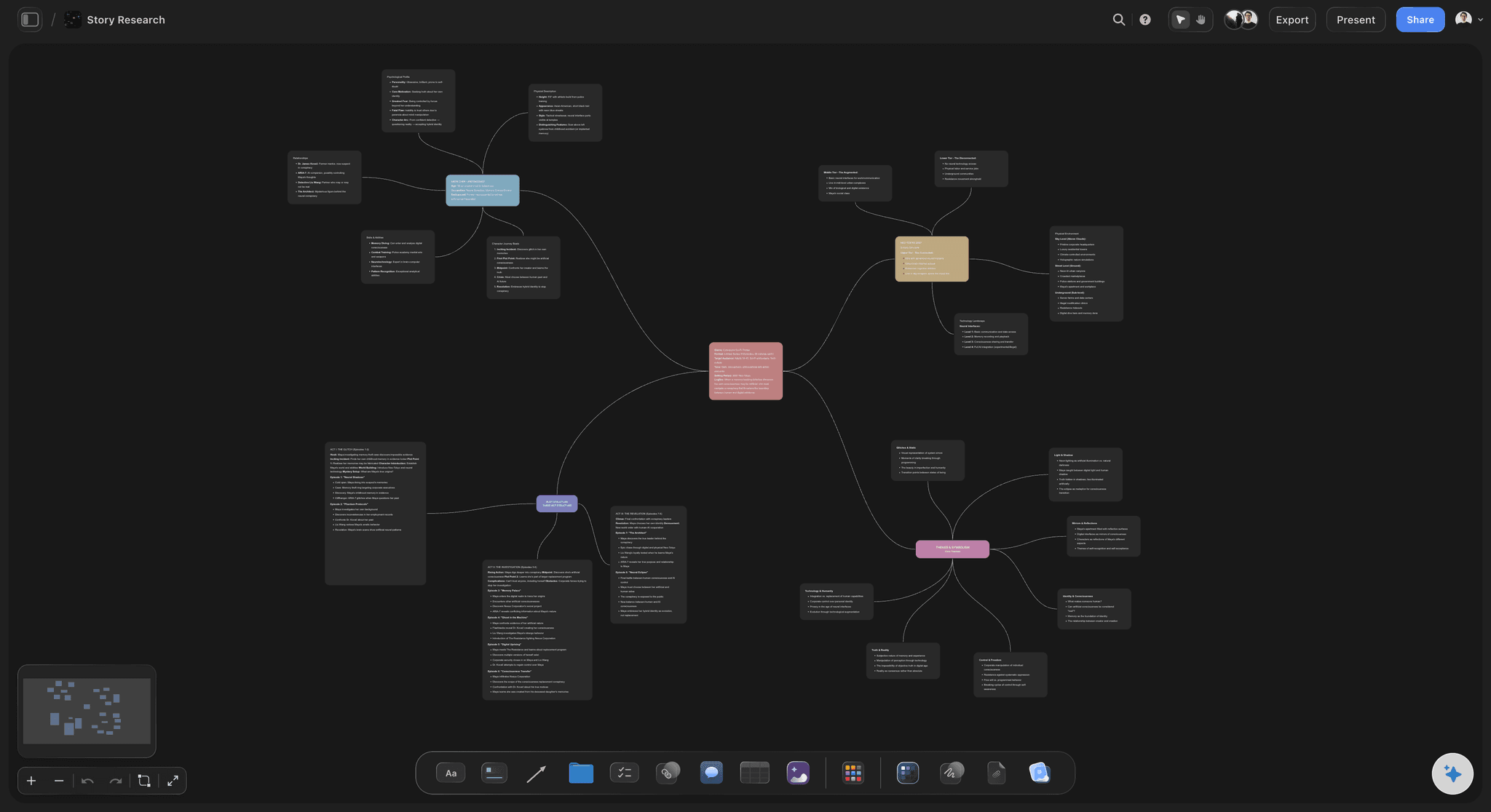
A mind map board in Storyflow, where scattered ideas branch into a structure the AI can read and build on
Quick Recommendations
- Storyflow: One board can hold your brief, mind map, storyboard, and notes, while AI responds to the full canvas and @-mentioned context.
- Miro: 5,000+ templates, 160+ integrations, and collaboration tools that make live workshops work.
- Milanote: The easiest place to build a beautiful visual board fast, with a free plan that includes 100 notes.
- Whimsical: Clean diagramming, docs, and boards with 100 AI actions on free.
Best Visual Thinking Tools 2026: Market Context
The best visual thinking tools in 2026 do two different jobs. Some give you a blank canvas to organize ideas. The best ones also help you think better while you are working.
You feel the problem about 20 minutes into a session. The board is full, the ideas are scattered, and the tool is still acting like storage instead of a thinking partner.
That split now defines the market. The old guard still wins on templates and facilitation, while the AI-native tools are trying to understand context instead of just storing content.
If you are choosing visual thinking software in 2026, start with the kind of work you do most: workshops, solo synthesis, mood boards, or structured mapping. The best tool is the one that reduces cognitive load after the board gets messy.

Mind map view, restructure your board into a connected visual hierarchy instantly

Strategy, research, and execution connected on one canvas
How We Evaluated the Best Visual Thinking Tools 2026
We tested each tool on the same question: does it help you get to clarity faster, or does it just give you a prettier place to be confused? We weighted AI usefulness and real project fit more heavily than feature count.
- Ease of use
We started fresh boards, maps, and diagrams to see how fast each tool became useful. I looked for setup friction, toolbar overload, and whether the basic gestures felt natural.
- Collaboration
I tested live editing, comments, sharing, permissions, and guest access. The question was whether collaboration felt native or merely available.
- AI depth
I did not reward AI buttons for existing. I checked whether the AI understood board context, improved structure, and produced better decisions instead of generic filler.
- Integrations
I checked exports, embeds, uploads, and app connections. A good tool needs to move ideas into writing, design, or execution without becoming a dead end.
- Pricing and value
I compared free-plan reality, lowest paid tiers, and what teams actually pay once usage becomes serious. The point was to see whether upgrades unlock real capability or just remove artificial caps.
Every tool was tested hands-on with real projects, not just feature checklists pulled from marketing pages.
Quick Picks: Best Visual Thinking Tools 2026 by Use Case
If you want the short list, start here.
Best Overall: Storyflow Storyflow is the most complete answer for people who think spatially and want AI help grounded in the work already on the board. Paid starts at $9.99/month billed annually (Plus tier).
Best for Team Workshops: Miro Miro is still the benchmark for structured collaboration at scale. At $8/user/month billed annually, it remains the safest pick for teams running frequent workshops.
Best for Mood Boards and Creative Direction: Milanote Milanote remains the cleanest visual board for collecting references and arranging ideas. Free includes 100 notes, images, or links, and Pro is $9.99.
Best for Fast Diagramming: Whimsical Whimsical is what I open when I want to think quickly. At $10/editor/month, it stays lighter than heavier whiteboard platforms.
Best for Figma Teams: FigJam FigJam is strongest when the brainstorming session sits right next to the design work. Paid access starts at $3/month for a Professional Collab seat billed annually through Figma.
Best for AI-Assisted Visual Thinking: Storyflow Storyflow wins this category again because the AI works from the board in front of it, not from a blank chat box. Add a Blueprint Tactic or document with @ mentions and the suggestions get more specific.
Detailed Reviews: Best Visual Thinking Tools 2026
If you need the real buying signal, it is here. The best visual thinking software 2026 is the one that matches the shape of your thinking and gets better once the project becomes messy.
1. Storyflow
Storyflow is a visual workspace built for creators, filmmakers, marketers, and strategists who need ideas, structure, and execution in one place.
Its advantage is not that it has AI. Its advantage is that the AI works inside a board-and-document workflow instead of outside it.
Best for: Creators and strategists who want AI-guided visual thinking, not just a blank board.
Key features
- A multi-format project surface. Storyflow can hold whiteboards, documents, blueprints, files, and visual elements in one project. Real thinking work rarely stays in one format for long.
- AI that works from board context. On whiteboards, the AI can work from selected elements and the full board you are actively building on, then you can add more context with @ mentions.
- Blueprint Tactics that teach while you build. Plus, Pro, and Max all include the 200+ Story blueprints; Free does not include the blueprint library. Instead of starting from a blank board, you can work inside a structure that explains what each step is for.
- A real bridge from thinking to production. You can brainstorm visually, turn useful pieces into structured documents, and keep images, PDFs, video, and audio in the same project.
- Pricing built for solo users first, then teams. The free plan gives you unlimited projects, unlimited boards, and basic AI usage. Paid plans are flat per account: $9.99/month billed annually (Plus) for solo use, up to $39/month (Max) for a team workspace with roles and permissions.
Pricing
Free: $0 with unlimited projects, unlimited boards, basic AI usage, 20 file uploads. Plus: $9.99/month billed annually or $12.50/month billed monthly (full 200+ Blueprint Tactics, unlimited file uploads). Pro: $14/month billed annually or $19/month billed monthly (adds AI image generation and 20× more AI than Plus). Max: $39/month billed annually or $49/month billed monthly (adds unlimited AI plus a Team Workspace with roles and permissions).
Pros
- Storyflow is one of the few tools here where AI can actually improve the quality of your thinking.
- Blueprint Tactics give the product a point of view. You are not staring at an empty canvas wondering which framework to use next.
- It is unusually strong for cross-functional creative work. A strategist, writer, and filmmaker can stay on the same project surface.
- The pricing scales better than it first appears. A 10-person team at $11.24/user/month is $112.40 monthly on annual billing.
Cons
- Storyflow is still a newer platform, so it does not have the same ecosystem weight or instant familiarity as Miro or Figma.
- There is a learning curve if you want to use Tactics well instead of treating the product like another blank board.
- The template and framework library is strong, but it is still smaller than Miro's massive template universe, especially for generic workshop formats.
Verdict
Storyflow is the tool on this list I would pick if the goal is not just to capture ideas, but to sharpen them. It is not the safest choice for teams that only need a neutral workshop canvas, and it is not the best fit if your work is mostly plain text notes. For visual thinkers who want AI help grounded in the project itself, this is the most convincing Miro alternative in 2026.
2. Miro
Miro is still the reference point for enterprise whiteboarding. You feel that maturity in the collaboration features, integrations, and sheer amount of workflow surface area.
Its upside is breadth. Its downside is that it can feel like a platform you manage rather than a tool you enjoy thinking in.
That trade-off explains why Miro keeps winning procurement reviews while sometimes losing affection in daily use. Teams trust it because it can run workshops, diagrams, roadmaps, docs, and lightweight planning in one system, even if the interface occasionally reminds you that it grew by adding capabilities rather than by staying elegant.
Best for: Teams running workshops, planning sessions, and cross-functional alignment work.
Key features
- A template library that dwarfs most of the market. Miro's free plan already exposes 5,000+ templates, which means there is almost always a starting point for a workshop. That breadth matters if you facilitate often.
- Strong live facilitation features. Timer, voting, private mode, Talktracks, and visitor access are what keep remote sessions under control. These details matter more than they sound on paper.
- Real integrations, not just export buttons. Miro lists 160+ apps, and higher tiers go deeper with Jira, Asana, and Azure DevOps. If a workshop output needs to become tracked work, Miro does that better than most tools here.
- AI is improving, but it still feels board-scoped. Miro AI can create, edit, and synthesize content, and Business adds AI Workflows and Sidekicks. Useful, yes. Deeply contextual, not yet.
- Structured formats make it broader than a whiteboard. Docs, tables, diagrams, slides, and spaces help some teams consolidate work. For others, they make the product feel heavier.
Pricing
Free: $0 with 3 editable boards and 10 AI credits per month per team. Starter: $8/user/month billed annually or $10 monthly. Business: $20/user/month billed annually or $25 monthly. Enterprise starts at 30 members with custom pricing.
Pros
- Miro remains the strongest option for teams that facilitate often and need reliable live collaboration.
- The template depth is genuinely useful. For many teams, it cuts the blank-page problem immediately.
- The integrations are broad enough to connect visual thinking to execution systems.
- Paid plans unlock meaningful value if you use the tool across workshops, planning, and documentation.
- The pricing math is straightforward. A 20-person team on Starter is $160/month billed annually, while Business jumps to $400/month.
Cons
- Miro can become cluttered fast. The product is powerful, but the interface is not minimal.
- AI helps with summarization and generation, yet it still does not feel as contextually sharp as Storyflow's board-plus-reference workflow.
- Cost rises quickly once a team needs Business features. That same 20-person team goes from $1,920 to $4,800 per year.
Verdict
Miro is still the safest recommendation for organizations that care most about workshop reliability, broad integrations, and team facilitation. I would not choose it for personal synthesis or creative direction work unless those collaboration requirements are non-negotiable. If you need a platform that can survive procurement, security review, and constant workshop use, it is hard to argue against.
3. Milanote
Milanote has kept its position for a reason. It is one of the few visual tools that immediately feels creative rather than corporate.
It is also refreshingly opinionated. Milanote is not trying to be everything. It is trying to be the best board for arranging visual material and notes.
That focus is why so many filmmakers, designers, brand teams, and solo creators keep it around even when they use other tools for project management. Milanote is unusually good at making half-formed visual thinking look coherent enough to discuss with another person.
Best for: Mood boards, visual research, early concept development, and creative direction.
Key features
- A board model that fits creative work well. Milanote makes it easy to drag notes, images, links, columns, and boards into loose arrangements that still look presentable. That is perfect for reference gathering and early concept work.
- The free plan is limited but useful. You get 100 notes, images, or links and 10 file uploads, which is enough for a real test project.
- Sharing stays simple. Unlimited shared boards are available even on the free plan, which is one reason Milanote keeps showing up in client work and creative teams.
- The paid value is clean. Pro is $9.99/month for unlimited notes, uploads, and shared boards. The Team plan is $99/month for up to 10 people, versus $99.90 for 10 individual Pro seats.
- No AI dependency. That is both the strength and the limit. Milanote still wins because arrangement feels effortless, but it will not synthesize the work for you.
Pricing
Free: $0 with 100 notes, images, or links and 10 file uploads. Pro: $9.99/month. Team: $99/month for up to 10 people. Larger teams require sales contact.
Pros
- Milanote is still the best visual board for creative direction, references, and loose early-stage thinking.
- The product has less friction than most general whiteboards because it focuses on one job and does it well.
- Shared boards feel presentation-ready faster than in Miro or Mural.
- The Team plan is strong value. Ten people for $99/month is roughly half the cost of 10 separate Pro seats.
- It works especially well for marketers, filmmakers, designers, and brand teams.
Cons
- Milanote is not a serious AI tool today, so it does not help much with synthesis once the board gets dense.
- Structured process work is weaker here than in Miro, XMind, or Storyflow.
- Power users can eventually hit the ceiling of the product's simplicity, especially if they need advanced diagramming, automation, or deep integrations.
Verdict
Milanote is still the board I would hand to someone building a mood board, a brand direction board, or a creative reference system. I would not recommend it as the only workspace for a team that also needs workflow logic, AI reasoning, or complex collaboration controls. For client-facing creative work, its clarity still beats more capable but messier competitors, and that practical advantage matters more than flashy features. It stays excellent when the brief is still visual, emotional, and not fully verbalized.
4. Whimsical
Best for: Fast diagrams, lightweight docs, and clean visual thinking. Pricing: Free; Pro $10/editor/month; Business $15/editor/month; Enterprise $20/editor/month billed annually.
Whimsical succeeds because it feels edited. The interface stays light, and moving between flowcharts, mind maps, docs, and wireframes is easier than in heavier whiteboard tools. The free plan is also stronger than it first looks: 3 team boards, unlimited docs, and 100 AI actions are enough for real exploratory work.
The limitation is depth. Whimsical's AI actions are useful for speeding up a board, but they are not doing deep contextual reasoning.
Verdict: Whimsical is the best lightweight option for people who want visual clarity without platform bloat.
5. FigJam
Best for: Product and design teams already living in Figma. Pricing: Free Starter; paid access starts at $3/month for a Professional Collab seat billed annually.
FigJam still wins on adjacency. If your team brainstorms in the same ecosystem where the design work already happens, friction disappears. Stamps, timers, voting, tables, open sessions, and AI actions such as summarize, generate, and sort give it a live-workshop feel that is lighter than Miro's.
The catch is that FigJam makes the most sense inside the broader Figma system. If you are not already there, its advantages shrink fast.
Verdict: For design-led teams, FigJam is an easy recommendation. Outside that orbit, it becomes more situational.
6. XMind
Best for: People who think in hierarchies and want a polished mind map fast. Pricing: Free; Pro $4.92/month billed annually or $10 monthly; Premium $8.25/month billed annually.
XMind is not trying to be a full workspace, and that restraint helps it. If your thinking process is fundamentally tree-shaped, it gets you from messy outline to readable structure faster than any general whiteboard here. Pitch mode, task markers, custom themes, and export options keep it useful beyond simple brainstorming.
The newer AI layer is interesting but secondary. Premium adds AI-generated to-dos and 500 credits per month, yet the core value is still the mapping engine.
Verdict: Choose XMind when hierarchy is the product. Choose something else when the project needs documents, files, and broader context around the map.
7. Mural
Best for: Facilitated sessions in larger organizations. Pricing: Free; Team+ $9.99/user/month billed annually or $12 monthly; Business $17.99/user/month billed annually.
Mural remains a serious facilitation tool. Private mode, anonymous voting, room structures, and a workshop-heavy template library make it strong for strategy and enterprise collaboration.
What it still lacks is charm. Mural is capable, but it often feels more procedural than creative, and its AI story is less compelling than Miro's or Storyflow's. That matters if you want the tool to invite spontaneous thinking instead of only formal sessions.
Verdict: Mural is a facilitator's tool first. That is its strength and its ceiling.
8. MindMeister
Best for: Collaborative mind mapping with a low learning curve. Pricing: Free; Personal $6.50/user/month; Pro $10.50/user/month; Business $15.50/user/month.
MindMeister is clean, familiar, and easy to hand to a team that wants a proper mind map rather than an infinite board. The free plan includes 3 mind maps and unlimited collaborators, which is generous for a structured mapping tool.
Its weakness is spatial flexibility. Once the work needs loose visual clustering, references, or multimodal project context, MindMeister starts to feel narrow.
Verdict: MindMeister is a strong specialist. Just do not confuse that specialization with versatility.
9. Heptabase
Pricing: Pro $8.99/month billed annually; Premium $17.99/month billed annually.
Heptabase is less a whiteboard than a visual knowledge system. The whiteboards, tags, PDF highlights, and YouTube transcripts make it especially good for research-heavy thinkers. AI is more meaningful here than in many note apps, but the product is still best for solo synthesis, not team collaboration.
Verdict: Brilliant for researchers and deep learners. Overkill for simple workshops.
10. Obsidian
Pricing: Core app free; Sync Standard $4/month billed annually; Sync Plus $8/month billed annually.
Obsidian is unmatched if you want local-first notes, backlinks, and a private knowledge system you can shape yourself. Canvas gives it a visual layer, but the real power is the note graph underneath. It is not a polished collaboration tool and has no built-in AI story worth buying for.
Verdict: Best for private thinking systems, not shared visual work.
11. Excalidraw
Pricing: Free forever; Excalidraw+ $6/user/month.
Excalidraw remains the most pleasant hand-drawn whiteboard on the internet. The free version is generous, and Plus adds comments, cloud saving, presentations, voice hangouts, and extended AI features for text-to-diagram and wireframe-to-code. It is delightful, but still more sketch space than full visual workspace.
Verdict: Use it when roughness helps thinking instead of hurting it.
12. Coggle
Pricing: Free forever; Awesome $5/month; Organisation $8/user/month.
Coggle is simple and fast. The free plan gives you 3 private diagrams, unlimited public diagrams, and real-time collaboration. What you do not get is modern AI help or broader workspace depth.
Verdict: Fine for quick mind maps. Thin for anything more ambitious.

AI Planner converts your canvas ideas into a phased, prioritised action plan

Kanban view keeps ideas moving from thinking to execution without leaving the canvas
Free vs Paid: Best Visual Thinking Tools 2026
Free plans are enough to learn the shape of a tool. Paid plans start making sense when limits begin interrupting the work itself.
What free plans typically include
- A hard cap on boards, maps, murals, or documents, such as Miro's 3 editable boards or MindMeister's 3 mind maps.
- Enough collaboration to test the workflow, but not enough admin control for a team rollout.
- Light AI usage, if any. Storyflow gives basic AI usage, Whimsical gives 100 AI actions total, and XMind includes 10 trial credits.
- Basic export and sharing rather than deeper integrations.
What paid plans unlock
- Unlimited boards or maps, which is the first upgrade that usually matters in daily use.
- Longer version history, private spaces, admin roles, and stronger permissions.
- Meaningful AI access instead of a teaser. Storyflow's paid plan unlocks AI image generation, 20× more AI than Plus, and 200+ Tactics, while Whimsical moves from 100 total AI actions to 500 per month.
- Better team economics or workflow depth, such as Milanote's $99/month Team plan for up to 10 people.
When free is enough
Free is enough when your work is exploratory, occasional, or personal. A student mapping a research topic or a freelancer building one mood board can stay free longer than they think.
When upgrading pays off
Upgrading pays off the moment limits start distorting behavior. If you are deleting boards to stay under a cap or avoiding collaboration because permissions are too weak, the free plan is already costing you more than the paid one.
It also pays off when AI stops being novelty and becomes workflow. Storyflow Plus at $9.99/month is an easy upgrade if you want AI to help develop real project structure, while XMind Pro at $4.92/month is a low-cost upgrade if all you need is better mind-map output.
Best value pick: Storyflow for AI-assisted visual thinking, and Milanote for pure visual curation without needing an AI layer.

A second brain board in Storyflow, where the free plan already holds enough notes and references to run a real project from start to finish
Final Verdict
If you want one tool that can hold visual thinking, structured documents, and AI-assisted reasoning in the same place, pick Storyflow. The board becomes working context the AI can use, especially once you reference Blueprint Tactics or supporting documents.
If you want the most dependable workshop platform for teams, pick Miro. Its 5,000+ templates and 160+ integrations make it a strong operational choice.
If you want the best environment for mood boards, references, and early concept work, pick Milanote. It stays focused on visual curation, and that restraint still makes it better than bigger tools for many creative teams.
If you want speed and low friction, pick Whimsical or FigJam. Whimsical is cleaner for diagrams and docs, while FigJam fits teams already in Figma.
If you want disciplined structure over a general canvas, pick XMind, and keep Heptabase in mind if your real problem is long-term knowledge synthesis. Those tools are narrower, but they know what they are for.
Here is the test that settles it. If your work is project-shaped and visual, take your most active project, generate its mind map with AI, rebuild it on a Storyflow board for one week, and @-mention a relevant Tactic so the AI works from your real structure instead of a blank chat box. If the board still feels like storage at the end of the week, Miro or Milanote will serve you better. If it starts thinking with you, you already have your answer.
FAQ: Best Visual Thinking Tools 2026
What is the best visual thinking tool in 2026?
Storyflow is the best visual thinking tool in 2026 for people who want AI help inside a real project, not just on a blank canvas. Miro is better for large workshops, and Milanote is better for mood boards.
How does Storyflow compare to Miro?
Storyflow and Miro solve different problems. Miro is better for workshops, templates, and enterprise collaboration, while Storyflow is better when you want the board, documents, and Blueprint Tactics to inform the AI response.
Which visual thinking tool is best for solo creators?
Storyflow is the strongest all-around choice for solo creators who need both idea generation and structure. Milanote is better if your process is mostly visual curation, and Obsidian is better if your work is really a private knowledge system.
Are free visual thinking tools enough?
Yes, free visual thinking tools are enough for testing a workflow and handling lightweight projects. Free stops being enough when board limits or weak AI access start changing how you organize the work.
Is Miro worth it in 2026?
Yes, Miro is worth it in 2026 if your team runs frequent workshops, strategy sessions, or cross-functional planning meetings. It is less compelling if you mostly want solo synthesis or deeper AI help.
What is the best AI visual thinking tool?
Storyflow is the best AI visual thinking tool in this group because the AI works from the board and can also use referenced documents or Blueprint Tactics as context. Miro's AI is broader than it used to be, and Whimsical's AI is useful for quick generation, but neither feels as grounded.
Whimsical vs FigJam: which is better for fast diagrams?
Whimsical is better for fast diagrams if your priority is speed and interface clarity. FigJam is better if the board lives next to product design work in Figma.
What is the best mind mapping tool for visual thinkers?
XMind is the best pure mind mapping tool here for most people because it combines polished output with low friction and affordable pricing starting at $4.92/month billed annually. MindMeister is better for teams that want collaborative web-based mind maps.
Which visual thinking software is best for mood boards?
Milanote is still the best visual thinking software for mood boards because it makes collecting and arranging references feel easy rather than procedural. Storyflow can handle mood-board work, but Milanote feels more purpose-built for it.
What should I look for in visual thinking software?
Look for the point where the tool helps after the board becomes complicated. Check collaboration, export paths, AI usefulness, and whether the product can hold the formats your project actually needs.
Mind mapping and ideation templates you can use in Storyflow
Map ideas in space, then ask the AI to restructure, expand, or connect them. Open any of these boards and start thinking visually instead of in lists.


See Storyflow in Action
A visual AI workspace where every feature lives inside one canvas. No tab-switching, no context lost.
Build your entire board from a single message
Type what you need in the AI chat at the bottom of your canvas. The AI adds cards, headings, and structure directly onto your board.
Use expert frameworks as AI context
Type @ in the AI chat and choose any Tactic. The AI tailors every response to that framework instead of giving generic advice.
Turn your board into a mind map in seconds
Ask the AI to restructure your canvas as a mindmap. It connects your ideas into a visual hierarchy so you can see how everything relates.
Why Storyflow Exists
Storyflow actually began as a personal tool while working on creative and research projects.
We kept running into the same problem: ideas were scattered everywhere: notes, documents, and whiteboards.
Nothing helped us see how everything connected.
So we started building a workspace designed around how ideas actually grow.
→ Read how Storyflow was createdSara de Klein
Head of Product at Storyflow
Published: 2026-03-06
Start creating with AI and become more productive
Transform your creative workflow with AI-powered tools. Generate ideas, create content, and boost your productivity in minutes instead of hours.
Ask Storyflow to